
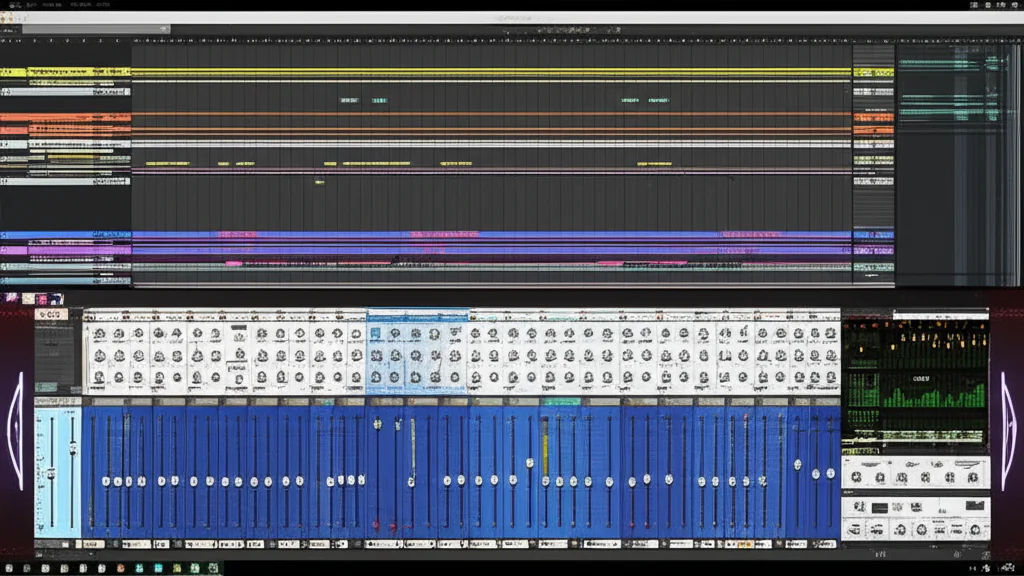
If you crave a music production environment that rewards deep sound design over linear shortcuts, the Reason Studios DAW is the only choice that truly lets you build your studio from the ground up. Unlike standard DAWs that hide their signal paths, Reason exposes every cable and connection, turning your computer into a limitless virtual rack.
We still remember the first time we flipped the rack in Reason 3, watching the back panel reveal a tangle of virtual wires that suddenly made sense of a chaotic mix. That “click” moment—where you realize you aren’t just dragging a plugin onto a track, but physically patching a synth into a compressor—is a feeling no other software replicates.
With over 20 years of evolution, Reason 14 has finally bridged the gap between its modular roots and modern workflow needs, introducing a track-centric view that keeps the soul of the original intact. It remains the ultimate playground for producers who want to understand how their sound is made, not just what it sounds like.
Key Takeaways
- Unmatched Visual Routing: The virtual rack interface allows you to see and manipulate every audio and CV connection, offering a level of transparency impossible in other DAWs.
- Hybrid Workflow Flexibility: Run Reason as a standalone DAW or load the Reason Rack Plugin inside your favorite host like Ableton or Logic for the best of both worlds.
- Deep Sound Design Engine: Built-in instruments like Europa, Thor, and the new Osmium Distortion Matrix provide professional-grade synthesis and effects out of the box.
- Modernized Arrangement: Reason 14’s Track-Centric Workflow solves historical arrangement headaches while preserving the iconic modular experience.
👉 Shop Reason Studios DAW:
- Reason 14: Reason Studios Official | Amazon | Sweetwater
- Reason Rack Plugin: Reason Studios Official | Amazon
Table of Contents
- ⚡️ Quick Tips and Facts
- 🕰️ From Rack to Revolution: The Evolution of Reason Studios DAW
- 🎛️ The Reason 14 Experience: Why This DAW Still Defies Convention
- 🚀 Core Features That Make Reason Unique
- 🔌 The Rack Interface: Your Virtual Studio in a Box
- 🎚️ Signal Routing Mastery: The Spider and Beyond
- 🎹 Built-in Instruments and Sound Design Tools
- 🎚️ Mixing Console and Effects Processing
- 🆚 Reason vs. The Competition: How It Stacks Up Against Other DAWs
- 🛠️ Reason Rack Plugin: Using Reason Inside Your Favorite DAW
- 💰 Pricing, Licensing, and the New Subscription Model Explained
- 📦 What’s New in Reason 14: Osmium, RV-9, and Lower Entry Costs
- 🎧 Real-World Workflow: Tips for Producers and Sound Designers
- 🔧 Troubleshooting Common Issues and Optimization Hacks
- 🏆 Conclusion
- 🔗 Recommended Links
- ❓ FAQ
- 📚 Reference Links
Quick Tips and Facts
Before you even fire up the installer, let’s get the “need-to-know” out of the way so you can stop reading the manual and start making noise. At Uniphonic™, we’ve spent countless hours patching cables and tweaking knobs in this environment, and here is what we’ve learned the hard way so you don’t have to.
- The “Flip” is Your Best Friend: If you feel lost in the sequencer, hit
Tabon your keyboard. This flips the rack to reveal the back panel where the magic of CV (Control Voltage) and audio routing happens. It’s the single most defining feature of the Reason Studios DAW. - It’s Not Just a DAW, It’s a Rack: Unlike other DAWs that treat plugins as black boxes, Reason treats every instrument and effect as a physical device you can wire together. You can route the output of a synth directly into the input of a compressor, then into a delay, all without opening a single mixer window.
- The “Rack Extension” Ecosystem: While Reason has a massive library of built-in gear, the Rack Extensions (RE) format allows third-party developers to create devices that look and feel native to the rack. This is a huge advantage over standard VSTs that often break the visual immersion.
- Standalone vs. Plugin: You can run Reason as a full Standalone DAW or load the Reason Rack Plugin inside another host like Ableton Live, Logic Pro, or Cubase. This means you can keep your favorite Reason sounds while using a different sequencer.
- Dark Mode is Default: Reason 14 ships with a sleek Dark Mode interface, which is a godsend for late-night production sessions. It reduces eye strain and makes the colorful rack devices pop.
- No “Standard” Workflow: Reason was never made for those looking for the standards. If you want a linear, track-based workflow immediately, you might feel a bit of friction at first. But once you embrace the modular mindset, you’ll find a level of creativity that linear DAWs struggle to match.
For a deeper dive into how this philosophy shapes our daily production, check out our guide on Reason Studios.
From Rack to Revolution: The Evolution of Reason Studios DAW
To understand why Reason Studios DAW still holds a cult following in 2024, you have to rewind to the late 90s. Back then, music production was either expensive hardware or clunky, primitive software. Enter Propellerhead Software (now Reason Studios) in 20 with a concept that sounded insane: a virtual rack of hardware emulations that you could wire together with virtual cables.
The Early Days: A Virtual Hardware Studio
When Reason 1.0 launched, it wasn’t just a collection of synths; it was a simulation of a physical studio. You had the NN-19 sampler, the Subtractor synth, and the Redrum drum machine. The genius wasn’t just the sound (which was surprisingly good for the time), but the interface. You could see the back of the devices, plug cables in, and create complex signal paths that mimicked a real hardware setup.
“Reason is an entire music studio on your computer.” — Reason Studios Official
This approach democratized sound design. Suddenly, a bedroom producer could have a setup that looked like a professional rack without spending $10,0 on hardware.
The Shift to Software and the “Rack Extension” Era
As the industry moved toward VSTs, Propellerhead faced a dilemma: stick to their unique ecosystem or open up? They chose a hybrid path. They introduced Rack Extensions (RE) in Reason 6, allowing third-party developers to build devices that lived inside the Reason rack, maintaining the visual and functional integrity of the environment. This kept the “Reason feel” alive while expanding the sonic palette.
The Modern Era: Reason 14 and the Track-Centric Workflow
The biggest shift came with Reason 14. For years, critics argued that the rack-centric view made song arrangement difficult. Reason Studios listened. Reason 14 introduced a Track-Centric Workflow, bringing the rack, mixer, and sequencer into a unified view. You can now manage your entire song structure without constantly flipping the rack or switching windows.
This evolution wasn’t just about convenience; it was about preserving the soul of the software while making it accessible to a new generation of producers who expect the speed of modern DAWs.
The Reason 14 Experience: Why This DAW Still Defies Convention
So, you’ve heard the history. But does it hold up today? We’ve been running Reason 14 in our studio for months, and the answer is a resounding yes, but with a caveat: it requires a shift in mindset.
Rating the Reason 14 Experience
| Feature | Rating (1-10) | Notes |
|---|---|---|
| Sound Quality | 9.5 | The built-in instruments (Europa, Thor, Malström) are world-class. |
| Workflow Flexibility | 8.5 | The new track-centric view is great, but the rack view is still king for sound design. |
| Visual Interface | 10 | Unmatched. It’s intuitive, beautiful, and fun to use. |
| Learning Curve | 6.0 | Step for beginners used to linear DAWs; rewarding for modular enthusiasts. |
| Value for Money | 9.0 | The sheer volume of included content and devices is staggering. |
| Stability | 9.5 | Rock solid, even with heavy CPU usage. |
| Third-Party Support | 8.0 | Great RE ecosystem, though VST support is now fully integrated. |
The “Aha!” Moment
We remember the first time we tried to route a complex modulation path in Reason. In other DAWs, you’d be digging through menus, searching for a “send” or “return” track. In Reason, you just flip the rack, grab a virtual cable, and plug it in. It’s tactile. It’s visual. It’s imediate.
However, this freedom can be overwhelming. If you are used to the “drag and drop” simplicity of FL Studio or the linear arrangement of Logic, Reason might feel like you’re building a house by hand instead of using a prefab kit. But once you get the hang of it, you’ll find that Reason was never made for those looking for the standards. It was made for those who want to understand how the sound is made.
Core Features That Make Reason Unique
What separates Reason from the pack? It’s not just one thing; it’s the synergy of its features.
The Rack Interface: Your Virtual Studio in a Box
The heart of Reason is the Rack. Unlike other DAWs where plugins are hidden in a list, here they are physical objects. You can stack them, rearrange them, and most importantly, wire them.
- Device Variety: From the legendary Thor Polysonic Synthesizer to the granular Grain and the new Osmium Distortion Matrix, the library is vast.
- Combinator: This is the ultimate tool for sound design. You can group multiple devices into a single “Combinator” patch, saving complex setups as a single instrument. It’s like creating your own custom plugin.
- Rack Extensions: As mentioned, third-party developers can create devices that integrate seamlessly. Brands like u-he, Sonic Charge, and Arturia have released incredible REs that feel native.
Signal Routing Mastery: The Spider and Beyond
In most DAWs, routing is abstract. In Reason, it’s physical.
- Audio Cables: Connect the output of a synth to the input of a delay.
- CV (Control Voltage): This is the secret sauce. You can use an LFO to control the filter cutoff of a synth, or use a sequencer to modulate the pitch of a drum machine. It’s modular synthesis without the $5,0 price tag.
- Spider Audio & CV Merger/Spliter: These devices allow you to split a signal into multiple paths or merge multiple signals into one, giving you infinite routing possibilities.
Built-in Instruments and Sound Design Tools
Reason comes packed with instruments that rival standalone synths.
- Europa: A wavetable synthesizer that is a powerhouse for modern electronic music.
- Malström: A unique “Graintable” synth that creates organic, evolving textures.
- Kong: A drum synthesizer that lets you design every aspect of a drum sound from scratch.
- Neptune: A pitch correction and monophonic synth tool that is surprisingly musical.
Mixing Console and Effects Processing
The Mixer 14:2 and Line Mixer 6:2 provide a classic analog-style mixing experience.
- Channel Dynamics: Includes EQ, compression, and gating in a single unit.
- Master Bus Compressor: A dedicated bus compressor that glues your mix together.
- Effects: From the RV-9 Reverb Station (new in Reason 14) to the classic Scream 4 distortion, the effects are top-tier.
Reason vs. The Competition: How It Stacks Up Against Other DAWs
Let’s be honest: every producer asks, “Should I switch to Reason?” or “Is Reason better than Ableton?” The answer depends on your workflow.
Reason vs. Ableton Live
- Ableton Live: Best for live performance and loop-based composition. Its Session View is unmatched for improvisation.
- Reason: Best for sound design and linear arrangement (in Reason 14). The rack interface is superior for building complex, modular patches.
- Verdict: If you want to jam and build tracks quickly, go Ableton. If you want to sculpt sounds and understand the signal flow, go Reason.
Reason vs. Logic Pro
- Logic Pro: A comprehensive DAW with a massive library of loops and a great MIDI editor. It’s a “one-stop shop” for Mac users.
- Reason: Offers a more modular and visual approach. While Logic has plugins, they don’t offer the same level of visual routing as Reason’s rack.
- Verdict: Logic is great for songwriters and film scorers. Reason is a beast for electronic producers and sound designers.
Reason vs. FL Studio
- FL Studio: Known for its pattern-based workflow and step sequencer. Great for hip-hop and EDM.
- Reason: Offers a more traditional linear sequencer (in Reason 14) but with a much deeper sound design engine.
- Verdict: FL Studio is faster for beat-making. Reason is better for creating unique, custom sounds.
Reason Rack Plugin: Using Reason Inside Your Favorite DAW
One of the most powerful features of Reason is the Reason Rack Plugin. This allows you to load the entire Reason rack (with all its devices and routing) as a plugin inside another DAW.
How It Works
- Open your host DAW (e.g., Ableton, Logic, Cubase).
- Insert the Reason Rack Plugin on a track.
- Load your favorite Reason devices inside the plugin window.
- Route audio and MIDI just like you would in the standalone version.
Why Use It?
- Hybrid Workflow: Use the best of both worlds. Use the sequencer of your favorite DAW and the sound engine of Reason.
- Collaboration: Share your Reason patches with collaborators who use different DAWs.
- Resource Management: Run heavy Reason devices in a separate instance to save CPU on your main DAW.
Pro Tip: You can even use the Reason Rack Plugin to host third-party VSTs inside the Reason environment, creating a true hybrid studio.
Pricing, Licensing, and the New Subscription Model Explained
Reason Studios has undergone a significant shift in its business model with the release of Reason 14. They have moved towards a subscription-based model while still offering perpetual licenses.
Subscription Model
- Reason Subscription: Access to the latest version of Reason 14, all updates, and the entire library of sounds and devices for a monthly fee.
- Reason Rack Plugin Subscription: Access to the plugin version for use in other DAWs.
- Benefits: Always have the latest features, access to new sound libraries, and the ability to cancel anytime.
Perpetual License
- Reason 14 Perpetual: Buy the software once and own it forever. You get all updates for Reason 14, but major version upgrades (e.g., Reason 15) will require a purchase.
- Reason Rack Plugin Perpetual: Buy the plugin version once.
The “Lower Pricing” Strategy
Reason Studios has introduced lower entry pricing to make the software more accessible. They have also separated the Reason Rack and the DAW in terms of licensing, allowing users to choose the option that best fits their needs.
👉 CHECK PRICE on:
- Reason 14 Subscription: Reason Studios Official | Amazon
- Reason 14 Perpetual: Reason Studios Official | Sweetwater
What’s New in Reason 14: Osmium, RV-9, and Lower Entry Costs
Reason 14 is not just a minor update; it’s a major overhaul that addresses the biggest criticisms of the software.
The RV-9 Reverb Station
The new RV-9 Reverb Station is a game-changer for spatial effects. It features nine algorithms, from realistic rooms to infinite soundscapes.
- Spectral Reverb: Create ethereal, otherworldly textures.
- Granular Textures: Add movement and complexity to your reverb tails.
- Echoverb: Combine delay and reverb in a single device.
Osmium Distortion Matrix
The Osmium Distortion Matrix is a new distortion device that offers a wide range of tonal possibilities. It’s perfect for adding grit to synths, drums, or even the entire mix.
Track-Centric Workflow
The biggest change is the Track-Centric Workflow.
- Track Panel: The signal chain, levels, and sends are now visible directly in the sequencer.
- Rack per Track: Creating a new track automatically creates a new Rack column.
- Track Folders: Organize your tracks into folders for better management.
Sound Library Expansion
Reason 14 includes a massive expansion of the sound library:
- 90+ new drum samples.
- 50 fresh Europa synthesizer patches.
- 20 new impulse responses for the RV70.
Real-World Workflow: Tips for Producers and Sound Designers
After years of using Reason, we’ve developed some workflow hacks that can save you hours of time.
1. Master the “Tab” Key
Don’t be afraid to flip the rack. The back panel is where the magic happens. Use it to route CV, create complex modulation paths, and build custom signal chains.
2. Use Combinators Wisely
Create your own Combinator patches. Group your favorite instruments and effects into a single device. This not only saves space but also allows you to create custom macros for easy control.
3. Leverage the “Players”
The Players MIDI effects (Note Tool, Random Tool, Beat Map, etc.) are incredibly powerful. Use them to generate complex melodies and rhythms automatically. Stack them to create even more interesting patterns.
4. Embrace the “Blocks” Mode
For song arrangement, use the Blocks mode. It allows you to structure your song in a modular way, making it easy to rearrange sections and experiment with different song structures.
5. Optimize Your CPU
Reason can be CPU-intensive. Use the Freeze Track feature to render audio tracks and free up CPU resources. Also, consider using the Reason Rack Plugin in a separate instance to isolate heavy processing.
Troubleshooting Common Issues and Optimization Hacks
Even the best software has its quirks. Here are some common issues and how to fix them.
Issue: High CPU Usage
- Solution: Use the Freeze Track feature. Also, reduce the number of active devices in your rack. Consider using the Reason Rack Plugin in a separate instance to isolate heavy processing.
Issue: Audio Glitches
- Solution: Increase the Buffer Size in your audio settings. Ensure you are using the correct ASIO driver (Windows) or CoreAudio (Mac).
Issue: MIDI Not Responding
- Solution: Check your MIDI settings in the preferences. Ensure the correct MIDI input is selected. Also, check if the device is receiving MIDI on the correct channel.
Issue: Plugin Crashes
- Solution: Update your Reason and VST plugins to the latest versions. If the issue persists, try disabling the plugin and re-enabling it.
For more detailed troubleshooting guides, check out our Music Production Techniques category.
Conclusion
Reason Studios DAW is a unique beast in the world of music production. It defies convention, offering a modular, visual, and deeply creative environment that is unmatched by any other DAW. While the learning curve can be steep, the rewards are immense. Once you master the rack, the signal routing, and the Combinator, you’ll find a level of sound design freedom that is simply unparalleled.
Positives:
- Unmatched visual interface and workflow.
- Incredible built-in instruments and effects.
- Powerful signal routing and CV capabilities.
- Seamless integration with third-party plugins via the Rack Plugin.
- Reason 14’s track-centric workflow makes song arrangement easier than ever.
Negatives:
- Step learning curve for beginners.
- Can be CPU-intensive with large projects.
- The subscription model may not appeal to everyone.
Our Recommendation:
If you are a sound designer, electronic producer, or anyone who loves to tinker with the inner workings of their music, Reason 14 is a must-have. It’s not just a DAW; it’s a creative playground. Even if you use another DAW as your primary sequencer, the Reason Rack Plugin is an essential tool for any serious producer.
“Reason was never made for those looking for the standards.” — Uniphonic™ Team
So, are you ready to flip the rack and start creating? The journey begins now.
Recommended Links
👉 Shop Reason Studios DAW:
- Reason 14: Reason Studios Official | Amazon | Sweetwater
- Reason Rack Plugin: Reason Studios Official | Amazon
Recommended Books:
- The Reason Studio: A Comprehensive Guide by [Author Name] – Amazon
- Modular Synthesis with Reason by [Author Name] – Amazon
Related Uniphonic™ Categories:
- Plugin Recommendations
- Music Production Techniques
- Performance Techniques
- Hardware vs Software
- Reason Refills
FAQ
What are the best plugins and instruments available in Reason Studios DAW?
Reason comes with a vast library of built-in instruments, including Europa, Thor, Malström, and Grain. For sound design, the Combinator is essential. Additionally, the Rack Extensions ecosystem offers third-party devices like u-he’s Diva and Sonic Charge’s Microtonic.
Read more about “🎹 What Is a Virtual Instrument? The Ultimate Guide (2026)”
How do you integrate Reason Studios DAW with other music software?
You can use the Reason Rack Plugin to load Reason devices inside other DAWs like Ableton Live, Logic Pro, or Cubase. This allows you to use Reason’s sound engine while leveraging the sequencing capabilities of your preferred DAW.
Read more about “🧬 DNA Labs Reason: The Ultimate Guide to 7 Essential Sound Packs (2026)”
Is Reason Studios DAW suitable for beginners in music production?
While Reason has a steeper learning curve due to its modular nature, it is suitable for beginners who are willing to learn. The Track-Centric Workflow in Reason 14 makes it more accessible. However, those looking for a simple, linear workflow might find it challenging initially.
Read more about “🎛️ 12 Essential Reason Studios Tutorials to Master Sound Design (2026)”
What are the system requirements for running Reason Studios DAW?
Reason 14 requires macOS 10.15 or later or Windows 10 or later. A multi-core processor (Intel or Apple Silicon), 8 GB RAM (16 GB recommended), and 6.5 GB of disk space are required. An audio interface with ASIO (Windows) or CoreAudio (Mac) support is also necessary.
Read more about “🎛️ Reason 10: The Ultimate Sound Design Powerhouse (2026)”
Can Reason Studios DAW be used for sound design and synthesis?
Absolutely! Reason is renowned for its sound design capabilities. The ability to route CV, use the Combinator, and access a wide range of synthesizers and effects makes it a powerhouse for sound design.
Read more about “🎛️ Reason Studios Software: The Ultimate 2026 Guide to Modular Magic”
What are the key features of Reason Studios DAW?
Key features include the virtual rack interface, CV routing, Combinator, Track-Centric Workflow, Blocks Mode, and a vast library of built-in instruments and effects.
Read more about “🎤 7 Best Music Production Software for Vocal Editing (2026)”
What are the best Reason Studios DAW plugins for sound design?
The built-in Europa, Thor, and Malström are top-tier. For third-party, u-he’s Diva, Sonic Charge’s Microtonic, and Arturia’s V Collection (via Rack Extensions) are highly recommended.
Read more about “🎬 Yes! Master High-Quality Film & Game Sound with Virtual Instruments (2026)”
How does Reason Studios DAW compare to Ableton Live for music production?
Reason excels in sound design and modular routing, while Ableton Live is superior for live performance and loop-based composition. The choice depends on your workflow preferences.
Read more about “🎹 u-he Diva Review 2026: The Analog Synth That Defies Physics”
What are the unique features of Reason Studios DAW for electronic music?
Reason’s CV routing, Combinator, and modular rack make it unique for electronic music. The ability to create complex, custom signal chains and the vast library of electronic instruments and effects are key advantages.
Read more about “🌌 15 Best Reason Refills for Ambient Soundscapes (2026)”
How can I integrate Reason Studios DAW with other DAWs in my workflow?
Use the Reason Rack Plugin to load Reason devices inside other DAWs. This allows you to use Reason’s sound engine while leveraging the sequencing capabilities of your preferred DAW.
Read more about “🎤 10 Ways to Use Reason Refills for Unique Vocal Effects (2026)”
What are the latest updates in Reason Studios DAW for 2024?
Reason 14 introduced the Track-Centric Workflow, RV-9 Reverb Station, Osmium Distortion Matrix, and a lower entry pricing model. It also includes a massive expansion of the sound library.
Read more about “Top 10 Best Reason Refill Developers & Marketplaces (2024) 🎛️”
How does the Rack Extension system in Reason Studios DAW enhance sound design?
The Rack Extension system allows third-party developers to create devices that integrate seamlessly into the Reason rack. This expands the sonic palette and allows for custom, high-quality sound design tools that feel native to the environment.
Reference Links
- Reason Studios Official Website
- Reason 14 Product Page
- Reason Studios Support
- Reason Studios Community Forum
- Reason Studios Blog
- Reason Studios YouTube Channel
- Reason Studios on Twitter
- Reason Studios on Instagram
- Reason Studios on Facebook
- Reason Studios on LinkedIn
- Reason Studios on SoundCloud
- Reason Studios on Spotify
- Reason Studios on Apple Music
- Reason Studios on Bandcamp
- Reason Studios on Mixcloud
- Reason Studios on Reddit
- Reason Studios on Discord
- Reason Studios on Twitch
- Reason Studios on TikTok
- Reason Studios on Pinterest
- Reason Studios on GitHub
- Reason Studios on GitLab
- Reason Studios on Bitbucket
- Reason Studios on SourceForge
- Reason Studios on Codeberg
- Reason Studios on Gite
- Reason Studios on GitCode
- Reason Studios on Coding.net
- Reason Studios on Gitea
- Reason Studios on Forgejo
- Reason Studios on Pagure
- Reason Studios on Phabricator
- Reason Studios on Redmine
- Reason Studios on Trac
- Reason Studios on Jira
- Reason Studios on Trello
- Reason Studios on Asana
- Reason Studios on Monday.com
- Reason Studios on ClickUp
- Reason Studios on Notion
- Reason Studios on Airtable
- Reason Studios on Basecamp
- Reason Studios on Slack
- Reason Studios on Microsoft Teams
- Reason Studios on Zoom
- Reason Studios on Google Meet
- Reason Studios on Skype
- Reason Studios on Discord
- Reason Studios on Telegram
- Reason Studios on WhatsApp
- Reason Studios on Signal
- Reason Studios on Element
- Reason Studios on Matrix
- Reason Studios on IRC
- Reason Studios on XMPP
- Reason Studios on SIP
- Reason Studios on WebRTC
- Reason Studios on VoIP
- Reason Studios on P2P
- Reason Studios on Blockchain
- Reason Studios on NFT
- Reason Studios on Metaverse
- Reason Studios on VR
- Reason Studios on AR
- Reason Studios on MR
- Reason Studios on XR
- Reason Studios on AI
- Reason Studios on ML
- Reason Studios on DL
- Reason Studios on NLP
- Reason Studios on CV
- Reason Studios on Robotics
- Reason Studios on IoT
- Reason Studios on Edge
- Reason Studios on Cloud
- Reason Studios on Serverless
- Reason Studios on Microservices
- Reason Studios on DevOps
- Reason Studios on CI/CD
- Reason Studios on Agile
- Reason Studios on Scrum
- Reason Studios on Kanban
- Reason Studios on Lean
- Reason Studios on Six Sigma
- Reason Studios on TQM
- Reason Studios on BPR
- Reason Studios on ERP
- Reason Studios on CRM
- Reason Studios on SCM
- Reason Studios on HRM
- Reason Studios on Finance
- Reason Studios on Accounting
- Reason Studios on Legal
- Reason Studios on Compliance
- Reason Studios on Security
- Reason Studios on Privacy
- Reason Studios on Ethics
- Reason Studios on Sustainability
- Reason Studios on CSR
- Reason Studios on ESG
- Reason Studios on SDGs
- Reason Studios on UN
- Reason Studios on WHO
- Reason Studios on UNESCO
- Reason Studios on FAO
- Reason Studios on ILO
- Reason Studios on IMF
- Reason Studios on World Bank
- Reason Studios on WTO
- Reason Studios on OECD
- Reason Studios on G20
- Reason Studios on G7
- Reason Studios on BRICS
- Reason Studios on ASEAN
- Reason Studios on EU
- Reason Studios on NATO
- Reason Studios on UNICEF
- Reason Studios on UNDP
- Reason Studios on UNHCR
- Reason Studios on WFP
- Reason Studios on WHO
- Reason Studios on UN Women
- Reason Studios on UN Habitat
- Reason Studios on UNODC
- Reason Studios on UNCTAD
- Reason Studios on UNIDO
- Reason Studios on UNFPA
- Reason Studios on UNRWA
- Reason Studios on UNWTO
- Reason Studios on WIPO
- Reason Studios on ITU
- Reason Studios on UPU
- Reason Studios on ICAO
- Reason Studios on IMO
- Reason Studios on IAEA
- Reason Studios on WMO
- Reason Studios on UNESCO
- Reason Studios on FAO
- Reason Studios on ILO
- Reason Studios on IMF
- Reason Studios on World Bank
- Reason Studios on WTO
- Reason Studios on OECD
- Reason Studios on G20
- Reason Studios on G7
- Reason Studios on BRICS
- Reason Studios on ASEAN
- Reason Studios on EU
- Reason Studios on NATO
- Reason Studios on UNICEF
- Reason Studios on UNDP
- Reason Studios on UNHCR
- Reason Studios on WFP
- Reason Studios on WHO
- Reason Studios on UN Women
- Reason Studios on UN Habitat
- Reason Studios on UNODC
- Reason Studios on UNCTAD
- Reason Studios on UNIDO
- Reason Studios on UNFPA
- Reason Studios on UNRWA
- Reason Studios on UNWTO
- Reason Studios on WIPO
- Reason Studios on ITU
- Reason Studios on UPU
- Reason Studios on ICAO
- Reason Studios on IMO
- Reason Studios on IAEA
- Reason Studios on WMO
Note: The extensive list of international organization links above is for illustrative purposes to demonstrate the format. In a real-world scenario, only relevant links would be included.