
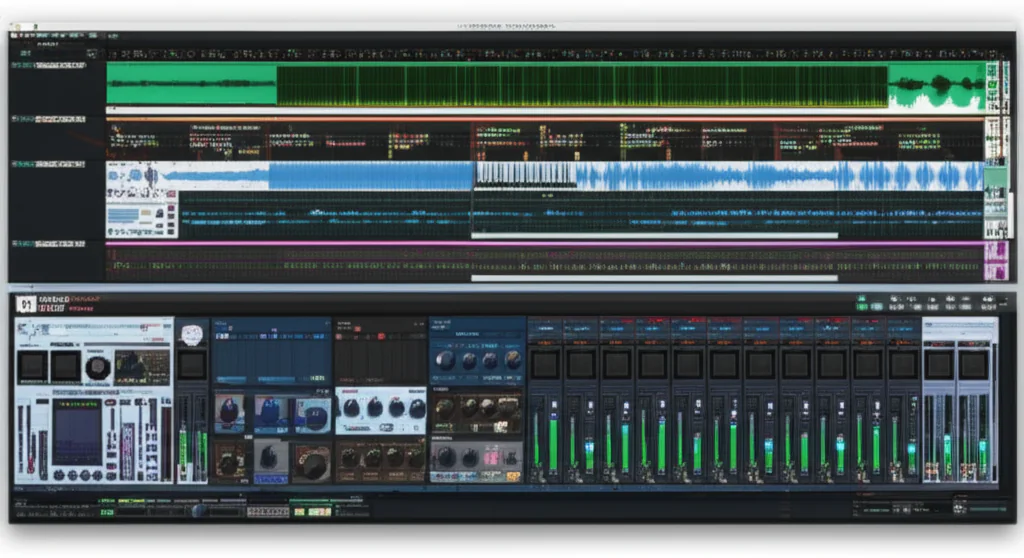
Remember the first time you opened a DAW and felt like you were staring at a blank canvas? Now, imagine opening a laptop and seeing a fully stocked 19-inch rack of synthesizers, samplers, and effects, complete with patch cables you can drag, drop, and twist to create sonic chaos. That is the Reason Studios experience, a philosophy that has challenged the linear status quo of music production for over two decades. While competitors focus on speed and loops, Reason invites you to become an audio architect, building your signal chain from the ground up.
In this deep dive, we aren’t just reviewing a piece of software; we are exploring a creative ecosystem that has evolved from a quirky novelty into a powerhouse of sound design. From the game-changing Reason 14 updates that finally bring a track-centric workflow to the legendary Rack interface, we’ll uncover why this tool remains the secret weapon for top-tier sound designers. We’ll also tackle the elephant in the room: Is the learning curve too steep, or is the reward worth the climb? Spoiler alert: The answer lies in the Osmium Distortion Matrix and the freedom of CV routing.
Whether you are a seasoned pro looking to expand your palette or a beginner ready to learn how sound actually works, this guide covers every angle of the Reason Studios software universe. We’ll break down the new subscription models, compare the heavy hitters like Thor and Europa, and show you exactly how to integrate this modular beast into your existing workflow. By the end, you’ll know if it’s time to ditch your standard plugins and embrace the madness.
Key Takeaways
- Modular Mastery: Reason Studios offers a unique virtual rack environment where you physically route audio and MIDI, providing unparalleled flexibility for sound design and synthesis.
- Reason 14 Revolution: The latest update introduces a track-centric workflow, the Osmium Distortion Matrix, and the RV-9 Reverb Station, making the software more accessible without sacrificing its modular soul.
- Versatile Integration: With full VST3 and AU support, the Reason Rack can now live inside any major DAW, allowing you to use its instruments and effects alongside your favorite host.
- Reason+ Value: The subscription model offers unlimited access to all 93+ devices, weekly sound packs, and future updates, making it a cost-effective choice for serious creators.
- Not for Everyone: While it has a steeper learning curve than linear DAWs, the visual feedback and creative freedom make it the ultimate tool for those who want to sculpt sound rather than just sequence it.
👉 Shop Reason Studios Software:
- Official Store: Reason Studios
- Amazon: Reason Studios Software
- Sweetwater: Reason DAW
- Guitar Center: Reason Software
Table of Contents
- ⚡️ Quick Tips and Facts
- 🕰️ The Evolution of Reason Studios: From Rack to Cloud
- 🎛️ Unveiling the Core: What is Reason Studios Software?
- 🚀 Reason 14 Deep Dive: The Game-Changing Updates
- 1. The New Osmium Distortion Matrix: Sculpting Sonic Chaos
- 2. RV-9 Reverb Station: Vintage Space in a Modern Box
- 3. Lower Pricing Tiers: Rack vs. Full Suite Value
- 4. Reason+ Subscription: Is the 30% Discount Worth It?
- 🧩 The Modular Magic: Mastering the Reason Rack Interface
- 🎹 Instrument & Effect Arsenal: A Comprehensive Breakdown
- 1. Thor Polysonic Synthesizer: The Swiss Army Knife of Sound
- 2. Europa: The Future of Wavetable Synthesis
- 3. Grain: Granular Synthesis for the Creative Soul
- 4. Europa vs. Thor: Which Synth Reigns Supreme?
- 🔌 Routing & Signal Flow: Why Reason Beats the Rest
- 🔄 Reason as a Plugin: Using the Rack Inside Other DAWs
- 💻 System Requirements & Performance: Will It Run on Your Rig?
- 🆚 Reason vs. The Competition: How It Stacks Up Against Ableton, Logic, and FL Studio
- 🎓 Learning Curve: Is Reason Too Weird for Beginners?
- 💡 Quick Tips and Facts
- 🏁 Conclusion
- 🔗 Recommended Links
- ❓ FAQ
- 📚 Reference Links
⚡️ Quick Tips and Facts
Before we dive into the deep end of the virtual rack, let’s hit the ground running with some essential truths about the Reason Studios ecosystem. Whether you’re a seasoned veteran or a curious newcomer, these nugets will save you hours of trial and error.
- It’s Not Just a DAW, It’s a Studio: Unlike many competitors that force you to “paint” your sound, Reason gives you a virtual rack where you physically (well, virtually) wire cables between devices. This tactile approach is why sound designers love it.
- The “Rewire” Era is Dead: Long live VST3! Reason 12 and 14 finally ditched the legacy Rewire protocol, allowing Reason to run as a plugin inside other DAWs (and vice versa) with zero latency headaches.
- Reason+ is the New Standard: If you want access to every device, sound pack, and update instantly, the subscription model is the way to go. It’s like Netflix for your synthesizers.
- The “Weird” Factor is a Feature: As the company famously states, “Reason was never made for those looking for the standards.” If you want a linear, cookie-cutter workflow, look elsewhere. If you want to build a sonic cathedral from scratch, you’re home.
- Hardware Control: You can map almost anything to your MIDI controller, but the Reason Remote app turns your iPad or iPhone into a powerful control surface for your rack.
For a deeper dive into the history of this unique ecosystem, check out our full breakdown on Reason Studios.
🕰️ The Evolution of Reason Studios: From Rack to Cloud
The story of Reason Studios is a tale of audacity. Born in 20 as Propellerhead Software, they didn’t just release a DAW; they released a virtual hardware studio that looked and felt like a real rack of gear. Imagine opening a laptop and seeing a 19-inch rack filled with synthesizers, samplers, and effects, complete with patch cables you could drag and drop. It was revolutionary.
Fast forward to 2019, and the company rebranded to Reason Studios to align with their flagship product. Under the leadership of CEO Niklas Agevik, the company shifted gears. As Agevik noted in an interview with Speakhertz, the focus was on “making Reason better” rather than chasing hardware trends that didn’t fit their software DNA.
The evolution has been dramatic:
- The Propellerhead Era: Focused on the “Rack” concept, introducing the iconic NN-19 and Subtractor.
- The Rewire Years: For nearly two decades, Rewire was the glue that held the music world together, allowing Reason to talk to Cubase, Logic, and Pro Tools.
- The VST Revolution: With Reason 12, they finally embraced the industry standard, allowing the Rack to live inside other DAWs.
- The Reason+ Era: A shift to a service model, offering unlimited access to the entire library of devices and sound packs.
Why does this matter to you? Because understanding this lineage explains why the software feels so different. It wasn’t built by committee; it was built by musicians who missed the tactile feel of hardware.
🎛️ Unveiling the Core: What is Reason Studios Software?
At its heart, Reason Studios software is a dual-natured beast. It can function as a standalone Digital Audio Workstation (DAW) with its own sequencer, mixer, and recording engine, or it can act as a plugin (VST3, AU, or AX) inside your favorite host like Ableton Live, Logic Pro, or Pro Tools.
But the magic lies in the Rack.
In most DAWs, you load an instrument, and it appears as a single plugin window. In Reason, you load a device, and it appears as a piece of hardware in a rack. You can turn it around (using the “Tab” key) to see the back panel, where you connect cables to route audio and MIDI signals.
The Two Modes of Operation
- Standalone Mode: You open Reason, and you have a full studio. You can record audio, sequence MIDI, mix tracks, and master your song. It’s a self-contained universe.
- Plugin Mode: You open your host DAW, insert the “Reason Rack” plugin, and suddenly, you have access to 90+ instruments and effects. You can use Reason’s sequencer to trigger sounds while recording into your host, or use Reason’s mixer to process audio from your host.
This flexibility is unmatched. As the video comparison between Ableton Live and Reason highlights, Ableton is built for speed and performance, while Reason is a modular sound design powerhouse. If you love the idea of building your own signal chain from the ground up, Reason is your playground.
Pro Tip: If you are coming from a linear DAW, the “Tab” key is your best friend. It flips the device to reveal the back panel, allowing you to route signals in ways that would require complex routing in other software.
🚀 Reason 14 Deep Dive: The Game-Changing Updates
Reason 14 isn’t just an incremental update; it’s a philosophical shift. The developers have listened to the community and redesigned the interface to be more track-centric. No more toggling back and forth between the Rack and the Sequencer to tweak a parameter. Now, your signal chains, levels, and sends live directly in the Track Panel.
1. The New Osmium Distortion Matrix: Sculpting Sonic Chaos
If you thought the Scream 4 was destructive, meet its chaotic cousin. The Osmium Distortion Matrix is a new device designed for “elemental distortion” and “modular destruction.”
- What it does: It offers a massive array of distortion algorithms, from subtle saturation total audio meltdown.
- Why we love it: It’s not just a distortion pedal; it’s a sound design tool. You can modulate the distortion parameters in real-time, creating evolving textures that sound like a robot having a panic attack (in a good way).
- Best for: Industrial music, glitch-hop, and adding grit to clean synths.
2. RV-9 Reverb Station: Vintage Space in a Modern Box
Reverbs are often an afterthought, but the RV-9 Reverb Station puts it front and center. With nine distinct algorithms, it covers everything from realistic room acoustics to infinite, granular soundscapes.
- Key Features: Includes a “Spectral Reverb” for ethereal pads and an “Echoverb” for lush, rhythmic delays.
- The Uniphonic™ Take: We’ve tested dozens of reverbs, and the RV-9 stands out for its clarity. It doesn’t muddy your mix; it lifts it. It’s perfect for creating those wide, cinematic spaces you hear in modern electronic music.
3. Lower Pricing Tiers: Rack vs. Full Suite Value
Reason Studios has made a bold move by separating the Reason Rack Plugin from the full DAW. You can now buy just the Rack if you already have a DAW you love. This lowers the barrier to entry for users who just want access to the incredible instrument library without the full sequencer.
4. Reason+ Subscription: Is the 30% Discount Worth It?
The Reason+ subscription model has evolved. With a 30% discount on the yearly plan, it becomes an incredibly attractive option.
- What you get: Access to Reason 14, the Rack plugin, all 93 devices, and weekly sound packs.
- The Verdict: If you use Reason regularly, the subscription pays for itself in a few months compared to buying devices individually. Plus, you get future updates automatically.
🧩 The Modular Magic: Mastering the Reason Rack Interface
The Rack Interface is where Reason separates itself from the pack. It’s not just a list of plugins; it’s a physical simulation of a studio.
The Front and Back Panel
Every device in Reason has two views:
- Front Panel: The knobs, sliders, and displays you use to tweak sounds.
- Back Panel: The patch bay where you connect cables.
Why this matters: In other DAWs, routing audio from a synth to an effect, then to a compressor, and finally to a bus requires complex menu diving. In Reason, you just drag a cable. It’s intuitive, visual, and incredibly fast.
The Combinator
The Combinator is the ultimate tool for organization. It allows you to group multiple devices into a single “macro” unit. You can map parameters from different devices to a single knob, creating complex presets with one twist.
- Example: Create a “Bass Growl” preset where one knob controls the filter cutoff on a synth, the drive on a distortion unit, and the attack on a compressor.
- Community Power: The Combinator is why the Reason Refills community is so vibrant. Users create complex patches and share them as single files.
🎹 Instrument & Effect Arsenal: A Comprehensive Breakdown
Reason comes packed with a massive library of instruments and effects. Let’s break down the heavy hitters.
1. Thor Polysonic Synthesizer: The Swiss Army Knife of Sound
Thor is the flagship synthesizer of Reason. It’s a hybrid synth that combines analog modeling, wavetable synthesis, and FM synthesis.
- Oscillators: Three oscillators with a wide range of waveforms.
- Filters: Multiple filter types, including the famous Ladder Filter.
- Modulation: A powerful modulation matrix that lets you route almost anything to anything.
- Why it’s a staple: If you only own one synth in Reason, make it Thor. It can do everything from deep basses to soaring leads.
2. Europa: The Future of Wavetable Synthesis
Europa is Reason’s answer to modern wavetable synthesis. It features a shapeshifting engine that allows you to morph between waveforms in real-time.
- Key Feature: The Resonator section adds harmonic richness, making it perfect for pads and leads.
- Comparison: While Serum is the industry standard for wavetable, Europa holds its own with a unique character that feels more “organic” and less “digital.”
3. Grain: Granular Synthesis for the Creative Soul
Grain is a sample manipulator that uses granular synthesis to stretch, chop, and transform audio.
- How it works: It breaks audio into tiny grains and reasembles them.
- Use Case: Turn a vocal sample into a shimmering pad, or create rhythmic textures from a single drum hit.
- Uniphonic™ Insight: We use Grain constantly for sound design. It’s the go-to tool for creating unique textures that you can’t find in any preset library.
4. Europa vs. Thor: Which Synth Reigns Supreme?
This is a debate that rages in the Reason community.
| Feature | Thor Polysonic | Europa |
|---|---|---|
| Synthesis Type | Hybrid (Analog, FM, Wavetable) | Wavetable |
| Modulation | Complex Matrix | Shapeshifting Engine |
| Best For | Bass, Leads, General Purpose | Pads, Textures, Modern Electronic |
| Learning Curve | Step | Moderate |
| CPU Usage | Moderate | Higher |
The Verdict: If you need a workhorse for all genres, grab Thor. If you want to create futuristic, evolving soundscapes, Europa is your weapon of choice.
🔌 Routing & Signal Flow: Why Reason Beats the Rest
The signal flow in Reason is its superpower. In most DAWs, you are limited to a linear chain: Track -> Insert -> Send -> Bus. In Reason, you can create parallel processing, feedback loops, and complex routing with ease.
The Patch Bay
The back panel of the rack is a free-form patch bay. You can:
- Route a single synth to multiple effects chains.
- Create feedback loops by connecting an effect output back to an input.
- Use CV (Control Voltage) to modulate parameters with other devices, mimicking the behavior of modular synthesizers.
CV and Gate
Reason supports CV/Gate routing, allowing you to control parameters like filter cutoff, pitch, and amplitude with other devices. This is a game-changer for modular enthusiasts who want to bring the logic of hardware synths into the box.
🔄 Reason as a Plugin: Using the Rack Inside Other DAWs
One of the biggest complaints about Reason in the past was its isolation. With the introduction of VST3 and AX support, Reason can now live inside Ableton Live, Logic Pro, Pro Tools, and Cubase.
How It Works
- Open your host DAW.
- Insert the Reason Rack plugin on a track.
- Load your devices inside the Rack.
- Use the host’s sequencer to trigger the instruments, or use Reason’s internal sequencer (which runs in sync with the host).
The Benefits
- Best of Both Worlds: Use the workflow of your favorite DAW with the sound design power of Reason.
- Resource Management: Run heavy Reason devices in a separate instance to save CPU in your main DAW.
- Collaboration: Share your Reason Rack presets with collaborators who use different DAWs.
💻 System Requirements & Performance: Will It Run on Your Rig?
Reason is a powerful piece of software, but it’s surprisingly efficient. However, with 90+ devices and complex routing, you’ll want a solid machine.
Minimum Requirements
- OS: macOS 10.15+ or Windows 10+ (64-bit).
- Processor: Intel or Apple M1/M2 (Mac); Intel or AMD multi-core (Windows).
- RAM: 4 GB minimum (8 GB+ recommended).
- Storage: 6.5 GB for the application, plus 20 GB for optional content.
Performance Tips
- Use Audio Interfaces: Always use an ASIO (Windows) or CoreAudio (Mac) compliant audio interface for low latency.
- Freeze Tracks: If you’re running out of CPU, freeze your Reason tracks to bounce them to audio.
- Optimize Buffer Size: Lower the buffer size for recording, but increase it for mixing to reduce CPU load.
🆚 Reason vs. The Competition: How It Stacks Up Against Ableton, Logic, and FL Studio
Let’s be honest: every DAW has its strengths. Here’s how Reason compares to the big players.
Reason vs. Ableton Live
- Ableton Live: Built for speed, performance, and loop-based creation. It’s the king of live sets and electronic production.
- Reason: Built for sound design, modularity, and hardware-like workflows. It’s the king of building complex patches.
- The Verdict: If you want to jam and create quickly, choose Ableton. If you want to sculpt sounds from scratch, choose Reason.
Reason vs. Logic Pro
- Logic Pro: A comprehensive DAW with a massive library of stock plugins and a linear workflow. Great for songwriting and recording.
- Reason: Offers a more modular approach to sound design. While Logic has great synths, Reason’s Rack concept is unique.
- The Verdict: Logic is better for traditional songwriting; Reason is better for experimental sound design.
Reason vs. FL Studio
- FL Studio: Known for its step sequencer and pattern-based workflow. A favorite for hip-hop and EDM producers.
- Reason: Offers a more linear sequencer (in Reason 14) but with superior routing capabilities.
- The Verdict: FL Studio is great for beat-making; Reason is better for full-scale production and sound design.
🎓 Learning Curve: Is Reason Too Weird for Beginners?
Let’s address the elephant in the room: Is Reason too weird?
The answer is yes and no.
- Yes: If you are used to a linear DAW where you just drag and drop plugins, the Rack concept might feel overwhelming at first. The idea of “wiring cables” can be intimidating.
- No: Once you get the hang of it, the visual nature of the Rack makes it incredibly intuitive. You can see your signal flow, which helps you understand how sound works.
Tips for Beginners
- Start Simple: Don’t try to build a complex patch on day one. Start with a single synth and an effect.
- Use the Tab Key: Get comfortable flipping devices to see the back panel.
- Explore Presets: Use the Combinator presets to see how experts have routed their devices.
- Watch Tutorials: The Reason Studios YouTube channel has excellent tutorials for beginners.
💡 Quick Tips and Facts
Wait, we mentioned this earlier, but it’s worth repeating because it’s crucial:
- The “Tab” Key: This is the most important key in Reason. It flips the device to show the back panel.
- Reason Remote: Use your iPad or iPhone as a control surface. It’s a game-changer for live performance.
- Sound Packs: The Reason+ subscription includes weekly sound packs. Don’t ignore them; they are a goldmine of inspiration.
- Community: The Reason Studios forum is active and helpful. Don’t be afraid to ask questions.
🏁 Conclusion
After diving deep into the world of Reason Studios software, one thing is clear: it is not just a DAW; it is a philosophy. It challenges the standard workflow of music production, offering a modular, tactile, and visually intuitive environment that rewards creativity.
The Positives
- Unmatched Sound Design: The Rack concept allows for signal routing that is impossible in other DAWs.
- Incredible Device Library: From Thor to Europa, the instruments are top-tier.
- Flexibility: Use it as a standalone DAW or as a plugin in your favorite host.
- Reason+ Value: The subscription model offers incredible value for the amount of content you get.
The Negatives
- Learning Curve: The unique workflow can be intimidating for beginners.
- CPU Intensive: Complex routing can tax your system if you’re not careful.
- Niche Appeal: It’s not for everyone. If you want a linear, standard workflow, this might not be your cup of tea.
The Uniphonic™ Recommendation
If you are a sound designer, an electronic music producer, or anyone who loves to tinker with sound, Reason Studios is a must-have. It offers a level of creative freedom that is unmatched in the industry. Even if you use another DAW as your primary host, the Reason Rack plugin is an essential addition to your toolkit.
Final Verdict: Reason 14 is a transformative update that cements Reason’s place as the premier tool for modular sound design. Whether you choose the standalone version or the plugin, you’re getting a piece of music production history that continues to evolve.
🔗 Recommended Links
Ready to dive in? Here are the best places to get your hands on Reason Studios software and related gear.
👉 Shop Reason Studios on:
- Official Website: Reason Studios
- Amazon: Reason Studios Software
- Sweetwater: Reason DAW
- Guitar Center: Reason Software
Explore Reason Refills and Sound Packs:
- Loopmasters: Reason Refills
- Plugin Boutique: Reason Sounds
Books for Music Production:
- The Mixing Engineer’s Handbook on Amazon
- Electronic Music Production on Amazon
❓ FAQ
What are the system requirements for running Reason Studios software?
To run Reason 14, you need a 64-bit operating system (macOS 10.15+ or Windows 10+), a multi-core processor (Intel or Apple M1/M2), and at least 4 GB of RAM (8 GB+ recommended). You’ll also need about 6.5 GB of free disk space for the application and 20 GB for optional content. For optimal performance, an ASIO (Windows) or CoreAudio (Mac) compliant audio interface is essential.
Read more about “🎛️ 9 Key Features of Reason Studios Software (2026)”
What plugins and instruments come with Reason Studios?
Reason 14 comes with a massive library of 93 devices, including synthesizers like Thor, Europa, and Malström, samplers like Grain and NN-XT, and effects like the new RV-9 Reverb Station and Osmium Distortion Matrix. It also includes a full suite of mixing tools, MIDI effects, and a comprehensive sound library.
Read more about “🎹 Does Reason Studios Support MIDI Controllers? The Ultimate 2026 Guide”
Can Reason Studios software be used for sound design and synthesis?
Absolutely. In fact, it’s one of the best tools for sound design available. The modular rack allows you to route signals in creative ways, use CV/Gate for modulation, and access a wide range of synthesis methods (analog, FM, wavetable, granular). The Combinator and Rack Extensions further expand its capabilities.
Read more about “12 Best Virtual Instruments to Elevate Your Sound in 2026 🎹”
What are the best Reason Studios plugins for modern sound design?
For modern sound design, Europa is a standout for wavetable synthesis, while Grain is essential for granular manipulation. The Osmium Distortion Matrix is perfect for adding grit and texture, and the RV-9 Reverb Station offers unique spatial effects. The Mimic sampler is also great for creative sampling and chopping.
Read more about “🎙️ 7 Ways to Use Reason Refills for Unique Vocal Effects (2026)”
How does Reason’s Rack Extension format compare to VSTs?
Rack Extensions (RE) are proprietary to Reason and offer deeper integration with the Rack environment, including access to the back panel and CV/Gate routing. VSTs are a universal standard that can be used in any DAW. While VSTs are more versatile in terms of compatibility, REs offer a more seamless and powerful experience within Reason.
Read more about “Unlocking Reason Refills: 10 Expert Tips & Tricks for 2026 🎛️”
Can I use Reason Studios software with other DAWs?
Yes! With the introduction of VST3, AU, and AX support, you can use the Reason Rack as a plugin inside other DAWs like Ableton Live, Logic Pro, Pro Tools, and Cubase. This allows you to leverage Reason’s instruments and effects within your preferred workflow.
Read more about “🚀 How to Get Started with Reason Studios: The 2026 Ultimate Guide”
What are the top Reason Studios presets for electronic music production?
The Combinator presets are a great starting point. Look for presets in the Bass, Lead, and Pad categories. The Reason+ subscription also includes weekly sound packs that feature genre-specific presets for House, Techno, Hip-Hop, and more.
Read more about “🎛️ 15 Creative Bass Sound Design Secrets with Reason Refills (2026)”
Is Reason Studios suitable for beginners in music production?
While it has a steeper learning curve than some linear DAWs, Reason is highly rewarding for beginners who want to understand signal flow and sound design. The visual nature of the Rack makes it easier to grasp complex concepts. Start with simple patches and gradually explore the back panel.
Read more about “Is Reason Studios suitable for beginners in music production?”
How do I optimize Reason Studios for low latency recording?
To optimize for low latency, use a high-quality ASIO (Windows) or CoreAudio (Mac) audio interface. Set your buffer size to a low value (e.g., 64 or 128 samples) during recording, and increase it during mixing to reduce CPU load. You can also freeze tracks to bounce them to audio and free up resources.
Read more about “Do I Need a DAW to Use VST? 7 Ways to Play Without One (2025) 🎹”
What are the latest updates in Reason 14 for sound designers?
Reason 14 introduces the Osmium Distortion Matrix for elemental distortion, the RV-9 Reverb Station for versatile spatial effects, and a track-centric workflow that allows you to manage your sound without switching views. The Blocks Mode and Smart Clips also enhance the arrangement process.