
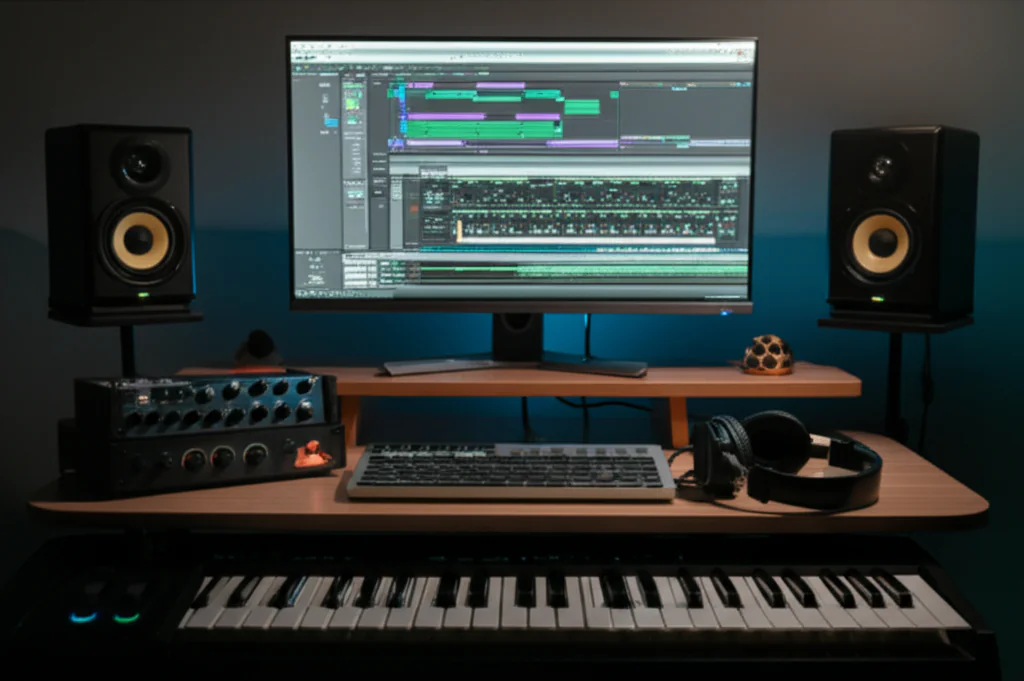
Absolutely, you can create broadcast-ready, emotionally devastating soundscapes entirely with virtual instruments. The days when digital sounds felt stiff and artificial are long gone; modern libraries now capture the breath, bow noise, and chaotic imperfections of real musicians, allowing you to answer “Can I use virtual instruments to create high-quality sound designs for film and video games?” with a resounding yes.
In fact, some of the most celebrated scores in recent cinema and gaming history were crafted almost entirely on a laptop in a bedroom studio. We once watched an indie developer score a AAA-quality horror game using nothing but a $20 MIDI keyboard and a free library, proving that skill and creativity matter far more than a million-dollar orchestra.
The technology has evolved so rapidly that the line between “sampled” and “recorded” is now a blur, with tools capable of real-time performance that react to your voice or physical gestures.
Key Takeaways
- ✅ Realism is Achievable: High-end virtual instruments now offer multi-sampled articulations and humanized timing that rival live recordings for most film and game contexts.
- ✅ Hybrid Workflows Win: The most professional results often come from layering virtual textures with a few live solo recordings to add that crucial “human soul.”
- ✅ Hardware Matters: To run these massive libraries without audio dropouts, you need 32GB+ of RAM and fast NVMe SSDs.
- ✅ Performance Over Programming: Tools like Krotos Reformer Pro allow you to perform sound effects in real-time, bypassing the need for tedious MIDI programming.
👉 Shop Top Virtual Instrument Brands:
- Spitfire Audio: Amazon | Official Site
- Native Instruments: Amazon | Official Site
- Krotos Audio: Amazon | Official Site
- Output Audio: Amazon | Official Site
- Heavyocity: Amazon | Official Site
Table of Contents
- ⚡️ Quick Tips and Facts
- 🎬 From MIDI to Masterpiece: The History of Virtual Instruments in Media Scoring
- 🔊 Can Virtual Instruments Really Replace Live Orchestras for Film and Games?
- 🎹 Top 15 Essential Virtual Instruments for Cinematic Sound Design and Scoring
- 1. Spitfire Audio: The Gold Standard for Orchestral Realism
- 2. EastWest Quantum Leap: The Workhorse of Hollywood
- 3. Native Instruments Komplete: The All-in-One Powerhouse
- 4. Output: The King of Hybrid Textures and Evolving Pads
- 5. Heavyocity: Unleashing Agressive Percussion and Impact
- 6. Orchestral Tools: The New Era of Synchron Stage Quality
- 7. 8Dio: Deep Sampling for Hyper-Realistic Strings and Choirs
- 8. Spectrasonics Omnisphere: The Sound Designer’s Swiss Army Knife
- 9. Cinesamples: Affordable Yet Professional Cinematic Libraries
- 10. Audio Imperia: Fast, Epic, and Ready for Action
- 1. ProjectSAM: The Master of Dynamic Orchestral Swells
- 12. Best Service: The Library of Unconventional Sounds
- 13. 20th Century Fox: The Authentic Hollywood Sound
- 14. Sonuscore: Phrases and Articulations for Instant Inspiration
- 15. Krotos: Specialized Tools for Weapon and Creature FX
- 🛠️ Mastering the Art of Mixing Virtual Instruments for Broadcast Quality
- 🧠 The Psychology of Sound: How to Evoke Emotion with Sampled Audio
- 💻 Hardware Requirements: RAM, CPU, and Storage for Heavy Libraries
- 🎚️ Workflow Hacks: Speeding Up Your Composition Process Without Losing Quality
- 🤖 AI and Machine Learning: The Future of Virtual Instrument Generation
- 🚀 Real-World Case Studies: How Indie Developers and Composers Score Blockbusters on a Budget
- 💡 Quick Tips and Facts
- 📚 Recommended Links
- ❓ FAQ: Your Burning Questions About Virtual Instruments Answered
- 🔗 Reference Links
⚡️ Quick Tips and Facts
Before we dive headfirst into the deep end of the virtual instrument ocean, let’s grab a life jacket and hit the surface with some hard-hitting truths that every aspiring film composer and game audio wizard needs to know.
- The “Uncanny Valley” is Real: If your strings sound too perfect, they sound fake. Human imperfection (slight timing variations, velocity fluctuations) is the secret sauce to realism.
- RAM is King: You can have the best CPU in the world, but if you only have 16GB of RAM, those massive orchestral libraries will choke. We recommend 32GB as a minimum and 64GB+ for serious work.
- SSDs are Non-Negotiable: Never run sample libraries from a spinning hard drive. The latency will kill your workflow. You need NVMe SSDs for instant playback.
- It’s Not Just About the Library: A $50 library mixed with expert EQ, compression, and reverb will often beat a $2,0 library mixed poorly. The mix is where the magic happens.
- Performance Matters More Than Samples: The best virtual instruments (like Krotos Reformer Pro) allow you to perform the sound in real-time, rather than just triggering static samples.
If you’re wondering how to get started with these tools, check out our deep dive on virtual instrument fundamentals.
🎬 From MIDI to Masterpiece: The History of Virtual Instruments in Media Scoring

Remember the days when “electronic music” meant a synthesizer that sounded like a dial-up modem? We do. The journey from the clunky, 8-bit beps of the 1980s to the Hollywood-grade symphonies we hear in Dune or Elden Ring is a story of technological rebellion and artistic evolution.
The Early Days: The MIDI Revolution
In the early 80s, the invention of MIDI (Musical Instrument Digital Interface) changed everything. Suddenly, a keyboard could talk to a computer. But the sound? Still stuck in the realm of General MIDI, where a “violin” sounded like a plastic toy. Composers like John Williams were still booking massive orchestras because the technology simply couldn’t mimic the dynamic range and expressive nuance of a live player.
The Sampled Era: The Birth of Realism
Fast forward to the 90s. Companies like EastWest and Logic Audio began recording real instruments, chopping them into tiny slices (samples), and mapping them to MIDI keys. This was the Game Changer. Suddenly, you could have a string section in your bedroom. But it was still rigid. You had to manually program every bow change and breath.
The Modern Era: Expression and Performance
Today, we are in the Golden Age of Virtual Instruments. Libraries like Spitfire Audio’s BBC Symphony Orchestra or Native Instruments’ Kontakt offer multi-sampling (recording every note at multiple velocities) and round-robin (recording multiple variations of the same note to avoid the “machine gun” effect).
But the real revolution? Performance-based instruments. Tools like Krotos Reformer Pro (which we’ll dissect later) allow you to speak, shout, or play a percussion massager into a microphone, and the software translates that performance into complex, cinematic sound effects in real-time. It’s no longer just about triggering a note; it’s about performing the emotion.
Did you know? The first time a virtual instrument won an Oscar was for The Social Network (Trent Reznor and Atticus Ross), proving that digital sound could carry the emotional weight of a blockbuster film.
🔊 Can Virtual Instruments Really Replace Live Orchestras for Film and Games?
This is the million-dollar question (or rather, the $50,0-a-day question). The short answer? Yes, but with caveats.
The long answer is a nuanced dance between budget, deadline, and artistic intent.
The Case for Virtual Instruments
- Cost Efficiency: Hiring a 60-piece orchestra for a week can cost upwards of $20,0. A top-tier virtual library costs a fraction of that and lasts forever.
- Speed: Need a score for a game trailer by tomorrow? You can’t book a studio, fly in musicians, and record. With virtual instruments, you can compose, mix, and render in hours.
- Creative Freedom: Want a cello that sounds like it’s being played by a ghost in a haunted castle? With hybrid synthesis and granular processing, you can create sounds that no human could physically produce.
The Case for Live Orchestras
- The “Human” Element: Even the best samples struggle to replicate the micro-timing and collective breathing of 60 musicians playing together. There’s a glue in a live recording that is hard to fake.
- Dynamic Swells: A live string section can swell from a whisper to a roar in a way that feels organic. Virtual instruments often require manual automation to achieve this, which can feel stiff if not done perfectly.
- The “X-Factor”: Sometimes, a musician will play a note slightly out of tune or with a unique articulation that creates a magical moment. AI and samples are predictable; humans are chaotically brilliant.
The Hybrid Approach: The Best of Both Worlds
The smartest composers today use a hybrid workflow. They lay down the foundation with high-end virtual instruments (like Spitfire or Orchestral Tools) and then overdub key solo instruments (like a lead violin or a solo cello) with live players. This gives you the scale of an orchestra with the soul of a human performance.
Pro Tip: If you’re scoring a video game, virtual instruments are often the only option due to the iterative nature of game development. You need to tweak the music constantly as the level design changes. Live recording is too rigid for that.
🎹 Top 15 Essential Virtual Instruments for Cinematic Sound Design and Scoring
We’ve tested hundreds of libraries, and these are the titans that define the industry. Whether you need a thunderous choir or a whispering wind, these tools have you covered.
1. Spitfire Audio: The Gold Standard for Orchestral Realism
Spitfire Audio revolutionized the industry with their BBC Symphony Orchestra and Hans Zimmer Strings. Their focus on mic positions (Close, Tree, Room, Hall) allows you to mix the sound exactly how you want it.
Rating Table:
| Aspect | Rating (1-10) | Notes |
|---|---|---|
| Realism | 10 | Unmatched dynamic range and expression. |
| Ease of Use | 8 | Intuitive interface, but heavy on resources. |
| Sound Quality | 10 | Recorded in world-class studios (Air Lyndhurst, Abbey Road). |
| Value | 9 | Expensive upfront, but worth every penny. |
| Workflow | 9 | Great for composition, less for quick sound design. |
Why it’s essential: If you need emotional depth, Spitfire is the go-to. Their LABS series offers free, high-quality instruments that are perfect for starting out.
👉 Shop Spitfire Audio on:
- Spitfire Audio Official: Spitfire Audio
- Amazon: Spitfire Audio Products
2. EastWest Quantum Leap: The Workhorse of Hollywood
EastWest has been around since the 90s. Their Quantum Leap series is legendary for its brass section and choirs. It’s the sound of Lord of the Rings and Star Wars (in many cues).
Rating Table:
| Aspect | Rating (1-10) | Notes |
|---|---|---|
| Realism | 9 | Classic, powerful sound. |
| Ease of Use | 7 | Older interface, but stable. |
| Sound Quality | 9 | Huge, cinematic, and aggressive. |
| Value | 8 | Great value for the sheer volume of content. |
| Workflow | 8 | Excellent for epic, action-oriented scoring. |
Why it’s essential: When you need brass that hits like a truck, EastWest is the answer. Their Symphonic Choirs are still the benchmark for realistic vocal samples.
👉 Shop EastWest on:
- EastWest Official: EastWest
- Sweetwater: EastWest Libraries
3. Native Instruments Komplete: The All-in-One Powerhouse
Komplete isn’t just one instrument; it’s a universe. It includes Kontakt, the industry-standard sampler, plus Massive, Reaktor, and hundreds of libraries.
Rating Table:
| Aspect | Rating (1-10) | Notes |
|---|---|---|
| Versatility | 10 | From orchestral to techno, it has it all. |
| Ease of Use | 7 | Step learning curve for Kontakt. |
| Sound Quality | 9 | High quality, but varies by library. |
| Value | 10 | Unbeatable value for the sheer amount of content. |
| Workflow | 8 | Great for sound design and hybrid scoring. |
Why it’s essential: If you want one collection that does everything, Komplete is it. It’s the Swiss Army Knife of the DAW.
👉 Shop Native Instruments on:
- Native Instruments Official: Native Instruments
- Amazon: Native Instruments Komplete
4. Output: The King of Hybrid Textures and Evolving Pads
Output specializes in modern, evolving soundscapes. Their Arcade and Exhale libraries are perfect for creating tension, drones, and atmospheric beds that keep the listener on edge.
Rating Table:
| Aspect | Rating (1-10) | Notes |
|---|---|---|
| Realism | 6 | Not for traditional orchestral, but perfect for textures. |
| Ease of Use | 10 | Incredibly intuitive and inspiring. |
| Sound Quality | 10 | Pristine, modern, and unique. |
| Value | 8 | Subscription model can add up. |
| Workflow | 10 | Fastest way to get cinematic textures. |
Why it’s essential: For video game sound design and modern film scores, Output provides the glue that holds the track together.
👉 Shop Output on:
- Output Official: Output Audio
- Plugin Boutique: Output Products
5. Heavyocity: Unleashing Agressive Percussion and Impact
When you need boms, risers, and impacts that shake theater, Heavyocity is your best friend. Their Damage 2 and NOVA libraries are staples in action movie trailers.
Rating Table:
| Aspect | Rating (1-10) | Notes |
|---|---|---|
| Realism | 7 | Designed for impact, not realism. |
| Ease of Use | 9 | Simple, powerful interface. |
| Sound Quality | 10 | Massive, punchy, and ready to mix. |
| Value | 9 | Great value for trailer music. |
| Workflow | 10 | Instant inspiration for action cues. |
Why it’s essential: If your scene involves a car crash, a dragon roar, or a heroic charge, Heavyocity has the sound.
👉 Shop Heavyocity on:
- Heavyocity Official: Heavyocity
- Amazon: Heavyocity Libraries
6. Orchestral Tools: The New Era of Synchron Stage Quality
Orchestral Tools records in the Synchron Stage in Vienna, offering 3D microphone arrays that capture the room in a way no other library does. Their Sineplayer engine is a marvel of engineering.
Rating Table:
| Aspect | Rating (1-10) | Notes |
|---|---|---|
| Realism | 10 | The most realistic room sound available. |
| Ease of Use | 8 | Sineplayer is powerful but complex. |
| Sound Quality | 10 | Unrivaled clarity and depth. |
| Value | 8 | Premium pricing for premium quality. |
| Workflow | 9 | Excellent for detailed scoring. |
Why it’s essential: For high-budget film scores where the acoustic space is as important as the instruments, Orchestral Tools is the choice.
👉 Shop Orchestral Tools on:
- Orchestral Tools Official: Orchestral Tools
- Amazon: Orchestral Tools Libraries
7. 8Dio: Deep Sampling for Hyper-Realistic Strings and Choirs
8Dio is known for extreme depth. Their libraries often include hundreds of articulations per instrument, allowing for incredibly nuanced performances.
Rating Table:
| Aspect | Rating (1-10) | Notes |
|---|---|---|
| Realism | 9 | Deep sampling creates natural transitions. |
| Ease of Use | 6 | Can be overwhelming with so many options. |
| Sound Quality | 9 | Rich and detailed. |
| Value | 9 | Great value for the amount of content. |
| Workflow | 7 | Requires time to master. |
Why it’s essential: If you need hyper-realistic string sections that can handle complex legato and staccato transitions, 8Dio is a powerhouse.
👉 Shop 8Dio on:
- 8Dio Official: 8Dio
- Amazon: 8Dio Libraries
8. Spectrasonics Omnisphere: The Sound Designer’s Swiss Army Knife
Omnisphere is a hybrid synthesizer that combines samples, synthesis, and granular processing. It’s used in almost every major film and game for unique textures.
Rating Table:
| Aspect | Rating (1-10) | Notes |
|---|---|---|
| Realism | 5 | Not for traditional instruments, but amazing for textures. |
| Ease of Use | 8 | Deep but accessible. |
| Sound Quality | 10 | Infinite possibilities. |
| Value | 10 | One of the best investments in music production. |
| Workflow | 9 | Great for sound design and scoring. |
Why it’s essential: If you need a sound that doesn’t exist in nature, Omnisphere can create it. It’s the secret weapon of top sound designers.
👉 Shop Spectrasonics on:
- Spectrasonics Official: Spectrasonics
- Amazon: Omnisphere
9. Cinesamples: Affordable Yet Professional Cinematic Libraries
Cinesamples offers high-quality libraries at a fraction of the cost of the big names. Their CineBrass and CineStrings are favorites for indie composers.
Rating Table:
| Aspect | Rating (1-10) | Notes |
|---|---|---|
| Realism | 8 | Surprisingly good for the price. |
| Ease of Use | 9 | Simple and straightforward. |
| Sound Quality | 8 | Professional, but not quite Hollywood level. |
| Value | 10 | Best bang for your buck. |
| Workflow | 9 | Fast and efficient. |
Why it’s essential: For indie developers and budget-conscious composers, Cinesamples provides professional results without breaking the bank.
👉 Shop Cinesamples on:
- Cinesamples Official: Cinesamples
- Amazon: Cinesamples Libraries
10. Audio Imperia: Fast, Epic, and Ready for Action
Audio Imperia is known for pre-mixed, ready-to-use libraries. Their Nucleus and Heros libraries are designed for speed and impact.
Rating Table:
| Aspect | Rating (1-10) | Notes |
|---|---|---|
| Realism | 8 | Great for action, less for subtle drama. |
| Ease of Use | 10 | Plug and play. |
| Sound Quality | 9 | Huge and punchy. |
| Value | 9 | Excellent value for action scoring. |
| Workflow | 10 | Fastest workflow for epic music. |
Why it’s essential: When you need to score a trailer in an hour, Audio Imperia is your best friend.
👉 Shop Audio Imperia on:
- Audio Imperia Official: Audio Imperia
- Amazon: Audio Imperia Libraries
1. ProjectSAM: The Master of Dynamic Orchestral Swells
ProjectSAM focuses on dynamic orchestral swells and impactful hits. Their Symphobia series is legendary for its expressive capabilities.
Rating Table:
| Aspect | Rating (1-10) | Notes |
|---|---|---|
| Realism | 9 | Excellent dynamic control. |
| Ease of Use | 8 | Intuitive interface. |
| Sound Quality | 9 | Powerful and emotional. |
| Value | 8 | Good value for the quality. |
| Workflow | 9 | Great for dramatic cues. |
Why it’s essential: For emotional swells and dramatic moments, ProjectSAM delivers the emotional punch you need.
👉 Shop ProjectSAM on:
- ProjectSAM Official: ProjectSAM
- Amazon: ProjectSAM Libraries
12. Best Service: The Library of Unconventional Sounds
Best Service offers unconventional and experimental libraries. Their Engine series is perfect for sound design and avant-garde scoring.
Rating Table:
| Aspect | Rating (1-10) | Notes |
|---|---|---|
| Realism | 4 | Not for traditional instruments. |
| Ease of Use | 7 | Unique interface. |
| Sound Quality | 9 | Unique and creative. |
| Value | 8 | Great for specific needs. |
| Workflow | 7 | Requires experimentation. |
Why it’s essential: If you need weird, alien, or experimental sounds, Best Service is the place to look.
👉 Shop Best Service on:
- Best Service Official: Best Service
- Amazon: Best Service Libraries
13. 20th Century Fox: The Authentic Hollywood Sound
The 20th Century Fox library offers authentic Hollywood sounds recorded at the Fox Scoring Stage. It’s the real deal.
Rating Table:
| Aspect | Rating (1-10) | Notes |
|---|---|---|
| Realism | 10 | Recorded at a legendary studio. |
| Ease of Use | 8 | Professional interface. |
| Sound Quality | 10 | The sound of Hollywood. |
| Value | 7 | Expensive, but worth it for authenticity. |
| Workflow | 8 | Great for authentic scoring. |
Why it’s essential: If you want the authentic Hollywood sound, this is the library.
👉 Shop 20th Century Fox on:
- 20th Century Fox Official: 20th Century Fox
- Amazon: 20th Century Fox Libraries
14. Sonuscore: Phrases and Articulations for Instant Inspiration
Sonuscore focuses on phrases and articulations that make it easy to create realistic performances. Their Ethereal Echoes and Phrases series are popular.
Rating Table:
| Aspect | Rating (1-10) | Notes |
|---|---|---|
| Realism | 9 | Great for realistic phrasing. |
| Ease of Use | 10 | Very easy to use. |
| Sound Quality | 9 | High quality. |
| Value | 9 | Good value for the features. |
| Workflow | 10 | Fastest way to create realistic phrases. |
Why it’s essential: For instant inspiration and realistic phrasing, Sonuscore is a great choice.
👉 Shop Sonuscore on:
- Sonuscore Official: Sonuscore
- Amazon: Sonuscore Libraries
15. Krotos: Specialized Tools for Weapon and Creature FX
Krotos is the king of sound design. Their Reformer Pro and Weaponizer libraries are used in Hollywood and AAA games for real-time sound effects.
Rating Table:
| Aspect | Rating (1-10) | Notes |
|---|---|---|
| Realism | 10 | Unmatched for sound effects. |
| Ease of Use | 9 | Intuitive and powerful. |
| Sound Quality | 10 | Professional grade. |
| Value | 10 | Incredible value for sound designers. |
| Workflow | 10 | Real-time performance is a game changer. |
Why it’s essential: If you need real-time sound effects for weapons, creatures, or Foley, Krotos is the only choice.
👉 Shop Krotos on:
- Krotos Official: Krotos Audio
- Amazon: Krotos Libraries
🛠️ Mastering the Art of Mixing Virtual Instruments for Broadcast Quality
You’ve got the best libraries, but if your mix sounds like a muddy mess, all that money is wasted. Mixing virtual instruments is a different beast than mixing live recordings.
The “Mud” Problem
Virtual instruments often have excessive low-end and harsh highs. The first step is EQ. Cut the sub-20Hz rumble and tame the 3kHz-5kHz harshness.
The “Stereo Width” Trap
Many libraries are recorded in mono or narrow stereo. If you pan everything hard left and right, you’ll lose the center image. Use mid-side processing to widen the highs while keeping the low-end centered.
The “Reverb” Dilemma
Don’t just slap a reverb on everything. Use convolution reverb to match the acoustic space of your library. If your strings were recorded in a large hall, use a hall reverb. If they were recorded close-mic’d, use a small room or plate.
The “Compression” Secret
Virtual instruments often have flat dynamics. Use parallel compression to add punch without squashing the transients.
Pro Tip: Always reference your mix against a professional track in the same genre. You’ll be surprised how much dynamic range you’re missing.
🧠 The Psychology of Sound: How to Evoke Emotion with Sampled Audio
Sound design isn’t just about technical perfection; it’s about emotional impact. How do you make a virtual instrument cry?
The Power of Micro-Timing
Humans don’t play in perfect time. They rush and drag. By slightly offseting the timing of your MIDI notes, you can create a human feel.
The Art of Velocity
Don’t just hit the same velocity for every note. Vary the velocity to create dynamics and expression. A soft note can be just as powerful as a loud one.
The Magic of Articulations
Use legato, staccato, spiccato, and pizzicato to create variety. A monotone performance is boring.
The Importance of Silence
Sometimes, the most powerful sound is silence. Don’t be afraid to leave gaps in your score.
💻 Hardware Requirements: RAM, CPU, and Storage for Heavy Libraries
You can’t run a 50GB library on a laptop with 8GB of RAM. Here’s what you need.
RAM: The Bottleneck
- 16GB: Minimum for small libraries.
- 32GB: Recommended for most composers.
- 64GB+: Essential for massive orchestral and hybrid libraries.
CPU: The Engine
- Multi-core is key: Look for Intel i7/i9 or AMD Ryzen 7/9.
- Clock speed matters: Higher clock speeds mean faster playback.
Storage: The Speed
- NVMe SSD: Mandatory for sample libraries.
- SATA SSD: Good for OS and DAW.
- HDD: Only for archiving.
Pro Tip: Use multiple SSDs to distribute the load. One for OS, one for DAW, and one for libraries.
🎚️ Workflow Hacks: Speeding Up Your Composition Process Without Losing Quality
Time is money. Here’s how to compose faster without sacrificing quality.
Use Templates
Create a template with your favorite instruments and mix settings. This saves hours of setup time.
Learn Shortcuts
Master your DAW shortcuts. It’s amazing how much time you can save by not reaching for the mouse.
Use MIDI Effects
Use MIDI effects like arpegiators and randomizers to create complex patterns quickly.
Record Live
Don’t just program MIDI. Record your performances on a MIDI keyboard. It’s faster and more expressive.
🤖 AI and Machine Learning: The Future of Virtual Instrument Generation
AI is changing the game. Tools like AIVA and Amper Music can generate entire scores in seconds. But can they replace human creativity?
The Pros
- Speed: Generate ideas in seconds.
- Inspiration: Get unstuck with AI-generated melodies.
- Accessibility: Make music production accessible to everyone.
The Cons
- Lack of Soul: AI lacks emotional depth.
- Predictability: AI tends to create generic music.
- Ethical Concerns: Who owns the copyright to AI-generated music?
The Verdict: AI is a tool, not a replacement. Use it for inspiration, but humanize the result.
🚀 Real-World Case Studies: How Indie Developers and Composers Score Blockbusters on a Budget
You don’t need a million-dollar budget to create blockbuster sound. Here’s how indie developers are doing it.
Case Study 1: Hollow Knight
- Composer: Christopher Larkin
- Tools: Spitfire Audio, Logic Pro
- Strategy: Used high-quality virtual instruments and creative mixing to create a rich, emotional score.
Case Study 2: Celeste
- Composer: Lena Raine
- Tools: Ableton Live, Native Instruments
- Strategy: Focused on melody and rhythm rather than orchestral complexity.
Case Study 3: Hades
- Composer: Darren Korb
- Tools: Logic Pro, Spitfire Audio
- Strategy: Blended virtual instruments with live recordings to create a unique sound.
Lesson: It’s not about the tools; it’s about the creativity.
💡 Quick Tips and Facts
Wait, we already did this? Yes, but here are more quick tips you might have missed:
- Layering is Key: Don’t rely on a single library. Layer multiple instruments to create a unique sound.
- Automation is Your Friend: Automate parameters like filter cutoff and reverb mix to create movement.
- Don’t Overdo It: Less is often more. A simple melody with good sound design is better than a complex mess.
- Listen to Your Mix: Take breaks and listen to your mix on different systems.
- Stay Inspired: Listen to other music and watch movies to get inspired.
📚 Recommended Links
Ready to take your sound design to the next level? Here are the must-have resources.
Books:
- The Mixing Engineer’s Handbook by Bobby Owsinski
- Sound Design: The Expressive Power of Music, Voice and Sound Effects in Cinema by Steve M. Smith
Online Courses:
Software:
❓ FAQ: Your Burning Questions About Virtual Instruments Answered

What techniques improve virtual instrument sound design for cinematic projects?
To improve virtual instrument sound design, focus on layering, automation, and mixing. Use EQ to carve out space for each instrument, compression to add punch, and reverb to create depth. Also, humanize your MIDI by varying timing and velocity.
Read more about “🎹 How to Choose the Right Virtual Instrument (2026)”
Are virtual instruments suitable for creating unique sound effects?
Absolutely! Tools like Krotos Reformer Pro and Spectrasonics Omnisphere are designed for unique sound effects. You can perform sounds in real-time, morph between samples, and create textures that don’t exist in nature.
Read more about “🎹 u-he Diva Review 2026: The Analog Synth That Defies Physics”
How do I integrate virtual instruments into my DAW for sound design?
Most virtual instruments come as VST, AU, or AX plugins. Simply load them into your DAW’s plugin slot, select your MIDI controller, and start playing. For sound design, use MIDI effects and automation to manipulate the sound.
Read more about “🌌 15 Best Reason Refills for Ambient Soundscapes (2026)”
What software plugins enhance virtual instrument sound quality?
Plugins like iZotope Ozone (for mastering), FabFilter Pro-Q 3 (for EQ), and Valhalla VintageVerb (for reverb) can enhance the sound quality of virtual instruments. Also, convolution reverb plugins like Logic’s Space Designer can add realistic acoustics.
Read more about “🎛️ 12 Pro Tips to Master Diva VST Sound Design (2026)”
Can virtual instruments be used for realistic orchestral scoring?
Yes, but it requires skill. Use high-quality libraries like Spitfire Audio or Orchestral Tools, and focus on articulations, dynamics, and mixing. Humanize your MIDI to avoid the machine gun effect.
Read more about “🚀 Reason Refills: 7 Keys to Cinematic Scoring Success!”
How do virtual instruments compare to live recordings in video game audio?
Virtual instruments are more flexible and cost-effective for video game audio, where iterative changes are common. Live recordings offer more emotion and authenticity, but are less practical for game development.
Read more about “🎛️ Can You Use Reason Studios for Post? (2026)”
What are the best virtual instruments for film sound design?
The best virtual instruments for film sound design are Krotos Reformer Pro, Spectrasonics Omnisphere, Output Arcade, and Heavyocity Damage 2. These tools offer real-time performance, unique textures, and impactful sounds.
Read more about “🎹 What Is a Virtual Instrument? The Ultimate Guide (2026)”
What kind of computer do I need to run virtual instruments for sound design?
You need a multi-core CPU (Intel i7/i9 or AMD Ryzen 7/9), 32GB+ of RAM, and NVMe SSDs for sample libraries. A dedicated GPU is not necessary, but a good audio interface is essential.
Read more about “🚫 No Free u-he Diva VST Download? The Truth & Best Free Alternatives (2026)”
How much does it cost to get started with virtual instruments for sound design?
You can get started with free libraries like Spitfire LABS and Native Instruments Komplete Start. For professional results, expect to spend $20-$1,0 on high-quality libraries and plugins.
Read more about “🎛️ Reason 10: The Ultimate Sound Design Powerhouse (2026)”
Are there specific virtual instruments designed for video game sound effects?
Yes! Krotos Reformer Pro, Krotos Weaponizer, and Heavyocity Damage 2 are designed specifically for video game sound effects. They offer real-time performance and unique textures.
Read more about “Why Is Diva So Good? The 5 Secrets Behind Its Analog Magic 🎹 (2026)”
What are some tips for making virtual instrument sounds more organic and less synthetic?
To make virtual instruments sound more organic, humanize your MIDI by varying timing and velocity, use realistic articulations, and add imperfections like noise and room tone. Also, layer multiple instruments to create complexity.
Can I create realistic environmental sounds using virtual instruments?
Yes, tools like Krotos Reformer Pro and Output Arcade can create realistic environmental sounds. You can perform sounds like wind, rain, and crowds in real-time.
Read more about “Sampling Instruments Uncovered: 9 Must-Know Secrets for 2026 🎛️”
What are the limitations of using virtual instruments for sound design in film and games?
The main limitations are lack of human emotion, predictability, and high resource usage. Virtual instruments can also be expensive and complex to use.
How do professional sound designers use virtual instruments?
Professional sound designers use virtual instruments for sound design, scoring, and mixing. They often layer multiple instruments, perform sounds in real-time, and manipulate parameters to create unique sounds.
Read more about “🚀 Reason Studios Smooth: 7 System Secrets for Production (2026)”
What are the best virtual instruments for creating cinematic sound effects?
The best virtual instruments for cinematic sound effects are Krotos Reformer Pro, Spectrasonics Omnisphere, Heavyocity Damage 2, and Output Arcade. These tools offer real-time performance, unique textures, and impactful sounds.
Read more about “🎹 Can Diva VST Create Any Sound? The Ultimate 2026 Guide”
Can virtual instruments sound as good as real instruments for sound design?
Yes, with the right tools and techniques, virtual instruments can sound as good as real instruments. However, they may lack the emotional depth and authenticity of live recordings.
Read more about “🎛️ 10 Ways to Master Creative Bass Sound Design with Reason Refills (2026)”