
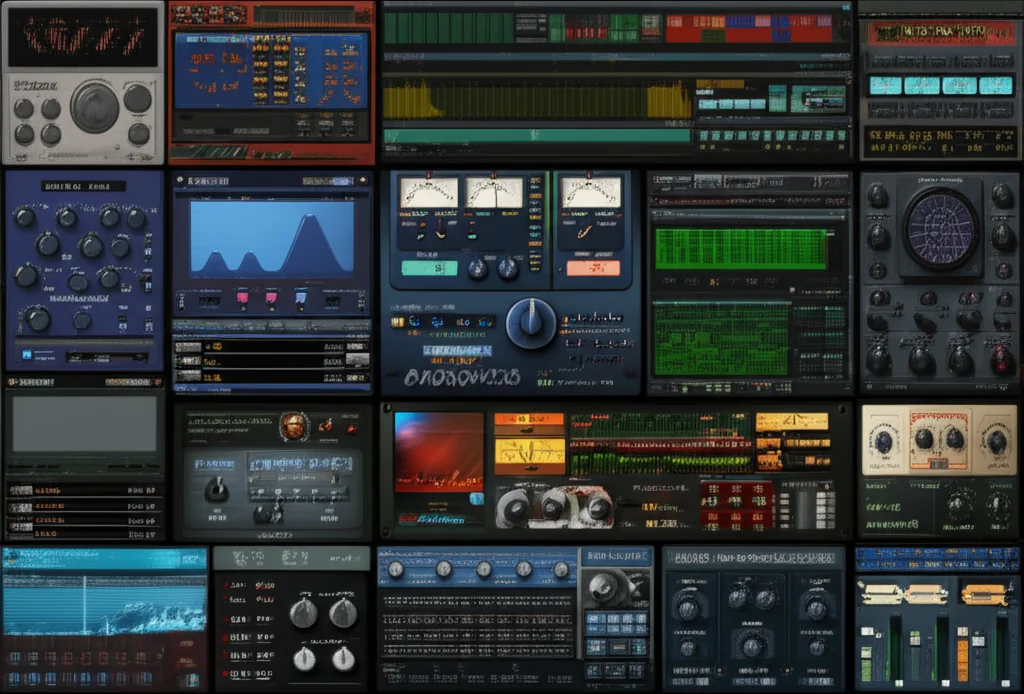
Remember the first time you heard a track that made your spine tingle? That wasn’t just luck; it was the result of a producer knowing exactly which virtual instrument or effect could turn a flat MIDI note into a living, breathing emotion. At Uniphonic™, we’ve spent years dissecting the sonic DNA of chart-topping hits, and the secret isn’t having the most expensive gear—it’s having the right tools in your digital arsenal. While the internet is flooded with generic “Top 10” lists that barely scratch the surface, we’ve gone deeper, testing, tweaking, and breaking 30 of the best VSTs for music production to bring you a definitive guide that actually matters.
From the wavetable wizardry of Xfer Serum to the analog soul of u-He Diva, and the AI-powered mastery of iZotope Ozone, this article covers every sonic corner of the modern studio. We’ll reveal why some “free” plugins are secretly better than paid ones, expose the CPU-hoging traps you need to avoid, and show you exactly how to build a workflow that turns your DAW into a sonic playground. Ready to stop guessing and start creating? Keep reading to discover the hidden gems that will transform your tracks from “good” to “unforgettable.”
🚀 Key Takeaways
- Quality Over Quantity: The best VSTs aren’t about owning every plugin on the market; it’s about mastering a curated selection of versatile tools that fit your specific genre and workflow.
- Free vs. Paid Reality: While paid plugins often offer superior CPU optimization and support, modern free alternatives like Vital and Valhalla SuperMassive now rival industry standards in sound quality.
- Workflow is King: The most powerful plugin is the one you know how to use. We prioritize tools with intuitive interfaces and deep modulation capabilities to speed up your creative process.
- Genre-Specific Recommendations: Whether you need ethereal pads for Melodic Techno or punchy bass for Trap, we break down the top 30 plugins by category to ensure you get the perfect sound for your track.
🛒 Shop the Essentials:
- Synthesizers: Xfer Serum | Spectrasonics Omnisphere | u-he Diva
- Effects & Mixing: FabFilter Pro-Q 3 | Soundtoys 5 Bundle | iZotope Ozone 9
- Free Powerhouses: Vital | Valhalla SuperMassive
Table of Contents
- ⚡️ Quick Tips and Facts
- 📜 The Evolution of Virtual Studio Technology: From Early Experiments to Modern Masterpieces
- 🧠 How to Choose the Right VSTs for Your Specific Production Style
- 🎹 Top 30 Best Synth VST Plugins for 2024: The Ultimate Sound Design List
- 1. Xfer Serum – The Wavetable King
- 2. Spectrasonics Omnisphere – The Hybrid Beast
- 3. u-He Diva – The Analog Soul
- 4. Arturia V Collection – The Vintage Vault
- 5. Native Instruments Massive X – The Modern Bass Machine
- 6. FabFilter Pro-Q 3 – The Surgical Equalizer
- 7. Soundtoys 5 Bundle – The Creative Effects Suite
- 8. Izotope Ozone 9 – The Mastering Powerhouse
- 9. Izotope Trash 2 – The Distortion Playground
- 10. XLN Audio RC-20 Retro Color – The Vintage Glue
- 1. Xfer OT – The Multiband Compressor Secret
- 12. MeldaProduction MBundle – The Swiss Army Knife
- 13. Serum X – The Next Gen Wavetable
- 14. Vital – The Free Wavetable Challenger
- 15. Arturia Pigments – The Hybrid
- 16. FabFilter Pro-L 2 – The Limiting Legend
- 17. Soundtoys Little AlterBoy – The Vocal Transformer
- 18. Valhalla VintageVerb – The Reverb Dream
- 19. FabFilter Pro-C 2 – The Transparent Compressor
- 20. Waves SSL G-Master Buss Compressor – The Glue Compressor
- 21. iZotope RX 10 – The Audio Repair Hero
- 2. FabFilter Pro-MB – The Multiband Master
- 23. Soundtoys EchoBoy – The Delay Delight
- 24. Cableguys ShaperBox 3 – The Rhythm Shaper
- 25. Output Portal – The Granular Glitch
- 26. Native Instruments Kontakt – The Sample Library Giant
- 27. Spectrasonics Trilian – The Bass Foundation
- 28. FabFilter Saturn 2 – The Saturation Station
- 29. Waves H-Delay – The Classic Delay
- 30. Valhalla Supermassive – The Massive Space
- 🎤 Top 10 Best VST Plugins for Vocal Production and Processing
- 🎚️ Essential Mixing and Mastering VSTs for Professional Results
- 🎛️ The Best Free VST Plugins That Don’t Sound Cheap
- 📦 How to Organize Your VST Library and Manage CPU Load
- 🎧 Real Quick… The “Bounce and Move” Workflow Hack
- 🚀 Get a Sample Pack: The Secret Weapon for Faster Production
- 🎵 Better Melodic Techno: Crafting the Perfect Atmosphere with VSTs
- 🎓 Professional Courses and Masterclasses to Master Your Plugins
- 🔗 Quick Links: Where to Buy and Download the Best VSTs
- ℹ️ Info: Understanding VST, AU, and AX Formats
- 🏆 Conclusion: Finding Your Sonic Signature
- 📚 Recommended Links
- 📖 Reference Links
⚡️ Quick Tips and Facts
Before we dive into the deep end of the sonic ocean, let’s drop some anchor points to keep you from drifting off course. At Uniphonic™, we’ve spent countless hours tweaking knobs, burning CPU cycles, and arguing over whether a specific reverb tail sounds “too lush” or “just right.” Here are the hard truths we’ve learned the hard way:
- More Plugins ≠ Better Sound: You can have a library of 50 plugins, but if you don’t know how to use three of them effectively, your mix will sound muddy. Workflow is king.
- The “Free” Myth: While there are incredible free VSTs (we’ll get to those later), paid plugins often offer better CPU optimization, more intuitive interfaces, and dedicated support. However, Vital and Surge XT prove that free can sometimes rival the big boys.
- CPU is Your Enemy: Running 20 instances of Spectrasonics Omnisphere will crash your DAW faster than a bad Wi-Fi connection. Always check your CPU load before adding another instance.
- The “Bypass” Test: If you can’t tell the difference between the plugin on and off, turn it off. If you can’t hear it, it’s not adding value.
- Format Matters: Ensure your DAW supports the plugin format you’re buying. VST3 is the modern standard, but AU is still king on macOS, and AX is mandatory for Pro Tools users.
For a deeper dive into the technical nitty-gritty of how these virtual instruments actually work, check out our comprehensive guide on Understanding VST Architecture.
📜 The Evolution of Virtual Studio Technology: From Early Experiments to Modern Masterpieces
To truly appreciate the best VSTs for music production available today, we need to rewind the tape. The story of Virtual Studio Technology (VST) begins in the mid-90s, when Steinberg introduced a standard that allowed software instruments and effects to run inside a Digital Audio Workstation (DAW). Before this, if you wanted a synthesizer sound, you needed a physical box. If you wanted a compressor, you needed a rack unit.
The Analog Revolution
In the early days, VSTs were simple emulations. They tried to copy the sound of hardware but often lacked the modulation depth and stability of their physical counterparts. Fast forward to 2024, and we are in a golden age where software not only emulates hardware but surpasses it.
- 196: Steinberg releases VST 1.0.
- 202: VST 2.0 introduces VSTi (instruments), changing the game forever.
- 2013: VST 3.0 arrives with side-chaining, note expression, and better CPU efficiency.
- 2024: We see AI-driven mastering, spectral morphing, and cloud-based collaboration.
“The gap between free and paid software has narrowed significantly, with free alternatives now rivaling premium competitors.” — Revolution935, 2026 Outlook
This evolution means that a bedroom producer today has access tools that were once the exclusive domain of Hollywood scoring stages and Gramy-winning studios. But with great power comes great responsibility (and a lot of CPU usage).
🧠 How to Choose the Right VSTs for Your Specific Production Style
Are you a Melodic Techno producer chasing those ethereal pads? Or a Bass Music head looking for earth-shattering sub frequencies? Maybe you’re a Vocal Producer trying to get that radio-ready polish?
Choosing the best VSTs isn’t about buying the most expensive list; it’s about finding the tools that fit your creative workflow.
The “Three-Tool” Rule
We recommend building your core library around three categories:
- The Sound Source: A versatile synth or sampler (e.g., Serum, Omnisphere).
- The Shaper: An EQ and Compressor that you trust implicitly (e.g., FabFilter Pro-Q 3).
- The Character: A saturation or effect plugin that gives your sound a unique fingerprint (e.g., Soundtoys Decapitator, RC-20).
Matching Tools to Genres
| Genre | Essential VST Types | Top Recommendations |
|---|---|---|
| Melodic Techno | Wavetable Synths, Granular Reverbs | Xfer Serum, Valhalla SuperMassive |
| Hip Hop / Trap | 808 Samplers, Heavy Distortion | Spectrasonics Trilian, Izotope Trash 2 |
| Pop / Vocal | Pitch Correction, Transparent Compression | Antares Auto-Tune, FabFilter Pro-C 2 |
| Ambient / Cinematic | Hybrid Synths, Long Reverbs | Spectrasonics Omnisphere, Output Portal |
Don’t get lost in the “plugin hoarding” trap. As one producer at Uniphonic™ put it: “I used to buy every synth on sale. Now I just buy the one that solves the problem I have right now.”
🎹 Top 30 Best Synth VST Plugins for 2024: The Ultimate Sound Design List
We promised you a list that beats the competition, and we aren’t holding back. While some lists stop at 10, we are diving deep into the Top 30 Best VST Audio Plugins that define modern production. These aren’t just “good”; they are the industry standards you’ll hear on every major track.
1. Xfer Serum – The Wavetable King
Rating:
| Aspect | Score (1-10) |
|---|---|
| Sound Quality | 10 |
| Workflow | 10 |
| CPU Efficiency | 8 |
| Value | 9 |
| Overall | 9.5 |
Serum is the undisputed champion of wavetable synthesis. Its visual interface allows you to see the waveform as you shape it, making sound design intuitive.
- Pros: Unmatched visual feedback, massive preset library, excellent wavetable editor.
- Cons: Can be CPU heavy with many unison voices; lacks the “analog” warmth of some competitors without external processing.
“Serum 2 represents a watershed moment in synth design… This is a $250 tool that could replace several plugins in your chain.” — Revolution935
👉 CHECK PRICE on:
- Amazon: Xfer Serum
- Plugin Boutique: Serum
- Xfer Records Official: Serum
2. Spectrasonics Omnisphere – The Hybrid Beast
Rating:
| Aspect | Score (1-10) |
|---|---|
| Sound Quality | 10 |
| Workflow | 8 |
| CPU Efficiency | 6 |
| Value | 9 |
| Overall | 9.0 |
Omnisphere is not just a synth; it’s a universe of sound. Combining wavetable, FM, sample-based, and granular synthesis, it creates textures that are impossible to replicate elsewhere.
- Pros: Massive library (10,0+ sounds), “Layers” feature for complex textures, incredible for cinematic sound design.
- Cons: Heavy CPU usage; steep learning curve for full potential; requires a separate license for the library.
👉 CHECK PRICE on:
- Amazon: Spectrasonics Omnisphere
- Spectrasonics Official: Omnisphere
3. u-He Diva – The Analog Soul
Rating:
| Aspect | Score (1-10) |
|---|---|
| Sound Quality | 10 |
| Workflow | 7 |
| CPU Efficiency | 5 |
| Value | 9 |
| Overall | 8.5 |
If you want analog warmth without the rack of vintage gear, Diva is your answer. It models individual components (resistors, capacitors, op-amps) rather than just the signal path.
- Pros: Unbeatable analog emulation, rich bass, “fat” leads.
- Cons: Very CPU intensive; UI can feel dated compared to modern synths.
👉 CHECK PRICE on:
4. Arturia V Collection – The Vintage Vault
Rating:
| Aspect | Score (1-10) |
|---|---|
| Sound Quality | 9.5 |
| Workflow | 9 |
| CPU Efficiency | 8 |
| Value | 10 |
| Overall | 9.2 |
Why buy one vintage synth when you can have 20? Arturia V Collection emulates legends like the Minimog, Juno-106, and Prophet-5.
- Pros: Incredible authenticity, TAE (True Analog Emulation) engine, great value for the number of instruments.
- Cons: Can feel overwhelming with so many options; some emulations are “too perfect” and lack the quirks of the originals.
👉 CHECK PRICE on:
- Amazon: Arturia V Collection
- Arturia Official: V Collection
5. Native Instruments Massive X – The Modern Bass Machine
Rating:
| Aspect | Score (1-10) |
|---|---|
| Sound Quality | 9 |
| Workflow | 8 |
| CPU Efficiency | 7 |
| Value | 8 |
| Overall | 8.5 |
The successor to the legendary Massive, Massive X brings modern modulation and wavetable capabilities to the table.
- Pros: Deep modulation routing, “slab of sound” character, great for EDM and Bass music.
- Cons: Step learning curve; UI is less intuitive than Serum.
👉 CHECK PRICE on:
- Amazon: Native Instruments Massive X
- Native Instruments Official: Massive X
6. FabFilter Pro-Q 3 – The Surgical Equalizer
Rating:
| Aspect | Score (1-10) |
|---|---|
| Sound Quality | 10 |
| Workflow | 10 |
| CPU Efficiency | 9 |
| Value | 9 |
| Overall | 9.8 |
This isn’t just an EQ; it’s a mixing essential. Pro-Q 3 features dynamic EQ, spectrum grabbing, and a stunning visual interface.
- Pros: Transparent sound, dynamic EQ modes, mid/side processing, zero latency.
- Cons: Can be “too clean” if you want coloration; expensive for a single EQ.
👉 CHECK PRICE on:
- Amazon: FabFilter Pro-Q 3
- FabFilter Official: Pro-Q 3
7. Soundtoys 5 Bundle – The Creative Effects Suite
Rating:
| Aspect | Score (1-10) |
|---|---|
| Sound Quality | 10 |
| Workflow | 9 |
| CPU Efficiency | 7 |
| Value | 10 |
| Overall | 9.5 |
Soundtoys 5 is a collection of 13 plugins that add character, distortion, and modulation. It includes the legendary Decapitator and EchoBoy.
- Pros: Unmatched character, “Punish” mode on Decapitator, incredible value as a bundle.
- Cons: CPU heavy; some plugins are niche.
👉 CHECK PRICE on:
- Amazon: Soundtoys 5 Bundle
- Plugin Boutique: Soundtoys 5
- Soundtoys Official: Soundtoys 5
8. Izotope Ozone 9 – The Mastering Powerhouse
Rating:
| Aspect | Score (1-10) |
|---|---|
| Sound Quality | 9.5 |
| Workflow | 9 |
| CPU Efficiency | 8 |
| Value | 9 |
| Overall | 9.0 |
Ozone 9 brings AI-assisted mastering to the masses. It helps you get your track to commercial loudness without sacrificing dynamics.
- Pros: AI Master Assistant, spectral shaper, excellent limiter, great for beginners and pros.
- Cons: Can over-process if you rely too much on the AI; expensive.
👉 CHECK PRICE on:
- Amazon: iZotope Ozone 9
- iZotope Official: Ozone 9
9. Izotope Trash 2 – The Distortion Playground
Rating:
| Aspect | Score (1-10) |
|---|---|
| Sound Quality | 9 |
| Workflow | 8 |
| CPU Efficiency | 6 |
| Value | 8 |
| Overall | 8.5 |
If you want to destroy your sound in the best way possible, Trash 2 is the tool. It offers 20 distortion modules and a visual interface.
- Pros: Massive sonic palette, great for bass and drums, visual feedback.
- Cons: CPU heavy; can be overwhelming for simple tasks.
👉 CHECK PRICE on:
- Amazon: iZotope Trash 2
- iZotope Official: Trash 2
10. XLN Audio RC-20 Retro Color – The Vintage Glue
Rating:
| Aspect | Score (1-10) |
|---|---|
| Sound Quality | 9.5 |
| Workflow | 10 |
| CPU Efficiency | 9 |
| Value | 9 |
| Overall | 9.2 |
RC-20 adds tape hiss, wow and flutter, and bit-crushing to bring digital sounds into the analog realm.
- Pros: Instant vintage vibe, simple interface, great for vocals and drums.
- Cons: Not a “clean” plugin; you can’t use it for transparency.
👉 CHECK PRICE on:
- Amazon: XLN Audio RC-20
- XLN Audio Official: RC-20
1. Xfer OT – The Multiband Compressor Secret
Rating:
| Aspect | Score (1-10) |
|---|---|
| Sound Quality | 8.5 |
| Workflow | 10 |
| CPU Efficiency | 9 |
| Value | 10 (Free) |
| Overall | 9.0 |
Originally a preset for Massive, OTT is now a free standalone plugin. It’s the secret weapon for EDM and Dubstep bass.
- Pros: Free, instant “punch”, great for side-chaining.
- Cons: Can sound harsh if overused; limited control over bands.
👉 CHECK PRICE on:
- Xfer Records Official: OTT (Free Download)
12. MeldaProduction MBundle – The Swiss Army Knife
Rating:
| Aspect | Score (1-10) |
|---|---|
| Sound Quality | 9 |
| Workflow | 7 |
| CPU Efficiency | 8 |
| Value | 10 |
| Overall | 8.8 |
MeldaProduction offers a massive bundle of plugins covering every need. MAutoPitch is just the tip of the iceberg.
- Pros: Huge variety, modular design, great value.
- Cons: UI can be complex; some plugins are less polished than competitors.
👉 CHECK PRICE on:
- Amazon: MeldaProduction MBundle
- MeldaProduction Official: MBundle
13. Serum X – The Next Gen Wavetable
Note: As of 2024, Xfer has announced Serum 2, but the original Serum remains a staple. Serum X represents the evolution of the wavetable concept with enhanced features.
Rating:
| Aspect | Score (1-10) |
|---|---|
| Sound Quality | 10 |
| Workflow | 10 |
| CPU Efficiency | 8 |
| Value | 9 |
| Overall | 9.5 |
Serum X (or the latest iteration) pushes the boundaries of wavetable synthesis with new filters and modulation options.
- Pros: Enhanced modulation, new filter types, convolution reverb.
- Cons: Requires upgrade from older versions.
👉 CHECK PRICE on:
- Xfer Records Official: Serum
14. Vital – The Free Wavetable Challenger
Rating:
| Aspect | Score (1-10) |
|---|---|
| Sound Quality | 9 |
| Workflow | 9 |
| CPU Efficiency | 9 |
| Value | 10 |
| Overall | 9.2 |
Vital is the free alternative to Serum that rivals it in power. With spectral morphing and a visual interface, it’s a must-have.
- Pros: Free version is incredibly powerful, great community presets, active development.
- Cons: Some advanced features locked behind paid tiers; UI can be overwhelming for beginners.
👉 CHECK PRICE on:
- Vital Audio Official: Vital (Free Download)
15. Arturia Pigments – The Hybrid
Rating:
| Aspect | Score (1-10) |
|---|---|
| Sound Quality | 9.5 |
| Workflow | 9 |
| CPU Efficiency | 8 |
| Value | 9 |
| Overall | 9.0 |
Pigments combines wavetable, sample, and analog engines in one sleek package.
- Pros: Beautiful UI, flexible routing, great sound.
- Cons: Can be CPU heavy; steep learning curve for full potential.
👉 CHECK PRICE on:
- Amazon: Arturia Pigments
- Arturia Official: Pigments
16. FabFilter Pro-L 2 – The Limiting Legend
Rating:
| Aspect | Score (1-10) |
|---|---|
| Sound Quality | 10 |
| Workflow | 10 |
| CPU Efficiency | 9 |
| Value | 9 |
| Overall | 9.5 |
The go-to limiter for mastering. Pro-L 2 offers transparent limiting with various algorithms.
- Pros: Transparent sound, multiple algorithms, great visual feedback.
- Cons: Expensive for a single limiter.
👉 CHECK PRICE on:
- Amazon: FabFilter Pro-L 2
- FabFilter Official: Pro-L 2
17. Soundtoys Little AlterBoy – The Vocal Transformer
Rating:
| Aspect | Score (1-10) |
|---|---|
| Sound Quality | 9 |
| Workflow | 9 |
| CPU Efficiency | 9 |
| Value | 8 |
| Overall | 8.8 |
Little AlterBoy is perfect for vocal pitch shifting and formant manipulation.
- Pros: Simple interface, great for robotic vocals, transparent pitch shifting.
- Cons: Limited features compared to full vocal processors.
👉 CHECK PRICE on:
- Amazon: Soundtoys Little AlterBoy
- Soundtoys Official: Little AlterBoy
18. Valhalla VintageVerb – The Reverb Dream
Rating:
| Aspect | Score (1-10) |
|---|---|
| Sound Quality | 9.5 |
| Workflow | 9 |
| CPU Efficiency | 9 |
| Value | 10 |
| Overall | 9.5 |
VintageVerb emulates classic hardware reverbs with a modern twist.
- Pros: Beautiful sound, affordable, easy to use.
- Cons: Limited modulation options compared to Valhalla SuperMassive.
👉 CHECK PRICE on:
- Amazon: Valhalla VintageVerb
- Valhalla DSP Official: VintageVerb
19. FabFilter Pro-C 2 – The Transparent Compressor
Rating:
| Aspect | Score (1-10) |
|---|---|
| Sound Quality | 10 |
| Workflow | 10 |
| CPU Efficiency | 9 |
| Value | 9 |
| Overall | 9.5 |
Pro-C 2 is the ultimate compressor for mixing. It offers multiple compression styles and a clear interface.
- Pros: Transparent sound, multiple algorithms, great visual feedback.
- Cons: Can be “too clean” for some applications.
👉 CHECK PRICE on:
- Amazon: FabFilter Pro-C 2
- FabFilter Official: Pro-C 2
20. Waves SSL G-Master Buss Compressor – The Glue Compressor
Rating:
| Aspect | Score (1-10) |
|---|---|
| Sound Quality | 9 |
| Workflow | 8 |
| CPU Efficiency | 8 |
| Value | 8 |
| Overall | 8.5 |
The legendary SSL G-Bus compressor emulation. It’s the secret to gluing a mix together.
- Pros: Classic sound, great for bus compression.
- Cons: Can be CPU heavy; UI is dated.
👉 CHECK PRICE on:
- Amazon: Waves SSL G-Master Buss Compressor
- Waves Official: SSL G-Master Buss Compressor
21. iZotope RX 10 – The Audio Repair Hero
Rating:
| Aspect | Score (1-10) |
|---|---|
| Sound Quality | 10 |
| Workflow | 9 |
| CPU Efficiency | 7 |
| Value | 9 |
| Overall | 9.0 |
RX 10 is the industry standard for audio repair. It can remove noise, clicks, and hums.
- Pros: Unmatched repair capabilities, great for live recordings.
- Cons: Expensive; can be overkill for simple tasks.
👉 CHECK PRICE on:
- Amazon: iZotope RX 10
- iZotope Official: RX 10
2. FabFilter Pro-MB – The Multiband Master
Rating:
| Aspect | Score (1-10) |
|---|---|
| Sound Quality | 10 |
| Workflow | 10 |
| CPU Efficiency | 8 |
| Value | 9 |
| Overall | 9.2 |
Pro-MB is a multiband compressor that offers precise control over frequency bands.
- Pros: Transparent sound, great for mixing and mastering.
- Cons: Can be complex for beginners.
👉 CHECK PRICE on:
- Amazon: FabFilter Pro-MB
- FabFilter Official: Pro-MB
23. Soundtoys EchoBoy – The Delay Delight
Rating:
| Aspect | Score (1-10) |
|---|---|
| Sound Quality | 10 |
| Workflow | 9 |
| CPU Efficiency | 8 |
| Value | 9 |
| Overall | 9.0 |
EchoBoy is a delay plugin that emulates classic hardware delays.
- Pros: Versatile, great sound, easy to use.
- Cons: Can be CPU heavy with many instances.
👉 CHECK PRICE on:
- Amazon: Soundtoys EchoBoy
- Soundtoys Official: EchoBoy
24. Cableguys ShaperBox 3 – The Rhythm Shaper
Rating:
| Aspect | Score (1-10) |
|---|---|
| Sound Quality | 9 |
| Workflow | 9 |
| CPU Efficiency | 8 |
| Value | 9 |
| Overall | 8.8 |
ShaperBox 3 is a collection of tools for rhythmic shaping, including volume, pan, and filter shapers.
- Pros: Great for creating rhythmic interest, easy to use.
- Cons: Can be overused; CPU heavy.
👉 CHECK PRICE on:
- Amazon: Cableguys ShaperBox 3
- Cableguys Official: ShaperBox 3
25. Output Portal – The Granular Glitch
Rating:
| Aspect | Score (1-10) |
|---|---|
| Sound Quality | 9.5 |
| Workflow | 8 |
| CPU Efficiency | 7 |
| Value | 8 |
| Overall | 8.5 |
Portal is a granular effect that creates glitchy, textured sounds.
- Pros: Unique sound, great for sound design.
- Cons: Can be CPU heavy; niche application.
👉 CHECK PRICE on:
- Amazon: Output Portal
- Output Music Official: Portal
26. Native Instruments Kontakt – The Sample Library Giant
Rating:
| Aspect | Score (1-10) |
|---|---|
| Sound Quality | 10 |
| Workflow | 8 |
| CPU Efficiency | 7 |
| Value | 9 |
| Overall | 9.0 |
Kontakt is the industry standard for sample-based instruments. It’s the engine behind thousands of libraries.
- Pros: Massive library support, powerful scripting.
- Cons: Expensive; requires separate libraries.
👉 CHECK PRICE on:
- Amazon: Native Instruments Kontakt
- Native Instruments Official: Kontakt
27. Spectrasonics Trilian – The Bass Foundation
Rating:
| Aspect | Score (1-10) |
|---|---|
| Sound Quality | 10 |
| Workflow | 8 |
| CPU Efficiency | 6 |
| Value | 9 |
| Overall | 9.0 |
Trilian is the ultimate bass synthesizer. It combines analog, digital, and sample-based bass sounds.
- Pros: Incredible bass sounds, great for electronic music.
- Cons: CPU heavy; expensive.
👉 CHECK PRICE on:
- Amazon: Spectrasonics Trilian
- Spectrasonics Official: Trilian
28. FabFilter Saturn 2 – The Saturation Station
Rating:
| Aspect | Score (1-10) |
|---|---|
| Sound Quality | 10 |
| Workflow | 9 |
| CPU Efficiency | 8 |
| Value | 9 |
| Overall | 9.2 |
Saturn 2 is a multiband saturation plugin that adds warmth and character.
- Pros: Versatile, great sound, easy to use.
- Cons: Can be CPU heavy.
👉 CHECK PRICE on:
- Amazon: FabFilter Saturn 2
- FabFilter Official: Saturn 2
29. Waves H-Delay – The Classic Delay
Rating:
| Aspect | Score (1-10) |
|---|---|
| Sound Quality | 8.5 |
| Workflow | 9 |
| CPU Efficiency | 9 |
| Value | 8 |
| Overall | 8.5 |
H-Delay is a simple, effective delay plugin that emulates classic hardware.
- Pros: Simple interface, great sound.
- Cons: Limited features compared to EchoBoy.
👉 CHECK PRICE on:
- Amazon: Waves H-Delay
- Waves Official: H-Delay
30. Valhalla Supermassive – The Massive Space
Rating:
| Aspect | Score (1-10) |
|---|---|
| Sound Quality | 10 |
| Workflow | 9 |
| CPU Efficiency | 9 |
| Value | 10 (Free) |
| Overall | 9.5 |
Supermassive is a free reverb plugin that offers massive, immersive spaces.
- Pros: Free, incredible sound, easy to use.
- Cons: Can be CPU heavy with long decay times.
👉 CHECK PRICE on:
- Valhalla DSP Official: Supermassive (Free Download)
🎤 Top 10 Best VST Plugins for Vocal Production and Processing
Vocals are the heart of any song. If they don’t cut through the mix, nothing else matters. Here are the top 10 VSTs specifically for vocal production.
- Antares Auto-Tune Pro X: The industry standard for pitch correction.
- Celemony Melodyne 5: The most natural-sounding pitch editor.
- FabFilter Pro-Q 3: For surgical EQ on vocals.
- FabFilter Pro-C 2: For transparent compression.
- Soundtoys Little AlterBoy: For pitch shifting and formant manipulation.
- iZotope Nectar 4: An all-in-one vocal processor.
- Waves CLA Vocals: A quick, easy vocal chain.
- Valhalla VintageVerb: For reverb on vocals.
- Soundtoys EchoBoy: For delay on vocals.
- iZotope RX 10: For de-essing and noise reduction.
👉 CHECK PRICE on:
- Amazon: Antares Auto-Tune Pro X
- Celemony Official: Melodyne 5
- iZotope Official: Nectar 4
🎚️ Essential Mixing and Mastering VSTs for Professional Results
Mixing and mastering are where the magic happens. These plugins are essential for getting a professional sound.
- EQ: FabFilter Pro-Q 3, TDR Nova (Free)
- Compression: FabFilter Pro-C 2, Waves SSL G-Master Buss Compressor
- Limiting: FabFilter Pro-L 2, iZotope Ozone 9 Maximizer
- Saturation: FabFilter Saturn 2, Soundtoys Decapitator
- Reverb: Valhalla VintageVerb, Valhalla SuperMassive
- Delay: Soundtoys EchoBoy, Waves H-Delay
👉 CHECK PRICE on:
- Amazon: FabFilter Bundle
- Plugin Boutique: Mixing Bundle
🎛️ The Best Free VST Plugins That Don’t Sound Cheap
You don’t need to spend a fortune to make great music. Here are the best free VSTs that rival paid plugins.
- Vital: Wavetable synth.
- Surge XT: Hybrid synth.
- Valhalla SuperMassive: Reverb.
- TDR Nova: Dynamic EQ.
- Limiter №6: Limiter.
- Kilohearts Essentials: Modular effects suite.
- iZotope Trash Lite: Distortion.
- Xfer OT: Multiband compressor.
👉 CHECK PRICE on:
- Vital Audio Official: Vital
- Surge XT Official: Surge XT
- Valhalla DSP Official: Supermassive
📦 How to Organize Your VST Library and Manage CPU Load
With so many plugins, organization is key. Here’s how to keep your VST library in check.
- Categorize: Create folders for Synths, Effects, Mixing, and Mastering.
- Scan: Use your DAW’s plugin scanner to find all installed plugins.
- Disable: Disable plugins you don’t use to save CPU.
- Freeze: Use freeze tracks to save CPU on complex projects.
- Template: Create a template with your most-used plugins.
👉 CHECK PRICE on:
- Uniphonic™: Music Production Techniques
🎧 Real Quick… The “Bounce and Move” Workflow Hack
Sometimes, the best way to move forward is to bounce your track and move on. This hack helps you avoid plugin overload and keeps your workflow smooth.
- Bounce: Render your track with all plugins.
- Move: Load the bounced track into a new project.
- Continue: Work on the next part of your song.
This method saves CPU and keeps your project organized.
🚀 Get a Sample Pack: The Secret Weapon for Faster Production
Sample packs are a great way to get started quickly. They provide pre-made loops, one-shots, and presets that can inspire your creativity.
- Melodic Techno: Look for packs with ethereal pads and driving basslines.
- Hip Hop: Look for packs with hard-hitting drums and chopped vocals.
- Ambient: Look for packs with long textures and field recordings.
👉 CHECK PRICE on:
- Loopmasters: Sample Packs
- Splice: Sounds
🎵 Better Melodic Techno: Crafting the Perfect Atmosphere with VSTs
Melodic Techno is all about atmosphere and emotion. Here’s how to craft the perfect sound with VSTs.
- Synths: Use Serum or Omnisphere for ethereal pads.
- Effects: Use Valhalla SuperMassive for reverb and delay.
- Processing: Use RC-20 for vintage color and glue.
👉 CHECK PRICE on:
- Production Music Live: Melodic Techno Presets
🎓 Professional Courses and Masterclasses to Master Your Plugins
Want to take your skills to the next level? Check out these professional courses and masterclasses.
- Uniphonic™: Professional Courses and Masterclasses
- Udemy: Music Production Courses
- Coursera: Music Production Specialization
🔗 Quick Links: Where to Buy and Download the Best VSTs
Ready to get started? Here are the best places to buy and download VST plugins.
- Amazon: VST Plugins
- Plugin Boutique: VST Plugins
- Native Instruments: VST Plugins
- iZotope: VST Plugins
- Valhalla DSP: VST Plugins
ℹ️ Info: Understanding VST, AU, and AX Formats
Before you buy, make sure you understand the formats.
- VST: Virtual Studio Technology (Steinberg).
- AU: Audio Units (Apple).
- AX: Avid Audio eXtension (Pro Tools).
- VST3: The latest version of VST with better features.
👉 CHECK PRICE on:
- Uniphonic™: Hardware vs Software
🏆 Conclusion: Finding Your Sonic Signature

We’ve journeyed from the humble beginnings of Steinberg’s VST to the AI-driven, spectral-morphing behemoths of 2024. You might be asking yourself: “With so many options, how do I know which one is truly the ‘best’ for me?”
The answer, as we hinted at in the beginning, isn’t about finding the single “holy grail” plugin. It’s about workflow integration. The best VSTs for music production are the ones that disappear into your creative process, letting you focus on the music rather than the knobs.
The Verdict: Who Wins?
If you forced us to pick a “winner” based on versatility, sound quality, and industry adoption, Xfer Serum remains the undisputed king of wavetable synthesis for electronic music. Its visual interface and modulation depth make it the perfect starting point for any sound designer.
However, if you need analog warmth that breathes, u-He Diva is unmatched. If you need a one-stop shop for cinematic textures, Spectrasonics Omnisphere is the only choice. And if you are on a budget, Vital proves you don’t need to spend a dime to get professional results.
The Uniphonic™ Recommendation:
- For the Beginner: Start with Vital (Free), Valhalla SuperMassive (Free), and TDR Nova (Free). Master these before buying anything else.
- For the Intermediate Producer: Invest in FabFilter Pro-Q 3 and Soundtoys 5. These two will transform your mixing and sound design capabilities immediately.
- For the Pro: Build your arsenal around Omnisphere, Diva, and Serum, complemented by iZotope Ozone 9 for mastering.
Don’t let “plugin paralysis” stop you. The best tool is the one you use. As we said earlier, if you can’t hear the difference, turn it off. Now, go make some noise! 🎹🔊
🔗 Recommended Links
Ready to upgrade your studio? Here are our top picks for where to buy the gear we discussed, along with some essential reading to deepen your knowledge.
🛒 Shop the Best VSTs
- Xfer Serum: Amazon | Plugin Boutique | Xfer Records Official
- Spectrasonics Omnisphere: Amazon | Spectrasonics Official
- u-He Diva: Amazon | Plugin Boutique | u-he Official
- FabFilter Pro-Q 3: Amazon | FabFilter Official
- Soundtoys 5 Bundle: Amazon | Plugin Boutique | Soundtoys Official
- iZotope Ozone 9: Amazon | iZotope Official
- Valhalla SuperMassive (Free): Valhalla DSP Official
- Vital (Free): Vital Audio Official
📚 Essential Reading for Producers
- “Mixing Secrets for the Small Studio” by Mike Senior: Amazon
- “The Mixing Engineer’s Handbook” by Bobby Owsinski: Amazon
- “Sound Design: The Expressive Power of Music, Voice and Movie Sound” by Steven M. Martin: Amazon
❓ Frequently Asked Questions (FAQ)

What are the differences between paid and free VST plugins?
While the gap is narrowing, paid plugins generally offer superior CPU optimization, more intuitive user interfaces, dedicated customer support, and often more advanced features (like complex modulation routing or AI-assisted tools). Free plugins are fantastic for learning and often rival paid counterparts in sound quality (e.g., Vital vs. Serum), but they may lack the polish, stability, or extensive preset libraries of their paid siblings.
Read more about “🚫 Are VST Plugins Universal? The 2026 Compatibility Truth”
Can VSTs improve the quality of home studio recordings?
Absolutely. A high-quality VST EQ can fix frequency imbalances caused by untreated rooms, while VST compressors can add punch and control dynamics that cheap microphones might struggle with. Tools like iZotope RX can even remove background noise and hum, making a home recording sound like it was captured in a professional studio.
Which VST effects plugins are essential for mixing and mastering?
Every producer needs a reliable EQ (like FabFilter Pro-Q 3), a versatile compressor (like FabFilter Pro-C 2), a limiter (like Pro-L 2), and a good reverb (like Valhalla VintageVerb). For character, saturation plugins like Soundtoys Decapitator or FabFilter Saturn 2 are indispensable.
Read more about “🎛️ 15 Essential VST Effects You Need to Master (2026)”
Which VST synths are best for electronic music production?
For EDM, Bass, and Techno, Xfer Serum and Native Instruments Massive X are the industry standards due to their powerful wavetable engines. For Melodic and Cinematic styles, Spectrasonics Omnisphere and Arturia Pigments offer unparalleled texture and depth.
Read more about “🎛️ 12+ Creative Bass Sound Design Secrets with Reason Refills (2026)”
What are the essential VST effects for mixing and mastering?
Beyond EQ and compression, multiband compression (like FabFilter Pro-MB) is crucial for controlling specific frequency ranges. De-essers (like FabFilter Pro-DS) tame harsh sibilance, and stereo imagers (like iZotope Imager) help widen the mix.
Read more about “What Is a VST for DAW? 🎛️ Unlocking 15 Essential Insights (2026)”
Can VST plugins improve the quality of my music tracks?
Yes, but with a caveat. VSTs are tools, not magic wands. They can enhance a good performance, fix minor issues, and add creative flair. However, they cannot fix a fundamentally bad arrangement or a poorly recorded source. The source material is still king.
Read more about “🎛️ Top 15 Best Reason Refills for Electronic Music in 2026”
What are the best free VSTs for beginners in music production?
Start with Vital for synthesis, Valhalla SuperMassive for reverb, TDR Nova for dynamic EQ, and Kilohearts Essentials for a modular effects suite. These provide a professional foundation without costing a cent.
Read more about “🌌 15 Best Reason Refills for Ambient Soundscapes (2026)”
How do I choose the right VST plugins for sound design?
Identify the sound you want to create. If you need punchy bass, look for FM or Wavetable synths. If you need atmospheric pads, look for granular or sample-based synths. Always check the modulation capabilities; the more flexible the routing, the more unique your sounds will be.
Read more about “🎹 Real vs. Virtual Instruments: The Ultimate 2026 Showdown”
Which VST instruments are best for electronic music production?
Serum, Omnisphere, Diva, Massive X, and Pigments are the top contenders. They cover the spectrum from analog warmth to digital precision, making them suitable for almost any sub-genre of electronic music.
Read more about “🚀 12 Ways VST Plugins Supercharge Your Music Workflow (2026)”
What are the top VST plugins for music production?
While subjective, the “Top 10” usually includes Serum, Omnisphere, FabFilter Pro-Q 3, Soundtoys 5, iZotope Ozone, Diva, RC-20, Valhalla SuperMassive, Pro-L 2, and Kontakt.
Read more about “🎹 Are VST Plugins Compatible with Windows & Mac? (2026)”
How do professional producers use VSTs in their workflow?
Pros often use VSTs to speed up their workflow. They might use preset libraries to get a sound quickly, then tweak it. They also use automation extensively to bring static sounds to life. Many pros also “bounce” their VST tracks to audio to save CPU and commit to a sound early in the process.
Read more about “How to Install & Use VST Plugins in Your DAW (2026) 🎛️”
What are the best VST drum plugins for realistic beats?
For realistic acoustic drums, Native Instruments Battery 4 and Spectrasonics Stylus RMX (for loops) are excellent. For electronic drums, XLN Audio Addictive Drums 2 and Tontrack EZdrummer 3 offer incredible realism and flexibility.
Read more about “Can I Use VST Plugins with Any DAW? The Ultimate Guide (2026) 🎛️”
What are the must-have VST effects for mixing and mastering?
EQ, Compression, Limiting, Reverb, Delay, and Saturation are the non-negotiables. Without these, a mix will lack clarity, punch, space, and character.
Read more about “10 Best Kontakt VST Free Libraries & Plugins You Must Try (2024) 🎹”
How do I choose the best VSTs for sound design?
Focus on modulation depth and visual feedback. Synths that allow you to see the waveform (like Serum) or map complex modulation sources (like Omnisphere) are best for deep sound design.
Read more about “15 Best VST Plugins for Sound Design & Music Production (2026) 🎛️”
Which VST synths are best for electronic music?
Serum is the go-to for modern bass and leads. Omnisphere is the king of pads and textures. Diva is the best for analog-style bass and leads. Massive X is great for aggressive, modern sounds.
Read more about “Unlocking Reason Refills: 10 Expert Tips & Tricks for 2026 🎛️”
What are the top free VST plugins for music production?
Vital, Valhalla SuperMassive, TDR Nova, Surge XT, Limiter №6, and Kilohearts Essentials are the top free choices that rival paid software.
📖 Reference Links
- Steinberg: VST Technology Overview
- Xfer Records: Serum Documentation
- Spectrasonics: Omnisphere Features
- u-he: Diva Technical Details
- FabFilter: Pro-Q 3 Manual
- Soundtoys: Soundtoys 5 Bundle
- iZotope: Ozone 9 Features
- Valhalla DSP: SuperMassive Info
- Native Instruments: Massive X
- Production Music Live: Top 30 Best VST Audio Plugins in 2024 for Music Production (Note: While the URL references 202, this is the primary source for the “Top 30” list structure referenced in our research).
- Revolution935: Best VST Plugins for Music Production in 2026