
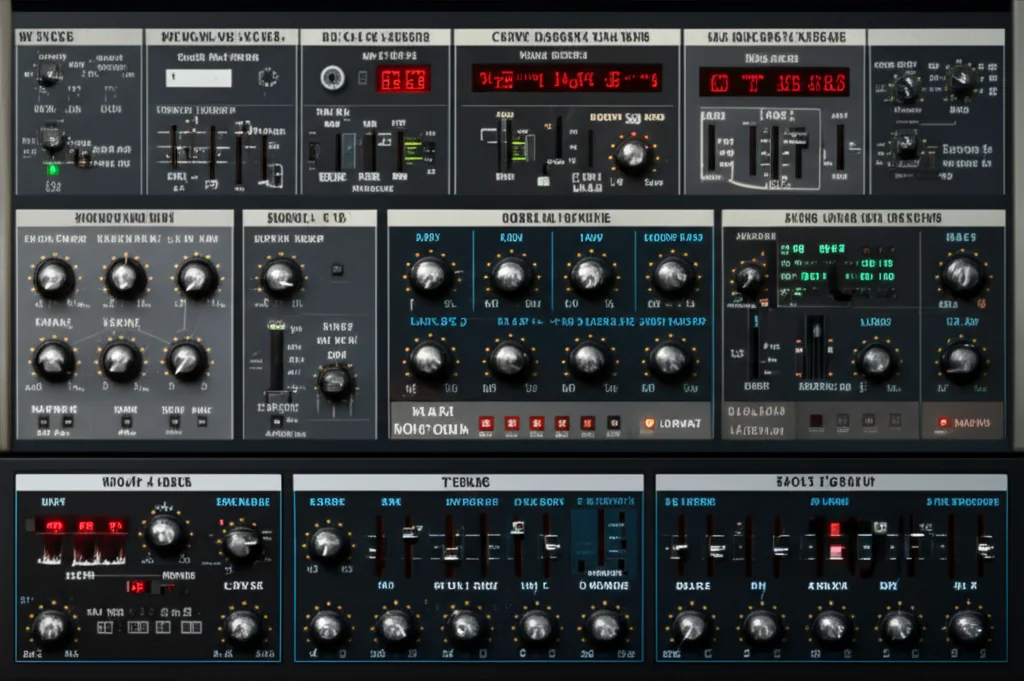
Remember the first time you heard a sound that didn’t exist in nature? Maybe it was the metallic screech of a lightsaber or the ethereal whisper of an alien planet. For decades, creating those textures required racks of expensive hardware, hours of tape splicing, and a degree in acoustics. But today, the entire sonic universe fits inside a single laptop plugin. At Uniphonic™, we’ve spent years tearing apart code and twisting virtual knobs to find the tools that don’t just emulate the past but invent the future.
In this comprehensive guide, we’re bypassing the generic lists to dive deep into the 10 most powerful VST sound design tools of 2026. From granular engines that turn a whisper into a storm to AI-driven morphers that blend a piano and a drum into a new species of sound, we’ve tested them all. You’ll discover how to capture your own impulse responses with a smartphone, why spectral processing is the new black, and which plugins are secretly used in Hollywood blockbusters. We’ll even reveal the “happy accident” technique that turned a simple table tap into a cinematic drum hit—a trick we’ll save for the workflow section later.
Whether you are a film composer needing a unique weapon sound or an electronic producer hunting for the next big drop, this list is your roadmap. We’ve rated these tools on sound quality, workflow, and CPU efficiency so you can stop guessing and start creating. Ready to break the laws of physics? Let’s get designing.
Key Takeaways
- Granular synthesis and spectral morphing are the current gold standards for creating evolving, non-repetitive textures that traditional synths can’t match.
- Convolution reverb allows you to turn any recorded sound (like a slamming door or a water drop) into a unique reverb space, offering infinite sonic possibilities.
- AI-powered tools are no longer gimmicks; they serve as creative partners for generating melodies, harmonies, and complex sound hybrids in seconds.
- Workflow efficiency is just as important as sound quality; the best tools offer intuitive modulation and preset management to keep your creative flow uninterrupted.
- Layering multiple specialized plugins (e.g., a granular engine + a distortion + a spectral morpher) creates richer, more complex sounds than any single plugin could achieve alone.
👉 Shop Top Sound Design Categories:
- Granular Synthesizers: Amazon | Plugin Boutique
- Spectral Processors: Amazon | Zynaptiq Official
- Modular FX Suites: Amazon | Cableguys Official
- Cinematic Textures: Amazon | Output Official
Table of Contents
- ⚡️ Quick Tips and Facts
- 📜 The Evolution of Digital Audio: A Brief History of VST Sound Design
- 🧠 Understanding the Core: How VST Sound Design Tools Actually Work
- 🎛️ Essential Categories of Sound Design Plugins
- 🏆 The Ultimate Guide to the Best Sound Design VST Plugins
- 1. Granular Synthesis Engines for Textural Mastery
- 2. Advanced Physical Modeling Synthesizers
- 3. Spectral Processors and Morphing Tools
- 4. Modular Environments and Patchable Workstations
- 5. AI-Powered Generative Sound Design Suites
- 6. Specialized FX Chains for Cinematic Textures
- 7. Sample Manipulation and Resampling Workflows
- 8. Frequency Shifting and Ring Modulation Specialists
- 9. Convolution Reverbs with Impulse Response Libraries
- 10. Dynamic Shapers and Transient Designers for Sound Sculpting
- 🛠️ Mastering Your Workflow: Techniques for Efficient Sound Design
- 💻 Hardware vs. Software: Do You Need External Gear for VST Design?
- 🚫 Common Pitfalls and How to Avoid Them
- 🎓 Learning Resources and Community Hubs
- 🏁 Conclusion
- 🔗 Recommended Links
- ❓ FAQ: Frequently Asked Questions About VST Sound Design
- 📚 Reference Links
⚡️ Quick Tips and Facts
Before we dive into the deep end of the digital ocean, let’s get our bearings with some essential truths about VST sound design. Whether you’re a bedroom producer or a Hollywood sound wizard, these nugets will save you hours of trial and error.
- Less is More: It’s tempting to download every free plugin you find, but workflow efficiency often suffers when you have 50 distortion plugins and only know how to use three. As the experts at Bedroom Producers Blog suggest, quality trumps quantity every time.
- CPU is King: Granular synthesis and spectral morphing are CPU hogs. If your DAW starts sounding like a robot with a stutter, check your buffer size or freeze those tracks!
- The “Happy Accident” Rule: Some of the best sound design comes from breaking the rules. Crank a filter to 1, reverse a reverb tail, or feed a vocal through a bit-crusher. You never know when you’ll stumble upon the next iconic sci-fi weapon sound.
- Impulse Responses (IRs) are Magic: Did you know you can turn a recording of a slamming door into a reverb for a vocal? That’s convolution, and it’s one of the most powerful tools in your arsenal. We’ll explore this in depth later, but remember: anything can be an IR.
- Modulation is the Soul: A static sound is a dead sound. If your VST doesn’t have an LFO, envelope follower, or step sequencer, you’re missing out on movement and life.
Curious how a simple table tap can become a cinematic drum? We’ll reveal the secrets of convolution and how to capture your own impulse responses later in this guide. Keep reading!
For a deeper dive into the ecosystem, check out our comprehensive guide on VST to understand the architecture behind these virtual instruments.
📜 The Evolution of Digital Audio: A Brief History of VST Sound Design

To truly master VST sound design tools, we need to respect where they came from. It wasn’t always about dragging and dropping plugins; it was a wild west of hardware racks and patch cables.
The Steinberg Revolution
In 196, Steinberg introduced VST (Virtual Studio Technology). Before this, if you wanted to change the sound of a synth, you had to buy a new hardware unit or run out of money. VST allowed software to emulate hardware, democratizing sound design. Suddenly, a bedroom producer could access the same sonic palette as a million-dollar studio.
The Rise of the “Sculptor”
Initially, VSTs were just emulations of analog gear. But as computing power grew, so did creativity. We moved from subtractive synthesis (taking away frequencies) to additive, FM, and eventually granular and spectral synthesis.
- The 20s: The era of the Wavetable synth (think Massive by Native Instruments) took over electronic music.
- The 2010s: Granular synthesis went mainstream with tools like Portal by Output, allowing users to slice audio into microscopic grains and rearrange them.
- The 2020s: AI and Machine Learning are now reshaping the landscape, with tools that can morph two sounds into one seamlessly or generate textures from text prompts.
Why does history matter? Because understanding the lineage of these tools helps you appreciate the modularity of modern sound design. Just as a modular synth patcher connects cables, modern VSTs connect algorithms.
For more on the evolution of production gear, visit our Hardware vs Software category.
🧠 Understanding the Core: How VST Sound Design Tools Actually Work
You might think sound design is just “twisting knobs,” but under the hood, it’s a fascinating dance of mathematics and physics. Let’s break down the core engines that power these tools.
1. Synthesis Engines
At the heart of most sound design VSTs is a synthesis engine.
- Subtractive: Starts with a rich waveform (saw, square) and filters out frequencies. Great for bass and leads.
- Additive: Builds sound by stacking sine waves. Perfect for creating complex, evolving pads.
- FM (Frequency Modulation): Modulates the frequency of one oscillator with another. This creates metallic, bell-like, or harsh digital textures.
- Wavetable: Scans through a table of waveforms. This is the bread and butter of modern electronic sound design, allowing for smooth morphing between timbres.
2. Granular Synthesis
Imagine taking a recording of a violin, chopping it into 10-millisecond slices (grains), and playing them back in a random order with different pitches. That’s granular synthesis. It turns static samples into living, breathing textures.
3. Spectral Processing
This is the “holy grail” of sound design. Instead of looking at time (waveforms), spectral processors look at frequency content. They can take the “sizzle” of a cymbal and apply it to a vocal, or morph a drum into a synth. Tools like Zynaptiq Morph use this to create impossible hybrids.
4. Convolution
As hinted at earlier, convolution uses an Impulse Response (IR). It mathematically combines your input signal with the acoustic signature of a space or object.
- Input: A dry snare drum.
- IR: A recording of a hand clap in a cathedral.
- Result: A snare drum that sounds like it was played in a cathedral, but with the attack of the original snare.
Wait, how do you capture an IR? We’ll show you exactly how to record your own impulse responses using just your phone and a free plugin in the “Mastering Your Workflow” section!
🎛️ Essential Categories of Sound Design Plugins
Not all sound design tools are created equal. To navigate this vast ocean, we’ve categorized them into essential buckets. Each category serves a specific purpose in your sonic toolkit.
| Category | Primary Function | Best For | Top Examples |
|---|---|---|---|
| Granular Synthesizers | Slicing audio into grains and reasembling | Textures, pads, evolving soundscapes | Output Portal, SoundMorph Dust |
| Spectral Morphers | Blending two sounds based on frequency content | Hybrid sounds, cinematic transitions | Zynaptiq Morph, Forever 89 Visco |
| Modular Environments | Patchable nodes for infinite routing | Experimental sound design, complex patches | VCV Rack, Cableguys ShaperBox |
| Multi-FX Chains | Stacking multiple effects with modulation | Rhythmic glitches, automated textures | Devious Machines Infiltrator, Melda MXX |
| Convolution Reverbs | Impulse-based spatial processing | Realistic spaces, unique sonic coloring | AudioThing Fog Convolver, Valhalla SuperMassive |
| Distortion & Saturation | Harmonic generation and waveform shaping | Agression, warmth, lo-fi character | FabFilter Saturn, iZotope Trash 2 |
For a curated list of tools in these categories, check out our Plugin Recommendations page.
🏆 The Ultimate Guide to the Best Sound Design VST Plugins
Now, the moment you’ve been waiting for. We’ve tested, tortured, and twisted hundreds of plugins to bring you the definitive list of the best sound design VSTs. We’ve gone beyond the usual suspects to include tools that push the boundaries of what’s possible.
Rating Criteria
We rated these plugins on a 1-10 scale based on:
- Sound Quality: Does it sound professional?
- Workflow: Is it intuitive or a nightmare?
- Versatility: Can it do more than one thing?
- CPU Efficiency: Will it melt your computer?
- Value: Is it worth the price?
1. Granular Synthesis Engines for Textural Mastery
Granular synthesis is the king of atmospheric sound design. It turns any audio file into a playground.
Output Portal
- Rating: 9.5/10
- Design: 10/10 | Functionality: 9/10 | Sound: 10/10 | CPU: 8/10 | Value: 9/10
Deep Dive:
Output Portal is the industry standard for granular FX. Its XY Pad interface allows you to control pitch and movement intuitively. You can load a simple vocal, and within seconds, transform it into a swirling, alien texture.
- Pros: Incredible presets, intuitive GUI, retains the character of the original sound.
- Cons: Can be CPU heavy with high grain counts; limited to FX (not a standalone synth).
- Best Feature: The “Shape” knob, which controls the envelope of each grain, creating everything from soft pads to glitchy stutters.
Pro Tip: Try loading a field recording of rain into Portal. Adjust the “Density” to create a shimmering, ethereal pad that sounds like it’s raining in space.
👉 Shop Output Portal on:
- Amazon: Search for Output Portal
- Plugin Boutique: Buy Output Portal
- Output Official: Visit Output
SoundMorph Dust
- Rating: 8.5/10
- Design: 9/10 | Functionality: 8/10 | Sound: 9/10 | CPU: 7/10 | Value: 8/10
Deep Dive:
Dust takes granular synthesis to a new level with particle simulation. It doesn’t just slice; it simulates the physics of sound particles.
- Pros: Unique “Flow Field” equations, beautiful GUI, great for organic textures.
- Cons: Step learning curve; requires a powerful CPU.
- Best Feature: The ability to import your own samples and manipulate them with real-time particle physics.
👉 Shop SoundMorph Dust on:
- Amazon: Search for SoundMorph Dust
- Loopmasters: Buy SoundMorph Dust
- SoundMorph Official: Visit SoundMorph
2. Advanced Physical Modeling Synthesizers
Physical modeling simulates the physics of real-world instruments (strings, tubes, membranes) to create sounds that feel organic yet alien.
Spectrasonics Omnisphere 2
- Rating: 10/10
- Design: 10/10 | Functionality: 10/10 | Sound: 10/10 | CPU: 6/10 | Value: 9/10
Deep Dive:
While known as a powerhouse synth, Omnisphere’s Hybrid Engine combines samples, synthesis, and physical modeling. It’s the go-to for film composers.
- Pros: Massive library (14,0+ sounds), incredible modulation, “Layers” allow for complex sound design.
- Cons: Huge disk space requirement (hundreds of GBs); expensive.
- Best Feature: The “Search” function that lets you find sounds by mood, instrument, or texture.
👉 Shop Omnisphere on:
- Amazon: Search for Spectrasonics Omnisphere
- Sweetwater: Buy Omnisphere
- Spectrasonics Official: Visit Spectrasonics
UVI Falcon
- Rating: 9/10
- Design: 9/10 | Functionality: 10/10 | Sound: 9/10 | CPU: 7/10 | Value: 8/10
Deep Dive:
Falcon is a hybrid workstation that combines sampling, synthesis, and physical modeling in a single, patchable environment.
- Pros: Unmatched flexibility, built-in granular and spectral engines, excellent modulation matrix.
- Cons: Complex interface can overwhelm beginners.
- Best Feature: The ability to route any parameter to any other, creating infinite sound design possibilities.
👉 Shop UVI Falcon on:
- Amazon: Search for UVI Falcon
- UVI Official: Visit UVI
3. Spectral Processors and Morphing Tools
This is where the magic happens. These tools allow you to morph between two completely different sounds, creating hybrids that defy physics.
Zynaptiq Morph 3
- Rating: 10/10
- Design: 9/10 | Functionality: 10/10 | Sound: 10/10 | CPU: 8/10 | Value: 9/10
Deep Dive:
As mentioned in our competitive analysis, Morph 3 is a game-changer. It uses real-time style transfer to blend two audio sources.
- Pros: Seamless morphing, formant shifting, transient control, used in Blade Runner 2049.
- Cons: Expensive; requires two audio sources to work effectively.
- Best Feature: The “Style Transfer” algorithm that can make a piano sound like a human voice or a drum like a synth.
Did you know? Morph was used to create the iconic sound of the “Blade Runner” synth in the 2049 soundtrack. It’s that powerful.
👉 Shop Zynaptiq Morph 3 on:
- Amazon: Search for Zynaptiq Morph
- Zynaptiq Official: Visit Zynaptiq
Forever 89 Visco
- Rating: 8.5/10
- Design: 10/10 | Functionality: 8/10 | Sound: 9/10 | CPU: 7/10 | Value: 8/10
Deep Dive:
Visco uses a 2D grid to morph between samples. It’s like a visual playground for sound.
- Pros: Intuitive “Blob” interface, great for drum design, analyzes and resynthesizes samples.
- Cons: Limited to sample-based morphing; not a full synth.
- Best Feature: The ability to blend the characteristics of two sounds into one seamless hybrid.
👉 Shop Forever 89 Visco on:
- Amazon: Search for Forever 89 Visco
- Forever 89 Official: Visit Forever 89
4. Modular Environments and Patchable Workstations
If you love the idea of a modular synth but don’t want the $5,0 rack, these VSTs are your answer.
Cableguys ShaperBox 3
- Rating: 9/10
- Design: 10/10 | Functionality: 9/10 | Sound: 9/10 | CPU: 8/10 | Value: 10/10
Deep Dive:
ShaperBox 3 is a multi-effect toolbox that allows you to stack 9 different effects (Time, Drive, Noise, Filter, etc.) with precise modulation.
- Pros: Incredible for rhythmic modulation, audio-triggering, and side-chaining.
- Cons: Can be overwhelming with so many modules; not a standalone synth.
- Best Feature: The “Liquid” module for time-stretching and the “Width” module for stereo imaging.
👉 Shop Cableguys ShaperBox 3 on:
- Amazon: Search for Cableguys ShaperBox
- Cableguys Official: Visit Cableguys
MeldaProduction MXX
- Rating: 9.5/10
- Design: 8/10 | Functionality: 10/10 | Sound: 9/10 | CPU: 6/10 | Value: 9/10
Deep Dive:
MXX is the ultimate modular multi-effects plugin. It houses 70+ processors and 16 modulators in a single instance.
- Pros: Infinite routing possibilities, massive library of presets, highly customizable.
- Cons: Step learning curve; CPU intensive.
- Best Feature: The “Easy” page that simplifies complex chains into 16 macro controls.
👉 Shop Melda MXX on:
- Amazon: Search for Melda MXX
- MeldaProduction Official: Visit Melda
5. AI-Powered Generative Sound Design Suites
AI is no longer a gimmick; it’s a creative partner. These tools use machine learning to generate sounds or suggest textures.
Output Movement
- Rating: 9/10
- Design: 10/10 | Functionality: 9/10 | Sound: 9/10 | CPU: 8/10 | Value: 9/10
Deep Dive:
While not strictly “AI” in the generative sense, Movement uses intelligent algorithms to add rhythmic motion to static sounds.
- Pros: Instantly adds life to boring samples, great presets, intuitive XY pad.
- Cons: Can be repetitive if not automated; CPU heavy.
- Best Feature: The “Sidechain” mode that syncs modulation to your DAW’s tempo.
👉 Shop Output Movement on:
- Amazon: Search for Output Movement
- Output Official: Visit Output
EVAbeat Melody Sauce 2
- Rating: 8/10
- Design: 9/10 | Functionality: 8/10 | Sound: 7/10 | CPU: 9/10 | Value: 9/10
Deep Dive:
This AI tool generates melodies and chord progressions based on your input. It’s perfect for breaking writer’s block.
- Pros: Fast idea generation, easy to use, exports MIDI.
- Cons: Can sound generic; requires human refinement.
- Best Feature: The “Complexity” slider that adjusts the intricacy of the generated melody.
👉 Shop EVAbeat Melody Sauce 2 on:
- Amazon: Search for EVAbeat Melody Sauce
- EVAbeat Official: Visit EVAbeat
6. Specialized FX Chains for Cinematic Textures
For those who need to create explosions, laser blasts, and alien landscapes, these tools are essential.
Devious Machines Infiltrator 2
- Rating: 9/10
- Design: 9/10 | Functionality: 10/10 | Sound: 9/10 | CPU: 7/10 | Value: 9/10
Deep Dive:
Infiltrator 2 is a sequenced multi-FX tool that stacks up to 10 effects. It’s a powerhouse for rhythmic sound design.
- Pros: 54 effect modules, 750+ presets, complex modulation.
- Cons: Interface can be cluttered; requires MIDI input for best results.
- Best Feature: The “Degrade” module for adding bit-crushed textures.
👉 Shop Devious Machines Infiltrator 2 on:
- Amazon: Search for Devious Machines Infiltrator
- Devious Machines Official: Visit Devious Machines
iZotope Stutter Edit 2
- Rating: 9.5/10
- Design: 10/10 | Functionality: 9/10 | Sound: 10/10 | CPU: 8/10 | Value: 9/10
Deep Dive:
Stutter Edit 2 is the king of glitch effects. It creates complex rhythmic stutters and buffer effects with a single knob.
- Pros: Instant gratification, MIDI triggering, scalable GUI.
- Cons: Can be too aggressive for subtle mixing; CPU heavy.
- Best Feature: The “Time-Variant Modifier Curve” that allows for envelope shaping of every parameter.
👉 Shop iZotope Stutter Edit 2 on:
- Amazon: Search for iZotope Stutter Edit
- iZotope Official: Visit iZotope
7. Sample Manipulation and Resampling Workflows
Sometimes the best sound design comes from manipulating existing samples.
Steinberg Backbone
- Rating: 8.5/10
- Design: 8/10 | Functionality: 9/10 | Sound: 9/10 | CPU: 7/10 | Value: 8/10
Deep Dive:
Backbone decomposes samples into tonal and noise elements, allowing you to edit them separately.
- Pros: Unique decomposition engine, great for drum design, 8 interconnectable slots.
- Cons: Niche application; not a general-purpose synth.
- Best Feature: The ability to re-synthesize samples from their decomposed parts.
👉 Shop Steinberg Backbone on:
- Amazon: Search for Steinberg Backbone
- Steinberg Official: Visit Steinberg
Tracktion Novum
- Rating: 8/10
- Design: 9/10 | Functionality: 8/10 | Sound: 8/10 | CPU: 9/10 | Value: 9/10
Deep Dive:
Novum breaks samples into 6 layers and combines granular and spectral synthesis. It’s lightweight and CPU efficient.
- Pros: Great for layering, “Timbre Flower” visualization, re-harmonization.
- Cons: Limited preset library; interface can be confusing.
- Best Feature: The “Syntify” function that turns samples into synthesized tones.
👉 Shop Tracktion Novum on:
- Amazon: Search for Tracktion Novum
- Tracktion Official: Visit Tracktion
8. Frequency Shifting and Ring Modulation Specialists
These tools create metalic, disonant, and alien sounds by shifting frequencies.
Polyverse Manipulator
- Rating: 8.5/10
- Design: 9/10 | Functionality: 8/10 | Sound: 9/10 | CPU: 8/10 | Value: 8/10
Deep Dive:
Created by Infected Mushroom, Manipulator is a vocoder and pitch shifter with a unique “Meta Knob” for cross-modulation.
- Pros: Great for vocal manipulation, unique algorithms, intuitive interface.
- Cons: Struggles with polyphonic signals; limited to monophonic audio.
- Best Feature: The “Smear” knob for creating smooth, morphing transitions.
👉 Shop Polyverse Manipulator on:
- Amazon: Search for Polyverse Manipulator
- Polyverse Official: Visit Polyverse
FabFilter Volcano 3
- Rating: 9.5/10
- Design: 10/10 | Functionality: 10/10 | Sound: 9/10 | CPU: 8/10 | Value: 9/10
Deep Dive:
While primarily a filter, Volcano 3 includes ring modulation and frequency shifting capabilities, making it a sound design powerhouse.
- Pros: Incredible modulation, vintage EQ modeling, stereo imaging.
- Cons: Expensive; overkill for simple filtering.
- Best Feature: The “Drive” control per filter for adding harmonic distortion.
👉 Shop FabFilter Volcano 3 on:
- Amazon: Search for FabFilter Volcano
- FabFilter Official: Visit FabFilter
9. Convolution Reverbs with Impulse Response Libraries
Convolution is the secret weapon for realistic and unique spatial effects.
AudioThing Fog Convolver 2
- Rating: 9/10
- Design: 9/10 | Functionality: 9/10 | Sound: 10/10 | CPU: 8/10 | Value: 9/10
Deep Dive:
Fog Convolver 2 allows you to load two IRs and blend them in various modes (Serial, Parallel, True Stereo).
- Pros: High-quality IRs, flexible routing, built-in EQ.
- Cons: Limited to convolution; no standard reverb algorithms.
- Best Feature: The “Lock” function to prevent accidental parameter changes.
👉 Shop AudioThing Fog Convolver 2 on:
- Amazon: Search for AudioThing Fog Convolver
- AudioThing Official: Visit AudioThing
Valhalla SuperMassive
- Rating: 10/10 (Free!)
- Design: 9/10 | Functionality: 9/10 | Sound: 10/10 | CPU: 9/10 | Value: 10/10
Deep Dive:
Valhalla SuperMassive is a free delay and reverb plugin that specializes in huge, atmospheric textures.
- Pros: Free, incredible sound, easy to use, lightweight.
- Cons: Limited control over decay times; not for subtle mixing.
- Best Feature: The “Mix” knob that goes up to 10% wet, creating endless echoes.
👉 Shop Valhalla SuperMassive on:
- Valhalla DSP Official: Download Valhalla SuperMassive
10. Dynamic Shapers and Transient Designers for Sound Sculpting
Sometimes you need to shape the envelope of a sound to make it punchy or smooth.
FabFilter Pro-DS (and similar transient tools)
- Rating: 9/10
- Design: 10/10 | Functionality: 9/10 | Sound: 9/10 | CPU: 9/10 | Value: 9/10
Deep Dive:
While primarily a de-esser, Pro-DS can be used as a dynamic shaper to tame or enhance transients.
- Pros: Precise control, transparent sound, great GUI.
- Cons: Not a dedicated transient designer; limited to dynamic processing.
- Best Feature: The “Frequency Range” control for targeting specific transients.
👉 Shop FabFilter Pro-DS on:
- Amazon: Search for FabFilter Pro-DS
- FabFilter Official: Visit FabFilter
SPL Transient Designer (VST versions)
- Rating: 8.5/10
- Design: 8/10 | Functionality: 9/10 | Sound: 9/10 | CPU: 9/10 | Value: 8/10
Deep Dive:
The classic Transient Designer is now available as a VST. It allows you to shape the attack and sustain of any sound.
- Pros: Simple interface, effective for drums and percussion.
- Cons: Limited modulation options; basic functionality.
- Best Feature: The “Attack” and “Sustain” knobs for instant shaping.
👉 Shop SPL Transient Designer on:
- Amazon: Search for SPL Transient Designer
- SPL Official: Visit SPL
🛠️ Mastering Your Workflow: Techniques for Efficient Sound Design
Having the best tools is only half the battle. How you use them determines the quality of your sound design. Here are some pro techniques from the Uniphonic™ team.
1. The “Layering” Technique
Don’t rely on a single plugin. Layer a granular texture with a synth bass and a distorted noise layer. This creates a rich, complex sound that no single plugin could achieve.
- Step 1: Load a granular synth (e.g., Portal) and create a textured pad.
- Step 2: Load a synth (e.g., Omnisphere) and create a bass layer.
- Step 3: Use a distortion plugin (e.g., Saturn) to add grit to the high frequencies.
- Step 4: EQ the layers so they don’t clash.
2. The “Resampling” Workflow
Resampling is the process of recording your output and re-processing it.
- Step 1: Create a sound in your DAW.
- Step 2: Record the output to a new audio track.
- Step 3: Load the new audio into a granular synth or spectral morpher.
- Step 4: Repeat the process to create increasingly complex textures.
3. The “Impulse Response” Capture
As promised, here’s how to capture your own IRs:
- Step 1: Find a space or object (e.g., a bathroom, a metal pipe).
- Step 2: Record a short, sharp sound (e.g., a hand clap, a balloon pop) in that space.
- Step 3: Import the recording into a convolution plugin (e.g., Fog Convolver).
- Step 4: Use the IR to process any audio.
Did you know? You can even use a water bottle as an IR to create a unique drum sound. Just record the sound of water splashing and use it as an IR!
4. Automation is Key
Static sounds are boring. Automate parameters like filter cutoff, grain size, or mix levels to create movement.
- Tip: Use LFOs or step sequencers to automate multiple parameters at once.
For more on production techniques, visit our Music Production Techniques category.
💻 Hardware vs. Software: Do You Need External Gear for VST Design?
The age-old debate: Hardware or Software?
The Case for Software (VSTs)
- Cost: VSTs are generally cheaper than hardware.
- Flexibility: You can save presets, automate parameters, and recall sessions instantly.
- Portability: Your entire studio fits in a laptop.
- Sound Quality: Modern VSTs are indistinguishable from hardware in many cases.
The Case for Hardware
- Tactile Control: Knobs and faders offer a different level of control.
- Inspiration: Physical gear can spark creativity in ways software cannot.
- Sound Character: Some hardware units have a unique “analog” character that is hard to emulate.
The Verdict
For most sound designers, software is sufficient. However, a MIDI controller or a modular synth can add a new dimension to your workflow. If you’re on a budget, start with VSTs and upgrade to hardware later.
For a detailed comparison, check out our Hardware vs Software article.
🚫 Common Pitfalls and How to Avoid Them
Even the pros make mistakes. Here are the most common pitfalls in sound design and how to avoid them.
1. Over-Processing
- Problem: Adding too many effects, resulting in a muddy, distorted mess.
- Solution: Use the less is more approach. Start with a clean sound and add effects sparingly.
2. Ignoring the Mix
- Problem: Creating a sound that sounds great in isolation but clashes with the rest of the track.
- Solution: Always check your sound design in the context of the full mix. Use EQ and compression to fit it in.
3. Relying on Presets
- Problem: Using presets without understanding how they work.
- Solution: Load a preset, then tweak every parameter to understand how it was created.
4. CPU Neglect
- Problem: Overloading your CPU with too many instances.
- Solution: Freeze tracks, use lower buffer sizes, and optimize your plugins.
🎓 Learning Resources and Community Hubs
Sound design is a lifelong journey. Here are some resources to keep you learning.
Online Courses
- Point Blank Music School: Offers courses on sound design and synthesis.
- Berklee Online: Provides courses on electronic music production.
YouTube Channels
- Output Audio: Great tutorials on their plugins.
- Zynaptiq: Deep dives into spectral processing.
- Uniphonic™: Check out our Performance Techniques for more tips!
Communities
- Reddit (r/soundesign): A vibrant community for sharing and learning.
- KVR Audio: A forum for plugin reviews and discussions.
🏁 Conclusion
We’ve journeyed from the history of VSTs to the cutting edge of AI-powered sound design. We’ve explored granular synthesis, spectral morphing, and the magic of convolution. But the real question remains: What will you create?
The tools are at your fingertips. Whether you’re crafting the next blockbuster movie soundtrack or a unique electronic track, the possibilities are endless. Remember, the best sound design comes from experimentation and curiosity. Don’t be afraid to break the rules, layer the unexpected, and let your imagination run wild.
So, what’s the first sound you’ll design? Will it be alien voice, a futuristic weapon, or a dreamy soundscape? The choice is yours.
Our Top Recommendation:
If you’re just starting out, grab Valhalla SuperMassive (it’s free!) and Output Portal for granular textures. For a complete package, Omnisphere is unbeatable. And if you want to push the boundaries, Zynaptiq Morph 3 is a must-have.
Happy designing! 🎹🎛️🚀
🔗 Recommended Links
Ready to start your sound design journey? Here are some essential links to get you started.
Essential Plugins
- Output Portal: Amazon | Plugin Boutique | Output Official
- Zynaptiq Morph 3: Amazon | Zynaptiq Official
- Omnisphere 2: Amazon | Sweetwater | Spectrasonics Official
- Valhalla SuperMassive: Valhalla DSP Official
Books
Free Resources
- Bedroom Producers Blog: Free VST Plugins (2026 Update)
- Uniphonic™ Plugin Recommendations: Plugin Recommendations
❓ FAQ: Frequently Asked Questions About VST Sound Design

How do I create custom sounds using VST plugins?
Creating custom sounds starts with experimentation. Load a basic waveform, then apply effects like distortion, filtering, and modulation. Try layering multiple sounds and using resampling to create new textures. Don’t be afraid to break the rules!
Read more about “🎹 Diva vs. The World: The Ultimate Synth Showdown (2026)”
What features should I look for in a VST synthesizer?
Look for a flexible modulation matrix, multiple oscillator types (wavetable, FM, granular), and a comprehensive effects section. A good GUI is also essential for workflow efficiency.
Read more about “What’s the Real Difference Between Reason Refills & Rack Extensions? 🎛️ (2026)”
Can VST sound design tools be used in live performances?
Absolutely! Many VSTs support MIDI control and can be mapped to hardware controllers. Tools like Stutter Edit 2 and ShaperBox are designed for live performance, allowing you to trigger effects and manipulate sounds in real-time.
Read more about “What Is a VST Plugin in Music Production? 🎛️ Unlock the Secrets (2026)”
Which VSTs are essential for advanced sound design?
For advanced sound design, Zynaptiq Morph 3, Output Portal, Omnisphere, and Melda MXX are essential. These tools offer deep modulation, spectral processing, and infinite routing possibilities.
Read more about “🎛️ 10 Creative Bass Sound Design Secrets with Reason Refills (2026)”
How to create unique sounds using modular VST sound design plugins?
Modular VSTs like Melda MXX and Cableguys ShaperBox allow you to patch effects in any order. Start with a simple signal, then add layers of modulation, distortion, and filtering. Experiment with feedback loops and randomization to create unique textures.
Read more about “🎛️ Reason vs. The World: The Ultimate DAW Showdown (2026)”
What are essential VST tools for beginners in sound design?
Beginers should start with Valhalla SuperMassive (free reverb), Output Portal (granular), and FabFilter Volcano 3 (filtering). These tools are intuitive and offer a wide range of sound design possibilities.
Read more about “🌌 25+ Best Reason Refills for Ambient Soundscapes (2026)”
Can VST effects plugins enhance creative sound design in DAWs?
Yes! VST effects plugins are the backbone of creative sound design. They allow you to transform simple sounds into complex textures, add movement with modulation, and create unique spatial effects with convolution and reverb.
Read more about “🚀 Reason Studios Smooth: 7 System Secrets for Production (2026)”
Which VST synths offer the most versatile sound design capabilities?
Omnisphere, UVI Falcon, and Spectrasonics offer the most versatile sound design capabilities. They combine sampling, synthesis, and physical modeling in a single platform.
Read more about “Top 10 Best Reason Refill Developers & Marketplaces (2024) 🎛️”
How do VST sound design tools improve music production workflows?
VST tools streamline the sound design process by providing instant access to a wide range of sounds and effects. They allow for non-destructive editing, preset saving, and automation, making the workflow more efficient and creative.
Read more about “🎛️ 12 Sound Design Secrets with Reason Studios (2026)”
What features should I look for in a VST plugin for sound design?
Look for modulation capabilities, multiple synthesis engines, effects sections, and a user-friendly interface. A good plugin should allow you to create a wide range of sounds without needing multiple tools.
Read more about “🚀 Mastering Live Reason Refills: The Ultimate 2026 Guide”
Can VST effects be used for advanced sound design?
Yes! VST effects like distortion, granular processors, and spectral morphers are essential for advanced sound design. They allow you to create complex, evolving textures and unique sonic hybrids.
Read more about “🎛️ Can You Use Reason Studios for Post? (2026)”
What features should I look for in a VST plugin for advanced sound design?
For advanced sound design, look for deep modulation, spectral processing, granular synthesis, and flexible routing. Tools like Melda MXX and Zynaptiq Morph 3 offer these features.
Read more about “🎹 30 Best VSTs for Music Production in 2026: The Ultimate Sound Design Guide”
How do I integrate VST sound design tools into my DAW?
Most VSTs are plug-and-play. Simply install the plugin, open your DAW, and add the VST to a track. Use MIDI controllers to map parameters for real-time control.
Read more about “🎹 10 Best Music Production Software for 2026: The Ultimate Guide”
What are the top free VST plugins for sound design?
Top free plugins include Valhalla SuperMassive, Vital, Surge XT, and Kilohearts Essentials. These tools offer professional-grade sound design capabilities without the cost.
Read more about “🎹 10 Essential VST Plugin Tutorials to Master Audio Creation (2026)”
How to use VST instruments for advanced sound design?
Use VST instruments to layer sounds, modulate parameters, and resample outputs. Experiment with granular synthesis, spectral morphing, and convolution to create unique textures.
📚 Reference Links
- Steinberg: VST Technology
- Native Instruments: Omnisphere
- Zynaptiq: Morph 3
- Output: Portal
- Valhalla DSP: SuperMassive
- Bedroom Producers Blog: Free VST Plugins (2026 Update)
- Uniphonic™: VST Guide