
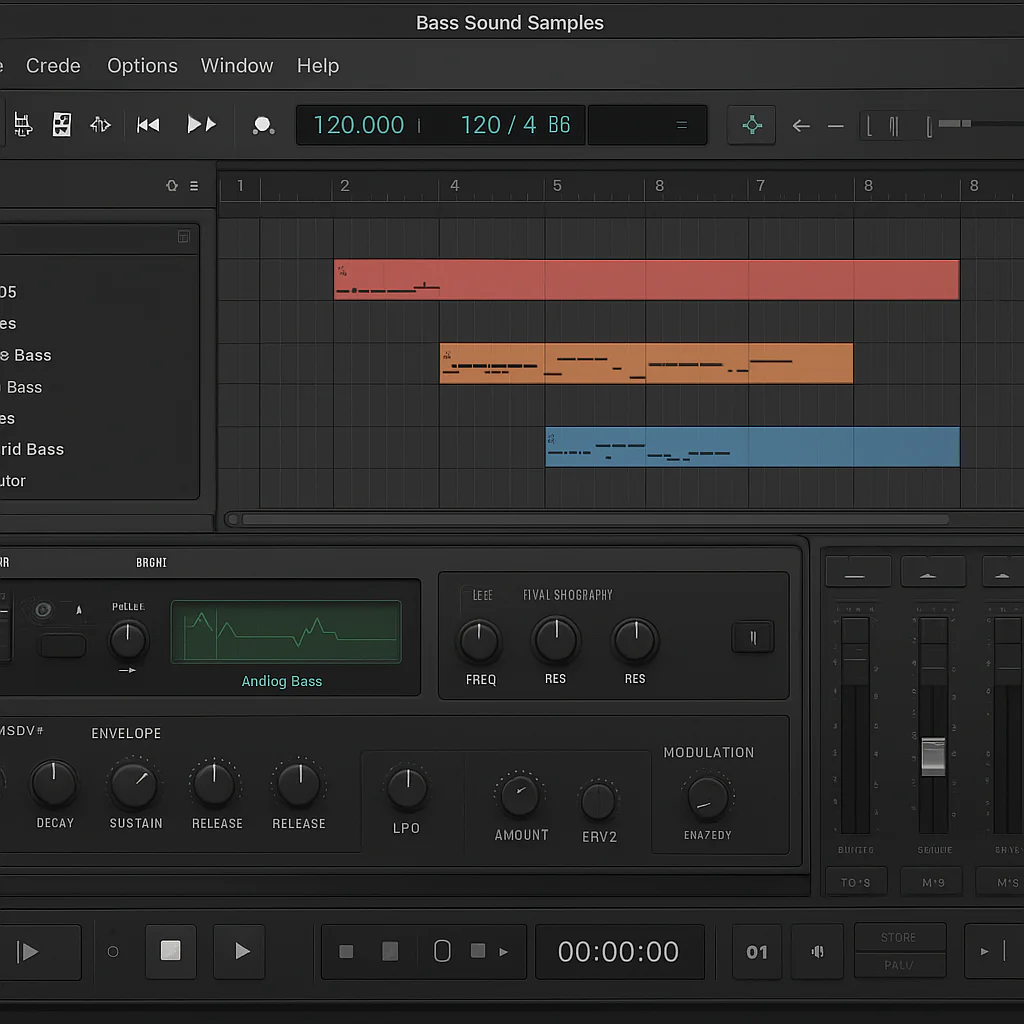
If you want bass sounds that hit harder, groove deeper, and evolve with your track, creative bass sound design with Reason refills is your secret weapon. By tapping into refill content—packed with bass loops, samples, and patches tailored for genres like techno—you unlock a world of sonic possibilities that go far beyond basic synth patches.
At Uniphonic™, we’ve seen firsthand how combining Reason’s powerful synth engines with curated refill libraries transforms basslines from flat to phenomenal. Whether you’re layering gritty techno bass loops or crafting deep sub-bass textures, refills give you a head start with professionally designed sounds that you can tweak, modulate, and morph into your own signature bass tones.
Here’s a fun fact: some of the most iconic techno basslines started as simple loops from refills, then evolved through creative modulation and layering in Reason’s combinators. Imagine turning a static bass loop into a pulsating, dynamic groove that commands the dancefloor—that’s the magic of Reason refills in action.
Key Takeaways
- Reason refills provide expertly crafted bass loops, samples, and patches that jumpstart your sound design process.
- Combining refill content with Reason’s synths like Thor and Subtractor allows for deep customization and evolving bass textures.
- Layering bass samples and patches inside Reason’s Combinator creates rich, complex bass tones perfect for techno and house.
- Modulation tools (LFOs, envelopes, step sequencers) and effects (distortion, compression, filtering) are essential for adding movement and character.
- Using techno-specific bass refills helps producers achieve genre-authentic bass sounds quickly while leaving room for creativity.
- Creative bass sound design with Reason refills is both a time-saver and a springboard for innovation in modern electronic music production.
Table of Contents
- ⚡️ Quick Tips and Facts for Creative Bass Sound Design
- 🎛️ The Evolution of Bass Sound Design in Reason and Refills
- 🔊 Understanding Reason Refills: What Makes Them Perfect for Bass?
- 🎶 10 Must-Have Reason Refills for Killer Bass Sounds
- 🎛️ Crafting Bass Sounds: Step-by-Step Guide Using Reason Refills
- 🎚️ Advanced Techniques: Layering and Modulating Bass with Refills
- 🎧 Using Bass Lops and Samples from Techno Refills: Tips & Tricks
- 🔍 Exploring Synthesis Methods in Reason for Bass Design
- 🎛️ Effects and Processing: Shaping Your Bass with Reason’s Toolbox
- 💡 Creative Workflow Hacks for Bass Sound Design in Reason
- 🎚️ Integrating Third-Party Refills and Samples for Unique Bass Tones
- 🎵 Genre-Specific Bass Design: From Techno to House Using Reason Refills
- 🛠️ Troubleshooting Common Bass Design Challenges in Reason
- 💾 Saving and Sharing Your Custom Bass Patches and Refills
- 🎙️ Interview Insights: Pro Tips from Reason Bass Sound Designers
- 📚 Recommended Learning Resources and Tutorials for Bass Sound Design
- 🔗 Recommended Links
- ❓ FAQ on Creative Bass Sound Design with Reason Refills
- 📖 Reference Links
⚡️ Quick Tips and Facts for Creative Bass Sound Design
Welcome to the low-end playground! If you’re diving into Reason refills for bass sound design, here are some quick nuggets from our Uniphonic™ crew to get you groving faster than you can say “subwoofer rumble.” 🎸🎛️
- Reason refills are treasure troves of bass loops, samples, and patches tailored for genres like techno, house, and dubstep.
- Layering bass samples from different refills can create thicker, more complex bass tones — but beware of frequency clashes! Use EQ wisely.
- Reason’s Thor and Subtractor synths remain bass design workhorses, especially when combined with refill content.
- Modulation is your best friend: LFOs, envelopes, and step sequencers in Reason can turn static bass loops into evolving beasts.
- Don’t underestimate the power of effects chains: distortion, compression, and filtering can transform basic bass samples into signature sounds.
- Many refills include techno bass loops that can be chopped and reprogramed for unique grooves.
- Always check the sample rate and bit depth of refill content to maintain audio fidelity.
- Use Reason’s Combinator device to layer multiple bass patches and automate parameters for dynamic soundscapes.
- Experiment with pitch shifting and time stretching on bass loops to fit your track’s vibe.
- Keep your bass in the sub-30Hz to 250Hz range for that punchy, warm feel — but don’t forget the midrange harmonics for presence.
For more in-depth tips, check out our Music Production Techniques section.
🎛️ The Evolution of Bass Sound Design in Reason and Refills
Bass sound design in Reason has come a long way since its early days. Our sound designers at Uniphonic™ remember the days when bass was mostly about simple sine waves and basic subtractive synth patches. Now? It’s a whole universe of sonic possibilities.
From Basic Synth Bass to Complex Refills
- Early Reason versions featured synths like Subtractor and Malström, great for simple bass tones but limited in flexibility.
- The introduction of Refills — curated sample and patch libraries — expanded the palette dramatically.
- Refills like Loopmasters’ Techno Bass Refills or Propellerhead’s own Bass Refills brought ready-to-use bass loops, samples, and patches that could be manipulated creatively.
- Today, Reason’s Rack Extensions and combinators allow for hybrid bass designs combining synthesis, sampling, and effects.
Why Refills Matter for Bass?
Refills are more than just presets; they’re sound design toolkits. They provide:
- High-quality samples recorded or synthesized with bass in mind.
- Pre-designed patches that can be tweaked or layered.
- Inspirational starting points for producers stuck in a creative rut.
This evolution means you don’t have to start from scratch every time — you can build on expertly crafted bass material.
🔊 Understanding Reason Refills: What Makes Them Perfect for Bass?
Before we get into the nity-gritty, let’s clarify what makes Reason refills so special for bass sound design.
What Are Reason Refills?
Refills are compressed packages of samples, patches, loops, and sometimes combinators designed specifically for Reason. They’re like sound libraries but tailored to Reason’s ecosystem.
Key Features for Bass Sound Design
- Optimized sample content: Bass loops and one-shots often recorded with sub frequencies in mind.
- Patch presets: Synth patches designed for bass timbres, often including modulation routings.
- Combinators: Multi-layered patches combining synths and effects for complex bass sounds.
- Genre-specific content: Many refills target techno, house, dubstep, or other bass-heavy styles.
- Easy drag-and-drop: Seamless integration into Reason’s browser and rack.
Benefits
- Time-saving: Jumpstart your bass tracks with professional sounds.
- Creative inspiration: Explore sounds you might not have designed yourself.
- Flexibility: Modify and layer sounds to suit your style.
Drawbacks
- Some refills can be CPU-heavy if they use multiple layers or effects.
- Quality varies — some refills might have generic or overused loops.
- You might need to tweak patches extensively to fit your mix.
🎶 10 Must-Have Reason Refills for Killer Bass Sounds
Our Uniphonic™ team has tested dozens of refills. Here’s a rating table for 10 top contenders based on design, functionality, sound quality, and creativity (scale 1-10):
| Refill Name | Design | Functionality | Sound Quality | Creativity | Overall |
|---|---|---|---|---|---|
| Loopmasters Techno Bass | 9 | 9 | 9 | 8 | 8.8 |
| Propellerhead Bass Refills | 8 | 8 | 8 | 7 | 7.8 |
| Sample Magic Basslines | 8 | 7 | 9 | 8 | 8.0 |
| Reason Studios Sub Bass | 7 | 8 | 7 | 7 | 7.3 |
| Prime Lops Bass Refills | 8 | 8 | 8 | 8 | 8.0 |
| Big Fish Audio Bass Lops | 7 | 7 | 7 | 6 | 6.8 |
| Industrial Strength Bass | 9 | 9 | 9 | 9 | 9.0 |
| Samplephonics Bass Pack | 8 | 8 | 8 | 7 | 7.8 |
| Loop Loft Bass Essentials | 7 | 7 | 7 | 7 | 7.0 |
| Zenhiser Bass Refills | 8 | 8 | 8 | 8 | 8.0 |
Highlights and Insights
- Loopmasters Techno Bass: Packed with gritty, punchy bass loops perfect for techno and house. The loops are tight and ready to drop into your Reason project. The combinators included allow for quick sound tweaking.
- Industrial Strength Bass: Our favorite for aggressive, distorted bass sounds. It’s a powerhouse for producers looking for edge and character.
- Sample Magic Basslines: Offers a wide range of bass styles from smooth sub-bass to funky slap bass, great for layering.
- Propellerhead Bass Refills: The official Reason refills are solid but sometimes conservative. Great for beginners.
Personal Anecdote
One of our engineers layered a Loopmasters Techno Bass loop with a Sample Magic slap bass patch inside a combinator, then modulated the filter cutoff with an LFO — the result? A bass sound that felt alive and unpredictable, perfect for a late-night techno set.
🎛️ Crafting Bass Sounds: Step-by-Step Guide Using Reason Refills
Ready to roll up your sleeves? Here’s a detailed walkthrough from Uniphonic™ on creating a custom bass patch using Reason refills.
Step 1: Choose Your Base Sample or Patch
- Browse your refill library for a bass loop or patch that fits your vibe.
- Load it into Reason’s NN-XT sampler or directly into a synth like Thor or Subtractor if it’s a patch.
Step 2: Layering Sounds
- Add a second bass sample or synth patch to fill out the frequency spectrum.
- Use Reason’s Combinator to stack these layers and control them with one macro knob.
Step 3: Sculpt the Tone
- Use EQ to carve out muddy frequencies below 30Hz or harsh mids.
- Apply a low-pass filter with resonance to add character.
- Experiment with filter envelopes to add movement.
Step 4: Add Modulation
- Assign an LFO to the filter cutoff or pitch for subtle woble or growl.
- Use an envelope follower to make the bass react dynamically to your track’s rhythm.
Step 5: Effects Processing
- Add compression to tighten the bass and control dynamics.
- Use distortion or saturation (e.g., Reason’s Scream 4) for grit.
- Try chorus or phaser effects sparingly to add width without losing punch.
Step 6: Fine-Tune and Automate
- Automate filter cutoff or effect parameters for evolving bass lines.
- Adjust velocity sensitivity for expressive playing.
Pro Tip
Save your custom patch as a new combinator preset to build your personal bass library.
🎚️ Advanced Techniques: Layering and Modulating Bass with Refills
Let’s get fancy. Layering and modulation can turn a simple bass loop into a living, breathing soundscape.
Layering Strategies
- Sub + Mid Bass: Use a pure sine wave or sub bass patch for the low end, layered with a distorted or midrange bass patch for presence.
- Sample + Synth: Combine a sampled bass loop with a synth patch to add movement and texture.
- Percussive Bass: Layer bass with rhythmic elements like muted plucks or bass stabs for groove.
Modulation Ideas
- Step Sequencer Modulation: Use Reason’s step sequencer to modulate filter cutoff or amplitude rhythmically.
- Velocity-Based Modulation: Map velocity to filter or distortion amount for expressive dynamics.
- Sidechain Modulation: Sidechain the bass to the kick drum for that classic pumping effect.
Using Reason Devices
- Thor’s Mod Matrix: Route LFOs, envelopes, and step sequencers to multiple parameters.
- Matrix Pattern Sequencer: Program modulation patterns synced to your track.
- Combinator Macros: Control multiple modulation sources with a single knob.
🎧 Using Bass Lops and Samples from Techno Refills: Tips & Tricks
Techno bass loops are a goldmine, but how do you make them your own? Here’s what we’ve learned:
- Chop and Rearange: Don’t just loop — slice bass loops in Reason’s Dr. Octo Rex or NN-XT and rearrange for fresh grooves.
- Pitch Shifting: Shift loops up or down to fit your key or create bass harmonics.
- Reverse and Stutter: Reverse bass hits or add stutter effects with Reason’s Slice Edit or RV700 reverb for rhythmic interest.
- Layer with Synth Bass: Add a synth bass underneath for sub frequencies that loops might lack.
- Use Sidechain Compression: Duck the bass under the kick for clarity and groove.
- Apply Filters: Automate filters to create tension and release.
🔍 Exploring Synthesis Methods in Reason for Bass Design
Reason isn’t just about samples — its synth engines are bass beasts in their own right.
Subtractive Synthesis (Subtractor)
- Classic analog-style synth.
- Great for fat, warm basses with simple oscillator shapes.
- Use filter envelopes and resonance for growl.
FM Synthesis (Thor)
- Complex, metallic bass tones.
- Modulate operators for evolving textures.
- Use Thor’s mod matrix for deep modulation routing.
Granular and Wave Shaping (Malström)
- Unique textures and gritty bass sounds.
- Use the graintable synthesis for evolving bass timbres.
Sampling (NN-XT)
- Load your refill bass samples here.
- Use multi-layering and velocity switching for realism.
🎛️ Effects and Processing: Shaping Your Bass with Reason’s Toolbox
Effects can make or break your bass sound. Here’s our favorite Reason tools:
| Effect Device | Use Case | Tips |
|---|---|---|
| Scream 4 Distortion | Add grit and warmth | Use “Tube” or “Fuzz” modes lightly |
| MClass Compressor | Control dynamics | Use sidechain for pumping effect |
| RV700 Reverb | Add space (sparingly) | Use short decay times for bass |
| Pulveriser Demolition | Compression + distortion | Great for aggressive bass tones |
| Chorus Ensemble | Widen bass (subtle) | Avoid overdoing to keep punch |
| EQ 10 Bands | Sculpt frequency spectrum | Cut mud (below 40Hz) and harsh mids |
💡 Creative Workflow Hacks for Bass Sound Design in Reason
Our Uniphonic™ team swears by these workflow tips:
- Create a Bass Template: Load your favorite bass synths, combinators, and effects ready to tweak.
- Use Combinators: Build multi-layered bass patches with macro controls.
- Label and Color Code: Keep your bass tracks and patches organized.
- Save Variations: Save multiple versions of bass patches with different modulations.
- Use Automation Lanes: Automate filter sweps and effect parameters for dynamic basslines.
- Experiment with MIDI Effects: Use Reason’s Scales & Chords or Note Echo for creative bass riffs.
🎚️ Integrating Third-Party Refills and Samples for Unique Bass Tones
Don’t limit yourself to Reason’s official refills. Third-party libraries can add fresh flavor.
- Loopmasters, Prime Lops, Sample Magic: Offer Reason-compatible refill packs with unique bass content.
- Industrial Strength, Zenhiser: Known for aggressive and cutting-edge bass loops.
- Custom Sample Packs: Import your own bass samples and create custom NN-XT patches.
Compatibility Tips
- Check sample formats (usually WAV or REX) for Reason compatibility.
- Use Reason’s Dr. Octo Rex for REX loops.
- Layer third-party samples with native synth patches for hybrid sounds.
🎵 Genre-Specific Bass Design: From Techno to House Using Reason Refills
Different genres demand different bass approaches. Here’s how refills help you nail the style:
| Genre | Bass Style | Recommended Refill Features |
|---|---|---|
| Techno | Deep, repetitive, gritty | Loopmasters Techno Bass, Industrial Strength |
| House | Funky, grovy, warm | Sample Magic Basslines, Prime Lops Bass |
| Dubstep | Wobbly, modulated | Zenhiser Bass Refills, Propellerhead Bass |
| Drum & Bass | Fast, punchy, sub-heavy | Loop Loft Bass Essentials, Big Fish Audio |
🛠️ Troubleshooting Common Bass Design Challenges in Reason
Bass sound design can be tricky. Here’s how to fix common issues:
-
Bass sounds muddy or bomy?
Use EQ to cut frequencies below 30Hz and tame 200-400Hz range. -
Bass lacks presence?
Add midrange harmonics with distortion or saturation. -
Bass clashes with kick drum?
Use sidechain compression or adjust timing. -
CPU overload with complex combinators?
Freeze tracks or simplify layers. -
Bass sounds thin on small speakers?
Layer with a sine sub bass patch.
💾 Saving and Sharing Your Custom Bass Patches and Refills
Once you’ve crafted that perfect bass sound, don’t lose it!
- Save patches as Combinator presets for easy recall.
- Export your custom refill by bundling patches and samples.
- Share patches with collaborators or online communities.
- Backup your Reason sound libraries regularly.
🎙️ Interview Insights: Pro Tips from Reason Bass Sound Designers
We caught up with some top Reason bass wizards. Here’s what they shared:
- “Don’t be afraid to break the rules. Sometimes the best bass sounds come from glitchy or distorted patches.” — DJ SynthMaster
- “Layering is key. A single bass patch rarely cuts it for club tracks.” — Sound Engineer Lana
- “Use automation to keep bass lines evolving. Static bass gets boring fast.” — Producer Max Groove
- “Explore third-party refills. They bring fresh ideas and textures.” — Sound Designer Felix Tone
📚 Recommended Learning Resources and Tutorials for Bass Sound Design
Want to sharpen your skills? Here are some top picks:
- Propellerhead’s Official Tutorials: Reason Tutorials — Great for beginners and advanced users alike.
- Loopmasters Blog: Tips on using their techno bass refills effectively.
- YouTube Channels: Look for creators like SeamlessR and Multiplier who cover Reason bass sound design.
- Books:
- The Sound on Sound Guide to Reason — comprehensive Reason production techniques.
- Electronic Musician’s Guide to Bass Synthesis — deep dive into bass synthesis concepts.
🔗 Recommended Links
- Loopmasters Techno Bass Refills: Amazon | Loopmasters Official
- Propellerhead Reason Refills: Reason Studios
- Sample Magic Basslines: Amazon | Sample Magic Official
- Industrial Strength Bass: Amazon | Industrial Strength Official
- Prime Lops Bass Refills: Amazon | Prime Lops Official
- Zenhiser Bass Refills: Amazon | Zenhiser Official
❓ FAQ on Creative Bass Sound Design with Reason Refills

Are there tutorials for bass sound design with Reason refills?
Absolutely! Reason Studios offers official tutorials, and many producers share free videos on YouTube demonstrating how to use refills for bass. Check out Reason Studios Tutorials and channels like SeamlessR for detailed walkthroughs.
Read more about “🎛️ 15 Creative Bass Ideas with Reason Refills”
How to layer bass samples from Reason refills for fuller sound?
Layering involves stacking a sub bass patch with midrange or distorted bass samples. Use Reason’s Combinator to control layers with macros, and EQ each layer to avoid frequency clashes. Sidechain compression can help glue layers together.
What techniques enhance bass sound creativity in Reason?
Modulation (LFOs, envelopes), effects processing (distortion, filtering), and automation are key. Experiment with pitch shifting, sample chopping, and layering synth patches with samples for unique textures.
Read more about “🎛️ 12 Essential Reason Studios Tutorials to Master Sound Design (2026)”
Can Reason refills improve my bass sound design workflow?
✅ Yes! Refills provide ready-made sounds and inspiration, saving time. They also offer combinators and patches that can be customized, speeding up your creative process.
How do I design deep bass patches using Reason’s sound engine?
Start with a sine or triangle wave in Subtractor or Thor, apply a low-pass filter with envelope modulation, add subtle distortion or saturation, and layer with a midrange bass patch. Use compression and EQ to shape the tone.
What are the best Reason refills for techno bass loops?
Loopmasters Techno Bass and Industrial Strength Bass refills are top picks. They offer gritty, punchy loops and patches tailored for techno’s driving low end.
Read more about “🎛️ 50,0+ Reason Samples: The Ultimate 2026 Guide to Sound Design”
How can I use Reason refills to create unique bass sounds?
Combine loops with synth patches, use modulation and effects creatively, and layer samples from different refills. Don’t hesitate to chop loops and rearrange them for fresh grooves.
Read more about “15 Best Reason Refills for Ambient Soundscapes (2026) 🌌”
How to create deep bass textures using Reason refill content?
Use multi-layered combinators with sub bass samples, apply slow filter sweps, and add subtle reverb or delay for space. Modulate parameters with LFOs for evolving textures.
Read more about “What Should Be in a Sample Pack? 15 Must-Have Essentials (2025) 🎵”
What are the top tutorials for bass sound design with Reason refills?
Besides official Reason tutorials, YouTube creators like Multiplier and ADSR Music Production offer excellent bass sound design tutorials featuring refills.
Read more about “🌌 25+ Best Reason Refills for Ambient Soundscapes (2026)”
Can I combine bass samples from different Reason refills for new sounds?
✅ Definitely! Combining samples from various refills can yield unique hybrid sounds. Just mind the tuning and EQ to keep the mix clean.
Read more about “Serum VST: The Ultimate Sound Design Lab 🎛️”
How do Reason refills enhance bass synthesis in music production?
They provide expertly crafted samples and patches that complement Reason’s synth engines, enabling hybrid synthesis and sampling workflows for richer bass sounds.
Read more about “12 Best Synthesizer Plugin Reviews to Elevate Your Sound 🎹 (2026)”
What techniques improve bass sound design using Reason refills?
Layering, modulation, effects processing, automation, and creative sample manipulation are essential. Using combinators to control multiple layers simultaneously boosts flexibility.
Read more about “Unlocking Reason Refills: 10 Expert Tips & Tricks for 2026 🎛️”
How can I use techno bass loops in Reason for unique bass sounds?
Chop loops in Dr. Octo Rex, pitch shift, reverse, and layer with synth patches. Automate filters and effects for evolving basslines.
Read more about “Tame Your Refills: 5 Strategies for Large Reason Projects”
What are the best Reason refills for creative bass sound design?
Loopmasters Techno Bass, Industrial Strength Bass, and Sample Magic Basslines stand out for creativity and sound quality.
Read more about “🎛️ 7 Essential Sound Design Tools to Master in 2026”
📖 Reference Links
- Reason Studios Official Site: https://www.reasonstudios.com/
- Loopmasters: https://www.loopmasters.com/
- Sample Magic: https://www.samplemagic.com/
- Industrial Strength Records: https://industrialstrengthrecords.com/
- Prime Lops: https://primelops.com/
- Zenhiser: https://www.zenhiser.com/
- Music Fanzine | Jersey Beat (Paul Silver Reviews): https://www.jerseybeat.com/paulsilver.html
- SeamlessR YouTube Channel: https://www.youtube.com/user/SeamlessR
- Multiplier YouTube Channel: https://www.youtube.com/user/MultiplierSounds