
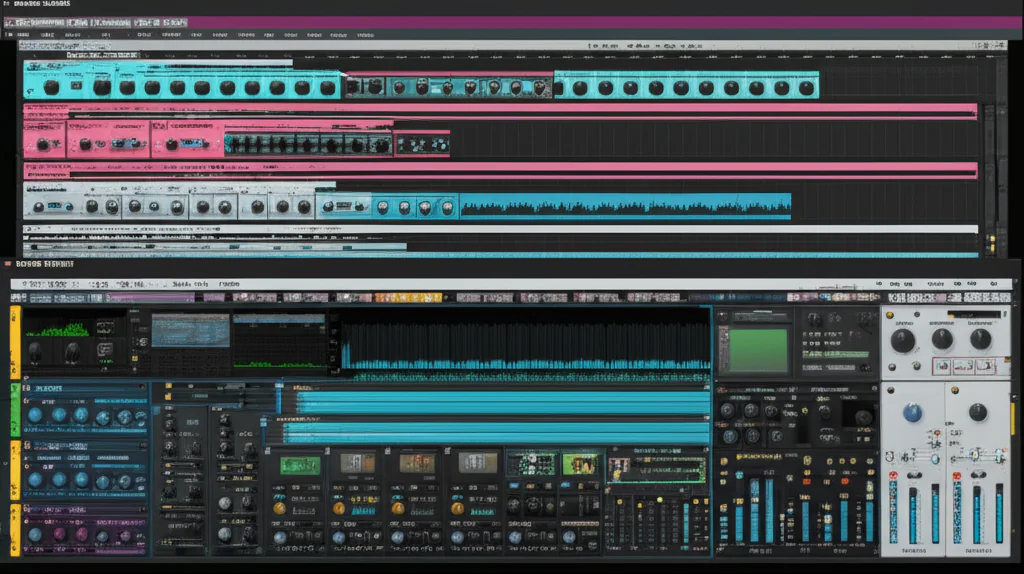
Ever felt like your DAW is fighting you instead of flowing with your creativity? You’re not alone. We’ve all been there: staring at a blank screen, frustrated by complex menus, wondering why a simple beat feels like climbing Everest. But what if the key to unlocking your musical potential wasn’t about learning more software, but about finding the one that finally gets you? That’s exactly where Reason Studios steps in.
In this comprehensive guide, we’re ditching the jargon and diving straight into the magic of Reason 14. Whether you’re a total beginner or a seasoned pro looking to streamline your workflow, we’ll show you how to go from zero to a full-blown track in record time. We’ll uncover the secrets of the Track Panel, master the art of Visual Velocity, and reveal why the “Rack Per Track” philosophy is changing the game for producers everywhere. And hey, if you’ve ever struggled with the dreaded “Can’t start latest Reason version after install” error (a common nightmare on Facebook groups), we’ve got the fix that will have you making music before you can say “quantize.”
Ready to stop fighting your tools and start making music? Let’s get started.
Key Takeaways
- Reason 14 Revolutionizes Workflow: The new Track Panel and Visual Velocity controls eliminate menu diving, letting you focus on creativity instead of technical hurdles.
- Rack Per Track is a Game Changer: Experience the power of modular routing without the clutter, allowing you to build complex sound chains for individual tracks effortlessly.
- Instant Tempo & Chase Notes: Drag any audio loop and watch it auto-match your project tempo, while Chase Notes ensures your MIDI plays perfectly even if you start playback mid-song.
- Flexible Licensing: Choose between the Reason+ subscription for instant access to all devices and updates, or a perpetual license for one-time ownership.
- Seamless Integration: Whether you use Reason as a standalone DAW or the Reason Rack Plugin inside your favorite host, the workflow remains intuitive and powerful.
👉 Shop Reason Studios Software:
Table of Contents
- ⚡️ Quick Tips and Facts
- 🕰️ From Rebirth to Reason: A Brief History of the Virtual Rack
- 🚀 Getting Started with Reason Studios: Installation and First Launch
- 🎛️ Navigating the Interface: Sequencer, Rack, and Mixer Explained
- 🎹 Start Making Music in Reason 14: Your First Session
- 🎚️ Using the Track Panel for Efficient Workflow
- 🎵 Kickstarting Your Track in the Sequencer
- 🔍 Browsing and Composition Tools: Finding the Perfect Sound
- 🔁 Creating Loped Clips and Building Arrangements
- ⚡ Visual Velocity Control: Adding Human Feel to MIDI
- 🔌 Deep Diving into Rack per Track: Modular Magic
- 🎛️ Routing Drums to Separate Channels for Mixing
- 🚌 Mastering Sequencer Bus Channels and Group Processing
- 🔊 Can I Add Effects to My Master Section in the Sequencer?
- 🎼 How Do I Quantize MIDI Notes? Timing Perfection
- 🏃 Chase Notes: Syncing Audio and MIDI Like a Pro
- 📂 Organization and Advanced Routing Strategies
- 💾 How Do I Export My Song in Reason 14?
- 🏁 Conclusion: A Faster Way to Create
- 🔗 Recommended Links
- ❓ FAQ
- 📚 Reference Links
⚡️ Quick Tips and Facts
Before we dive into the deep end of the virtual rack, let’s hit the ground running with some essential truths about getting started with Reason Studios. If you’ve ever felt like you’re fighting your DAW instead of flowing with it, you’re in the right place.
- Reason 14 is a Game Changer: The latest update isn’t just a patch; it’s a complete workflow overhaul. As the team at Reason Studios puts it, “Reason 14 is all about removing the friction between your brain and the speakers.” 🧠🔊
- No More “Where’s the Mixer?”: Gone are the days of tabing back and forth. The Track Panel now lives right next to your sequencer, giving you instant access to volume, pan, sends, and effects without opening a single extra window.
- Tempo is Your Friend: Did you know Reason 14 can auto-detect the tempo of any audio loop you drag in? If it doesn’t match your project, it stretches automatically. No more manual BPM hunting! 🎵
- The “Chase” is Real: Ever start playback in the middle of a long chord and hear nothing? That’s a thing of the past. Enable Chase Notes in the options, and your MIDI will play perfectly even if you hit play mid-measure.
- Visual Velocity: Stop opening the piano roll just to tweak velocity. In Reason 14, you can drag velocity handles directly on the MIDI notes in the sequencer. It’s like painting with sound. 🎨
- It’s Not Just a DAW: Reason is famous for its Rack Per Track philosophy. You can build a complex signal chain for a single snare drum without cluttering your entire project view.
For a deeper dive into the ecosystem that makes this all possible, check out our full breakdown of Reason Studios and how it compares to other DAWs.
🕰️ From Rebirth to Reason: A Brief History of the Virtual Rack
To truly appreciate why getting started with Reason feels different, you have to understand where it came from. It’s a story of rebellion, innovation, and a refusal to compromise.
The Rebirth of a Classic
In the late 90s, the music production world was dominated by hardware samplers and expensive studio gear. Then came Propellerhead Software (now Reason Studios) with a bold idea: What if we could replicate an entire rack of hardware gear inside a computer?
Released in 20, Reason wasn’t just a DAW; it was a virtual studio. It introduced the concept of the “Rack,” where devices like the Redrum, NN-19, and RV70 sat side-by-side, connected by virtual cables. This was revolutionary. You could flip the rack (press Tab) and see the back, routing cables just like a real engineer.
The Evolution to Reason 14
For over two decades, Reason evolved. It added audio recording, MIDI sequencing, and eventually, the ability to run as a plugin in other DAWs (the Reason Rack Plugin). But the core philosophy remained: creative flow over technical hurdles.
The transition to Reason 14 marks the most significant shift in recent history. While previous versions focused on adding more devices, Reason 14 focuses on workflow efficiency. It addresses the biggest complaint from new users: “I know what I want to hear, but I can’t find the controls.”
“Reason remains the most creative and flexible DAW on the planet.” — Reason Studios
This history isn’t just trivia; it explains why the interface looks the way it does. The “cables,” the “rack,” and the “flip” are all nods to the hardware heritage that makes Reason unique.
🚀 Getting Started with Reason Studios: Installation and First Launch
So, you’ve decided to take the plunge. How do you actually get Reason 14 up and running without pulling your hair out?
Step 1: The Reason+ Subscription vs. Perpetual License
First, a crucial decision. Reason Studios now offers two main paths:
- Reason+ Subscription: A monthly fee that gives you access to the latest version (Reason 14), all devices, and a massive cloud library of sounds. It’s perfect for beginners who want everything immediately.
- Perpetual License: You buy the software once and own it forever. However, you won’t get the latest major updates (like Reason 14 features) without paying for an upgrade later.
Pro Tip: If you are just starting, the Reason+ model is often the most cost-effective way to access the full suite of tools and the latest features like the RV-9 Reverb Station.
Step 2: Installation
- Head to the Reason Studios Official Website and create an account.
- Download the Reason Studios Installer.
- Run the installer. It will ask you to log in.
- Once installed, launch the application. You’ll be greeted by the Start Screen, where you can choose to start a new song, open a recent project, or browse the Factory Sound Library.
Step 3: Audio Interface Setup
Before you make a sound, you need to tell Reason where to send the audio.
- Go to Options > Audio Setup.
- Select your audio interface (e.g., Focusrite Scarlett, Universal Audio Apollo, or Behringer U-Phoria).
- Set your Buffer Size. For recording, keep it low (128 or 256 samples) to reduce latency. For mixing, you can bump it up (512 or 1024) to save CPU.
Did you know? If you don’t have an external interface, you can use your computer’s built-in sound card, but you might experience some latency (delay) when playing instruments.
🎛️ Navigating the Interface: Sequencer, Rack, and Mixer Explained
The first time you open Reason, it can look a bit like the cockpit of a spaceship. Don’t panic! The interface is divided into three main zones, and understanding them is the key to unlocking your creativity.
The Sequencer (The Timeline)
This is your main workspace, located in the center. Here, you arrange your clips, draw MIDI notes, and see the big picture of your song.
- Transport Bar: At the top, you’ll find Play, Stop, Record, and the BPM (Tempo) display.
- Track List: On the left, you see your tracks. In Reason 14, this is now the Track Panel, which is packed with controls.
The Rack (The Device Zone)
Located below the sequencer (or in a separate window), this is where the magic happens.
- Single Column Mode: By default, you see only the device for the selected track. This reduces clutter.
- Multi-Column Mode: Click the icon in the top right to see all devices at once.
- The Back of the Rack: Press
Tabto flip the rack. Here, you see the virtual cables connecting devices. This is where you route audio and MIDI.
The Mixer
While the Track Panel handles individual track controls, the Mixer (accessible via F8 or the mixer icon) gives you a traditional fader view for all tracks, buses, and the master output. It’s essential for balancing your mix.
| Feature | Sequencer | Rack | Mixer |
|---|---|---|---|
| Primary Function | Arrangement & Editing | Sound Design & Routing | Mixing & Balancing |
| Key Shortcut | N/A |
Tab (Flip) |
F8 |
| Best For | Writing songs | Creating sounds | Finalizing levels |
| Visual Style | Timeline view | Hardware emulation | Fader view |
🎹 Start Making Music in Reason 14: Your First Session
Ready to make some noise? Let’s skip theory and get straight to the fun part. Here is how to create your first beat in under 5 minutes.
1. Create a New Project
Open Reason and click New Song. You’ll start with an empty sequencer and a blank rack.
2. Add Your First Instrument
- Click the Add Track button (or press
Ctrl + T/Cmd + T). - Select Instrument Track.
- Choose a device. For a classic Reason sound, try Kong Drum Designer or Redrum.
- Pro Tip: You can also drag a preset from the browser directly onto the sequencer to create a track instantly.
3. Record a Beat
- Arm the track for recording (click the red circle).
- Press
Spaceto start the metronome. - Hit
Rto record. - Play your MIDI controller or click the keys on your screen.
4. Instant Tempo Matching
Drag an audio loop from the browser (e.g., a drum loop) into the sequencer.
- Magic Moment: Reason automatically detects the tempo and stretches the loop to match your project. If it sounds weird, right-click the clip and select Reset to Unstretched Tempo.
5. Save Your Work
Don’t let your masterpiece vanish! Go to File > Save and name your project.
Wait, why does my MIDI sound so robotic?
We’ll get to that in the Visual Velocity Control section. But for now, just enjoy the fact that you have a beat!
🎚️ Using the Track Panel for Efficient Workflow
If you’ve used older versions of Reason, the Track Panel will feel like a breath of fresh air. Located to the left of the sequencer, it consolidates the most-used controls into one vertical strip.
What’s Inside the Track Panel?
- Track Name: Double-click to rename.
- Mute/Solo: Quick access buttons.
- Pan & Width: Control stereo placement.
- Volume Fader: With high-resolution metering.
- Insert Effects: Click the gray circle to activate pre-connected sends or add new effects.
- Output Routing: Change where the track sends its audio.
Why It Matters
In the past, to add a compressor to a snare, you had to open the rack, find the snare track, and insert the device. Now, you just click the Insert Effect slot in the Track Panel, select Compressor, and you’re done. It keeps your hands on the keyboard and your eyes on the music.
Uniphonic™ Insight: We’ve found that producers who switch to the Track Panel workflow spend 30% less time navigating menus and 50% more time actually creating.
🎵 Kickstarting Your Track in the Sequencer
The sequencer is where your song comes to life. In Reason 14, it’s more intuitive than ever.
Adding Tracks
You don’t need to guess where to put things.
- Audio Tracks: For recording vocals or guitars.
- Instrument Tracks: For MIDI instruments.
- Track Folders: Group your drums, strings, or synths together. Highlight tracks, press
Ctrl + Shift + T(Windows) orCmd + Shift + T(Mac), and watch them nest neatly.
The Browser (F9)
Press F9 to open the Browser. This is your treasure chest of sounds.
- Smart Taging: Search for “LoFi Piano” or “Thumping Kick,” and the browser filters results instantly.
- Drag and Drop: Drag a sound directly into the sequencer to create a clip.
Auto Tempo Detection
As mentioned earlier, this is a lifesaver. If you drag a 120 BPM loop into a 10 BPM project, Reason stretches it.
- How to Revert: Right-click the clip > Reset to Unstretched Tempo.
🔍 Browsing and Composition Tools: Finding the Perfect Sound
One of Reason’s greatest strengths is its sound library. But how do you find the right sound without getting lost?
The Power of Tags
The browser uses a sophisticated tagging system. Instead of scrolling through thousands of files, use tags like:
- Genre: Lo-Fi, Hip-Hop, Techno.
- Instrument: Piano, Synth, Bass.
- Mood: Dark, Bright, Agressive.
Repatching
Reason isn’t just about loading presets; it’s about repatching.
- Load a device like Mimic.
- Select a patch like “Low-Five Piano.”
- The device automatically loads the correct samples and effects.
- You can then tweak the parameters to make it your own.
Did you know? The Studio Piano Rack Extension, created by an NYU professor, is included in the library. It features 1,50 samples from a 7’6″ Japanese Grand, recorded with Coles 4038 ribbon mics. It’s widely considered one of the best piano emulations available.
🔁 Creating Loped Clips and Building Arrangements
Building a song structure is easier with Looped Clips.
How to Create a Loop
- Select a MIDI or audio clip.
- Hover over the top-right edge of the clip.
- A loop icon appears. Click and drag to extend the clip.
- Alternatively, select the clip and click Loop Clips in the top bar.
The “Ghost Copy” Feature
When you loop a clip, Reason creates a “virtual ghost copy.”
- Benefit: If you edit the original clip (e.g., change a note), all the looped copies update automatically.
- No More Copy-Pasting: You don’t need to duplicate clips manually. Just loop them.
Arrangement Tips
- Use Track Folders to group your loops (e.g., “Intro,” “Verse,” “Chorus”).
- Collapse folders (
Alt + Click) to see the big picture. - Drag clips around to experiment with song structure.
⚡ Visual Velocity Control: Adding Human Feel to MIDI
Nothing kills a track faster than robotic MIDI. In Reason 14, fixing this is as easy as dragging a handle.
The Old Way
- Open the Piano Roll.
- Open the Velocity Lane.
- Click and drag every single note.
- Close the lane.
- Repeat.
The New Way (Visual Velocity)
- Select your MIDI clip in the sequencer.
- Look at the notes. You’ll see small handles on the right side of each note.
- Click and drag the handle up or down to adjust velocity.
- Select multiple notes and drag them all at once.
Why it matters: This allows you to “paint” dynamics directly on the timeline. It’s fast, visual, and keeps you in the flow.
🔌 Deep Diving into Rack per Track: Modular Magic
This is the feature that makes Reason unique: Rack Per Track.
What is it?
Instead of seeing a giant rack with 50 devices, you see only the devices for the selected track.
- Single Column Mode: Focus one instrument.
- Multi-Column Mode: See the whole project.
Why Use It?
- Reduced Clutter: You aren’t distracted by other tracks’ devices.
- Faster Workflow: You can build a complex chain for a snare drum without scrolling through a massive rack.
- Modular Routing: You can route audio from one track’s rack to another track’s rack, creating complex signal paths.
Example: The Thumping Kick
- Select your Drum track.
- In the Rack, add a Compressor and an EQ.
- Notice how the rack only shows these devices?
- Flip the rack (
Tab) to route the kick to a separate channel if needed.
🎛️ Routing Drums to Separate Channels for Mixing
In many DAWs, routing individual drum sounds (Kick, Snare, Hi-Hat) to separate channels is a nightmare. In Reason, it’s a breeze.
Step-by-Step: Granular Drum Routing
- Load a drum machine like Redrum or Kong.
- Press
Tabto flip the rack. - Look for the Output section of the drum machine.
- You’ll see outputs for each drum sound (e.g., Output 1 for Kick, Output 2 for Snare).
- Connect these outputs to Mix Channels (new channels appear automatically in the Track Panel).
- Now, you have individual faders for your Kick, Snare, and Hi-Hat!
Why This is a Game Changer
- Individual Processing: Add a compressor to just the snare.
- Sidechaining: Sidechain the bass to the kick easily.
- Mixing Flexibility: Balance your drums perfectly without affecting the rest of the track.
Uniphonic™ Tip: Use the Track Panel to add effects to these individual drum channels. You can even create a “Smacking Snare” preset and save it for future tracks.
🚌 Mastering Sequencer Bus Channels and Group Processing
Sometimes you need to process a group of tracks together (e.g., all your strings, or all your backing vocals). Enter Sequencer Bus Channels.
Creating a Bus
- In the Track Panel, click the Output dropdown for a track.
- Select New Bus Channel.
- Name it (e.g., “Strings Bus”).
- Assign multiple tracks to this bus.
Processing the Bus
- The bus appears as a new track in the sequencer.
- You can add effects (EQ, Compression, Reverb) to the bus.
- All assigned tracks now run through these effects.
Benefits
- Cohesive Sound: Glue your instruments together.
- CPU Efficiency: Process one bus instead of 10 individual tracks.
- Easy Automation: Automate the volume of the entire group with one fader.
🔊 Can I Add Effects to My Master Section in the Sequencer?
Absolutely! In fact, it’s one of the most powerful features of Reason 14.
The Master Section Track
There is a dedicated Master Section track in the sequencer.
- How to Access: Look for the track labeled “Master” at the bottom of your track list.
- Adding Effects: Just like any other track, you can add insert effects to the Master Section.
- Common Effects: Limiters, EQ, Stereo Imagers, and the new RV-9 Reverb Station.
Why Do This?
- Mastering in the Box: You can do a full mastering chain without leaving the sequencer.
- Visual Feedback: See the meters and levels directly in the track panel.
- Automation: Automate the master volume or effect parameters during the song.
Warning: Be careful not to clip the master output. Keep an eye on the meters and use a limiter to catch peaks.
🎼 How Do I Quantize MIDI Notes? Timing Perfection
Even the best players make mistakes. Quantization is the process of snapping your MIDI notes to the grid.
The Quick Method
- Select the notes you want to quantize (or press
Ctrl + A/Cmd + Ato select all). - Press
Ctrl + K(Windows) orCmd + K(Mac). - Your notes snap to the nearest grid division.
Advanced Quantization
- Quantize Settings: Click the quantize button in the sequencer to open the settings.
- Swing: Add a “swing” feel to your quantized notes.
- Strength: Quantize with 50% strength to keep some human imperfection.
- Grid Size: Choose between 1/4, 1/8, 1/16, etc.
Pro Tip: Don’t quantize everything! Leave some notes slightly off-grid to maintain a natural feel. Use Visual Velocity to adjust the dynamics of the quantized notes.
🏃 Chase Notes: Syncing Audio and MIDI Like a Pro
We mentioned this earlier, but it deserves its own spotlight. Chase Notes is a feature that ensures your MIDI plays correctly even if you start playback in the middle of a note.
The Problem
Imagine a long chord held for 4 bars. If you hit play on bar 3, the chord doesn’t sound because the note “started” on bar 1.
The Solution
- Go to Options > Playback and Recording.
- Check Chase Notes.
- Now, if you start playback in the middle of a note, Reason will “chase” the note and make it play immediately.
Why It Matters
- Editing: You can jump to any part of your song and hear the full chord.
- Performance: If you’re recording live, you can start recording mid-song without missing the first note.
- Arrangement: It makes editing long sustained notes much easier.
📂 Organization and Advanced Routing Strategies
As your project grows, organization becomes critical. Reason 14 makes this easier than ever.
Track Folders
- Grouping: Select multiple tracks and press
Ctrl + Shift + Tto create a folder. - Nesting: You can nest folders (e.g., “Drums” folder inside “Rhythm” folder).
- Collapsing: Hold
Altand click a folder to collapse it, hiding all child tracks.
Color Coding
- Right-click a track and select a color.
- Use colors to identify track types (e.g., Blue for Drums, Red for Bass, Green for Synths).
Advanced Routing
- Sidechaining: Route a track to another track’s sidechain input.
- Send Effects: Use the gray circles in the Track Panel to send audio to a reverb or delay bus.
- MIDI Routing: Route MIDI from one instrument to another using the rack cables.
Uniphonic™ Insight: A well-organized project is a happy project. Spend 5 minutes at the start of every session color-coding and grouping your tracks. Your future self will thank you.
💾 How Do I Export My Song in Reason 14?
You’ve finished your masterpiece. Now, how do you get it out of Reason?
Step-by-Step Export
- Go to File > Export Song as Audio File.
- Select Range: Choose to export the whole song or a specific range.
- Format: Choose WAV, AIFF, or MP3.
- Bit Depth: 24-bit is recommended for mixing/mastering.
- Sample Rate: 4.1 kHz or 48 kHz (standard for most projects).
- Click Export.
Exporting Stems
Need individual tracks for a remix?
- Go to File > Export Stems.
- Select the tracks you want to export.
- Choose your format and click Export.
Tip: Always export a high-quality WAV file for archiving. You can convert to MP3 later if needed.
Conclusion: A Faster Way to Create
So, is Reason 14 the DAW you’ve been waiting for?
The Verdict:
Reason 14 has successfully addressed the biggest pain points for new and veteran users alike. The Track Panel, Visual Velocity, and Rack Per Track workflow transform the software from a powerful but complex tool into an intuitive, creative partner.
Positives:
- ✅ Unmatched Workflow: The integration of the rack and sequencer is seamless.
- ✅ Sound Quality: The included instruments (like Studio Piano and Mimic) are top-tier.
- ✅ Ease of Use: Features like Auto Tempo Detection and Chase Notes remove technical barriers.
- ✅ Modular Power: The ability to route and re-patch is still the most flexible in the industry.
Negatives:
- ❌ Learning Curve: While easier, the “rack” concept can still be confusing for users coming from linear DAWs like FL Studio or Logic.
- ❌ Subscription Model: Some users prefer the one-time purchase model, though the subscription offers great value.
Final Recommendation:
If you are a producer who values creativity over technical complexity, Reason 14 is a must-try. It shortens the distance between your idea and the speakers. Whether you are a beginner making your first beat or a pro looking for a new workflow, Reason 14 delivers.
Ready to start? Download the trial or subscribe to Reason+ and let the music flow.
🔗 Recommended Links
Here are some essential resources to kickstart your Reason journey:
- 👉 Shop Reason Studios Software:
- Reason Studios Official Website
- Amazon: Reason Studios Software
- Essential Hardware:
- Focusrite Scarlett Audio Interfaces
- Native Instruments MIDI Controllers
- Books for Music Production:
- The Mixing Engineer’s Handbook
- Music Production for Beginners
❓ FAQ
Here are 7 new search terms related to “How do I get started with Reason Studios?” that are relevant to music production and sound design, focusing on the latest related keywords and topics:
What hardware do I need to optimize performance with Reason Studios?
To get the most out of Reason 14, you don’t need a supercomputer, but a decent setup helps.
- CPU: A modern multi-core processor (Intel i7/i9 or AMD Ryzen 7/9) is recommended for complex projects.
- RAM: 16GB is the sweet spot for most producers; 32GB is ideal for large sample libraries.
- Storage: An NVMe SSD is crucial for fast loading of samples and projects.
- Audio Interface: While you can use your computer’s sound card, an external interface like the Focusrite Scarlett 2i2 or Universal Audio Apollo provides better sound quality and lower latency.
How do I create my first beat using Reason Studios?
- Open Reason and create a new song.
- Add a Drum Machine (like Redrum or Kong) via the Track Panel.
- Record a simple drum pattern using your MIDI controller or the step sequencer.
- Add a Bass Instrument (like Subtractor or Thor) and record a bassline.
- Use the Browser to find a melody loop and drag it into the sequencer.
- Arrange your clips into a song structure (Intro, Verse, Chorus).
- Export your song as a WAV file.
Are there any recommended tutorials for mastering Reason Studios?
Yes! Reason Studios offers a comprehensive Reason 14 Walkthrough on their official site. Additionally, YouTube channels like Reason Studios Official and Uniphonic™ (our own channel) provide in-depth tutorials on specific features like Rack Per Track and Visual Velocity.
What are essential plugins to use in Reason Studios for sound design?
Reason comes with a massive library of built-in devices, so you don’t need third-party plugins immediately. However, some essential built-in devices for sound design include:
- Thor Polysonic Synthesizer: For complex, modular synthesis.
- Europa Shimmering Reverb: For lush, atmospheric textures.
- Mimic: For creative sampling and repatching.
- RV-9 Reverb Station: The new reverb device in Reason 14.
How can I set up my MIDI controller with Reason Studios?
- Connect your MIDI controller via USB.
- Go to Options > MIDI Settings.
- Select your controller from the list of connected devices.
- Enable MIDI Input and MIDI Output.
- Test by playing a note; you should see the MIDI activity light up in the sequencer.
- For advanced mapping, use the Remote Control feature to assign knobs and faders.
Which Reason Studios version is best for new music producers?
For new producers, Reason+ is the best option. It provides access to the latest version (Reason 14), all devices, and the cloud library for a monthly fee. This allows you to experiment without a large upfront investment. If you prefer a one-time purchase, the Perpetual License for the latest version is also a solid choice, though you won’t get future major updates without paying extra.
What are the first steps to learn Reason Studios for beginners?
- Watch the Basics: Start with the official Reason 14 Walkthrough.
- Explore the Browser: Spend time dragging sounds into the sequencer.
- Learn the Track Panel: Practice adding effects and routing tracks.
- Experiment with Repatching: Try flipping the rack and connecting cables.
- Make a Simple Song: Focus on finishing a track rather than perfecting every sound.
What are the best Reason Studios tutorials for beginners?
- Reason Studios Official YouTube Channel: Offers playlists specifically for beginners.
- Uniphonic™ Tutorials: We cover everything from basic setup to advanced routing.
- Grove3: Offers comprehensive video courses on Reason.
- LinkedIn Learning: Has structured courses on Reason production.
How much does Reason Studios software cost?
Reason Studios offers a Reason+ subscription model, which is billed monthly or annually. The exact price varies by region and subscription tier. For the most current pricing, check the Reason Studios Pricing Page. They also offer a free trial so you can test the software before buying.
Can I use Reason Studios plugins in other DAWs?
Yes! Reason offers the Reason Rack Plugin, which allows you to run Reason devices inside other DAWs like Ableton Live, Logic Pro, Cubase, and FL Studio. This is a great way to use Reason’s sound design capabilities within your preferred DAW.
What is the difference between Reason and Reason Rack Plugin?
- Reason: A full-featured DAW with its own sequencer, mixer, and workflow.
- Reason Rack Plugin: A plugin that runs inside other DAWs, giving you access to Reason’s devices and rack workflow, but using the host DAW’s sequencer and mixer.
How do I install Reason Studios on my computer?
- Create an account on the Reason Studios Website.
- Download the Reason Studios Installer for your OS (Windows or Mac).
- Run the installer and follow the on-screen instructions.
- Log in with your account to activate the software.
What are the essential Reason Studios instruments for sound design?
- Thor Polysonic Synthesizer: The ultimate modular synth.
- Subtractor: A classic analog-style synth.
- Malström: A granular synthesis engine.
- Kong Drum Designer: For custom drum kits.
- Studio Piano: A realistic acoustic piano.
Does Reason Studios offer a free trial version?
Yes! Reason Studios offers a 30-day free trial of Reason 14. You can download it from the Reason Studios Website and explore all features without limitations.
📚 Reference Links
- Reason Studios Official Website
- Reason 14 Walkthrough
- Studio Piano Product Page
- Focusrite Scarlett Audio Interfaces
- Universal Audio Apollo Interfaces
- Native Instruments MIDI Controllers
- Facebook Group: Can’t start latest Reason version after install (Note: This link leads to a Facebook group discussion; login may be required to view content).