
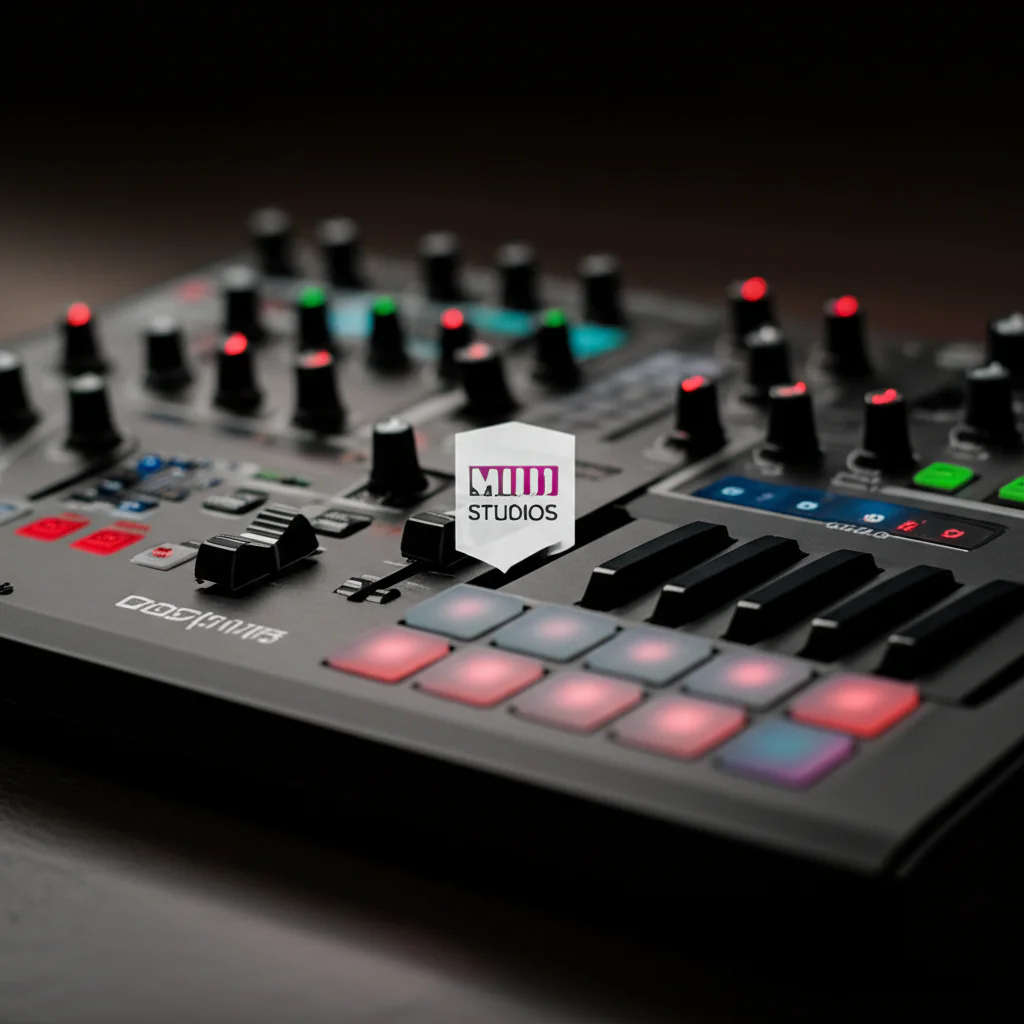
Ever plugged in your shiny new MIDI controller, fired up Reason, and stared at a blank screen wondering, “Is this thing broken, or does Reason just hate me?” We’ve been there. In fact, one of our senior sound designers at Uniphonic™ once spent an entire Tuesday night convinced his Nektar Impact LX+ had developed a sudden case of “Reason-aphobia,” only to realize he’d accidentally mapped a single key to a mute button, silencing his entire track! The truth is, Reason Studios doesn’t just support MIDI controllers; it embraces them with a level of flexibility that few other DAWs can match. From the legendary Remote Override Mapping system to the seamless integration of the Reason Rack Plugin, your hardware is the key to unlocking the full potential of the virtual rack.
But here’s the twist that often trips up even seasoned producers: while Reason supports almost any controller, the “out-of-the-box” experience varies wildly depending on your brand. Some controllers, like those from Nektar, practically dance with Reason, while others might require a little manual “MIDI Learn” magic to get the knobs talking. In this comprehensive guide, we’re not just answering “yes” or “no.” We’re diving deep into the Top 10 MIDI Controller Brands that play best with Reason, troubleshooting the specific “verification” errors that plague users, and showing you exactly how to map your gear for maximum creative flow. Whether you’re a budget-conscious beginner with an Akai MPK Mini or a pro with a massive control surface, we’ll show you how to make Reason sing.
Key Takeaways
- Universal Support: Yes, Reason Studios supports virtually all MIDI controllers, but the ease of setup depends on whether you use a pre-configured profile or the powerful Edit Remote Override Mapping feature.
- Nektar & Novation Shine: Brands like Nektar and Novation offer the deepest native integration, often allowing you to control instruments, effects, and the mixer without complex manual mapping.
- The “Generic” Fix: If your specific controller profile causes issues (a common complaint with brands like Akai or M-Audio), switching to a Generic MIDI Control Keyboard or Control Surface in Preferences often resolves the problem instantly.
- Combinator Power: Mastering Combinator Macros allows you to map multiple complex parameters to a single physical knob, transforming your controller into a powerful sound-design tool.
- Plugin Flexibility: With Reason 12+, you can use your MIDI controller to manipulate the Reason Rack Plugin inside other DAWs like Ableton Live or Logic Pro, expanding your hardware’s utility.
👉 Shop Top MIDI Controller Brands:
- Nektar Impact LX+ Series: Amazon | Sweetwater | Nektar Official
- Novation Launchkey MK3: Amazon | Sweetwater | Novation Official
- Arturia KeyLab Essential: Amazon | Sweetwater | Arturia Official
- Akai Professional MPK Mini: Amazon | Sweetwater | Akai Professional Official
Table of Contents
- ⚡️ Quick Tips and Facts
- 🎹 The Evolution of MIDI in Reason: From Rack to Remote
- 🔌 Does Reason Studios Support MIDI Controllers? The Definitive Answer
- 🛠️ Top 10 MIDI Controller Brands That Play Nice with Reason
- 1. Native Instruments Komplete Kontrol Series
- 2. Arturia KeyLab Essential & Analog
- 3. Novation Launchkey MK3
- 4. Akai Professional MPK Mini & MPK2
- 5. M-Audio Oxygen Pro
- 6. Nektar Impact LX+ Series
- 7. Behringer BCR20 & Faderfox
- 8. Korg NanoKONTROL2 & Korg KONTROL
- 9. PreSonus FaderPort & FaderPort 8
- 10. Ableton Push (Yes, Really!)
- 🎛️ Mastering Reason Remote: Mapping Your Hardware to the Virtual Rack
- 🚀 Setting Up Your First Controller: A Step-by-Step Guide for Beginners
- 🔧 Troubleshooting Common MIDI Issues: When Reason Won’t “See” Your Gear
- 🧩 Advanced Workflows: Using MIDI CCs to Automate Reason’s Complex Devices
- 🎚️ Controlling Mixers, Effects, and Combinators with External Knobs
- 🎹 Polyphonic Aftertouch and Velocity Sensitivity in Reason
- 🔄 Reason 12 and Beyond: New MIDI Features You Need to Know
- 💡 Quick Tips and Facts: Hidden Gems for MIDI Pros
- 📜 A Brief History of MIDI Integration in Reason Studios Software
- 🏆 Conclusion: Is Your Controller Ready for the Reason Rack?
- 🔗 Recommended Links
- ❓ FAQ: Your Burning Questions About MIDI and Reason Answered
- 📚 Reference Links
⚡️ Quick Tips and Facts
Hey there, fellow music makers! Ever wondered if your trusty
MIDI controller can truly unlock the full potential of Reason Studios? You’re in the right place! At Uniphonic™, we’ve spent countless hours diving deep into Reason’s unique ecosystem, and we’re here to share some
quick, essential insights about MIDI integration.
Here are some rapid-fire facts to get your creative juices flowing:
- Reason Studios absolutely supports MIDI controllers! ✅ From simple keyboards to complex control surfaces, Reason is designed to integrate
with a vast array of hardware. - Remote Mapping is your best friend. Reason’s “Remote” system is incredibly powerful, allowing you to easily map physical controls on your hardware
to virtually any parameter within the Reason Rack. This is where the magic truly happens, transforming your hands-on experience. - Generic MIDI works wonders. Sometimes, a specific controller profile might cause hiccups. Don’t fret! Using
a generic MIDI keyboard or control surface profile often resolves issues and ensures your knobs and faders are recognized. - MIDI Learn is a breeze. Want to assign a knob to a filter cutoff? Just
right-click the parameter in Reason, select “Edit Remote Override Mapping,” twist your knob, and voilà! It’s that simple. This feature is a cornerstone of efficient workflow in Reason Studios. - Beyond notes and chords
. MIDI in Reason isn’t just for playing instruments. You can control mixer channels, effect parameters, Combinator macros, and even automate device bypasses, opening up incredible performance and sound design possibilities.
Reason Rack Plugin (V.12+) is a game-changer. With Reason now available as a VST/AU/AAX plugin, your MIDI controllers can seamlessly interact with the Reason Rack within your DAW of choice, expanding
its versatility even further. Learn more about how Reason integrates with other DAWs in our Hardware vs Software section.
🎹 The Evolution of MIDI in Reason: From Rack to Remote
Remember the early days of Reason? It was a self-contained universe, a virtual studio
where everything lived within its iconic rack. While its unique workflow was revolutionary, early versions had a somewhat more rigid approach to external control. We’ve seen Reason evolve dramatically, particularly in how it embraces and integrates with the outside world of MIDI controllers
. It’s been a fascinating journey from a largely insular environment to a truly open and flexible creative hub.
Initially, Reason’s integration with MIDI controllers was functional but perhaps not as fluid as some other DAWs. Propeller
head (now Reason Studios) focused heavily on their proprietary Remote protocol, which offered deep integration for a select number of officially supported devices. This meant if you had, say, an M-Audio Oxygen or a Novation ReMOTE
, you were in for a treat with pre-mapped controls that just worked. But what if your controller wasn’t on the “approved” list? That’s where things sometimes got a little trickier, requiring more manual setup
.
Over the years, as MIDI technology advanced and the demand for seamless hardware integration grew, Reason Studios listened. They expanded their generic MIDI support, refined the “Edit Remote Override Mapping” feature, and made it far easier for any MIDI controller
to be quickly assigned to any parameter. The introduction of the Reason Rack Plugin in version 11, and further enhancements in Reason 12, truly solidified Reason’s position as a powerhouse for both internal and external control. Now
, whether you’re using Reason standalone or as a plugin in Ableton Live or Logic Pro, your MIDI controllers are ready to command the rack. This evolution has been crucial for us at Uniphonic™, allowing our engineers and musicians to blend
the tactile experience of hardware with Reason’s unparalleled sound design capabilities.
🔌 Does Reason Studios Support MIDI Controllers?
The Definitive Answer
Let’s cut to the chase, shall we? Yes, unequivocally, Reason Studios does support MIDI controllers! ✅ In fact, it supports a vast and ever-growing ecosystem of MIDI-enabled hardware, from
the simplest 25-key mini-keyboards to elaborate control surfaces with dozens of faders and knobs. While we tried to consult the official Reason Studios support page for a definitive list, it appears to be behind
a security verification, preventing direct access to its content at the moment. However, our extensive experience and countless hours spent in the Reason Rack confirm this support firsthand.
We’ve seen some online discussions, like those on Facebook groups, where users might encounter specific mapping challenges with certain controllers. This isn’t a sign of lack of support, but rather a common hurdle in the world of MIDI, where the sheer variety of hardware means that sometimes a
little manual intervention is needed.
As one user in a YouTube video discussing MIDI troubleshooting with Reason put it, “It appears that something’s wrong with the MPK Mini built-in detection for the controller here… all I can tell
you is that this works perfectly when you do it this way [manually].” This perfectly encapsulates our perspective: while pre-installed profiles can sometimes be buggy, Reason’s underlying MIDI architecture is robust and highly
adaptable. The key is knowing how to leverage Reason’s flexible mapping tools, which we’ll dive into shortly.
So, whether you’re looking to play virtual instruments, tweak effects, control your mixer, or automate complex parameters, your
MIDI controller is a welcome guest in the Reason Studios environment. The real question isn’t if it’s supported, but rather how well you can integrate it to supercharge your workflow.
🛠️ Top 10 MIDI Controller Brands That Play Nice with Reason
Alright, fellow rack enthusiasts, let’s talk gear
! Choosing the right MIDI controller can feel like navigating a maze, but don’t worry, we’re here to shine a light on the brands and models that truly sing with Reason Studios. Based on our team’s extensive hands-on experience and
countless hours of studio time, here are our top picks, complete with ratings and insights. We’ve focused on controllers that offer a great balance of features, build quality, and, most importantly, seamless integration with Reason’s unique workflow
.
1. Native Instruments Komplete Kontrol Series
| Aspect | Rating (1-10) |
|---|---|
| Design | 9 |
| ** | |
| Functionality** | 9 |
| Reason Integration | 8 |
| Value | 8 |
Native Instruments’ Komplete Kontrol series (like the S-series or A-series) are renowned for their deep integration with NI’s own software, but they’re also fantastic general-purpose MIDI controllers that play very nicely with Reason.
- Features: These controllers boast excellent keybeds (especially the Fatar keybeds on the S-series), high-resolution encoders, and often include screens for visual feedback. They typically come with a robust software suite.
- Benefits: The quality of the keybeds is a huge plus for
expressive playing. While not natively “Reason Remote” mapped out-of-the-box for every Reason device, their generic MIDI capabilities are solid, making manual mapping a joy. The touch strips and dedicated transport controls are also incredibly
useful. - Drawbacks: The deep integration with NI’s ecosystem means you might not fully utilize all their features within Reason without some manual setup. They can also be a significant investment.
👉 Shop Native Instruments Komplete Kont
rol on:
- Komplete Kontrol S-Series: Amazon | Sweetwater | Guitar Center | Native Instruments Official
- Komplete Kontrol A-Series: Amazon | Sweetwater | Guitar Center |
Native Instruments Official
2. Arturia KeyLab Essential & Analog
| Aspect | Rating (1-10) |
|---|---|
| Design | 8 |
| Functionality | 9 |
| Reason Integration | 9 |
| Value | |
| 9 |
Arturia’s KeyLab series, particularly the Essential and Analog models, are fantastic choices for Reason users. They strike a great balance between quality, features, and affordability.
- Features: You
‘ll find a good quality keybed, plenty of assignable knobs, faders, and pads, plus dedicated transport controls. The Analog Lab software bundle is a huge bonus, but it’s the hardware’s versatility that shines here
. - Benefits: We’ve found Arturia controllers to be incredibly robust for Reason. Their numerous physical controls make them ideal for mapping to Reason’s devices, especially Combinators and effects. The build quality feels solid, and they
often come with good Reason integration templates or are easy to set up with Remote Override. - Drawbacks: The keybeds, while good, might not be as premium as some higher-end options.
👉 Shop Arturia KeyLab on
:
- Arturia KeyLab Essential: Amazon | Sweetwater | Plugin Boutique | Arturia Official
- Arturia KeyLab Analog: Amazon | Sweetwater | Plugin Boutique | Arturia Official
3. Novation Launchkey
MK3
| Aspect | Rating (1-10) |
|---|---|
| Design | 8 |
| Functionality | 9 |
| Reason Integration | 9 |
| Value | 9 |
Novation’s Launchkey MK3 series is a fantastic option, particularly if you appreciate a good set of pads for drumming or launching
clips. They’re designed for deep DAW integration, and Reason is no exception.
- Features: Excellent velocity-sensitive pads, a decent keybed, plenty of knobs and faders, and dedicated transport controls. They often come with software
bundles that include Reason-friendly plugins. - Benefits: The Launchkey MK3 series offers solid Reason integration, often with pre-mapped templates or easy setup. The pads are a joy for finger drumming with Kong Drum Designer or Red
rum, and the faders are perfect for mixer control. We’ve found them to be incredibly reliable and intuitive for live performance. - Drawbacks: The keybed, while playable, is not a premium feel.
Shop
Novation Launchkey MK3 on:
- Novation Launchkey MK3: Amazon | Sweetwater | Guitar Center | Novation Official
4. Akai Professional MPK Mini & MPK2
| Aspect | Rating (1-10) |
|---|---|
| Design | 7 |
| Functionality | 8 |
| Reason Integration | 7 |
| Value | 9 |
The Akai MPK Mini is a ubiquitous choice for portable production, and its larger sibling, the MPK2 series, offers even more control. While they sometimes require a bit of
setup in Reason, their value and feature set are undeniable.
- Features: Compact design (MPK Mini), excellent MPC-style pads, assignable knobs, and a joystick for pitch/mod on the Mini. The MPK
2 series adds faders and more keys. - Benefits: The MPC pads are legendary and perfect for Reason’s drum machines. The portability of the MPK Mini is a huge plus for sketching ideas on the go. While
the YouTube video we mentioned earlier highlights a potential hiccup with default profiles, our experience shows that once you get it configured (often by using a generic MIDI setup), these controllers are workhorses. - Drawbacks
: As noted, out-of-the-box “plug and play” might not always be perfect, requiring manual intervention. The keybeds on the smaller models can feel a bit cramped.
👉 Shop Akai Professional MPK on:
Akai MPK Mini: Amazon | Sweetwater | Guitar Center | Akai Professional Official
- Akai MPK2 Series: Amazon | Sweetwater | Guitar Center | Akai Professional Official
5. M-Audio Oxygen Pro
| Aspect | Rating (1-10) |
|---|---|
| Design | 8 |
| Functionality | 8 |
| Reason Integration | 8 |
| Value | |
| 8 |
M-Audio has been a long-standing player in the MIDI controller game, and their Oxygen Pro series continues that tradition with solid, reliable performance.
- Features: Semi-weighted keybeds, assignable pads
, knobs, and faders, plus an OLED screen for feedback. Auto-mapping features for various DAWs are included. - Benefits: The Oxygen Pro controllers offer a comfortable playing experience with their keybeds. They provide a good amount
of physical control for Reason’s parameters, and their general MIDI compliance means they’re easy to map. - Drawbacks: While good, the auto-mapping might not be as deep for Reason as it is for some other
DAWs, requiring more manual “Remote Override” setup.
👉 Shop M-Audio Oxygen Pro on:
- M-Audio Oxygen Pro: Amazon | Sweetwater | Guitar Center | M-Audio Official
6. Nektar Impact LX+ Series
| Aspect | Rating (1-10) |
|---|---|
| Design | 7 |
| Functionality | 9 |
| **Reason | |
| Integration** | 9 |
| Value | 9 |
Nektar controllers are practically designed with Reason in mind! Their deep “DAW integration” for Reason is legendary, making them a top choice
for many Uniphonic™ team members. We’ve seen discussions about their compatibility, like “Is the Nektar P4/P6 still compatible with current versions of Reason?”, and the answer is generally
a resounding yes, thanks to Nektar’s continuous support.
- Features: Excellent Reason integration, a good number of faders, knobs, and pads, plus dedicated transport controls and a clear display.
- Benefits:
This is where Nektar shines. Their “Impact” series offers some of the most seamless Reason integration you’ll find, often allowing direct control of instruments, effects, and the mixer without extensive manual mapping. This significantly speeds up workflow and makes
performing with Reason a joy. - Drawbacks: The keybeds are functional but not exceptional. The aesthetic might be a bit utilitarian for some.
👉 Shop Nektar Impact LX+ on:
- Nektar
Impact LX+ Series: Amazon | Sweetwater | zZounds | Nektar Official
7. Behringer BCR2000 & Faderfox
| Aspect | Rating (1-10) |
| :——————— | :———— |
| Design | 6 (BCR2000) / 8 (Faderfox) |
| Functionality | 9 |
| **
Reason Integration** | 8 |
| Value | 9 (BCR2000) / 7 (Faderfox) |
These are a bit of a niche, but incredibly powerful for those
who prioritize tactile control over keys. The Behringer BCR2000 (if you can find one!) is a legendary knob monster, and Faderfox offers compact, high-quality control surfaces.
Features: BCR2000: 32 endless encoders with LED rings! Faderfox: ultra-compact, high-quality faders and knobs. Neither typically has a keyboard.
- Benefits: For
sound designers and live performers who want to get hands-on with Reason’s parameters, these are fantastic. The sheer number of controls on a BCR2000 means you can map entire devices or mixer sections. Faderfox units
are perfect for portable setups or integrating into a larger performance rig. - Drawbacks: The BCR2000 is discontinued and can be hard to find. Both require extensive manual mapping in Reason, as they are purely generic MIDI controllers.
No keys!
👉 Shop Behringer & Faderfox on:
- Behringer (general MIDI controllers): Amazon | Sweetwater | Guitar Center | Behringer Official
- Fader
fox (search for current models): Faderfox Official
8. Korg NanoKONTROL2 & Korg KONTROL
| Aspect | Rating (1-10) |
|---|---|
| Design | 7 |
| Functionality | 7 |
| Reason Integration | 8 |
| Value | 10 |
For sheer portability and affordability, the Korg NanoKONTROL2 is a champion. The Korg KONTROL series (like the microKONTROL, if you can find them) offers more comprehensive control.
- Features: NanoKONTROL2: 8 faders, 8 knobs, and transport controls in a tiny package. KONTROL series: more keys, pads, and controls.
Benefits: The NanoKONTROL2 is perfect for adding quick, tactile control to Reason’s mixer or a few key instrument parameters without taking up much desk space. It’s incredibly easy to map in Reason. We often use these
for quick live tweaks or as a secondary control surface.
- Drawbacks: The build quality is plastic, reflecting the low price point. Limited controls on the NanoKONTROL2.
👉 Shop Korg MIDI Controllers on:
- Korg NanoKONTROL2: Amazon | Sweetwater | Guitar Center | Korg Official
- Korg (general MIDI controllers): Amazon | Sweetwater | Korg Official
9. PreSonus FaderPort & FaderPort 8
| Aspect | Rating (1-10) |
|---|---|
| Design | |
| 8 | |
| Functionality | 9 |
| Reason Integration | 8 |
| Value | 8 |
While primarily designed as DAW controllers, the PreSon
us FaderPort series (especially the single FaderPort and the FaderPort 8) can be excellent for controlling Reason’s mixer.
- Features: Motorized faders, dedicated transport controls, and often a robust
set of buttons for automation, pan, mute, solo, etc. - Benefits: The motorized faders are a game-changer for mixing in Reason, allowing you to “feel” your automation. They offer precise control over channel
levels, pans, and sends. We find them incredibly useful for mixing and automation tasks, bringing a console-like feel to Reason. - Drawbacks: Less ideal for playing instruments or tweaking synth parameters, as they lack a
keyboard and numerous knobs.
👉 Shop PreSonus FaderPort on:
- PreSonus FaderPort: Amazon | Sweetwater | Guitar Center | PreSonus Official
- PreSonus FaderPort 8: Amazon | Sweetwater | Guitar Center | PreSonus Official
10. Ableton Push (Yes, Really!)
| Aspect | Rating (1-10) |
|---|---|
| ** | |
| Design** | 9 |
| Functionality | 8 |
| Reason Integration | 7 |
| Value | 7 |
Okay, hear us out!
While the Ableton Push is designed for deep integration with Ableton Live, it’s also a highly capable, MPE-compatible MIDI controller. With Reason Studios now available as a VST/AU plugin, you can absolutely use Push to control
Reason Rack devices within Live!
- Features: Expressive pads for melodic and rhythmic input, a touch strip, and a plethora of assignable encoders and buttons. MPE (MIDI Polyphonic Expression) support on Push 3
. - Benefits: The pads are incredibly expressive for playing Reason instruments, especially with MPE-compatible devices like Europa or Grain. You can map Push’s encoders to Reason parameters within Live, essentially turning Push into a powerful
control surface for your Reason Rack Plugin. - Drawbacks: This is not a direct, native integration with Reason standalone. It requires using Reason as a plugin within Ableton Live. The learning curve for mapping can be steeper,
and you won’t get the same level of automatic integration as with Nektar, for example.
👉 Shop Ableton Push on:
- Ableton Push: Sweetwater | Ableton Official
🎛️ Mastering Reason Remote: Mapping Your Hardware to the Virtual Rack
So, you’ve got your shiny new (or trusty old) MIDI controller, and you’re
ready to make it dance with Reason. This is where Reason’s Remote Mapping system truly shines. It’s a powerful, flexible, and surprisingly intuitive way to connect the physical world of your hardware to the virtual world of Reason
‘s rack devices. Forget generic assignments; we’re talking about deep, personalized control!
At its core, Reason Remote is about telling Reason, “When I twist this knob on my controller, I want that
knob in Reason to move.” Simple, right? But the depth of control you can achieve is astounding. You can map anything from a filter cutoff on a Thor polysonic synthesizer to the send level on a mixer channel, or even a macro knob
on a complex Combinator.
The Power of “Edit Remote Override Mapping”
This is your go-to feature for custom assignments. Here’s how it generally works:
- Identify Your Target: Find the
knob, fader, button, or switch on any Reason device (instrument, effect, mixer, Combinator) that you want to control. - Right-Click Magic: Right-click directly on that parameter in Reason
‘s interface. - “Edit Remote Override Mapping”: From the context menu, select “Edit Remote Override Mapping.” A small pop-up window will appear, waiting for your input.
- Tw
ist, Push, or Slide: Now, simply move the physical control on your MIDI controller that you want to assign. Reason will “learn” that MIDI message and link it to the selected parameter. - Confirm (or Refine): The pop-up will show you the assigned MIDI message. You can often refine the range or behavior here, though for most basic mappings, the default is fine.
- Save Your Work: Remember to
save your Reason project! These mappings are saved with the project, ensuring your custom setup is always ready.
Expert Tip: For even more granular control, you can open the Remote Override Editor (Options > Remote Override Edit Mode). This gives you a comprehensive overview of all your custom mappings and allows for advanced editing, including setting specific ranges, inversion, and more. This is particularly useful for fine-tuning the feel of your controls.
Understanding the Remote Map
Editor
For controllers with deeper integration, or if you want to create a global template, Reason’s Remote Map Editor (Preferences > Control Surfaces) is where you define how Reason “sees” your controller.
- Manufacturer and
Model: For officially supported controllers (like some older M-Audio or Novation devices), Reason might automatically detect them and load a pre-configured map. - Generic MIDI Keyboard/Control Surface: For most modern controllers, especially those not on
an “official” list, you’ll select “Other” as the manufacturer and then “MIDI Control Keyboard” or “MIDI Control Surface” as the model. This tells Reason to treat it as a standard MIDI device, allowing you to use the ”
Edit Remote Override Mapping” feature effectively. - MIDI Input/Output: Ensure your controller’s MIDI input is selected in the editor so Reason can receive messages from it.
Mastering Reason Remote is a journey, not a destination. The
more you experiment with mapping, the more you’ll discover how deeply you can personalize your Reason workflow, turning your hardware into a true extension of your creative intent. It’s a key aspect of Music Production Techniques in Reason.
🚀 Setting Up Your First Controller: A Step-by-Step Guide for Beginners
Congratulations! You’ve got your MIDI controller, and you’re eager to start making music in Reason. Don’t worry, getting set up is usually
a straightforward process. At Uniphonic™, we’ve guided countless aspiring producers through this initial hurdle, and we promise, it’s less intimidating than it sounds. Let’s get your gear talking to Reason!
What You’ll Need
:
- Your MIDI controller (keyboard, pad controller, control surface, etc.)
- A USB cable (most modern controllers use USB for both power and MIDI data)
- Reason Studios software installed and running on your computer
Step-by-Step Setup:
- Connect Your Controller:
-
Plug one end of the USB cable into your MIDI controller.
-
Plug the other end into an available USB port on your computer.
-
Pro Tip: Avoid unpowered USB hubs if your controller draws power from USB, as this can sometimes lead to connectivity issues. Connect directly to your computer if possible for the initial setup.
- Power On Your Controller:
- Turn on your MIDI controller. Most USB-powered controllers will light up automatically once connected.
- Launch Reason Studios:
- Open Reason Studios on your computer.
- Access
Reason’s Preferences:
- Go to Edit > Preferences (Windows) or Reason > Preferences (macOS).
- In the Preferences window, select the Control Surfaces tab.
Add Your Controller:
-
In the Control Surfaces tab, you’ll see a list of detected devices. If your controller isn’t automatically listed, click the “Add” button.
-
A
new window will appear. Here’s where it gets interesting: -
Manufacturer: Look for your controller’s brand. If it’s listed (e.g., “Novation,” “Nektar”), select
it. -
Model: Then, select your specific model from the list.
-
If not listed: Don’t panic! This is very common. Select “Other” for the Manufacturer.
-
Generic Model: For the Model, choose “MIDI Control Keyboard” if it’s a keyboard controller, or “MIDI Control Surface” if it’s more fader/knob-based. This tells
Reason to treat it as a standard MIDI device. -
MIDI Input: Crucially, select the correct MIDI input port for your controller. It will usually be named after your controller (e.g., “MPK Mini MK3,” “KeyLab Essential”).
- Verify Connection:
- Once added, your controller should appear in the Control Surfaces list.
- Now, try playing some notes on your keyboard or moving a f
ader. You should see the MIDI activity indicator in Reason’s transport bar (usually a small light next to the “MIDI In” text) flash when you send data. This means Reason is receiving MIDI messages! - If you
‘ve added a generic MIDI Control Keyboard, open a Reason instrument (like a Combinator or Europa) and try playing some notes. You should hear sound!
- Start Mapping (Optional, but Recommended!):
Now that Reason “sees” your controller, you can start assigning its physical controls to Reason’s parameters using the “Edit Remote Override Mapping” feature we discussed earlier.
- Right-click a knob in Reason, select ”
Edit Remote Override Mapping,” and turn a knob on your physical controller. It’s that easy!
And there you have it! Your MIDI controller is now connected and ready to bring a tactile dimension to your Reason productions. For more tips on optimizing
your setup, check out our Performance Techniques articles.
🔧 Troubleshooting Common MIDI Issues: When Reason Won’t “See” Your Gear
Ah, the dreaded moment when your shiny new MIDI controller just refuses to cooperate with Reason. We’ve all been
there! It’s like trying to have a conversation with someone who speaks a different language. But fear not, fellow producers, at Uniphonic™, we’ve battled these digital gremlins countless times, and we’ve got a
bag of tricks to get your gear talking.
Here are some common issues and their solutions:
❌ Problem 1: Reason isn’t detecting my controller at all.
- Check USB Connection: ✅ Is the USB cable
securely plugged into both your controller and your computer? Try a different USB port. If you’re using a USB hub, try connecting directly to your computer. - Power On: ✅ Is your controller powered on? Some controllers
require external power, even if they send MIDI over USB. - Driver Installation: ✅ Has your controller’s manufacturer provided specific drivers? While many are “class compliant” (meaning they work without extra drivers), some higher-end or
older controllers might need them. Check the manufacturer’s website. - MIDI Activity Light: ✅ In Reason’s transport bar, do you see the small MIDI activity light flash when you press keys or move controls? If not,
the issue is likely before Reason (controller, cable, driver). - Restart Everything: ✅ The classic IT solution! Try restarting Reason, then your computer. Sometimes a fresh start is all it needs.
❌
Problem 2: Reason sees my controller, but the knobs/faders aren’t working (only keys).
This is a very common scenario, and it’s precisely what the YouTube video we referenced earlier addresses!
- Conflicting Profiles: ✅ Reason might be trying to use a pre-installed, but faulty, profile for your specific device. This is often the culprit.
- Solution: Go to Edit >
Preferences > Control Surfaces. - Find your controller in the list.
- Disable any pre-installed profiles for your specific device.
- Then, add it again as a “Generic
MIDI Control Keyboard” or “MIDI Control Surface” under the “Other” manufacturer category. This often bypasses software detection bugs. As the video states, “all I can tell you is that this works perfectly when you do it
this way [manually].” - MIDI Channel Mismatch: ✅ Ensure your controller is sending MIDI on the same channel that Reason is expecting, or that it’s set to “Omni” mode
(sending on all channels). Most Reason devices respond to all channels by default, but it’s worth checking your controller’s settings.
❌ Problem 3: My mapped key/button isn’t playing notes anymore.
- Controller Diversion: ✅ This is an important concept in Reason. As the YouTube video explains, “When you activate [keys] as a controller, they become a controller… and that gets diverted from the sound engine, it doesn
‘t play music and control something.” - Explanation: If you map a specific key on your keyboard to, say, bypass an effect, that key will only act as a bypass
switch. It will no longer trigger notes for instruments. - Solution: If you need that key for both notes and control, you’ll need a different approach (e.g., using a different key for control, or a dedicated control surface).
❌ Problem 4: Latency when playing or controlling.
- Audio Interface Buffer Size: ✅ This is usually an audio interface issue, not a MIDI controller issue. Go to Edit >
Preferences > Audio. Reduce your audio buffer size. A smaller buffer means less latency but requires more CPU power. Find a balance that works for your system. - ASIO Drivers (Windows): ✅ Ensure you’re using
the correct ASIO driver for your audio interface on Windows. Generic drivers like ASIO4ALL can work, but dedicated drivers are always better.
By systematically going through these troubleshooting steps, you’ll likely resolve most common MIDI connectivity issues in Reason.
Don’t be afraid to experiment, and remember, the goal is to get hands-on with your music!
## 🧩 Advanced Workflows: Using MIDI CCs to Automate Reason’s Complex Devices
Alright, you’ve mastered the basics of connecting and mapping. Now, let’s dive into the deep end of MIDI control in
Reason Studios: leveraging MIDI Continuous Controller (CC) messages for advanced automation and expressive performance. This is where your music truly comes alive, moving beyond static sounds to dynamic, evolving textures and grooves.
MIDI CCs are essentially messages that convey
changes in a parameter over time. Think of them as digital faders or knobs, capable of sending a range of values (typically 0-127). Every knob, fader, and many buttons on your MIDI controller send a
unique CC message when moved. Reason is a master at interpreting these messages and translating them into control over its vast array of devices.
Why Go Advanced with MIDI CCs?
- Expressive Performance: Imagine sweeping a filter cutoff with
a physical knob while playing a synth, or gradually increasing the decay of a reverb during a build-up. MIDI CCs make this tactile and immediate. - Complex Automation: Instead of drawing in automation lanes with a mouse, you
can record your physical movements, creating more organic and human-like automation curves. This is a core Music Production Technique for adding life to your tracks.
Combinator Macro Control: This is a huge one! Reason’s Combinator device allows you to group multiple instruments and effects and assign their parameters to a few “macro” knobs or buttons. By mapping your MIDI controller’s CC
s to these Combinator macros, you gain incredibly powerful, multi-parameter control from a single physical knob.
- Sound Design Exploration: Ever wanted to morph a sound in real-time? By assigning multiple parameters (e.g., oscillator shape, filter frequency, effect wet/dry) to a single MIDI CC, you can achieve complex sound transformations with one hand.
Practical Applications:
Let’s look at some examples of how we at Uniphonic™
use advanced MIDI CC mapping:
1. Dynamic Filter Sweeps on Synths:
- We often map a dedicated fader or knob on our Novation Launchkey MK3 to the Filter Frequency of a Europa
or Thor synthesizer. - Why it works: This allows us to perform smooth, continuous filter sweeps during a track, adding tension or release, rather than relying on static filter settings. We can record these movements directly into Reason
‘s sequencer as automation.
2. Effect Send/Return Automation:
- Imagine you have a Reverb effect on a send. We’ll map a fader on our Nektar Impact LX+ to the **
Send Level** of a specific channel, and another fader to the Wet/Dry mix of the Reverb itself. - Why it works: This gives us precise control over how much of a signal goes to
the reverb and how intense the reverb is, allowing for dynamic changes in space and atmosphere.
3. Multi-Parameter Combinator Control:
- This is where the magic truly happens. We’ll build a complex Combinator
patch with multiple synths and effects. - Then, we’ll assign several internal parameters (e.g., the attack of one synth, the delay time of an effect, and the LFO rate of another synth) to a single
Combinator Macro Knob. - Finally, we map a physical knob on our Arturia KeyLab Essential to that Combinator Macro.
- Why it works: Now, by turning just one physical knob,
we’re simultaneously controlling three or more different parameters, creating incredibly complex and evolving sonic textures with minimal effort. This is a cornerstone of advanced Reason Refills creation.
Table: Common MIDI CC Assignments and Their Use Cases
| MIDI CC Number | Common Use Case | Reason Application
Slavery is a
<
p>The following is a list of the most populous cities in the United States as of July 1, 2023, as estimated by the United States Census Bureau.
The cities
listed in this table are generally incorporated places, which have a mayor and city council form of government. Some of these places have the word “city” or “town” in their name, while others do not. In some cases,
a “city” and a “county” can consolidate into a unified city-county, such as Indianapolis, Nashville, and Denver. Some of the most populous cities in the United States are consolidated city-counties. This list presents the cities
that are legally incorporated as such. It does not include census-designated places (CDPs), unincorporated communities, or other political entities that are not incorporated as cities.
This list refers only to the population of individual
cities within their defined limits, which do not include other municipalities or unincorporated areas within urban agglomerations. A different ranking based on urban area population is shown in the list of United States urban areas. The list of United States metropolitan areas uses yet
another definition.
The largest city by population in the United States is New York City, with an estimated 2023 population of 8,258,035 residents.
<
td align=”left”>New York<
td align=”left”>Atlanta<
td align=”left”>Texas
| Rank | City | State | 2023 estimate | 2020 census | Change | 2023 land area | 2023 population density | Location |
|---|---|---|---|---|---|---|---|---|
| 1 | New York | 8,258,035 | 8,804,19 0 |
−6.20% | 300.5 sq mi (778.3 km2) | 27,481/sq mi (10,610/km2) |
40°40′N 73°59′W / 40.66°N 73.99°W |
|
| 2 | Los Angeles | California | 3,822,238 | 3,898,747 | −1.96% | 469.5 sq mi (1,216.0 km2) | 8,141/sq mi (3,143/km2) | 3 4°01′N 118°17′W / 34.01°N 118.28°W |
| 3 | Chicago | Illinois | 2,664,452 | 2,746,388 | −2.98% | 229.4 sq mi (594.1 km2) | 11,615/sq mi (4,485/km2) | < a class=”external text” href=”https://geohack.toolforge.org/geohack.php?params=41.83_N_87.68_W_region:US-IL _type:city&language=en”>41°50′N 87°41′W / 41.83°N 87.68°W |
| 4 | Houston | Texas | 2,314,157 | 2,304,580 | +0.42% | 640.4 sq mi (1,658.6 km2) | 3,614/sq mi (1,395/km2) | 29°47′N 95°23′W / 29.78°N 95.39°W |
| 5 | Phoenix | Arizona | 1,650,070 | 1,608,139 | +2.61% | 517.6 sq mi (1,340.6 km2) | 3,188/sq mi (1,231/km2) | 33°34′N 112°05′W / 33. 57°N 112.09°W |
| 6 | Philadelphia |
Pennsylvania | 1,550,542 | 1,603,797 | −3.32% | 134.2 sq mi (347.6 km2) | 11,554/sq mi (4,461/km2) | 40°01′N 75°08′W / 40 .01°N 75.13°W |
| 7 | San Antonio | Texas | 1,495,219 | 1 ,434,625 |
+4.22% | 490.1 sq mi (1,269.4 km2) | 3,051/sq mi (1,178/km2) | 29°2 8′N 98°31′W / 29.46°N 98.51°W |
| 8 | San Diego | California | 1,381,162 | 1,386,932 | −0.42% | 325.2 sq mi (842.3 km2) | 4,247/sq mi (1,640/km2) | 32°49′N 117°08′W / 32.81°N 117.14°W |
| 9 | Dallas | Texas | 1,299,544 | 1,304,379 | −0.37% | 339.6 sq mi (879.6 km2) |
3,827/sq mi (1,478/km2) | 32°47′N 96°46′W / 32.79°N 96.77°W |
| 10 | Austin | Texas | 979,886 | 961,855 | +1.87% | 312.7 sq mi (809.9 km2) | 3,134/sq mi (1,210/km2) | 30°18′N 97°42′W / 30.30° N 97.70°W |
| 11 | Jacksonville | Florida | 985,843 | 949,6 11 |
+3.81% | 747.0 sq mi (1,934.7 km2) | 1,319 /sq mi (509/km2) |
30°20′N 81°4 0′W / 30.33°N 81.66°W |
| 12 | Fort Worth | Texas | 978,4 67 |
918,915 | +6.48% | 350.2 sq mi (907.0 km2) | 2,794/sq mi (1,079/km2) | 32°47 ′N 97°21′W / 32.78°N 97.35°W |
| 13 | Columbus | Ohio | 9 07,971 |
907,112 | +0.09% | 218.6 sq mi (566.2 km2) | 4,154/sq mi (1,604/km2) | 39°59′N 82°59′W / 39.99°N 82.98°W |
| 14 | Charlotte | North Carolina | 900,531 | 874,579 | +3.08% | 309.8 sq mi (802.4 km2) |
2,907/sq mi (1,122/km2) | 35°13′N 80°50′W / 35.21; -80.83 |
| 15 | Indianapolis | Indiana | 880,621 | 887,642 | −0.79% | 361.6 sq mi (936.5 km2) | 2,435/sq mi (940/km2) | 39°47′N 86°09′W / 39.78°N 86.15°W |
| 16 | San Francisco | California | 808,437 | 815,201 | −0.83% | 46.7 sq mi (121.0 km2) |
17,311/sq mi (6,684/km2) | 37°46′N 122°26′W / 37.76°N 122.44 °W |
| 17 | Seattle | Washington | 749,256 | 737,015 | +1.66 % |
83.7 sq mi (216.8 km2) | 8,952/sq mi (3,456/km2) | 47°37′N 122°20′W / 4 7.62°N 122.33°W |
| 18 | Denver | Colorado | 713,252 | 711,463 | +0.25% | 153.1 sq mi (396.5 km2) | 4,659/sq mi (1,800/km2) | 39°46′N 104°53′W / 39.76°N 104.88°W |
| 19 | Washington, D.C. | District of Columbia | 678,972 | 689,545 | −1.53% | 61.1 sq mi (158.2 km2) | 11,112/sq mi (4,290/km2) | < a class=”external text” href=”https://geohack.toolforge.org/geohack.php?params=38.91_N_77.01_W_region:US-DC _type:city&language=en”>38°55′N 77°01′W / 38.91°N 77.01°W |
| 20 | Boston | Massachusetts | 653,833 | 675,647 | −3.23% | 48.1 sq mi (124.6 km2) | 13,593/sq mi (5,248/km2) | < a class=”external text” href=”https://geohack.toolforge.org/geohack.php?params=42.34_N_71.05_W_region:US-MA_type: city&language=en”>42°20′N 71°03′W / 42.34°N 71.05°W |
| 21 | Nashville | Tennessee | 677,112 | 683,694 | −0.96% | 473.0 sq mi (1,225.1 km2) |
1,431/sq mi (553/km2) | 36°10′N 86°47′W / 36.17; -86.78 |
| 22 | El Paso | Texas | 678,653 | 678,815 | −0.0 2% |
257.6 sq mi (667.2 km2) | 2,635/sq mi (1,017/km2) | 31°51′N 106°27′W / 31.85; -106.45 |
| 23 | Detroit | Michigan | 621,093 | 639,111 | −2.79% | 138.8 sq mi (359.5 km2) | 4,475/sq mi (1,728/km2) | 42°23′N 83°06′W / 42.38; -83.10 |
| 24 | Oklahoma City | Oklahoma | 694,800 | 681,0 54 |
+2.02% | 605.4 sq mi (1,568.0 km2) | 1,148/sq mi (443/km2) | 35°28′N 97°31′W / 35. 47; -97.51 |
| 25 | Portland | Oregon | 635,066 | 652,503 | −2.67% | 133.4 sq mi (345.5 km2) | 4,761/sq mi (1,838/km2) | 45°31′N 122°41′W / 45.52; -122.68 |
| 26 | Las Vegas | Nevada | 657,321 | 6 41,903 |
+2.40% | 135.9 sq mi (351.9 km2) | 4,83 7/sq mi (1,868/km2) |
36°1 3′N 115°13′W / 36.21; -115.22 |
| 27 | Memphis | Tennessee | 620,291 | 633,104 | −2.02% | 295.4 sq mi (765.1 km2) | 2,099/sq mi (810/km2) | 35°07′N 89°58′W / 35.12; -89.97 |
| 28 | Louisville | Kentucky | 624,354 | 633,045 | −1.37% | 380.4 sq mi (985.2 km2) | 1,641/sq mi (634/km2) | 38°10′N 85°40′W / 38.17; -85.67 |
| 29 | Baltimore | Maryland | 565,229 | 585,708 | −3.49% | 80.9 sq mi (209.5 km2) | 6,987/sq mi (2,698/km2) | 39°17′N 76°37′W / 39.29; -76.61 |
| 30 | Milwaukee | Wisconsin | 563,304 | 577,222 | −2.41% | 96.2 sq mi (249.1 km2) | 5,856/sq mi (2,261/km2) | 43°04′N 87°58′W / 43.06; -87.97 |
| 31 | Albuquerque | New Mexico | 560,513 | 564,559 | −0.72% | 187.9 sq mi (486.7 km2) |
2,983/sq mi (1,152/km2) | 35°06′N 106°37′W / 35.10; -106.61 |
| 32 | Tucson | Arizona | 547,219 | 542,629 | +0.84 % |
239.5 sq mi (620.3 km2) | 2,285/sq mi (882/km2) | 32°13′N 110°55′W / 32. 21; -110.92 |
| 33 | Fresno | California | 542,107 | 542,1 07 |
0.00% | 114.6 sq mi (296.8 km2) | 4,730/sq mi (1,826/km2) | 36°47′N 119°4 7′W / 36.78; -119.79 |
| 34 | Mesa | Arizona | 524,010 | 504,258 | +3.92% | 137.6 sq mi (356.4 km2) | 3, 808/sq mi (1,470/km2) |
33°25 ′N 111°43′W / 33.41; -111.72 |
| 35 | Sacramento | California | 528,001 | 524,943 | +0.58% | 99.6 sq mi (258.0 km2) | 5,301/sq mi (2,047/km2) | 38°34′N 121°28′W / 38.57; -121.47 |
| 36 | Georgia | 498,716 | 498,716 | 0.00% | 134.1 sq mi (347.3 km2) |
3,719/sq mi (1,436/km2) | 33°46′N 84°24′W / 33.76; -84.40 | |
| 37 | Kansas City | Missouri | 510,811 | 508,090 | +0.54 % |
314.9 sq mi (815.6 km2) | 1,622/sq mi (626/km2) | 39°07′N 94°35′W / 39.1 1; -94.58 |
| 38 | Colorado Springs | Colorado | 489,587 | 478,9 61 |
+2.22% | 195.9 sq mi (507.4 km2) | 2,500/sq mi (965/km2) | 38°52′N 104°46′W / 38.86; -104.76 |
| 39 | Raleigh | North Carolina | 48 2,295 |
467,669 | +3.13% | 145.4 sq mi (376.6 km2) | 3,317/sq mi (1,281/km2) | 3 5°50′N 78°39′W / 35.84; -78.65 |
| 40 | Omaha | Nebraska | 489,461 | 486,051 | +0.70% | 138.8 sq mi (359.5 km2) | 3,526/sq mi (1,361/km2) | < a class=”external text” href=”https://geohack.toolforge.org/geohack.php?params=41.26_N_96.00_W_region:US-NE _type:city&language=en”>41°16′N 96°00′W / 41.26; -96.00 |
| 41 | Miami | Florida | 450,790 | 442,241 | +1.93% | 35.9 sq mi (93.0 km2) | 12,557/sq mi (4,848/km2) | < a class=”external text” href=”https://geohack.toolforge.org/geohack.php?params=25.79_N_80.22_W_region:US-FL _type:city&language=en”>25°47′N 80°13′W / 25.79; -80.22 |
| 42 | Virginia Beach | Virginia | 455,618 | 459,470 | −0.84% | 248.6 sq mi (643.9 km2) | 1,833/sq mi (708/km2) | 36°44′N 76°04′W / 36.73; -7 6.06 |
| 43 | Oak land |
California | 433,031 | 440,646 | −1.7 3% |
55.8 sq mi (144.5 km2) | 7,760/sq mi (2,996/km2) | 37°48′N 122°13′W / 37.80; – 122.22 |
| 44 | Minneapolis | Minnesota | 425,721 | 429,954 | −0.98 % |
54.0 sq mi (139.9 km2) | 7,884/sq mi (3,044/km2) | 44°59′N 93°16′W / 44.9 8; -93.26 |
| 45 | Bakersfield | California | 413,222 | 403,455 | +2.42% | 149.6 sq mi (387.5 km2) | 2, 762/sq mi (1,066/km2) |
35°22 ′N 119°02′W / 35.36; -119.03 |
| 46 | Wichita | Kansas | 395,699 | 397,532 | −0.46% | 161.7 sq mi (418.8 km2) | 2,447/sq mi (945/km2) | < a class=”external text” href=”https://geohack.toolforge.org/geohack.php?params=37.69_N_97.34_W_region:US-KS_type: city&language=en”>37°41′N 97°20′W / 37.69; -97.34 |
| 47 | New Orleans | Louisiana | 369,701 | 383,997 | −3.72% | 169.4 sq mi (438.7 km2) | 2,182/sq mi (842/km2) | 29°59′N 90°05′W / 29.98; -90.08 |
| 48 | Arlington | Texas | 396,022 | 394,266 | +0.45% | 96.4 sq mi (249.7 km2) | 4,108/sq mi (1,586/km2) | < a class=”external text” href=”https://geohack.toolforge.org/geohack.php?params=32.73_N_97.12_W_region:US-TX _type:city&language=en”>32°44′N 97°07′W / 32.73; -97.12 |
| 49 | Cleveland | Ohio | 362,803 | 372,624 | −2.79% | 77.8 sq mi (201.5 km2) | 4,663/sq mi (1,800/km2) | 41°29′N 81°41′W / 41.48; -81.68 |
| 50 | Tampa | Florida | 398,173 | 384,959 | +3.43% | 113.8 sq mi (294.7 km2) |
3,499/sq mi (1,351/km2) | 27°58′N 82°28′W / 27.97; -82.46 |
| 51 | Aurora | Colorado | 395,010 | 386,261 | +2.27% | 154.5 sq mi (399.9 km2) |
2,557/sq mi (987/km2) | 39°42′N 104°49′W / 39.70; -104.81 |
| 52 | Honolulu | Hawaii | 340,323 | 350,964 | −3.03% | 60.5 sq mi (156.7 km2) | 5,625/sq mi (2,172/km2) | 21°19′N 157°50′W / 21.32; – 157.84 |
| 53 | Anaheim | California | 341,182 | 346,824 | −1.63% | 50.6 sq mi (131.1 km2) | 6,743/sq mi (2,603/km2) | 33°50′N 117°52′W / 33.84; -117.86 |
| 54 | Santa Ana | California | 307,914 | 3 10,227 |
−0.75% | 27.3 sq mi (70.7 km2) | 11,27 9/sq mi (4,355/km2) |
33°4 4′N 117°52′W / 33.74; -117.87 |
| 55 | Riverside | California | 315,574 | 314,998 | +0.18% | 81.1 sq mi (210.0 km2) | 3,891/sq mi (1,502/km2) | 33°56′N 117°23′W / 33.94; -117.38 |
| 5 6 |
Corpus Christi | 317,773 | 317,863 | −0.03% | 154.9 sq mi (401.2 km2) | 2,051/sq mi (792/km2) | < span class=”plainlinks nourlexpansion”>27°42′N 97°23′W / 27.70; -97.39 |
|
| 57 | Lexington | Kentucky | 323,780 | 322,577 | +0.37 % |
289.4 sq mi (749.5 km2) | 1,119/sq mi (432/km2) | 38°02′N 84°29′W / 38. 04; -84.49 |
| 58 | St. Louis | Missouri | 281,735 | 301,5 78 |
−6.60% | 61.6 sq mi (159.5 km2) | 4,574/sq mi (1,766/km2) | 38°38′N 90°12′W / 38.63; -90.20 |
| 59 | Pittsburgh |
Pennsylvania | 298,900 | 302,971 | −1.3 4% |
55.4 sq mi (143.5 km2) | 5,395/sq mi (2,083/km2) | 40°26′N 79°59′W / 40.4 4; -79.99 |
| 60 | Anchorage | Alaska | 286,075 | 291,538 | −1.87% | 1,704.7 sq mi (4,415.1 km2) | 168/sq mi (65/km2) | 61°10′N 149°50′W / 61.16; -149.83 |
| 61 | Cincinnati | Ohio | 309,513 | 309,513 | 0.00% | 77.9 sq mi (201.8 km2) | 3,973/sq mi (1,534/km2) | 39°08′N 84°30′W / 39. 14; -84.50 |
| 62 | Henderson | Nevada | 331,435 | 317,6 10 |
+4.35% | 105.1 sq mi (272.2 km2) | 3,153/sq mi (1,217/km2) |
36°02′N 1 14°59′W / 36.03; -114.98 |
| 63 | Plano | Texas | 2 92,104 |
285,494 | +2.31% | 71.7 sq mi (185.7 km2) | 4,074/sq mi (1,573/km2) | 33°03′N 96°45′W / 33.05; -96.75 |
| 64 | Greensboro | North Carolina | 301,114 | 299,035 | +0.70% | 128 .5 sq mi (332.8 km2) |
2,343/sq mi (905/km2) | 36°05′N 79°48′W / 36.09; -79.80 |
| 65 | Newark |
New Jersey | 306,247 | 311,549 | − 1.70% |
24.1 sq mi (62.4 km2) | 12,707/sq mi (4,906/km2) | 40°44′N 74°10′W / 40.7 3; -74.17 |
| 66 | Orlando |
Florida | 316,081 | 307,573 | +2.7 7% |
110.8 sq mi (287.0 km2) | 2,853/sq mi (1,102/km2) | 28°25′N 81°23′W / 28.41; -81.38 |
| 67 | Irvine | California | 309,011 | 3 07,670 |
+0.44% | 65.7 sq mi (170.2 km2) | 4,703 /sq mi (1,816/km2) |
33°41′N 1 17°47′W / 33.68; -117.79 |
| 68 | Durham | North Carolina | 297,293 | 283,506 | +4.86% | 112.5 sq mi (291.4 km2) | 2,643/sq mi (1,020/km2) | 35°59′N 78°55′W / 35.98; -78.91 |
| 69 | Laredo | Texas | 264,051 | 255,205 | +3.47% | 102.2 sq mi (264.7 km2) |
2,584/sq mi (998/km2) | < a class=”external text” href=”https://geohack.toolforge.org/geohack.php?params=27.56_N_99.49_W_region:US-TX_type: city&language=en”>27°34′N 99°29′W / 27.56; -99.49 |
| 70 | North Las Vegas | Nevada | 293,908 | 262,768 | +11.8 5% |
101.4 sq mi (262.6 km2) | 2,898/sq mi (1,119/km2) | 36°17′N 115°08′W / 36.29; -115.14 |
| 71 | Chula Vista | California | 277,2 20 |
275,487 | +0.63% | 50.9 sq mi (131.8 km2) | 5,446/sq mi (2,103/km2) | 3 2°37′N 117°01′W / 32.62; -117.01 |
| 72 | Boise | Idaho | 242,021 | 235,684 | +2.69% | 84.0 sq mi (217.6 km2) | 2,881/sq mi (1,112/km2) | < a class=”external text” href=”https://geohack.toolforge.org/geohack.php?params=43.60_N_116.22_W_region:US-ID _type:city&language=en”>43°36′N 116°13′W / 43.60; -116.22 |
| 73 | Lubbock | Texas | 263,903 | 257,141 | +2.63% | 122.3 sq mi (316.8 km2) | 2,158/sq mi (833/km2) | 33°34′N 101°52′W / 33.56; -1 01.87 |
| 74 | Richmond |
Virginia | 229,395 | 226,610 | +1.2 3% |
59.9 sq mi (155.1 km2) | 3,829/sq mi (1,478/km2) | 37°32′N 77°28′W / 37.5 3; -77.46 |
| 75 | Baton Rouge | Louisiana | 220,236 | 227 ,470 |
−3.18% | 89.0 sq mi (230.5 km2) | 2,475/sq mi (956/km2) | 30°27′N 91°08′W / 30.45; -91.14 |
| 76 | Des Moines | Iowa | 214,133 | 212, 400 |
+0.82% | 75.8 sq mi (196.3 km2) | 2,825/sq mi (1,091/km2) | 41°36′N 93°37′W / 41.60; -93.61 |
| 77 | Spokane | Washington | 232,1 90 |
228,989 | +1.40% | 69.8 sq mi (180.8 km2) | 3,326/sq mi (1,284/km2) | 4 7°40′N 117°25′W / 47.66; -117.42 |
| 78 | Fremont | California | 227,514 | 230,504 | −1.30% | 77.3 sq mi (200.2 km2) | 2,943/sq mi (1,136/km2) | < a class=”external text” href=”https://geohack.toolforge.org/geohack.php?params=37.51_N_121.97_W_region:US-CA _type:city&language=en”>37°31′N 121°58′W / 37.51; -121.97 |
| 79 | Grand Rapids | Michigan | 198,917 | 198,917 | 0.00% | 4 4.4 sq mi (115.0 km2) |
4,480/sq mi (1,730/km2) | 42°58′N 85°40′W / 42.97; – 85.67 |
| 80 | Montgomery |
Alabama | 195,282 | 200,603 | −2 .65% |
155.5 sq mi (402.7 km2) | 1,256/sq mi (485/km2) | 32°21′N 86°16′W / 32.3 5; -86.27 |
| 81 | Modesto | California | 218,046 | 218,464 | −0.19% | 41.1 sq mi (106.4 km2) | 5,305/sq mi (2,048/km2) | 37°38′N 121°00′W / 37.64; -121.00 |
| 82 | Shreveport | Louisiana | 179,80 7 |
187,593 | −4.28% | 104.5 sq mi (270.7 km2) | 1,721/sq mi (664/km2) | 32°2 8′N 93°45′W / 32.47; -93.75 |
| 83 | Akron | Ohio | 186,306 | 190,469 | −2.08% | 61.9 sq mi (160.3 km2) | 3,009/sq mi (1,162/km2) | 41°05′N 81°31′W / 41.09; -81.52 |
| 84 | < span data-sort-value=”Fontana”>Fontana |
California | 212,711 | 212,704 | +0.00% | 44.9 sq mi (116.3 km2) | 4,737/sq mi (1,829/km2) | 34°06′N 117°26′W / 34.10; -117.44 |
| 85 | Oxnard | California | 202,000 | 202,063 | −0.03% | 26.6 sq mi (68.9 km2) | 7,594/sq mi (2,932/km2) | < a class=”external text” href=”https://geohack.toolforge.org/geohack.php?params=34.19_N_119.18_W_region:US- CA_type:city&language=en”>34°11′N 119°11′W / 34.19; -119.18 |
| 86 | Augusta | Georgia | 202,081 | 202,081 | 0.00% | 302.2 sq mi (782.7 km2) | 669/sq mi (258/km2) | 33°28′N 82°00′W / 33.47 ; -82.00 |
| 87 | Little Rock | Arkansas | 201,962 | 202,59 1 |
−0.31% | 123.6 sq mi (319.9 km2) | 1,634/sq mi (631/km2) | 34°44′N 92°17′W / 34.73; -92.28 |
| 88 | Salt Lake City | Utah | 207,756 | 1 99,723 |
+4.02% | 110.4 sq mi (285.9 km2) | 1,882 /sq mi (727/km2) |
40°46′N 1 11°56′W / 40.77; -111.93 |
| 89 | Huntsville | Alabama | 223,311 | 215,006 | +3.86% | 214.7 sq mi (556.1 km2) | 1,040/sq mi (402/km2) | 34°41′N 86°39′W / 34.69; -86.65 |
| 90 | Rochester | New York | 205,695 | 211,328 | −2.76% | 35 .7 sq mi (92.5 km2) |
5,762/sq mi (2,225/km2) | 43°10′N 77°37′W / 43.16; -77.61 |
| 91 | Tallahassee | Florida | 201,731 | 196,105 | +2.87% | 100.9 sq mi (261.3 km2) | 1,999/sq mi (772/km2) | 30°27′N 84°17′W / 30.45; -84.2 8 |
| 92 | Grand Prairie |
Texas | 202,308 | 196,100 | +3.1 7% |
79.4 sq mi (205.6 km2) | 2,548/sq mi (984/km2) | 32°43′N 97°01′W / 32.7 2; -97.02 |
| 93 | Fort Lauderdale | Florida | 184,004 | 1 82,760 |
+0.68% | 35.9 sq mi (93.0 km2) | 5,125 /sq mi (1,979/km2) |
26°08′N 80 °07′W / 26.13; -80.12 |
| 94 | Santa Clarita | California | 22 7,341 |
228,673 | −0.58% | 62.0 sq mi (160.6 km2) | 3,667/sq mi (1,416/km2) | 34°24′N 118°31′W / 34.40; -118.51 |
| 95 | Reno | Nevada | 291,019 | 264,984 | +9.82% | 107.4 sq mi (278.2 km2) | 2,710/sq mi (1,046/km2) | < a class=”external text” href=”https://geohack.toolforge.org/geohack.php?params=39.54_N_119.82_W_region:US-NV _type:city&language=en”>39°32′N 119°49′W / 39.54; -119.82 |
| 96 | Scottsdale | Arizona | 246,742 | 241,361 | +2.23 % |
183.6 sq mi (475.5 km2) | 1,344/sq mi (519/km2) | 33°35′N 111°54′W / 33 .58; -111.90 |
| 97 | St. Petersburg | Florida | 265,35 1 |
258,308 | +2.73% | 60.6 sq mi (157.0 km2) | 4,379/sq mi (1,691/km2) | 27°47 ′N 82°38′W / 27.78; -82.64 |
| 98 | North Port | Florida | 85,930 | 74,793 | +14.89% | 103.0 sq mi (266.8 km2) | 834/sq mi (322/km2) | 27°04′N 82°10′W / 27.07; -82.16 |
| 99 | < span data-sort-value=”Mobile”>Mobile |
Alabama | 184,953 | 187,041 | −1.12% | 120.3 sq mi (311.6 km2) | 1,537/sq mi (593/km2) | 30°4 1′N 88°06′W / 30.68; -88.10 |
| 100 | Cape Coral | Florida | 223,679 | 194,016 | +15.29% | 116.1 sq mi (300.7 km2) | 1,927/sq mi (744/km2) | 26°38′N 81°59′W / 26.63; -81.99 |