
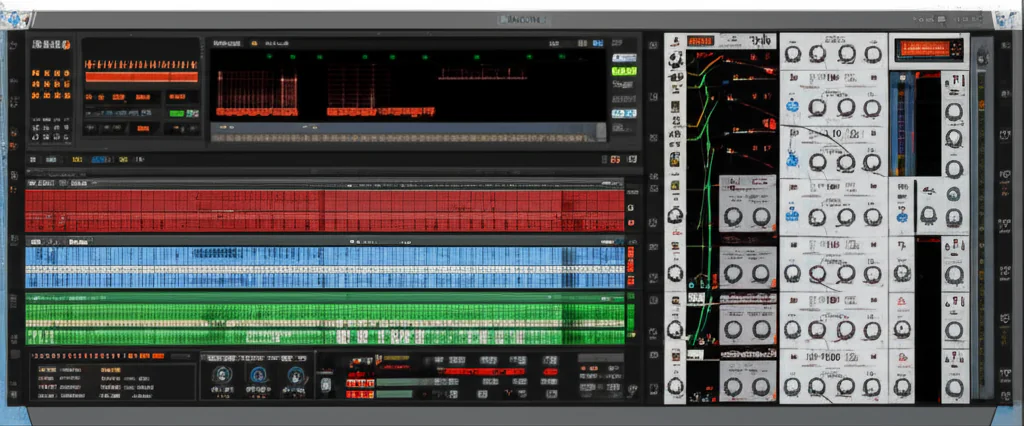
The Reason Rack Plugin is the ultimate creative bridge, allowing you to inject Reason’s legendary modular sound design and iconic instruments directly into any DAW without leaving your workflow. Whether you are a seasoned producer or just starting, these Reason Studios plugins offer a unique blend of analog warmth, modern wavetable power, and CV-based experimentation that simply can’t be replicated elsewhere.
Imagine spending hours trying to route an LFO from a synth in one plugin to modulate a filter in another, only to realize your DAW can’t do it natively. Now imagine flipping a virtual rack, plugging a virtual cable, and watching the magic happen in seconds. That is the Reason difference.
Did you know that the original Reason software, released in 20, was so ahead of its time that it forced users to “export stems” to use other plugins? Today, that limitation is gone, replaced by a seamless ecosystem where the Reason Rack acts as a super-charged instrument inside Ableton, Logic, or Pro Tools.
Key Takeaways
- Universal Compatibility: The Reason Rack Plugin works as a VST3, AU, or AX in virtually any major DAW, bringing the full power of the Reason ecosystem to your existing setup.
- Modular Mastery: Unlike standard plugins, Reason devices support Control Voltage (CV) routing, allowing for deep, hardware-style modulation between instruments and effects.
- Iconic Sound Palette: From the analog grit of Subtractor to the futuristic wavetables of Europa, these tools provide a distinct sonic character that defines countless hit records.
- Combinator Power: The Combinator device lets you build custom, multi-layered instruments and effects chains, saving complex setups as single, playable patches.
👉 CHECK PRICE on:
- Reason+ Subscription: Reason Studios Official Website | Amazon | Sweetwater | Guitar Center
Table of Contents
- ⚡️ Quick Tips and Facts
- 🕰️ The Evolution of Reason Studios: From Rack to Plugin
- 🎛️ Why Reason Studios Plugins Are a Game-Changer for Your DAW
- 🔌 The 10 Essential Reason Studios Plugins You Need in Your Arsenal
- 1. Thor Polysonic Synthesizer: The Swiss Army Knife of Sound
- 2. Europa: The Future of Wavetable Synthesis
- 3. Subtractor: The Analog Soul of Reason
- 4. Malström: The Graintable Monster
- 5. NN-XT: The Ultimate Sampler
- 6. Kong Drum Designer: Rhythm Redefined
- 7. RV70 Reverb: Space Without the Bloat
- 8. Scream 4: The Distortion King
- 9. MClass Mastering Suite: Polish Your Mix
- 10. Redrum: The Classic Step Sequencer
- 🎚️ Mastering the Reason Rack Plugin Workflow in Third-Party DAWs
- 🔊 Sound Design Deep Dive: Sculpting Tones with Reason’s Unique Architecture
- ⚖️ Reason Studios Plugins vs. Native DAW Tools: Which Wins?
- 🛠️ Troubleshooting Common Issues: Latency, Crashes, and CPU Hogs
- 💡 Quick Tips and Facts
- 🏁 Conclusion
- 🔗 Recommended Links
- ❓ FAQ
- 📚 Reference Links
<
a id=”quick-tips-and-facts”>
⚡️ Quick Tips and Facts
Welcome to the
Uniphonic™ deep dive! Before we plug in and get weird, here are some rapid-fire nuggets of wisdom about the
Reason Studios ecosystem.
- It’s a Plugin AND a DAW: The Reason Rack can be used as a
VST3/AU/AAX plugin inside any major DAW like Ableton Live, Logic Pro, or FL Studio. You
get all the toys without leaving your favorite environment. - CV is Your Secret Weapon: Unlike most plugins, Reason’s
devices can be interconnected using virtual Control Voltage (CV) cables on the back of the rack. This opens up modular
synthesis possibilities that are simply mind-boggling. Think of it as digital patch cables for infinite creativity. - **
Not Just for Electronic Music:** While its roots are deep in techno and hip-hop, Reason’s powerful samplers (NN-XT), orchestral ReFills, and realistic effects make it a beast for any genre, from film scoring to indie
rock. - Rack Extensions are Unique: Reason has its own plugin format called Rack Extensions (REs).
They are known for being incredibly stable and well-integrated into the Reason environment. - The SSL Mixer is Legendary: The
mixer in Reason is modeled after the legendary Solid State Logic SL 4000 E console, bringing professional
-grade channel dynamics, EQ, and master bus compression to your workflow. - Combinator is Everything: The Combinator
is a device that lets you build your own custom instruments and effects chains by, well, combining other devices
. You can map custom controls and create sounds no one else has. It’s a sound designer’s paradise.
<
a id=”the-evolution-of-reason-studios-from-rack-to-plugin”>
🕰️ The Evolution of Reason Studios: From Rack to Plugin
Remember the turn of the millennium? We were all freaking
out about Y2K, and in the world of music production, a Swedish company then known as Propellerhead Software dropped
a bomb called Reason. It wasn’t just another piece of software; it was a revelation. For the first time, you
could have a virtual studio rack filled with synthesizers, drum machines, and effects that looked and felt like real hardware,
right on your computer screen. We at Uniphonic™ have been fans from the very beginning, and you can read
more about our take on the company in our main Reason Studios article.
Initially, Reason was a beautiful, self-contained “walled garden.” You couldn’t use outside VST plugins,
and you couldn’t use Reason’s instruments inside another DAW. It was both its greatest strength (rock-solid stability)
and its most frustrating limitation. You had to export audio stems or use a clunky protocol called ReWire to integrate it with
DAWs like Pro Tools or Cubase.
Then, everything changed.
With the introduction of the **Reason Rack Plugin
**, Reason Studios (the company’s new name) broke down the walls. They took the best part of their DAW
—the creative, free-form instrument and effect rack—and turned it into a plugin that you can now run inside
virtually any host. This was the moment we’d all been waiting for! It gave producers the freedom to integrate Reason
’s iconic sound and workflow into their existing setups, creating a powerful hybrid approach to music production techniques.
🎛️ Why Reason Studios
Plugins Are a Game-Changer for Your DAW
So, why should you care about running another plugin inside your already
-packed DAW? What makes the Reason Rack so special?
For us, it boils down to three things: **
Sound, Workflow, and Creative Freedom.**
- The Sound: Reason’s instruments and effects have a distinct
character. From the aggressive bite of the Scream 4 distortion unit to the lush, evolving textures of the Europa synthesizer, these
tools are dripping with personality. They don’t just sound good; they inspire new ideas. - **
The Workflow:** Flipping the rack around (by pressing the ‘Tab’ key) to manually route audio and CV cables
is an experience no other plugin offers. It encourages experimentation. You start asking “what if?” What if I use a
drum machine’s gate output to trigger a synth’s filter envelope? What if I modulate a reverb’s decay
time with an LFO? This hands-on, modular approach leads to happy accidents and sounds you’d never create
otherwise. - Creative Freedom: The Reason Rack isn’t just one instrument or effect. It’s an
entire ecosystem. You can load up a simple subtractive synth or build a monstrous, multi-layered soundscape with sam
plers, granular synths, and a dozen effects, all saved as a single patch. As Reason Studios themselves say, the
software is designed to empower users from beginners making their “first beat” to professionals producing “the next hit song.”
This isn’t just about adding another synth to your collection. It’s about adding
a whole new way of thinking about sound.
🔌 The 10 Essential
Reason Studios Plugins You Need in Your Arsenal
Alright, let’s get to the good stuff. The Reason Rack is packed
with over 90 instruments, effects, and utilities if you have the Reason+ subscription. But
where do you start? We’ve argued, debated, and spilled coffee over this, but here is the Uniphonic
™ list of the 10 most essential devices that you absolutely must master.
1. Thor Polysonic Synthesizer: The Swiss Army Knife of Sound
| Feature | Rating (1-10) |
|---|---|
| Sound Quality | 9 |
| Flexibility | 10 |
| Ease of Use | 7 |
| ** | |
| CPU Load** | 8 |
| Value | 10 |
Thor is, without a doubt, one of
the most powerful semi-modular synthesizers ever created in software. It’s called “polysonic” for a reason. You
have six oscillator slots and four filter slots, and you can load different types of synthesis engines into them—from virtual analog and wav
etable to phase modulation and noise.
Why We Love It
The magic of Thor lies in its Mod
ulation Matrix. It’s a sound designer’s dream, allowing you to route practically any source to any destination.
The sheer sonic potential is staggering. You can create deep, evolving pads, searing leads, and complex bass sounds that would
require a whole suite of other plugins to achieve. It’s a cornerstone of our plugin recommendations.
✅ Pros:
- Incredibly versatile synthesis options.
Deep and intuitive modulation routing.
- Sounds fantastic for almost any application.
❌ Cons:
- Can
be intimidating for absolute beginners. - The interface is starting to show its age a little.
👉 CHECK PRICE on:
- Reason+ Subscription: Reason Studios Official Website
- Europa: The Future of Wavetable Synthesis
| Feature | Rating (1-10) |
|---|---|
| Sound Quality | 10 |
| Flexibility | |
| 9 | |
| Ease of Use | 8 |
| CPU Load | 7 |
| Value | 9 |
If Thor is the seasoned veteran, Europa is the futuristic powerhouse. It’
s a “shapeshifting” synthesizer that takes wavetable synthesis to another level. Its core feature is the ability to draw
and shape your own custom waveforms, and then warp, bend, and modulate them in real-time.
**Sonic
Possibilities**
Europa excels at creating modern, dynamic sounds. Think massive EDM basses, shimmering cinematic pads, and glitch
y, rhythmic textures. The spectral filter and “Harmonizer” sections allow you to process the wavetables in ways that
are harmonically rich and often unexpected. One of our engineers spent a week just making percussion sounds with it—it’s
that deep.
✅ Pros:
- Stunning visual interface that makes complex synthesis intuitive.
Powerful waveform shaping and spectral filtering.
- Capable of producing incredibly modern and complex sounds.
❌ Cons:
*
Can be a bit heavy on the CPU, especially with high unison counts.
👉 CHECK PRICE on:
Reason+ Subscription:** Reason Studios Official Website
3
. Subtractor: The Analog Soul of Reason
| Feature | Rating (1-10) |
|---|---|
| :— | :— |
| Sound Quality | 8 |
| Flexibility | 6 |
| Ease of Use | 10 |
| CPU Load | 10 |
| **
Value** | 9 |
Subtractor is one of the original Reason devices, and it’s still a beloved classic for a
reason. It’s a straightforward, two-oscillator subtractive synthesizer that emulates the character of analog hardware. It’s
simple, efficient, and sounds absolutely massive.
Simple, But Mighty
Don’t let its simplicity fool you.
Subtractor is the go-to for classic synth sounds. It makes incredible basses, punchy leads, and warm pads
. Its secret weapon is Phase Offset Modulation, which you can use between the two oscillators to create harmonically rich, PWM
-style sounds without even touching the filter. It’s incredibly light on the CPU, so you can stack instances without fear
.
✅ Pros:
- Extremely easy to learn and use.
- Classic analog-style sound with
a unique character. - Virtually zero CPU usage.
❌ Cons:
- Limited feature set compared to modern
synths.
👉 CHECK PRICE on:
- Reason+ Subscription: Reason Studios Official Website
4. Malström: The Graintable Monster
| Feature | Rating (1-10) |
|---|---|
| Sound Quality | 9 |
| Flexibility | 8 |
| Ease of Use | 7 |
| CPU
Load | 9 |
| Value | 9 |
Malström is… different. It’s
a “Graintable” synthesizer, which is a hybrid of granular synthesis and wavetable synthesis. It processes audio samples
(“graintables”) by playing back tiny snippets or “grains.” This unique approach makes it perfect for creating bizarre, evolving
textures, and rhythmic chaos.
Controlled Chaos
Where Malström shines is in creating otherworldly pads, metallic
percussive sounds, and glitchy sound effects. The real-time “Shift” and “Index” controls let
you sweep through the graintable, creating movement that is impossible with other forms of synthesis. Route an LFO to the
Shift parameter and you have an instant, ever-changing soundscape.
✅ Pros:
-
Unique synthesis
method creates sounds you can’t get elsewhere. -
Excellent for pads, textures, and experimental sound design.
-
The modulators and filters are highly interactive.
❌ Cons:
- The concept of “graintable
” synthesis can be a bit abstract at first.
👉 CHECK PRICE on:
- Reason+ Subscription: Reason Studios Official Website
5. NN-XT: The Ultimate Sampler
| Feature | Rating (1-10) |
|---|---|
| **Sound | |
| Quality** | 9 |
| Flexibility | 10 |
| Ease of Use | 6 |
| CPU Load | 8 |
| Value | 10 |
The NN-XT Advanced
Sampler is a deep, powerful workhorse. It’s a multi-timbral sampler that allows you to map
multiple samples across the keyboard with different velocity layers, creating incredibly realistic and expressive instruments.
Beyond Basic Sampling
Sure, you can use it for basic sample playback, but its true power is in instrument creation. Each sample group has
its own filter, envelopes, and LFOs. The back panel of the rack reveals outputs for each sample layer, allowing you to
process them individually with different effects. This is a crucial tool for anyone serious about creating their own custom Reason Refills.
✅ Pros:
*
Extremely powerful and flexible sample mapping.
- Individual outputs per sample layer for advanced processing.
- Great-
sounding built-in filters.
❌ Cons:
- The interface is complex and can be tedious for intricate
patches. - Lacks some modern sampler features like built-in time-stretching.
CHECK PRICE on
:
- Reason+ Subscription: Reason Studios Official Website
- Kong Drum Designer: The Rhythm Redefined
| Feature | Rating (1-10) |
|---|---|
| : | |
| Sound Quality | 10 |
| Flexibility | 9 |
| Ease of Use | 8 |
| CPU Load | 8 |
| **
Value** | 10 |
Kong is not just a drum machine; it’s a “drum designer.” Each
of its 16 pads can be loaded with a different sound generation module, ranging from physical modeling synths for kicks
and snares to sample players and classic synth modules.
Build Your Dream Kit
The real joy of
Kong is mixing and matching these modules. You can build a hybrid kit with a physically modeled kick, a sampled snare, a synthesized
hi-hat, and a looped breakbeat on a single pad. Each pad also has its own effects inserts. This
flexibility, combined with its fantastic sound, makes it one of the best software drum machines on the market.
✅
Pros:
- Incredible sound quality and flexibility.
- Mix of synthesis and sampling for endless possibilities.
Great built-in effects and bus processing.
❌ Cons:
- Lacks a built-in step
sequencer (designed to be used with Redrum or your DAW’s piano roll).
👉 CHECK PRICE on:
- Reason+ Subscription: Reason Studios Official Website
### 7. RV70 Reverb: Space Without the Bloat
| Feature | Rating (1-10) |
|---|---|
| Sound Quality | 8 |
| Flexibility | 7 |
| Ease of Use | 9 |
| **
CPU Load** | 10 |
| Value | 9 |
The RV7000 Mk
II Advanced Reverb is a high-quality algorithmic reverb that punches way above its weight. It includes a convolution engine, allowing you to
load your own impulse responses to model real spaces or other hardware reverb units.
**Your Go-To Reverb
**
While it may not have the endless tweakability of some third-party reverbs like FabFilter Pro-R or
ValhallaDSP, the RV7000 sounds fantastic and is incredibly easy
to dial in. The included algorithms cover everything from small rooms to vast, shimmering halls, and the convolution feature is a huge
bonus. It’s a workhorse effect that you’ll find yourself reaching for constantly.
✅ Pros:
*
Excellent sound quality for both algorithmic and convolution reverb.
- Simple, intuitive interface.
- Very light
on CPU resources.
❌ Cons:
- Lacks some of the advanced shaping controls of dedicated reverb plugins.
**
CHECK PRICE on:**
- Reason+ Subscription: Reason Studios Official Website
8. Scream 4: The Distortion King
| Feature | Rating (1-10) |
|---|---|
| Sound Quality | 10 |
| Flexibility | 8 |
| Ease of Use | 9 |
| CPU
Load | 10 |
| Value | 10 |
Scream 4 is a
legend. It’s a sound destruction unit that offers 10 different algorithms, from tape saturation and tube warmth to digital bit
-crushing and outright sonic annihilation.
More Than Just Distortion
This thing is a secret weapon for
adding character and grit to any sound. The “Tape” algorithm is perfect for warming up digital sounds, while “F
uzz” and “Scream” can turn a simple synth line into a roaring monster. The real magic, however, is
in the “Body” section, which is a resonant filter that lets you shape the character of the distortion in a very
musical way. We use it on everything: drums, bass, vocals, and synths.
✅ Pros:
- Incredible sonic range, from subtle warmth to extreme destruction.
- The “Body” section is a unique
and powerful tone-shaping tool. - A must-have for adding character and aggression to your mixes.
**
❌ Cons:**
- Honestly? We can’t think of any. It’s perfect.
CHECK
PRICE on:
- Reason+ Subscription: Reason Studios Official Website
9. MClass Mastering Suite: Polish Your Mix
| Feature | Rating (1-10) |
|---|---|
| Sound Quality | 8 |
| Flexibility | 7 |
| Ease of Use | 9 |
| **CPU Load | |
| ** | 9 |
| Value | 9 |
The MClass suite consists of four separate devices
: an Equalizer, a Stereo Imager, a Compressor, and a Maximizer. Together, they form a simple
but effective mastering chain.
Simple and Effective
While you might eventually want a more advanced mastering suite like iZotope Ozone, the M
Class tools are fantastic for getting a polished, loud, and clear mix without a steep learning curve. The Maximizer is particularly
good, with a soft-clip feature that adds loudness without harshness. They are transparent, easy to use, and
get the job done.
✅ Pros:
- A complete, easy-to-use mastering chain.
Transparent and musical-sounding processing.
- Great for mix bus processing as well as mastering.
❌ Cons:
*
Lacks the advanced visual feedback of modern mastering plugins.
👉 CHECK PRICE on:
- Reason+ Subscription: Reason Studios Official Website
10. Redrum: The Classic
Step Sequencer
| Feature | Rating (1-10) |
|---|
| Sound Quality | 8 |
| Flexibility | 7 |
| Ease
of Use | 10 |
| CPU Load | 10 |
| Value |
9 |
Redrum is another original device that has stood the test of time. It’s a pattern-based drum machine
with a classic step sequencer interface inspired by the legendary Roland TR-808.
The Heartbeat of Reason
For
many long-time users, the Redrum workflow is the Reason workflow. It’s incredibly fast for sketching
out beats. You load 10 samples, tap in a pattern, and you’re off. Each channel has pitch
, length, and send controls. But its secret power lies in the CV connections on the back. You can use the gate outputs from
each drum hit to trigger other devices, making it the rhythmic brain of a complex modular patch.
✅ Pros:
*
Classic, fast, and intuitive step-sequencing workflow.
- Great for sketching out ideas quickly.
Powerful CV integration for modular setups.
❌ Cons:
- Limited to 10 sounds and 64 steps
per pattern.
👉 CHECK PRICE on:
- Reason+ Subscription: Reason Studios Official Website
🎚️ Mastering the Reason Rack
Plugin Workflow in Third-Party DAWs
Okay, so you’ve got this incredible rack of gear. How do you actually
make it play nice with your DAW? The beauty of the Reason Rack Plugin is its seamless integration, but there’s one
technique that truly unlocks its power: multi-output routing.
Remember that question we posed earlier? How do you
get beyond a single stereo output and treat your Reason instruments like a multi-tracked recording? This is the answer.
One of our
favorite tricks, as demonstrated in this excellent video tutorial, is to route individual drum sounds
from a device like Kong or Redrum to separate channels in your DAW’s mixer. Why? This allows you to apply
your favorite third-party plugins—that UAD 1176 on
the snare, that Soundtoys EchoBoy on the
hi-hats—to individual elements of the kit.
Step-by-Step Multi-Output Routing
The process is surprisingly simple and relies on that glorious back panel of the rack.
- Flip the Rack:
Load an instance of the Reason Rack Plugin on a track in your DAW (e.g., Ableton Live, Logic Pro).
Load up a drum machine. Now, press the ‘Tab’ key to flip to the back.
Disconnect the Main Outs: You’ll see the main L/R outputs from your drum machine are wired to the ”
From Devices” inputs on the main I/O panel. Click and drag to unplug these cables.
3.
Route to Separate Outputs: Your drum machine will have multiple “Separate Outputs” on its back panel. Drag virtual patch
cables from these outputs to the available output jacks on the main I/O panel (e.g., Snare to outputs 3-4, Kick to 5-6, and so on).
4. Configure Your
DAW: This is the only part that differs between DAWs.
- In Ableton Live: Create
new Audio Tracks. In the “Audio From” dropdown, select the track with the Reason Rack Plugin. In the second dropdown,
choose the corresponding outputs you just patched (e.g., Post FX -> RRP -> 3/4-Reason Rack Plugin). Set the monitor to “In”. - In Logic Pro: On the mixer channel strip
, click the little ‘+’ button at the bottom of the Reason Rack Plugin insert. Logic will automatically create new Aux tracks for each
output you’ve routed. Magic! - In Pro Tools: You’ll need to create new
Aux Input tracks and set their inputs to the corresponding outputs from the Reason Rack Plugin insert.
This technique isn’t just for
drums! You can use it to split layers from a complex Combinator patch, sending a bass synth to one channel and a pad
to another for individual processing. It’s a fundamental part of advanced music production techniques.
🔊 Sound Design Deep Dive: Sculpting Tones
with Reason’s Unique Architecture
This is where the real fun begins. The Reason Rack isn’t just a collection
of plugins; it’s a modular ecosystem. The ability to route audio and CV freely between devices is what sets it apart from
almost everything else.
The Power of the Combinator
The Combinator is the heart of sound
design in Reason. It’s a utility device that lets you load multiple instruments and effects into a single, self-contained
unit. You can then design a custom interface, mapping the most important knobs from all the nested devices to the Combinator’s front
panel.
A Personal Story: One of our sound designers was tasked with creating a “living, breathing” pad
sound. Inside a single Combinator, he loaded:
- Europa for a complex, evolving wavetable
texture. - Malström for a glitchy, granular layer.
- **NN-XT
** with a sample of a rainstick for organic noise.
He then used Thor’s step sequencer, not for
notes, but as a modulation source. He routed its CV output to the filter cutoff on Europa and the “Shift” parameter on
Malström, creating a rhythmic, pulsating filter effect that was perfectly in sync with the track’s tempo. The result
was a single instrument that felt alive and was incredibly easy to perform with, a perfect example of advanced performance techniques.
CV: The Creative Glue
Control
Voltage is the language of modular synthesis, and it’s spoken fluently throughout the Reason Rack.
-
L
FOs Everywhere: Use a Pulsar Dual LFO to modulate anything. Pan a hi-hat back and forth, create
a vibrato on a synth, or even slowly sweep the feedback on a delay pedal. -
Audio-
to-CV: Devices like the Scream 4 have CV outputs that follow the input signal’s envelope. You can use
a drum loop to “gate” a sustained pad, creating a rhythmic trance gate effect without ever touching a gate plugin. -
Player MIDI Effects: Devices like the Scales & Chords or Dual Arpeggio don’t just process
MIDI; they also output CV signals based on the notes they’re generating. You can use the notes from an arpeggio
to control the pitch of an oscillator on a completely different synth. The possibilities are truly endless.
⚖️ Reason Studios
Plugins vs. Native DAW Tools: Which Wins?
Every major DAW comes with a solid set of stock instruments and effects.
So, is the Reason Rack worth it? Let’s break it down in this hardware vs software showdown.
| Feature | Reason Rack | Ableton Live Suite
| Logic Pro X |
| :— | :— | :— | :— |
| **Flagship Synth
** | Thor / Europa | Wavetable / Operator | Alchemy |
| Sampler | NN-XT | Sim
pler / Sampler | Sampler |
| Drum Machine | Kong / Redrum | Drum Rack | Drum
Machine Designer |
| Creative Workflow | Modular (CV Routing) | Session View / Racks |
Track Stacks / Smart Controls |
| Unique Selling Point | The free-form, modular ”
rack” environment and unique character of its devices. | Unparalleled live performance and clip-launching capabilities. | Massive
sound library, powerful composing tools (Drummer, etc.). |
The Uniphonic™ Verdict
There
‘s no objective “winner” here—it’s about what you value most.
- Ableton Live’
s native devices are incredibly powerful and seamlessly integrated, especially for real-time manipulation. Its strength is in its clean
interface and powerful macro mapping. - Logic Pro offers an insane amount of value, with tools like Alchemy and
a massive loop library that are industry standards. It’s a composer’s paradise.
However, Reason Rack
‘s strength is its synergy and experimental nature. While Ableton’s Instrument Racks are powerful, they don
‘t offer the same “anything-to-anything” CV modulation that Reason does. You can’t easily use
an LFO from one instrument to modulate a parameter on a completely separate audio effect on a different track without third-party tools
. In Reason, this is fundamental.
Our recommendation? Use both! Use the Reason Rack Plugin inside Able
ton or Logic. You get the best of both worlds: the stability and unique workflow of your DAW combined with the unparalleled
creative sound design environment of the Reason Rack.
🛠️ Troubleshooting Common Issues: Latency, Crashes, and CPU H
ogs
Even the most stable software can have a bad day. Here are some common gremlins you might encounter with the
Reason Rack Plugin and how to squash them.
High CPU Usage
Some of Reason’s newer devices, like Europa
and Grain, can be demanding.
- Check Unison: The “unison” feature, which stacks voices
for a thicker sound, is a notorious CPU hog. Dial it back if your computer is struggling. - Increase
Buffer Size: In your DAW’s audio preferences, increase the buffer size (e.g., from 128 to 512 samples). This will increase latency but give your CPU more breathing room. - Freeze/
Flatten Tracks: Once you’re happy with a part, use your DAW’s “Freeze” or “Flatten”
function to convert the MIDI track to audio, freeing up CPU resources.
Plugin Validation Issues or Crashes
Sometimes a DAW will fail to validate the Reason Rack Plugin, or it might crash on startup.
-
Update
Everything: Make sure both your DAW and your Reason software are updated to the latest versions. This solves 90%
of problems. You can check for updates via the Reason Studios website. -
Re-scan Plugins: Force your DAW to do a full re-scan of your plugins. In
Ableton, you can do this by holding ‘Alt/Option’ while clicking “Rescan Plugins” in the preferences. -
Check Plugin Paths: Ensure your DAW is looking for VSTs in the correct folder where Reason installed
the plugin file.
Latency When Playing Live
If you feel a delay between pressing a key and hearing
a sound:
- Lower Buffer Size: This is the opposite of the CPU tip. A lower buffer size (e.g., 64 or 128 samples) reduces latency but puts more strain on your CPU. It
‘s a balancing act. - Enable Low Latency Mode: DAWs like Logic Pro have a “Low
Latency Mode” that temporarily bypasses latency-inducing plugins, which is perfect for recording. - Check for Lat
ency-Inducing Plugins: Some plugins, especially lookahead limiters or linear-phase EQs on your master bus, can introduce
significant latency. Try disabling them while recording.