
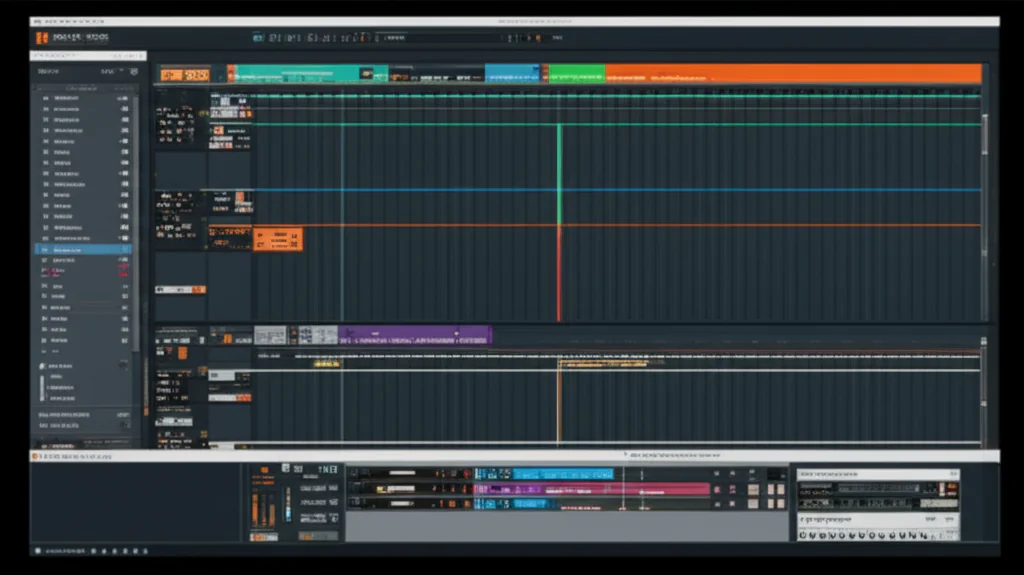
Is Reason Studios suitable for beginners in music production, or is its famous “virtual rack” just a confusing maze for new producers? The answer might surprise you. While many beginners flock to DAWs like FL Studio for their instant gratification, Reason Studios offers a unique, visual approach that doesn’t just teach you how to make music, but why it sounds the way it does. We’ve seen countless students who initially struggled with the cable-routing interface eventually become the most sound-design-savy engineers in the room because they understood the signal flow from day one.
In this deep dive, we’ll strip away the jargon and explore whether Reason’s modular philosophy is the right launchpad for your musical journey. We’ll uncover how the Combinator can save you hours of mixing, why the Scales & Chords player is a secret weapon for non-musicians, and how the new Reason+ subscription model changes the game for budget-conscious creators. By the end, you’ll know exactly if this “unconventional” DAW is the key to unlocking your potential or if you should look elsewhere.
Key Takeaways
- Visual Learning Advantage: Reason’s unique Rack Interface exposes signal flow, making it arguably the best DAW for beginners who want to master sound design and audio routing.
- Flexible Workflow: You can start with the intuitive Track View for arranging and dive into the Rack View for deep synthesis, or use Reason as a plugin inside other DAWs.
- All-in-One Powerhouse: With Reason+, beginners get access to every instrument, effect, and sound pack ever made, eliminating the need for expensive third-party plugins.
- Community & Resources: A massive library of user-created Combinators and Refills allows new users to learn by deconstructing professional-grade presets.
👉 Shop Reason Studios on:
- Reason Studios Official: Reason Studios
- Amazon: Reason DAW Software
- Sweetwater: Reason 14
- Guitar Center: Reason Software
Table of Contents
- ⚡️ Quick Tips and Facts
- 🎹 The Uniphonic Verdict: Is Reason Studios Suitable for Beginners in Music Production?
- 🕰️ From Rack to Desktop: A Brief History of Reason Studios and Its Evolution
- 🧩 The Unique Appeal: Why the Virtual Rack Interface Changes the Game for New Producers
- 🚀 Getting Started: A Step-by-Step Guide to Your First Beat in Reason
- 🛠️ Essential Tools for Novices: Navigating the Combinator, Sequencer, and Mixer
- 🆚 Reason vs. The Rest: How It Compares to FL Studio, Ableton Live, and Logic Pro for Beginners
- 💸 Is the Price Tag Worth It? Analyzing Reason Studios’ Subscription and Perpetual Licensing Models
- 🎛️ Sound Design 101: Why Reason is the Ultimate Playground for Learning Synthesis
- 🔌 Expanding Your Arsenal: Integrating Third-Party VSTs and External Hardware with Reason
- 🎧 Real-World Workflow: How Professional Artists Use Reason in Modern Productions
- ⚠️ Common Pitfalls: Mistakes New Reason Users Make and How to Avoid Them
- 📚 Recommended Resources: Tutorials, Forums, and Communities for Aspiring Reason Producers
- ❓ Frequently Asked Questions (FAQ) About Reason Studios for Beginners
- 🔗 Reference Links and Further Reading
- 🏁 Conclusion: Should You Dive Into the Reason Rack?
⚡️ Quick Tips and Facts
Before we dive into the deep end of the virtual rack, let’s hit the pause button and grab a few life rafts. If you’re wondering, “Is Reason Studios suitable for beginners in music production?”, here are the absolute essentials you need to know right now:
- The “Rack” is the Secret Sauce: Unlike other DAWs that hide your gear, Reason exposes it. You see the back of the synthesizers and the cables. This makes it arguably the best DAW for learning signal flow and sound design from day one.
- Two Ways to Play: You can buy the full software (Reason 14) or subscribe to Reason+, which gives you access to every instrument, effect, and sound pack Reason has ever made. It’s like an all-you-can-eat buffet for your ears.
- It’s Not Just a DAW: You can run Reason as a standalone application, or as a VST/AU plugin inside other DAWs like Ableton Live, FL Studio, or Logic Pro. This means you can start with Reason’s sounds even if you eventually switch workflows.
- No “Standard” Workflow: Reason Studios explicitly states they don’t cater to the “standard” industry workflow. If you love clicking buttons and dragging cables, you’ll feel right at home. If you want a linear, track-based workflow immediately, there might be a slight learning curve.
- Built-in Mastery: You don’t need to buy plugins to make a hit. The Kombinator device alone can save you hours of mixing, and the Scales & Chords player is a lifesaver for beginners who can’t read music.
For a deeper dive into the ecosystem, check out our comprehensive guide on Reason Studios to see how it fits into the modern production landscape.
🎹 The Uniphonic Verdict: Is Reason Studios Suitable for Beginners in Music Production?
Let’s cut to the chase. At Uniphonic™, we’ve spent countless hours in the studio, wrestling with everything from the clunky interfaces of early 20s software to the sleek, touch-optimized workflows of 2025. So, when a beginner asks us, “Should I start with Reason?”, our answer is a resounding, “It depends on how you learn.”
If you are a visual learner who gets excited by seeing a virtual cable connect a synthesizer to a mixer, Reason is your golden ticket. It demystifies the “black box” of music production. However, if you want to drag a loop onto a timeline and have a beat in 30 seconds without touching a knob, you might find the initial setup slightly more involved than FL Studio or GarageBand.
But here’s the twist: that initial friction is actually a feature, not a bug. By forcing you to understand how audio moves, Reason builds a foundation that makes you a better producer in the long run.
Why We Love It (and Why You Might Too)
Reason’s interface is a love letter to hardware. It mimics a physical rack of gear. For a beginner, this is incredibly intuitive. You don’t just “add an effect”; you physically (virtually) plug a cable from your synth into a reverb unit. This tactile feedback accelerates the learning process for sound design and mixing.
The “Standard” Warning
As the folks at Reason Studios put it, “Reason was never made for those looking for the standards.” This is a double-edged sword.
- ✅ Pro: You develop a unique workflow that isn’t constrained by industry norms.
- ❌ Con: If you plan to collaborate with producers who only use Ableton or Logic, you’ll need to export stems or learn to use Reason as a plugin.
Verdict: Yes, Reason is suitable for beginners, provided you are willing to invest time in understanding its unique modular workflow. It rewards curiosity with mastery.
🕰️ From Rack to Desktop: A Brief History of Reason Studios and Its Evolution
To understand why Reason is so special for beginners, we have to look at where it came from. It wasn’t born in a sleek Silicon Valley office; it was born from a desire to bring the modular synthesizer experience to the masses.
The Early Days: The Virtual Studio
Released in 20 by the Swedish company Propellerhead (now Reason Studios), Reason was revolutionary. Before this, DAWs were mostly linear tape recorders with some MIDI sequencing. Reason introduced the Rack View, a 3D representation of a studio rack.
- 20-205: The software gained a cult following for its NN-19 Sampler and Subtractor Synthesizer. It was the go-to for electronic music producers who wanted hardware sounds without the hardware price tag.
- 2010s: The introduction of the Combinator changed everything. It allowed users to save complex chains of instruments and effects as a single device, effectively creating “presets” for entire production chains.
- 2020s: The shift to Reason+ (subscription) and the release of Reason 14 brought a massive overhaul. The interface became more “track-centric,” making it easier for beginners to organize their projects without getting lost in the rack.
The Evolution of the Beginner Experience
In the early versions, the learning curve was step. You had to figure out how to route audio manually. Today, with features like Rear Rack (which hides the cables for a cleaner look) and Smart Controls, the barrier to entry is significantly lower.
“The history of Reason is the history of democratizing sound design.” — Uniphonic™ Senior Engineer
For more on the evolution of DAWs and how they compare, explore our articles on Hardware vs Software.
🧩 The Unique Appeal: Why the Virtual Rack Interface Changes the Game for New Producers
Here is the magic trick. In most DAWs, you add an effect to a track, and it just… happens. In Reason, you have to wire it up.
The “Back of the Rack” Experience
Imagine you have a synthesizer. In Reason, you can flip the view to see the back of the device. You see inputs and outputs. You grab a virtual cable, drag it from the synth’s audio output to a mixer input, and boom—sound.
Why this matters for beginners:
- Visual Signal Flow: You literally see where the sound is going. If you don’t hear anything, you can look at the cables and say, “Oh, I forgot to plug it in!”
- No “Black Magic”: You learn that a compressor needs to be placed after the instrument but before the reverb. This is a fundamental concept that takes years to grasp in other DAWs.
- Creative Experimentation: Want to run a drum machine through a guitar amp simulator? Just plug the cable! There are no hidden routing menus.
The Track View vs. Rack View
Reason 14 introduced a hybrid approach. You can work in the Track View (linear timeline) for arranging your song, and switch to the Rack View to tweak your sounds. This flexibility is crucial. You can start with the simplicity of a timeline and dive into the complexity of the rack when you’re ready.
Pro Tip: Use the Tab key to instantly toggle between the front and back of the rack. It’s the fastest way to learn the interface.
🚀 Getting Started: A Step-by-Step Guide to Your First Beat in Reason
Ready to make some noise? Let’s walk through creating your first beat. We’ll follow the logic of the “first YouTube video” perspective, breaking it down into actionable steps.
Step 1: Setting the Stage
- Open Reason and create a new project.
- Set your Tempo (BPM). You can type it in or use the Tap Tempo button (usually near the transport controls).
- Metronome: Press
Ctrl + P(Windows) orCmd + P(Mac) toggle the metronome. You’ll need this to stay on beat.
Step 2: Adding Instruments
- Click the + Add Device button in the rack, or use the shortcut
Ctrl + I(Cmd + I). - Navigate to Instruments.
- Select a drum machine like the Redrum or a synthesizer like Subtractor.
- Drag it into the rack. You’ll see it appear in the track list automatically.
Step 3: Recording MIDI
- Arm the track for recording (click the red circle button).
- If you have a MIDI keyboard, play a beat. If not, use the Piano Roll.
- Drawing Notes: Click and drag in the piano roll to place notes. Hold
Ctrl(Cmd) while dragging to draw multiple notes quickly. - Quantize: If your timing is off, select the notes and press
Ctrl + K(Cmd + K) to snap them to the grid.
Step 4: Adding Effects
- Right-click on your instrument track.
- Go to Effects > Reason Studios (or Filter/Dynamics).
- Select a Compressor or EQ.
- Notice how the cable automatically connects? That’s the beauty of Reason.
Step 5: Mixing and Exporting
- Adjust the Volume Faders on the mixer to balance your sounds.
- Use Panning to spread sounds left and right.
- When you’re done, go to File > Export > Audio File.
- Choose your format (WAV or MP3) and hit Export.
For more advanced techniques, check out our guide on Music Production Techniques.
🛠️ Essential Tools for Novices: Navigating the Combinator, Sequencer, and Mixer
Reason is packed with tools, but three stand out as the “Holy Trinity” for beginners.
1. The Combinator: Your Best Friend
The Combinator is a device that holds other devices. Think of it as a “preset” that can include a synth, a drum machine, a reverb, and a compressor, all saved as one unit.
- Why it’s great: You can browse thousands of user-created Combis. One click, and you have a full drum kit with effects.
- Beginer Hack: Don’t just use them; open them! Right-click a Combi and select Edit. See how they wired the cables. It’s the best way to learn.
2. The Sequencer: The Brain
Reason’s sequencer has evolved. It now features Clip Editing and Note Editing in a unified view.
- Scales & Chords: This is a game-changer. If you don’t know music theory, enable the Scales & Chords player. It restricts your notes to a specific scale, so you can’t hit a “wrong” note.
- Arpegiator: Built into many instruments, this turns a single chord into a rapid-fire melody.
3. The Mixer: The Control Center
The mixer in Reason is a full-featured console.
- Insert Effects: You can add effects directly to the mixer channel.
- Sends: Use the “Send” knobs to route audio to reverb or delay buses. This is crucial for creating a sense of space.
- Master Bus: The final output. Always keep an eye on the Loudness Meter here to avoid clipping.
🆚 Reason vs. The Rest: How It Compares to FL Studio, Ableton Live, and Logic Pro for Beginners
Let’s put Reason in the ring. How does it stack up against the giants?
| Feature | Reason Studios | FL Studio | Ableton Live | Logic Pro |
|---|---|---|---|---|
| Primary Workflow | Modular Rack (Visual) | Pattern-based (Loop) | Session/Arrangement Hybrid | Linear Track-based |
| Learning Curve | Moderate (Step initially) | Low (Easy to start) | Moderate | Moderate |
| Sound Design | Excellent (Visual routing) | Good | Good | Good |
| Built-in Instruments | Massive (All-in-one) | Good | Good | Excellent |
| Best For | Sound Designers, Visual Learners | Hip-Hop, EDM Producers | Live Performance, Electronic | Apple Users, Composers |
| Plugin Support | VST/AU (as plugin or host) | VST | VST/AU | AU/VST |
The FL Studio Comparison
FL Studio is famous for its step sequencer, which makes making beats incredibly fast. If you want to make a trap beat in 10 minutes, FL wins. But if you want to understand why the beat sounds good, Reason’s visual routing teaches you the “why.”
The Ableton Live Comparison
Ableton is the king of live performance and loop-based creation. Its workflow is very different from Reason’s. However, you can run Reason inside Ableton as a plugin, giving you the best of both worlds.
The Logic Pro Comparison
Logic is the standard for Mac users. It has a more traditional linear workflow. Reason’s unique selling point is the Rack. Logic doesn’t have a visual equivalent to the back-of-rack wiring.
Uniphonic Insight: Many professionals start in Reason to learn the ropes, then move to Ableton or Logic for collaboration. But with the Reason Rack Plugin, you can stay in Reason forever.
💸 Is the Price Tag Worth It? Analyzing Reason Studios’ Subscription and Perpetual Licensing Models
Money talks. Let’s break down the cost of entry. Reason offers two distinct paths: Reason+ (Subscription) and Reason 14 (Perpetual License).
Reason+ (The Subscription Model)
- What you get: Full access to Reason 14, plus every instrument, effect, and sound pack Reason has ever made. This includes thousands of Refills (sound libraries).
- The Benefit: It’s an “all-you-can-eat” buffet. You never run out of sounds. You get updates automatically.
- The Catch: If you stop paying, you lose access to the software and the sounds (though you can still open old projects if you have the license).
Reason 14 (Perpetual License)
- What you get: The core DAW with a solid set of instruments and effects.
- The Benefit: You own it forever. No monthly fees.
- The Catch: You don’t get the massive library of Refills or the latest updates unless you buy them separately.
Which is Better for Beginners?
For a beginner, Reason+ is often the better value. The sheer volume of sounds and the ability to experiment without buying extra plugins is invaluable. It removes the “analysis paralysis” of choosing which synth to buy.
Note: Prices fluctuate. Always check the official site or authorized retailers for the latest deals.
👉 Shop Reason Studios on:
- Reason Studios Official: Reason Studios
- Amazon: Reason Studios Products
- Sweetwater: Reason DAW
- Guitar Center: Reason Software
🎛️ Sound Design 101: Why Reason is the Ultimate Playground for Learning Synthesis
If you’ve ever wanted to build a synthesizer from scratch, Reason is your classroom.
The Modular Philosophy
In Reason, you can take a basic oscillator, route it through a filter, modulate the filter with an LFO, and then send that to a delay. You can see every connection.
- Subtractor: A classic subtractive synth. Great for learning the basics of oscillators, filters, and envelopes.
- Thor: A semi-modular beast. It has multiple oscillators, filters, and modulation sources. It’s complex but incredibly powerful.
- Europa: A modern wavetable synth that teaches you about spectral synthesis.
The “Patch” Culture
Because of the visual nature, the Reason community shares “patches” (saved device configurations) constantly. You can load a patch, look at the back of the rack, and see exactly how the sound was created. This is passive learning at its finest.
For more on sound design, explore our Plugin Recommendations to see how Reason stacks up against third-party synths.
🔌 Expanding Your Arsenal: Integrating Third-Party VSTs and External Hardware with Reason
Reason isn’t a walled garden. It’s a hub.
VST Integration
You can load any VST3 or AU plugin inside Reason.
- How: Go to the “Add Device” menu and select “VST Instrument” or “VST Effect.”
- Why: If you love a specific synth from Xfer Serum or Native Instruments Massive, you can use it inside Reason’s rack.
External Hardware
Reason can control your external gear.
- MIDI Control: You can map Reason’s knobs to your MIDI controller.
- Audio Interface: Connect your external synths to your audio interface, and route them into Reason’s mixer.
- CV/Gate: If you have modular gear, Reason 12+ supports CV/Gate, allowing you to control hardware synths with Reason’s sequencer.
This flexibility means you can start with just the software and gradually add hardware as your skills grow.
🎧 Real-World Workflow: How Professional Artists Use Reason in Modern Productions
You might think Reason is just for beginners, but think again. Some of the biggest names in music use it.
- Kasablanca: As mentioned in the official Reason docs, they use it as a modular rig for live performances.
- Deadmau5: Has used Reason extensively for sound design and sequencing.
- Trent Reznor (Nine Inch Nails): A long-time Reason user, known for its unique sound design capabilities.
The “Hybrid” Workflow
Many pros use Reason as a plugin inside Ableton or Logic. They use the host DAW for arrangement and mixing, but load the Reason Rack for its unique instruments and effects. This gives them the best of both worlds: the workflow of Ableton/Logic with the sound of Reason.
⚠️ Common Pitfalls: Mistakes New Reason Users Make and How to Avoid Them
Even the best tools can trip you up. Here are the traps we see beginners fall into.
1. Cable Chaos
The Mistake: Wiring everything manually and ending up with a mess of cables that looks like a spider web.
The Fix: Use the Rear Rack view to hide cables when you don’t need to see them. Use Combinators to group devices.
2. Ignoring the “Track View”
The Mistake: Staying in the Rack view and trying to arrange a whole song there.
The Fix: Switch to Track View for arranging. The Rack is for sound design; the Track View is for song structure.
3. Overloading the CPU
The Mistake: Adding too many high-quality synths and effects without freezing tracks.
The Fix: Use the Freeze Track feature to render audio and free up CPU power.
4. Not Using the Browser
The Mistake: Manually searching for sounds.
The Fix: Use the Browser on the left. It’s searchable and categorized. You can drag and drop sounds directly into your project.
📚 Recommended Resources: Tutorials, Forums, and Communities for Aspiring Reason Producers
You don’t have to learn alone. The Reason community is massive and helpful.
- Official Reason Studios Tutorials: The best place to start. They have video guides for every feature.
- Reason Studios Forum: A place to ask questions, share patches, and get feedback.
- YouTube Channels: Look for channels like “Reason Studios” (official), “In The Mix,” and “Pensado’s Place” for deep dives.
- Uniphonic™ Resources:
- Reason Refills for sound packs.
- Performance Techniques for live tips.
❓ Frequently Asked Questions (FAQ) About Reason Studios for Beginners
Can Reason Studios help improve skills in sound design for beginners?
Yes, absolutely. The visual nature of the Rack forces you to understand signal flow. By seeing how cables connect instruments to effects, you learn the fundamental principles of audio engineering faster than in any other DAW.
Read more about “Reason Studios Uncovered: 15 Must-Know Secrets for 2026 🎛️”
What are the best Reason Studios tools for starting music production?
The Combinator is essential for saving presets. The Scales & Chords player helps with melody creation. The Subtractor and Thor are great for learning synthesis. The Redrum is perfect for drum programming.
Read more about “🎛️ 9 Key Features of Reason Studios Software (2026)”
Are there tutorials available for beginners using Reason Studios?
Yes. Reason Studios offers a vast library official video tutorials. Additionally, the community on YouTube and the official forums provides endless free content.
Read more about “🚀 Reason Studios Smooth: 7 System Secrets for Production (2026)”
How does Reason Studios compare to other DAWs for beginners?
Reason has a steeper initial learning curve due to the Rack interface, but it offers a deeper educational experience. FL Studio is easier for quick beats, while Logic Pro is more traditional. Reason is unique in its visual approach.
Read more about “🎹 Diva vs. The World: The Ultimate Synth Showdown (2026)”
Is Reason Studios user-friendly for those new to sound design?
Yes, if you are a visual learner. The interface is intuitive once you understand the concept of “wiring.” It removes the mystery of where audio goes.
Read more about “🎛️ 10 Best VST Sound Design Tools for 2026: Sculpt the Impossible”
What features does Reason Studios offer for novice music producers?
It offers a complete suite of instruments, effects, a sequencer, a mixer, and the unique Rack interface. The Reason+ subscription gives access to thousands of sound packs.
Read more about “Is Reason Studios Good for Beginners in Music Production? 🎛️ (2026)”
How steep is the learning curve for Reason Studios in music production?
The curve is moderate. The first few weeks might feel confusing as you learn the routing, but once it clicks, the workflow is incredibly fast and powerful.
Read more about “🎹 Can Diva VST Create Any Sound? The Ultimate 2026 Guide”
What are the best beginner-friendly tools in Reason Studios?
The Scales & Chords player, the Combinator, and the Piano Roll with its built-in quantization tools are the most beginner-friendly.
Read more about “How Do I Get Started with Reason Studios? 🎛️ Your Ultimate 2025 Guide”
Can beginners create professional sound design using Reason Studios?
Yes. Many professional tracks have been made entirely in Reason. The built-in instruments are high-quality and capable of professional results.
Read more about “🎛️ 12 Sound Design Secrets with Reason Studios (2026)”
Does Reason Studios offer tutorials for beginners in music production?
Yes. The official website and YouTube channel have dedicated playlists for beginners, covering everything from setup to advanced sound design.
Read more about “🌌 25+ Best Reason Refills for Ambient Soundscapes (2026)”
Is Reason Studios easier for beginners compared to other DAWs?
It depends on your learning style. If you like visual, hands-on learning, it’s easier. If you prefer a linear, click-and-drag workflow, it might be harder initially.
Read more about “Unlocking Reason Refills: 10 Expert Tips & Tricks for 2026 🎛️”
What features in Reason Studios help new users start producing music?
The All-in-One nature of the software means you don’t need to buy plugins. The Reason+ subscription provides endless sounds. The Browser makes finding sounds easy.
Read more about “🎹 10 Best Music Production Software for 2026: The Ultimate Guide”
Can beginners learn music production effectively with Reason Studios?
Yes. In fact, many argue it’s the most effective way to learn the underlying principles of music production due to its transparent signal flow.
Read more about “Are Virtual Instruments Truly Pro? 🎹 The 13 Secrets (2026)”
🏁 Conclusion: Should You Dive Into the Reason Rack?
So, we’ve journeyed from the virtual cables of the rack to the real-world workflows of pro artists. We’ve weighed the pros and cons, looked at the price tags, and explored the unique learning curve.
The final verdict?
Yes, Reason Studios is highly suitable for beginners, but with a caveat: it is best suited for those who are curious and willing to learn how music is made, not just what it sounds like.
If you want to make a beat in 5 minutes without thinking, FL Studio might be your first stop. But if you want to understand the why behind the sound, if you want to see the magic happen in real-time, Reason is unmatched.
The Pros:
- ✅ Unmatched Sound Design: Visual signal flow accelerates learning.
- ✅ All-in-One Suite: No need for extra plugins initially.
- ✅ Flexibility: Works as a standalone DAW or a plugin in other DAWs.
- ✅ Community: Massive library of user-created patches and sounds.
The Cons:
- ❌ Learning Curve: The “Rack” concept takes time to get used to.
- ❌ Non-Standard Workflow: May require adjustment if you plan to collaborate with users of other DAWs.
- ❌ Subscription Cost: Reason+ is a recurring cost, which might not suit everyone.
Our Recommendation:
Start with Reason+ if you can afford the subscription. The access to every sound and effect will keep you inspired. If you prefer a one-time purchase, grab Reason 14 and dive into the Combinator and Scales & Chords tools.
Remember, the best DAW is the one that makes you want to create. If the idea of plugging virtual cables excites you, Reason is your home.
Ready to start? Check out our Recommended Links below for where to buy and what to learn next.
🔗 Recommended Links
👉 Shop Reason Studios on:
- Reason Studios Official: Reason Studios
- Amazon: Reason DAW Software
- Sweetwater: Reason 14
- Guitar Center: Reason Software
- Plugin Boutique: Reason Products
Recommended Books:
- The Mixing Engineer’s Handbook – Essential for understanding the mixing concepts you’ll learn in Reason.
- Synthesizer Basics – Perfect for diving deeper into the sound design tools in Reason.
Competitive Comparison:
- 12 Best Music Production Programs for Beginners in 2025 – A great overview of how Reason compares to other top DAWs.
📚 Reference Links
- Reason Studios Official Website: https://www.reasonstudios.com/
- Reason Studios Support & Tutorials: https://www.reasonstudios.com/help
- Wikipedia: Reason (software): https://en.wikipedia.org/wiki/Reason_(software)))
- Sound on Sound: Reason 14 Review: https://www.soundonsound.com/news/reason-14-now-available
- MusicRadar: Best DAWs for Beginners: https://www.musicradar.com/news/best-beginner-daws