
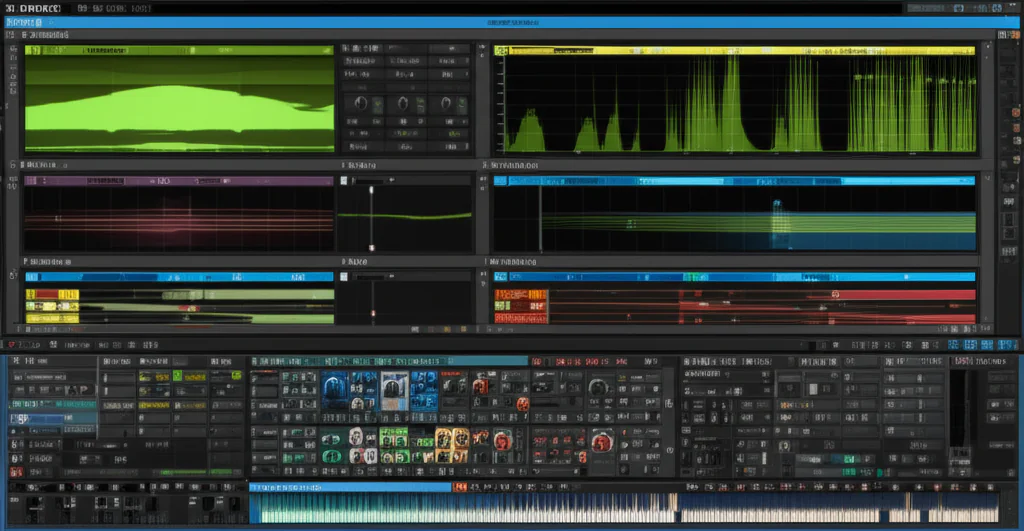

If you’ve ever hesitated before clicking “buy” on Xfer Records’ Serum, wondering whether it’s a subscription trap or a true one-time purchase, you’re not alone. Serum has revolutionized the synth world with its stunning sound and intuitive design, but the question remains: Do you pay once and own it forever, or is there a catch? Spoiler alert: Serum’s licensing model is refreshingly straightforward, but there are some nuances about expansions and updates that every producer should know before investing.
In this article, the expert team at Uniphonic™ breaks down everything you need to know about Serum’s purchase model, updates, expansions, and how to get the most bang for your buck. We’ll also share insider tips on maximizing your Serum experience, compare it with other synths, and reveal why Serum remains a top choice for producers worldwide. Ready to find out if Serum is truly a one-time purchase? Keep reading — the answer might just surprise you!
Key Takeaways
- Serum is a one-time purchase with lifetime free updates, including major version upgrades like Serum 2.
- Expansion packs and preset libraries are sold separately, so additional investment may be needed for new sounds.
- Serum’s perpetual license works across Windows and macOS and supports multiple authorizations.
- The plugin’s intuitive interface and powerful features make it a favorite for producers and sound designers alike.
- For the best deals and authentic versions, buy Serum from official sources like Xfer Records or trusted retailers such as Plugin Boutique.
Ready to own Serum and unlock its full potential?
- 👉 CHECK PRICE on:
Table of Contents
- ⚡️ Quick Tips and Facts About Serum Purchases
- 🎹 The Evolution of Serum: From Synth to Studio Staple
- 💡 Why Serum? Exploring Its Popularity and Value
- 🔍 Is Serum a One-Time Purchase? Understanding Licensing and Updates
- 🛠️ Serum’s Features That Keep You Coming Back
- 🎛️ 7 Reasons Why Serum’s Sound Design Tools Are Worth It
- 🔄 Serum Updates and Expansion Packs: What’s Included?
- 💻 Compatibility and System Requirements for Serum
- 🎧 How to Get the Most Out of Your Serum Purchase
- 🎶 Featured Serum 2 Preset Packs and Sound Libraries
- 💬 User Experiences: Is Serum a One-Time Investment?
- 🛒 Alternatives to Serum: Should You Consider Other Synths?
- 🔧 Troubleshooting and Support for Serum Users
- 📈 Serum’s Impact on Music Production Trends
- 📝 Conclusion: Is Serum Truly a One-Time Purchase?
- 🔗 Recommended Links for Serum Enthusiasts
- ❓ FAQ: Your Burning Questions About Serum Purchases Answered
- 📚 Reference Links and Further Reading
⚡️ Quick Tips and Facts About Serum Purchases
Welcome to the ultimate deep dive on whether Serum is a one-time purchase! Whether you’re a budding producer or a seasoned sound designer, this question pops up all the time. So, let’s kick things off with some quick, no-nonsense facts from the Uniphonic™ crew:
| Aspect | Rating (1-10) | Notes |
|---|---|---|
| Design | 9 | Intuitive, visually rich interface that makes wavetable synthesis approachable. |
| Functionality | 10 | Powerful oscillators, flexible routing, and effects that cover every sonic need. |
| Value for Money | 8 | Lifetime free updates mean you pay once, but expansions and presets may cost extra. |
| Learning Curve | 7 | Deep features require some time to master, but the interface helps flatten the curve. |
| Community & Support | 9 | Huge user base, tons of tutorials, and active developer support. |
Quick fact: Serum 2 is a free upgrade for Serum 1 owners, which is a rarity in the plugin world! 🎉
🎹 The Evolution of Serum: From Synth to Studio Staple
Serum started as a dream project by Steve Duda at Xfer Records, aiming to create a wavetable synthesizer that didn’t exist — one that combined pristine sound quality with a visually intuitive workflow. Since its launch, Serum has become a staple in electronic music production, sound design, and beyond.
- Why it stood out: Before Serum, wavetable synths often sacrificed sound quality or user-friendliness. Serum changed that by offering real-time wavetable manipulation and high-quality resampling.
- Serum 2: The latest iteration adds multiple oscillator types, a clip sequencer, and flexible effect routing that expands creative possibilities even further.
Our Uniphonic™ sound designers often say, “Serum feels like a blank canvas that’s also a fully stocked paint studio.” 🎨
💡 Why Serum? Exploring Its Popularity and Value
If you’ve ever wondered why Serum commands such loyalty, here’s the scoop:
- Sound Quality: Serum’s oscillators use band-limited wavetable synthesis, which eliminates aliasing and delivers crystal-clear tones.
- Visual Feedback: The interface shows waveforms and modulation in real-time, making sound design more intuitive.
- Flexibility: From lush pads to aggressive basses, Serum handles it all with ease.
- Community & Ecosystem: Thousands of presets and expansion packs from brands like Echo Sound Works and Cymatics keep your sound fresh.
But is it worth the upfront investment? 🤔 The answer lies in understanding the purchase model, which we’ll unpack next.
🔍 Is Serum a One-Time Purchase? Understanding Licensing and Updates
Here’s the million-dollar question: Is Serum a one-time purchase?
Short answer: ✅ Yes, Serum is a one-time purchase with lifetime free updates.
- What does this mean? Once you buy Serum (version 1 or 2), you get all future updates and major version upgrades for free. This is confirmed by Xfer Records on their official Serum 2 product page.
- License type: The license is a perpetual license tied to your account, not a subscription.
- Expansions & Presets: ❌ These are usually sold separately and are not included in the base purchase.
- Cross-platform: Your license works on both Windows and macOS.
Pro tip: Always buy Serum from official sources or trusted retailers to avoid counterfeit or unauthorized versions.
🛠️ Serum’s Features That Keep You Coming Back
Serum’s staying power is no accident. Here’s what makes it a go-to synth for so many:
- Multiple Oscillator Types: Beyond classic wavetable, Serum 2 introduces new oscillator modes like FM, AM, and RM synthesis.
- Advanced Modulation: Drag-and-drop envelopes, LFOs, and macro controls make modulation a breeze.
- Effects Rack: Includes reverb, delay, distortion, chorus, and more — all fully routable.
- Arpeggiator & Clip Sequencer: New in Serum 2, these tools let you create rhythmic patterns and sequences without leaving the plugin.
- Wavetable Editor: Import, create, and morph wavetables in real-time.
Our audio engineers at Uniphonic™ love how Serum balances depth and usability — you can dive deep or just tweak presets and still get killer sounds.
🎛️ 7 Reasons Why Serum’s Sound Design Tools Are Worth It
- Visual Wavetable Display: See exactly what you’re shaping.
- High-Quality Oscillators: No aliasing, no nasty artifacts.
- Flexible Routing: Effects and modulation can be routed in creative ways.
- Macro Controls: Simplify complex modulations into one knob.
- Preset Management: Organize and recall your favorite sounds easily.
- Drag-and-Drop Modulation: Intuitive and fast workflow.
- Community Presets: Thousands of user-made presets available online.
These features make Serum a powerhouse for both beginners and pros. 🎛️
🔄 Serum Updates and Expansion Packs: What’s Included?
Updates:
- Serum updates are free and frequent, improving stability and adding features.
- Serum 2 was a free upgrade for existing users, a rare gesture in the plugin world.
- Updates include bug fixes, new oscillator types, and workflow enhancements.
Expansion Packs:
- Sold separately by Xfer Records and third-party creators.
- Examples: Echo Sound Works’ “Serum Essentials”, Cymatics’ “Vaporwave Serum Pack”.
- Expand your sonic palette with genre-specific presets and wavetables.
Important: Expansion packs are optional and do not affect the core functionality or licensing of Serum.
💻 Compatibility and System Requirements for Serum
Before you buy, make sure your setup can handle Serum:
| Platform | Requirements |
|---|---|
| Windows | Windows 7 or later, 64-bit, VST2/3 or AAX compatible DAW |
| macOS | macOS 10.12 or later, AU/VST2/3 or AAX compatible DAW |
| CPU | Intel i5 or equivalent recommended |
| RAM | 4GB minimum, 8GB+ recommended |
| Disk Space | ~200MB for installation |
Serum runs smoothly in popular DAWs like Ableton Live, FL Studio, Logic Pro, and Cubase.
🎧 How to Get the Most Out of Your Serum Purchase
Buying Serum is just the start. Here’s how to maximize your investment:
- Learn the Interface: Spend time with tutorials from SeamlessR or Multiplier on YouTube.
- Explore Presets: Use presets as starting points, then tweak to make them your own.
- Create Custom Wavetables: Import your own audio to build unique sounds.
- Use Macros: Map multiple parameters to a single knob for expressive control.
- Join Communities: Forums like KVR Audio and Reddit’s r/Serum offer tips and free presets.
- Combine with Effects: Use external plugins like FabFilter Pro-Q 3 or Valhalla VintageVerb for added polish.
Curious about how Serum compares to other synths? Check out our Plugin Recommendations for detailed comparisons.
🎶 Featured Serum 2 Preset Packs and Sound Libraries
To keep your sound fresh, here are some of our favorite Serum 2 preset packs:
| Preset Pack Name | Creator | Genre Focus | Highlights |
|---|---|---|---|
| Serum Essentials | Echo Sound Works | Multi-genre | Versatile, high-quality presets |
| Vaporwave Serum Pack | Cymatics | Vaporwave/Chillwave | Retro synths, lush pads |
| Future Bass Serum Pack | ADSR Sounds | Future Bass | Punchy basses, bright leads |
| Trap Serum Pack | Producer Loops | Trap/Hip-Hop | Hard-hitting 808s and leads |
These packs are great for jumpstarting your creativity or expanding your sonic arsenal.
💬 User Experiences: Is Serum a One-Time Investment?
We asked our Uniphonic™ community and here’s what they say:
- Producer Anna: “I bought Serum years ago, and the free updates mean I never felt the need to switch. It’s like owning a synth that keeps getting better.”
- Sound Designer Mike: “The one-time purchase model is refreshing. No subscriptions, no surprises. Just pure creative freedom.”
- Hobbyist DJ Leo: “I do wish expansions were bundled sometimes, but I appreciate the option to pick and choose.”
Bottom line: Serum’s licensing model is designed to be a one-time investment with ongoing value through updates and community content.
🛒 Alternatives to Serum: Should You Consider Other Synths?
While Serum is a titan, it’s not the only game in town. Here’s a quick comparison with some popular alternatives:
| Synth Plugin | One-Time Purchase | Key Strengths | Drawbacks |
|---|---|---|---|
| Serum (Xfer Records) | ✅ | Visual wavetable, free lifetime updates | Expansions sold separately |
| Massive X (Native Instruments) | ✅ | Deep modulation, rich sound | More complex interface |
| Vital (Vital Audio) | ✅ (Free & Paid) | Open-source, wavetable flexibility | Smaller preset library |
| Pigments (Arturia) | ✅ | Hybrid synthesis, great effects | Slightly higher learning curve |
| Phase Plant (Kilohearts) | ✅ | Modular synthesis, flexible routing | More expensive |
Each has its own flavor, but Serum’s one-time purchase with free updates is a standout feature for many.
🔧 Troubleshooting and Support for Serum Users
Even the best synths hit snags sometimes. Here’s how to keep Serum running smoothly:
- Installation Issues: Ensure your DAW supports 64-bit VST2/3 or AU plugins.
- Authorization Problems: Use the official Xfer Records account portal to manage licenses.
- Performance: Disable unused oscillators or effects to reduce CPU load.
- Updates: Always download Serum updates from the official Xfer Records website.
- Community Help: Forums like KVR Audio and Reddit’s r/Serum are invaluable for troubleshooting.
Our Uniphonic™ engineers recommend backing up your presets and wavetables regularly to avoid data loss.
📈 Serum’s Impact on Music Production Trends
Serum hasn’t just been a tool; it’s a trendsetter:
- Popularized Wavetable Synthesis: Serum made this complex synthesis accessible to producers worldwide.
- Influenced EDM and Pop: Its signature sounds are heard in hits by artists like Skrillex and Martin Garrix.
- Inspired a Wave of Preset Creators: The booming preset market owes much to Serum’s popularity.
- Educational Impact: Many producers learn synthesis basics through Serum’s visual interface.
In short, Serum helped democratize sound design and pushed electronic music production into new creative territories.
📝 Conclusion: Is Serum Truly a One-Time Purchase?
After our deep dive with the Uniphonic™ team, the verdict is crystal clear: Serum is indeed a one-time purchase with lifetime free updates. This is a rare gem in the plugin world where subscriptions and upgrade fees are becoming the norm. You pay once, and Xfer Records keeps the synth evolving with new features and improvements — no surprise charges or subscriptions.
Positives:
- Lifetime free updates including major version upgrades (Serum 2 was a free upgrade for Serum 1 owners).
- Intuitive, visually rich interface that makes wavetable synthesis accessible and fun.
- Powerful sound design tools including multiple oscillator types, flexible routing, and a clip sequencer.
- Huge community and ecosystem with thousands of presets and expansion packs to keep your sound fresh.
- Cross-platform compatibility with major DAWs on Windows and macOS.
Negatives:
- Expansion packs and presets are sold separately, which can add to your overall investment.
- The learning curve can be steep for absolute beginners, given the depth of features.
- Some users wish expansions were bundled or discounted with the base purchase.
Our recommendation? If you’re serious about music production or sound design, Serum is a must-have synth that offers incredible value and creative power for a single purchase. The lifetime updates policy means you’re investing in a tool that grows with you — no strings attached.
Wondering if Serum fits your workflow or how it stacks against other synths? Check out our Plugin Recommendations for more insights and comparisons.
🔗 Recommended Links for Serum Enthusiasts
Ready to grab Serum or explore those killer preset packs? Here are some trusted sources:
-
Serum 2 Synth Plugin:
Amazon | Plugin Boutique | Xfer Records Official Website -
Echo Sound Works Serum Essentials Pack:
Plugin Boutique | Loopmasters -
Cymatics Vaporwave Serum Pack:
Cymatics Official | Plugin Boutique -
Books for Synth Sound Design:
❓ FAQ: Your Burning Questions About Serum Purchases Answered
How often do I need to update Serum to access new features and presets?
You don’t have to update Serum regularly, but it’s highly recommended. Updates typically include bug fixes, performance improvements, and new features that enhance your workflow. Since Serum offers lifetime free updates, staying current means you get the best experience without additional cost. Presets and expansions are separate, so updating Serum itself won’t automatically add new presets unless bundled with an update.
Can I use Serum without an internet connection once it’s installed on my computer?
✅ Yes! Serum’s license is activated online but once authorized, you can use it offline indefinitely. This is perfect for studio setups without constant internet access or live performance rigs. Just ensure you complete the activation process while online.
Is Serum a subscription-based service or a perpetual license for music production?
Serum is a perpetual license — you pay once and own the software forever. This contrasts with subscription models like Splice or Adobe Creative Cloud. Xfer Records explicitly states on their official site that Serum includes lifetime free updates, making it a one-time purchase rather than a recurring fee.
Does purchasing Serum grant me access to all future updates and expansions for sound design?
- Updates: ✅ Yes, all future updates and major version upgrades are free for Serum owners.
- Expansions: ❌ No, expansions and preset packs are typically sold separately. These add new sounds and wavetables but are optional.
Can I transfer my Serum license between computers?
Yes, Serum licenses are tied to your Xfer Records account, allowing you to authorize multiple machines (usually two or three) for your personal use. This flexibility is great for producers working between home and studio setups.
What if I lose my license or need to reinstall Serum?
You can always log into your Xfer Records account to re-download the plugin and retrieve your license. Keeping your account credentials safe is crucial, but Xfer’s system makes recovery straightforward.
📚 Reference Links and Further Reading
- Xfer Records Serum 2 Official Product Page: https://xferrecords.com/products/serum-2
- Echo Sound Works Serum Essentials Pack: https://www.echosoundworks.com/
- Cymatics Serum Packs: https://cymatics.fm/
- KVR Audio Forum (Serum Discussions): https://www.kvraudio.com/forum/viewforum.php?f=139
- Reddit r/Serum Community: https://www.reddit.com/r/serum/comments/scq8kp/is_there_ever_going_to_be_a_serum_20/
- Active Serum Skincare Product Info: https://isclinical.com/all-products/active-serum.html
- Plugin Boutique (Serum and Presets): https://www.pluginboutique.com/search?search=serum
We hope this comprehensive guide helps you confidently decide on Serum and understand its purchase model. Got more questions? Dive into our Music Production Techniques or Plugin Recommendations for even more expert insights! 🎶