
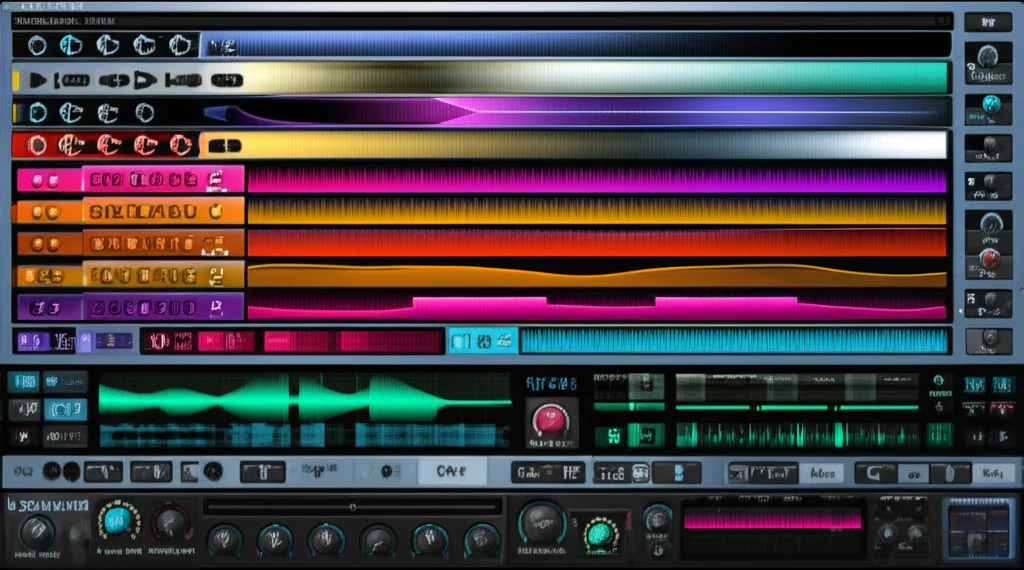

If you’ve ever wondered why Xfer Records’ Serum VST has become the go-to synth for producers worldwide, you’re in the right place. Serum isn’t just another plugin—it’s a revolutionary wavetable synthesizer that has transformed how artists craft leads, basses, pads, and effects. But what exactly makes it so special? And is it really worth the hype (and your CPU cycles)?
At Uniphonic™, we’ve spent countless hours sound designing, mixing, and producing with Serum. In this article, we’ll unpack 10 powerful ways Serum elevates your music production, from its intuitive drag-and-drop modulation to its pristine oscillators and massive preset ecosystem. Plus, we’ll share insider tips on how to tame its CPU appetite and get the most out of both the demo and full versions. Curious about how Serum stacks up against competitors like Massive X or Phase Plant? We’ve got you covered. Stick around for our expert verdict and best places to grab this sonic powerhouse.
Key Takeaways
- Serum excels at crafting versatile sounds: leads, basses, pads, plucks, and FX across genres like Dubstep, Trance, and Future Bass.
- Its visual wavetable editor and drag-and-drop modulation system make sound design intuitive and inspiring.
- The integrated FX rack and flexible routing reduce the need for external plugins, streamlining your workflow.
- Serum can be CPU-intensive, but smart voice management and freeze techniques keep your sessions smooth.
- The demo version is fully featured but limited by sound dropouts; the Splice rent-to-own plan offers full access with no upfront cost.
- A vast ecosystem of third-party presets and custom wavetables unlocks near-infinite sonic possibilities.
Ready to explore Serum’s full potential?
👉 CHECK PRICE on: Splice | Plugin Boutique | Sweetwater | Xfer Records Official Website
Table of Contents
- ⚡️ Quick Tips and Facts: Your Serum VST Snapshot
- 🎶 The Genesis of a Sonic Legend: Xfer Records’ Serum Story
- 🤔 What is Serum VST Good For? Unlocking Its Sonic Superpowers
- 🔬 A Deep Dive into Serum’s Powerhouse Features: Why It Stands Out
- The Heart of the Beast: Multiple Oscillator Types & Wavetable Synthesis
- Sculpting Sound: The Intuitive Wavetable Editor
- The Sonic Playground: Serum’s Integrated FX Rack
- Dynamic Control: The Drag-and-Drop Modulation System
- Shaping Tones: Versatile Filter Types
- Movement & Evolution: LFOs and Envelopes
- Adding Grit & Character: The Noise Oscillator
- Foundation & Weight: The Sub Oscillator
- Thickening Up Sounds: Unison & Detune Magic
- Rhythmic Innovation: The Arpeggiator & Sequencer
- ⚔️ Serum vs. The Competition: Why Xfer Serum Reigns Supreme in Wavetable Synthesis
- 🎧 Unleashing Your Creativity: Practical Applications & Sound Design Secrets with Serum
- 💻 Optimizing Performance: Serum and Your CPU – Taming the Beast
- ✅ Getting Started: Serum Demo vs. Full Version & How to Get Your Hands On It
- 📦 Expanding Your Sonic Palette: Top Serum Preset Packs & Custom Wavetables
- 🛠️ Troubleshooting Common Serum Hiccups: Our Expert Fixes
- 🔮 The Future of Synthesis: What’s Next for Xfer Records’ Serum?
- 🎉 Conclusion: Our Uniphonic™ Verdict on Xfer Serum – Is It Worth It?
- 🔗 Recommended Links: Dive Deeper into Serum Mastery!
- ❓ FAQ: Your Burning Serum Questions Answered
- 📚 Reference Links: Our Sources for Sonic Wisdom
Body
⚡️ Quick Tips and Facts: Your Serum VST Snapshot
Welcome to the Uniphonic™ deep dive! Before we surgically dissect this beast of a synth, let’s get you the cheat sheet. What’s the big deal with Xfer Records’ Serum? Here at the studio, it’s one of our go-to tools, a true desert island plugin. In fact, we’ve ranked it highly in our definitive guide to the 🎛️ The 25 Best VST Plugins to Elevate Your Music in 2025. Here’s the lowdown in a nutshell:
- What is it? Serum is a wavetable synthesizer VST plugin. Think of a wavetable as a digital flipbook of sounds. Serum lets you create, import, and manipulate these flipbooks with incredible precision.
- Who made it? It was developed by Steve Duda of Xfer Records.
- What’s it best for? ✅ Everything! Seriously. It excels at creating razor-sharp leads, earth-rumbling basses (especially for genres like Dubstep and Drum & Bass), evolving atmospheric pads, and crisp plucks. Its visual workflow makes it a sound designer’s dream.
- Visual Feedback is King: One of Serum’s most lauded features is its interface. You see exactly what you’re doing to the waveform in real-time. This makes learning synthesis not just easier, but genuinely fun.
- Modulation Master: The drag-and-drop modulation system is pure genius. Want an LFO to control a filter cutoff? Just drag the LFO’s crosshair to the cutoff knob. Done.
- FX Powerhouse: It comes loaded with a rack of 10 high-quality effects that you can reorder and modulate. This often means you don’t need to reach for another plugin to finish your sound.
- CPU Usage: 😬 It can be a bit of a resource hog, especially with high unison counts. But don’t worry, we’ll show you how to tame it later on. As one user noted on the Xfer forums, “Most CPU complaints I have found first and foremost come from heavy voice count compounded by not watching poly limits sensibly”.
- Endless Sounds: Serum comes with over 450 presets and 144 wavetables, but its real power lies in the vast universe of third-party presets and the ability to import your own audio to create custom wavetables.
- Try Before You Buy: You can test drive the full experience with a free trial through the Splice rent-to-own plan, which is a fantastic way to see if it fits your workflow.
🎶 The Genesis of a Sonic Legend: Xfer Records’ Serum Story
Every legendary piece of gear has an origin story, and Serum’s is one of passion and necessity. Before Serum stormed the production world, its creator, Steve Duda (a brilliant producer and programmer who has worked with artists like deadmau5), felt something was missing. He envisioned a “dream synthesizer that did not exist”.
What was this dream? According to Xfer Records, it was “…a wavetable synthesizer with a truly high-quality sound, visual and creative workflow-oriented interface to make creating and altering sounds fun instead of tedious…”. He wanted a synth that didn’t just sound good but felt good to use. One that invited you to twist knobs and explore sonic territory without getting lost in menus.
This philosophy is baked into Serum’s DNA. It was designed from the ground up to be both incredibly powerful for seasoned pros and visually intuitive for newcomers. The result? A plugin that redefined what we expect from a software synthesizer. It bridged the gap between complex sound design and a fast, creative workflow, a sentiment echoed by Syntorial, who noted, “Nothing on the plug-in is more than a couple of clicks away, creating a patch from scratch is incredibly fun and easy to do.” This focus on user experience is a huge part of why Serum remains a titan in the world of Hardware vs Software synthesis.
🤔 What is Serum VST Good For? Unlocking Its Sonic Superpowers
So, the million-dollar question: what is Serum actually good for? The short answer is “a heck of a lot.” The long answer is that it’s a versatile sonic chameleon that can fit into nearly any electronic music genre you can imagine. Here at Uniphonic™, we’ve used it on everything from chart-topping pop tracks to underground techno.
Let’s break down its primary strengths.
Uniphonic™ Serum VST Rating
| Feature | Rating (1-10) | Why? |
|---|---|---|
| Sound Quality | 10/10 | Pristine, clean, and powerful. The oscillators are incredibly smooth with minimal aliasing. |
| Ease of Use | 9/10 | The visual workflow is revolutionary. Minor learning curve for absolute beginners, but incredibly intuitive overall. |
| Features | 10/10 | Packed with a comprehensive suite of oscillators, filters, effects, and modulation options. A sound designer’s sandbox. |
| Versatility | 10/10 | From brutal basses to delicate pads, it can do it all. Its ability to import audio opens up limitless possibilities. |
| CPU Load | 7/10 | Its biggest drawback. High-quality sound comes at a cost, and complex patches can tax your system. |
| Value | 9/10 | A premium product with a premium feel. The rent-to-own option on Splice makes it highly accessible. |
| Overall | 9.2/10 | A modern classic and an essential tool for any serious electronic music producer. |
Crafting Cutting-Edge Leads & Melodies
This is Serum’s bread and butter. The sheer variety of wavetables, combined with the powerful unison engine, allows you to create leads that are rich, thick, and cut through a mix like a hot knife through butter. You can easily stack up to 16 unison voices, detune them, and spread them across the stereo field to create massive, professional-sounding supersaws and complex lead textures.
Designing Earth-Shattering Basslines & Sub Frequencies
If you make Dubstep, Drum & Bass, or any bass-heavy genre, Serum is practically a requirement. It’s renowned for its ability to create complex, evolving “growl” and “wobble” basses. The secret sauce? Modulating the wavetable position, filter cutoff, and distortion with LFOs to create that signature rhythmic movement. Plus, the dedicated sub-oscillator, which can be routed directly to the output, ensures your bass patches always have a solid, weighty foundation.
Evolving Pads & Atmospheric Textures
Ever wonder how producers create those lush, slowly shifting soundscapes? Serum is often the answer. By assigning a slow-moving LFO or a long envelope to the wavetable position, you can make pads that evolve and change over time, adding depth and movement to your tracks. Add in some of the gorgeous built-in Reverb and Delay from the FX rack, and you’re in atmospheric heaven.
Punchy Plucks & Arpeggiated Sequences
Need a sharp, defined pluck for a trance or progressive house track? Easy. Use a tight “plucky” envelope shape on the amplifier, and Serum delivers clean, precise transients every time. Combine this with its highly flexible arpeggiator, and you can generate intricate melodic patterns and rhythmic sequences with just a few clicks.
Unique FX, Risers, & Transitions
Serum’s flexible Noise oscillator isn’t just for adding a bit of hiss. It comes loaded with a library of organic and abstract sounds. You can use these to create your own custom risers, downlifters, and impact effects. Modulate the pitch of a noise sample with an envelope, drench it in reverb, and you’ve got a unique transition element that’s perfectly tailored to your track’s tempo and key.
Percussion & Drum Synthesis
While not its primary function, Serum is surprisingly capable as a drum synthesizer. By using the Noise oscillator’s “click” samples and tight, snappy envelopes, you can synthesize your own kicks, snares, and hi-hats. This is a fantastic technique for creating unique percussive sounds that are perfectly your own.
🔬 A Deep Dive into Serum’s Powerhouse Features: Why It Stands Out
Okay, let’s pop the hood and see what makes this engine roar. It’s not just what Serum does, but how it does it. The workflow is what elevates it from a great synth to a legendary one.
The Heart of the Beast: Multiple Oscillator Types & Wavetable Synthesis
At its core, Serum is a wavetable synthesizer. It features two identical main oscillators where the magic begins. Unlike a traditional synthesizer that might give you a handful of static shapes (sine, square, saw), a wavetable synth uses a whole series of them. Serum comes with over 150 factory wavetables, but its true power is the ability to create or import your own. You can literally drag an audio file onto the oscillator display, and Serum will convert it into a new, unique wavetable. This is a game-changer for creative sound design.
Sculpting Sound: The Intuitive Wavetable Editor
This is where you can get your hands dirty. The Wavetable Editor lets you view and edit the individual frames of your sound’s “flipbook.” You can draw your own waveforms with your mouse, process them with built-in tools, and even use mathematical formulas to generate new shapes. It’s an incredibly deep tool that allows for surgical sound sculpting.
The Sonic Playground: Serum’s Integrated FX Rack
Many synths have effects, but Serum’s FX section is like a high-quality multi-effects plugin in its own right. You get ten effects, including:
- Hyper/Dimension: For thickening and stereo width.
- Distortion: With 14 different flavors.
- Flanger, Phaser, Chorus: Classic modulation effects.
- Delay & Reverb: Essential time-based effects.
- Compressor: Including a multiband mode.
- EQ & Filter: For final tone shaping.
Crucially, you can re-order these effects by dragging them around, and nearly every parameter can be a modulation destination. This is a core part of our Music Production Techniques here at the studio—finishing the sound inside the synth itself.
Dynamic Control: The Drag-and-Drop Modulation System
This is arguably Serum’s most famous feature. Want to make the sound wobble? Grab the LFO 1 title bar, and you’ll see a little crosshair. Drag that crosshair and drop it onto the Filter Cutoff knob. A blue ring appears, showing the modulation range. It’s that simple. This visual, immediate system encourages experimentation and makes complex routing feel effortless. As Syntorial puts it, “You can modulate anything inside of Serum.”
Shaping Tones: Versatile Filter Types
Serum’s filter section is robust, with over 50 different filter types. You get all the standard low-pass, high-pass, and band-pass models you’d expect, but also more exotic types like comb filters, flanging filters, and even reverb filters that can create some truly bizarre and wonderful textures.
Movement & Evolution: LFOs and Envelopes
You get a plethora of LFOs and Envelopes to shape your sound. The LFOs go beyond simple shapes; you can use the LFO editor to draw any custom shape you can imagine, creating complex rhythmic patterns or unique modulation curves.
Adding Grit & Character: The Noise Oscillator
The Noise Oscillator is a secret weapon. It’s a sample-based oscillator that comes pre-loaded with a huge variety of noises, from classic white and pink noise to organic sounds like crackles, mic bumps, and ambient recordings. It’s perfect for adding a touch of analog feel, creating percussive transients, or layering in atmospheric textures.
Foundation & Weight: The Sub Oscillator
The Sub oscillator is a simple but essential tool for creating powerful bass. It generates a basic sine or triangle wave one or two octaves below your main oscillators, providing that deep, fundamental low-end that you can feel in your chest.
Thickening Up Sounds: Unison & Detune Magic
Each of Serum’s main oscillators has its own Unison engine. This lets you stack up to 16 copies (or “voices”) of the same waveform. You can then slightly detune them and spread them out in the stereo field. This is the key to creating those massive, wide, and professional-sounding patches that define modern electronic music.
Rhythmic Innovation: The Arpeggiator & Sequencer
With the release of Serum 2, the synth now includes a powerful arpeggiator and clip sequencer, blasting the “sonic palette wide-open”. This allows you to create intricate melodic patterns and even sequence entire musical phrases directly within the plugin, further cementing its status as an all-in-one sound design environment.
⚔️ Serum vs. The Competition: Why Xfer Serum Reigns Supreme in Wavetable Synthesis
Serum doesn’t exist in a vacuum. It has some heavyweight competitors, most notably Native Instruments’ Massive X and Kilohearts’ Phase Plant. So why do we, and so many other producers, keep coming back to Serum?
- Massive X: The successor to the legendary Massive, which arguably kicked off the whole wavetable craze. Massive X is an incredibly powerful synth with a fantastic sound. However, its workflow is more complex and less visual than Serum’s. Many users find Serum’s immediate, see-what-you-get interface faster and more inspiring to work with.
- Phase Plant: This is a modular beast. Phase Plant lets you build a synth from the ground up, piece by piece. It’s unbelievably flexible but can also lead to option paralysis. Serum strikes a perfect balance, offering immense power within a well-defined and easy-to-navigate structure.
The key takeaway? While other synths might match or even exceed Serum in specific areas, none have matched its combination of pristine sound quality, feature depth, and revolutionary visual workflow. As Syntorial aptly states, “The amount of features other developers have poached off of Xfer’s design, is testament enough, to what this plugin has been and continues to be.”
🎧 Unleashing Your Creativity: Practical Applications & Sound Design Secrets with Serum
Knowing the features is one thing; knowing how to use them to make killer sounds is another. Let’s talk about where Serum really flexes its muscles and share a few of our in-house Uniphonic™ tricks.
Genre Spotlight: Where Serum Truly Shines
While you can use it for anything, Serum is the undisputed king in several genres:
- Dubstep & Riddim: It’s the go-to for complex, metallic, talking growl basses.
- Drum & Bass: Perfect for neuro-funk basses, reeses, and cutting leads.
- Future Bass & Pop: The key to creating those huge, detuned supersaw chord stacks and bright, plucky leads.
- Trance & Progressive House: Ideal for lush pads, soaring leads, and tight arpeggios.
- Trap & Hip Hop: Great for unique 808s (by importing 808 samples as wavetables) and atmospheric melodic elements.
Uniphonic™’s Top Sound Design Tips for Serum
Want to sound like a pro? Try these tricks:
- Import Your Own Vocals: Record a short vocal phrase, like “Hey!” or a simple vowel sound. Drag that audio file into one of Serum’s oscillators. Now you have a wavetable made from your own voice! Modulate the wavetable position with an LFO to create wild, rhythmic vocal chops.
- Use the “Remap” Graph in the LFO: In the LFO tool, don’t just draw a shape. Click the “graph” icon to open the Remap graph. This lets you warp the output of your LFO shape, turning a simple triangle wave into a complex, stuttering modulation source. It’s amazing for creating glitchy effects.
- Modulate the FX: Don’t just set and forget your effects. Drag an LFO or envelope onto the Distortion Drive, the Reverb Size, or the Delay Feedback. This adds movement and life to your patches, making them sound less static and more organic.
- Create Your Own Risers: Open the Noise oscillator and load a simple white noise sample. Go to the Matrix tab and set an Envelope as the source and “Master Tune” as the destination. Set the envelope to have a long attack (a few seconds). Now when you press a key, the pitch of the noise will rise, creating a perfect custom riser for your track.
For more ideas, check out the video from producer Big Z embedded above, titled “Why Serum Is No Longer My Favorite Synth…” (Link: #featured-video). It offers a great perspective on how top-level producers use (and sometimes move on from) tools like Serum.
💻 Optimizing Performance: Serum and Your CPU – Taming the Beast
Let’s address the elephant in the room: Serum can be demanding on your computer’s processor (CPU). That high-quality sound engine doesn’t come for free. We’ve all been there—you’re in the zone, you add one more Serum patch with 16 unison voices, and suddenly your project starts crackling and sputtering. 😱
But fear not! Here’s how you can manage Serum’s CPU hit, based on our experience and advice directly from the developers.
- Watch Your Voices: This is the #1 culprit. Look at the bottom-right corner of Serum. You’ll see a voice count. A single note on a patch with 8 unison voices on both oscillators is already using 16 voices. If you play a four-note chord, that’s 64 voices! Be mindful. Do you really need 16 unison voices? Often, 5 or 7 sounds just as good in the mix and saves a ton of CPU.
- Use the Draft Quality Mode: In the Global tab, you can lower the quality setting from the pristine (but demanding) “4x” down to “2x” or “1x”. This significantly reduces CPU load while you’re writing and arranging. You can always switch it back to 4x for your final export.
- Freeze and Flatten: This is a core production technique. Once you’re happy with a Serum track, bounce it to audio. This “freezes” the sound, replacing the live plugin with a simple audio file, which uses virtually no CPU. This is especially crucial for chord parts or dense layers. As one user on the Xfer forums wisely stated, “My general rule is to freeze chord parts.”
- Check Your FX: Some of Serum’s built-in effects, like the Reverb, can be CPU-intensive. If you have a complex patch that’s pushing your system, try disabling the internal effects and using a send/bus in your DAW for reverb instead.
By following these steps, you can enjoy Serum’s incredible sound without bringing your computer to its knees.
✅ Getting Started: Serum Demo vs. Full Version & How to Get Your Hands On It
Ready to jump in? Getting started with Serum is straightforward. The most common question we get is about the demo versus the full version.
The official demo from the Xfer Records website is fully functional but has one key restriction: it cuts out the sound intermittently every 20 minutes. This is to prevent it from being used in finished projects while still allowing you to explore every single feature.
However, there’s a better way to try it: the Splice Rent-to-Own plan. This is, in our opinion, one of the best things to happen to music software.
- How it works: You pay a small monthly fee. As long as you’re paying, you have access to the full, unrestricted version of Serum. After a set number of payments, you own it for life. You can pause or cancel at any time.
- The benefit: It makes a professional-grade tool incredibly accessible. Plus, as the Xfer forums mention, “You can try the full version free for three days with the Splice rent to own plan if you want an exact test.”
This means you can fully integrate it into your projects and see if it’s right for you without a large upfront investment.
Ready to grab it?
- 👉 CHECK PRICE on: Splice | Plugin Boutique | Sweetwater | Xfer Records Official Website
📦 Expanding Your Sonic Palette: Top Serum Preset Packs & Custom Wavetables
While Serum’s factory library is excellent, the real fun begins when you explore the vast ecosystem of third-party content. This is where Serum truly becomes an infinite synthesizer. There are thousands of preset packs available, tailored to every genre imaginable. This is a fantastic way to get amazing sounds instantly and to reverse-engineer how top sound designers create their patches.
Some of our favorite sources for high-quality Serum presets include:
- Splice Sounds: An enormous library of presets from top artists and labels, all integrated into the Splice platform.
- Loopmasters: A long-standing and reputable source for sample packs and synth presets.
- Cymatics.fm: Known for their high-energy packs, especially for genres like Dubstep and Trap.
Beyond presets, you can also find countless custom wavetable packs. These are collections of new “flipbooks” for your oscillators, giving you entirely new raw sonic material to work with. You can find wavetables made from vintage hardware synths, acoustic instruments, and all sorts of experimental sources. Many of our own Reason Sounds have been sampled and turned into custom wavetables for Serum!
🛠️ Troubleshooting Common Serum Hiccups: Our Expert Fixes
Even the best software can have its quirks. Here are a few common issues we’ve helped producers solve with Serum:
- Problem: “My bass sounds weak and has no low-end.”
- Solution: ✅ Check the Sub oscillator! Make sure it’s turned on (the little square button next to its name should be blue). Also, check that its “Direct Out” button isn’t engaged unless you specifically want to bypass the main filter and effects, which can sometimes thin out the sound.
- Problem: “Serum isn’t showing up in my DAW.”
- Solution: ✅ This is usually a plugin installation path issue. When you install Serum, make sure you point it to the correct VST plugin folder that your DAW is set to scan. If you’ve already installed it, re-run the installer and pay close attention to the destination folder path.
- Problem: “My sound is clicking or has weird artifacts.”
- Solution: ✅ This can often be fixed by adjusting the envelope attack and release times. If the attack is at absolute zero, you can get a click at the start of the note. Add just 1-2 milliseconds of attack time. Similarly, a very short release can cause a click at the end. Also, check the “Random” phase knob on the oscillators; setting it to zero ensures the waveform starts at the same point every time, which can reduce inconsistencies.
🔮 The Future of Synthesis: What’s Next for Xfer Records’ Serum?
What does the future hold? Serum 2. Xfer Records has officially announced that Serum 2 is in development and, most excitingly, it will be a free upgrade for all existing Serum owners. This commitment to “lifetime free updates” is a testament to the company’s pro-consumer stance.
According to Xfer, the goal with Serum 2 is to “empower Serum users to fully realize their sound and music ideas into form.” It promises to blast the sonic palette “wide-open” with even more power, control, and expression. While full details are still under wraps, we can expect enhancements to the core engine, more oscillator types, and even more flexible routing and sequencing options. The king isn’t just resting on its throne; it’s preparing to extend its reign.
🎉 Conclusion: Our Uniphonic™ Verdict on Xfer Serum – Is It Worth It?
After our deep dive into Serum’s sonic universe, it’s clear why this plugin has become a staple in studios worldwide. From pristine wavetable oscillators to an intuitive drag-and-drop modulation system, Serum delivers unmatched sound quality and creative freedom. It’s a powerhouse for crafting everything from razor-sharp leads to earth-shaking basses and lush evolving pads. The integrated effects rack and flexible routing make it a one-stop sound design shop.
Positives:
✅ Exceptional sound quality with ultra-clean oscillators and smooth filters.
✅ Visual, workflow-focused interface that makes synthesis fun and accessible.
✅ Extensive modulation options with drag-and-drop ease.
✅ Powerful FX rack that reduces the need for external plugins.
✅ Massive preset and wavetable ecosystem, plus the ability to import your own audio.
✅ Regular free updates and Serum 2 on the horizon, promising even more features.
Negatives:
❌ CPU intensive, especially with high unison and complex patches.
❌ The GUI, while functional, may feel slightly dated to some users.
❌ Steeper learning curve for absolute beginners (though mitigated by the visual feedback).
Our Take: If you’re serious about music production and sound design, Serum is an essential investment. Its versatility spans genres and styles, and its sonic capabilities are nearly limitless. The CPU demands are manageable with sensible voice count and freezing techniques. Plus, the rent-to-own option on Splice makes it accessible to producers at all levels.
Remember that unresolved curiosity about how Serum’s visual workflow changes your approach to synthesis? Once you try it, you’ll find yourself experimenting more, learning faster, and ultimately creating sounds that truly stand out.
🔗 Recommended Links: Dive Deeper into Serum Mastery!
👉 Shop Serum VST on:
Top Serum Preset Packs:
Books to Master Synthesis and Sound Design:
- “Sound Design: The Expressive Power of Music, Voice and Sound Effects in Cinema” by David Sonnenschein — Amazon Link
- “Welsh’s Synthesizer Cookbook” by Fred Welsh — Amazon Link
- “The Synthesizer: A Comprehensive Guide to Understanding, Programming, Playing, and Recording the Ultimate Electronic Music Instrument” by Mark Vail — Amazon Link
❓ FAQ: Your Burning Serum Questions Answered
What are the best Serum VST presets for music production?
The “best” presets depend on your genre and style, but some standout collections include Cymatics’ genre-specific packs (Trap, Dubstep, Future Bass), Splice’s curated presets by top producers, and Loopmasters’ extensive libraries. These packs often include expertly crafted leads, basses, pads, and FX that can jumpstart your creativity or serve as templates for learning sound design. We recommend starting with the factory presets to understand Serum’s architecture, then expanding with third-party packs to diversify your palette.
How do I use Serum VST to create unique sound designs?
Serum’s power lies in its wavetable editor and modulation system. Start by importing your own audio samples to create custom wavetables — this instantly gives you unique sonic material. Use the drag-and-drop modulation to assign LFOs and envelopes to parameters like wavetable position, filter cutoff, and FX controls. Experiment with the noise oscillator and sub-oscillator to add texture and weight. Layer effects such as distortion and reverb, modulated over time, for evolving sounds. Our tip: use the LFO remap graph to create complex rhythmic modulations that breathe life into your patches.
What are the key features of Serum VST that make it popular among music producers?
Serum’s popularity stems from a combination of high-quality sound, intuitive visual workflow, and extensive modulation capabilities. The real-time wavetable display lets you see exactly what you’re doing, making synthesis more accessible. Its drag-and-drop modulation system is a game-changer for creative experimentation. The integrated FX rack allows for complete sound shaping without leaving the plugin. Plus, the ability to import audio files as wavetables opens endless creative doors. The community and ecosystem of presets and wavetables further amplify its appeal.
Can I use Serum VST to create synth sounds for various music genres, such as techno and trance?
Absolutely! Serum is a genre-agnostic powerhouse. Its flexibility allows you to craft the sharp, driving leads and lush pads typical of trance, as well as the gritty, evolving textures favored in techno. By adjusting modulation rates, filter types, and effects, you can tailor sounds to fit any style. The arpeggiator and sequencer introduced in Serum 2 further enhance its suitability for rhythmically complex genres. Whether you want classic analog emulations or futuristic digital timbres, Serum can deliver.
How does Serum’s CPU usage compare to other wavetable synths, and how can I optimize it?
Serum is known for its high-quality sound engine, which is more CPU-intensive than some competitors like Massive X or Phase Plant. However, it is generally more efficient than many other high-end wavetable synths. To optimize CPU usage, limit unison voices, use draft quality mode during production, and freeze or bounce tracks with heavy Serum patches. Avoid stacking multiple Serum instances with maximum voices unless you have a powerful CPU. These strategies help maintain smooth workflow without sacrificing sound quality.
Is Serum suitable for beginners, or is it better for advanced producers?
While Serum offers deep sound design capabilities that appeal to advanced users, its visual and intuitive interface makes it surprisingly accessible for beginners. The real-time waveform display and drag-and-drop modulation reduce the intimidation factor common in complex synths. Beginners can start by tweaking presets and gradually explore creating patches from scratch. For those wanting structured learning, resources like Syntorial’s Serum lessons provide excellent guided training.
📚 Reference Links: Our Sources for Sonic Wisdom
- Xfer Records Official Serum Product Page
- Syntorial’s Serum Review and Highlights
- XferRecords.com Forums: Serum CPU and Demo vs Full Version
- Native Instruments Massive X
- Kilohearts Phase Plant
- Splice Sounds – Serum Presets
- Loopmasters – Serum Presets
- Cymatics – Serum Preset Packs
Thanks for joining us on this sonic journey! If you want to explore more about synthesis, sound design, and plugin recommendations, check out our Plugin Recommendations and Music Production Techniques categories. Happy producing! 🎶