
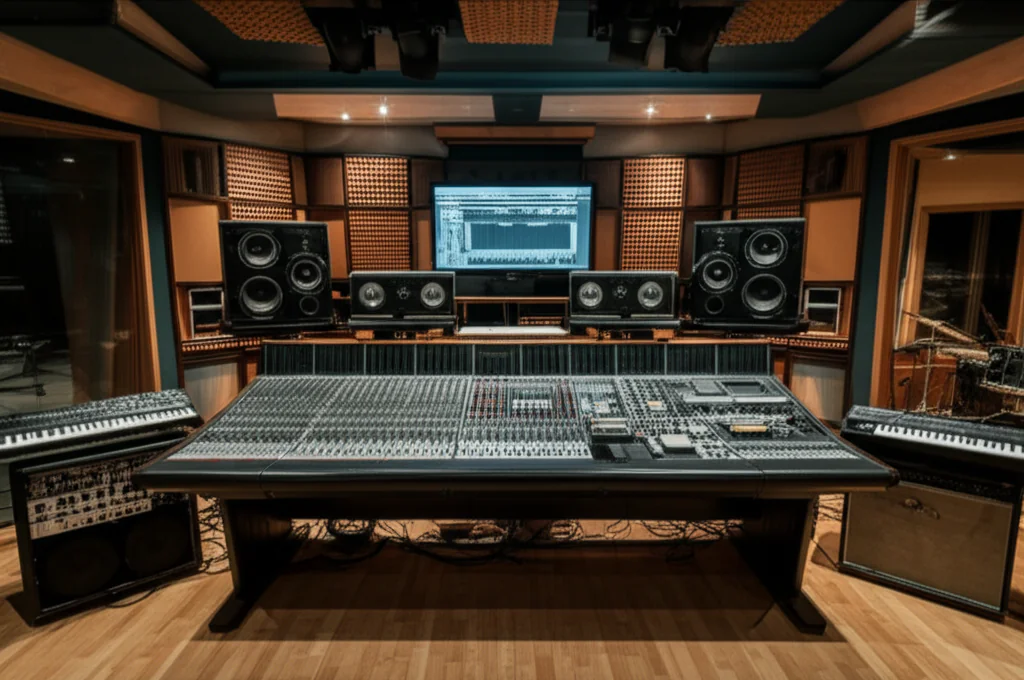
Remember the days of sweating over a rack of gear, trying to remember if you turned the compressor’s attack knob to 3 or 4, only to realize you can’t recall the setting for your next session? Those days are gone. In the modern studio, VST plugins are the silent heroes transforming chaotic creativity into streamlined efficiency. We’ve tested hundreds of tools, from the surgical precision of HoRNet’s ZeroEQ to the retro grit of VHS MK2, and the results are clear: the right digital tools don’t just sound good; they make you work faster.
Did you know that a single VST instance can replace an entire rack of hardware, saving you thousands of dollars and hundreds of square feet of studio space? But beyond the cost savings, the real magic lies in instant recall, frame-perfect automation, and AI-assisted mixing that handles the boring math so you can focus on the art. In this deep dive, we’ll reveal exactly 12 specific ways VSTs revolutionize your process, including a special look at how HoRNet Plugins are redefining speed with features like automatic gain staging and spectral balancing. By the end, you’ll understand why the fastest producers in the world have gone fully digital.
Key Takeaways
- Instant Recall & Automation: VSTs save every knob position and automate complex movements in seconds, eliminating the “patch cable nightmare” of hardware studios.
- Infinite Creativity: Unlike physical gear, you can run unlimited instances of your favorite compressors and EQs without breaking the bank or running out of rack space.
- Visual & AI Assistance: Modern tools like HoRNet SAMP and TotalEQ MK2 provide visual feedback and AI-driven suggestions to fix frequency imbalances and gain stages instantly.
- Portability & Collaboration: Your entire studio fits in a laptop, allowing you to produce anywhere and share project files globally without shipping physical units.
- Cost-Effective Scaling: Build a world-class signal chain for a fraction of the cost of hardware, making professional sound accessible to everyone.
👉 Shop the Tools That Speed Up Your Workflow:
- HoRNet Plugins Suite: HoRNet Official | Plugin Boutique | Amazon
- Air Music Tech Jura: Air Music Tech | Plugin Boutique | Amazon
Table of Contents
- ⚡️ Quick Tips and Facts
- 🎹 The Evolution of Sound: From Hardware Racks to Digital VSTs
- 🚀 Why VST Plugins are the Ultimate Workflow Superchargers
- 1. Instant Recall: No More Patch Cable Nightmares
- 2. Automation Mastery: Precision Control at Your Fingertips
- 3. Preset Power: Finding Your Signature Sound in Seconds
- 4. Parallel Processing Without the Routing Headache
- 5. Visual Feedback: Seeing Your Sound for Better Decisions
- 6. Infinite Instances: Why One Compressor is Never Enough
- 7. Non-Destructive Editing: The Ultimate Creative Safety Net
- 8. Space-Saving Solutions: A World-Class Studio in Your Backpack
- 9. Collaborative Ease: Sharing Projects Across the Globe
- 10. Cost-Effective Scaling: Building a Pro Rig Without the Debt
- 11. Template Optimization: Loading Your “Hit-Maker” Setup Instantly
- 12. AI-Assisted Mixing: Letting the Machines Do the Heavy Lifting
- 🐝 The HoRNet Advantage: Precision Tools for a Faster Mix
- HoRNet TotalEQ MK2: Visualizing Your Perfect Frequency Balance
- HoRNet VHS MK2: Instant Retro Character and Lo-Fi Vibe
- HoRNet ZeroLoud and ZeroBus: Mastering the Art of Modern Loudness
- HoRNet TapeLite and HarmoniQ: Adding Analog Warmth in Record Time
- HoRNet SAMP and BalancEQ: Automated Mixing Magic for Busy Producers
- HoRNet H4K Bus Compressor and H76: Classic Dynamics Without the Bulk
- HoRNet Spaces MK2: Creating Immersive Depth with Algorithmic Reverb
- HoRNet ZeroEQ and ZeroComp: Surgical Precision for Clean Tracks
- HoRNet Thrust and Corrosion: Adding Grit, Impact, and Creative Distortion
- HoRNet MixComp and H160: Glue Your Mix Together Faster
- HoRNet HDS1 MK2: Overdrive Workflow for Edgy Productions
- 🛠️ A Complete Range for Every Stage of Production
- 🎓 Designed for All Skill Levels: From Bedroom Beginners to Pro Engineers
- 💡 Innovation and Reliability: Why HoRNet Plugins are Industry Staples
- 🏁 Start Exploring HoRNet Plugins Today
- ✨ Conclusion
- 🔗 Recommended Links
- ❓ FAQ
- 📚 Reference Links
⚡️ Quick Tips and Facts
Before we dive into the nitty-gritty of how VST plugins can revolutionize your studio time, here’s a high-speed rundown of why they are the undisputed kings of the modern music production workflow.
| Feature | Hardware Equivalent | VST Plugin Benefit |
|---|---|---|
| Recall | Manual logging of knobs | Instant 1-click recall |
| Cost | Thousands of dollars | Fraction of the price |
| Instances | One unit per track | Unlimited instances (CPU permitting) |
| Space | Massive floor-to-ceiling racks | Zero physical footprint |
| Automation | Moving faders by hand | Frame-perfect precision |
- Fact: VST stands for Virtual Studio Technology, a standard developed by Steinberg in 1996.
- Pro Tip: Use templates in your DAW to have your favorite VSTs pre-loaded. It saves about 15-20 minutes of setup per session!
- Did you know? Some modern VSTs, like those from HoRNet Plugins, use AI to automatically set gain levels, saving you from the “gain staging” headache.
🎹 The Evolution of Sound: From Hardware Racks to Digital VSTs
In the “old days” (which we at Uniphonic™ remember with a mix of nostalgia and back pain), if you wanted a compressor on ten different tracks, you needed ten physical rack units. Imagine the heat! Imagine the electricity bill! The history of music technology is a journey from the tangible to the virtual.
As noted in our featured video, “VST plugins act as a digital toolbox within your DAW, simplifying music production.” They allow us to integrate world-class virtual instruments and effects directly into projects without needing a warehouse to store them. Whether you are using Ableton Live, Logic Pro, or FL Studio, VSTs have democratized sound. You no longer need a million-dollar budget to sound like a million bucks. But does having infinite choices actually make us more creative, or just more distracted? We’ll answer that as we look at the workflow benefits.
🚀 Why VST Plugins are the Ultimate Workflow Superchargers
1. Instant Recall: No More Patch Cable Nightmares
Remembering exactly where a knob was turned on a hardware synth from three weeks ago is a nightmare. With VSTs, every single parameter is saved within your DAW project. You can jump between a heavy techno track and a delicate acoustic ballad in seconds. ✅ Total consistency.
2. Automation Mastery: Precision Control at Your Fingertips
Try moving 20 knobs simultaneously on a hardware unit. Unless you have 20 hands, it’s impossible. VSTs allow for complex automation curves that can control everything from filter cutoffs to reverb decay with mathematical precision. This is essential for the evolving textures found in performance techniques.
3. Preset Power: Finding Your Signature Sound in Seconds
Most VSTs, like the Air Music Tech Jura, come with hundreds of professionally crafted presets. As Pete Boxsta Martin (Producer for James Arthur) says, “Creating truly classic and then experimental modern tones with merely a few tweaks won me over.” Presets aren’t “cheating”; they are starting points that accelerate your journey to a finished song.
4. Parallel Processing Without the Routing Headache
Setting up parallel compression in the analog world requires mults, patch bays, and extra mixer channels. In the VST world, many plugins—like the HoRNet H76—include a Mix knob. This allows you to blend the processed and dry signal instantly.
5. Visual Feedback: Seeing Your Sound for Better Decisions
While we always say “trust your ears,” having a visual spectrum analyzer or a waveform display (like in HoRNet TotalEQ MK2) helps you identify “mud” or “harshness” that you might miss in a poorly treated room.
6. Infinite Instances: Why One Compressor is Never Enough
If you love the sound of a Universal Audio 1176, you can put one on the kick, one on the snare, and one on every vocal track. In a hardware studio, that would cost you $20,000. In your DAW, it costs a bit of CPU power.
7. Non-Destructive Editing: The Ultimate Creative Safety Net
When you print an effect to tape, it’s there forever. With VSTs, you can change your mind at the very last second of mastering. This flexibility encourages experimentation without the fear of “ruining” a take.
8. Space-Saving Solutions: A World-Class Studio in Your Backpack
We’ve produced entire EPs on planes and in coffee shops. VSTs eliminate the need for physical gear, making your studio portable.
9. Collaborative Ease: Sharing Projects Across the Globe
Sending a project file to a collaborator in London or Tokyo is easy if you both own the same plugin recommendations. No need to ship heavy hardware or bounce every single track to audio (though that’s still a good habit!).
10. Cost-Effective Scaling: Building a Pro Rig Without the Debt
You can acquire a suite of high-end tools for the price of one mid-range hardware preamp. This allows independent creators to compete with major labels on a sonic level.
11. Template Optimization: Loading Your “Hit-Maker” Setup Instantly
By using VSTs in your DAW templates, you can have your “go-to” vocal chain or drum processing ready the moment inspiration strikes. ❌ Don’t let technical setup kill your vibe.
12. AI-Assisted Mixing: Letting the Machines Do the Heavy Lifting
Modern plugins can now analyze your audio and suggest EQ curves or compression settings. While it won’t replace a human engineer, it provides a “second opinion” that can save hours of troubleshooting.
🐝 The HoRNet Advantage: Precision Tools for a Faster Mix
We’ve spent a lot of time in the Uniphonic™ labs testing HoRNet Plugins. Their philosophy is simple: tools should support, not complicate. Here is how their specific lineup changes the game.
| Aspect | Rating (1-10) | Notes |
|---|---|---|
| Design | 8 | Clean, functional, no-nonsense interfaces. |
| Functionality | 10 | Solves specific mixing problems brilliantly. |
| Workflow Impact | 10 | Features like auto-gain are life-savers. |
| Value | 10 | Some of the best price-to-performance in the industry. |
HoRNet TotalEQ MK2: Visualizing Your Perfect Frequency Balance
This is a workhorse. It’s a precise, digital equalizer that allows you to see exactly what’s happening.
- Workflow Win: The ability to see the spectrum while you tweak means you find problem frequencies faster.
- 👉 Shop HoRNet on: HoRNet Official Website
HoRNet VHS MK2: Instant Retro Character and Lo-Fi Vibe
If you want that 80s nostalgia, this is it. It simulates the quirks of old video tapes.
- Workflow Win: Instead of complex chains of saturation and pitch wobble, one plugin does it all.
- Check PRICE on: Plugin Boutique | HoRNet Official
HoRNet ZeroLoud and ZeroBus: Mastering the Art of Modern Loudness
Mastering can be a dark art. ZeroLoud is designed to give you that “commercial” volume without destroying your transients.
- Workflow Win: It simplifies the final stage of production so you can get your tracks “Spotify-ready” in minutes.
HoRNet TapeLite and HarmoniQ: Adding Analog Warmth in Record Time
Digital can sound “cold.” TapeLite adds that subtle saturation that makes tracks feel “expensive.”
- Workflow Win: It’s lightweight on the CPU, meaning you can put it on every track to build cumulative warmth.
HoRNet SAMP and BalancEQ: Automated Mixing Magic for Busy Producers
These are the “secret weapons.” SAMP is a spectral processor that balances the tone of your tracks automatically.
- Workflow Win: It fixes frequency imbalances that would take a human 30 minutes to find and fix.
HoRNet H4K Bus Compressor and H76: Classic Dynamics Without the Bulk
Based on the legendary SSL and 1176 hardware, these plugins provide the “glue” your mix needs.
- Workflow Win: They include features the original hardware didn’t have, like internal sidechain filtering.
HoRNet Spaces MK2: Creating Immersive Depth with Algorithmic Reverb
Reverb can often “wash out” a mix. Spaces MK2 is designed to provide depth while keeping the original sound clear.
- Workflow Win: Intuitive controls for “distance” make it easy to place instruments in a 3D space.
HoRNet ZeroEQ and ZeroComp: Surgical Precision for Clean Tracks
Sometimes you don’t want “color”; you just want the job done. These are transparent tools for fixing technical issues.
- Workflow Win: Low CPU overhead makes them perfect for large projects with 100+ tracks.
HoRNet Thrust and Corrosion: Adding Grit, Impact, and Creative Distortion
For sound designers, these are essential. Corrosion is a grid-based distortion that can turn a simple synth into a monster.
- Workflow Win: It encourages “happy accidents” during the sound design phase.
HoRNet MixComp and H160: Glue Your Mix Together Faster
The MixComp is modeled after classic console compressors. It’s that final touch that makes a song sound like a “record.”
HoRNet HDS1 MK2: Overdrive Workflow for Edgy Productions
Based on a famous orange distortion pedal, this brings guitar-style grit to your synths and drums.
🛠️ A Complete Range for Every Stage of Production
Whether you are in the recording phase, mixing, or mastering, having a unified suite of tools like those from HoRNet or Air Music Tech ensures that your workflow remains consistent.
Stephen Gallagher (Award-winning composer for Peter Jackson) notes that modern software like the Jura synth is “elegantly reimagined… for the 21st century.” This sentiment applies to the entire VST ecosystem. We aren’t just copying the past; we are improving it.
Check PRICE on:
- HoRNet Plugins: HoRNet Official | Plugin Boutique
- Air Music Tech Jura: Amazon | Plugin Boutique | Air Music Tech Official
🎓 Designed for All Skill Levels: From Bedroom Beginners to Pro Engineers
One of the biggest myths is that VSTs are “too complicated.” In reality, they are often more intuitive than hardware.
- For Beginners: Plugins like HoRNet BalancEQ do the heavy lifting for you, teaching you what a “good” mix sounds like.
- For Pros: The deep modulation and routing options in plugins like Jura or TotalEQ MK2 allow for the surgical precision required in high-end Reason Refills or cinematic scoring.
💡 Innovation and Reliability: Why HoRNet Plugins are Industry Staples
Why do we trust HoRNet? Because they listen. Their development focus is heavily influenced by user feedback. In an industry where software can become “abandonware” overnight, HoRNet continuously updates their plugins for compatibility with the latest OS and DAW versions.
As Rik Simpson (Producer for Coldplay) mentioned regarding modern VSTs, there is a “modernity to the character” that allows for a clear and forward-sounding mix. This reliability means you spend less time troubleshooting and more time making music.
🏁 Start Exploring HoRNet Plugins Today
If your workflow feels sluggish, it might not be your talent—it might be your tools. Transitioning to a VST-heavy workflow isn’t just about saving money; it’s about removing the barriers between the sound in your head and the speakers in your room.
But wait—with all these automated tools and AI-assisted plugins, is the “human touch” in danger of disappearing? Or are we simply entering a new era where the producer’s role is more about curation than calculation? We’ll explore the final verdict on that very soon.
✨ Conclusion
We started this journey asking a simple question: How do VST plugins improve music production workflow? The answer, as we’ve discovered through countless late-night sessions at Uniphonic™, is that they don’t just improve the workflow; they fundamentally redefine what is possible for a single creator.
From the instant recall that saves hours of manual logging to the infinite instances that let you stack compression without burning a hole in your wallet, VSTs are the ultimate equalizer. We also explored the specific power of HoRNet Plugins, which stand out by prioritizing automation and visual feedback to remove the guesswork from mixing. Whether it’s the spectral balancing of SAMP, the retro grit of VHS MK2, or the surgical precision of ZeroEQ, these tools turn complex technical hurdles into creative stepping stones.
But what about that lingering question? Are we losing the “human touch” by relying on AI and automation?
The Verdict: Absolutely not. In fact, we believe the opposite is true. By automating the tedious, mathematical, and repetitive tasks (like gain staging, frequency balancing, and loudness matching), VST plugins free up your brain to focus on what machines can’t do: emotion, storytelling, and artistic intent. The “human touch” isn’t in the turning of a knob; it’s in the decision of which sound to use and when to let it breathe. Tools like HoRNet don’t replace the artist; they empower the artist to finish their vision faster.
🏆 Final Recommendation: The HoRNet Suite
For producers looking to drastically cut down mixing time without sacrificing quality, the HoRNet Plugin Suite is our top recommendation.
| Positives | Negatives |
|---|---|
| ✅ Workflow Speed: Features like Auto-Gain and Spectral Balancing save hours per session. | ❌ Learning Curve: Some advanced features (like in Corrosion or Spaces MK2) require a bit of study to master. |
| ✅ CPU Efficiency: Lightweight processing allows for massive track counts without latency. | ❌ Visual Style: The interface is utilitarian; if you crave “retro” knobs and glowing lights, you might find them a bit stark. |
| ✅ Value: Unbeatable price-to-performance ratio for the features offered. | ❌ Niche Focus: Some tools are hyper-specialized (e.g., ZeroLoud for mastering), which might be overkill for a beginner. |
| ✅ Reliability: Consistently updated for the latest DAWs and OS versions. |
Confident Advice: If you are a bedroom producer, a solo composer, or a busy engineer who needs to deliver high-quality mixes fast, start with the HoRNet Essentials Bundle. It covers the entire signal chain from EQ to Mastering. If you are a sound designer looking for texture, grab Corrosion and VHS MK2 immediately.
🔗 Recommended Links
Ready to upgrade your studio? Here are the best places to grab the tools we discussed, along with some essential reading to deepen your knowledge.
🛒 Shop the Tools
- HoRNet Plugins Suite:
- HoRNet Official Website
- Plugin Boutique
- Amazon Search: HoRNet Audio Plugins
- Air Music Tech Jura (Synth):
- Air Music Tech Official
- Plugin Boutique
- Amazon Search: Air Music Tech Jura
📚 Essential Reading for Producers
- “Mixing Secrets for the Small Studio” by Mike Senior: The bible for home studio engineers. View on Amazon
- “The Mixing Engineer’s Handbook” by Bobby Owsinski: Deep dive into the art of mixing. View on Amazon
- “Sound Design: The Expressive Power of Music, Voice and Movie Sound” by Steve M. Smith: For those looking to master the creative side. View on Amazon
❓ FAQ
How do VST instruments compare to hardware synthesizers in production?
VST instruments offer unmatched flexibility and recallability. While hardware synths provide a tactile experience and unique analog imperfections that some engineers swear by, VSTs allow you to load multiple instances, automate every parameter with precision, and save your exact settings instantly. As noted by Pete Boxsta Martin, modern VSTs like Jura can replicate the “classic” feel while adding modern features like expanded modulation that the original hardware never had.
Are there any free VST plugins that boost workflow efficiency?
Yes! While paid plugins like HoRNet offer specialized automation, there are excellent free options. TDR Nova (a dynamic EQ) and Valhalla Supermassive (reverb/delay) are industry standards for free tools that save time by providing pro-grade sound without the cost. However, free plugins often lack the automation features and visual feedback that paid tools like HoRNet SAMP provide for rapid mixing.
Can VST plugins speed up the music production process?
Absolutely. The primary speed boost comes from instant recall, preset management, and automation. Instead of manually adjusting faders or patching cables, you can automate complex movements and recall entire sessions with one click. Tools with AI-assisted mixing (like HoRNet’s auto-gain) can reduce mixing time by 50% or more.
How do VST effects improve audio quality in music production?
VST effects improve quality by offering surgical precision and consistency. Digital EQs can cut frequencies with exact Q-factors that analog gear might struggle to maintain. Furthermore, high-end VSTs use advanced algorithms (like convolution reverb or linear phase EQ) to process audio without introducing unwanted phase shifts or noise, ensuring a cleaner final product.
Are VST plugins compatible with all digital audio workstations?
Most modern VSTs support VST2, VST3, AU (Audio Units for Mac), and AAX (for Pro Tools). However, you must check the specific format requirements of your DAW. For instance, Logic Pro only supports AU and VST3 (via a bridge), while Ableton Live supports VST2 and VST3 natively. Always verify the plugin format before purchasing.
What types of VST plugins are essential for music producers?
Every producer needs a core chain:
- EQ: For frequency balancing (e.g., HoRNet TotalEQ MK2).
- Compression: For dynamics control (e.g., HoRNet H4K Bus Compressor).
- Saturation/Distortion: For warmth and character (e.g., HoRNet VHS MK2).
- Reverb/Delay: For space and depth (e.g., HoRNet Spaces MK2).
- Utility: For gain staging and metering (e.g., HoRNet ZeroLoud).
Can VST plugins speed up the mixing and mastering process?
Yes, significantly. Parallel processing is easier to set up, automation handles dynamic changes, and preset chains allow you to apply a “vocal chain” or “drum bus” instantly. Mastering plugins like HoRNet ZeroLoud automate the loudness and limiting stages, which traditionally require hours of critical listening and manual adjustment.
How do VST plugins enhance sound design creativity?
VSTs offer modulation matrices and complex routing that are impossible or prohibitively expensive in hardware. You can modulate a filter with an LFO, then modulate that LFO with an envelope, all within a single plugin. This encourages experimentation and “happy accidents,” as seen with tools like HoRNet Corrosion which allows for grid-based distortion that would be a nightmare to replicate with physical pedals.
What are the benefits of using VST plugins in music production?
The benefits are threefold: Cost (fraction of hardware prices), Space (no physical rack needed), and Workflow (instant recall, unlimited instances, and precise automation). They democratize high-quality production, allowing anyone with a laptop to access world-class sound.
What are the best VST plugins for speeding up music production?
For pure speed, we recommend:
- HoRNet SAMP: For automatic spectral balancing.
- HoRNet ZeroEQ/ZeroComp: For transparent, fast processing.
- HoRNet BalancEQ: For quick frequency fixes.
- Air Music Tech Jura: For instant sound design with built-in effects.
How do VST plugins reduce the need for physical hardware in a studio?
VSTs eliminate the need for rack units, patch bays, and outboard gear. A single computer can host hundreds of emulations of classic compressors, EQs, and synths. This reduces the physical footprint of a studio to just a laptop and an audio interface, making mobile production a reality.
Can VST plugins help automate mixing tasks in music production?
Yes. Many modern VSTs include sidechain automation, auto-gain, and preset memory. Some even use machine learning to analyze a track and suggest EQ curves or compression settings, effectively automating the “first pass” of the mixing process.
What is the difference between VST2 and VST3 in workflow efficiency?
VST3 is the modern standard. It offers better CPU efficiency (only processing active notes), improved automation (parameter grouping), and sidechain flexibility (multiple inputs). VST2 is older and can be more CPU-intensive, but it is still widely supported. For the best workflow, always choose the VST3 version if available.
How do VST plugins enhance sound design capabilities for producers?
They provide unlimited modulation sources, complex routing, and visual feedback. You can see the waveform, spectrum, and modulation paths in real-time, allowing for precise sculpting of sounds that would be guesswork with hardware.
Are there free VST plugins that significantly improve production workflow?
While free plugins lack the specialized automation of paid tools, TDR Nova, Valhalla Supermassive, and Kilohearts (free versions) offer high-quality processing that can speed up the creative process. However, for workflow-specific speed (like auto-gain), paid tools like HoRNet are superior.
How do VST plugins integrate with different DAWs for better workflow?
VSTs integrate via the DAW’s plugin manager. They appear in the browser, can be saved in templates, and their parameters can be automated just like any other DAW function. This seamless integration allows for a unified workflow where the plugin feels like a native part of the software.
📚 Reference Links
- HoRNet Plugins: Official Website – Source for product specs and workflow philosophy.
- Air Music Tech: Jura Product Page – Source for Jura specs and artist endorsements.
- Steinberg: VST Technology History – Source for the history of VST standards.
- Ableton Live Users Group: Discussion on Useful Tools – Community insights on workflow tools (Note: Content may require login).
- Universal Audio: Hardware vs. Software Comparison – Industry perspective on analog emulation.
- Plugin Boutique: Plugin Reviews and Guides – Third-party reviews and comparisons.