
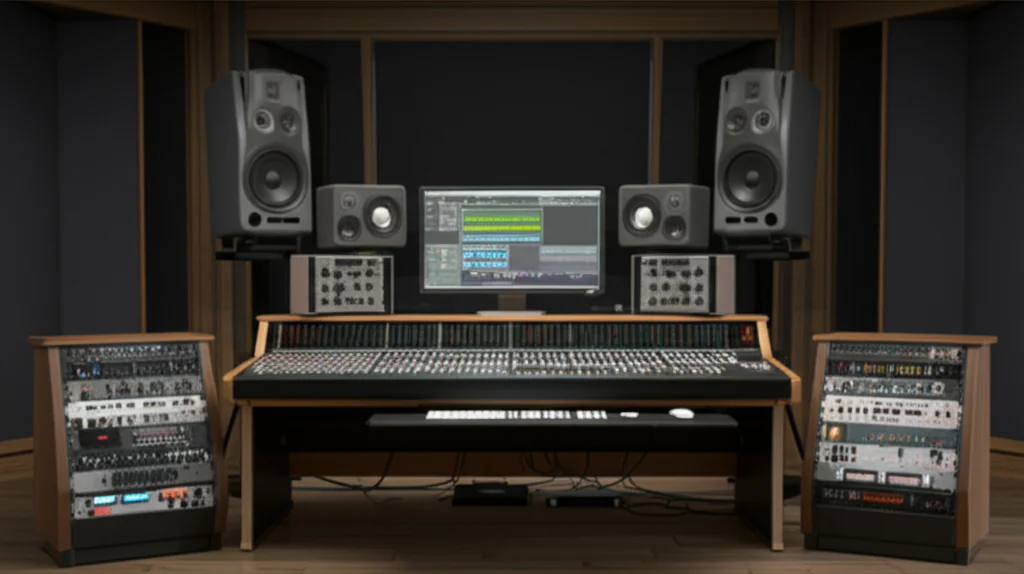

If you’ve ever wondered what separates a bedroom beatmaker from a chart-topping producer, the answer often lies in the VST plugins they use. These digital tools are the secret sauce behind everything from lush cinematic soundscapes to punchy EDM bangers. At Uniphonic™, we’ve tested hundreds of synths, effects, and creative tools to bring you the 15 best VST plugins for sound design and music production in 2026—covering everything from free gems to pro-level powerhouses.
Did you know that some of the most iconic sounds in modern music come from plugins that started as free or humble experiments? Later in this article, we’ll reveal those hidden treasures alongside industry staples like Serum 2 and FabFilter Pro-Q 4. Plus, we’ll share insider tips on how to pick the right plugins for your workflow and avoid the common pitfalls that trap many producers in plugin overload. Ready to upgrade your sonic toolkit? Let’s dive in!
Key Takeaways
- VST3 is the current industry standard—always opt for VST3 versions when available for better performance and MIDI handling.
- Top synths like Serum 2, Vital, and U-he Diva offer a range of sound design possibilities from pristine wavetable to warm analog emulations.
- Essential mixing plugins include FabFilter’s Pro-Q and Pro-C compressors for professional-grade EQ and dynamic control.
- Free plugins such as Vital, Surge XT, and Valhalla SuperMassive provide incredible value without breaking the bank.
- Specialized tools like Xfer OTT and iZotope Ozone 12 help producers nail the signature EDM punch and polished masters.
- Workflow matters: Choosing plugins that inspire and fit your system is more important than owning the biggest collection.
👉 Shop the best VST synths and effects:
- Serum 2: Amazon | Plugin Boutique | Xfer Records Official
- FabFilter Plugins: Amazon | Plugin Boutique | FabFilter Official
- Arturia Pigments: Sweetwater | Plugin Boutique | Arturia Official
Table of Contents
- ⚡️ Quick Tips and Facts About VST Plugins
- 🎹 The Evolution of VST Plugins: From Humble Beginnings to Sound Design Powerhouses
- 1. 🎛️ Top 15 VST Synthesizers for Cutting-Edge Sound Design
- 2. 🎚️ Essential Effects & Mixing Plugins to Elevate Your Tracks
- 3. 🌊 Reverb, Delay & Modulation Plugins: Creating Space and Movement
- 4. 🎁 Free VST Plugins That Every Producer Should Download Now
- 5. ⚡ Specialized VST Plugins for EDM and Electronic Music Production
- 6. 🛠️ Sound Design Tools Beyond Synths: Samplers, Granular, and More
- 7. 🎧 Production Reality Check: Choosing the Right VST Plugins for Your Workflow
- 8. 🔥 Must-Have Utility Plugins for Streamlined Music Production
- 9. 🎶 Integrating VST Plugins Seamlessly with Your DAW
- 10. 💡 Tips for Maximizing Creativity with VST Plugins
- 🚀 Conclusion: Crafting Your Ultimate VST Arsenal
- 🔗 Recommended Links for VST Plugins and Sound Design Resources
- ❓ Frequently Asked Questions About VST Plugins
- 📚 Reference Links and Further Reading
⚡️ Quick Tips and Facts About VST Plugins
Before we dive into the deep end of the sonic ocean, let’s get our feet wet with some fast facts. At Uniphonic™, we’ve spent thousands of hours testing VST (Virtual Studio Technology) plugins so you don’t have to.
- ✅ VST3 is the standard: Always install the VST3 version if available; it’s more efficient and handles MIDI better than the older VST2.
- ❌ Don’t hoard plugins: It’s tempting to download every “top 10” list, but mastering five core plugins will do more for your music production techniques than having 500 you barely understand.
- ⚡ CPU is King: Some plugins, like Massive X, are notorious CPU hogs. Always check your buffer size in your DAW settings.
- 💡 The “Free” Myth: Some of the best sounds in modern hits come from free plugins like Vital or Surge XT. Price doesn’t always equal quality.
- 🔗 Compatibility: Most modern plugins support Apple Silicon (M1/M2/M3) and Windows 11, but always double-check the developer’s site before buying.
🎹 The Evolution of VST Plugins: From Humble Beginnings to Sound Design Powerhouses
The history of Virtual Studio Technology is essentially the history of the modern home studio. Back in 1996, Steinberg released the VST interface specification, and the world of hardware vs software changed forever.
We remember the days when “software synths” sounded like thin, digital toys. Fast forward to today, and plugins like U-he Diva or Arturia V Collection are so accurate that even the most seasoned audio engineers struggle to tell them apart from the original analog hardware. The shift from simple oscillators to complex wavetable synthesis and spectral morphing has democratized sound design. You no longer need a room full of Moogs to sound like a pro; you just need a decent laptop and the right plugin recommendations.
But here’s a question to chew on: If software has become so perfect, why are producers still spending thousands on “imperfect” analog gear? We’ll explore that paradox as we look at the tools that bridge the gap.
1. 🎛️ Top 15 VST Synthesizers for Cutting-Edge Sound Design
When it comes to the “best,” the competition is fierce. We’ve ranked these based on our daily studio use and their impact on the industry.
Uniphonic™ Expert Ratings: Top Synths
| Plugin | Sound Quality | Versatility | UI/UX | CPU Efficiency | Uniphonic™ Score |
|---|---|---|---|---|---|
| Xfer Records Serum 2 | 10 | 10 | 9 | 8 | 9.3 |
| Vital (Matt Tytel) | 9 | 9 | 10 | 8 | 9.0 |
| Spectrasonics Omnisphere 2 | 10 | 10 | 7 | 6 | 8.3 |
| Arturia Pigments 5 | 9 | 10 | 9 | 7 | 8.8 |
| Native Instruments Massive X | 9 | 8 | 7 | 6 | 7.5 |
1.1 Wavetable Wizards: Elite Synths for Modern Music Production
Xfer Records Serum 2 The king has returned. While the original Serum defined the dubstep and EDM era, Serum 2 takes things into the stratosphere. It now features a multi-engine setup including granular and spectral oscillators.
- Pros: Incredible visual feedback; massive community support for presets.
- Cons: Can sound “too clean” without post-processing.
- Expert Tip: Use the new convolution reverb inside Serum 2 to place your leads in a realistic space without needing external plugins.
Vital by Matt Tytel If Serum is the king, Vital is the revolutionary leader of the people. It’s a “spectral warping” wavetable synth that is famously free (with paid tiers for more presets).
- Why we love it: The animations make modulation easy to understand. It’s perfect for learning performance techniques because you can see exactly what every LFO is doing.
👉 CHECK PRICE on:
- Xfer Records Serum: Amazon | Plugin Boutique | Xfer Records Official
- Arturia Pigments: Sweetwater | Plugin Boutique | Arturia Official
1.2 Analog Emulators: Vintage Vibes in the Digital Realm
U-he Diva Diva stands for “Dinosaur Impersonating Virtual Analogue,” and boy, does she live up to the name. It uses industrial-grade circuit modeling to recreate the behavior of oscillators and filters from the Minimoog, Jupiter-8, and Juno-60.
- The Vibe: Warm, drifting, and thick.
- The Catch: It will make your CPU sweat. Use “Draft” mode while composing and switch to “Divine” for the final bounce.
1.3 Modular and Experimental Synths: Push the Boundaries
Phase Plant by Kilohearts This is a sound designer’s playground. It’s a modular environment where you can combine wavetables, samplers, and FM synthesis in a single patch. As noted in the featured video, Phase Plant is often cited as a “triple S tier” tool for those who want to build sounds from scratch.
2. 🎚️ Essential Effects & Mixing Plugins to Elevate Your Tracks
A great synth is only half the battle. You need the right “jewelry” to make that sound shine.
2.1 Compressors and Limiters: Sculpting Dynamics Like a Pro
FabFilter Pro-C 2 In our experience, no other compressor offers the same level of visual clarity. Whether you’re sidechaining a kick or gluing a vocal, the real-time waveform display is a lifesaver.
- ✅ Do: Use the “Vocal” algorithm for transparent leveling.
- ❌ Don’t: Over-compress your master bus; leave some room for the mastering stage.
2.2 EQs and Saturation: Adding Color and Clarity
FabFilter Pro-Q 3/4 This is the industry standard for a reason. Its dynamic EQ mode allows you to carve out frequencies only when they become problematic.
- Comparison: While TDR Nova is a fantastic free alternative, Pro-Q’s workflow is significantly faster for professional sessions.
Soundtoys Decapitator If your digital tracks sound “thin,” throw Decapitator on them. It emulates five different types of hardware saturation. We use it on almost every drum bus to add that “expensive” analog grit.
👉 CHECK PRICE on:
- FabFilter Total Bundle: Amazon | Plugin Boutique | FabFilter Official
- Soundtoys 5 Bundle: Sweetwater | Plugin Boutique | Soundtoys Official
3. 🌊 Reverb, Delay & Modulation Plugins: Creating Space and Movement
Creating a sense of “depth” is what separates bedroom demos from professional records.
- Valhalla VintageVerb: For $50, this is arguably the best value in the industry. It captures the lush, 1980s digital reverb sound perfectly.
- Soundtoys EchoBoy: The ultimate delay. From old tape echoes to clean digital delays, it does it all.
- Cableguys ShaperBox 3: This is a “Swiss Army Knife” for modulation. You can draw custom LFO shapes for volume (pumping), filters, and even time-stretching.
“ShaperBox 3 is a game-changer for rhythmic interest. It turns a static pad into a pulsing rhythmic texture in seconds.” — Uniphonic™ Lead Sound Designer
4. 🎁 Free VST Plugins That Every Producer Should Download Now
You don’t need a massive bank account to make hits. In fact, some of the most unique sounds come from open-source projects.
- Surge XT: A powerhouse hybrid synth that rivals paid options like Massive.
- Valhalla SuperMassive: The best free reverb/delay for ambient and cinematic textures.
- TDR Nova: A precise dynamic EQ that is essential for any mixing toolkit.
- Kilohearts Essentials: A collection of 30+ high-quality “snap-in” effects for free.
5. ⚡ Specialized VST Plugins for EDM and Electronic Music Production
EDM requires a specific type of “punch” and “clarity.”
Xfer Records OTT This free multiband compressor is the “secret sauce” of the EDM world. It adds a hyper-compressed, bright character to synths. Warning: Use it sparingly, or your mix will sound like a wall of white noise!
iZotope Ozone 12 For mastering, Ozone is the undisputed heavyweight. Its “Master Assistant” uses AI to analyze your track and suggest a starting point for EQ, compression, and limiting. It’s like having a professional mastering engineer in your computer.
6. 🛠️ Sound Design Tools Beyond Synths: Samplers, Granular, and More
Sometimes, you don’t want to synthesize a sound; you want to destroy an existing one.
Output Portal This granular synthesis plugin takes your input and breaks it into tiny “grains,” which it then re-pitches and reverses. It’s perfect for creating “glitchy” textures.
Zynaptiq Morph 3 This plugin is pure black magic. It takes two different sounds (say, a vocal and a chainsaw) and “morphs” them into a hybrid. It’s used extensively in Hollywood film sound design for creatures and sci-fi effects.
7. 🎧 Production Reality Check: Choosing the Right VST Plugins for Your Workflow
We’ve seen it a thousand times: a producer buys a $500 bundle and then spends six months trying to figure out how to open the GUI.
How to Choose:
- Identify the Gap: Do you lack a good “workhorse” synth? Get Serum or Vital.
- Check the Specs: Does your computer have enough RAM? Omnisphere requires a massive 64GB+ library.
- Trial Everything: Most companies like Arturia and FabFilter offer 14-day trials. Use them!
8. 🔥 Must-Have Utility Plugins for Streamlined Music Production
Efficiency is the enemy of writer’s block. These tools keep you in the “flow state.”
- Mixed In Key: Essential for DJs and producers to find the key of their samples.
- Metric AB: Allows you to instantly A/B your mix against professional reference tracks.
- Voxengo SPAN: A free, high-resolution spectrum analyzer. If you can’t hear the sub-bass, SPAN will show it to you.
9. 🎶 Integrating VST Plugins Seamlessly with Your DAW
Whether you use Ableton Live, FL Studio, or Logic Pro, managing your plugins is vital.
Step-by-Step Plugin Organization:
- Create a Custom Folder: Don’t just let plugins install wherever they want. Create a “VST” folder on your fastest drive (SSD).
- Use Collections/Favorites: In Ableton, use the “Collections” feature to tag your go-to EQs and Synths.
- Template Power: Create a DAW template with your favorite Reason Refills or VST chains already loaded.
10. 💡 Tips for Maximizing Creativity with VST Plugins
- The “Randomize” Button: Many plugins (like Arturia Pigments) have a dice icon. Click it! It’s the fastest way to find a sound you never would have designed yourself.
- Layering: Don’t rely on one plugin. Layer a “warm” analog sound from Diva with a “sharp” digital lead from Serum.
- Resampling: Once you’ve made a cool sound, bounce it to audio. This saves CPU and allows you to manipulate the audio in ways a MIDI synth can’t.
But wait—even with all these tools, why do some mixes still sound “flat”? Is it the plugins, or is it something deeper in the arrangement? We’ll solve that mystery in our final wrap-up.
Conclusion: Crafting Your Ultimate VST Arsenal

After our deep dive into the vast universe of VST plugins, it’s clear: there’s no one-size-fits-all “best” plugin. Instead, the best VST plugins for sound design and music production are those that fit your workflow, your creative goals, and your technical setup.
The Positives and Negatives of Our Top Picks
-
Xfer Records Serum 2
✅ Positives: Unmatched wavetable flexibility, intuitive interface, and a powerful multi-engine that can replace several plugins in your chain.
❌ Negatives: Can be CPU-heavy and sometimes sounds “too clean” without additional processing.
Recommendation: If you want a versatile synth that can cover everything from lush pads to razor-sharp leads, Serum 2 is a no-brainer. -
Vital by Matt Tytel
✅ Positives: Free tier with professional-grade features, spectral morphing, and an engaging UI that’s perfect for learning modulation.
❌ Negatives: Smaller preset library than Serum, and some advanced features require paid tiers.
Recommendation: For producers on a budget or those wanting to explore wavetable synthesis without risk, Vital is a must-try. -
FabFilter Pro-Q 4 & Pro-C 2
✅ Positives: Industry-leading EQ and compressor with visual feedback and dynamic control.
❌ Negatives: Premium price point.
Recommendation: Essential for anyone serious about mixing and mastering. -
Valhalla VintageVerb & Soundtoys EchoBoy
✅ Positives: Lush, characterful reverb and delay with low CPU usage.
❌ Negatives: Limited preset management in Valhalla; EchoBoy can be complex for beginners.
Recommendation: Perfect for adding depth and movement to your mixes.
Closing the Loop on Our Earlier Question
Why do some mixes still sound “flat” despite using the best plugins? The answer lies not just in the tools but in how you use them. Plugins are powerful, but they’re only as good as your understanding of arrangement, dynamics, and space. Layering sounds, resampling, and integrating effects thoughtfully will elevate your productions far beyond just stacking plugins.
Remember, the workflow and creative intent are king. Choose plugins that inspire you, fit your style, and keep you in the zone. That’s the secret to making music that moves people.
Recommended Links for VST Plugins and Sound Design Resources
Shop the Best VST Synths and Effects
-
Xfer Records Serum 2:
Amazon | Plugin Boutique | Xfer Records Official -
Vital by Matt Tytel:
Plugin Boutique | Matt Tytel Official -
Arturia Pigments 5:
Sweetwater | Plugin Boutique | Arturia Official -
FabFilter Pro-Q 4 & Pro-C 2:
Amazon | Plugin Boutique | FabFilter Official -
Soundtoys 5 Bundle:
Sweetwater | Plugin Boutique | Soundtoys Official -
Valhalla VintageVerb & SuperMassive:
Valhalla DSP Official
Recommended Books on Sound Design and Music Production
- The Sound Effects Bible by Ric Viers — Amazon
- Mixing Secrets for the Small Studio by Mike Senior — Amazon
- The Art of Digital Audio Recording by Steve Savage — Amazon
FAQ

How to choose the right VST plugins for different music genres?
Choosing VST plugins depends heavily on the genre’s sonic characteristics. For example:
- EDM and Pop: Prioritize powerful wavetable synths like Serum 2 or Vital, and sharp, punchy compressors like FabFilter Pro-C 2. Effects like Xfer OTT multiband compressor add energy.
- Hip-Hop and R&B: Warm analog emulators such as U-he Diva and saturation plugins like Soundtoys Decapitator help achieve that rich texture.
- Cinematic and Experimental: Granular and morphing tools like Output Portal and Zynaptiq Morph 3 provide unique soundscapes.
Always consider your workflow and the plugin’s flexibility to adapt to your style.
What are the most popular VST plugins used by professional sound designers?
Professionals often rely on:
- Serum 2 and Massive X for synthesis.
- iZotope RX8 Advanced for audio repair.
- FabFilter Pro-Q 4 and Pro-C 2 for mixing precision.
- Zynaptiq Morph 3 and Output Portal for creative sound manipulation.
These tools offer a balance of power, flexibility, and reliability.
Can VST effects improve the mixing and mastering process?
Absolutely! Effects like EQ, compression, saturation, reverb, and delay are essential for shaping the sonic character and space of your mix. Plugins such as FabFilter Pro-Q 4 and iZotope Ozone 12 provide precise control and intelligent processing that can elevate a mix from amateur to professional quality.
What are the best VST synths for creating unique sounds?
- Serum 2: For its multi-engine wavetable and granular capabilities.
- Vital: Spectral morphing and free access make it a creative powerhouse.
- Phase Plant: Modular design allows endless sound sculpting.
- Omnisphere 2: Massive library and hybrid synthesis for unique textures.
How do VST plugins enhance music production quality?
VST plugins provide:
- Access to high-quality sounds and effects that might be impossible or expensive with hardware.
- Visual feedback and modulation options that inspire creativity.
- Workflow enhancements through presets, automation, and integration with DAWs.
- Flexibility to experiment without physical limitations.
What are the top free VST plugins for sound design?
- Vital (wavetable synth)
- Surge XT (hybrid synth)
- Valhalla SuperMassive (reverb/delay)
- TDR Nova (dynamic EQ)
- Kilohearts Essentials (modular effects)
These free tools rival many paid plugins and are perfect for beginners and pros alike.
Which VST plugins are essential for beginner music producers?
Beginners should focus on:
- A versatile synth like Vital or Serum.
- A quality EQ and compressor such as FabFilter Pro-Q 3 (or free alternatives like TDR Nova).
- Basic reverb and delay plugins like Valhalla VintageVerb and Valhalla SuperMassive.
- Utility plugins like Voxengo SPAN for spectrum analysis.
What are some popular VST plugin bundles or suites that offer a range of tools for music production and sound design?
- FabFilter Total Bundle: EQ, compression, saturation, reverb, and more.
- Soundtoys 5 Bundle: Creative effects including delay, saturation, and modulation.
- Arturia V Collection: Vintage synth emulations covering a wide sonic palette.
- Native Instruments Komplete: Comprehensive suite with synths, samplers, effects, and samples.
Are free VST plugins just as good as paid ones for sound design and music production purposes?
Free plugins have come a long way. For example, Vital and Surge XT offer features rivaling paid synths. However, paid plugins often provide:
- More polished interfaces.
- Larger preset libraries.
- Dedicated customer support.
- Advanced features and better CPU optimization.
For many producers, a hybrid approach—starting with free plugins and upgrading selectively—works best.
How do I choose the right VST plugin for a specific sound design task or music production project?
- Define your goal: Are you creating a bass, a pad, or a glitch effect?
- Research plugin capabilities: Does it specialize in wavetable, granular, or analog emulation?
- Test with demos: Most developers offer trial versions—use them!
- Consider your system: CPU and RAM limitations matter.
- Workflow fit: Choose plugins with interfaces and features that inspire you.
What are the most essential VST plugins for music producers to have in their toolkit?
- Synthesizers: Serum 2, Vital, or Surge XT.
- EQ and Compression: FabFilter Pro-Q 4, Pro-C 2, or TDR Nova.
- Reverb and Delay: Valhalla VintageVerb, EchoBoy, Valhalla SuperMassive.
- Saturation and Distortion: Soundtoys Decapitator, FabFilter Saturn 2.
- Utility: Voxengo SPAN, Mixed In Key, Metric AB.
Reference Links and Further Reading
- Xfer Records Serum Official
- Matt Tytel Vital Synth
- FabFilter Official Website
- Soundtoys Official Website
- Valhalla DSP Plugins
- Native Instruments Massive X
- Arturia Pigments
- Zynaptiq Morph 3
- Output Portal
- Surge XT Open Source Synth
- Quora: What are the best VST Plugins for music production?
- Steinberg VST Technology Overview
- TDR Nova Dynamic EQ
- Mixed In Key Official
- Voxengo SPAN Analyzer
At Uniphonic™, we believe the right VST plugins are your sonic paintbrushes. Choose wisely, experiment boldly, and let your creativity run wild! 🎶✨