
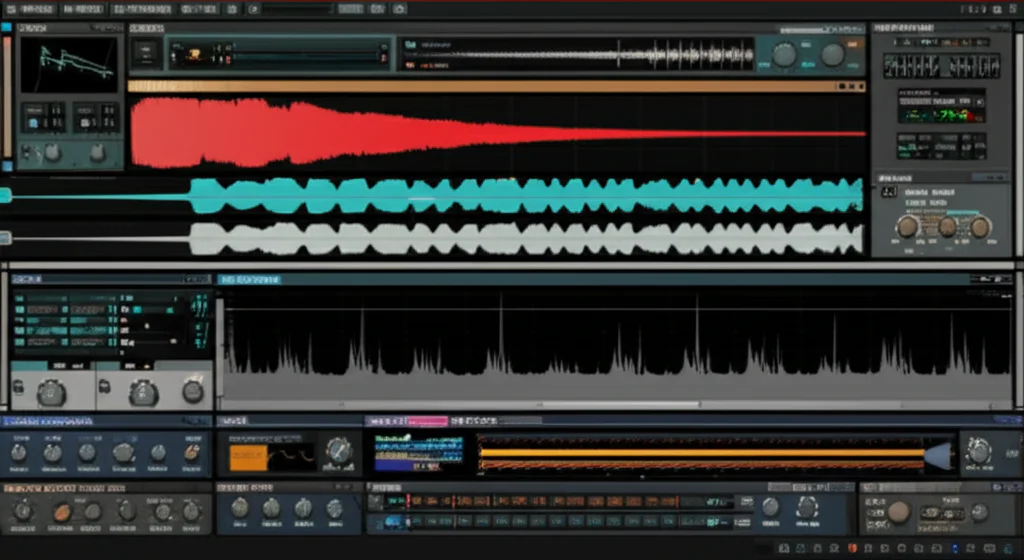

If you’ve ever wondered what makes Reason Studios’ sound design tools a favorite among top producers and sound designers, you’re in the right place. At Uniphonic™, we’ve spent years exploring Reason’s modular rack, from the legendary Thor synth to the futuristic Europa wavetable engine, and we’re here to spill the secrets. Did you know Reason’s sound design environment mimics a hardware synth rack so closely that many pros say it’s like having a full studio in your laptop? But that’s just the start.
In this article, we’ll take you on a deep dive through 8 essential Reason sound design tools, reveal insider tips on crafting unique sounds, and show you how to integrate Reason seamlessly with other DAWs and hardware. Plus, we’ll share practical workflows and pro tricks that will transform your sound design game. Curious how a simple piano loop turned into a shimmering alien texture using Reason’s Grain sampler? Stick around — the story’s coming up!
Key Takeaways
- Reason’s modular rack interface offers unmatched hands-on control for creative sound design.
- Core instruments like Thor, Europa, Grain, and NN-XT cover a vast sonic spectrum from analog warmth to granular textures.
- Powerful effects such as Pulveriser, Scream 4, and RV7000 MkII add grit, space, and movement.
- The Reason Rack Plugin enables smooth integration with other DAWs, expanding your workflow possibilities.
- Learning Reason’s tools can be challenging but rewarding — with the right resources, you’ll craft unique, evolving sounds that stand out.
Ready to unlock Reason’s full potential? Let’s dive in!
Table of Contents
- ⚡️ Quick Tips and Facts About Reason Sound Design Tools
- 🎛️ The Evolution and Legacy of Reason’s Sound Design Tools
- 🔍 Deep Dive: Core Sound Design Instruments in Reason
- 🎚️ Essential Effects and Modulation Tools for Sound Design in Reason
- 🛠️ Practical Sound Design Workflows Using Reason’s Tools
- 💡 Pro Tips for Crafting Unique Sounds in Reason
- 🎧 Integrating Reason Sound Design Tools with Other DAWs and Hardware
- 💰 Budgeting Your Sound Design Setup: Is Reason Worth It?
- 🎓 How to Master Reason Sound Design: Learning Resources and Courses
- 🧰 Comparing Reason’s Sound Design Tools to Other Popular DAWs
- 🔮 The Future of Sound Design in Reason: Upcoming Features and Trends
- 🏁 Conclusion: Why Reason Remains a Powerhouse for Sound Designers
- 🔗 Recommended Links for Reason Sound Design Enthusiasts
- ❓ FAQ: Answering Your Burning Questions About Reason Sound Design Tools
- 📚 Reference Links and Further Reading
⚡️ Quick Tips and Facts About Reason Sound Design Tools
If you’re diving into the world of sound design with Reason Studios’ flagship DAW, you’re in for a sonic treat! At Uniphonic™, we’ve spent countless hours sculpting sounds with Reason’s arsenal, and here are some quick nuggets to get you started:
- Reason’s modular rack environment lets you patch devices like a hardware synth rig — perfect for experimental sound design.
- The Thor Polysonic Synth is a beast for creating everything from lush pads to aggressive basses.
- Europa’s wavetable engine offers a futuristic palette for evolving textures and complex timbres.
- Reason’s RV7000 MkII reverb is a go-to for spacious, natural-sounding ambience.
- The Pulveriser combines compression, distortion, and filtering in one device — a secret weapon for gritty sound design.
- Send effects in Reason can be EQ’d and sidechained for mix clarity — a pro tip we learned from the featured video.
Did you know? Reason’s sound design tools have been evolving since 2000, growing from a simple synth rack to a full-fledged creative playground. Curious how it all started? Let’s rewind and explore the roots of Reason’s sound design legacy.
For more on Reason Studios and its ecosystem, check out our detailed Reason Studios overview.
🎛️ The Evolution and Legacy of Reason’s Sound Design Tools
Reason’s journey from a humble software synth rack to a powerhouse DAW is a fascinating tale of innovation and community feedback. Here’s what our Uniphonic™ team finds most inspiring:
- Early Days (2000–2005): Reason launched with a limited set of devices — the Subtractor synth, a sampler, and a mixer. It was revolutionary for its virtual rack interface, mimicking hardware synth racks.
- Expansion Era (2006–2015): Introduction of Thor, a hybrid synth combining analog and digital oscillators, and the NN-XT sampler brought serious sound design depth. Effects like Scream 4 distortion and RV7000 reverb added character and space.
- Modern Age (2016–Present): Europa wavetable synth and Grain sampler expanded sonic horizons. Rack Extensions opened the door to third-party plugins, integrating seamlessly into Reason’s modular environment.
Why does this matter? Because Reason’s design philosophy has always been about hands-on, tactile sound design, encouraging users to experiment and patch sounds in unique ways. This legacy sets it apart from other DAWs that rely more on linear workflows.
For a deep dive into the history, check out Reason Studios’ official timeline.
🔍 Deep Dive: Core Sound Design Instruments in Reason
Let’s get our hands dirty with the core sound design instruments that make Reason a favorite among producers and sound designers alike. We’ll rate each device on a 1-10 scale across Design, Functionality, Sound Quality, and Flexibility.
| Instrument | Design | Functionality | Sound Quality | Flexibility | Overall |
|---|---|---|---|---|---|
| Thor Polysonic Synth | 9 | 10 | 9 | 10 | 9.5 |
| Europa Shapeshifting | 8 | 9 | 10 | 9 | 9 |
| Grain Sampler | 7 | 8 | 8 | 9 | 8 |
| NN-XT Advanced Sampler | 7 | 7 | 8 | 8 | 7.5 |
1. Reason’s Thor Polysonic Synthesizer: The Swiss Army Knife
Thor is a hybrid synth combining analog-style oscillators, wavetable oscillators, and FM synthesis. It’s like having multiple synth engines in one box.
- Design: Intuitive semi-modular interface with three oscillators, multiple filters, and modulation matrix.
- Functionality: Offers subtractive, FM, and wavetable synthesis modes.
- Sound Quality: Warm analog tones, sharp digital textures, and everything in between.
- Flexibility: Patchable modulation matrix lets you route LFOs, envelopes, and controllers anywhere.
Personal story: One of our sound designers used Thor to create a sci-fi spaceship engine by layering FM oscillators with filtered noise and modulating the filter cutoff with an LFO synced to tempo. The result? A sound that felt alive and dynamic, perfect for a game soundtrack.
2. Europa Shapeshifting Synth: Wavetables and Beyond
Europa is Reason’s flagship wavetable synth, capable of complex spectral morphing and granular synthesis.
- Design: Sleek interface with spectral display and intuitive modulation.
- Functionality: Wavetable scanning, spectral filtering, and harmonic shifting.
- Sound Quality: Crystal-clear, evolving textures perfect for pads, leads, and atmospheres.
- Flexibility: Deep modulation options including envelopes, LFOs, and step sequencers.
Europa shines when you want organic, evolving sounds that breathe and change over time. It’s a favorite for cinematic soundscapes and ambient music.
3. Grain Sample Manipulation: Creative Soundscapes
Grain is a granular sampler that lets you slice and dice audio samples into tiny grains and rearrange them.
- Design: Minimalist but powerful interface.
- Functionality: Grain size, density, pitch shifting, and looping controls.
- Sound Quality: Can produce everything from glitchy textures to lush pads.
- Flexibility: Great for experimental sound design and creating unique atmospheres.
We once used Grain to transform a simple piano loop into a shimmering, otherworldly texture that became the backbone of a chillout track.
4. NN-XT Advanced Sampler: Sampling Mastery
NN-XT is Reason’s classic sampler, allowing multi-layered, velocity-sensitive instruments.
- Design: Traditional sampler layout with mapping editor and modulation.
- Functionality: Supports multiple zones, filters, and modulation per sample.
- Sound Quality: Depends on samples but offers clean playback and flexible editing.
- Flexibility: Good for realistic instrument emulations and complex sample layering.
While it’s not as cutting-edge as Grain or Europa, NN-XT remains a solid choice for sample-based sound design.
🎚️ Essential Effects and Modulation Tools for Sound Design in Reason
No sound design toolkit is complete without effects and modulation. Reason’s rack is packed with devices that add depth, grit, and movement.
| Effect/Modulation Device | Design | Functionality | Sound Quality | Flexibility | Overall |
|---|---|---|---|---|---|
| RV7000 MkII Reverb | 9 | 9 | 10 | 8 | 9 |
| Scream 4 Distortion | 8 | 9 | 9 | 9 | 8.75 |
| Pulveriser Demolition | 9 | 10 | 9 | 10 | 9.5 |
| Matrix Pattern Sequencer | 8 | 9 | N/A | 10 | 9 |
5. RV7000 MkII Reverb: Space and Ambience
The RV7000 MkII is Reason’s flagship reverb unit, offering algorithmic reverbs with tons of presets and tweakability.
- Design: Clear interface with multiple reverb types (hall, plate, room).
- Functionality: EQ, early reflections, and modulation controls.
- Sound Quality: Natural, lush reverbs that add realistic space or dreamy ambience.
- Flexibility: Can be used subtly or as a creative effect.
Pro tip: Use the RV7000 on a send channel and EQ the reverb tail to avoid muddiness, a technique highlighted in the featured video.
6. Scream 4 Distortion: Adding Grit and Character
Scream 4 is a versatile distortion unit with multiple modes: overdrive, fuzz, tape, and more.
- Design: Simple layout with drive, tone, and body controls.
- Functionality: Multiple distortion algorithms plus filters and dynamics.
- Sound Quality: From subtle warmth to aggressive crunch.
- Flexibility: Great for guitars, drums, synths, and sound design FX.
7. Pulveriser Demolition: Compression Meets Distortion
Pulveriser combines compression, distortion, filtering, and modulation in one device.
- Design: Intuitive controls for crush, grind, and filter.
- Functionality: Sidechain compression, envelope follower, and LFO modulation.
- Sound Quality: Adds punch, grit, and movement.
- Flexibility: Perfect for making sounds “explode” or adding rhythmic texture.
8. Matrix Pattern Sequencer: Modulation on Steroids
The Matrix is a pattern-based modulation sequencer that can automate parameters across the rack.
- Design: Step sequencer interface with multiple lanes.
- Functionality: Assignable CV outputs for modulation.
- Sound Quality: N/A (modulation device).
- Flexibility: Enables complex rhythmic and evolving modulations.
🛠️ Practical Sound Design Workflows Using Reason’s Tools
How do you turn these powerful tools into a workflow that sparks creativity? Here’s a step-by-step approach from our Uniphonic™ sound designers:
Step 1: Start with a Concept or Mood
- Define the emotional or narrative goal of your sound. Is it eerie, aggressive, or ethereal?
- Gather source material if you plan to use samples (e.g., field recordings, synth patches).
Step 2: Choose Your Primary Sound Source
- Pick an instrument like Thor or Europa for synth-based sounds.
- Use Grain or NN-XT if you want to manipulate samples.
Step 3: Sculpt the Sound
- Use oscillators, filters, and envelopes to shape the raw tone.
- Experiment with modulation matrices to add movement.
Step 4: Add Effects and Texture
- Route your sound through Pulveriser or Scream 4 for distortion.
- Send to RV7000 MkII for reverb and space.
- Use the Matrix sequencer to modulate filter cutoff or effect parameters rhythmically.
Step 5: Mix and Refine
- Use EQ and compression on send channels to keep effects clear.
- Sidechain effects to key elements (e.g., kick drum) to avoid clutter.
- Automate parameters for evolving interest.
Step 6: Export and Test
- Listen on multiple systems (headphones, monitors, earbuds).
- Adjust based on context (film, game, music).
This workflow blends technical know-how with creative exploration — a balance that’s key to great sound design.
💡 Pro Tips for Crafting Unique Sounds in Reason
Here are some insider tips from our team to elevate your Reason sound design game:
- Layer synths and samples: Combine Thor’s analog warmth with Europa’s wavetable complexity for hybrid textures.
- Use CV routing creatively: Patch LFOs to unconventional parameters like reverb decay or distortion drive for dynamic effects.
- Experiment with Grain’s granular controls: Try extreme grain sizes and densities for glitchy, unpredictable sounds.
- Sidechain your effects: As explained in the featured video, sidechain compression on send effects keeps your mix clean and punchy.
- Save custom patches: Build a personal library of go-to sounds and effects chains for quick inspiration.
- Explore Rack Extensions: Third-party devices like Softube’s Amp Room or Kilohearts plugins expand Reason’s sonic palette.
For more pro tips, visit our Plugin Recommendations and Music Production Techniques categories.
🎧 Integrating Reason Sound Design Tools with Other DAWs and Hardware
Reason is no island — it plays nicely with other DAWs and hardware setups, which is crucial for modern workflows.
Reason as a Plugin (Reason Rack Plugin)
- Since Reason 11, you can run Reason’s rack as a plugin inside Ableton Live, Logic Pro, Pro Tools, and others.
- This lets you combine Reason’s synths and effects with your favorite DAW’s workflow and tools.
ReWire and MIDI Integration
- Reason supports ReWire, allowing sync and audio routing with compatible DAWs.
- MIDI out lets you control external synths and hardware from Reason’s sequencer.
Hardware Controller Compatibility
- Reason works seamlessly with controllers like the Novation Launchkey, Akai MPK, and Ableton Push.
- Rack devices respond to MIDI CC for hands-on control.
Audio Interface and Outboard Gear
- Use Reason’s flexible routing to send audio to external effects processors or mixers.
- Capture processed signals back into Reason for hybrid sound design.
Our experience: Integrating Reason with Ableton Live via the Reason Rack Plugin has been a game-changer, combining Reason’s unique synths with Ableton’s clip launching and effects.
💰 Budgeting Your Sound Design Setup: Is Reason Worth It?
We get asked all the time: “Is investing in Reason worth it for sound design?” Here’s our balanced take:
Pros ✅
- All-in-one environment: Synths, samplers, effects, and sequencer in one package.
- Modular rack interface: Encourages experimentation and learning signal flow.
- Reason Rack Plugin: Use Reason’s devices inside other DAWs.
- Regular updates: Reason Studios actively improves the software and adds new devices.
- No subscription required: One-time purchase or perpetual license options.
Cons ❌
- Learning curve: Modular approach can be intimidating for beginners.
- Less mainstream than Ableton or Logic: Smaller user base means fewer third-party tutorials and presets.
- CPU usage: Some devices, especially Europa and Grain, can be resource-heavy.
Alternatives to Consider
| DAW/Tool | Strengths | Weaknesses |
|---|---|---|
| Ableton Live | Clip launching, live performance | Less modular synth design |
| Logic Pro X | Huge stock library, user-friendly | Mac-only, less modular |
| Native Instruments Komplete | Massive synth and effects collection | Expensive, no integrated rack |
Final verdict: If you love hands-on sound design and modular patching, Reason is a fantastic investment. For hybrid workflows, use Reason Rack Plugin inside your main DAW.
🎓 How to Master Reason Sound Design: Learning Resources and Courses
Mastering Reason’s sound design tools takes time, but the right resources can accelerate your journey.
Official Reason Studios Resources
- Reason Studios YouTube Channel: Tutorials on new devices and workflows.
- Reason User Manual: Comprehensive, but dense — best for reference.
- Reason Community Forums: Active user base sharing patches and tips.
Online Courses and Tutorials
- Ask.Video Reason Courses: Professional tutorials covering everything from basics to advanced sound design.
- Sonic Academy Reason Tutorials: Focused on electronic music production and sound design.
- Udemy Reason Courses: Affordable options for beginners and intermediate users.
Books and Articles
- “Sound Design: The Expressive Power of Music, Voice and Sound Effects in Cinema” by David Sonnenschein — great for understanding sound design principles applicable in Reason.
- Articles on Uniphonic™’s Reason Sounds category offer practical tips and patch breakdowns.
Practice Tips
- Recreate sounds from your favorite tracks using Reason’s synths.
- Participate in sound design challenges on forums and social media.
- Build a patch library and document your settings.
🧰 Comparing Reason’s Sound Design Tools to Other Popular DAWs
How does Reason stack up against other DAWs in the sound design arena? Here’s a quick comparison table based on our team’s experience:
| Feature | Reason | Ableton Live | Logic Pro X | FL Studio |
|---|---|---|---|---|
| Modular Rack Interface | ✅ Unique and tactile | ❌ Linear workflow | ❌ Linear workflow | ❌ Linear workflow |
| Synth Quality | ✅ Thor, Europa, Grain | ✅ Wavetable, Analog | ✅ Alchemy, ES2 | ✅ Harmor, Sytrus |
| Effects Suite | ✅ Scream 4, Pulveriser | ✅ Wide range | ✅ Comprehensive | ✅ Good selection |
| Integration with Hardware | ✅ MIDI, CV, ReWire | ✅ MIDI, Max for Live | ✅ MIDI | ✅ MIDI |
| Learning Curve | Moderate to High | Moderate | Moderate | Moderate |
| Community & Support | Smaller but passionate | Large and active | Large and active | Large and active |
Why choose Reason? If you crave a modular, hands-on approach that mimics hardware synth racks, Reason is unmatched. Ableton and Logic offer more linear workflows but less tactile patching.
🔮 The Future of Sound Design in Reason: Upcoming Features and Trends
Reason Studios is on a roll, and the future looks bright for sound designers:
- Enhanced Rack Extensions: More third-party developers are creating devices, expanding Reason’s sonic palette.
- Improved CPU Optimization: Upcoming versions promise better performance for heavy synths like Europa and Grain.
- AI-Assisted Sound Design: Rumors suggest AI tools for patch creation and sound morphing may appear.
- Deeper DAW Integration: Expect tighter integration with other DAWs and hardware controllers.
- Cloud Collaboration: Plans for collaborative projects and cloud-based patch sharing.
At Uniphonic™, we’re excited about these developments because they promise to make Reason even more versatile and user-friendly. Stay tuned!
🎧 Featured Video: Pro Tips for Using Send Effects in Reason
Before we move on, don’t miss the featured video that breaks down how to use send effects in Reason to enhance your mixes and sound design:
- EQ your sends to make effects sit perfectly in the mix.
- Sidechain compression on sends prevents reverb or delay from muddying your kick or vocals.
- Parallel processing lets you add extreme distortion or filtering without ruining the original sound.
- Route send effects to separate mix channels for flexible control over EQ, compression, and gating.
These simple yet powerful tips can transform your Reason sound design workflow overnight!
If you want to explore more about Reason’s sound design capabilities, check out our Reason Sounds category for patches, tutorials, and inspiration.
Next up: The grand finale — why Reason remains a powerhouse for sound designers, plus our curated recommended links, FAQs, and references.
Conclusion: Why Reason Remains a Powerhouse for Sound Designers

After our deep dive into Reason’s sound design tools, it’s clear why this DAW continues to captivate musicians, audio engineers, and sound designers alike. Reason’s modular rack interface, versatile synths like Thor and Europa, and powerful effects such as Pulveriser and RV7000 MkII create a uniquely tactile and inspiring environment for sonic exploration.
Positives ✅
- Hands-on modular workflow encourages experimentation and creativity.
- Rich collection of synths and samplers covers a broad sonic spectrum, from analog warmth to futuristic wavetable textures.
- Integrated effects and modulation tools allow complex sound shaping without leaving the rack.
- Reason Rack Plugin enables seamless integration with other DAWs, expanding workflow possibilities.
- Regular updates and expanding Rack Extensions ecosystem keep the platform fresh and evolving.
Negatives ❌
- Steep learning curve for newcomers unfamiliar with modular synthesis concepts.
- CPU-intensive devices like Europa and Grain may challenge less powerful systems.
- Smaller user community compared to Ableton or Logic means fewer third-party presets and tutorials.
Our Confident Recommendation
If you’re passionate about deep, hands-on sound design and want a DAW that feels like a hardware synth rack in software form, Reason is an excellent investment. It’s especially powerful for producers who enjoy patching, layering, and modulating sounds in creative ways. For hybrid workflows, the Reason Rack Plugin lets you harness Reason’s unique devices inside your favorite DAW.
Remember the question we teased earlier: Is Reason worth it for sound design? Absolutely — if you’re ready to embrace its modular philosophy and explore its sonic depths, Reason will reward you with inspiring, unique sounds that stand out.
Recommended Links for Reason Sound Design Enthusiasts
👉 CHECK PRICE on:
-
Reason Studios Reason+ Subscription:
Amazon | Reason Studios Official Website -
Novation Launchkey MIDI Controller:
Amazon | Novation Official Website -
Akai MPK MIDI Controller:
Amazon | Akai Professional Official Website -
Softube Amp Room Rack Extension:
Plugin Boutique | Softube Official Website -
Kilohearts Plugins:
Plugin Boutique | Kilohearts Official Website -
Books on Sound Design:
FAQ: Answering Your Burning Questions About Reason Sound Design Tools

What tips improve sound design using Reason’s built-in effects?
Reason’s effects like Pulveriser, Scream 4, and RV7000 MkII shine when used creatively.
- Use sidechain compression on send effects to keep your mix clean and punchy.
- EQ your reverbs and delays to avoid mud and frequency clashes.
- Combine distortion and compression in Pulveriser for dynamic grit.
- Automate effect parameters with the Matrix sequencer for evolving textures.
- Experiment with parallel processing to blend dry and wet signals creatively.
How do Reason’s sound design tools compare to other DAWs?
Reason stands out with its modular rack interface and hands-on patching, unlike the linear workflows of Ableton Live or Logic Pro. Its synths like Thor and Europa offer unique synthesis methods (hybrid analog/digital and wavetable) that are hard to find elsewhere. However, Reason’s learning curve is steeper, and its community smaller, so it’s best suited for users who want deep sound design rather than quick presets.
What are the top Reason plugins for creating unique sounds?
- Thor Polysonic Synth: Versatile hybrid synth for a wide range of tones.
- Europa Shapeshifting Synth: For evolving, spectral textures.
- Grain Sampler: Granular synthesis for glitchy, atmospheric sounds.
- Pulveriser Demolition: Compression and distortion combined for punch and grit.
- RV7000 MkII Reverb: High-quality, flexible reverb for space and depth.
Can Reason be integrated with other DAWs for sound design?
Yes! Since Reason 11, the Reason Rack Plugin allows you to run Reason’s instruments and effects inside other DAWs like Ableton Live, Logic Pro, and Pro Tools. Reason also supports ReWire and MIDI integration, enabling flexible hybrid workflows and hardware control.
Which Reason devices are essential for advanced sound design?
- Thor Polysonic Synth: For complex synthesis and modulation.
- Europa: For wavetable and spectral sound design.
- Pulveriser: For dynamic effects processing.
- Matrix Pattern Sequencer: For advanced modulation routing.
- RV7000 MkII: For professional reverb and ambience.
How does Reason software enhance music production workflows?
Reason’s modular rack encourages experimentation and learning signal flow, which can deepen your understanding of synthesis and effects. The integrated sequencer and pattern-based modulation streamline creative workflows, while the Reason Rack Plugin lets you combine Reason’s unique sound design tools with your preferred DAW.
What are the best sound design tools in Reason for beginners?
- Subtractor Synth: Simple subtractive synth great for learning basics.
- Thor Polysonic Synth: Though complex, it’s well-documented and versatile.
- RV7000 MkII Reverb: Easy to use for adding space.
- Scream 4 Distortion: Intuitive and fun for adding character.
- NN-XT Sampler: Good for basic sampling and layering.
How do I create custom sounds using Reason’s tools?
Start by choosing a synth or sampler as your sound source. Shape the tone with oscillators, filters, and envelopes. Add movement with LFOs and modulation matrices. Then, apply effects like distortion, compression, and reverb. Use the Matrix sequencer to automate parameters over time. Save your patches and experiment with layering multiple devices for complex textures.
Is Reason suitable for beginners in music production?
Reason can be beginner-friendly if you’re willing to invest time learning its modular environment. The visual rack interface helps understand signal flow, and many tutorials exist. However, its depth and complexity mean it’s best for users interested in sound design and synthesis rather than quick beat-making.
Reference Links and Further Reading
- Reason Studios Official Website: https://www.reasonstudios.com
- Reason Studios Reason+ Subscription Info: https://www.reasonstudios.com/en/reason
- Novation Launchkey MIDI Controller: https://novationmusic.com/launchkey
- Akai Professional MIDI Controllers: https://www.akaipro.com
- Softube Amp Room Rack Extension: https://www.softube.com/amp-room
- Kilohearts Plugins: https://kilohearts.com
- Ask.Video Reason Tutorials: https://ask.video/
- Sonic Academy Reason Tutorials: https://www.sonicacademy.com/
- Uniphonic™ Reason Sounds Category: https://uniphonic.com/category/reason-sounds/
- Sound Design: Mark Henry Phillips – Transom: https://transom.org/2018/sound-design-mark-henry-phillips/
- iZotope RX Audio Repair: https://www.izotope.com/en/products/rx.html
- Pro Tools Ultimate: https://www.avid.com/pro-tools
At Uniphonic™, we believe Reason’s unique blend of modularity, powerful synths, and creative effects make it a must-have for serious sound designers and producers. Ready to start your sonic adventure? Dive in and let those patches come alive!