
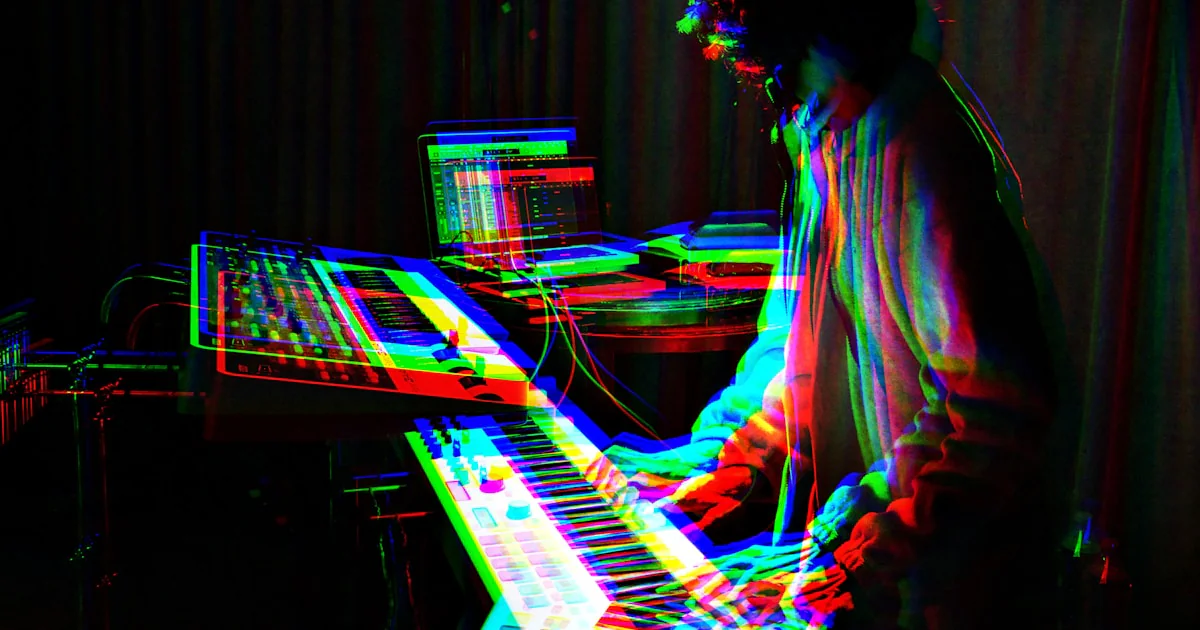
What are some popular virtual instrument plugins used in sound design and music production? Our short list starts with Kontakt for sample libraries, Omnisphere for hybrid textures, Serum or Vital for wavetable synthesis, and Superior Drummer 3 for detailed drum production. The best choice depends on whether you need playable realism, fast songwriting sounds, or a synth you can shape from the first oscillator to the final effect.
We’ve watched a simple synth patch turn into a track’s signature sound after one filter sweep—and seen producers lose an afternoon auditioning presets they never used. That’s the charm and the trap of virtual instruments: a single plugin can open up a huge palette, but the right one should help you make music, not just collect sounds.
Key Takeaways
- Choose by creative job: Kontakt suits sample libraries, Omnisphere blends synthesis and samples, and Serum, Pigments, Phase Plant, or Vital excel at sound design.
- For drums and acoustic instruments: Compare EZdrummer 3, Superior Drummer 3, Addictive Drums 2, Keyscape, Trilian, and dedicated orchestral libraries.
- A strong starter setup can be small: One versatile synth, one sampler, and one drum instrument cover many production needs.
- Check compatibility first: Confirm your DAW, plugin format, operating system, storage, and license requirements before installing.
- Make presets your own: Shape velocity, envelopes, modulation, and automation to fit the track.
Explore the instruments: Native Instruments | Spectrasonics | Arturia | Xfer Records | AIR Music Tech
Table of Contents
- ⚡️ Quick Tips and Facts
- 🎛️ What Is a Virtual Instrument Plugin?
- Virtual instruments vs. sample libraries, effects, and hardware
- How VST, AU, AX, and standalone formats work
- 🕰️ A Brief History of Virtual Instruments in Music Production
- 🎹 Popular Virtual Instrument Plugins for Sound Design and Music Production
- 1. Native Instruments Kontakt: The Sampler and Sound-Library Hub
- 2. Spectrasonics Omnisphere: A Deep Synthesizer for Sound Design
- 3. Xfer Records Serum: Wavetable Synthesis for Modern Electronic Music
- 4. Arturia Pigments: A Flexible All-in-One Synthesizer
- 5. u-he Diva: Vintage-Style Analog Synth Sounds
- 6. Kilohearts Phase Plant: Modular Synthesizer Sound Design
- 7. Native Instruments Massive X: Wavetable and Routing Experiments
- 8. Vital: A Powerful Free Wavetable Synthesizer
- 9. LennarDigital Sylenth1: Classic EDM Leads and Basses
- 10. Reveal Sound Spire: Layered Synth Sounds for Electronic Production
- 11. Synapse Audio DUNE 3: Rich Hybrid Synthesizer Sounds
- 12. Spectrasonics Keyscape: Detailed Keyboard and Piano Instruments
- 13. Spectrasonics Trilian: Acoustic and Synth Bass Instruments
- 14. Toontrack EZdrummer 3: Virtual Drums for Songwriting and Production
- 15. Superior Drummer 3: Detailed Drum Sampling and Mixing
- 16. XLN Audio Addictive Drums 2: Fast, Mix-Ready Drum Sounds
- 17. Spitfire Audio BBC Symphony Orchestra: Orchestral Composition and Scoring
- 18. EastWest Hollywood Orchestra Opus Edition: Cinematic Orchestral Libraries
- 19. Native Instruments Session Guitarist: Pattern-Based Guitar Parts
- 20. Arturia V Collection: Classic Keyboard and Synth Emulations
- ✨ Playable Presets, Expressive Controls, and Instruments That Feel Alive
- 🎻 Sampled Realism, Synth Character, and Signature Sounds
- 🔊 Choosing a Virtual Instrument by Sound and Creative Goal
- Best virtual instruments for electronic music and EDM
- Best plugins for film scoring and cinematic sound design
- Best virtual instruments for pop, hip-hop, and beatmaking
- Best plugins for orchestral, piano, guitar, and drum sounds
- Free and budget-friendly virtual instrument options
- 🧭 How to Choose the Right Virtual Instrument Plugin
- Sound library size, quality, and storage needs
- Synthesis engines, modulation, and sound-shaping tools
- Workflow, presets, MIDI control, and performance features
- Compatibility, licensing, and upgrade considerations
- 💻 System Requirements, DAW Compatibility, and Plugin Formats
- VST3, AU, AX, and standalone compatibility
- CPU, RAM, SSD storage, and sample-library performance
- 🎚️ Practical Sound-Design Techniques with Virtual Instruments
- Layering synths, samples, and acoustic instruments
- Using envelopes, filters, LFOs, and modulation
- Resampling, automation, and creative effects
- Making presets your own instead of scrolling forever
- 🛠️ Setup, Installation, and Troubleshooting
- Installing plugins and managing sample libraries
- Fixing missing plugins, slow loading, and audio dropouts
- ⚖️ Virtual Instrument Plugins vs. Hardware Synths and Real Instruments
- 🎧 Recommended Starter Plugin Collections
- ✅ Quick Tips for Better Virtual-Instrument Workflows
- Conclusion
- Recommended Links
- FAQ
- Reference Links
Table of Contents
- ⚡️ Quick Tips and Facts
- 🎛️ What Is a Virtual Instrument Plugin?
- Virtual instruments vs. sample libraries, effects, and hardware
- How VST, AU, AX, and standalone formats work
- 🕰️ A Brief History of Virtual Instruments in Music Production
- 🎹 Popular Virtual Instrument Plugins for Sound Design and Music Production
- 1. Native Instruments Kontakt: The Sampler and Sound-Library Hub
- 2. Spectrasonics Omnisphere: A Deep Synthesizer for Sound Design
- 3. Xfer Records Serum: Wavetable Synthesis for Modern Electronic Music
- 4. Arturia Pigments: A Flexible All-in-One Synthesizer
- 5. u-he Diva: Vintage-Style Analog Synth Sounds
- 6. Kilohearts Phase Plant: Modular Synthesizer Sound Design
- 7. Native Instruments Massive X: Wavetable and Routing Experiments
- 8. Vital: A Powerful Free Wavetable Synthesizer
- 9. LennarDigital Sylenth1: Classic EDM Leads and Basses
- 10. Reveal Sound Spire: Layered Synth Sounds for Electronic Production
- 11. Synapse Audio DUNE 3: Rich Hybrid Synthesizer Sounds
- 12. Spectrasonics Keyscape: Detailed Keyboard and Piano Instruments
- 13. Spectrasonics Trilian: Acoustic and Synth Bass Instruments
- 14. Toontrack EZdrummer 3: Virtual Drums for Songwriting and Production
- 15. Superior Drummer 3: Detailed Drum Sampling and Mixing
- 16. XLN Audio Addictive Drums 2: Fast, Mix-Ready Drum Sounds
- 17. Spitfire Audio BBC Symphony Orchestra: Orchestral Composition and Scoring
- 18. EastWest Hollywood Orchestra Opus Edition: Cinematic Orchestral Libraries
- 19. Native Instruments Session Guitarist: Pattern-Based Guitar Parts
- 20. Arturia V Collection: Classic Keyboard and Synth Emulations
- ✨ Playable Presets, Expressive Controls, and Instruments That Feel Alive
- 🎻 Sampled Realism, Synth Character, and Signature Sounds
- 🔊 Choosing a Virtual Instrument by Sound and Creative Goal
- Best virtual instruments for electronic music and EDM
- Best plugins for film scoring and cinematic sound design
- Best virtual instruments for pop, hip-hop, and beatmaking
- Best plugins for orchestral, piano, guitar, and drum sounds
- Free and budget-friendly virtual instrument options
- 🧭 How to Choose the Right Virtual Instrument Plugin
- Sound library size, quality, and storage needs
- Synthesis engines, modulation, and sound-shaping tools
- Workflow, presets, MIDI control, and performance features
- Compatibility, licensing, and upgrade considerations
- 💻 System Requirements, DAW Compatibility, and Plugin Formats
- VST3, AU, AX, and standalone compatibility
- CPU, RAM, SSD storage, and sample-library performance
- 🎚️ Practical Sound-Design Techniques with Virtual Instruments
- Layering synths, samples, and acoustic instruments
- Using envelopes, filters, LFOs, and modulation
- Resampling, automation, and creative effects
- Making presets your own instead of scrolling forever
- 🛠️ Setup, Installation, and Troubleshooting
- Installing plugins and managing sample libraries
- Fixing missing plugins, slow loading, and audio dropouts
- ⚖️ Virtual Instrument Plugins vs. Hardware Synths and Real Instruments
- 🎧 Recommended Starter Plugin Collections
- ✅ Quick Tips for Better Virtual-Instrument Workflows
- Conclusion
- Recommended Links
- FAQ
- Reference Links
⚡️ Quick Tips and Facts
If you’re wondering what a virtual instrument is and how it works, the short version is simple: it’s software that turns MIDI notes, automation, and performance gestures into playable sounds. The best plugin for you depends less on a “top ten” ranking and more on whether you need a convincing piano, a flexible synthesizer, a drum instrument, or a machine for making sounds that don’t exist yet.
| Quick question | Practical answer |
|---|---|
| Best all-round sampler platform? | Native Instruments Kontakt, especially if you want access to a broad ecosystem of third-party sample libraries. |
| Best-known cinematic sound-design workstation? | Spectrasonics Omnisphere, with sample-based and synthesized sound sources plus extensive patch editing. |
| Best wavetable starting points? | Vital for a capable free tier; Xfer Records Serum and Arturia Pigments for polished paid workflows. |
| Best for realistic drums? | Tontrack Superior Drummer 3 for detailed control; EZdrummer 3 for a more immediate songwriting workflow. |
| Best for acoustic and orchestral colors? | Consider dedicated libraries such as Spitfire Audio BBC Symphony Orchestra or EastWest Hollywood Orchestra Opus Edition. |
| Do you need every popular plugin? | No. One versatile synthesizer, one sampler, and a dependable drum instrument can cover a remarkable amount of ground. |
| What should you check before installing? | DAW support, plugin format, operating-system compatibility, license rules, storage requirements, and whether the sounds are streamed from disk. |
Our quick recommendations by job
- Make a sound from scratch: Arturia Pigments, Vital, Serum, or Kilohearts Phase Plant.
- Find a sound quickly: Omnisphere, Kontakt, or Arturia V Collection.
- Write convincing drums: EZdrummer 3, Superior Drummer 3, or Addictive Drums 2.
- Add orchestral realism: BBC Symphony Orchestra or Hollywood Orchestra Opus Edition.
- Build heavy low end: AIR Sub Factory is purpose-built for bass and 808 design, while Serum and Phase Plant can also make excellent synth basses.
- Work on an MPC: Akai’s Fabric instruments and AIR plugins designed for MPC workflows are worth considering.
One useful reality check: a plugin’s preset count is not a quality score. A smaller library you can search, understand, and actually use often beats an enormous collection that turns your session into a digital attic. For more curated picks, see our plugin recommendations.
🎛️ What Is a Virtual Instrument Plugin?
A virtual instrument plugin is software that generates or plays musical sounds inside a digital audio workstation (DAW), such as Ableton Live, Logic Pro, FL Studio, Cubase, or REAPER. You play it with a MIDI keyboard, draw MIDI notes, trigger pads, automate parameters, or use an instrument’s built-in pattern tools.
Some virtual instruments model an existing instrument. Others play recorded samples. Synthesizers generate sound using oscillators, filters, and modulation. Hybrid plugins mix all of those approaches, because apparently one sound engine is never quite enough.
Virtual instruments vs. sample libraries, effects, and hardware
| Term | What it does | Example |
|---|---|---|
| Virtual instrument | Produces musical sound from MIDI or performance input | Serum, Kontakt, EZdrummer 3 |
| Sample library | A collection of recorded sounds, often played through a sampler | A Kontakt orchestral library |
| Software synthesizer | Generates sound electronically through synthesis methods | Vital, Diva, Pigments |
| Instrument effect | Processes audio but doesn’t usually create playable notes by itself | Reverb, chorus, distortion |
| Hardware instrument | A physical synthesizer, sampler, drum machine, or keyboard | Roland synthesizer, Akai MPC |
| Standalone instrument app | Runs outside a DAW, often for practice or live performance | Some AIR Music Tech instruments |
A product can occupy more than one category. Kontakt is a sampler platform and instrument host; Omnisphere is a synthesizer with extensive sample-based capabilities; a drum plugin may combine recorded drum kits, MIDI grooves, and mixing controls.
How VST, AU, AX, and standalone formats work
Plugin formats determine whether your DAW or hardware can load the instrument.
| Format | Commonly used with | What to check |
|---|---|---|
| VST3 | Many Windows and macOS DAWs | Preferred modern VST format; confirm your DAW and plugin versions match. |
| VST2 | Older or still-supported DAW setups | Legacy support varies; some developers no longer include it. |
| AU | macOS DAWs, including Logic Pro | Mac-only format; confirm Apple Silicon compatibility. |
| AX | Avid Pro Tools | Check whether the specific plugin version supports your Pro Tools setup. |
| Standalone | Independent practice and performance | May require its own audio-device and MIDI configuration. |
| MPC plugin support | Compatible Akai MPC hardware and desktop software | Verify the precise MPC model, operating-system version, and plugin edition. |
Steinberg maintains the VST developer resources and Apple explains its Audio Units framework. In practice, the plugin format is only half the compatibility question: operating-system version, processor architecture, DAW edition, and license authorization matter too.
🕰️ A Brief History of Virtual Instruments in Music Production

Software instruments grew from early computer-based synthesis and sampling into practical studio tools as computers became powerful enough to handle audio in real time. Today’s plugins can model vintage circuits, stream large orchestral sample libraries, or combine wavetables and recorded textures in one patch.
The change has been more than technical. A producer can now audition a piano, a modular-style synth, and a sampled string section without moving rooms or patching hardware. That convenience has made software instruments central to bedroom studios, commercial production, film scoring, and live performance.
A short version of the evolution:
- Early digital instruments and samplers brought synthesized and recorded sounds into studios.
- MIDI sequencing and DAWs made software instruments playable and editable alongside recorded audio.
- Plugin standards let third-party developers build instruments for a range of hosts.
- Large sample libraries and faster storage made detailed orchestral and acoustic instruments more practical.
- Modern hybrid engines combine samples, synthesis, effects, and modulation in one environment.
The trade-off hasn’t disappeared: the more powerful the instrument, the more you may need to think about CPU use, storage, licensing, and learning curve. We’ll come back to that when choosing a system that fits your workflow.
🎹 Popular Virtual Instrument Plugins for Sound Design and Music Production
The instruments below aren’t a universal winner’s podium. They solve different problems, and a plugin that feels wonderfully immediate to one producer might feel like a cockpit full of buttons to another. Our ratings are editorial usefulness ratings, not customer-review averages.
| Plugin | Design | Sound quality | Sound-design depth | Workflow | Best suited to |
|---|---|---|---|---|---|
| Native Instruments Kontakt | 8 | 9 | 9 | 8 | Sampling and library hosting |
| Spectrasonics Omnisphere | 8 | 9 | 9 | 8 | Hybrid synthesis and cinematic textures |
| Xfer Records Serum | 9 | 9 | 9 | 9 | Wavetable synthesis |
| Arturia Pigments | 9 | 9 | 9 | 9 | Flexible synthesis and visual modulation |
| u-he Diva | 8 | 9 | 8 | 8 | Vintage-style analog synthesis |
| Kilohearts Phase Plant | 8 | 9 | 10 | 8 | Modular, experimental sound design |
| Native Instruments Massive X | 8 | 9 | 9 | 7 | Wavetable synthesis and routing |
| Vital | 9 | 9 | 9 | 9 | Free and accessible wavetable synthesis |
| LennarDigital Sylenth1 | 8 | 8 | 7 | 9 | Classic EDM sounds |
| Reveal Sound Spire | 8 | 9 | 8 | 8 | Electronic leads, pads, and bass |
| Synapse Audio DUNE 3 | 8 | 9 | 8 | 8 | Layered hybrid synthesis |
| Spectrasonics Keyscape | 8 | 9 | 6 | 8 | Sampled keyboards |
| Spectrasonics Trilian | 8 | 9 | 7 | 8 | Electric, acoustic, and synth bass |
| Toontrack EZdrummer 3 | 9 | 8 | 6 | 9 | Fast songwriting drums |
| Superior Drummer 3 | 8 | 9 | 9 | 8 | Detailed drum production |
| XLN Audio Addictive Drums 2 | 9 | 8 | 7 | 9 | Mix-ready acoustic drum kits |
| Spitfire Audio BBC Symphony Orchestra | 8 | 9 | 7 | 8 | Orchestral composition |
| EastWest Hollywood Orchestra Opus Edition | 8 | 9 | 9 | 7 | Detailed cinematic orchestration |
| Native Instruments Session Guitarist | 8 | 8 | 5 | 9 | Pattern-based guitar parts |
| Arturia V Collection | 8 | 9 | 8 | 8 | Classic synths and keyboards |
1. Native Instruments Kontakt: The Sampler and Sound-Library Hub
Kontakt is one of the most widely used software samplers, largely because it hosts a huge ecosystem of instruments and libraries. It can be a straightforward way to play a piano patch, or a deep environment for building multisampled instruments and layered sounds.
Why producers use it
- Broad compatibility with commercial and independent sample libraries.
- Tools for mapping, editing, and scripting sample-based instruments.
- Useful for orchestral sounds, unusual textures, world instruments, guitars, and more.
- A practical hub when a studio’s sound library spans multiple developers.
Where it can frustrate
- Some third-party libraries require the full version rather than the free Kontakt Player.
- Large libraries can consume substantial disk space and take time to index.
- The instrument’s flexibility comes with a learning curve; the library itself may matter more than the sampler.
We’ve seen producers treat Kontakt like a single instrument, then discover it’s closer to a playable library platform. That distinction helps when you’re deciding what you’re actually buying: the host, the sounds, or both.
- Best for: Sample libraries, orchestral instruments, hybrid instruments, and custom sampling.
- Watch for: Compatibility and licensing requirements on each individual library.
2. Spectrasonics Omnisphere: A Deep Synthesizer for Sound Design
Omnisphere is a hybrid synthesizer known for combining synthesis with a large library of sample-based sources. That makes it popular for cinematic pads, evolving textures, layered keys, basses, and sounds that are more “mysterious atmosphere” than “plain old saw wave.”
Strengths
- Broad palette of synthesized and sampled material.
- Layering and modulation tools for building complex patches.
- Useful presets for quick inspiration, with room to edit and reshape.
- A strong option for composers who want both conventional and unusual sounds in one instrument.
Limitations
- Its extensive features can feel overwhelming if you only need a simple subtractive synth.
- Large sound libraries require a sensible storage plan.
- Preset browsing is fast; learning how a patch is built takes more effort.
A producer may open Omnisphere for a single pad, then spend an hour turning it into a moving, percussive soundscape. That’s a compliment—but also a reminder to save versions before the happy accidents become unrepeatable accidents.
Metro Bomin mentions Omnisphere among his go-to production tools in the first video featured in this article. That’s a useful producer’s perspective, not proof that one plugin fits every workflow. He also names Stylus RMX, Kontakt, and Serato Sample, underscoring a practical point: producers often build a toolkit around complementary instruments rather than one do-everything plugin.
3. Xfer Records Serum: Wavetable Synthesis for Modern Electronic Music
Xfer Records Serum made wavetable editing unusually visual and approachable. You can inspect and reshape the oscillator’s wavetable, then use envelopes, LFOs, filters, and effects to push it from clean digital tones into animated basses and leads.
Best at
- Wavetable basses, leads, plucks, and evolving pads.
- Visual oscillator editing and modulation.
- Electronic music presets that are easy to tweak rather than merely audition.
- Teaching the relationship between a wavetable, modulation, and resulting tone.
Possible drawbacks
- A familiar preset-heavy workflow can lead to similar-sounding productions.
- It’s a dedicated synth, not a general acoustic sample library.
- Complex unison and effects settings can increase CPU demand.
Serum is particularly useful for learning synthesis because the interface makes a lot of the sound-shaping process visible. If you’re building a modern electronic track, start by changing one wavetable position, one envelope, and one modulation destination. You’ll hear the patch evolve without needing to redesign everything at once.
4. Arturia Pigments: A Flexible All-in-One Synthesizer
Arturia Pigments combines multiple synthesis methods with a highly visual modulation system. It’s one of our strongest picks for producers who want a modern synth that can move from conventional basses to animated textures without requiring a modular-synthesis PhD.
What stands out
- Multiple sound-generation engines and flexible engine combinations.
- Clearly displayed modulation assignments.
- Built-in effects and a useful preset-browsing workflow.
- Strong visual feedback, particularly for learning how modulation changes a sound.
Trade-offs
- Lots of choices can encourage endless patch editing instead of finishing the song.
- It isn’t a substitute for a dedicated orchestral or acoustic library.
- Advanced modulation becomes more useful when you understand basic envelopes and signal flow.
Pigments works well when you want to hear what a modulation source is doing. We often advise beginners to make a simple patch first, then add only one animated element. A slow LFO on a filter can be more musical than six modulation lanes doing interpretive dance.
5. u-he Diva: Vintage-Style Analog Synth Sounds
u-he Diva is designed to evoke the character of classic analog synthesizers, with oscillator, filter, and envelope models that can be combined into a wide range of vintage-leaning patches. It’s a favorite for warm basses, expressive leads, and analog-style pads.
Strengths
- Characterful analog-style oscillators and filters.
- Excellent for subtractive synthesis and familiar synth roles.
- Straightforward signal-flow concepts make it approachable.
- Useful for producers who want a classic tone without collecting several pieces of hardware.
Limitations
- Some high-quality settings can be demanding on the CPU.
- Its analog focus is not the same as a broad sample library.
- It may be less immediately visual than newer synth interfaces.
Diva is a good reminder that a synth’s personality matters. A mathematically clean patch is not automatically the right patch; sometimes a little filter character and imperfect movement make the sound sit beautifully in a mix.
6. Kilohearts Phase Plant: Modular Synthesizer Sound Design
Kilohearts Phase Plant is a modular-style synthesizer built for assembling sound sources, modulation, and effects in flexible signal paths. It’s especially appealing to sound designers who like to build patches deliberately rather than choosing one fixed oscillator architecture.
Why it’s compelling
- Modular signal flow encourages unusual combinations.
- Multiple generator types can be used in one patch.
- Extensive modulation options suit evolving or highly animated sounds.
- Kilohearts’ ecosystem can expand the sound-design workflow with compatible effects.
Things to consider
- The open-ended design can make a first patch slower than using a preset-focused synth.
- A modular interface rewards experimentation but asks you to understand signal flow.
- Feature depth is most valuable if you intend to edit and build sounds.
For game and film design, Phase Plant can become a miniature sound laboratory: start with a simple tonal source, layer noise or a transient, then modulate pitch and filtering to give the sound a sense of motion. If you want a broader guide to building sounds, explore our music production techniques.
7. Native Instruments Massive X: Wavetable and Routing Experiments
Massive X is a modern synthesizer with wavetable-based sound generation and a flexible routing approach. It’s particularly suited to producers who want aggressive electronic tones, motion, and complex modulation options.
Strengths
- Wavetable synthesis for basses, leads, and pads.
- Routing and modulation options for more complex patches.
- Useful for sound designers who want to move beyond standard subtractive synthesis.
Limitations
- Its distinctive workflow may take time to learn.
- Not every classic Massive preset workflow transfers directly to Massive X.
- Like most synths, it rewards editing more than endless preset surfing.
The practical question is not whether it can make a sound—it can make many—but whether its way of building a patch makes sense to you. Try shaping one bass patch from a basic oscillator before judging it by the preset browser alone.
8. Vital: A Powerful Free Wavetable Synthesizer
Vital is a wavetable synthesizer with a generous free tier and visual modulation displays. It’s a particularly strong entry point if you want to learn wavetable synthesis without making a purchase your first lesson.
Why it earns a place
- Visual interface makes modulation relationships easy to see.
- Strong wavetable tools for basses, leads, and textures.
- The free version provides a meaningful starting set of features.
- Community presets and tutorials can help you learn the synth.
Potential drawbacks
- Optional preset content and extra features vary by edition.
- The visual display can invite you to tweak everything at once.
- It doesn’t replace sample-based instruments for realistic acoustic parts.
If you’re learning, try this exercise: make a simple saw patch, assign an LFO to filter cutoff, then slow the rate until the sound breathes. That one move teaches more about modulation than scrolling through a thousand “future bass” presets.
9. LennarDigital Sylenth1: Classic EDM Leads and Basses
LennarDigital Sylenth1 remains a familiar option for electronic producers who want classic supersaws, bright leads, plucks, and basses. Its appeal is directness: the controls are approachable, and many producers know the sound.
Advantages
- Familiar, efficient workflow for classic electronic tones.
- A large history of third-party presets and tutorials.
- Well suited to polished EDM leads and layered synth sounds.
Limitations
- Its classic character may feel less flexible than newer, more modular synths.
- It’s less suited to detailed sample-based orchestral work.
- A familiar preset palette can sound familiar in the mix, too.
Sylenth1 is not the plugin to buy because a trend says you need it. It makes sense if you enjoy its sound and want a quick route to classic dance-music parts.
10. Reveal Sound Spire: Layered Synth Sounds for Electronic Production
Reveal Sound Spire is a software synthesizer often used for electronic leads, plucks, basses, and pads. Its design centers on combining oscillator voices, modulation, and effects to make full, polished sounds.
Strong points
- Useful for layered electronic sounds and expressive unison tones.
- A productive preset workflow for dance-oriented production.
- Good balance between immediate sound creation and deeper editing.
Potential drawbacks
- Its sonic identity can encourage a familiar, highly polished style.
- It is less specialized for acoustic realism orchestral scoring.
- Producers who need extensive modular routing may prefer a different synth.
For a lead that feels too static, automate a small amount of filter movement or add a subtle pitch envelope. In our experience, a restrained performance gesture often makes a preset feel more custom than another stack of effects.
11. Synapse Audio DUNE 3: Rich Hybrid Synthesizer Sounds
Synapse Audio DUNE 3 is a hybrid synthesizer aimed at detailed electronic patches, with layered sound creation and modulation suited to pads, leads, basses, and evolving textures.
What it’s good for
- Dense, layered synth sounds.
- Electronic production that needs rich pads and leads.
- Building motion through modulation and effects.
What to weigh
- It’s a dedicated synth, not a replacement for a sampler or acoustic instrument library.
- If your needs are narrow, a simpler instrument may be faster.
- Preset browsing is useful, but learning the engines makes the plugin more valuable.
12. Spectrasonics Keyscape: Detailed Keyboard and Piano Instruments
Keyscape focuses on sampled keyboards, including pianos, electric pianos, and less-common keyboard instruments. It’s a strong choice when a keyboard part needs distinctive character rather than a generic MIDI piano sound.
Benefits
- A broad collection of sampled keyboard instruments.
- Useful electric-piano, acoustic-piano, and character-keyboard colors.
- Appropriate for songwriting, scoring, and detailed keyboard arrangements.
Trade-offs
- A specialized keyboard instrument won’t cover every synth orchestral need.
- Large sample content needs sufficient storage.
- The most convincing performance still depends on MIDI velocity, phrasing, and sustain-pedal control.
For playable piano parts, good MIDI expression matters as much as the instrument patch. Shape note velocities, vary timing naturally, and use sustain deliberately. Perfectly identical note attacks can make a beautiful instrument sound like it’s being played by a very tidy robot.
13. Spectrasonics Trilian: Acoustic and Synth Bass Instruments
Trilian is a bass-focused instrument built for sampled acoustic, electric, and synth bass sounds. It helps producers fill a low-end role with a playable instrument rather than programming every note as a one-shot.
Good fit for
- Bass parts that need articulation and velocity response.
- Songwriting across pop, rock, R&B, and electronic styles.
- Combining traditional bass timbres with synth-bass options.
Limitations
- It’s specialized around bass, not a general-purpose synth.
- A convincing bass performance still needs realistic note length and articulation.
- In a dense mix, a more unusual synth bass may suit the track better.
14. Toontrack EZdrummer 3: Virtual Drums for Songwriting and Production
EZdrummer 3 is a virtual drum instrument built around sampled kits and a songwriting-oriented workflow. Its groove tools help you develop a rhythm part without programming every kick and snare from scratch.
Strengths
- Fast access to drum kits and MIDI grooves.
- Useful for sketching songs and auditioning rhythmic ideas.
- A comparatively approachable interface for writers and producers.
Trade-offs
- The deeper mixing and editing demands may call for Superior Drummer 3.
- MIDI grooves can sound generic if left untouched.
- A drum instrument still needs arrangement choices: fills, dynamics, and space.
A handy trick: use the groove browser to find a feel, then alter the kick pattern and snare accents. A borrowed groove becomes your arrangement when you make musical decisions around it.
15. Superior Drummer 3: Detailed Drum Sampling and Mixing
Superior Drummer 3 offers detailed sampled drum kits and deeper control over performance and mix. It’s suited to producers who want to shape drums beyond choosing a preset kit and adding a groove.
Why it stands out
- Detailed kit, microphone, and mixing workflows.
- A deeper environment for editing drum performances.
- Useful for realistic acoustic drums and carefully shaped production.
What to consider
- More control means more setup and learning time.
- Large drum libraries may require a substantial storage plan.
- It can be more than you need if you just want a quick beat sketch.
For a natural performance, pay attention to velocity, ghost notes, and cymbal dynamics. A great snare sample cannot rescue a groove where every hit lands at the same velocity—unless the drummer is a very enthusiastic spreadsheet.
16. XLN Audio Addictive Drums 2: Fast, Mix-Ready Drum Sounds
Addictive Drums 2 is designed to make finding and shaping drum sounds approachable. It suits producers who want useful kits and a fast route to a coherent drum sound.
Advantages
- Quick kit selection and sound shaping.
- Useful for pop, rock, and songwriter workflows.
- Presets can offer a fast starting point for a mix.
Limitations
- The focused workflow offers less deep control than a more extensive drum-production environment.
- Your preferred kit depends on genre and arrangement.
- Preset processing can be a starting place, not a substitute for balancing the whole mix.
17. Spitfire Audio BBC Symphony Orchestra: Orchestral Composition and Scoring
Spitfire Audio BBC Symphony Orchestra is a sampled orchestral instrument designed for composing with ensemble sounds. Spitfire’s product page provides the current edition details, library contents, and system information.
Useful for
- Sketching orchestral arrangements.
- Film, game, and television scoring.
- Building string, brass, woodwind, and percussion parts inside a DAW.
Trade-offs
- Orchestral samples take time to program convincingly.
- Articulation, dynamics, and phrasing vary across libraries and versions.
- A full orchestral library may take more storage and RAM than a small synth.
To make a MIDI orchestra breathe, plan the part like a performance: phrase the line, shape dynamics, vary note lengths, and leave room for each section. A good library provides the palette; orchestration makes it music.
18. EastWest Hollywood Orchestra Opus Edition: Cinematic Orchestral Libraries
EastWest Hollywood Orchestra Opus Edition is a broad orchestral library and playback environment for composers seeking detailed orchestral colors. Check the manufacturer’s current pages for specific editions, contents, and compatibility.
Strengths
- Extensive orchestral instruments and articulations.
- Useful for cinematic arrangements and detailed mockups.
- Designed for composers who need a broad orchestral toolkit.
Considerations
- Library depth can mean a bigger storage footprint and more setup.
- A detailed orchestral mockup requires programming, not just preset selection.
- Compare the included sections and articulations against your actual scoring needs.
19. Native Instruments Session Guitarist: Pattern-Based Guitar Parts
Native Instruments Session Guitarist is a family of virtual instruments designed to make guitar parts playable through patterns, phrases, and MIDI controls. Each product differs, so check the individual instrument’s articulation and pattern capabilities.
Benefits
- Useful for rhythm-guitar ideas without recording a guitarist.
- Pattern-oriented workflow speeds up songwriting.
- Can help fill out demos with plausible guitar parts.
Limitations
- A programmed pattern may need editing to suit the song’s timing and feel.
- It cannot replace every expressive performance technique.
- Different Session Guitarist instruments target different guitar styles.
20. Arturia V Collection: Classic Keyboard and Synth Emulations
Arturia V Collection is a collection of software instruments inspired by classic synthesizers, keyboards, and other electronic instruments. It’s attractive for producers who want variety across vintage-style synths, keys, and other playable instruments.
Strengths
- A wide selection of classic-inspired instruments.
- Helpful for exploring different keyboard and synth roles.
- Useful for producers who want a broad palette from one developer.
Trade-offs
- A collection can include more instruments than you’ll use regularly.
- Emulation character is not identical to owning every original hardware model.
- Check the current collection contents and requirements before choosing a specific edition.
✨ Playable Presets, Expressive Controls, and Instruments That Feel Alive
A preset is not just a sound file with a catchy name. In a virtual instrument, it can include sample layers, oscillator settings, filter behavior, envelopes, effects, modulation, and performance mappings. The best presets invite playing and editing instead of making you hunt for the one note that sounds good.
What makes an instrument feel playable?
- Velocity response: Notes change in volume or tone when you play harder.
- Aftertouch or pressure mapping: A press after the initial key strike can control vibrato, filter, or expression.
- Pitch and modulation wheels: Useful for bends, vibrato, and movement.
- Key switching: Lets you change articulations or playing styles.
- MIDI expression: Sustain, expression, breath, and other controls help shape a performance.
- Macros and performance controls: Give you quick access to useful changes without opening every modulation page.
A sound designer may favor a patch with fewer notes but more movement. A keyboard player may prioritize velocity layers and smooth sustain. A producer sketching a hook may simply need a preset that feels good immediately. The right instrument is the one that responds to the way you work.
For hands-on performance ideas, see our performance techniques.
🎻 Sampled Realism, Synth Character, and Signature Sounds
Virtual instruments generally make sound through one or more of three approaches:
| Approach | How it works | Common strengths | Common trade-offs |
|---|---|---|---|
| Sampling | Plays recorded audio mapped across notes or articulations | Natural detail and recognizable instruments | Library storage and expressive programming |
| Synthesis | Generates sound from oscillators, wavetables, or modeled circuits | Deep editing and sounds beyond acoustic reality | May take time to program convincingly |
| Hybrid | Combines samples, synthesis, and processing | Broad range and complex sound design | More features can mean more learning and CPU use |
For natural acoustic sounds, recorded samples often capture subtle detail. For evolving basses, alien textures, or a synth lead that changes with every key press, synthesis offers greater control. Hybrid instruments combine those worlds, but the label alone doesn’t guarantee a better result.
A useful test is to ask: Do I need to reproduce an instrument, or create a new one? A sampled piano library is built to make a piano part believable. A wavetable synth is built to give you more freedom over how the sound changes. A hybrid plugin can serve both needs, but each instrument has its own strengths.
🔊 Choosing a Virtual Instrument by Sound and Creative Goal
Best virtual instruments for electronic music and EDM
For electronic production, start with one wavetable synth and learn it properly. Vital is a compelling free starting point; Serum and Pigments offer polished visual sound design; Diva is excellent for vintage-style analog character; Sylenth1 and Spire are familiar choices for classic dance sounds.
A simple starter combination:
- Vital or Serum: Wavetable bass, lead, and pluck design.
- Diva: Analog-style basses and leads.
- Kontakt or a drum instrument: Sample-based elements and production details.
Best plugins for film scoring and cinematic sound design
For film and game work, consider Omnisphere, Kontakt, Phase Plant, and dedicated orchestral libraries such as BBC Symphony Orchestra or Hollywood Orchestra Opus Edition. The right choice depends on whether you need original sound design, orchestral realism, or both.
- Omnisphere: Evolving hybrid patches and cinematic textures.
- Kontakt: A broad host for third-party sample libraries.
- Phase Plant: Flexible synthesis and modular patch construction.
- Spitfire Audio or EastWest libraries: Orchestral instruments and articulations.
A practical scoring rig can combine these. Use an orchestral library for the recognizable ensemble, then layer a synth or processed sample for a less familiar edge.
Best virtual instruments for pop, hip-hop, and beatmaking
For beatmaking, a useful toolkit might include Kontakt or a sampler, a synthesizer such as Serum or Pigments, and a dedicated drum instrument. AIR Sub Factory is a focused option for 808 and bass sound design, with wavetable and sample-based engines described on AIR Music Tech’s official page.
The included feature summary describes two wavetable engines with hundreds of waves, a sample engine, modulation, and effects. That feature set makes it more than a preset-only 808 player: you can shape and build bass sounds. It’s still sensible to audition the workflow against your DAW and MPC needs before choosing it.
Best plugins for orchestral, piano, guitar, and drum sounds
| Need | Strong options | Why they fit |
|---|---|---|
| Orchestral composition | BBC Symphony Orchestra; Hollywood Orchestra Opus Edition | Dedicated orchestral sections and performance articulations |
| Piano and keyboards | Spectrasonics Keyscape; AIR Essential Keyboards | Sampled acoustic, electric, and character keyboards |
| Bass guitar and synth bass | Spectrasonics Trilian; AIR Sub Factory | Bass-focused acoustic, electric, or electronic options |
| Drums | EZdrummer 3; Superior Drummer 3; Addictive Drums 2 | Songwriting speed, detailed mixing, or mix-ready kits |
| Guitar patterns | Native Instruments Session Guitarist | Pattern-based parts and fast arrangement sketches |
AIR Music Tech describes Essential Keyboards as “the reference collection of must have instruments for keyboard players” and highlights its acoustic and electric pianos, organs, and other keyboard sounds. That’s the manufacturer’s positioning rather than an independent review; the practical fit depends on whether you need its keyboard selection, standalone operation, and supported formats.
Free and budget-friendly virtual instrument options
“Free” can describe a genuinely free instrument, a player that hosts selected free content, or a limited edition with optional paid upgrades. Check the current developer pages before installing.
- Vital: A free tier of wavetable synthesis with visual modulation.
- Native Instruments Kontakt Player: A free player for compatible libraries; confirm each library’s requirements.
- Spitfire Audio LABS: Free instruments and textures, subject to current availability and software requirements.
- Surge XT: An open-source synthesizer for broad sound design.
- DAW-suplied instruments: Often overlooked, but many DAWs include synths, samplers, pianos, or drum instruments.
A free instrument is a terrific way to learn, but remember to check license terms, installer requirements, library size, and compatibility. Don’t install five huge libraries just because they’re free; your SSD has feelings too.
🧭 How to Choose the Right Virtual Instrument Plugin
Sound library size, quality, and storage needs
A big library can be useful if you need many instruments, but it also means more files to manage and back up. Before committing, check:
- Installed size and optional content size.
- Whether samples stream from disk or load into RAM.
- Where the library can be stored.
- Whether an external drive is supported.
- How content updates and backups work.
- Whether the patch library can be searched by instrument, mood, or articulation.
For acoustic instruments, listen for velocity layers, release behavior, note transitions, and articulation options. For synthesizers, investigate the sound engine and modulation rather than counting presets.
Synthesis engines, modulation, and sound-shaping tools
If sound design is central to your work, examine the tools you’ll actually touch:
- Oscillator or sample-source types.
- Filters and filter routing.
- Envelopes and LFOs.
- Modulation matrix or drag-and-drop modulation.
- Built-in effects and signal-flow flexibility.
- Macro controls and MIDI assignments.
- Resampling, wavetable import, or sample import features.
A complex modulation system is only valuable if you can understand it. One well-used envelope beats a maze of modulations you can’t reproduce next week.
Workflow, presets, MIDI control, and performance features
Try a demo, trial, or free edition where available. Then test a real task:
- Find a sound you’d use in a current project.
- Change the tone without losing the patch.
- Map a control to your MIDI keyboard or controller.
- Save the edited preset.
- Close and reopen the DAW session to confirm it recalls correctly.
If you play live, check standalone support, patch-change behavior, latency, MIDI mapping, and whether the plugin can switch sounds without interrupting audio. For a studio workflow, prioritize browser speed, automation, and session recall.
Compatibility, licensing, and upgrade considerations
Before installing, confirm:
- Your DAW version supports the plugin format.
- The plugin supports your operating system and processor.
- The license permits the number of activations you need.
- The developer’s authorization system works offline if that matters to you.
- Updates support your existing projects.
- The instrument can load in any MPC, standalone, or DAW setup you use.
Also distinguish an instrument license from a library license. A sampler may be free or included, while a specific library needs a separate license. The same distinction helps when working with Akai’s Fabric range or AIR instruments: confirm the precise edition and host compatibility on the manufacturer or authorized product page.
💻 System Requirements, DAW Compatibility, and Plugin Formats
VST3, AU, AX, and standalone compatibility
The most reliable compatibility check is the developer’s current system-requirements page, followed by your DAW’s documentation. Avoid relying on a list copied from an old forum post: software versions change, and old plugin formats may be dropped.
| Your setup | Check before choosing |
|---|---|
| Windows DAW | VST3 support, CPU architecture, authorization, and installer options |
| macOS DAW | AU or VST3 support, macOS version, Apple Silicon compatibility |
| Pro Tools | AX version, Pro Tools compatibility, and license details |
| MPC hardware | Exact MPC model, MPC OS version, and standalone plugin support |
| Live performance | Standalone mode, MIDI support, audio-device setup, and patch changes |
AIR Essential Keyboards lists support for VST 2, VST3, AU, and AX, plus standalone use, in its current product information. The exact requirements can change, so use the manufacturer’s page rather than treating a third-party summary as a permanent system specification.
CPU, RAM, SSD storage, and sample-library performance
Synthesizers often rely heavily on the processor, while large sample libraries may place more pressure on RAM and storage. A modern SSD can improve library loading and streaming responsiveness, but it does not magically fix insufficient memory or a plugin that is incompatible with your system.
Practical setup advice
- Keep at least one backup of your important sample libraries.
- Use a fast drive for large streamed libraries where the developer supports it.
- Leave free space for operating-system and plugin updates.
- Increase your DAW buffer during editing or mixing if real-time latency is not a concern.
- Freeze or render CPU-heavy instruments when a session gets crowded.
- Save a copy before updating a critical plugin mid-project.
There’s no universal “correct” RAM number for every virtual instrument. Check each product’s current requirements and consider the size of the sessions you actually make.
🎚️ Practical Sound-Design Techniques with Virtual Instruments
Layering synths, samples, and acoustic instruments
Layering can add weight and detail, but three sounds all fighting for the same frequency range usually make one big, muddy sound.
Try this step-by-step:
- Choose a role for each layer. One can provide the attack, another the body, and a third the movement.
- Set levels before adding effects. Quiet layers often work better than a wall of loud ones.
- Separate frequency roles. Use octave placement or filtering to keep layers from masking one another.
- Check phase and timing. Especially when layering samples or kick sounds.
- Mute each layer in turn. If muting one changes nothing, it may not be earning its place.
- Commit or group the result. Make the composite sound easy to mix and recall.
For example, layer a short sampled pluck with a soft synth pad. The sample supplies a clear transient; the pad supplies sustain. The result can feel detailed without simply turning both tracks up.
Using envelopes, filters, LFOs, and modulation
Start with four basic controls:
- Amp envelope: Shapes how the sound starts, sustains, and ends.
- Filter envelope: Changes brightness over time.
- LFO: Adds repeating movement such as vibrato or filter pulsing.
- Modulation destination: Determines which parameter responds to a control source.
A straightforward patch-building exercise:
- Select a simple oscillator or sample.
- Set the amp envelope for the sound’s role: short for a pluck, longer for a pad.
- Add a filter and lower the cutoff until the sound is darker.
- Use a filter envelope to create a controlled opening at the note attack.
- Add a slow LFO to one parameter, with a modest amount.
- Play across the keyboard and adjust the modulation until it supports the musical phrase.
The goal isn’t maximum motion. Modulation should make a sound feel alive, not seasick.
Resampling, automation, and creative effects
Resampling means recording an instrument’s output as audio, then using that recording as new source material. It can simplify a heavy session and create sounds that are hard to reproduce with a single preset.
A practical resampling workflow:
- Program a phrase or sound event.
- Record it to an audio track at a suitable level.
- Trim silence and unwanted tails.
- Reverse, pitch-shift, stretch, slice, or filter the audio.
- Layer it with the original or use it as a new instrument sample.
- Save the original patch and rendered audio separately.
Automation can move filter cutoff, reverb send, pitch, sample start, and many other parameters. Use it to create arrangement changes: a filter opening into the chorus, a reverb swell before a transition, or a small pitch bend at the end of a phrase. For more production workflows, browse Uniphonic’s music production techniques.
Making presets your own instead of scrolling forever
Preset browsing is useful for inspiration. It’s also an excellent way to avoid finishing a track if you let it run all afternoon.
Use a quick adaptation routine:
- Change the attack or release to suit the groove.
- Adjust the filter cutoff to fit the arrangement.
- Remove or reduce effects that blur the mix.
- Change one modulation source or destination.
- Save the patch with a name you’ll recognize later.
- Keep a note of what you changed if the sound is central to the project.
A small edit can make a preset belong to your track. The point isn’t to prove you programmed every oscillator by hand. The point is to get a sound that serves the song.
🛠️ Setup, Installation, and Troubleshooting
Installing plugins and managing sample libraries
A careful setup prevents the classic studio mystery: the plugin worked yesterday, and today the DAW insists it has never heard of it.
- Read the developer’s system requirements.
- Download the current installer from the official developer or authorized store.
- Select the plugin formats your DAW supports.
- Choose a library location with enough free storage.
- Complete license authorization and any content downloads.
- Rescan plugins in your DAW if the instrument is missing.
- Open a blank session and test MIDI input, audio output, and preset recall.
- Back up project files and important custom presets.
Don’t move a sample library after installation unless the developer provides a relocation process. If you do need to move it, use that process so the plugin can find its content again.
Fixing missing plugins, slow loading, and audio dropouts
| Symptom | Likely cause | First things to try |
|---|---|---|
| Plugin doesn’t appear | Wrong format, wrong scan path, or incompatible version | Confirm format and scan location; rescan the DAW |
| Instrument opens with missing samples | Library moved or content not installed | Relink or reinstall the library through its manager |
| Slow patch loading | Large library, slow drive, or indexing | Check storage location and library settings |
| Audio crackles or drops out | High CPU load or low buffer setting | Raise buffer size; freeze heavy tracks |
| License warning | Authorization or account problem | Check the developer’s license manager and activation rules |
| Old project cannot load a sound | Plugin or library version changed | Restore the prior version or render a safety audio stem |
Update plugins thoughtfully. Before changing software in the middle of a deadline, save a backup and render important instrument parts to audio. A rendered stem is a reliable safety net when a future update changes the rules.
⚖️ Virtual Instrument Plugins vs. Hardware Synths and Real Instruments
Software and hardware can both sound excellent. The better choice depends on how you compose, perform, record, and maintain your setup.
| Factor | Virtual instruments | Hardware instruments |
|---|---|---|
| Recall | Presets and sessions can recall settings | May need manual patch saving or external control |
| Portability | Many instruments travel inside a laptop | Physical setup requires cables, power, and space |
| Hands-on interaction | Depends on controllers and interface design | Knobs, keys, and dedicated controls are immediate |
| Sound variety | One computer can host many instruments | Often tied to the capabilities of each device |
| Maintenance | Software updates and licenses | Hardware servicing, physical wear, and connections |
| Recording | Direct output inside the DAW | Audio recording and possible MIDI connections |
| Creative feel | Convenient and editable | Tactile and performance-oriented |
The “software versus hardware” debate is less useful than asking what your workflow needs. A hardware synth may inspire you because its knobs invite performance. A plugin may better when you need instant recall and multiple instances. Plenty of producers combine both.
For a longer look at the trade-offs, explore Uniphonic’s hardware-versus-software resources.
🎧 Recommended Starter Plugin Collections
A sensible collection is not the biggest one. It’s the smallest set that covers your work without creating unnecessary overlap.
| Producer or sound designer | Practical starter setup |
|---|---|
| Electronic music beginner | Vital, a DAW drum instrument, and the DAW’s built-in sampler |
| Pop or hip-hop producer | One sampler, one synth, one drum instrument, and a bass-focused option if needed |
| Film and game composer | One orchestral library, Kontakt or another sample host, and one flexible synth |
| Songwriter | A piano or keyboard instrument, a simple drum tool, and a bass instrument |
| Sound designer | Phase Plant or Pigments, a sampler, and a reliable audio-editing/resampling workflow |
| MPC-centered producer | Compatible Fabric or AIR instruments, plus the MPC’s built-in sampling and sequencing tools |
AIR’s Sub Factory is a focused candidate for electronic bass and 808 design. The Fabric Collection is positioned for MPC and FORCE workflows, with versions and resource demands that vary by product. Check current compatibility and included formats before committing; the MPC ecosystem’s standalone and desktop versions are not interchangeable in every detail.
AIR’s product copy calls Essential Keyboards “the essential collection for live performance,” reflecting its standalone and keyboard-player focus. That makes it a sensible option to investigate if you need playable keyboards on stage, but don’t treat marketing language as a substitute for testing latency, patch switching, and controller behavior in your own setup.
✅ Quick Tips for Better Virtual-Instrument Workflows
- Choose by job, not hype. A piano library and a wavetable synth solve different problems.
- Check the DAW format before installing. VST3, AU, AX, and standalone support are not the same.
- Try one instrument deeply before buying another. Learn the envelope, filter, modulation, and save workflow.
- Keep a sample-library map. Note where libraries live and how they’re backed up.
- Save custom presets with meaningful names. “Pad final 7” is not a filing system.
- Use MIDI expression. Velocity, sustain, note length, and automation make sounds more convincing.
- Freeze or render heavy instruments. Keep your session responsive and protect against future compatibility problems.
- Test on a real project. A flashy demo patch may not survive contact with your arrangement.
- Separate the source from the processing. Save dry versions when you resample or print effects.
- Back up sessions before major updates. Your future self will appreciate the courtesy.
The most useful question to leave open is also the simplest: Which part of your work feels slow or limited right now? If it’s finding sounds, prioritize a strong library browser. If it’s making original sounds, choose a synth with modulation you understand. If it’s realistic performances, invest in a focused sampled instrument and better MIDI expression. That answer is a much better shopping guide than the size of anyone’s plugin folder.