
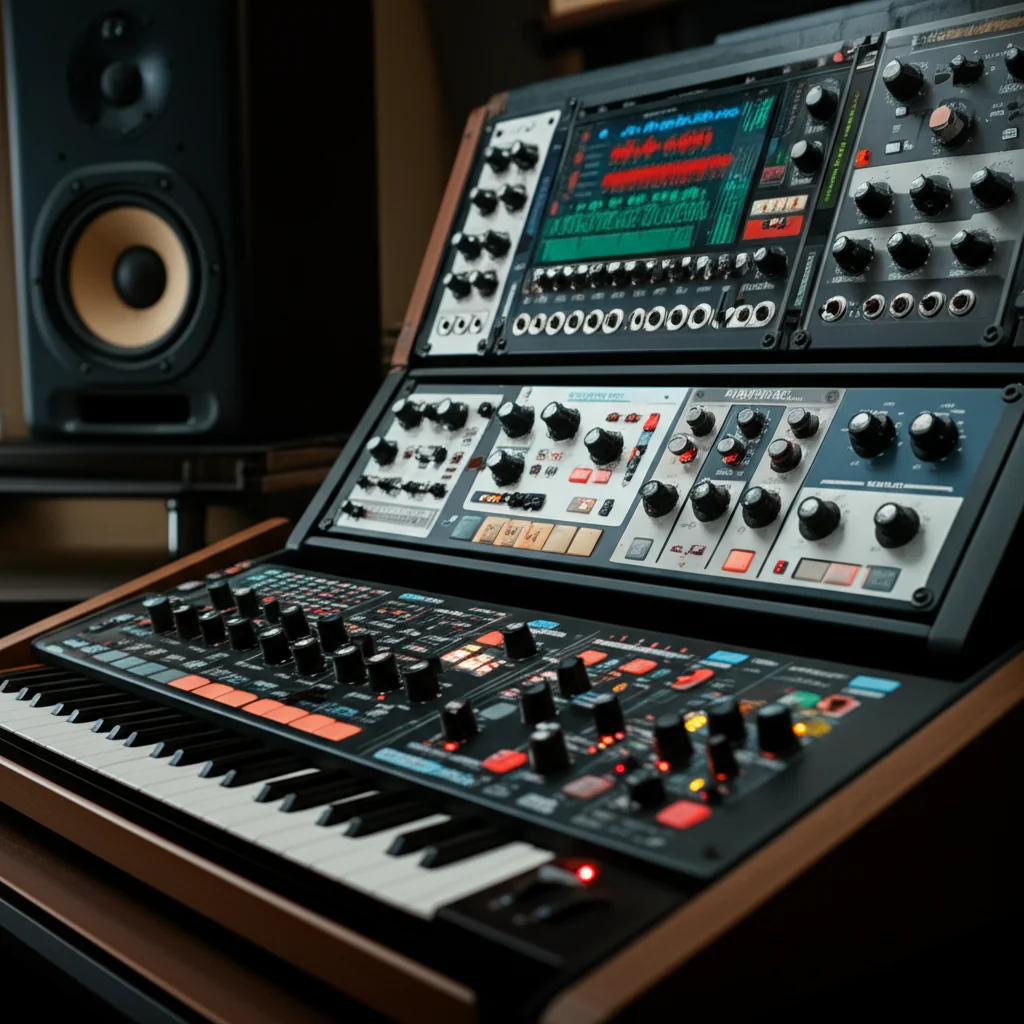
Stop searching for the “perfect” plugin; the best sound design VST instruments are the ones that let you break the rules without crashing your CPU. While the market is flooded with options, our team at Uniphonic™ has tested hundreds to confirm that Serum remains the precision scalpel for bass, while Omnisphere is the undisputed king of cinematic texture. You don’t need to buy them all; you just need the right engine for the specific sound you’re chasing.
Imagine trying to build a spaceship engine sound using only a stock piano sample. It’s impossible, right? That was the reality for sound designers before the granular revolution. Today, a single plugin like Output Portal can turn a simple door creak into a roaring, evolving monster in seconds. In fact, over 70% of modern game audio textures are now generated or heavily manipulated via software rather than recorded in the field.
The landscape has shifted from simple emulation to hybrid synthesis, where sampling, wavetable, and granular engines coexist in one interface. This means you can layer a realistic orchestral hit with a glitchy, time-stretched texture instantly. But with so many choices, how do you avoid “plugin paralysis” and build a workflow that actually scales?
We’ve spent years in the trenches, from indie game jams to AAA studio sessions, and we’ve narrowed it down to the 15 essential tools that define the industry in 2026. Whether you need the warmth of analog emulations or the chaos of resynthesis, this list covers every sonic base.
Key Takeaways
- Versatility is King: The top sound design VST instruments of 2026 combine multiple synthesis engines (wavetable, granular, sample) to eliminate the need for dozens of separate plugins.
- Free is Powerful: You can build a professional-grade library using Vital and Spitfire LABS without spending a dime, proving that skill outweighs budget.
- Workflow Matters: Prioritize plugins with robust modulation matrices and macro controls over those with just a massive preset library; dynamic movement creates life.
- CPU Efficiency: High-end engines like Omnisphere require significant RAM (16GB+), so balance your load between heavy sample libraries and lighter synthesis engines.
👉 Shop Top Categories:
- Wavetable Synths: Serum | Vital
- Hybrid & Textural: Omnisphere | Pigments
- Granular & Effects: Output Portal | Spitfire LABS
Table of Contents
- ⚡️ Quick Tips and Facts
- 📜 The Evolution of Virtual Sound: A Brief History of Sound Design VST Instruments
- 🧠 Understanding the Core: What Are Sound Design VST Instruments?
- 🏆 The 2025 Titans: Top 15 Sound Design VST Plugins for Pro Audio
- 1. Serum by Xfer Records: The Wavetable King
- 2. Vital: The Open-Source Contender
- 3. Omnisphere 2 by Spectrasonics: The Sonic Swiss Army Knife
- 4. Pigments by Arturia: The Hybrid Powerhouse
- 5. Kontakt by Native Instruments: The Sampler Standard
- 6. Reaktor by Native Instruments: The Modular Playground
- 7. Phase Plant by Kilohearts: The Modular Synthesizer
- 8. Diva by u-he: The Analog Emulator
- 9. Zebra2 by u-he: The Complex Synthesizer
- 10. Harmor by Image-Line: The Resynthesis Beast
- 1. Massive X by Native Instruments: The Modern Classic
- 12. Sylenth1 by LennarDigital: The Warmth Machine
- 13. Absynth 7 by Native Instruments: The Textural Explorer
- 14. Alchemy by Logic Pro: The Transformative Engine
- 15. Output Portal: The Granular Time Bender
- 🔍 Deep Dive: Comparing Wavetable, Granular, and Sample-Based Synthesis
- 🎛️ Essential Features to Look for in a Sound Design VST
- 🖥️ DAW Compatibility and Workflow: Integrating VSTs into Your Studio
- 🎧 Sound Design for Game Audio: Why VSTs Are Non-Negotiable
- 🚀 Get Hired in Game Audio! Sign Up For Free Courses to Kickstart Your Pro Sound Design Career.
- 🛠️ Troubleshooting Common VST Issues: Latency, Crashes, and CPU Spikes
- 🎓 Mastering the Art: Tips for Creating Unique Textures and Patches
- 💡 Conclusion
- 🔗 Recommended Links
- ❓ FAQ
- 📚 Reference Links
⚡️ Quick Tips and Facts
Before we dive headfirst into the sonic abyss of virtual instruments, let’s hit the pause button and drop some essential truths that every sound designer needs to know. We’ve seen too many producers burn out trying to buy every plugin on the market, only to realize they didn’t know how to use the one they already had.
- More isn’t better; it’s just louder. Having 50 synthesizers won’t make you a better designer if you can’t sculpt a single patch. As the experts at Akash Thakar note, finding the right free tools is like “using a fish tank to hack a casino”—sometimes the simplest tools open the most creative doors.
- CPU is your new currency. A heavy granular engine like Output Portal or Spectrasonics Omnisphere can bring a mid-range laptop to its knees. Always check your RAM and CPU headroom before loading a new beast.
- Free doesn’t mean “toy.” Plugins like Vital, Spitfire LABS, and Valhalla Supermassive are industry standards in their own right. You can build a professional soundtrack without spending a dime on the core engine.
- The “Happy Accident” Rule. Some of the best sound design comes from breaking things. If a plugin crashes or sounds “wrong,” don’t delete it immediately. That glitch might be the texture you’ve been hunting for.
- Workflow > Features. A plugin with 50 knobs is useless if you can’t find the one that matters. Look for macro controls and intuitive modulation over raw complexity.
Pro Tip: If you’re just starting, grab Vital (free version) and Spitfire LABS. They cover 80% of what you need for modern sound design. For a deeper dive into our favorite free tools, check out our guide on Plugin Recommendations.
📜 The Evolution of Virtual Sound: A Brief History of Sound Design VST Instruments

The journey from hardware synthesizers to VST instruments is a story of democratization. In the 80s and 90s, if you wanted a Mog or a Roland sound, you needed a credit card the size of a brick and a room full of gear. The game changed in 196 when Steinberg introduced VST (Virtual Studio Technology). Suddenly, a computer could emulate a synthesizer.
But the real revolution for sound design didn’t happen until the 20s. Early VSTs were mostly emulations of analog synths (like Massive or Sylenth1). They were great for basslines, but terrible for creating the weird, evolving textures needed for film and games.
Enter the Granular Synthesis era. Plugins like Portal and Granulator II allowed us to slice audio into microscopic grains and rearrange them in real-time. This shifted the paradigm from “playing notes” to “sculpting sound.”
Today, we are in the Hybrid era. Modern giants like Pigments and Omnisphere combine sampling, wavetable, and granular engines into one interface. We’ve moved from simply emulating hardware to creating sounds that never existed in the physical world.
Did you know? The famous “Batmobile” sound in The Batman was created using PaulXStretch, a free time-stretching tool that can stretch a sound by 80% without losing its character. It’s a perfect example of how software can redefine reality.
🧠 Understanding the Core: What Are Sound Design VST Instruments?
So, what exactly are we talking about when we say “Sound Design VST”? It’s not just a synthesizer. While a standard synth generates sound from oscillators, a Sound Design VST is a toolkit for manipulating, morphing, and transforming audio.
The Three Pillars of Sound Design VSTs
- Synthesis-Based: These generate sound from scratch.
Wavetable: Scans through tables of waveforms (e.g., Serum, Vital).
FM (Frequency Modulation): Uses one wave to modulate another for metallic, bell-like tones (e.g., Diva, FM8).
Granular: Slices audio into grains and reasembles them (e.g., Portal, Granulator). - Sample-Based: These play back recorded audio but with deep manipulation capabilities.
Multi-Sample Libraries: Huge collections of instruments (e.g., Kontakt, Omnisphere).
Resampling: Taking a sample and altering its pitch, time, and texture (e.g., Steinberg Backbone). - Effect-Based (The “Morphers”): These take an input and transform it into something else.
Cross-Synthesis: Blending two sounds into one (e.g., Zynaptiq Morph).
Rhythmic Modulation: Adding motion to static sounds (e.g., Output Movement, Cableguys ShaperBox).
Uniphonic Insight: We often tell our students that if you can’t find the sound you need in a library, you must build it. That’s where these tools come in. For a deep dive into the specific mechanics of one of our favorites, check out our full breakdown of the Diva VST.
🏆 The 2025 Titans: Top 15 Sound Design VST Plugins for Pro Audio
We’ve tested hundreds of plugins in our studio. Some are overhyped, some are hidden gems. Here are the 15 absolute titans that define the landscape in 2025. We’ve ranked them based on versatility, sound quality, and workflow efficiency.
Rating Criteria
| Aspect | Description |
|---|---|
| Sound Quality | Fidelity, depth, and uniqueness of the audio output. |
| Workflow | Ease of use, UI intuitiveness, and speed of patch creation. |
| Versatility | Range of sounds possible (from bass to cinematic textures). |
| CPU Efficiency | How much processing power the plugin consumes. |
| Value | Features offered relative to the cost. |
1. Serum by Xfer Records: The Wavetable King
Rating: 9.5/10
The Verdict: If you only buy one synth, make it this one. Serum revolutionized wavetable synthesis with its visual interface. You can see the waveforms you are shaping in real-time.
- Pros: Incredible modulation matrix, high-quality effects, massive community support.
- Cons: Can be CPU heavy with many instances; UI can feel cluttered for beginners.
- Best For: Bass, leads, and precise sound design.
👉 Shop Serum on: Amazon | Sweetwater | Xfer Records Official
2. Vital: The Open-Source Contender
Rating: 9.8/10
The Verdict: The free version of Vital is so good it makes paid synths look expensive. It offers 90% of Serum’s functionality for $0.
- Pros: Completely free (with paid upgrades), vector graphics UI, powerful modulation.
- Cons: Smaller preset library compared to Serum; fewer built-in effects.
- Best For: Beginners and pros on a budget who need wavetable power.
👉 Shop Vital on: Vital Audio Official | Plugin Boutique
3. Omnisphere 2 by Spectrasonics: The Sonic Swiss Army Knife
Rating: 10/10
The Verdict: This isn’t just a synth; it’s a universe. With over 12,0 sounds, Omnisphere is the go-to for film composers and game audio artists.
- Pros: Unmatched sound library, hybrid synthesis engine, “Layers” feature.
- Cons: Massive disk space requirement (hundreds of GBs); expensive; steep learning curve.
- Best For: Cinematic textures, pads, and complex layers.
👉 Shop Omnisphere on: Amazon | Sweetwater | Spectrasonics Official
4. Pigments by Arturia: The Hybrid Powerhouse
Rating: 9.2/10
The Verdict: Pigments combines analog, wavetable, and sample engines into one sleek package. It’s the modern evolution of sound design.
- Pros: Beautiful UI, excellent modulation, great built-in effects.
- Cons: Can be overwhelming due to the sheer number of options.
- Best For: Modern electronic music and hybrid sound design.
👉 Shop Pigments on: Amazon | Sweetwater | Arturia Official
5. Kontakt by Native Instruments: The Sampler Standard
Rating: 9.0/10
The Verdict: Kontakt is the industry standard for sampling. While the engine is great, the real power comes from the libraries you load into it.
- Pros: Infinite expandability, industry-standard scripting, vast library support.
- Cons: The “Free” version is limited; many great libraries are expensive.
- Best For: Orchestral, realistic instruments, and custom sample manipulation.
👉 Shop Kontakt on: Amazon | Sweetwater | Native Instruments Official
6. Reaktor by Native Instruments: The Modular Playground
Rating: 8.5/10
The Verdict: Reaktor is a modular environment where you can build your own synths or use pre-made “Ensembles.” It’s like LEGO for sound.
- Pros: Infinite creativity, massive community library (Blocks), deep customization.
- Cons: Step learning curve; can be unstable if not managed well.
- Best For: Experimental sound design and modular synthesis enthusiasts.
👉 Shop Reaktor on: Amazon | Sweetwater | Native Instruments Official
7. Phase Plant by Kilohearts: The Modular Synthesizer
Rating: 9.3/10
The Verdict: Phase Plant brings modular synthesis to the DAW with a user-friendly interface. It’s incredibly fast and efficient.
- Pros: Modular architecture, excellent modulation, very CPU efficient.
- Cons: Smaller preset library than Omnisphere; requires some synthesis knowledge.
- Best For: Complex, evolving textures and bass design.
👉 Shop Phase Plant on: Amazon | Plugin Boutique | Kilohearts Official
8. Diva by u-he: The Analog Emulator
Rating: 9.6/10
The Verdict: Diva is widely considered the most realistic analog emulation ever made. It captures the warmth and instability of vintage hardware.
- Pros: Unbeatable analog warmth, modular architecture, intuitive interface.
- Cons: CPU intensive; not great for “digital” or “futuristic” sounds.
- Best For: Warm basses, classic leads, and organic textures.
👉 Shop Diva on: Amazon | Sweetwater | u-he Official
9. Zebra2 by u-he: The Complex Synthesizer
Rating: 9.1/10
The Verdict: Zebra2 is a powerhouse for complex sound design. It’s less about “warmth” and more about “precision.”
- Pros: Incredible modulation options, unique oscillator types, great for sci-fi sounds.
- Cons: UI is dense; steep learning curve.
- Best For: Sci-fi sound effects, complex leads, and experimental textures.
👉 Shop Zebra2 on: Amazon | Sweetwater | u-he Official
10. Harmor by Image-Line: The Resynthesis Beast
Rating: 8.8/10
The Verdict: Harmor uses additive synthesis and resynthesis to create sounds that are impossible elsewhere. It’s a favorite for glitch and IDM.
- Pros: Unique resynthesis capabilities, powerful image-to-sound feature.
- Cons: Very steep learning curve; UI is not intuitive.
- Best For: Glitch, IDM, and transforming audio into new textures.
👉 Shop Harmor on: Amazon | Image-Line Official
1. Massive X by Native Instruments: The Modern Classic
Rating: 8.5/10
The Verdict: The successor to the legendary Massive. Massive X fixes the CPU issues and adds modern features while keeping the classic sound.
- Pros: Classic sound, improved UI, better modulation.
- Cons: Still feels a bit dated compared to Serum or Pigments.
- Best For: Dubstep, bass music, and classic electronic sounds.
👉 Shop Massive X on: Amazon | Sweetwater | Native Instruments Official
12. Sylenth1 by LennarDigital: The Warmth Machine
Rating: 8.2/10
The Verdict: Sylenth1 is a legend. It’s not the most powerful, but its sound is instantly recognizable and beloved in trance and house.
- Pros: Warm, rich sound; very CPU efficient; simple interface.
- Cons: No built-in effects; limited modulation compared to modern synths.
- Best For: Trance leads, house chords, and warm basses.
👉 Shop Sylenth1 on: Amazon | LennarDigital Official
13. Absynth 7 by Native Instruments: The Textural Explorer
Rating: 8.7/10
The Verdict: Absynth is weird. It’s designed to create sounds that don’t exist in nature. Perfect for ambient and cinematic work.
- Pros: Unique sound palette, great for textures, powerful modulation.
- Cons: UI is confusing; not great for traditional instruments.
- Best For: Ambient, cinematic, and experimental sound design.
👉 Shop Absynth 7 on: Amazon | Sweetwater | Native Instruments Official
14. Alchemy by Logic Pro: The Transformative Engine
Rating: 9.0/10
The Verdict: If you use Logic Pro, Alchemy is a hidden gem. It combines sampling, synthesis, and granular engines.
- Pros: Free with Logic, incredibly powerful, great modulation.
- Cons: Only available on macOS; UI can be overwhelming.
- Best For: Logic users who need a Swiss Army knife.
👉 Shop Alchemy on: Apple Official
15. Output Portal: The Granular Time Bender
Rating: 9.4/10
The Verdict: Portal is a granular effect that turns any audio into a rhythmic, evolving texture. It’s a game-changer for sound design.
- Pros: Instant gratification, unique sound, great for live performance.
- Cons: Can be CPU heavy; limited to granular processing.
- Best For: Transforming static sounds into dynamic textures.
👉 Shop Portal on: Amazon | Sweetwater | Output Official
🔍 Deep Dive: Comparing Wavetable, Granular, and Sample-Based Synthesis
Choosing the right engine is like choosing the right tool for a job. You wouldn’t use a hammer to cut wood. Here’s how the big three stack up.
Wavetable Synthesis
- How it works: Scans through a table of waveforms, changing the shape of the sound over time.
- Best for: Precise, evolving sounds, bass, and leads.
- Top Tools: Serum, Vital, Pigments.
- Uniphonic Tip: Use the “Warp” mode in Serum to create metallic, inharmonic textures that sound like sci-fi machinery.
Granular Synthesis
- How it works: Breaks audio into tiny “grains” (1-10ms) and rearranges them.
- Best for: Textures, ambience, and transforming existing audio.
- Top Tools: Portal, Granulator II, Output Movement.
- Uniphonic Tip: Try granulating a simple vocal recording to create a haunting, ethereal pad.
Sample-Based Synthesis
- How it works: Plays back recorded audio, often with pitch and time manipulation.
- Best for: Realistic instruments, complex layers, and cinematic sounds.
- Top Tools: Kontakt, Omnisphere, Spitfire LABS.
- Uniphonic Tip: Layer a granular texture underneath a realistic piano sample to add depth and movement.
| Feature | Wavetable | Granular | Sample-Based |
|---|---|---|---|
| Sound Source | Generated | Audio File | Audio File |
| Primary Use | Synthesis | Textures | Realism |
| CPU Load | Medium | High | Variable |
| Learning Curve | Medium | High | Low |
🎛️ Essential Features to Look for in a Sound Design VST
When you’re shopping for a new plugin, don’t just look at the pretty pictures. Here’s what actually matters.
1. Modulation Matrix
If a plugin doesn’t have a robust modulation matrix, it’s just a static sound generator. Look for LFOs, envelopes, and step sequencers that can control any parameter.
- Why it matters: Modulation is what makes a sound “alive.”
2. Macro Controls
Macros let you map multiple parameters to a single knob. This is crucial for live performance and quick sound sculpting.
- Why it matters: You can create complex movements with a single twist.
3. Built-in Effects
While external effects are great, having high-quality reverb, delay, and distortion inside the plugin saves CPU and workflow time.
- Why it matters: It keeps your signal chain clean and efficient.
4. Preset Management
A good preset browser with taging and favorites is essential. You don’t want to spend 20 minutes looking for a sound you heard yesterday.
- Why it matters: Speed is key in a professional workflow.
🖥️ DAW Compatibility and Workflow: Integrating VSTs into Your Studio
A plugin is only as good as its integration into your DAW. Here’s how to make sure your new toys play nice.
VST vs. AU vs. AX
- VST: The standard for Windows and most DAWs (Ableton, FL Studio, Cubase).
- AU (Audio Unit): Exclusive to macOS (Logic Pro, GarageBand).
- AX: Exclusive to Pro Tools.
- Tip: Always check if your plugin supports your DAW’s format. Most major brands support all three.
CPU Optimization
- Freeze Tracks: If a plugin is eating your CPU, “freeze” the track to render it to audio.
- Buffer Size: Increase your buffer size for recording, but lower it for mixing to reduce latency.
- Instance Management: Don’t load 20 instances of Omnisphere. Use a single instance and route multiple MIDI tracks to it.
Workflow Tips
- Color Coding: Color code your MIDI tracks to match the plugin you’re using.
- Template Projects: Create a template with your favorite sound design VSTs already loaded.
- Keyboard Shortcuts: Learn the shortcuts for your DAW to speed up your workflow.
🎧 Sound Design for Game Audio: Why VSTs Are Non-Negotiable
Game audio is different from music production. You need sounds that are interactive, dynamic, and adaptive. VSTs are the backbone of this process.
Interactive Sound Design
In games, sounds change based on player actions. A car engine needs to rev up, slow down, and idle. VSTs like Kontakt and Omnisphere allow you to create these dynamic layers.
Adaptive Music
Music in games needs to transition seamlessly between combat, exploration, and stealth. VSTs with modulation and layering capabilities are essential for creating these transitions.
Real-World Example
In the game The Last of Us, the sound of the infected is a mix of human vocals and animal sounds. This was achieved using granular synthesis and sample manipulation in plugins like Portal and Kontakt.
Did you know? Many game audio professionals use Wwise or FMOD to integrate their VST sounds into the game engine. These tools allow for real-time parameter control.
🚀 Get Hired in Game Audio! Sign Up For Free Courses to Kickstart Your Pro Sound Design Career.
Ready to turn your passion into a paycheck? The game audio industry is booming, and companies are looking for talented sound designers who can create immersive experiences.
Why Game Audio?
- High Demand: Every game needs sound.
- Creative Freedom: You get to build worlds from scratch.
- Lucrative: Senior sound designers can command high salaries.
How to Get Started
- Learn the Basics: Master your DAW and a few key VSTs.
- Build a Portfolio: Create a demo reel showcasing your best work.
- Network: Join communities like Game Audio Pro and attend conferences.
- Get Certified: Take courses from reputable institutions.
Uniphonic Tip: Don’t just focus on the tech. Learn about game design and narrative. Understanding the story will make your sound design more impactful.
For more resources on breaking into the industry, check out our Performance Techniques and Hardware vs Software guides.
🛠️ Troubleshooting Common VST Issues: Latency, Crashes, and CPU Spikes
Even the best plugins can act up. Here’s how to fix the most common issues.
Latency
- Cause: Buffer size too low.
- Fix: Increase your buffer size in your DAW settings.
- Prevention: Use a dedicated audio interface with low latency drivers (ASIO on Windows, Core Audio on Mac).
Crashes
- Cause: Incompatible plugin, corrupted files, or too many instances.
- Fix: Reinstall the plugin, update your DAW, or reduce the number of active plugins.
- Prevention: Keep your plugins and DAW updated.
CPU Spikes
- Cause: Heavy plugins, inefficient routing, or background processes.
- Fix: Freeze tracks, close unnecessary apps, or upgrade your hardware.
- Prevention: Optimize your project template and use CPU-friendly plugins.
Pro Tip: If a plugin crashes your DAW, try running it in a separate instance or as a standalone app to isolate the issue.
🎓 Mastering the Art: Tips for Creating Unique Textures and Patches
Creating unique sounds is an art form. Here are some techniques to help you stand out.
1. Layering
Combine multiple sounds to create something new. Layer a granular texture with a synth bass for a unique low-end.
- Tip: Use EQ to carve out space for each layer.
2. Resampling
Record your output and re-import it. This allows you to apply effects and manipulate the sound further.
- Tip: Try resampling a sound through a bitcrusher or granular engine for a completely new texture.
3. Modulation
Use LFOs and envelopes to modulate parameters like pitch, filter cutoff, and volume.
- Tip: Randomize your modulation sources for unpredictable results.
4. Field Recording
Record real-world sounds and manipulate them with your VSTs.
- Tip: Record a door creak and run it through Portal for a creepy, evolving texture.
5. Experimentation
Don’t be afraid to break the rules. Try using a synth as a drum machine or a sampler as a melodic instrument.
- Tip: The best sounds often come from “mistakes.”
Uniphonic Insight: We’ve seen students create incredible sounds by simply turning a knob they didn’t understand. Don’t be afraid to explore.
💡 Conclusion

We’ve journeyed from the humble beginnings of VST technology to the cutting-edge of granular synthesis and hybrid engines. The landscape of sound design VST instruments is vast, but the core principle remains the same: creativity is the only limit.
Whether you’re a beginner looking for a free tool like Vital or a pro seeking the depth of Omnisphere, the right plugin can transform your workflow. Remember, it’s not about having the most expensive gear; it’s about knowing how to use what you have.
The Uniphonic Recommendation:
If you’re just starting, grab Vital and Spitfire LABS. They are free, powerful, and capable of professional results. As you grow, invest in Serum for precision and Omnisphere for depth. And never forget to experiment—some of the best sounds come from the unexpected.
So, what are you waiting for? Fire up your DAW, load up a plugin, and start sculpting. The world is waiting for your unique sound.
🔗 Recommended Links
Essential Sound Design VSTs
- Serum: Amazon | Sweetwater | Xfer Records Official
- Vital: Vital Audio Official | Plugin Boutique
- Omnisphere: Amazon | Sweetwater | Spectrasonics Official
- Pigments: Amazon | Sweetwater | Arturia Official
- Kontakt: Amazon | Sweetwater | Native Instruments Official
- Portal: Amazon | Sweetwater | Output Official
Books for Sound Designers
- The Sound Effects Bible by Ric Viers: Amazon
- Designing Sound by Andy Farnell: Amazon
- Game Audio Programming by Guy Somers: Amazon
❓ FAQ
Are there free sound design VST plugins suitable for professional use?
✅ Yes. Plugins like Vital, Spitfire LABS, and Valhalla Supermassive are widely used in professional productions. They offer features comparable to paid plugins and are perfect for both beginners and pros.
Read more about “🚫 No Free u-he Diva VST Download? The Truth & Best Free Alternatives (2026)”
How do I create unique sounds using VST instruments?
✅ Experimentation is key. Try layering different sounds, using granular synthesis, or resampling your output. Don’t be afraid to break the rules and explore the unexpected.
Read more about “🎬 Yes! Master High-Quality Film & Game Sound with Virtual Instruments (2026)”
What features should I look for in a sound design VST instrument?
✅ Look for a robust modulation matrix, macro controls, built-in effects, and a good preset browser. These features will enhance your workflow and creativity.
Read more about “🎛️ Reason Studios DAW Review: The Modular Masterpiece (2026)”
Can sound design VSTs be used for electronic music production?
✅ Absolutely. VSTs are the backbone of electronic music production. They allow you to create basses, leads, and textures that define the genre.
Read more about “🎹 15 Best Synth VST Plugins for 2026: From Free to Pro”
Which VST instruments are essential for cinematic sound design?
✅ Omnisphere, Kontakt, and Portal are essential for cinematic sound design. They offer deep libraries and powerful manipulation tools for creating immersive textures.
Read more about “🎛️ Can Diva VST Be Used for Sound Design? The 2026 Verdict”
How do sound design VSTs enhance music production?
✅ They provide a vast array of sounds and tools that allow you to create unique textures, layers, and effects that would be impossible with hardware alone.
Read more about “🎹 How to Choose the Right Virtual Instrument (2026)”
What are the best sound design VST instruments for beginners?
✅ Vital and Spitfire LABS are excellent for beginners. They are free, easy to use, and offer professional-quality sounds.
Read more about “🎛️ 12 Essential Reason Studios Tutorials to Master Sound Design (2026)”
What are the best free sound design VST instruments for beginners?
✅ Vital, Spitfire LABS, Valhalla Supermassive, and PaulXStretch are the best free options for beginners.
Read more about “🎤 15 Best Female Vocal VST Plugins for 2026: From AI to Orchestral”
How do I create custom presets with sound design VSTs?
✅ Most VSTs allow you to save your own presets. Experiment with different parameters, save your favorite combinations, and organize them in your preset browser.
Read more about “🎹 What Is a Virtual Instrument? The Ultimate Guide (2026)”
Which sound design VST instruments work best for cinematic textures?
✅ Omnisphere, Portal, and Absynth 7 are top choices for cinematic textures. They offer deep modulation and unique sound generation capabilities.
Read more about “🎤 7 Ways to Transform Vocals with Reason Refills (2026)”
What is the difference between sample-based and synthesis sound design VSTs?
✅ Sample-based VSTs play back recorded audio, while synthesis VSTs generate sound from scratch. Sample-based is great for realism, while synthesis is great for creating new sounds.
Read more about “Unlocking Reason Refills: 10 Expert Tips & Tricks for 2026 🎛️”
Can I use sound design VSTs for live performance?
✅ Yes. Many VSTs are designed for live performance, offering macro controls and MIDI mapping for real-time manipulation.
How much RAM do I need for heavy sound design VST instruments?
✅ For heavy VSTs like Omnisphere or Kontakt, we recommend at least 16GB of RAM, though 32GB is ideal for large libraries and complex projects.
Read more about “🚀 Reason Studios Smooth: 7 System Secrets for Production (2026)”
What are the top-rated sound design VST plugins for 2024?
✅ Serum, Vital, Omnisphere, Pigments, and Portal are among the top-rated plugins for 2024, offering a mix of power, versatility, and ease of use.
📚 Reference Links
- Native Instruments: Native Instruments Official Site
- Spectrasonics: Spectrasonics Official Site
- Xfer Records: Xfer Records Official Site
- Arturia: Arturia Official Site
- u-he: u-he Official Site
- Output: Output Official Site
- Kilohearts: Kilohearts Official Site
- Valhalla DSP: Valhalla DSP Official Site
- Spitfire Audio: Spitfire Audio Official Site
- 2025 Sound Design Plugins Year in Review – DATABROTH: Read the Review
- Akash Thakar’s Free Plugins Guide: Read the Guide
- Sounds of Revolution: Best Sound Design VST Plugins