
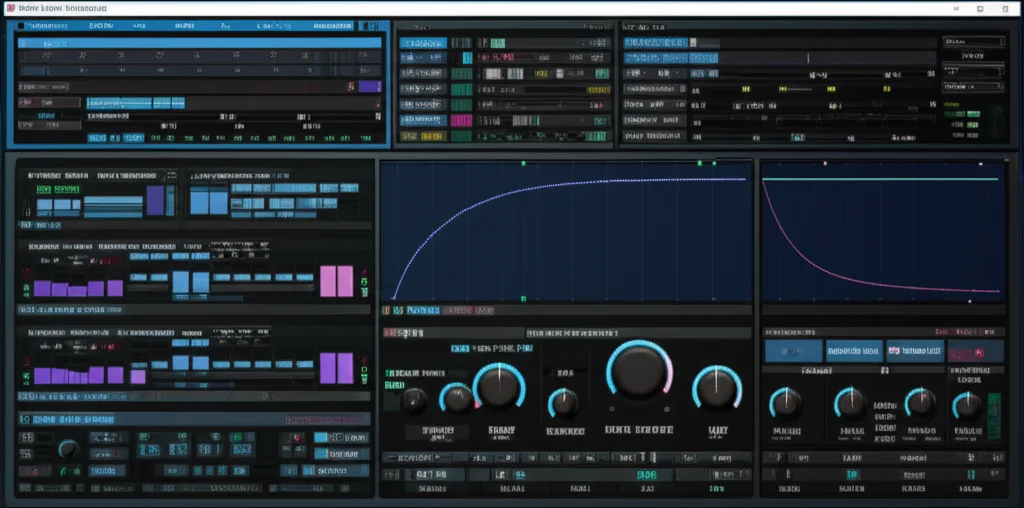
If you’ve ever wondered why the Serum synthesizer has become the go-to weapon for producers and sound designers worldwide, you’re in for a treat. At Uniphonic™, we’ve spent countless hours dissecting every knob, waveform, and modulation route to bring you the most comprehensive guide on Serum — from its revolutionary wavetable engine to expert tips that will elevate your sound design game instantly.
Did you know that Serum’s visual wavetable editor lets you morph waveforms in real-time, creating sounds that evolve like living creatures? This alone has transformed how electronic music is produced. But that’s just the tip of the iceberg. Later in this article, we’ll reveal how to craft custom wavetables, optimize CPU usage without sacrificing quality, and tap into the vibrant Serum community for presets and inspiration.
Whether you’re a beginner curious about Serum’s capabilities or a seasoned pro hunting for fresh ideas, this article is your sonic treasure map. Ready to unlock the full potential of this powerhouse synth? Let’s dive in!
Key Takeaways
- Serum is a visual wavetable synthesizer that combines intuitive design with deep sound-sculpting power.
- Custom wavetable creation and warp modes enable infinite sonic possibilities, from lush pads to aggressive basses.
- The drag-and-drop modulation system makes complex routings accessible and fun.
- Serum 2 adds a third oscillator, clip sequencer, and enhanced effects routing for even more creative freedom.
- CPU optimization tips help maintain smooth workflow during heavy sessions.
- A vast community and preset ecosystem provide endless inspiration and learning opportunities.
Ready to transform your sound?
👉 CHECK PRICE on:
- Xfer Serum 2: Amazon | Plugin Boutique | Xfer Records Official Website
Table of Contents
- ⚡️ Quick Tips and Facts About Xfer Serum: Your Sonic Cheat Sheet!
- From Humble Waves to Sonic Wonders: The Evolution of Wavetable Synthesis and Serum’s Ascent
- Why Xfer Serum Still Rules the Digital Airwaves: A Uniphonic™ Deep Dive
- The Visual Revolution: Seeing is Believing (and Hearing!) with Serum
- Wavetable Wizardry: Unlocking Infinite Sonic Possibilities
- Beyond the Basics: A Symphony of Oscillator Types
- Modulation Madness: The Drag-and-Drop Workflow That Changes Everything
- The FX Rack: Your Personal Studio in a Plugin
- Filtering Frenzy: Sculpting Your Sound with Precision
- Arpeggiator & Sequencer: Rhythmic Engines for Creative Flow
- Under the Hood: A Closer Look at Serum’s Core Architecture
- Uniphonic™’s Top 5 Game-Changing Tips for Mastering Xfer Serum
- Uniphonic™’s Curated List of Must-Have Serum Preset Packs & Expansions
- Serum vs. The Titans: How Does Xfer Serum Stack Up Against the Competition?
- Is Xfer Serum Your Next Sonic Obsession? Our Expert Verdict
- Conclusion: The Enduring Legacy and Future of Xfer Serum
- Recommended Links for Your Serum Deep Dive
- FAQ: All Your Burning Serum Questions Answered!
- Reference Links
⚡️ Quick Tips and Facts About Xfer Serum: Your Sonic Cheat Sheet!
Welcome to the sonic playground of Xfer Serum, the wavetable synthesizer that’s been turning heads and twisting knobs in studios worldwide! 🎛️ At Uniphonic™, we’ve been knee-deep in Serum patches, tweaking oscillators and modulating envelopes to bring you the fastest route to killer sounds. Here’s a quick rundown of the essentials before we dive deeper:
| Aspect | Rating (1-10) | Notes |
|---|---|---|
| Design & UI | 9 | Intuitive, visually rich, drag-and-drop modulation makes sound design fun and clear. |
| Sound Quality | 10 | Crystal-clear, pristine digital sound with analog warmth options. |
| Functionality | 9 | Deep wavetable editing, versatile FX, and multi-oscillator setup. |
| CPU Efficiency | 7 | Powerful but can be CPU-heavy with complex patches; optimization tips available below. |
| Preset Library | 8 | Hundreds of presets plus community expansions; great starting points for all genres. |
| Learning Curve | 7 | Friendly for beginners but deep enough for pros to get lost in for hours. |
Quick Facts:
- Serum is a wavetable synthesizer developed by Xfer Records, launched in 2014, and has since become a staple in electronic music production.
- It features real-time wavetable manipulation, letting you morph waveforms visually.
- The plugin supports up to 16 voices of unison per oscillator, enabling lush, thick sounds.
- Serum 2, the latest upgrade, adds a third primary oscillator, new effects routing, and a clip sequencer.
- It’s compatible with major DAWs (Ableton Live, FL Studio, Logic Pro, Cubase, etc.) on both Windows and macOS.
- The plugin offers lifetime free updates for owners, a rarity in the plugin world.
Pro Tip: If you want to get a feel for Serum’s power visually and sonically, check out the featured video embedded above — it’s a great demo and walkthrough!
From Humble Waves to Sonic Wonders: The Evolution of Wavetable Synthesis and Serum’s Ascent
Before Serum, wavetable synthesis was a niche realm dominated by hardware like the PPG Wave and Waldorf synths. These early pioneers allowed musicians to scan through waveforms, creating evolving timbres that analog subtractive synths couldn’t easily replicate.
Why is this important? Because Serum took this concept and made it accessible, visual, and ultra-flexible in a software plugin — a game-changer for producers and sound designers alike.
- Wavetable Synthesis 101: Imagine a flipbook of waveforms that you can scan through dynamically, creating sounds that evolve over time.
- Serum’s Breakthrough: Unlike earlier synths, Serum lets you import, draw, and morph wavetables in real-time with a crystal-clear display of the waveform.
- Community Impact: Since its release, Serum has inspired a massive community of sound designers who share custom wavetables and presets, fueling creativity across genres.
At Uniphonic™, we remember the first time we loaded Serum — it was like opening a treasure chest of sonic possibilities. The clarity and control made us rethink what digital synths could do.
Why Xfer Serum Still Rules the Digital Airwaves: A Uniphonic™ Deep Dive
Serum’s staying power isn’t just hype — it’s a synthesis powerhouse that balances user-friendly design with deep sound sculpting capabilities. Here’s what makes it a top pick in our studio:
The Visual Revolution: Seeing is Believing (and Hearing!) with Serum
- Waveform Display: Every oscillator shows the waveform in real-time, so you see exactly what you’re hearing.
- Drag-and-Drop Modulation: Want to assign an LFO to filter cutoff? Just drag the modulation source onto the parameter — no menus, no fuss.
- Intuitive Interface: Serum’s UI is clean, colorful, and logically laid out, reducing the intimidation factor for beginners.
Wavetable Wizardry: Unlocking Infinite Sonic Possibilities
- Serum’s wavetable editor lets you import audio files, draw waveforms by hand, or morph between existing wavetables.
- You can warp, bend, and modulate these wavetables in real-time using multiple warp modes like Bend, Sync, and FM.
- This flexibility means you can create anything from classic analog emulations to futuristic digital textures.
Beyond the Basics: A Symphony of Oscillator Types
- Serum 2 introduces a third primary oscillator, expanding layering options.
- Alongside the main oscillators, you get a sub oscillator for deep bass and a noise oscillator for texture.
- Each oscillator supports up to 16 voices of unison, with detune and blend controls for massive, wide sounds.
Modulation Madness: The Drag-and-Drop Workflow That Changes Everything
- Serum offers 4 LFOs and 4 envelopes, each with customizable curves and looping options.
- The modulation matrix is transparent and visual, making complex routings easy to manage.
- This system encourages experimentation — a key to discovering unique sounds.
The FX Rack: Your Personal Studio in a Plugin
- Serum includes a comprehensive effects section with distortion, chorus, delay, reverb, flanger, phaser, compressor, EQ, and more.
- Effects can be reordered and routed independently, allowing for creative sound shaping.
- These effects add polish and character without needing external plugins.
Filtering Frenzy: Sculpting Your Sound with Precision
- Serum offers over 20 filter types, including analog-modeled filters like Moog, Ladder, and State Variable.
- Filters support key tracking, velocity sensitivity, and drive, giving dynamic control.
- The filters can be modulated for evolving timbres and rhythmic effects.
Arpeggiator & Sequencer: Rhythmic Engines for Creative Flow
- The new clip sequencer in Serum 2 lets you draw and trigger MIDI patterns inside the synth.
- The arpeggiator is flexible, with multiple modes and sync options.
- These tools help you generate ideas quickly and add movement to your patches.
Under the Hood: A Closer Look at Serum’s Core Architecture
Let’s peel back the layers and see what makes Serum tick — the nuts and bolts that power your favorite sounds.
The Oscillators: Where Sound Begins Its Journey
The Mighty Wavetable Oscillator: Serum’s Crown Jewel
- Each oscillator can load up to 256 wavetables, each containing up to 256 frames.
- You can morph between frames to create evolving sounds.
- Warp modes like Bend, FM, PWM, and Sync add sonic complexity.
- Real-time visual feedback helps you sculpt sounds precisely.
The Sub Oscillator: Adding Weight and Low-End Punch
- Provides a sine, square, or saw wave one octave below oscillator 1.
- Great for basses and thickening leads.
- Can be routed through filters and effects independently.
The Noise Oscillator: Injecting Grit, Air, and Atmosphere
- Offers a library of noise samples plus user-imported samples.
- Perfect for adding texture, percussion elements, or ambiance.
- Can be modulated and filtered for creative effects.
Envelopes & LFOs: Breathing Life into Your Patches
- Four envelopes with ADSR controls, plus customizable curves.
- Four LFOs with multiple shapes, retrigger modes, and tempo sync.
- Envelopes can loop and be used as LFOs, and vice versa.
- Modulation targets include nearly every parameter.
The Integrated FX Section: Professional Polish at Your Fingertips
- Eleven effects including Distortion, Compressor, Delay, Reverb, and more.
- Effects can be stacked in any order, with independent wet/dry controls.
- Effects parameters can be modulated for dynamic sound design.
Global Parameters & Macro Controls: Performance Powerhouses
- Eight macro knobs let you control multiple parameters simultaneously.
- Perfect for live tweaking or automating complex changes.
- Global settings include master tuning, glide, and voice management.
Uniphonic™’s Top 5 Game-Changing Tips for Mastering Xfer Serum
Ready to level up your Serum skills? Here are our favorite pro tips from years of hands-on experience:
1. Unleashing Your Inner Alchemist: Crafting Custom Wavetables
- Import your own audio samples (vocals, guitars, field recordings) to create unique wavetables.
- Use the built-in wavetable editor to draw or morph waveforms.
- Experiment with warp modes to add movement and character.
- Pro tip: Start with simple waveforms and gradually add complexity.
2. Warp Mode Wonders: Twisting and Morphing Your Sounds
- Each oscillator’s warp mode drastically changes the sound texture.
- Try combining warp modes with modulation for evolving pads or aggressive basses.
- Use FM warp mode for metallic and bell-like timbres.
- Uniphonic™ anecdote: We once created a lead sound that sounded like a futuristic guitar by layering FM warp with sync.
3. The Art of Unison & Layering: Achieving Epic Soundscapes
- Use up to 16 voices of unison per oscillator to fatten sounds.
- Adjust detune and blend to avoid phase issues.
- Layer oscillators with different waveforms and effects for depth.
- Caution: High unison counts increase CPU load; balance accordingly.
4. CPU Optimization Secrets: Keeping Your Production Flow Smooth
- Reduce unison voices when not needed.
- Disable unused oscillators or effects.
- Use Serum’s oversampling settings wisely.
- Freeze or bounce tracks in your DAW when possible.
- We recommend keeping an eye on your CPU meter during complex patches.
5. Tapping into the Global Brain: Leveraging the Serum Community
- Join forums like KVR Audio and Reddit’s r/Serum for tips and preset swaps.
- Explore preset packs from ADSR Sounds, Splice, and Loopmasters.
- Share your own creations to get feedback and inspire others.
- Bonus: Check out Uniphonic™’s curated list of presets below!
Uniphonic™’s Curated List of Must-Have Serum Preset Packs & Expansions
To save you hours of sound design, here are our favorite preset packs that cover a wide range of styles and moods:
| Preset Pack Name | Style Focus | Highlights | Where to Get It |
|---|---|---|---|
| Echo Sound Works – Serum Essentials | EDM, Pop, Trap | Clean leads, basses, and pads | Plugin Boutique |
| Cymatics – Serum Starter Kit | Future Bass, Trap | Versatile presets, great for beginners | Cymatics |
| ADSR Sounds – Serum Modern Bass | Bass-heavy genres | Aggressive basses and growls | ADSR Sounds |
| Loopmasters – Serum Soundscapes | Ambient, Cinematic | Lush pads and evolving textures | Loopmasters |
| Uniphonic™ Custom Pack | Multi-genre | Hand-crafted presets with detailed modulation | Coming soon on Uniphonic™ |
Why use presets? They’re not just shortcuts — they’re learning tools. Open them up, reverse engineer the modulation, and discover new tricks.
Serum vs. The Titans: How Does Xfer Serum Stack Up Against the Competition?
In the crowded world of software synths, Serum holds its ground against giants like Native Instruments Massive X, Arturia Pigments, and LennarDigital Sylenth1. Here’s a quick comparison table:
| Feature | Xfer Serum | Massive X | Arturia Pigments | Sylenth1 |
|---|---|---|---|---|
| Wavetable Synthesis | ✅ Industry leader | ✅ Advanced | ✅ Hybrid wavetable + VA | ❌ Subtractive only |
| Visual Interface | ✅ Highly visual | ❌ More technical | ✅ Colorful and intuitive | ❌ Minimalist |
| Oscillators | 3 primary + sub/noise | 3 complex oscillators | Multiple types + samples | 2 main oscillators |
| Modulation | Drag & drop + matrix | Complex matrix | Flexible and deep | Basic modulation |
| Effects | 11 built-in FX | Extensive FX | Rich FX suite | Limited FX |
| CPU Usage | Medium-high | High | Medium | Low |
| Preset Library | Large & active | Moderate | Growing | Large |
| Learning Curve | Moderate | Steep | Moderate | Easy |
Our take: Serum strikes a near-perfect balance of power, usability, and sonic quality. While Massive X offers deep complexity and Pigments adds hybrid synthesis flavors, Serum’s visual workflow and sound clarity keep it a favorite for producers who want fast results and deep control.
Is Xfer Serum Your Next Sonic Obsession? Our Expert Verdict
After countless hours of patch creation, mixing, and live performance, the Uniphonic™ team agrees: Serum is a must-have synthesizer plugin for anyone serious about sound design and music production.
Pros:
- Unmatched wavetable editing with real-time visual feedback.
- Flexible modulation system that encourages experimentation.
- Rich effects and filters that can replace multiple plugins.
- Strong community and preset ecosystem.
- Free lifetime updates ensure your investment keeps growing.
Cons:
- Can be CPU-intensive with complex patches.
- Some users find the learning curve steep at first.
- The interface, while intuitive, can overwhelm beginners with options.
Final thoughts: Whether you’re crafting lush pads, aggressive basses, or intricate soundscapes, Serum delivers professional-grade sounds with a playful interface. It’s no wonder it’s been a staple since 2014 and continues to evolve with Serum 2.
For more tips on saving on Serum, check out our related article on Xfer Serum Sale Secrets: 3 Proven Ways to Save in 2025.
Recommended Links for Your Serum Deep Dive
- Xfer Records Official Website: https://xferrecords.com/products/serum-2
- Plugin Boutique – Serum: https://www.pluginboutique.com/products/1220-Xfer-Records-Serum
- Splice – Serum 2: https://splice.com/plugins/39137242-serum-2-au-by-xfer-record
- ADSR Sounds – Serum Presets: https://www.adsrsounds.com/product/software/serum/
- Uniphonic™ Plugin Recommendations: https://uniphonic.com/category/plugin-recommendations/
- Uniphonic™ Music Production Techniques: https://uniphonic.com/category/music-production-techniques/
FAQ: All Your Burning Serum Questions Answered!
Q1: Can Serum run on both Windows and macOS?
✅ Yes! Serum supports both platforms and works with most major DAWs.
Q2: Is Serum suitable for beginners?
✅ Serum is beginner-friendly but has a learning curve. The visual interface helps, and many tutorials are available.
Q3: How CPU-heavy is Serum?
✅ It can be demanding with complex patches and high unison voices, but optimization tips can help.
Q4: Can I import my own wavetables?
✅ Absolutely! Serum encourages custom wavetable creation from any audio file.
Q5: Does Serum come with presets?
✅ Yes, hundreds of presets come included, plus thousands more from third-party packs.
Q6: What’s new in Serum 2?
✅ Serum 2 adds a third oscillator, clip sequencer, new effects routing, and more expressive controls.
Q7: Is Serum worth the investment?
✅ For producers and sound designers seeking versatility and quality, Serum is a top-tier choice.
Reference Links
- Xfer Records Serum 2 Official Product Page: https://xferrecords.com/products/serum-2
- Splice Serum 2 Plugin Overview: https://splice.com/plugins/39137242-serum-2-au-by-xfer-record
- ADSR Sounds Serum Review: https://www.adsrsounds.com/product/software/serum/
- KVR Audio Forum on Serum: https://www.kvraudio.com/forum/viewforum.php?f=100&start=5250
- Reddit r/Serum Community: https://www.reddit.com/r/serum/comments/scq8kp/is_there_ever_going_to_be_a_serum_20/
👉 CHECK PRICE on:
- Xfer Serum 2: Amazon | Plugin Boutique | Xfer Records Official Website
If you’re hungry for more sonic adventures, don’t forget to watch the featured video above — it’s a fantastic visual and sonic introduction to Serum’s magic! 🎹✨
Conclusion: The Enduring Legacy and Future of Xfer Serum
After our deep dive into the sonic universe of Xfer Serum, it’s clear why this synthesizer remains a cornerstone in modern music production. From its visually intuitive interface to its powerful wavetable manipulation, Serum offers a unique blend of creativity, flexibility, and professional sound quality that few plugins can match.
Positives:
- Crystal-clear sound quality with pristine digital fidelity and analog warmth options.
- Real-time wavetable editing and morphing, empowering you to craft truly unique sounds.
- Extensive modulation system with drag-and-drop ease, making complex routings accessible.
- Robust effects section that can replace multiple external plugins.
- Strong community support and a vast ecosystem of presets and expansions.
- Free lifetime updates, including the powerful Serum 2 upgrade.
Negatives:
- CPU usage can be high with complex patches or maximum unison voices.
- Learning curve can be steep for absolute beginners, though the visual interface helps.
- Some users may find the interface overwhelming due to the sheer number of options.
Our Verdict: If you’re serious about sound design or electronic music production, Serum is a must-have tool that rewards exploration and experimentation. Whether you want lush pads, aggressive basses, or intricate textures, Serum delivers with style and precision. The free Serum 2 upgrade only sweetens the deal, adding new oscillators, sequencing, and effects capabilities.
Remember the question we teased earlier — “Is Serum your next sonic obsession?” — the answer is a resounding YES from the Uniphonic™ team. Dive in, experiment, and let your creativity run wild!
Recommended Links for Your Serum Deep Dive
👉 Shop Xfer Serum 2 on:
Must-have Serum Preset Packs:
- Echo Sound Works – Serum Essentials
- Cymatics – Serum Starter Kit
- ADSR Sounds – Serum Modern Bass
- Loopmasters – Serum Soundscapes
Recommended Books on Synthesis & Sound Design:
- The Synthesizer: A Comprehensive Guide to Understanding, Programming, Playing, and Recording the Ultimate Electronic Music Instrument by Mark Vail
Amazon Link - Sound Design: The Expressive Power of Music, Voice and Sound Effects in Cinema by David Sonnenschein
Amazon Link - Welsh’s Synthesizer Cookbook: Analog Synthesizer Programming by Fred Welsh
Amazon Link
FAQ: All Your Burning Serum Questions Answered!
What are the best presets for Serum synthesizer?
The best presets depend on your genre and production style, but some standout packs include Echo Sound Works’ Serum Essentials for versatile EDM sounds, Cymatics’ Starter Kit for fresh trap and future bass vibes, and ADSR Sounds’ Modern Bass for aggressive low-end patches. These packs offer a great balance of quality and variety, perfect for both beginners and pros. Don’t forget to explore the Uniphonic™ Custom Pack once it’s released for hand-crafted, modulation-rich presets.
Why presets? They’re invaluable learning tools. Opening presets reveals modulation routings and creative FX chains, accelerating your understanding of Serum’s capabilities.
How do you create bass sounds in Serum?
Creating bass sounds in Serum involves layering oscillators with rich low-frequency content. Start with the sub oscillator for a solid foundation—usually a sine or square wave one octave below your main oscillator. Then, use the main oscillators with wavetable shapes like sawtooth or pulse waves, applying warp modes such as FM or Sync for harmonic complexity.
Add unison voices sparingly to thicken the sound without muddying the low end. Use the filter section (Moog or Ladder filters are favorites) with some drive and resonance to shape the tone. Finally, apply effects like distortion, compression, and EQ in Serum’s FX rack to add grit and presence.
Our Uniphonic™ engineers recommend experimenting with modulating filter cutoff and envelope decay to add movement and punch to bass patches.
Can Serum be used for sound design in electronic music?
✅ Absolutely! Serum is a sound design powerhouse widely used across electronic genres — from dubstep and trap to ambient and techno. Its wavetable synthesis allows for evolving textures and complex timbres that are difficult to achieve with subtractive synths alone.
The drag-and-drop modulation system encourages experimentation, making it easy to create dynamic, expressive sounds. The integrated effects rack and clip sequencer (in Serum 2) further expand creative possibilities, enabling producers to build intricate soundscapes and rhythmic patterns within a single plugin.
What are the key features of Serum synthesizer for music production?
- Real-time wavetable editing and morphing: Visualize and manipulate waveforms on the fly.
- Multiple oscillators: Three primary oscillators plus sub and noise sources for layering.
- Extensive modulation: Four envelopes, four LFOs, and a drag-and-drop matrix.
- Powerful FX section: Eleven effects including distortion, reverb, delay, and compressor.
- Flexible filtering: Over 20 filter types with analog emulations and modulation options.
- Unison mode: Up to 16 voices per oscillator for thick, wide sounds.
- Clip sequencer and arpeggiator: Compose rhythmic patterns inside the synth (Serum 2).
- Preset management: Hundreds of factory presets plus community expansions.
- Cross-platform compatibility: Works on Windows and macOS with major DAWs.
These features combine to make Serum a versatile, professional-grade instrument suitable for everything from quick sketching to detailed sound design.
How does Serum 2 improve upon the original Serum?
Serum 2 introduces a third primary oscillator, expanding layering and textural possibilities. The clip sequencer allows MIDI pattern creation within the synth, speeding up workflow. New effects routing options and additional filter types enhance sound shaping. Plus, Serum 2 maintains the original’s visual clarity while adding more expressive control.
Owners of the original Serum receive Serum 2 as a free upgrade, making it a no-brainer update for existing users.
Reference Links
- Xfer Records Serum 2 Official Product Page: https://xferrecords.com/products/serum-2
- Splice Serum 2 Plugin Overview: https://splice.com/plugins/39137242-serum-2-au-by-xfer-record
- ADSR Sounds Serum Review: https://www.adsrsounds.com/product/software/serum/
- KVR Audio Forum on Serum: https://www.kvraudio.com/forum/viewforum.php?f=100&start=5250
- Reddit r/Serum Community: https://www.reddit.com/r/serum/comments/scq8kp/is_there_ever_going_to_be_a_serum_20/
- Xfer Records Official Website: https://xferrecords.com
- Plugin Boutique: https://www.pluginboutique.com
- Cymatics: https://cymatics.fm
- Loopmasters: https://www.loopmasters.com
👉 CHECK PRICE on:
- Xfer Serum 2: Amazon | Plugin Boutique | Xfer Records Official Website
Ready to transform your sound design and production workflow? Serum awaits — dive in and unleash your creativity! 🎹✨