
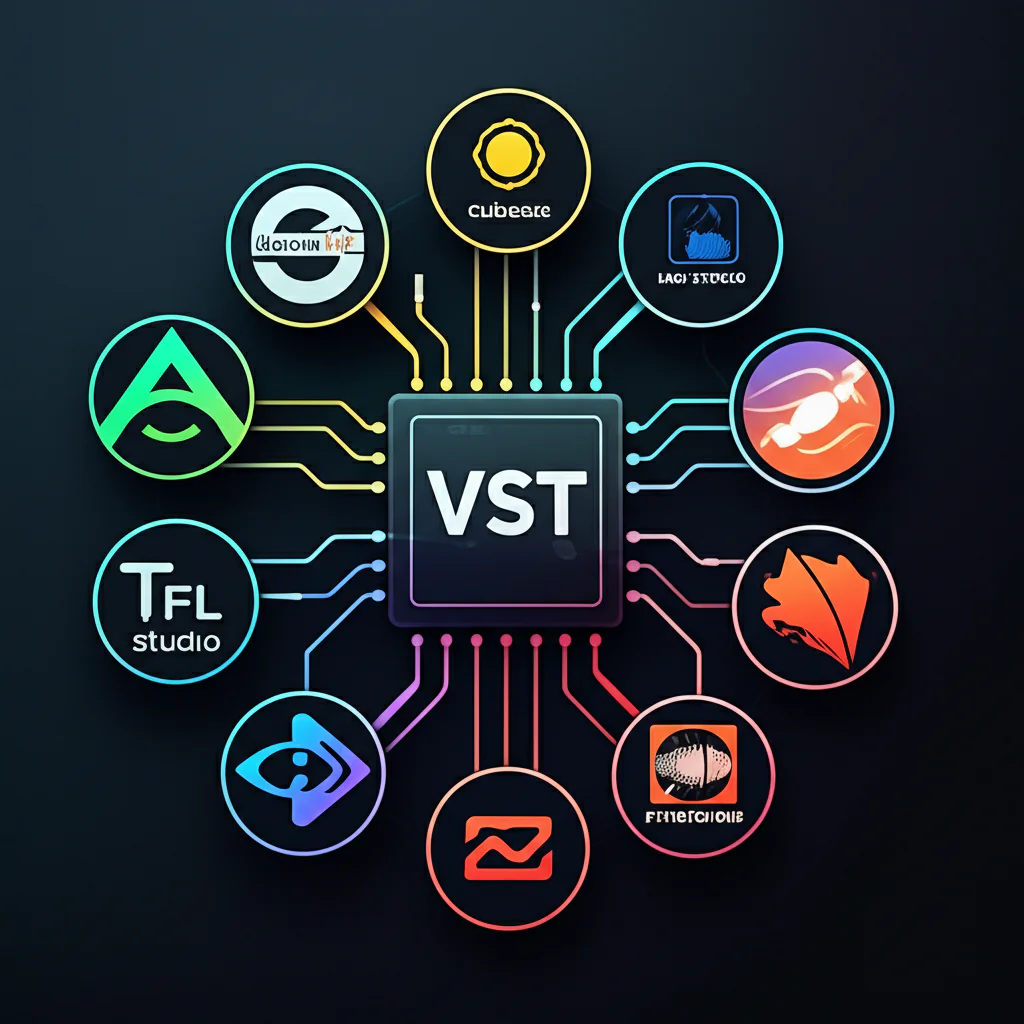
Ever tried loading your favorite VST plugin into your DAW only to be greeted by silence—or worse, a crash? You’re not alone. At Uniphonic™, we’ve seen producers and sound designers wrestle with the age-old question: Are VST plugins truly compatible with all digital audio workstations, or do specific requirements apply? Spoiler alert: the answer isn’t as simple as “yes” or “no.” From architecture mismatches to format exclusivity, the compatibility landscape is a maze that can make or break your creative flow.
In this article, we’ll unravel the mysteries behind VST compatibility, explore the quirks of popular DAWs like Logic Pro and Pro Tools, and share insider tips from our expert team. Plus, we’ll reveal the secret weapon bridging tools that can save your session—and the pitfalls to avoid. Curious how your favorite plugins stack up? Stick around for our detailed breakdown and real-world anecdotes that might just save you hours of frustration.
Key Takeaways
- VST plugins are widely supported but not universally compatible; DAW-specific plugin formats like AU and AAX exist.
- Bit architecture matters: 64-bit DAWs require 64-bit plugins; bridging tools exist but may cause instability.
- Operating system plays a big role: macOS favors AU, Windows favors VST.
- Popular DAWs like Logic Pro and Pro Tools have exclusive plugin formats, limiting native VST use.
- Bridging tools (jBridge, 32 Lives) can extend compatibility but with trade-offs like latency and crashes.
- Regular updates and proper plugin organization are essential for a smooth workflow.
- Always demo plugins and check compatibility before purchase to avoid surprises.
Ready to upgrade your plugin game? Check out these expert-recommended brands:
- FabFilter: Amazon | Plugin Boutique | FabFilter Official Website
- Waves Audio: Amazon | Sweetwater | Waves Official Website
- Native Instruments: Amazon | Sweetwater | Native Instruments Official Website
Dive in and master the art of plugin compatibility with Uniphonic™!
Table of Contents
- ⚡️ Quick Tips and Facts: VST Plugin Compatibility at a Glance
- 🕰️ A Brief History of Plugin Formats and Digital Audio Workstations
- 🤔 Are VST Plugins Truly Universal? The Compatibility Conundrum Explained
- 💻 Navigating the Digital Audio Workstation Landscape: Which DAWs Play Nicely?
- ⚙️ The Nitty-Gritty: Technical Requirements for Seamless Plugin Integration
- 🛠️ Troubleshooting Common VST Plugin Compatibility Issues
- ✅ Best Practices for a Smooth Plugin Workflow
- 💡 Uniphonic™ Expert Insights and Anecdotes
- Conclusion: Mastering the Art of Plugin Compatibility
- Recommended Links
- FAQ: Your Burning Questions Answered
- Reference Links
⚡️ Quick Tips and Facts: VST Plugin Compatibility at a Glance
Welcome to the sonic jungle of VST plugins and DAWs! If you’ve ever wondered “Are VST plugins compatible with all digital audio workstations, or are there specific requirements?”, you’re in the right place. At Uniphonic™, our team of musicians, audio engineers, and sound designers have wrestled with this very question for years. Here’s a rapid-fire starter pack of essential facts to get you grooving:
- ✅ VST plugins are widely supported but not universally compatible — most Windows and macOS DAWs support VST, but some prefer other formats like AU or AAX.
- ✅ 32-bit vs 64-bit architecture matters — a 64-bit DAW usually requires 64-bit plugins; bridging tools exist but can be unstable.
- ✅ Operating system restrictions apply — macOS favors Audio Units (AU), Windows leans heavily on VST.
- ✅ Plugin format matters for Pro Tools users — AAX is the exclusive plugin format for Pro Tools.
- ✅ Plugin bridging and wrappers can extend compatibility but may introduce latency or crashes.
- ✅ Always check your DAW’s plugin folder paths and scanning settings to ensure your plugins show up.
- ✅ Regular updates for both DAW and plugins keep compatibility smooth.
- ✅ Licensing and activation can sometimes block plugin usage even if technically compatible.
Curious about the why and how behind these facts? Stick with us as we dive deep into the plugin-DAW compatibility labyrinth with plenty of insider tips, expert anecdotes, and troubleshooting wizardry. And if you want a quick visual overview of DAWs and their plugin ecosystems, check out the featured video later on!
For more on VST plugins, check our detailed guide here: Uniphonic™ VST Resources.
🕰️ A Brief History of Plugin Formats and Digital Audio Workstations

Before we jump into compatibility specifics, let’s take a quick stroll down memory lane. Understanding the origins of plugin formats and DAWs helps explain why compatibility can sometimes feel like a puzzle missing a few pieces.
The Dawn of Digital Audio Workstations
Back in the late 1990s and early 2000s, DAWs like Steinberg Cubase and Cakewalk SONAR started revolutionizing music production by integrating MIDI sequencing, audio recording, and plugin support. Steinberg’s introduction of Virtual Studio Technology (VST) in 1996 was a game-changer, enabling third-party developers to create software effects and instruments that could be loaded inside DAWs.
The Rise of Plugin Formats
- VST (Virtual Studio Technology): Developed by Steinberg, VST became the de facto standard for Windows and later macOS users.
- Audio Units (AU): Apple introduced AU in 2002 as a native macOS plugin format, optimized for Logic Pro and GarageBand.
- RTAS and AAX: Avid created RTAS for Pro Tools, later replaced by the more advanced AAX format to support 64-bit processing.
- Others: Linux users have LADSPA and LV2, while newer formats like CLAP are emerging to address modern needs.
Why So Many Formats?
Each format reflects different company priorities, OS architectures, and user bases. This diversity is both a blessing and a curse — it fosters innovation but complicates plugin compatibility.
For a detailed timeline and history, check out Sound On Sound’s Plugin Formats Overview.
🤔 Are VST Plugins Truly Universal? The Compatibility Conundrum Explained
Understanding VST: What It Is and Isn’t
At first glance, VST plugins seem like the universal language of audio production. But here’s the catch: VST is a plugin format, not a guarantee of universal compatibility. It’s a specification that developers follow, but how it’s implemented can vary widely.
- VST2 vs VST3: Steinberg’s VST3 introduced advanced features like dynamic I/O and improved automation, but not all DAWs support VST3 fully yet.
- VST Instruments (VSTi) vs Effects: Some DAWs handle instruments and effects differently, affecting compatibility.
- 32-bit vs 64-bit: A 32-bit VST won’t load in a 64-bit DAW without a bridging tool like jBridge, which can cause instability.
The Major Plugin Formats: VST, AU, AAX, and Beyond
VST (Virtual Studio Technology): The Ubiquitous Standard
- Platform: Windows and macOS
- Support: Most DAWs including Cubase, Ableton Live, FL Studio, Reaper, Studio One, Bitwig
- Pros: Huge plugin ecosystem, cross-platform, supports instruments and effects
- Cons: Some DAWs have limited VST3 support; 32-bit plugins require bridging on 64-bit systems
AU (Audio Units): Apple’s Native Solution
- Platform: macOS only
- Support: Logic Pro, GarageBand, MainStage, Digital Performer
- Pros: Deep OS integration, low latency, optimized performance
- Cons: Not supported on Windows; limited plugin availability compared to VST
AAX (Avid Audio eXtension): Pro Tools’ Exclusive Club
- Platform: Windows and macOS
- Support: Pro Tools only
- Pros: Designed for Pro Tools’ architecture, supports DSP acceleration on Avid hardware
- Cons: Limited plugin ecosystem; no support outside Pro Tools
Other Formats: RTAS, LADSPA, CLAP, and the Future
- RTAS: Legacy Pro Tools format, replaced by AAX
- LADSPA/LV2: Linux-focused, open-source plugin standards
- CLAP: A new open-source format aiming to solve plugin API limitations and improve performance (see CLAP official)
💻 Navigating the Digital Audio Workstation Landscape: Which DAWs Play Nicely?
DAWs with Broad VST Support: Ableton Live, FL Studio, Cubase, Studio One, Reaper, Bitwig
If you’re a Windows or macOS user, these DAWs are your best friends for VST compatibility:
| DAW | VST2 Support | VST3 Support | AU Support | Notes |
|---|---|---|---|---|
| Ableton Live | ✅ | ✅ | ✅ (macOS) | Excellent VST support; AU on macOS |
| FL Studio | ✅ | ✅ | ❌ | Windows-focused; macOS version improving |
| Cubase | ✅ | ✅ | ✅ (macOS) | Steinberg’s own DAW; best VST3 support |
| Studio One | ✅ | ✅ | ✅ (macOS) | Great plugin management |
| Reaper | ✅ | ✅ | ✅ (macOS) | Highly customizable, supports many formats |
| Bitwig | ✅ | ✅ | ✅ (macOS) | Modern, modular DAW with solid VST support |
DAWs with Specific Plugin Preferences: Logic Pro (AU), Pro Tools (AAX)
- Logic Pro: Only supports AU plugins natively. No VST support, so Windows-only VST plugins won’t work here. This is a common stumbling block for producers switching platforms.
- Pro Tools: Uses AAX exclusively. VST plugins require conversion or wrapper tools, which are often unstable.
The Linux Lowdown: VSTs and Open-Source DAWs
Linux users often rely on Ardour, Bitwig Studio, or REAPER (experimental). VST support is improving but can be hit-or-miss due to OS differences.
⚙️ The Nitty-Gritty: Technical Requirements for Seamless Plugin Integration
32-bit vs. 64-bit: The Architecture A-Ha! Moment
One of the most common causes of plugin incompatibility is the bit-depth mismatch:
- 64-bit DAWs require 64-bit plugins for optimal performance.
- 32-bit plugins won’t load in 64-bit DAWs without a bridging tool like jBridge (Windows) or 32 Lives (macOS).
- Bridging can cause instability, crashes, and increased CPU load.
Pro Tip: Always aim to use native 64-bit plugins with your DAW. Most modern plugins from brands like FabFilter, Waves, and Native Instruments come in 64-bit versions.
Operating System Compatibility: Windows, macOS, and Beyond
- Windows: Supports VST2 and VST3 natively; no AU support.
- macOS: Supports VST2, VST3, and AU; AU is preferred for Apple DAWs.
- Linux: Limited VST support; mostly open-source formats.
System Resources: CPU, RAM, and Disk Space Considerations
VST plugins vary wildly in resource consumption:
| Plugin Type | CPU Usage | RAM Usage | Disk Space | Notes |
|---|---|---|---|---|
| Synthesizers | High | High | Medium | Complex engines and samples |
| Effects (EQ, Reverb) | Medium | Low | Low | Usually lightweight |
| Convolution Reverbs | Very High | Medium | High | Large impulse response files |
| Sample Libraries | Medium | High | Very High | Gigabytes of samples |
Uniphonic™ Tip: Monitor your system’s CPU and RAM usage while loading plugins. Use DAW tools like Ableton’s CPU meter or Cubase’s Performance Meter to avoid overloading.
Plugin Bridging and Wrappers: Your Compatibility Lifelines
When you have a plugin that doesn’t match your DAW’s architecture or format, bridging tools can help:
- jBridge (Windows): Bridges 32-bit plugins to 64-bit DAWs.
- 32 Lives (macOS): Converts 32-bit AU plugins to 64-bit.
- Blue Cat Audio PatchWork: Hosts incompatible plugins inside a compatible wrapper.
- Vienna Ensemble Pro: For networked plugin hosting.
Drawbacks: Bridging can introduce latency, glitches, or crashes. Use only when necessary.
🛠️ Troubleshooting Common VST Plugin Compatibility Issues
Installation Woes: Where Did My Plugin Go?
One of the most frequent headaches is plugins not appearing in your DAW:
- Check plugin folder paths: Most DAWs scan specific folders. Make sure your plugin installed to the correct VST folder.
- Rescan plugins: Use your DAW’s plugin manager to force a rescan.
- Run as administrator (Windows): Sometimes permissions block plugin installation.
- Check plugin format: Ensure your DAW supports the plugin’s format (VST2, VST3, AU, AAX).
Crashing DAWs and Unstable Performance: The Dreaded Freeze
- Update your DAW and plugins: Compatibility issues often stem from outdated software.
- Disable problematic plugins: Remove recently added plugins to isolate the culprit.
- Check system resources: Overloaded CPU or RAM can cause crashes.
- Use plugin bridges cautiously: Bridging can cause instability.
Licensing and Activation Headaches: Unlocking Your Sonic Potential
Many premium plugins require activation via iLok, Waves Central, or proprietary license managers:
- Ensure your license is activated on the correct machine.
- Check for expired or offline licenses.
- Some plugins won’t load without valid licenses, even if technically compatible.
Outdated Plugins and OS Updates: Keeping Your Toolkit Current
- Major OS updates (like macOS Big Sur, Monterey, Ventura) can break plugin compatibility.
- Plugin developers often release updates to maintain compatibility.
- Always back up your projects before updating OS or DAW.
✅ Best Practices for a Smooth Plugin Workflow
Research Before You Install: The Golden Rule
Before downloading or purchasing a plugin:
- Check your DAW’s supported formats and versions.
- Read user reviews and forums (e.g., Gearslutz, KVR Audio).
- Look for demo versions to test compatibility.
Organizing Your Plugin Folders: A Tidy Studio is a Happy Studio
- Use dedicated folders for VST2, VST3, and AU plugins.
- Avoid installing plugins into multiple folders to prevent duplicates.
- Regularly clean unused plugins to reduce scanning time.
Regular Updates and Backups: Your Digital Safety Net
- Keep your DAW and plugins updated.
- Backup your plugin presets and licenses.
- Use system restore points before major updates.
Demo Before You Buy: Test-Driving Your Tones
- Most reputable developers like FabFilter, Waves, iZotope, and Native Instruments offer free demos.
- Testing helps avoid compatibility surprises and ensures the plugin fits your workflow.
💡 Uniphonic™ Expert Insights and Anecdotes
Here at Uniphonic™, we’ve seen it all—from the joyous “it just works” moments to the hair-pulling plugin conflicts that make you question your life choices. Here are some nuggets from our studio trenches:
- Lucas, Sound Designer: “I once spent hours troubleshooting a killer synth plugin that refused to load in my 64-bit Cubase. Turns out, I had the 32-bit version installed. Lesson learned: always double-check the plugin architecture!”
- Maya, Audio Engineer: “Logic Pro users, beware! I had a client bring a killer VST reverb plugin, but Logic only supports AU. We had to find an AU alternative that sounded just as lush.”
- Jamal, Music Producer: “Using jBridge saved me when an old favorite 32-bit compressor refused to die. But it did introduce some latency, so I kept it on non-critical tracks.”
- Uniphonic™ Tip: For Pro Tools users, stick to AAX plugins for the smoothest experience. Trying to force VSTs through wrappers is a recipe for frustration.
Conclusion: Mastering the Art of Plugin Compatibility

So, are VST plugins compatible with all digital audio workstations? The short answer: not quite. While VST remains one of the most widely supported plugin formats across Windows and macOS DAWs, compatibility depends heavily on your DAW’s supported formats, your operating system, and plugin architecture (32-bit vs 64-bit). Some DAWs like Logic Pro and Pro Tools prefer AU and AAX formats respectively, which means VST plugins won’t natively work there without workarounds.
Our Uniphonic™ team’s experience shows that knowing your DAW’s plugin ecosystem, keeping your software updated, and organizing your plugin folders are key to a smooth workflow. Bridging tools can be lifesavers but come with trade-offs like latency and instability. Always demo plugins and check compatibility before committing.
Remember Lucas’s story? That 32-bit vs 64-bit mismatch is a classic trap that can waste hours. And Maya’s Logic Pro AU-only reality check reminds us that platform matters. Jamal’s jBridge workaround is a perfect example of how to extend compatibility when necessary — but cautiously.
In the end, mastering plugin compatibility is about balancing your creative needs with technical realities. The good news? The ecosystem is evolving, with formats like VST3 and CLAP pushing boundaries. Stay informed, stay organized, and your DAW + plugin combo will be a powerhouse of sonic possibilities.
Ready to dive deeper into plugin recommendations or music production techniques? Check out our Plugin Recommendations and Music Production Techniques sections for expert-curated content.
Recommended Links
Looking to expand your plugin arsenal or learn more about DAWs and formats? Here are some trusted resources and shopping links:
- FabFilter Plugins: Amazon | Plugin Boutique | FabFilter Official Website
- Waves Audio Plugins: Amazon | Sweetwater | Waves Official Website
- Native Instruments Komplete: Amazon | Sweetwater | Native Instruments Official Website
- iZotope Plugins: Amazon | Plugin Boutique | iZotope Official Website
- jBridge (32-bit to 64-bit bridging tool): jBridge Official Website
- 32 Lives (macOS 32-bit AU bridging): Sound Radix Official Website
Recommended Books on Music Production and Plugin Use:
- Mixing Secrets for the Small Studio by Mike Senior — Amazon
- The Art of Digital Audio Recording by Steve Savage — Amazon
- Music Technology and Digital Audio by Martin Russ — Amazon
FAQ: Your Burning Questions Answered

What is a VST plugin and how does it work in music production?
A VST (Virtual Studio Technology) plugin is a software module that adds audio effects or virtual instruments to a DAW. It works by integrating into the DAW’s plugin host environment, processing audio or MIDI data in real-time. VST plugins can emulate anything from classic analog synths to complex reverbs, expanding your sonic palette without physical hardware. For a deep dive, visit our Uniphonic™ VST guide.
Read more about “What is a VST plugin and how does it work in music production?”
Do all digital audio workstations support VST plugins?
❌ No. While many DAWs like Cubase, Ableton Live, FL Studio, and Reaper support VST plugins extensively, some DAWs have exclusive plugin formats:
- Logic Pro supports only Audio Units (AU).
- Pro Tools uses AAX exclusively.
- Some Linux DAWs have limited or experimental VST support.
Always check your DAW’s documentation for supported plugin formats.
Read more about “🎛️ Top 18 Best VST Plugins for Sound Design & Music Production (2025)”
Are there different types of VST plugins for various DAWs?
Yes. VST plugins come in different versions and architectures:
- VST2 vs VST3: VST3 offers advanced features but may not be supported by older DAWs.
- 32-bit vs 64-bit: Your DAW’s bit architecture must match the plugin’s.
- Instrument (VSTi) vs Effect plugins: Some DAWs handle these differently.
Compatibility depends on your DAW’s plugin scanning and hosting capabilities.
Read more about “Can I Use VST Plugins with Any DAW? 🎛️ (2025 Ultimate Guide)”
How can I check if a VST plugin is compatible with my DAW?
- Check the plugin developer’s website for supported DAWs and OS versions.
- Look at your DAW’s plugin manager to see if the plugin is detected.
- Test the plugin in a demo version if available.
- Consult user forums like KVR Audio or Gearslutz for real-world compatibility reports.
Read more about “Unlocking Hive 2 Demo: 15 Game-Changing Features You Must Try (2025) 🎹”
What are the system requirements for running VST plugins smoothly?
- CPU: Multi-core processors with high clock speeds improve plugin performance.
- RAM: More RAM allows larger sample libraries and complex plugins.
- Disk Space: Especially important for sample-based instruments.
- Operating System: Ensure your OS version supports your DAW and plugins.
- Architecture: Match 32-bit or 64-bit plugin versions with your DAW.
Read more about “Diva VST Deep Dive: 9 Expert Secrets to Sonic Bliss (2025) 🎹”
Can I use VST plugins on both Windows and Mac operating systems?
✅ Many VST plugins are cross-platform, supporting both Windows and macOS. However, some plugins are Windows-only or macOS-only. Also, macOS users often prefer AU plugins for better integration. Always verify plugin compatibility on the developer’s website.
Read more about “How to Install & Use VST Plugins in Your DAW (2025) 🎛️”
Are there alternatives to VST plugins for sound design in music production?
Yes! Alternatives include:
- Audio Units (AU): macOS native format.
- AAX: Pro Tools exclusive.
- LADSPA/LV2: Linux open-source plugins.
- Standalone software synths and effects: Some run outside DAWs.
- Hardware synths and effects: The classic analog/digital gear route.
Exploring these can expand your creative toolkit beyond VST.
Read more about “Xfer Serum 2025: 12 Reasons It’s Still the Ultimate Synth 🎹”
How do plugin bridging tools work and when should I use them?
Plugin bridging tools like jBridge (Windows) and 32 Lives (macOS) allow you to run plugins that don’t natively match your DAW’s architecture (e.g., 32-bit plugins in a 64-bit DAW). They act as translators or wrappers, but may introduce latency or instability. Use bridging as a last resort when no native 64-bit or compatible version exists.
Read more about “Do All VSTs Work with FL Studio? 9 Must-Know Facts (2025) 🎛️”
Can CUDA or GPU acceleration improve VST plugin performance?
Currently, CUDA-based GPU acceleration for VST plugins is not widely implemented. Most audio processing relies on CPU power because audio tasks are highly sequential and latency-sensitive. Some proprietary hardware (like Avid’s DSP cards for Pro Tools) offload processing, but general CUDA acceleration remains experimental. For more on this, see the NVIDIA Developer Forum discussion.
Reference Links
- Steinberg VST Official: https://www.steinberg.net/vst-instruments/free/
- Apple Audio Units: https://developer.apple.com/documentation/audiounit
- Avid AAX Format: https://www.avid.com/plugins
- KVR Audio Forums: https://www.kvraudio.com/forum/
- Gearslutz Forums: https://www.gearslutz.com/board/
- CLAP Plugin Format: https://cleveraudio.org/developers-getting-started/
- NVIDIA Developer Forum on CUDA Audio Acceleration: https://forums.developer.nvidia.com/t/cuda-and-audio-acceleration-is-this-possible-can-it-be-done/5880
- Steinberg Forum: How can use all my PC CPU? – Cubase – Steinberg Forums: https://forums.steinberg.net/t/how-can-use-all-my-pc-cpu/682126
We hope this comprehensive guide from Uniphonic™ helps you navigate the fascinating, sometimes frustrating, but always rewarding world of VST plugins and DAW compatibility. Happy producing! 🎶✨