
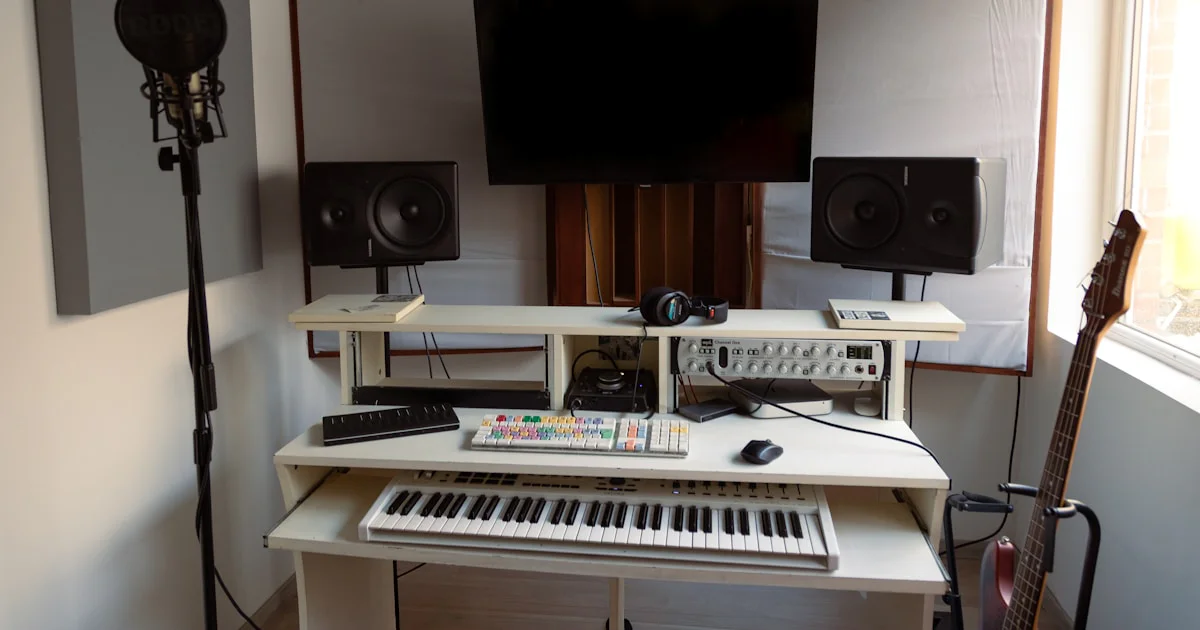

If you’ve ever felt your Reason Studios setup slow to a crawl when loading those massive ReFill libraries, you’re not alone. We’ve been there—staring at the spinning wheel, wondering if our creative spark will survive the wait. But here’s the kicker: with the right blend of hardware tweaks, software settings, and smart library management, you can turn that sluggish experience into a lightning-fast workflow that keeps your ideas flowing freely.
In this article, the Uniphonic™ team of musicians, audio engineers, and sound designers unpack 7 essential strategies to optimize Reason’s performance when handling large ReFill libraries. From upgrading your RAM and SSDs to mastering Reason’s caching features and workflow hacks, we cover every angle to help you produce without interruption. Curious about which hardware upgrades give you the biggest bang for your buck? Or how to tame your sprawling sound libraries for instant access? Stick around—we’ve got you covered.
Key Takeaways
- Hardware upgrades like SSDs and increased RAM are game-changers for Reason’s performance with large ReFill libraries.
- Optimizing Reason’s internal settings (buffer size, sample caching) can dramatically reduce load times and CPU strain.
- Efficient organization and management of ReFill libraries streamline navigation and improve workflow speed.
- Third-party tools and smart project workflows further enhance performance and creativity.
- Monitoring CPU and RAM usage regularly helps you spot bottlenecks before they stall your session.
Ready to unlock Reason’s full potential and breeze through your biggest projects? Let’s dive in!
Table of Contents
- ⚡️ Quick Tips and Facts for Optimizing Reason Performance
- 🎛️ Understanding Reason Studios and ReFill Libraries: A Performance Overview
- 🔍 Why Large ReFill Libraries Can Slow Down Reason
- 🛠️ 1. Essential Hardware Upgrades to Boost Reason’s Performance
- ⚙️ 2. Software Settings and Preferences to Optimize Reason
- 📂 3. Managing and Organizing Your ReFill Libraries Efficiently
- 💾 4. Using SSDs and External Drives for Faster Load Times
- 🔄 5. Caching Techniques and Preloading Samples in Reason
- 🎚️ 6. Streamlining Your Project Workflow to Avoid Lag
- 🧰 7. Third-Party Tools and Utilities to Enhance Reason Performance
- 📈 Monitoring CPU and RAM Usage: Tips for Reason Users
- 🧩 Integrating Reason with Other DAWs Without Performance Hits
- 🧠 Troubleshooting Common Performance Issues with Large ReFills
- 💡 Pro Tips from the Uniphonic™ Team: Insider Secrets for Smooth Sessions
- 🎉 Conclusion: Mastering Reason Performance with Large ReFill Libraries
- 🔗 Recommended Links for Reason and ReFill Optimization
- ❓ FAQ: Your Burning Questions About Reason and ReFill Performance Answered
- 📚 Reference Links and Further Reading
Quick Tips and Facts for Optimizing Reason Performance
To get the most out of Reason Studios and your ReFill libraries, check out our article on Reason Refills for insights into managing and optimizing your sound design workflow. Here are some quick tips to improve performance:
- Regularly update your Reason software to ensure you have the latest optimizations and features.
- Use a solid-state drive (SSD) for your ReFill libraries to reduce load times.
- Consider upgrading your computer’s RAM for smoother performance with large projects.
- Learn about plugin management and how to efficiently use your VSTs within Reason.
For more detailed guides on music production and sound design, visit our categories on Music Production Techniques, Performance Techniques, and Hardware vs Software.
Understanding Reason Studios and ReFill Libraries: A Performance Overview
Reason Studios is a powerful digital audio workstation (DAW) known for its intuitive interface and vast sound design capabilities, especially when combined with ReFill libraries. These libraries are essentially packages of sounds, patches, and samples that can greatly enhance your music production workflow. However, large ReFill libraries can sometimes slow down Reason’s performance. Understanding how Reason handles these libraries and how you can optimize their use is crucial for maintaining a smooth workflow.
Importance of ReFill Libraries
ReFill libraries are the backbone of Reason’s sound design capabilities. They offer a wide range of sounds, from basic synthesizer patches to complex, layered samples. For those looking to expand their sound palette, checking out ReFill libraries on platforms like Amazon or visiting the Propellerhead Software Official Website can be a great starting point.
Why Large ReFill Libraries Can Slow Down Reason
Large ReFill libraries can impact Reason’s performance in several ways:
- Increased Load Times: The more data Reason has to load, the longer it takes to start up and access your sounds.
- Higher Memory Usage: Large libraries require more RAM, which can lead to slower performance if your system is not adequately equipped.
- Complexity in Navigation: With more sounds to sift through, finding the right patch or sample can become overwhelming and time-consuming.
1. Essential Hardware Upgrades to Boost Reason’s Performance
Upgrading your computer’s hardware can significantly improve Reason’s performance, especially when working with large ReFill libraries. Consider the following upgrades:
- RAM Upgrade: Adding more RAM to your system allows Reason to handle larger projects and more complex sounds without slowing down. Check out RAM options on Guitar Center or Amazon.
- SSD Installation: Installing your ReFill libraries on a solid-state drive (SSD) can drastically reduce load times and improve overall performance. Visit Sweetwater for a variety of SSD options.
2. Software Settings and Preferences to Optimize Reason
Reason offers several software settings that can help optimize its performance:
- Adjusting the Buffer Size: Finding the right buffer size can balance between low latency and system performance. Lower buffer sizes reduce latency but may increase CPU usage.
- Disabling Unused Features: Turning off unused effects or features can help conserve system resources.
3. Managing and Organizing Your ReFill Libraries Efficiently
Proper management of your ReFill libraries is key to maintaining performance:
- Regularly Back Up Your Libraries: Use external hard drives or cloud storage services like Google Drive or Dropbox to back up your libraries.
- Organize Your Libraries: Keep your most-used sounds and patches easily accessible to reduce navigation time.
4. Using SSDs and External Drives for Faster Load Times
Using SSDs for your ReFill libraries and projects can significantly reduce load times. For larger libraries, consider using external SSDs for storage and easy transfer between machines. Visit Loopmasters for a range of sample packs and sounds optimized for Reason.
5. Caching Techniques and Preloading Samples in Reason
Reason allows for caching and preloading samples to improve performance:
- Sample Caching: Enable sample caching to load frequently used samples into RAM, reducing the need for disk access.
- Preloading: Preload your most-used sounds before starting a project to ensure they’re ready when you need them.
6. Streamlining Your Project Workflow to Avoid Lag
Streamlining your workflow can help minimize lag and maximize productivity:
- Simplify Your Projects: Avoid overly complex projects by breaking them down into smaller, more manageable parts.
- Use Templates: Create templates for common project types to quickly get started and reduce the need for extensive setup.
7. Third-Party Tools and Utilities to Enhance Reason Performance
Several third-party tools and utilities can enhance Reason’s performance:
- Plugin Managers: Tools like Plugin Boutique can help you manage your VST plugins efficiently.
- System Optimization Tools: Utilities that clean up system resources and optimize computer performance can also benefit Reason’s operation.
Monitoring CPU and RAM Usage: Tips for Reason Users
Monitoring your system’s CPU and RAM usage is crucial when working with large ReFill libraries:
- Task Manager: Use your computer’s Task Manager to keep an eye on which processes are using the most resources.
- Performance Monitoring Tools: Consider using third-party tools for more detailed performance monitoring and optimization suggestions.
Integrating Reason with Other DAWs Without Performance Hits
Integrating Reason with other DAWs can expand your creative possibilities:
- ReWire: Use ReWire to integrate Reason with other DAWs like Ableton Live or Logic Pro, allowing for seamless workflow and minimal performance impact.
Troubleshooting Common Performance Issues with Large ReFills
When encountering performance issues, consider the following troubleshooting steps:
- Check for Updates: Ensure your Reason software and ReFill libraries are up to date.
- Optimize Your System: Close unnecessary applications and background processes to free up system resources.
Pro Tips from the Uniphonic™ Team: Insider Secrets for Smooth Sessions
Our team at Uniphonic™ has compiled some pro tips for maintaining smooth performance with large ReFill libraries:
- Regular Maintenance: Regularly clean up your ReFill libraries and remove unused sounds to keep your collection organized and efficient.
- Experiment with Different Settings: Don’t be afraid to experiment with different buffer sizes, cache settings, and other preferences to find the optimal setup for your system and workflow.
Conclusion: Mastering Reason Performance with Large ReFill Libraries

After diving deep into the world of Reason Studios and its vast ecosystem of ReFill libraries, it’s clear that optimizing performance is a multi-faceted endeavor. From hardware upgrades like adding RAM and switching to SSDs, to smart software tweaks and efficient library management, every step counts toward a smoother, more creative workflow.
Positives
- Reason’s modular design and extensive ReFill ecosystem offer unmatched sound design flexibility.
- Hardware upgrades, especially SSDs and RAM, provide significant performance boosts.
- Built-in caching and preloading features help reduce load times.
- Third-party tools and workflow optimizations can further enhance performance.
Negatives
- Large ReFill libraries can cause noticeable slowdowns if not managed properly.
- Navigating huge libraries without organization can be overwhelming.
- Some optimizations require technical know-how, which might be daunting for beginners.
Our Recommendation
If you’re serious about producing music with Reason and plan to use large ReFill libraries, investing in a solid hardware foundation (minimum 16GB RAM, SSD storage) is non-negotiable. Pair this with diligent organization and Reason’s built-in optimization features, and you’ll experience a significant reduction in lag and load times. For those who want to push the envelope, exploring third-party plugin managers and system optimization tools is a smart move.
Remember, performance optimization is an ongoing journey — keep experimenting with settings and workflows to find your sweet spot. Ready to take your Reason setup to the next level? Let’s get optimizing! 🎛️
Recommended Links for Reason and ReFill Optimization
-
Samsung 970 EVO Plus NVMe SSD:
Amazon | Sweetwater | Samsung Official Website -
Corsair Vengeance LPX 16GB DDR4 RAM:
Amazon | Guitar Center | Corsair Official Website -
Plugin Boutique – Plugin Manager Tools:
Plugin Boutique -
Loopmasters – Sample Packs for Reason:
Loopmasters -
Books on Music Production and Sound Design:
FAQ: Your Burning Questions About Reason and ReFill Performance Answered

How can I improve Reason’s performance when using large refill libraries?
Improving performance starts with hardware upgrades like increasing RAM and using SSDs for storage. Within Reason, optimize buffer sizes, enable sample caching, and preload frequently used sounds. Also, keep your ReFill libraries well-organized to minimize navigation overhead. Closing unnecessary background applications frees up CPU and RAM for Reason to use.
What are the best practices for managing refill libraries in Reason?
- Organize your libraries by genre, instrument type, or project relevance.
- Use external drives or cloud backups to keep your main drive uncluttered.
- Regularly clean out unused patches and samples to reduce library bloat.
- Create custom favorites or tags within Reason to quickly access your go-to sounds.
Does increasing RAM help with large refill libraries in Reason?
✅ Absolutely. RAM allows Reason to cache more samples and run larger projects smoothly. Our Uniphonic™ team recommends at least 16GB RAM for serious Reason users working with extensive ReFill libraries. More RAM reduces the need for disk swapping, which can cause lag.
How do I reduce CPU load in Reason with extensive sound libraries?
- Increase buffer size moderately to reduce CPU strain.
- Freeze or bounce tracks with heavy effects to audio.
- Disable unused devices and effects in your project.
- Use Reason’s built-in sample caching to minimize disk reads.
What settings in Reason optimize loading times for large refills?
- Enable sample caching in Preferences.
- Preload your most-used samples before starting sessions.
- Adjust buffer size to balance latency and performance.
- Disable automatic scanning of ReFill libraries on startup if you don’t add new content often.
Can SSD drives speed up Reason’s performance with big refill collections?
✅ Yes! SSDs provide much faster read/write speeds than traditional hard drives, drastically reducing load times for large ReFill libraries and sample-based instruments. Using an SSD for your Reason installation and ReFill storage is one of the most effective performance upgrades.
What are common bottlenecks when working with large refill libraries in Reason?
- Disk speed limitations when loading samples from slow HDDs.
- Insufficient RAM, causing excessive paging to disk.
- CPU overload from complex patches and effects.
- Poor library organization, leading to inefficient navigation and workflow.
Reference Links and Further Reading
- Reason Studios Official Website: https://www.reasonstudios.com/
- Propellerhead Reason ReFill Libraries Overview: https://www.reasonstudios.com/shop/browse/?format=refills&pagex=20
- Samsung SSD Product Page: https://www.samsung.com/us/computing/memory-storage/solid-state-drives/ssd-970-evo-plus-nvme-m-2-1-tb-mz-v7s1t0b-am/b2bapp/
- Corsair RAM Product Page: https://www.corsair.com/us/en/Categories/Products/Memory/VENGEANCE-LPX/p/CMK16GX4M2B3200C16
- Plugin Boutique: https://www.pluginboutique.com/
- Loopmasters: https://www.loopmasters.com/
- Stack Exchange on Commercial Solvers like Gurobi and Xpress: https://or.stackexchange.com/questions/5150/what-are-the-advantages-of-commercial-solvers-like-gurobi-or-xpress-over-open-so
- Uniphonic™ Related Categories: