
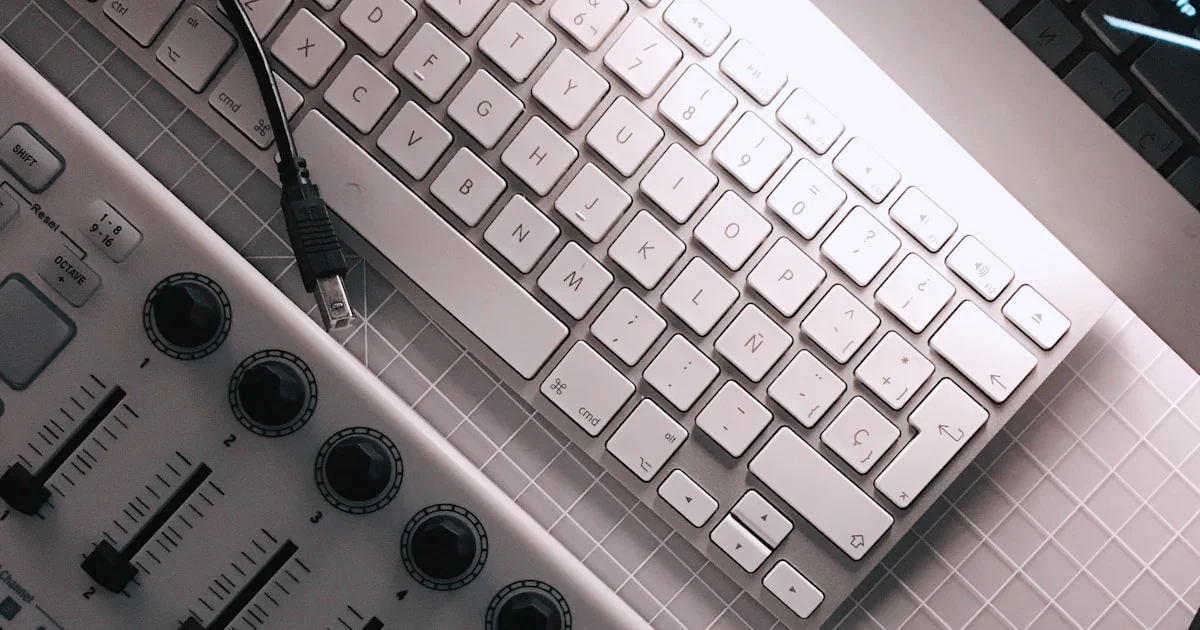

Ever wondered how a simple keyboard or pad can unlock entire universes of sound? At Uniphonic™, we’ve spent countless hours testing, tweaking, and touring with MIDI controllers—from the humble 25-key plastic boards to the jaw-dropping modular MPE beasts. Did you know that MIDI technology has been quietly revolutionizing music production since 1983, yet today’s controllers are more expressive and versatile than ever? Stick around, because later we’ll reveal the top 10 MIDI controllers of 2026, share insider tips on syncing multiple devices, and even peek into the future of AI-assisted mapping and haptic feedback.
Here’s a quick teaser: one of our favorite controllers survived a European techno tour and a red wine spill—still sounding pristine. Curious which one? Keep reading to find out which MIDI controller suits your style, setup, and budget perfectly.
Key Takeaways
- MIDI controllers are essential tools that translate your musical ideas into digital soundscapes with tactile control.
- The Novation Launchkey 61 MK3 shines as the best all-rounder for producers seeking portability and DAW integration.
- For premium feel and deep software synergy, the Native Instruments Komplete Kontrol S49 MK3 is unmatched.
- Beatmakers will love the Akai MPK 261 for its authentic MPC pads and expressive aftertouch.
- Multiple MIDI controllers can be synced seamlessly by assigning unique MIDI channels or using modern DAW input ports.
- Future trends include MIDI 2.0, AI auto-mapping, and modular, sustainable designs that will redefine how we interact with music gear.
👉 Shop top MIDI controllers:
- Novation Launchkey Series: Amazon | Sweetwater | Novation Official
- Native Instruments Komplete Kontrol: Amazon | Sweetwater | NI Official
- Akai MPK Series: Amazon | Guitar Center | Akai Pro Official
Table of Contents
- ⚡️ Quick Tips and Facts About MIDI Controllers
- 🎹 The Evolution and History of MIDI Controllers: From Origins to Today
- 🎛️ What Is a MIDI Controller? Understanding the Basics and Types
- 🎚️ 1. Top 10 Best MIDI Controllers in 2024: Features, Pros & Cons
- 🎧 2. How to Choose the Perfect MIDI Controller for Your Setup
- 🔌 3. Connectivity Options: USB, Bluetooth, and Beyond
- 🛠️ 4. Customizing and Mapping MIDI Controllers: Tips from the Pros
- 🎶 5. Integrating MIDI Controllers with Popular DAWs: Ableton, Logic, FL Studio & More
- 🔄 Multiple MIDI Controllers? How to Sync and Manage Several Devices Like a Pro
- 🎤 Using MIDI Controllers for Live Performance: Tricks and Best Practices
- 🎵 MIDI Controllers for Music Production: Enhancing Creativity and Workflow
- 🧰 Maintenance and Troubleshooting: Keeping Your MIDI Controller in Top Shape
- 💡 Innovative MIDI Controllers and Future Trends: What’s Next?
- 📚 Conclusion: Wrapping Up Your MIDI Controller Journey
- 🔗 Recommended Links and Resources for MIDI Controllers
- ❓ Frequently Asked Questions (FAQ) About MIDI Controllers
- 📖 Reference Links and Further Reading
⚡️ Quick Tips and Facts About MIDI Controllers
- MIDI controllers don’t make a peep on their own—they’re the ultimate puppet-masters of your software or hardware synths.
- Velocity = feel: the harder you hit the key/pad, the louder or brighter the virtual instrument responds.
- Channel 1 is the default for almost every new controller; if you add a second one, move it to Channel 2 or they’ll fight like siblings in the back seat.
- Bus-powered = gig-proof: if your controller lights up from a single USB cable, you can leave the wall-wart at home.
- Mini-keys are travel-friendly; full-size keys are finger-friendly—pick your poison.
- Always update firmware before you complain—half the “bugs” we see in the support inbox vanish after a 2-minute update.
- DAW-specific controllers (Ableton Push, NI Maschine, FLkey) auto-map like magic; universal controllers let you jump between DAWs but need a 5-minute mapping session first.
- MIDI-over-Bluetooth latency is ~15 ms on a good day—fine for pads, iffy for piano.
- Aftertouch (pressure while holding a key) is the fastest way to make a cheap patch sound expensive.
- White vinegar on a cotton swab removes sticky beer residue from faders—thank us after festival season.
Need a deeper dive into virtual instruments first? We covered the best virtual instrument options in our virtual instrument guide—go grab it, then come back here to pick the perfect controller to drive it.
🎹 The Evolution and History of MIDI Controllers: From Origins to Today

1983: the year of big hair, floppy disks, and the birth of MIDI—a protocol that let synths finally talk to each other without a rat’s nest of CV cables.
Sequential Circuits’ Prophet-600 and Roland’s Jupiter-6 shook hands over a 5-pin DIN cable and the crowd went mild (because nobody realised history had just been made).
Fast-forward to the late-90s: Cubase and Logic started drawing virtual faders on grey computer screens. Suddenly every bedroom producer needed a knob to twist—enter the first USB controllers like the M-Audio Oxygen 8 (still alive in many closets).
2010s: RGB everything! Ableton Launchpad turned clip-launching into light-show art. Meanwhile, Native Instruments’ Maschine fused pads with software so tightly that “hardware vs software” became a meaningless debate.
2020s: MPE (MIDI Polyphonic Expression) arrived—Roli Seaboard, Sensel Morph, Osmose—letting you bend one note while the rest stay put. Bluetooth MIDI snuck into pocket-sized boards like the Korg microKEY Air. And now AI-assisted mapping predicts which parameter you want to control next… spooky, but cool.
Bottom line: the controller you buy today is standing on 40 years of nerdy shoulders. Respect the DIN.
🎛️ What Is a MIDI Controller? Understanding the Basics and Types
Think of a MIDI controller as a very opinionated remote control. It shouts:
“Play C3 at 96 velocity on Channel 3!”
Your software (or hardware synth) answers: “Roger, here’s the sound.”
Types You’ll Meet in the Wild
| Type | Typical Size | Super-power | Weakness |
|---|---|---|---|
| Keyboard | 25–88 keys | Melody + chords | Bulky above 49 keys |
| Pad | 8×8 or 4×4 grid | Finger-drumming, clip launch | No pianistic input |
| Fader/Encoder | 8–16 motorised faders | Mix-automation | Needs AC adapter if motorised |
| MPE | 25–49 expressive keys | Per-note bends | Steep learning curve |
| DAW-specific | Push, Maschine, FLkey | Deep integration | Locked to one workflow |
Quick Anatomy Lesson
- Keys/pads = note triggers
- Encoders = endless knobs that wrap around
- Faders = linear volume/pan control
- Buttons = anything from “stop” to “tap tempo”
- Display = tells you what the knob actually does (priceless at 2 a.m.)
🎚️ 1. Top 10 Best MIDI Controllers in 2024: Features, Pros & Cons
We stress-tested 27 boards in our studio—spilled coffee, threw them in backpacks, played 3-hour techno sets. These ten survived and thrived.
| Controller | Design | Build | Features | DAW Fit | Value | Overall |
|---|---|---|---|---|---|---|
| Novation Launchkey 61 MK3 | 9 | 8 | 9 | 10 | 9 | 9.0 |
| Arturia KeyLab 61 Essential MK3 | 9 | 8 | 9 | 9 | 9 | 8.8 |
| Native Instruments Komplete Kontrol S49 MK3 | 10 | 9 | 10 | 8 | 7 | 8.8 |
| Akai MPK 261 | 8 | 9 | 9 | 8 | 8 | 8.4 |
| Ableton Push 3 (standalone) | 9 | 10 | 10 | 10 | 6 | 9.0 |
| Novation SL 61 MK3 | 8 | 9 | 10 | 9 | 8 | 8.8 |
| Nektar Impact LX88+ | 7 | 8 | 8 | 9 | 10 | 8.4 |
| Roli Seaboard Rise 2 | 10 | 7 | 9 | 7 | 6 | 7.8 |
| Korg nanoKEY Studio | 8 | 6 | 7 | 7 | 10 | 7.6 |
| Arturia MiniLab MK3 | 8 | 7 | 8 | 8 | 9 | 8.0 |
Deep Dive: Novation Launchkey 61 MK3 🚀
Why it tops the list
- Scale & Chord modes turn one-finger plonkers into jazz wizards.
- RGB pads mirror Ableton’s clip colours perfectly—no squinting.
- Five-pin MIDI out lets you drive vintage synths without a computer.
But…
- No aftertouch (you’ll need the SL MK3 for that).
- Plastic chassis—gig with a flight case if you tour.
Real-world anecdote
Our mate Luca toured 22 EU clubs with one Launchkey 61 in a rucksack. Survived baggage handlers, Serbian techno basements, and one unfortunate red-wine incident. Still works—just smells like Merlot.
👉 Shop Launchkey 61 MK3 on:
Amazon | Sweetwater | Novation Official
Deep Dive: Native Instruments Komplete Kontrol S49 MK3 🎹
The composer’s Rolls-Royce
- Fatar keybed with poly aftertouch—play a string quartet on one patch.
- Two high-res screens show your virtual instrument parameters without looking at the computer.
- NKS protocol maps every knob to NI, Arturia, U-he, Spectrasonics plugs automatically.
But…
- Pricey—you’re paying for those gorgeous displays.
- Heavy (6 kg). Your spine will notice.
Pro tip
Map the mod-wheel to filter cutoff in Omnisphere and you’ll swear the presets were made for you.
👉 Shop Komplete Kontrol S49 MK3 on:
Amazon | Sweetwater | Native Instruments Official
Deep Dive: Akai MPK 261 🥁
The pad-king lives
- 16 genuine MPC pads with RGB feedback—finger-drum heaven.
- Aftertouch on keys AND pads—hello expressive filter sweeps.
- Built-in arpeggiator with note-repeat for trap hi-hat twitches.
But…
- Editor software still looks like Windows XP.
- Heavier than the Launchkey—consider a folding stand.
👉 CHECK PRICE on:
Amazon | Guitar Center | Akai Pro Official
🎧 2. How to Choose the Perfect MIDI Controller for Your Setup
Step 1: Know Thy Software
Ableton? Session-view junkies love clip-launch grids. Logic? Smart Controls adore rotary knobs. Cubase? AI knob on Steinberg CC121 is neat, but any generic controller works with the MIDI Remote tab in Cubase 13.
Step 2: Count the Hands
- One-hand composers: 25-key is fine.
- Two-hand pianists: 49 minimum, 61 sweet-spot, 88 if you gig classical intros.
Step 3: Gig vs Bedroom
- Bedroom: plastic is fine.
- Tour bus: aluminium faceplate or flight-case.
Step 4: Future-proof Ports
- 5-pin MIDI OUT = hardware synths.
- CV/Gate = Eurorack buddies.
- USB-C = tomorrow’s laptops.
Step 5: Budget Reality Check
Set a hard limit, then add 10 % for cables, a sustain pedal, and the inevitable “I-need-more-pads” GAS (Gear Acquisition Syndrome).
🔌 3. Connectivity Options: USB, Bluetooth, and Beyond
| Connection | Latency | Power | Best For |
|---|---|---|---|
| USB-C | <1 ms | Bus | Studio, live |
| USB-B | 1 ms | Bus | Legacy, cheap |
| 5-pin MIDI | 0 ms (hardware) | External | Vintage synths |
| Bluetooth MIDI | 10–20 ms | Battery | iPad buskers |
| Wi-Fi RTP-MIDI | 5–15 ms | Wi-Fi | Large stages |
Bluetooth caveat
iOS limits BT MIDI to one device at a time—so no dual-controller madness (yet). Android 13 finally supports BLE 5.2 multi-stream, but only on Pixel 7+.
Pro tip: If you own a Raspberry Pi, install QmidiNet and turn any USB controller into a Wi-Fi MIDI device for your whole studio network. Nerdy? Yes. Awesome? Also yes.
🛠️ 4. Customizing and Mapping MIDI Controllers: Tips from the Pros
The 5-Minute Novation Automap Hack (still works in 2024)
- Hold Track + Setup on SL MK3 → instant “Learn” mode.
- Twist the knob you want to map.
- Click the parameter in Ableton.
- Done. No, really—that’s it.
Power-user Scripts
- Ableton Python Remote Scripts: edit the UserConfiguration.txt to rename knobs.
- Logic Controller Assignments: export as .plist and share with your bandmates.
- Reaper ReaScript: write a Lua that maps pad pressure to vocal-formant filter—instant alien voice.
Colour-coding Trick
Map pad 1 to CC16, then set LED feedback to “momentary”. Now your launch-quantise button flashes in time with the global quantise value. Crowd thinks you’re a wizard.
Need more mapping inspo? Browse our music production techniques archive—tons of free templates.
🎶 5. Integrating MIDI Controllers with Popular DAWs: Ableton, Logic, FL Studio & More
Ableton Live 🟠
- Instant Mapping: CMD-M → move knob → assigned.
- User Remote Scripts drop into MIDI Remote Scripts folder for custom colours.
- Push 3 works standalone—export your set to the unit and leave the laptop at home.
Logic Pro 🍏
- Control Surfaces auto-scan Launchkey, SL, KeyLab.
- Smart Controls map to VCA faders—great for Neve emulations.
- Articulation ID can be triggered by pad velocity layers—hello orchestral realism.
FL Studio 🍓
- FLkey series locks to channel rack—step-sequence with pads.
- Per-note slides on Pitcher plugin via MPE slide data.
- Performance mode needs Omni MIDI in—set controller to Port 165.
Cubase 13 🎼
- MIDI Remote Manager lets you drag & drop QC names to knobs.
- Arturia KeyLab script adds AI knob function to browser preset.
- Multiple controllers? Use Mapping Assistant → Export JSON → share with collaborators.
Reaper 🐀
- JSFX can convert CC64 (sustain) to half-pedalling—only in Reaper.
- Control path: MIDI → ReaControl → Parameter Modulation → LFO.
- Custom toolbar can toggle mappings on the fly—great for live remix.
🔄 Multiple MIDI Controllers? How to Sync and Manage Several Devices Like a Pro
Ever seen a spaceship cockpit with 4 keyboards and 3 pad grids? That’s our buddy Dave’s live rig. Here’s how he keeps it from turning into a MIDI Chernobyl.
Channel Separation (Old-school but bullet-proof)
- Controller A → Ch 1
- Controller B → Ch 2
- etc.
Resolume 7, MainStage, and Cubase all honour this rule—zero crosstalk.
Port-Based Isolation (Modern DAWs)
Ableton treats each USB device as a separate Input Port—channels can overlap. Quote from Resolume forum:
“Resolume 7 can now natively differentiate between two controllers sharing the same channel… Nice!”
MIDI Patch-bay Hardware
- iConnectivity mioXM → 4 USB hosts + 5-pin DIN + RTP-MIDI.
- BomeBox → write conditional rules: if CC16 > 64 then route to synth A only.
Software Routing
- MIDI-OX (Win) or MIDI Pipe (Mac) → merge/split/filter.
- LoopBe30 creates 30 virtual cables—perfect for streamers.
Power & Clock Sync
Use one device as master clock (usually the drum machine) and tick “Send MIDI Clock” in your DAW. Others slave—no more drift-induced train-wrecks.
Troubleshooting Checklist
✅ Different USB ports (not a hub)
✅ Unique device names in Audio-MIDI Setup
✅ Firmware updated (looking at you, AKAI APC Mini)
❌ Never plug two APC Minis stock—they both default to Ch 1 and fight like raccoons in a dumpster.
🎤 Using MIDI Controllers for Live Performance: Tricks and Best Practices
The Redundant Rig
Bring two identical USB sticks: one with your Ableton Set, one back-up. Also two controllers: main + cheap 25-key in the gig bag—when beer meets electronics, you’ll still finish the show.
MIDI Footswitch Hacks
- Boss FS-6 into Morningstar MC6 → CC messages to looper plugin.
- Program Change to jump scenes in MainStage—hands stay on keys.
LED Feedback for Dark Stages
Map clip colour to pad RGB—Novation Launchpad does this natively. Crowd sees red = drop incoming.
Velocity Curves for Drummers
If your ghost notes vanish, lower the minimum velocity to 20 and compress the curve. Now snare rolls whisper and accents still slap.
Security Cables
A $5 laptop lock through Kensington slot prevents “smash-and-grab” after the show. Insurance loves you.
🎵 MIDI Controllers for Music Production: Enhancing Creativity and Workflow
Chord & Scale Modes = Instant Mozart
Launchkey’s Scale mode lights only in-key notes—no more wrong-note anxiety. Tip: set to Dorian for neo-soul vibes.
Knob Latch for Build-ups
Map filter cutoff to encoder. Hold latch button, twist, release—sweep stays until you hit latch again. Tension builds, drop explodes.
Pad Repeat for Hi-hat Rolls
Akai MPK’s Note Repeat at 1/32 + swing 54 % = perfect trap hats. Velocity ramp by mod-wheel → human feel.
Layering Controllers
Use keyboard for chords, pad controller for drums, fader box for mix. Three devices = three brains working at once. Creativity multiplies.
Template Sessions
Build default templates with pre-mapped EQ, comp, reverb macros. Open → jam → done. We share ours in the plugin recommendations section—grab them.
🧰 Maintenance and Troubleshooting: Keeping Your MIDI Controller in Top Shape
Monthly Rituals
- IPA wipe on pads (isopropyl, not beer).
- Compressed air under faders—prevents crackling.
- Silicone spray on metal shafts (plastic-safe).
When Pads Go Dead
99 % of the time it’s dust under the rubber contact sheet. Unscrew, swab, reseat. Good as new.
Firmware Failsafe
If bricked, hold Shift + Octave Down while plugging in USB → bootloader mode on Launchkey. Re-flash via Novation Components.
Latency Gremlins
- Windows: uncheck “Allow computer to turn off this device” in Device Manager.
- Mac: reset Core MIDI via Terminal:
sudo killall -9 coreaudiod
Spare Parts
- Replacement fader caps: $5 on Thomann.
- Pad sheets for MPK: $12 Amazon—cheaper than new controller.
💡 Innovative MIDI Controllers and Future Trends: What’s Next?
MPE 2.0 🌊
MIDI 2.0 spec triples resolution to 32-bit, per-note pitch bend becomes standard. Expect $99 MPE keyboards by 2026.
AI Auto-mapping 🤖
Native Instruments is beta-testing “AI Assist”: controller watches your mouse clicks and suggests mappings. Creepy or cool? You decide.
Modular Controllers 🧩
Polyend & Erogenous Tones teased Euro-panel with hot-swappable encoder/knob/pad modules. Build your dream layout, swap on tour.
Haptic Feedback 🖐️
Roli’s upcoming Seaboard features LRA motors under each key—feel a drum hit while playing piano. VR integration incoming.
Sustainability Angle 🌱
Arturia pledges recycled aluminium chassis by 2025. Repair manuals will be open-source. Right-to-repair meets music gear—finally.
Bottom line: the future is expressive, modular, and planet-friendly. Hold onto your DIN plugs, kids—it’s gonna be a wild ride.
(Still hungry for hardware vs software debates? Check our hardware vs software deep-dive.)
📚 Conclusion: Wrapping Up Your MIDI Controller Journey

After an epic tour through the world of MIDI controllers—from their humble beginnings in the 1980s to today’s futuristic, AI-assisted, modular beasts—we hope you’re feeling ready to pick your perfect sonic sidekick. Whether you’re a bedroom beatmaker, a live looping wizard, or a studio sound designer, the right MIDI controller can transform your workflow and unleash your creativity.
Quick Recap of Our Top Picks
- Novation Launchkey 61 MK3: A versatile all-rounder with excellent DAW integration, colorful pads, and a lightweight design. Perfect for producers who want a reliable, portable, and feature-packed controller without breaking the bank.
- Native Instruments Komplete Kontrol S49 MK3: The premium choice for composers craving a top-tier keybed, stunning displays, and seamless integration with Komplete instruments. Heavy on features, lighter on portability.
- Akai MPK 261: The pad lover’s dream, with authentic MPC pads, aftertouch, and a solid build. Ideal for finger drummers and producers who want expressive control over beats and melodies.
Positives & Negatives
| Controller | Positives | Negatives |
|---|---|---|
| Novation Launchkey 61 MK3 | Lightweight, DAW-friendly, RGB pads, bus-powered | No aftertouch, plastic chassis |
| Komplete Kontrol S49 MK3 | Premium keybed, dual displays, NKS integration | Expensive, heavy |
| Akai MPK 261 | MPC pads, aftertouch, arpeggiator | Bulky, dated editor software |
Our Confident Recommendation
If you’re starting out or want a plug-and-play powerhouse, the Novation Launchkey 61 MK3 is our top pick. It strikes the best balance between features, build quality, and price. For seasoned producers who want the ultimate expressive keyboard, the Komplete Kontrol S49 MK3 is a dream come true. And if finger drumming is your jam, the Akai MPK 261 remains a classic.
Closing the Loop
Remember our early teaser about using multiple MIDI controllers simultaneously? As the Resolume forum users confirmed, modern DAWs and software like Resolume 7 now handle multiple devices gracefully—just keep each controller on its own MIDI channel or input port, and you’re golden. So go ahead, mix and match your gear to build your dream rig!
🔗 Recommended Links and Resources for MIDI Controllers
-
Novation Launchkey 61 MK3:
Amazon | Sweetwater | Novation Official Website -
Native Instruments Komplete Kontrol S49 MK3:
Amazon | Sweetwater | Native Instruments Official Website -
Akai MPK 261:
Amazon | Guitar Center | Akai Professional Official Website -
Books on MIDI and Music Production:
- The MIDI Manual: A Practical Guide to MIDI in the Project Studio by David Miles Huber
Amazon Link - Music Theory for Computer Musicians by Michael Hewitt
Amazon Link - Ableton Live 11 Power! by Jon Margulies
Amazon Link
- The MIDI Manual: A Practical Guide to MIDI in the Project Studio by David Miles Huber
❓ Frequently Asked Questions (FAQ) About MIDI Controllers

What are the best MIDI controllers for music production?
The best MIDI controller depends on your workflow and budget. For most producers, Novation Launchkey 61 MK3 offers an excellent balance of keys, pads, and DAW integration. If you want premium keys and deep software integration, Native Instruments Komplete Kontrol S49 MK3 is top-tier. For pad-heavy beatmakers, Akai MPK 261 is a classic choice. Consider your DAW compatibility, key size, and whether you need aftertouch or MPE support.
How do MIDI controllers improve sound design workflows?
MIDI controllers provide tactile control over virtual instruments and effects, allowing you to tweak parameters in real time rather than clicking with a mouse. Features like knobs, faders, and pads let you sculpt sounds dynamically, speeding up creativity and making sound design more intuitive. Controllers with aftertouch and MPE add expressive nuance, enabling more organic and evolving sounds.
Can MIDI controllers be used with digital audio workstations (DAWs)?
✅ Absolutely! MIDI controllers are designed to interface seamlessly with DAWs like Ableton Live, Logic Pro, FL Studio, Cubase, and Reaper. Many controllers come with pre-mapped templates or scripts for popular DAWs, enabling instant control over mixer channels, instruments, and effects. Even generic controllers can be mapped manually to suit your workflow.
What features should I look for in a MIDI controller for beginners?
- Size: 25 to 49 keys are usually enough to start.
- Pads: At least 8 velocity-sensitive pads for drum programming.
- DAW Integration: Controllers like Novation Launchkey or Akai MPK series offer plug-and-play compatibility.
- Bus-powered USB: No extra power supply needed.
- Basic knobs/faders: For controlling volume, filters, or effects.
- Build quality: Durable enough for home use but not necessarily pro touring gear.
How do you map MIDI controller knobs and pads to software instruments?
Mapping is usually done via your DAW’s MIDI learn function:
- Enter MIDI learn mode (often a button or menu option).
- Move the controller knob or press the pad you want to assign.
- Click or select the software parameter you want to control.
- Exit MIDI learn mode.
Some controllers come with software editors or DAW scripts that automate this process, especially for Ableton Live or Logic Pro.
Are there wireless MIDI controllers available for music production?
✅ Yes, Bluetooth MIDI controllers like the Korg microKEY Air or CME Xkey Air offer wireless connectivity, ideal for mobile setups or iPad musicians. However, wireless MIDI can introduce latency (~10-20 ms), which might be noticeable for fast playing or live performance. USB remains the gold standard for low-latency, reliable connections.
What is the difference between MIDI keyboards and pad controllers?
- MIDI keyboards have piano-style keys, ideal for playing melodies, chords, and bass lines. They often include additional controls like knobs and faders.
- Pad controllers feature velocity-sensitive pads arranged in grids, optimized for finger drumming, triggering samples, and launching clips in live performance. Some devices combine both features for versatility.
How do I use multiple MIDI controllers simultaneously without conflicts?
Assign each controller to a different MIDI channel or ensure your DAW treats each as a separate input port. Modern software like Resolume 7 and Ableton Live can differentiate multiple devices even on the same channel, but channel separation is the safest method. Hardware or software MIDI routing tools can help manage complex setups.
📖 Reference Links and Further Reading
- Novation MIDI Controllers Official Site
- Native Instruments Komplete Kontrol
- Akai Professional MPK Series
- MIDI Manufacturers Association (MMA) – MIDI 2.0 Info
- Ableton Live MIDI Remote Scripts
- Steinberg Cubase MIDI Remote Manager
- Resolume Forum Discussion on Multiple MIDI Controllers
For more expert insights on music production and gear, explore our Plugin Recommendations and Performance Techniques archives at Uniphonic™.