
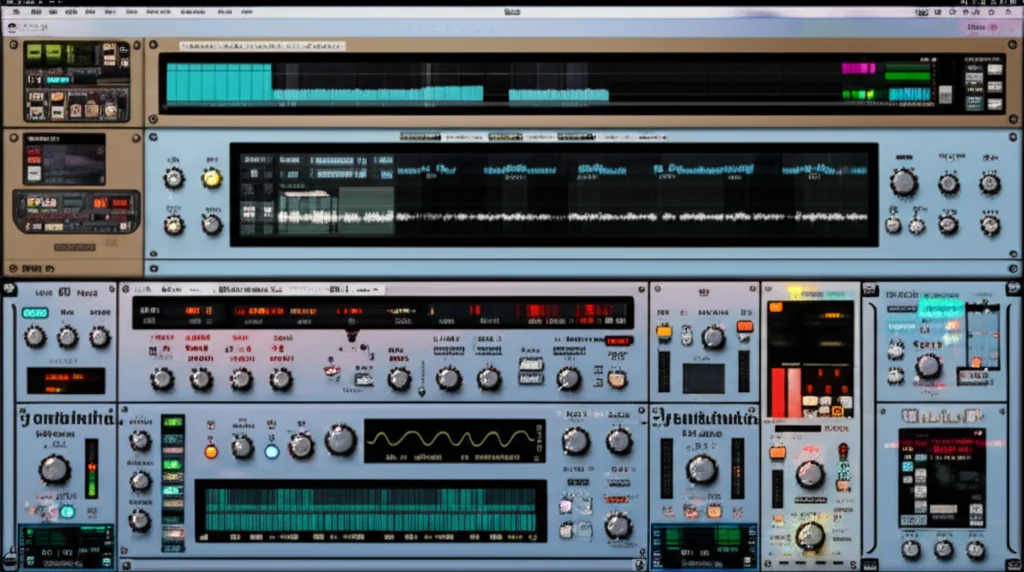
Ever opened a synthesizer, twisted a knob, and felt like you were just pressing buttons on a calculator? We’ve all been there. But then there’s u-He Diva, the virtual analog beast that doesn’t just play notes—it breathes, drifts, and occasionally fights back like a vintage Mog left in the sun. At Uniphonic™, we’ve spent countless hours wrestling with its CPU-hungry engine, only to discover that the secret to its magic isn’t in the presets, but in the imperfections.
In this deep dive, we’re stripping away the generic tutorials to reveal 12 actionable strategies that transform Diva from a simple synth into a sound design powerhouse. From the hidden Trimmers that calibrate your oscillators to the advanced modulation routing that turns static pads into living, breathing organisms, we cover everything you need to know. We’ll even show you how to layer oscillators to create textures so rich they’ll make your mix engineers wep with joy. Ready to stop sounding digital and start sounding analog? Keep reading, because the final tip might just change how you approach every synth patch you ever create.
Key Takeaways
- Embrace Imperfection: Diva’s unique sound comes from modeling real-world circuit drift and non-linearities; don’t fear the slight detune.
- Master the Architecture: Swap Oscillators and Filters from different eras (e.g., a Minimog oscillator with a Juno filter) to create hybrid, custom tones.
- Modulate with Intent: Use Velocity, Key Follow, and LFOs to inject human expression and movement into static patches.
- Optimize for Performance: Manage CPU load by lowering Oversampling when necessary, limiting Unison voices, and freezing tracks.
- Fine-Tune with Trimmers: Access the hidden Trimmer panel to micro-adjust pitch, envelope times, and filter resonance for that “perfect” analog feel.
👉 Shop u-He Diva on:
- u-He Official Website: u-He Diva
- Plugin Boutique: Diva at Plugin Boutique
- Amazon: u-He Diva on Amazon
- Sweetwater: Diva at Sweetwater
Table of Contents
- ⚡️ Quick Tips and Facts
- 🕰️ The Analog Legacy: How u-He Diva Became the King of Virtual Analog
- 🎛️ Mastering the Core: Optimizing Oscillators for Authentic Vintage Tones
- 🎚️ 7 Essential Strategies for Dialing in Diva’s Legendary Filter Sections
- 🌀 5 Advanced Modulation Techniques to Inject Life and Movement into Static Patches
- 🧬 6 Proven Methods for Layering Oscillators to Create Massive, Complex Textures
- 🔧 The Secret Sauce: Utilizing Diva’s Trimmers for Micro-Tuning and Character
- 🎹 8 Workflow Hacks for Integrating Diva Seamlessly into Your DAW Sound Design
- 🎚️ 4 Critical CPU Optimization Tips to Run Diva Without Melting Your Processor
- 🎚️ 5 Creative Sound Design Recipes: From Acid Basses to Ethereal Pads
- 🎛️ Beyond the Basics: Advanced Routing and External Control Integration
- 🧪 Troubleshooting Common Diva Pitfalls: Aliasing, Latency, and Stability
- 🏆 Conclusion
- 🔗 Recommended Links
- ❓ FAQ
- 📚 Reference Links
⚡️ Quick Tips and Facts
Before we dive into the deep end of the analog ocean, let’s hit the high notes that will save you hours of trial and error. If you’re new to the u-He Diva ecosystem, or if you’ve been wrestling with it for years, these nugets are your golden ticket to a richer workflow.
- The “Diva” Name: It stands for Digital Imitation of Vintage Analog. It’s not just a catchy acronym; it’s the mission statement.
- CPU Cost: Diva is the heavyweight champion of CPU usage. Why? Because it models the actual physics of analog circuits, not just the math. Expect to use more processing power than you would with a standard subtractive synth like Serum or Massive.
- The Secret Sauce: The magic lies in the oversampling. Diva runs at 4x or 8x the sample rate internally to prevent aliasing, which is why it sounds so “warm” and “real.”
- Modular Mindset: Unlike other synths where you are stuck with a fixed architecture, Diva lets you swap Oscillators and Filters like Lego bricks. You can mix a Minimog oscillator with a Juno filter and a Prophet envelope.
- Velocity is Key: As highlighted in our featured video analysis, velocity sensitivity is often overlooked. Mapping velocity to filter cutoff is the single fastest way to make your patches sound human.
Pro Tip: If you are struggling with CPU spikes, check out our deep dive on Hardware vs Software to see how you might offload some processing to external gear, or stick with these Plugin Recommendations for optimization.
🕰️ The Analog Legacy: How u-He Diva Became the King of Virtual Analog
Why does everyone from Deadmau5 to Hans Zimmer (indirectly, via his sound designers) swear by Diva? To understand the workflow, you have to understand the history.
In the early 20s, virtual analog synths were often “sterile.” They sounded like math problems solved by a calculator. u-He, founded by Sven “Sven” Helbig and Axel “Axel” Roesler, wanted to change that. They didn’t just want to emulate the sound; they wanted to emulate the behavior.
Diva was released in 201, but its roots go back to the Dawn project, an open-source initiative to model analog circuits. The result? A synth that doesn’t just play a note; it breathes.
The “Imperfect” Perfection
Most synths aim for stability. Diva aims for instability.
- Oscillator Drift: In a real analog synth, oscillators drift out of tune slightly. Diva models this.
- Filter Non-Linearity: Real filters don’t just cut frequencies; they distort and saturate in specific ways. Diva captures this.
This is why, when you open a preset, it doesn’t sound “perfect” immediately. It sounds alive. As one user on KVR Audio famously noted, “It’s the only VST that makes me want to turn the knobs and forget the computer.”
Curious about how this compares to hardware? We break down the pros and cons in our Hardware vs Software guide. But for now, let’s get our hands dirty with the core engine.
🎛️ Mastering the Core: Optimizing Oscillators for Authentic Vintage Tones
The heart of Diva is its Oscillator section. This is where you start every sound. But here’s the catch: Diva offers five different oscillator modules, each emulating a specific piece of hardware. Choosing the wrong one is like trying to paint a watercolor with a chisel.
The Oscillator Lineup
| Module | Emulated Hardware | Best For | Character |
|---|---|---|---|
| DRO | Roland SH-101 | Bass, Acid, Lead | Grity, punchy, mid-heavy |
| JRO | Roland Juno-60 | Pads, Chords | Smooth, chorus-rich, wide |
| PRO | Prophet-5 | Leads, Stabs | Bright, rich harmonics |
| MIN | Minimog Model D | Bass, Mono Leads | Fat, warm, aggressive |
| SQU | Custom Square | Digital/Analog Hybrid | Sharp, modern, cutting |
Step-by-Step: Dialing in the Perfect Waveform
- Select Your Module: Start with MIN for bass or JRO for pads.
- Shape the Wave: Don’t just stick to Saw or Square. Use the Pulse Width (PW) modulation.
Tip: Automate the Pulse Width with an LFO to create a “breathing” effect. - Detune for Width: Use the Voice Detune parameter.
Why? Analog synths never have perfectly tuned oscillators. A slight detune (10-20 cents) creates a massive stereo image without using a chorus effect. - Sub-Oscillator: Always engage the sub-oscillator for bass sounds, but keep it one octave down.
Wait, why does my bass sound thin?
You might be missing the Saturation stage. Diva’s oscillators have a built-in saturation knob. Crank it slightly to add harmonics that help the bass cut through a mix.
For more on shaping your tone, check out our Music Production Techniques category.
🎚️ 7 Essential Strategies for Dialing in Diva’s Legendary Filter Sections
If the oscillators are the heart, the Filters are the soul. Diva’s filters are arguably the most realistic in the VST world. But with great power comes great responsibility (and CPU usage).
The 7 Strategies
- Match the Filter to the Oscillator: Don’t use a Prophet filter on a Minimog oscillator unless you want a hybrid sound. Stick to the era for authenticity.
- Resonance is Your Friend: In Diva, resonance doesn’t just peak; it self-oscillates. Use this to create sine-wave leads.
- Filter Drive: This is the secret weapon. Pushing the filter drive adds harmonic distortion before the cutoff, making the sound gritier.
- Key Tracking: Always enable Key Follow. This ensures that higher notes open the filter slightly, keeping the brightness consistent across the keyboard.
- Cascade Mode: Diva allows you to run two filters in series (Cascade). This creates a 24dB/octave slope that is incredibly tight and punchy.
- Feedback Lops: Route the filter output back into the input (via modulation) to create metallic, resonant textures.
- Low-Pass vs. High-Pass: Don’t ignore the High-Pass Filter (HPF). Use it to clean up mud in your basslines without affecting the low-end punch.
The “Magnetic Mag” Insight
In their interview with OCULA, the artist emphasized that minimal EQ is key. “There’s so much character in this synth… just letting the synth do its thing is really important.” Instead of cutting 20-40Hz in your DAW, let the filter do the work.
Question: Have you ever tried running two filters in parallel? It’s a game-changer for creating complex, evolving textures. We’ll get to that in the layering section!
🌀 5 Advanced Modulation Techniques to Inject Life and Movement into Static Patches
A static sound is a dead sound. The reason Diva sounds so “analog” is because of its modulation matrix. It’s not just about LFOs; it’s about how you route them.
1. Velocity to Filter Cutoff
This is the golden rule of humanization.
- How: Assign MIDI Velocity to the Filter Cutoff.
- Result: Harder hits open the filter (brighter), softer hits close it (darker). This mimics how a human plays a real synth.
2. Key Follow (Key Tracking)
- How: Enable Key Follow on the filter.
- Result: As you play higher notes, the filter opens up. This prevents your high notes from sounding muffled and your low notes from sounding too bright.
3. LFO to Pitch (Vibrato)
- How: Route an LFO to the Oscillator Pitch.
- Pro Tip: Add a Delay to the LFO start time. This means the vibrato doesn’t start immediately, giving the note a “straight” attack before the wobble kicks in.
4. Envelope to Pulse Width
- How: Route the Envelope to the Pulse Width of a square wave.
- Result: Creates a “wah-wah” effect that evolves with the note’s duration, perfect for plucks and leads.
5. Random Modulation (Sample & Hold)
- How: Use the S&H (Sample and Hold) source to modulate parameters like Filter Cutoff or Pitch.
- Result: Creates random, organic variations that prevent loops from sounding repetitive.
Did you know? The first YouTube video on Diva emphasizes that pressure sensitivity (aftertouch) is often ignored. Map aftertouch to the LFO depth for expressive, real-time control during performance.
🧬 6 Proven Methods for Layering Oscillators to Create Massive, Complex Textures
One of Diva’s superpowers is its ability to layer two oscillators (and a sub) in a single voice. But simply stacking them isn’t enough. You need to tune and phase them correctly.
Method 1: The “Unison” Trick
- Technique: Use the Unison mode (set to 3-5 voices) one oscillator and a single voice on the other.
- Why: This creates a massive, wide sound without the CPU hit of running two full instances of Diva.
Method 2: Octave Stacking
- Technique: Set Osc 1 to a Saw wave and Osc 2 to a Square wave, one octave apart.
- Result: A rich, harmonically complex tone that cuts through any mix.
Method 3: Phase Cancellation
- Technique: Slightly detune Osc 2 against Osc 1.
- Result: Creates a “phasing” effect that moves as the notes sustain.
Method 4: Different Waveforms
- Technique: Mix a Sine sub with a Saw lead.
- Result: The sine provides the low-end weight, while the saw provides the mid-range grit.
Method 5: Filter Spliting
- Technique: Route Osc 1 to Filter A (Low Pass) and Osc 2 to Filter B (High Pass).
- Result: A split-spectrum sound where the bass and treble are processed differently.
Method 6: The “Ghost” Oscillator
- Technique: Set Osc 2 to a very low volume and a slightly detuned pitch.
- Result: Adds a subtle “shimmer” or “ghost” to the main sound, increasing perceived complexity.
Wait, isn’t this CPU intensive?
Yes! This is why we need to talk about optimization. But first, let’s look at the Trimmers.
🔧 The Secret Sauce: Utilizing Diva’s Trimmers for Fine-Tuning
Most synths have knobs that go from 0 to 10. Diva has Trimmers. These are hidden, internal calibration controls that mimic the “trim pots” on real hardware.
Why Trimmers Matter
Real analog synths drift. A knob might not be perfectly centered. Trimmers allow you to:
- Offset the Pitch: Fine-tune the oscillator pitch by a few cents.
- Adjust Envelope Times: Make an attack slightly faster or slower.
- Calibrate the Filter: Change the resonance curve slightly.
How to Access Them
- Right-click on any parameter in the GUI.
- Select “Show Trimmers”.
- A new panel appears with tiny sliders.
Practical Application
- Scenario: You have a bass patch that sounds “off” in the low end.
- Fix: Use the Osc 1 Pitch Trimmer to nudge it down 5 cents. Suddenly, it locks in with the kick drum.
- Scenario: Your filter resonance sounds too harsh.
- Fix: Use the Filter Resonance Trimmer to dial it back slightly.
Insight: As mentioned in the Magnetic Mag article, “Sometimes the perfect sound is the simplest.” Trimmers are the difference between “good” and “perfect.”
🎹 8 Workflow Hacks for Integrating Diva Seamlessly into Your DAW Sound Design
Diva is powerful, but it can be slow. Here is how to integrate it without losing your mind (or your CPU).
1. Freeze Tracks
If you have a complex Diva patch, freeze the track in your DAW. This renders the audio, freeing up CPU for other plugins.
2. Use Preset Management
Diva has a built-in preset manager, but it’s clunky. Use a third-party manager like Preset Manager or SoundGoodizer to organize your sounds.
3. MIDI Learn Everything
Don’t just use the mouse. Map your MIDI controller to the Trimmers and LFOs. This allows for real-time tweaking during recording.
4. Layer with “Core” Synths
As OCULA suggested, use Serum or Massive for the “core” sounds (like 16th-note plucks) and use Diva for the character sounds (leads, pads, basses).
5. External Effects Chain
Don’t rely solely on Diva’s built-in effects. Run Diva into a dedicated reverb (like Valhalla VintageVerb) or delay (like Soundtoys EchoBoy) for better control.
6. MIDI Randomization
Use a MIDI effect like Ableton’s Random or Cableguys ShaperBox to randomize velocity and note position. This keeps your Diva patches from sounding robotic.
7. Template Creation
Create a DAW template with Diva loaded on a dedicated track, ready to go. This saves you from loading it every time you need a sound.
8. Save Your “Stems”
If you are working on a complex patch, save the individual oscillator outputs as audio stems. This gives you more flexibility in the mix.
🎚️ 4 Critical CPU Optimization Tips to Run Diva Without Melting Your Processor
Let’s be honest: Diva is a CPU hog. But you don’t have to sacrifice sound quality for performance.
1. Lower the Oversampling
- Action: Go to the global settings and lower the Oversampling from 8x to 4x or 2x.
- Trade-off: You might get a tiny bit of aliasing, but the CPU savings are massive.
2. Disable Unused Modules
- Action: If you aren’t using the Chorus or Reverb inside Diva, turn them off.
- Why: Every active module adds to the CPU load.
3. Use “Voice” Limiting
- Action: Limit the number of Unison Voices to 3 or 4 instead of 8.
- Why: 8 voices is overkill for most mixes and doubles the CPU usage.
4. Freeze and Flatten
- Action: Once you have your sound, freeze the track.
- Why: This converts the VST to audio, freeing up all CPU resources.
Did you know? Diva’s CPU usage scales with the number of active voices. If you are playing a chord, it uses more CPU than a single note.
🎚️ 5 Creative Sound Design Recipes: From Acid Basses to Ethereal Pads
Ready to make some noise? Here are five recipes to get you started.
Recipe 1: The Acid Bass
- Oscillator: DRO (Roland SH-101)
- Filter: 303-style Low Pass with high resonance.
- Modulation: LFO to Filter Cutoff (fast rate).
- Envelope: Short decay, no sustain.
- Effect: Built-in Distortion.
Recipe 2: The Ethereal Pad
- Oscillator: JRO (Juno-60) + SQU (Square)
- Filter: Low Pass with slow attack.
- Modulation: LFO to Pulse Width (slow rate).
- Envelope: Long attack, long release.
- Effect: Chorus and Reverb.
Recipe 3: The Plucky Lead
- Oscillator: PRO (Prophet-5)
- Filter: Band Pass with moderate resonance.
- Modulation: Envelope to Filter Cutoff (fast attack).
- Envelope: Short decay, no sustain.
- Effect: Delay (1/8th note).
Recipe 4: The Grity Bass
- Oscillator: MIN (Minimog) + Sub
- Filter: Low Pass with high drive.
- Modulation: Velocity to Filter Cutoff.
- Envelope: Medium attack, medium sustain.
- Effect: Distortion.
Recipe 5: The Arpegiated Texture
- Oscillator: SQU (Square) + DRO
- Filter: High Pass with resonance.
- Modulation: S&H to Filter Cutoff.
- Envelope: Short decay.
- Effect: Phaser.
Challenge: Try to recreate a sound from your favorite song using only these recipes. You’ll be surprised how close you can get!
🎛️ Beyond the Basics: Advanced Routing and External Control Integration
Diva isn’t just a synth; it’s a modular system. Let’s take it to the next level.
External MIDI Control
- MPE (MIDI Polyphonic Expression): Diva supports MPE. Use a Roli Seaboard or LinnStrument to control pitch, pressure, and slide per note.
- CV/Gate: If you have a modular synth, use Diva’s CV inputs to control parameters from your hardware.
Audio Rate Modulation
- Technique: Route an audio signal into the Modulation Input.
- Result: Creates FM synthesis-like textures and metallic tones.
Sidechain Compression
- Technique: Use a sidechain compressor on the Diva track, triggered by your kick drum.
- Result: Classic “pumping” effect that keeps the mix clean.
Parallel Processing
- Technique: Duplicate the Diva track. Process one with heavy distortion and the other with clean EQ. Blend them.
- Result: A sound that is both gritty and clear.
Question: Have you tried using Diva as a modulation source for other plugins? It’s a hidden gem for creating complex, evolving textures.
🧪 Troubleshooting Common Diva Pitfalls: Aliasing, Latency, and Stability
Even the best tools have quirks. Here is how to fix the most common issues.
Issue 1: Aliasing (Digital Artifacts)
- Cause: Low oversampling or extreme pitch bends.
- Fix: Increase Oversampling to 4x or 8x. Avoid extreme pitch bends on high notes.
Issue 2: High Latency
- Cause: High buffer size or too many plugins.
- Fix: Lower your DAW’s buffer size (e.g., 128 or 256 samples). Use Freeze on Diva tracks when not recording.
Issue 3: Instability/Crashes
- Cause: Too many active voices or conflicting plugins.
- Fix: Limit Unison Voices. Check for plugin conflicts. Update your DAW and Diva to the latest version.
Issue 4: Muddy Low End
- Cause: Too much resonance or low-pass filter set too low.
- Fix: Use a High-Pass Filter on the master bus to cut frequencies below 30Hz.
Issue 5: Preset Not Loading
- Cause: Corupted preset file or missing modules.
- Fix: Reinstall Diva. Check the u-He forum for known issues.
Final Thought: If you’re still stuck, the u-He community is incredibly active. Don’t be afraid to ask for help!
🏆 Conclusion

We’ve journeyed from the analog legacy of u-He Diva to the nitty-gritty of trimmers, modulation, and CPU optimization. But the real question remains: Are you ready to let Diva breathe life into your productions?
Diva is not just a plugin; it’s a sound design philosophy. It teaches us that imperfection is beauty, that movement is life, and that sometimes, the simplest patch is the most powerful. Whether you are crafting acid basslines, ethereal pads, or gritty leads, Diva offers a depth and character that few other synths can match.
The Verdict:
- Positives: Unmatched analog warmth, modular architecture, incredible modulation, realistic behavior.
- Negatives: High CPU usage, steep learning curve for beginners, limited preset management.
- Recommendation: 10/10. If you are serious about sound design, Diva is a must-have. It’s an investment that will pay dividends in your music for years to come.
Final Challenge: Open Diva right now. Turn off all effects. Play a single note. Listen to the drift. That’s the sound of analog magic.
🔗 Recommended Links
Ready to take your sound design to the next level? Check out these essential resources and products.
👉 Shop u-He Diva on:
- u-He Official Website: u-He Diva
- Plugin Boutique: Diva at Plugin Boutique
- Amazon: u-He Diva on Amazon
- Sweetwater: Diva at Sweetwater
Essential Books & Resources:
- The Synthesizer: A Comprehensive Guide to Understanding, Programming, Playing, and Recording the Ultimate Electronic Music Instrument by Mark Vail: Buy on Amazon
- Sound Design: The Expressive Power of Music, Voice and Sound Effects in Cinema by Steven D. Katz: Buy on Amazon
Related Uniphonic™ Articles:
- Plugin Recommendations
- Music Production Techniques
- Performance Techniques
- Hardware vs Software
- Reason Refills
- Diva VST Deep Dive
❓ FAQ
How do I integrate Diva VST with other plugins in a sound design workflow?
Integrating Diva is all about layering and processing. Use Diva for its unique analog character (leads, basses, pads) and pair it with digital synths like Serum for precise wavetable manipulation or Massive for aggressive bass. Run Diva through external effects like FabFilter Pro-R for reverb or Soundtoys EchoBoy for delay. As OCULA suggests, use Diva for “character” sounds and other synths for “core” rhythmic elements.
Read more about “12 Best Virtual Instruments to Elevate Your Sound in 2026 🎹”
What are the essential Diva VST parameters for shaping bass sounds?
For bass, focus on the Oscillator (MIN or DRO), Filter (Low Pass with high resonance), and Envelope (short attack, medium decay). Crucially, enable Velocity to Filter Cutoff to add dynamics. Don’t forget the Sub-Oscillator for low-end weight and the Drive knob for grit.
Read more about “How Do VST Instruments Differ from VST Effects? 🎛️ (2026)”
How can layering Diva VST sounds improve my music production?
Layering allows you to create complex textures that a single patch cannot achieve. You can layer a fat bass with a bright lead, or a warm pad with a shimmering texture. This adds depth, width, and interest to your tracks, making them stand out in a mix.
Read more about “🎛️ 10 Best VST Sound Design Tools for 2026: Sculpt the Impossible”
What are common mistakes to avoid when using Diva for sound design?
- Over-EQing: Resist the urge to cut too much low end; let the synth’s natural character shine.
- Ignoring Velocity: Failing to map velocity to parameters makes sounds sound robotic.
- CPU Neglect: Running too many instances without freezing tracks can crash your DAW.
- Static Patches: Not using modulation (LFOs, Envelopes) results in lifeless sounds.
Read more about “🎹 Ultimate Guide to Online Instruments Keyboard (2026): 10 Must-Try Types”
How do I create unique synth patches using Diva in my DAW?
Start with a preset and deconstruct it. Swap Oscillators and Filters to create hybrid sounds. Use Trimmers to fine-tune the sound. Experiment with modulation routing (e.g., LFO to Pitch, Envelope to Pulse Width). Save your creations and build a personal library.
Read more about “🎹 Can Diva VST Create Any Sound? The Ultimate 2026 Guide”
What are the best modulation techniques to use with Diva VST?
- Velocity to Filter Cutoff: For dynamic expression.
- LFO to Pitch: For vibrato.
- Envelope to Pulse Width: For evolving textures.
- S&H to Filter Cutoff: For random, organic movement.
- Key Follow: To maintain brightness across the keyboard.
Read more about “What Is a VST Plugin and How Does It Work in Music Production? 🎛️ (2026)”
How can I optimize Diva VST settings for better sound quality?
- Increase Oversampling: Set to 4x or 8x for cleaner sound.
- Limit Unison Voices: Use 3-4 voices instead of 8 to save CPU.
- Disable Unused Modules: Turn off effects you aren’t using.
- Freeze Tracks: Render audio when not recording to free up CPU.
Read more about “What Type of Synth Is Diva? Unveiling Its Analog Magic 🎹 (2026)”
Are there any specific sound design techniques or strategies that are particularly well-suited to the Diva VST’s capabilities and features?
Yes! Modular routing is Diva’s strength. Experiment with cascade filters, parallel processing, and audio rate modulation. The ability to mix different Oscillator and Filter modules from different eras (e.g., Minimog oscillator with Juno filter) is unique to Diva.
What are some creative ways to use the Diva VST’s built-in effects and processing capabilities to enhance my sounds?
- Chorus: Use the built-in Chorus for a classic Juno-style width.
- Delay: Use the Delay for rhythmic echoes.
- Reverb: Use the Reverb for atmospheric pads.
- Distortion: Use the Drive knob for grit and warmth.
- Phaser: Use the Phaser for swirling, psychedelic effects.
How does the Diva VST compare to other popular virtual analog synthesizers, such as Sylenth1 or Massive?
- Diva: Best for analog warmth, realism, and modulation depth. CPU intensive.
- Sylenth1: Best for clean, digital leads and pads. CPU efficient.
- Massive: Best for agressive basses and FM synthesis. CPU moderate.
Diva is the choice for those who want the feel of analog hardware in a VST.
What are some tips for layering and blending multiple instances of the Diva VST to create complex textures?
- Pan: Pan different instances left and right for width.
- EQ: Cut conflicting frequencies (e.g., cut lows one, highs on the other).
- Modulation: Use different LFO rates for each instance to create movement.
- Effects: Use different effects chains for each instance.
Can I use the Diva VST to create drum sounds, or is it better suited for melodic and harmonic elements?
While Diva is primarily a melodic/harmonic synth, it can create drum sounds (especially kicks and snares) using the Oscillator and Filter with short envelopes. However, for complex drum programming, a dedicated drum synth or sampler might be more efficient.
What are some common pitfalls to avoid when using the Diva VST in a sound design workflow?
- Ignoring CPU: Not managing CPU usage can lead to crashes.
- Over-reliance on Presets: Not exploring the modular architecture.
- Static Modulation: Not using LFOs or Envelopes to add movement.
- Poor Mixing: Not EQing or compressing the output properly.
How can I use the Diva VST to create unique and interesting synth sounds in my music productions?
- Experiment: Try unusual Oscillator and Filter combinations.
- Modulate: Use LFOs, Envelopes, and S&H to add movement.
- Layer: Combine multiple instances for complex textures.
- Process: Use external effects to enhance the sound.
- Save: Build a personal library of unique patches.
📚 Reference Links
- u-He Official Website: u-He Diva Product Page
- Magnetic Mag: How To Use u-He Diva: OCULA Shares His Secrets On Making Analog Sounds
- KVR Audio: Diva Forum Thread (Note: Access may be restricted by CAPTCHA)
- Mind Flux: Mastering Diva Synthesizer (Note: Content may be limited to navigation links)
- Sound on Sound: u-He Diva Review
- MusicRadar: u-He Diva Review