
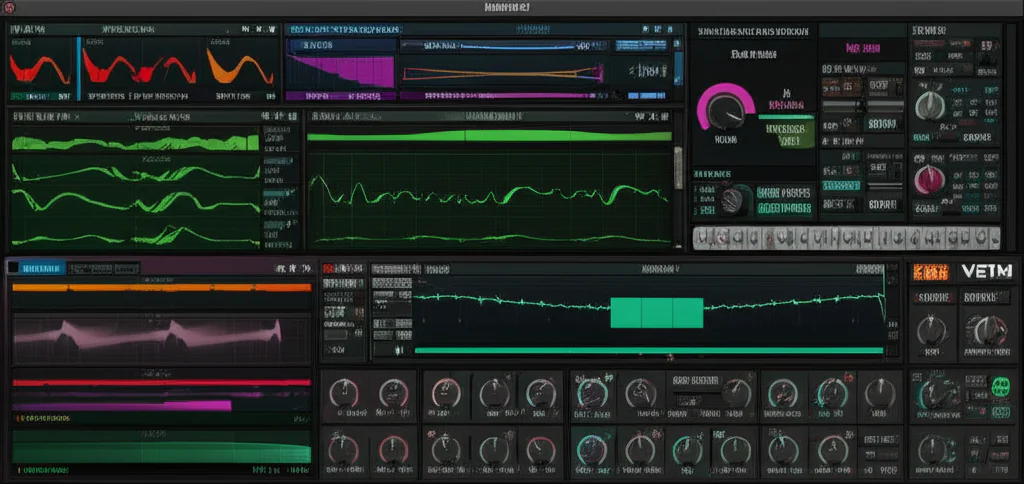
If you’ve ever dreamed of crafting those lush, cutting-edge synth sounds that dominate today’s hits, you’ve probably asked yourself: Is Serum VST free? Spoiler alert: the answer isn’t as simple as a yes or no. Serum is not free—but don’t close that tab just yet! We’re diving deep into why Serum commands its price tag, how you can legally get it without breaking the bank, and the 10 best free alternatives that can unleash your creativity without costing a dime.
Did you know that Serum revolutionized wavetable synthesis by combining pristine sound quality with a visually intuitive interface? It’s no wonder it’s a staple in studios worldwide. But what if you’re just starting out or on a budget? We’ll show you how to get that signature Serum vibe using powerful free synths like Vital and Surge XT. Plus, we’ll share insider tips on avoiding risky cracked versions and maximizing your synth arsenal.
Ready to find out if Serum is worth the investment and discover your perfect free synth companion? Let’s jump in!
Key Takeaways
- Serum VST is a premium plugin with no fully free version, but offers a free demo and rent-to-own plans for accessibility.
- Free alternatives like Vital, Surge XT, and Tyrell N6 provide professional-grade wavetable and analog synthesis without cost.
- Avoid pirated Serum versions due to security risks, instability, and legal issues—there are safe, legal options for every budget.
- Serum’s intuitive visual workflow and sound quality make it an industry favorite, but free synths can come surprisingly close.
- Explore layering, modulation, and effects to get the most out of free synths and approach Serum-level sounds.
CHECK PRICE on Serum and explore free synths here:
- Xfer Serum: Splice | Xfer Records Official Website
- Vital Synth: Vital Audio Official Website
- Surge XT: Surge Synth Team Official Website
Table of Contents
- ⚡️ Quick Tips and Facts About Serum VST
- 🎹 The Evolution and Legacy of Serum VST: A Deep Dive
- 💸 Is Serum VST Free? Understanding Licensing and Pricing
- 🎛️ What Makes Serum VST So Popular? Features and Sound Design Power
- 🔥 Top 10 Free Serum VST Alternatives: Best Synth Plugins Without Breaking the Bank
- 🌟 Honorable Mentions: More Free Synth Plugins That Rival Serum
- 🛠️ How to Get the Most Out of Free Serum VST Alternatives: Tips and Tricks
- ⚖️ Comparing Serum VST vs. Free Alternatives: Pros, Cons, and Use Cases
- 🔒 Avoiding Pirated Serum VST: Risks and Legal Alternatives
- 💡 Creative Sound Design Ideas Using Serum and Its Free Alternatives
- 📈 How Serum VST Influences Modern Music Production Trends
- 🎧 Recommended Hardware and Software to Pair with Serum VST
- 📝 Conclusion: Is Serum VST Worth the Investment?
- 🔗 Recommended Links for Serum VST and Free Alternatives
- ❓ Frequently Asked Questions About Serum VST and Free Plugins
- 📚 Reference Links and Resources
Hey everyone, the Uniphonic™ crew here! We get this question a lot in our sound design sessions and from up-and-coming producers: “Is Serum VST free?” It’s the talk of the town, the elephant in the DAW, the multi-million dollar question… well, maybe not multi-million, but you get the picture.
Let’s cut to the chase, shall we? The short answer is a resounding NO. But hold on, don’t click away just yet! The story of Serum’s cost is more of a “choose your own adventure” than a simple “yes” or “no.” And what if we told you that you could get that earth-shattering, face-melting wavetable power without spending a dime? Intrigued? You should be.
We’re about to dive deep into the world of Serum, its pricing, why it’s the undisputed champ for many, and—most importantly—the incredible free alternatives that give it a serious run for its money. This is more than just a review; it’s your ultimate guide to achieving god-tier synth sounds, regardless of your budget.
⚡️ Quick Tips and Facts About Serum VST
Pressed for time? Here’s the lowdown on Serum and the “free” question:
- Is Serum Free? ❌ No, Xfer Serum is a premium plugin. You can’t download the full version for free legally.
- How Can I Get It? You can buy a lifetime license from Xfer Records’ official website or use a “Rent-to-Own” plan.
- What’s Rent-to-Own? Splice offers a plan where you pay a monthly fee (around $9.99) until you’ve paid the full price. After that, you own it forever! It’s a fantastic way to get started without a big upfront investment.
- Is There a Free Trial? ✅ Yes! You can try a demo version for free to see what all the hype is about. The demo is fully functional but times out after 15 minutes.
- What About Cracked Versions? ☠️ AVOID THEM. Seriously. We’ll get into the nitty-gritty later, but cracked plugins are unstable, illegal, and a gateway to malware.
- Are There Free Alternatives? ✅ YES! And some of them are mind-blowingly good. We’re talking about powerhouse synths like Vital and Surge XT that can go toe-to-toe with Serum.
- What’s the Big Deal with Serum Anyway? It’s a wavetable synthesizer known for its pristine sound quality, visual and intuitive workflow, and deep sound design capabilities. It’s a studio staple for a reason.
🎹 The Evolution and Legacy of Serum VST: A Deep Dive
To understand why everyone wants Serum, you have to know where it came from. Before Serum, wavetable synthesis was often seen as this complex, almost mythical beast, tamed only by the most dedicated sound designers with expensive hardware. Software options existed, but many were clunky, sounded thin, or produced nasty digital artifacts (a phenomenon called “aliasing”).
The Birth of a Legend
Enter Steve Duda and Xfer Records. The vision was simple but ambitious: create a wavetable synthesizer with unbelievably high-quality sound, a visual interface that made sound design fun instead of a chore, and the power to go as deep as you wanted. When Serum dropped in 2014, it wasn’t just an update; it was a revolution. Suddenly, you could see the waveforms morphing in real-time. You could drag-and-drop modulation sources like you were just connecting dots. It was intuitive, powerful, and sounded absolutely pristine.
The Serum 2 Upgrade
Just when we thought it couldn’t get any better, Xfer announced Serum 2. And in a move that solidified their legendary status, they made it a free upgrade for all existing Serum owners. This wasn’t just a patch; it was a massive expansion, adding new oscillator types (like granular and multisample), more effects, and a clip sequencer, blasting the sonic palette wide open. This commitment to “lifetime free updates” is a huge part of the Serum legacy.
Serum’s influence is undeniable. It has shaped the sound of entire genres, from Dubstep and Trap to Future Bass and beyond. Its massive user base has created a universe of tutorials and preset packs, making it one of the most well-supported plugins ever. As Cymatics notes, “Serum is a must-have for any serious producer.“
💸 Is Serum VST Free? Understanding Licensing and Pricing
So, we’ve established Serum isn’t free. But what’s it going to cost you? Here are your legal and best options. And while you’re considering your synth options, you might also be wondering, Is the Hive Plugin Free? 🐝 The Truth Revealed (2025), another question we get asked all the time.
### Option 1: The Full Purchase
The most straightforward way to get Serum is to buy a lifetime license directly from the Xfer Records website. This is a one-time purchase that gets you the full plugin, including all future updates (like the jump from Serum 1 to Serum 2). It’s the simplest path to ownership.
### Option 2: The “Rent-to-Own” Revolution with Splice
This is the game-changer for many producers. Splice, a cloud-based music creation platform, partnered with Xfer to offer a Rent-to-Own plan. Here’s how it works:
- You pay a small monthly fee.
- You get immediate access to the full, unrestricted version of Serum.
- Every payment goes toward the full price of the plugin.
- Once you’ve paid it off, you own a full, lifetime license. No extra fees, no interest.
- You can pause your plan if you hit a rough patch financially and resume later, picking up right where you left off.
This model makes top-tier tools incredibly accessible. Instead of a huge upfront cost, it’s like a small subscription that leads to ownership.
👉 CHECK PRICE on:
- Xfer Serum: Splice | Xfer Records Official Website
🎛️ What Makes Serum VST So Popular? Features and Sound Design Power
Why the obsession? What makes producers save up or commit to a monthly plan for this one synth? It boils down to a perfect storm of sound quality, visual feedback, and creative flexibility.
### Pristine Audio Quality
Serum’s oscillators are renowned for their ultra-clean sound. They use high-precision resampling to eliminate the aliasing artifacts that can make other digital synths sound “crunchy” or “thin.” This means you get glassy, clean leads and lush, clear pads without unwanted digital noise.
### A Visual and Creative Workflow
This is Serum’s secret sauce. Instead of just turning knobs and hoping for the best, you get real-time visual feedback for almost everything you do.
- Wavetable Visualization: You can literally watch the waveform animate and morph as you modulate it. This makes understanding what’s happening to your sound incredibly intuitive.
- Drag-and-Drop Modulation: Want to control the filter cutoff with an LFO? Just drag the LFO’s title to the cutoff knob. A connection is instantly made, and you can see the modulation happening on the knob itself. It’s brilliant.
- Wavetable Editor: This is where the real magic happens. You can create your own wavetables from scratch, import audio, or even import images and have Serum convert them into sound! The possibilities are genuinely endless.
### Feature-Packed Powerhouse
Here’s a quick look under the hood:
| Feature | Uniphonic™’s Take |
|---|---|
| Dual Wavetable Oscillators | The heart of Serum. Each can have up to 16 unison voices for incredibly thick, wide sounds. |
| Sub & Noise Oscillators | A dedicated sub-oscillator for massive low-end and a flexible noise oscillator for adding texture and transients. |
| Comprehensive Filter Module | A huge variety of filter types, from classic analog models to exotic comb filters and phasers. |
| 10 Built-in Effects | A suite of high-quality effects like reverb, delay, compression (including the famous “OTT” preset), distortion, and more. The effects can even be used as a separate plugin on other tracks! |
| Powerful Modulation System | With flexible LFOs and envelopes, you can modulate almost any parameter, creating incredibly complex and evolving sounds. |
🔥 Top 10 Free Serum VST Alternatives: Best Synth Plugins Without Breaking the Bank
Okay, so you’re not ready to drop the cash on Serum. We get it! The good news is that the world of free VSTs is better than ever. Here are our top picks for free synths that will give you that Serum-like power. These are some of our favorite Plugin Recommendations.
1. Vital by Matt Tytel
If there’s one synth that can be called a true “Serum killer,” it’s Vital. It’s a spectral warping wavetable synth that is, shockingly, completely free for its full-featured basic version.
| Aspect | Rating (1-10) |
|---|---|
| Sound Quality | 9.5 |
| Features | 10 |
| Ease of Use | 9 |
| CPU Usage | 8 |
| Overall | 9.5 |
Uniphonic™ Insights:
Vital does almost everything Serum does and adds some unique tricks of its own. It features three oscillators plus a sampler, compared to Serum’s two. The visual feedback is stunning, running at a smooth 60 FPS. Its spectral oscillator warping allows you to manipulate a sound’s harmonics in ways that are simply not possible in Serum. The free version comes with 75 presets and 25 wavetables, which is more than enough to get started. The only “catch”? The most advanced text-to-wavetable feature is limited in the free version, but it’s a small price to pay for this much power.
👉 Shop Vital on:
- Vital Audio Official Website: Download for Free
2. Surge XT
This one is a beast. Surge XT is an open-source hybrid synthesizer that is ridiculously powerful and flexible. It’s a sound designer’s dream.
| Aspect | Rating (1-10) |
|---|---|
| Sound Quality | 9 |
| Features | 10 |
| Ease of Use | 7.5 |
| CPU Usage | 8.5 |
| Overall | 9.0 |
Uniphonic™ Insights:
Calling Surge “feature-packed” is an understatement. It has 3 oscillators per scene (with two scenes per patch!), 12 oscillator algorithms, two filter units with 8 configurations, 12 LFOs, and 27 effects. The interface can be a bit overwhelming at first, but as Feralvoice.com puts it, “Architecture wise, Surge is a rather complex synthesizer. But, it’s put together in a way that is still very easy to learn.” It’s a synth you can grow with for years.
👉 Shop Surge XT on:
- Surge Synth Team Official Website: Download for Free
3. u-he Tyrell N6
Inspired by designs for a hardware synth, Tyrell N6 is a virtual analog powerhouse from u-he, the legends behind Diva and Zebra.
| Aspect | Rating (1-10) |
|---|---|
| Sound Quality | 9.5 (for analog sound) |
| Features | 8 |
| Ease of Use | 9 |
| CPU Usage | 8 |
| Overall | 8.8 |
Uniphonic™ Insights:
Tyrell N6 excels at creating classic analog sounds. With two oscillators, a sub-oscillator, ring modulation, and a filter model related to the one in Diva, it delivers warmth and character in spades. It comes with over 580 factory presets, making it an incredible resource for synthwave, pop, and cinematic music. It may not be a wavetable synth, but for pure analog vibe, it’s one of the best freebies out there.
👉 Shop Tyrell N6 on:
- u-he Official Website: Download for Free
4. Helm by Matt Tytel
Before there was Vital, there was Helm. Also from developer Matt Tytel, Helm is another fantastic open-source polyphonic synth.
| Aspect | Rating (1-10) |
|---|---|
| Sound Quality | 8.5 |
| Features | 8.5 |
| Ease of Use | 9 |
| CPU Usage | 9 |
| Overall | 8.7 |
Uniphonic™ Insights:
Helm is incredibly approachable for new sound designers and is lighter on the CPU than its successor, Vital. It features a powerful modulation system with live visual feedback, a step sequencer, and a simple arpeggiator. It’s a great starting point for learning synthesis, and its “Stutter” effect is a ton of fun for creating rhythmic glitches.
👉 Shop Helm on:
- Matt Tytel Official Website: Download for Free
5. Digital Suburban Dexed
If you love the classic sound of 80s FM synthesis, you need Dexed. It’s a spot-on emulation of the legendary Yamaha DX7.
| Aspect | Rating (1-10) |
|---|---|
| Sound Quality | 9 (for FM sound) |
| Features | 8 |
| Ease of Use | 7 |
| CPU Usage | 9.5 |
| Overall | 8.4 |
Uniphonic™ Insights:
The DX7 was notoriously difficult to program. Dexed makes it so much easier by laying out all 144 parameters for automation in your DAW. It can even load original DX7 patches! This is your go-to for those classic electric pianos, icy pads, and aggressive FM basses.
👉 Shop Dexed on:
- GitHub: Download for Free
6. Odin 2 by TheWaveWarden
A monster 24-voice polyphonic synth that’s completely free! Odin 2 is a sonic playground with a huge sound.
| Aspect | Rating (1-10) |
|---|---|
| Sound Quality | 9 |
| Features | 9 |
| Ease of Use | 8 |
| CPU Usage | 8 |
| Overall | 8.5 |
Uniphonic™ Insights:
Odin 2 offers a massive range of sonic possibilities. You get 11 oscillator modules, the ability to draw your own waveforms, and emulations of classic analog filters from Moog and Korg. The built-in effects and flexible routing make it a true workhorse synth for any genre.
👉 Shop Odin 2 on:
- TheWaveWarden Official Website: Download for Free
7. VCV Rack
This isn’t just a synth; it’s a whole universe. VCV Rack is an open-source virtual Eurorack modular synthesizer.
| Aspect | Rating (1-10) |
|---|---|
| Sound Quality | 9.5 |
| Features | 10+ |
| Ease of Use | 5 (steep learning curve) |
| CPU Usage | 7 |
| Overall | 8.8 (for the adventurous) |
Uniphonic™ Insights:
If you’ve ever been curious about modular synthesis but terrified by the cost, VCV Rack is your answer. You can patch together virtual modules from hundreds of developers (many free) to build the synth of your dreams. It’s an incredible learning tool and a bottomless pit of sonic exploration. The featured video above, “[Free and Cheap Plugin Alternatives](https://busyworksbeats.com/Join Our Discordhttps://discord.gg/busyworksbeats)” (#featured-video), gives a great overview of how tools like this fit into a modern workflow.
👉 Shop VCV Rack on:
- VCV Rack Official Website: Download for Free
8. TAL-Noisemaker
From the makers of the legendary free TAL-Reverb, TAL-Noisemaker is a simple but powerful virtual analog synth.
| Aspect | Rating (1-10) |
|---|---|
| Sound Quality | 8.5 |
| Features | 7.5 |
| Ease of Use | 9.5 |
| CPU Usage | 9.5 |
| Overall | 8.5 |
Uniphonic™ Insights:
Don’t let its simplicity fool you. TAL-Noisemaker has 3 oscillators, a self-resonating 4x oversampled filter, and a great-sounding chorus effect modeled on the Roland Juno. It’s perfect for getting great sounds quickly without getting bogged down in menus.
👉 Shop TAL-Noisemaker on:
- TAL Software Official Website: Download for Free
9. u-he Zebralette
Think of Zebralette as the “teaser” for u-he’s flagship synth, Zebra2. It gives you one of Zebra2’s incredibly powerful oscillators for free.
| Aspect | Rating (1-10) |
|---|---|
| Sound Quality | 9.5 |
| Features | 8 (for a single oscillator) |
| Ease of Use | 8.5 |
| CPU Usage | 9 |
| Overall | 8.7 |
Uniphonic™ Insights:
Zebralette is a fantastic introduction to the deep synthesis capabilities of u-he. You get a single, powerful wavetable oscillator with a built-in editor, plus various oscillator effects and modulation options. It’s a surprisingly deep synth that can teach you a lot about advanced sound design.
👉 Shop Zebralette on:
- u-he Official Website: Download for Free
10. DiscoDSP OB-Xd
A beautiful emulation of the classic Oberheim OB-X analog synthesizer.
| Aspect | Rating (1-10) |
|---|---|
| Sound Quality | 9 (for vintage sound) |
| Features | 7.5 |
| Ease of Use | 9 |
| CPU Usage | 9 |
| Overall | 8.6 |
Uniphonic™ Insights:
The OB-Xd captures the massive, organic sound of the original hardware. While it doesn’t have the deep modulation of Serum, its raw tone is incredible for lush pads, fat basses, and soaring leads. The micro-detuning feature is fantastic for creating those huge, chorus-like sounds the original was famous for.
👉 Shop OB-Xd on:
- DiscoDSP Official Website: Download for Free
🌟 Honorable Mentions: More Free Synth Plugins That Rival Serum
The free synth world is vast! Here are a few more gems worth checking out:
- Charlatan: A surprisingly powerful virtual analog synth that’s very low on CPU. It’s praised for its sound quality despite its simple interface.
- K1V: Modeled after the Kawai K1, this is a great source for 80s and 90s digital synth sounds. It’s packed with thousands of presets.
- Aeolian Meditation: A unique and underrated synth that excels at creating evolving soundscapes and atmospheric pads.
🛠️ How to Get the Most Out of Free Serum VST Alternatives: Tips and Tricks
Having a powerful free synth is one thing; knowing how to use it is another. Here are some of our go-to Music Production Techniques to make these freebies sing.
### 1. Learn Your Synth Inside and Out
Don’t just scroll through presets! Pick one synth, like Vital or Surge, and make it your mission to learn it.
- Initialize the Patch: Start with a basic sawtooth or sine wave.
- Tweak One Thing at a Time: Learn what each oscillator, filter, and LFO does to the sound in isolation.
- Recreate Sounds: Try to recreate a simple bass or lead sound from one of your favorite songs. This is one of the best ways to learn synthesis.
### 2. Layer, Layer, Layer!
One of the secrets to a huge sound is layering. Since these synths are free, you can open as many instances as your computer can handle!
- Layer a wavetable synth (like Vital) with a virtual analog synth (like Tyrell N6). This gives you the digital precision and complexity of wavetables combined with the warmth and character of analog.
- Use one instance for the sub-bass (a simple sine wave) and another for the mid-range texture.
### 3. Abuse the Effects
Don’t underestimate the power of external effects. Even a simple synth sound can become extraordinary with the right processing.
- Use Xfer’s FREE OTT plugin: Yes, Xfer Records offers their famous multi-band compressor for free! It’s fantastic for adding aggression and detail to any synth sound.
- Download free reverbs and delays: Companies like Valhalla DSP and TAL offer incredible free effects that can give your synth sounds space and life.
### 4. Find Free Presets and Wavetables
The communities around synths like Vital and Surge are massive. A quick search will reveal thousands of free presets and wavetables you can download and import, massively expanding your sonic palette.
⚖️ Comparing Serum VST vs. Free Alternatives: Pros, Cons, and Use Cases
So, how do the free giants stack up against the paid champion? This isn’t just a Hardware vs Software debate; it’s about finding the right tool for your workflow and budget.
| Feature | Xfer Serum | Vital (Free Version) | Surge XT |
|---|---|---|---|
| Core Synthesis | Wavetable | Spectral Warping Wavetable | Hybrid (VA, Wavetable, FM) |
| Price | Paid (Upfront or Rent-to-Own) | ✅ Free | ✅ Free |
| Oscillators | 2 + Sub + Noise | 3 + Sampler/Noise | 3 per scene (x2) + Noise |
| User Interface | Highly Visual, Intuitive | Highly Visual, Modern | Complex, Powerful |
| Unique Features | Formula-to-Wavetable, SerumFX | Text-to-Wavetable, Spectral Warping | Open-Source, Extreme Flexibility |
| Preset Ecosystem | ✅ Massive (Largest 3rd party) | Growing Rapidly | Large & Diverse |
| CPU Usage | Moderate | Moderate-High | Moderate |
| Best For… | Professional results, huge preset library, industry standard workflow. | Getting Serum-level power for free, innovative sound design. | Deep sonic exploration, learning multiple synthesis types. |
The Verdict from Uniphonic™:
- Choose Serum if: You’re a professional producer who needs an industry-standard tool with the largest library of third-party sounds and tutorials. The workflow is polished to perfection, and the sound is undeniable. As Cymatics states, “Serum is the most powerful and versatile wavetable synthesizer on the market.“
- Choose Vital if: You want 95% of what Serum offers (plus some unique tricks) for free. It’s the closest you’ll get to the Serum experience without paying. For budget-conscious producers, Vital is a no-brainer and arguably the best free synth available today.
- Choose Surge XT if: You’re a sound design nerd who loves to get lost in modulation matrices and complex routing. Its open-source nature means it’s constantly evolving, and its sheer flexibility is unmatched by almost any other synth, paid or free.
🔒 Avoiding Pirated Serum VST: Risks and Legal Alternatives
We have to talk about the cracked elephant in the room. It can be tempting to search for a “free Serum VST cracked” download. Don’t do it. Here at Uniphonic™, we have a zero-tolerance policy for pirated software, and not just for ethical reasons. It’s a genuinely bad idea for your music and your computer.
### Why You Should Never Use Cracked Plugins
- Malware and Viruses: ☠️ This is the biggest risk. Sites that host cracked software are notorious for bundling their downloads with viruses, ransomware, and spyware. You risk damaging your computer, losing your project files, and compromising your personal data.
- Instability and Bugs: Cracked plugins are, by definition, broken. The code has been tampered with to bypass protection, which often leads to frequent crashes, bugs, and glitches that will kill your creative flow. One producer recounted how a cracked plugin made certain audio channels in his DAW malfunction until it was deleted.
- No Updates or Support: Software developers constantly release updates to fix bugs, improve performance, and add new features. With a cracked copy, you’re stuck with an old, buggy version forever. You get no support if things go wrong.
- It’s Illegal and Unethical: Plugin developers are often small teams or even single individuals pouring their passion into creating these tools. Pirating their work is theft, plain and simple. If you want these amazing tools to continue to exist and evolve, support the creators.
With incredible options like the Splice Rent-to-Own plan and the powerful free alternatives we’ve listed, there is absolutely no good reason to risk using a cracked version of Serum in 2025.
💡 Creative Sound Design Ideas Using Serum and Its Free Alternatives
Ready to make some noise? Here are a few starting points to get your creative juices flowing, whether you’re using Serum, Vital, or Surge.
### 1. The Evolving Pad
- Synth: Vital or Serum
- How-To:
- Start with a simple wavetable, like a basic saw or sine wave.
- Assign a slow LFO (set to 4 or 8 bars) to the wavetable position. This will make the sound slowly morph over time.
- Assign a second, slightly faster LFO to the filter cutoff for some gentle movement.
- Add a ton of reverb and a touch of delay. Voila! An instant atmospheric pad.
### 2. The Aggressive FM Bass
- Synth: Surge XT or Dexed
- How-To:
- In Surge, set up two oscillators with sine waves.
- In the routing matrix, use Oscillator 2 to Frequency Modulate (FM) Oscillator 1.
- Play with the pitch of Oscillator 2. Small changes will create huge changes in the tone of Oscillator 1, leading to those classic metallic, growly bass sounds.
- Add some distortion and compression for extra grit.
### 3. The Analog-Style Lead
- Synth: Tyrell N6 or TAL-Noisemaker
- How-To:
- Use two sawtooth oscillators.
- Slightly detune the second oscillator using the “Fine-tune” knob. This will create a thick, chorused effect.
- Engage the “Unison” mode to stack multiple voices for an even bigger sound.
- Use the built-in chorus effect. This is the secret to that classic 80s synth lead sound.
📈 How Serum VST Influences Modern Music Production Trends
Serum isn’t just a tool; it’s a trendsetter. Its sound has become synonymous with entire subgenres of electronic music.
- The “Growl” Bass: The complex, morphing bass sounds of modern Dubstep and Bass Music were largely pioneered and perfected within Serum. Its clean oscillators and powerful warp modes allow for the creation of incredibly detailed and aggressive basslines.
- The Future Bass Supersaw: The wide, shimmering chord stacks of Future Bass often rely on Serum’s powerful unison engine. The ability to stack 16 voices per oscillator and detune them creates that signature massive, emotional sound.
- The Rise of Wavetable: Serum’s popularity has led to a massive resurgence in wavetable synthesis. Many developers, including the creators of the fantastic free alternatives we’ve listed, have been inspired by its workflow and success.
🎧 Recommended Hardware and Software to Pair with Serum VST
To get the most out of these powerful synths, you’ll want a solid setup.
### Essential Hardware
- MIDI Keyboard: A good MIDI keyboard is essential for playing and programming your synth parts. We love the Arturia KeyStep series for its great keybed and built-in sequencer, or the Novation Launchkey series for its deep integration with DAWs like Ableton Live.
- Audio Interface: A quality audio interface ensures you’re hearing your sounds accurately. The Focusrite Scarlett series is a fantastic and affordable starting point, while the Universal Audio Apollo series offers professional-grade conversion and onboard processing.
### Complementary Software
- Xfer OTT: We mentioned it before, but it’s worth repeating. This free multi-band compressor is the perfect companion for adding punch and clarity to your synth sounds.
- A Good DAW: Serum and its alternatives work in any major DAW, including Ableton Live, FL Studio, and Logic Pro. Choose the one that best fits your workflow.
- Sample Packs & Preset Libraries: Platforms like Splice and Loopmasters offer endless inspiration with high-quality samples and professionally designed presets for Serum and Vital.
📝 Conclusion: Is Serum VST Worth the Investment?

After our deep dive into Serum VST and its ecosystem, here’s the bottom line from the Uniphonic™ team:
Positives of Serum VST
- Unmatched sound quality with ultra-clean oscillators and advanced anti-aliasing.
- Intuitive and visually rich interface that makes complex sound design accessible and fun.
- Extensive modulation capabilities and a powerful wavetable editor that lets you craft unique sounds.
- Massive preset ecosystem and community support, making it easy to find inspiration.
- Lifetime free updates, including major upgrades like Serum 2, ensuring your investment keeps growing.
Negatives of Serum VST
- Price point can be a barrier for beginners or hobbyists, though rent-to-own options mitigate this.
- Moderate CPU usage, which might challenge lower-end systems.
- Steeper learning curve for absolute synth newbies, though the interface is intuitive once you dive in.
Our Recommendation
If you’re serious about music production and want a professional-grade wavetable synthesizer that’s industry-standard, Serum is absolutely worth the investment. The rent-to-own plan via Splice makes it accessible without a hefty upfront cost, and the demo lets you test-drive the plugin risk-free.
However, if you’re just starting out or on a tight budget, don’t feel left out! Free alternatives like Vital and Surge XT offer tremendous power and flexibility that can rival Serum in many ways. They’re fantastic learning tools and can produce professional results without costing a dime.
Remember the question we teased earlier: Can you get Serum for free? The honest answer is no, but with smart choices and the incredible free synths available today, you can get very close to that Serum magic without spending a fortune.
Happy producing! 🎶
🔗 Recommended Links for Serum VST and Free Alternatives
👉 CHECK PRICE on:
- Xfer Serum: Splice | Xfer Records Official Website
- Vital Synth: Vital Audio Official Website
- Surge XT: Surge Synth Team Official Website
- Tyrell N6: u-he Official Website
- Helm: Matt Tytel Official Website
- Dexed: GitHub
- Odin 2: TheWaveWarden Official Website
- VCV Rack: VCV Rack Official Website
- TAL-Noisemaker: TAL Software Official Website
- Zebralette: u-he Official Website
- OB-Xd: DiscoDSP Official Website
Recommended Books on Synthesis and Sound Design:
- “Sound Design: The Expressive Power of Music, Voice and Sound Effects in Cinema” by David Sonnenschein — Amazon Link
- “The Synthesizer: A Comprehensive Guide to Understanding, Programming, Playing, and Recording the Ultimate Electronic Music Instrument” by Mark Vail — Amazon Link
- “Welsh’s Synthesizer Cookbook: Analog Synthesizer Programming” by Fred Welsh — Amazon Link
❓ Frequently Asked Questions About Serum VST and Free Plugins
What are the system requirements for Serum VST to run smoothly on my music production computer?
Serum is a modern, CPU-efficient plugin but still requires a reasonably powerful system for optimal performance. Here’s what you need:
- Operating System: Windows 7 or higher (64-bit) or macOS 10.11 or higher.
- Processor: Intel Core i5 or equivalent AMD processor recommended.
- RAM: Minimum 4GB; 8GB+ recommended for complex projects.
- DAW Compatibility: Works with all major DAWs supporting VST, AU, or AAX formats.
- Disk Space: Around 1GB for installation and presets.
Keep in mind that running multiple instances or using heavy modulation and effects can increase CPU load. Using a dedicated audio interface and optimizing your DAW’s buffer size can help maintain smooth playback.
Is there a free trial or demo version of Serum VST available for download and testing?
Yes! Xfer Records offers a fully functional demo version of Serum that you can download from their official website. The demo has a 15-minute usage limit per session, after which you need to restart your DAW to continue testing. This allows you to explore all features and get a feel for the workflow before committing.
How does Serum VST compare to other popular wavetable synthesizer plugins used in sound design and music production?
Serum stands out for its:
- Visual interface: Real-time waveform display and drag-and-drop modulation.
- Sound quality: Ultra-clean oscillators with minimal aliasing.
- Wavetable editing: Ability to create and import custom wavetables.
- Effects suite: High-quality built-in effects usable as standalone plugins.
Compared to other wavetable synths like Vital or Massive X, Serum is often praised for its balance of power and ease of use. Vital offers some unique spectral warping features and is free, making it a strong competitor. Massive X (Native Instruments) is also powerful but has a steeper learning curve and less visual feedback.
Are there any discounts or promotions available for purchasing Serum VST, or is it possible to get a student or bundle discount?
Xfer Records occasionally offers discounts during major sales events like Black Friday or Cyber Monday. Additionally:
- Splice Rent-to-Own: Allows you to pay monthly, making Serum more affordable.
- Bundle Deals: Serum is often included in bundles with other Xfer plugins or third-party sample packs.
- Student Discounts: Currently, Xfer Records does not offer official student discounts, but some retailers or educational platforms might.
Keep an eye on official channels and authorized resellers for promotions.
How can I legally obtain Serum VST without paying the full price upfront?
The Splice Rent-to-Own program is the best legal way to access Serum without a large upfront payment. You pay a monthly fee (~$9.99), and after completing payments, you own the plugin outright. This is perfect for producers on a budget who want to start using Serum immediately.
Can free alternatives to Serum VST fully replace it in professional music production?
While free alternatives like Vital and Surge XT are incredibly powerful and can produce professional-quality sounds, Serum remains the industry standard due to its polished workflow, extensive preset ecosystem, and unique features like the wavetable editor and effects suite.
Many producers use a combination of Serum and free synths depending on the project. For beginners or those on a budget, free synths are excellent starting points and can cover most production needs.
📚 Reference Links and Resources
- Xfer Records Official Website – Serum
- Splice – Serum Rent-to-Own
- Vital Audio Official Website
- Surge Synth Team Official Website
- u-he Official Website
- Matt Tytel Official Website (Vital & Helm)
- GitHub – Dexed
- TheWaveWarden Official Website – Odin 2
- VCV Rack Official Website
- TAL Software Official Website
- DiscoDSP Official Website – OB-Xd
- Cymatics.fm – Xfer Serum Review and Course
Thanks for sticking with us through this sonic journey! If you want more expert tips and plugin recommendations, don’t forget to check out our Plugin Recommendations and Music Production Techniques sections. Keep creating, keep experimenting, and most importantly—keep having fun! 🎶✨