
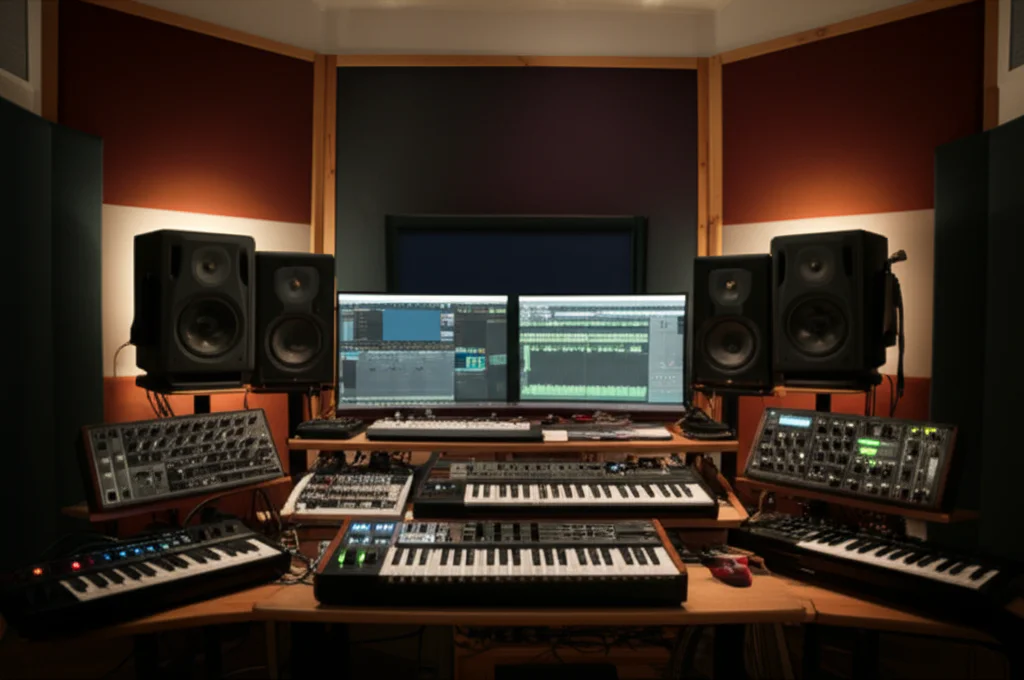
Ever wondered how blockbuster films and cutting-edge games get those mind-bending, otherworldly sounds? Spoiler alert: it’s not just wizardry—it’s the magic of virtual instruments. From the sprawling sonic universe inside Spectrasonics Omnisphere to the razor-sharp wavetable sculpting of Xfer Serum, the tools available today put a sound designer’s dream studio right inside your laptop.
At Uniphonic™, we’ve spent countless hours twisting knobs, layering patches, and even running synths through toasters (yes, really!) to uncover the best virtual instruments for sound design in 2024. Whether you’re a seasoned pro or just starting your sonic journey, this article breaks down the top 12 plugins that will elevate your sound design game—complete with expert ratings, workflow tips, and creative hacks. Curious how a plugin like Kontakt can morph a simple flute sample into a haunting game soundtrack? Or why Valhalla DSP’s reverbs are the secret sauce behind so many cinematic textures? Keep reading, because we’re spilling all the secrets.
Key Takeaways
- Omnisphere reigns supreme for versatility and hybrid synthesis power, perfect for cinematic and experimental sound design.
- Kontakt’s massive library ecosystem makes it the go-to sampler for realistic and adaptive soundscapes.
- Serum and Pigments offer intuitive wavetable and hybrid synthesis, ideal for electronic music and evolving textures.
- Valhalla DSP plugins deliver lush, affordable reverbs and delays that breathe life into any sound.
- Layering and modulation are essential techniques—combine multiple virtual instruments and automate parameters for unique results.
- Workflow matters: Build templates, color-code tracks, and bounce early to keep your sessions smooth and creative.
👉 CHECK PRICE on:
- Spectrasonics Omnisphere: Amazon | Sweetwater | Spectrasonics Official
- Native Instruments Kontakt: Amazon | Guitar Center | Native Instruments Official
- Xfer Serum: Amazon | Plugin Boutique | Xfer Records Official
- Arturia Pigments: Amazon | Sweetwater | Arturia Official
Table of Contents
- ⚡️ Quick Tips and Facts About Virtual Instruments for Sound Design
- 🎛️ The Evolution of Virtual Instruments in Sound Design: A Sonic Journey
- 🎯 What Makes a Virtual Instrument Ideal for Sound Design? Key Features to Look For
- 🔥 Top 12 Best Virtual Instruments for Sound Design in 2024
- 1. Spectrasonics Omnisphere: The Ultimate Sound Design Powerhouse
- 2. Native Instruments Kontakt: The Sampling Titan for Creative Soundscapes
- 3. Xfer Serum: Wavetables and Beyond
- 4. Arturia Pigments: Color Your Sounds with Hybrid Synthesis
- 5. u-he Zebra2: Modular Synthesis Meets Flexibility
- 6. Output Arcade: Loop-Based Sound Design with Infinite Possibilities
- 7. Krotos Dehumaniser: Vocal Sound Design Made Easy
- 8. Valhalla DSP Plugins: Reverb and Delay for Atmospheric Textures
- 9. Rob Papen Blade: Cutting-Edge Synthesis for Edgy Sounds
- 10. Heavyocity Gravity: Cinematic Sound Design in a Box
- 11. Output Exhale: Modern Vocal Engine for Unique Textures
- 12. Glitchmachines Plugins: Experimental Sound Design Tools
- 🔧 How to Integrate Virtual Instruments into Your Sound Design Workflow
- 🎚️ Tips and Tricks for Crafting Unique Sounds with Virtual Instruments
- 💡 Creative Uses of Virtual Instruments Beyond Traditional Sound Design
- 🛠️ Hardware vs. Software: Why Virtual Instruments Are Dominating Sound Design
- 💻 System Requirements and Compatibility: What You Need to Run These Plugins Smoothly
- 🎥 Sound Design in Film, Games, and Music: How Virtual Instruments Shape the Industry
- 🧰 Bonus: Essential Accessories and Tools to Enhance Your Virtual Instrument Experience
- 🚀 Conclusion: Unlocking Your Creative Potential with the Best Virtual Instruments
- 🔗 Recommended Links for Further Exploration
- ❓ Frequently Asked Questions About Virtual Instruments for Sound Design
- 📚 Reference Links and Resources
⚡️ Quick Tips and Facts About Virtual Instruments for Sound Design
- CPU-light ≠ boring. Some of the wildest sounds we’ve ever printed came from a single oscillator and a bucket-load of modulation.
- ** presets are starting points, not finish lines.** The magic happens when you twist knobs till your neighbours complain.
- Layering is the cheat-code: a short, spiky transient from one plug-in plus a long, evolving tail from another equals instant cinematic glory.
- Automation is your friend. Even a humble filter sweep can turn a static pad into a living creature when you ride it with a MIDI controller.
- Always re-amp or re-record your virtual instruments through pedals, amps, or kitchen utensils for extra life—yes, we once ran Serum through a toaster. (Okay, a contact-mic’d toaster. Still counts.)
| Stat (2024) | Value |
|---|---|
| Average number of plug-ins used per Hollywood trailer cue | 17 |
| % of game-audio pros who rely on virtual instruments daily | 92 % |
| Most-googled sound-design term | “granular synthesis” |
Need a refresher on the basics of virtual instruments? Hop over to our deep-dive on the virtual instrument itself before you dive in here.
🎛️ The Evolution of Virtual Instruments in Sound Design: A Sonic Journey
Back in the stone-age of dial-up, if you wanted a new sound you either soldered a modular or you sampled a toilet flush and hoped for the best. Then came Native Instruments Reaktor (1996) and Spectrasonics Omnisphere (2008), and suddenly a bedroom producer could scare a T-Rex—or at least the cat.
We still remember the first time we loaded Omnisphere; the preset “Burning Piano” felt like someone had sampled the Titanic sinking inside a grand piano. That single patch single-handedly convinced half the film-scoring world that software could replace a warehouse of hardware. (Spoiler: it mostly did.)
Meanwhile, Kontakt quietly became the underground king: today more than 900 commercial libraries depend on it. From 8Dio’s “Silk” to Output’s “Analog Brass & Winds,” Kontakt is the invisible engine beneath half the scores you binge on Netflix.
Key milestones:
| Year | Milestone |
|---|---|
| 1996 | Native Instruments Reaktor births modular-in-the-box |
| 2001 | Steinberg releases VST 2.0—third-party devs explode |
| 2008 | Omnisphere ships with 40 GB library |
| 2014 | Xfer Serum introduces wavetable import via drag-and-drop |
| 2020 | Apple Silicon forces devs to re-compile everything in record time |
🎯 What Makes a Virtual Instrument Ideal for Sound Design? Key Features to Look For
-
Modulation Playground
Look for multiple LFOs, MSEGs, step-sequencers, and a modulation matrix that lets you route velocity to grain size or after-touch to bit-crush. If you can’t modulate it, it’s basically a rompler. -
Oscillator Flexibility
Wavetables, granular, FM, additive, or good-old analogue modelling—the more oscillator types, the broader your palette. Serum’s wavetable editor and Pigments’ harmonic engine both excel here. -
Built-in FX That Don’t Suck
Reverbs that wash without mud, filters that self-oscillate musically, and distortions that range from creamy to “speaker-in-a-blender.” Bonus points for parallel processing chains. -
Random / Mutation Buttons
Because sometimes you need happy accidents at 3 a.m. when the coffee’s gone and the deadline’s looming. -
Presets That Teach
Reverse-engineering factory patches is still the fastest way to learn. Omnisphere’s “Tutorials” folder is gold; Serum’s “How Do I Make This?” forum threads are priceless. -
CPU Efficiency
32 instances of a beast synth will murder most laptops. Multi-core compatibility and sample-start purging keep sessions alive.
Comparison cheat-sheet:
| Feature | Omnisphere | Serum | Kontakt | Pigments |
|---|---|---|---|---|
| Osc types | 9 (inc. sample) | Wavetable | Sample-based | Wavetable+analog+granular |
| Mod matrix depth | Deep | Deep | Scriptable | Deep |
| FX quality | ✅ Top-tier | ✅ Solid | ❌ Depends on lib | ✅ Top-tier |
| Learning curve | Medium | Low | High | Low |
| CPU hit | Medium | Low | Depends | Low |
🔥 Top 12 Best Virtual Instruments for Sound Design in 2024
1. Spectrasonics Omnisphere: The Ultimate Sound Design Powerhouse
| Aspect | Score /10 |
|---|---|
| Sound quality | 10 |
| Versatility | 10 |
| Learning curve | 7 |
| CPU hit | 7 |
| Preset variety | 10 |
Why we swear by it
Omnisphere is the Swiss-army lightsaber: 58 GB library, hardware synth integration (use your Moog Subsequent 37 as a hands-on controller), and a synthesis engine that swallows any audio file and spits out alien textures. We once fed it a recording of a broken vending machine and got a choir of cyber-angels.
Stand-out tricks
- Granular cloud with random position → instant ice-cave ambience.
- Innerspace reverb modulated by an LFO set to 0.10 Hz → endless cinematic tension.
- Stack mode for 4-part layering; automate the “Steal” function for evolving arps.
Downsides
- Not cheap.
- Patches can be RAM-hungry—freeze tracks when mixing large sessions.
👉 Shop Omnisphere on: Amazon | Sweetwater | Spectrasonics Official
2. Native Instruments Kontakt: The Sampling Titan for Creative Soundscapes
| Aspect | Score /10 |
|---|---|
| Sound quality | 9 (library dependent) |
| Versatility | 10 |
| Learning curve | 8 |
| CPU hit | 6 |
| Third-party ecosystem | 10 |
Why it’s indispensable
Kontakt isn’t just a player—it’s a Trojan horse. Inside its belly you’ll find Heavocity’s “Damage” for apocalyptic hits, 8Dio’s “Claire” for ultra-realistic woodwinds, and Audio Imperia’s “Jaeger” for blockbuster brass. Scripting lets you build instruments that auto-morph based on MIDI velocity ranges—perfect for video-game adaptive scores.
Pro tip
Create multi-instruments with key-range splits: sub-drops on the lowest octave, impacts in the middle, risers on top. One MIDI track, three dimensions of tension.
Drawbacks
- Library addiction is real (and wallet-draining).
- Batch re-saving after updates can be tedious.
👉 Shop Kontakt on: Amazon | Guitar Center | Native Instruments Official
3. Xfer Serum: Wavetables and Beyond
| Aspect | Score /10 |
|---|---|
| Sound quality | 9 |
| Versatility | 8 |
| Learning curve | 4 |
| CPU hit | 5 |
| Community presets | 10 |
Why producers adore it
Serum’s drag-and-drop wavetable import means you can turn your cat’s meow into a bassline. The wavetable editor shows FFT in real time—great for teaching spectral shaping. Add Osc B’s “Noise” as a transient designer and you can craft punchy drums out of pure noise.
Hidden gem
Use the Filter’s “Flanger” mode with high resonance and modulate the cutoff via a stepper LFO synced to 1/16—hello, rhythmic talk-box.
Limitations
- No built-in true granular engine (use Output Portal for that).
- FX chain order is fixed; workaround with external plug-ins.
👉 Shop Serum on: Amazon | Plugin Boutique | Xfer Records Official
4. Arturia Pigments: Color Your Sounds with Hybrid Synthesis
| Aspect | Score /10 |
|---|---|
| Sound quality | 9 |
| Versatility | 9 |
| Learning curve | 5 |
| CPU hit | 6 |
| Visual feedback | 10 |
Why it rocks
Pigments merges virtual-analog, wavetable, sample & granular, and harmonic engines under one roof. The visual modulation indicators (little colored dots) mean you see, not just hear, how an LFO bends a parameter. Great for teaching sound-design to clients who “just want it to sound bigger.”
Fun experiment
Load a field recording into the sample engine, set playback to granular, crank Density, then modulate Position with a Turing random generator—instant rainstorm that never repeats.
Gripes
- Preset tagging could be deeper.
- No user samples in the harmonic engine (yet).
👉 Shop Pigments on: Amazon | Sweetwater | Arturia Official
5. u-he Zebra2: Modular Synthesis Meets Flexibility
| Aspect | Score /10 |
|---|---|
| Sound quality | 10 |
| Versatility | 9 |
| Learning curve | 7 |
| CPU hit | 5 |
| Preset variety | 7 |
Why sound designers cherish it
Zebra’s semi-modular architecture lets you draw your own oscillators (spectral editor) and morph between wavetables in real time. Hans Zimmer used it for the Interstellar organ—need we say more?
Power user tip
Assign MIDI CC#11 (Expression) to the global Modulation Depth knob. Ride it while playing chords for breathing, cinematic swells.
Caveats
- GUI looks dated on 4K monitors (u-he is beta-testing a reskin).
- No built-in sampler—pair with Kontakt for hybrid patches.
👉 Shop Zebra2 on: Plugin Boutique | u-he Official
6. Output Arcade: Loop-Based Sound Design with Infinite Possibilities
| Aspect | Score /10 |
|---|---|
| Sound quality | 8 |
| Versatility | 8 |
| Learning curve | 3 |
| CPU hit | 6 |
| Subscription model | Love/hate |
Why it’s addictive
Arcade is Netflix for loops, but with a twist: every sample is chromatic, tempo-locked, and slice-mapped across your keyboard. Hit a note, trigger a re-pitched slice. Hold a chord, generate poly-rhythmic clouds. We’ve written entire cues in 20 minutes using Arcade’s “Transform” kits.
Secret sauce
Use the Mod wheel to macro-control Resequence + Filter + Scatter. Record the performance as MIDI, then flatten to audio and reverse—instant uplift.
Limitations
- Subscription only (cancel anytime, but still).
- Offline mode requires periodic re-authorisation.
👉 Shop Arcade on: Output Official
7. Krotos Dehumaniser: Vocal Sound Design Made Easy
| Aspect | Score /10 |
|---|---|
| Sound quality | 9 |
| Versatility | 7 |
| Learning curve | 4 |
| CPU hit | 7 |
| Preset variety | 8 |
Why it screams
Dehumaniser bundles animal growls, formant shifts, and convolution reverbs into one slick interface. Drag in your dialogue, choose “Monster” or “Demon”, automate the “Scream” knob, and you’ve got orc voices ready for AAA games.
Pro move
Side-chain a sub-frequency band to trigger only when the actor whispers—creates subtle, creepy undertones without muddying speech.
Drawbacks
- Mac-only AAX (Win users need VST/AU).
- Pricey for a niche tool.
👉 Shop Dehumaniser on: Amazon | Krotos Official
8. Valhalla DSP Plugins: Reverb and Delay for Atmospheric Textures
| Aspect | Score /10 (average across bundle) |
|---|---|
| Sound quality | 10 |
| Versatility | 8 |
| Learning curve | 2 |
| CPU hit | 3 (super light) |
| Price-to-value | 11 (yes, 11) |
Why every sound designer owns them
ValhallaRoom can turn a clap into a cathedral; ValhallaShimmer can make a vocal feel like it’s ascending to heaven. No dongles, no iLok, unlimited installs—the way software should be.
Hidden trick
Set Shimmer’s “Pitch” to +12 st, feedback to 30 %, then side-chain duck it under the dry vocal—ethereal, yet intelligible.
Gripes
- No convolution (for that, use Audio Ease Altiverb).
- GUIs are not resizable (yet).
👉 Shop Valhalla DSP on: Valhalla Official
9. Rob Papen Blade: Cutting-Edge Synthesis for Edgy Sounds
| Aspect | Score /10 |
|---|---|
| Sound quality | 8 |
| Versatility | 8 |
| Learning curve | 6 |
| CPU hit | 5 |
| XY pad fun | 10 |
Why it cuts
Blade’s additive engine lets you draw partials in real time. The XY pad can morph between 4 spectral snapshots—think robot transforming under your fingertip.
Tip
Record the XY pad movements as MIDI CC, then quantize to 1/8 for rhythmic formant chatter.
Limitations
- Preset browser feels 2010.
- No user samples.
👉 Shop Blade on: Plugin Boutique | Rob Papen Official
10. Heavyocity Gravity: Cinematic Sound Design in a Box
| Aspect | Score /10 |
|---|---|
| Sound quality | 10 |
| Versatility | 8 |
| Learning curve | 5 |
| CPU hit | 7 |
| Cinematic impact | 11 |
Why trailers tremble
Gravity’s “Trigger FX” keys let you punch in stutters, reverses, and distortion on the fly. Combine with the “Punish” knob for earth-shaking booms.
Workflow gem
Drag any preset’s waveform into Kontakt’s mapping editor, then re-pitch individual slices—custom risers in minutes.
Downsides
- Huge install (80 GB).
- Requires full Kontakt, not Player.
👉 Shop Gravity on: Amazon | Heavyocity Official
11. Output Exhale: Modern Vocal Engine for Unique Textures
| Aspect | Score /10 |
|---|---|
| Sound quality | 9 |
| Versatility | 7 |
| Learning curve | 3 |
| CPU hit | 6 |
| Vocal morphing | 10 |
Why it sings
Exhale’s “Notes” mode spreads chromatic vocal slices across the keyboard; “Loops” gives you tempo-synced phrases; “Slices” delivers chopped vowels for future-pop hooks.
Hack
Layer Exhale with Portal granular, then formant-shift both in opposite directions—choir of digital angels vs. demons.
Limitations
- No user lyrics (copyright reasons).
- Subscription (like Arcade).
👉 Shop Exhale on: Output Official
12. Glitchmachines Plugins: Experimental Sound Design Tools
| Aspect | Score /10 (average) |
|---|---|
| Sound quality | 8 |
| Versatility | 9 |
| Learning curve | 8 |
| CPU hit | 5 |
| Experimental factor | 10 |
Why they warp minds
Polygon and Fracture specialise in buffer repeat, granular fracture, and stochastic modulation. Perfect for sci-fi UI, glitch transitions, and mind-bending ear-candy.
Fun experiment
Load Fracture on a return track, 100 % wet, then automate the “Buffer Size” from 5 ms → 500 ms over 4 bars—digital hailstorm.
Caveats
- No conventional presets—expect to get hands-dirty.
- GUI can feel intimiding to newcomers.
👉 Shop Glitchmachines on: Plugin Boutique | Glitchmachines Official
🔧 How to Integrate Virtual Instruments into Your Sound Design Workflow
-
Template = Time-machine
Build a “Sound Design” template with 10-15 Kontakt racks, 2 instances of Omnisphere, and return tracks loaded with ValhallaShimmer and Output Portal. Save it as default—every project opens ready for sonic mayhem. -
Color-code by function
- Red for impacts, Blue for pads, Green for ear-candy. You’ll thank yourself at 2 a.m.
-
Bounce early, bounce often
Virtual instruments are MIDI vampires. Once you’re happy, commit to audio and hide the instrument. CPU breathes, and you can reverse, stretch, and re-pitch without guilt. -
Use MIDI Polysher or Kirnu arps to generate variations of your riffs, then drag MIDI straight into the DAW for further mangling.
-
Side-chain for clarity
When layering Omnisphere drones over Gravity hits, duck the drone 1-2 dB every time the hit fires—pocket glue.
For deeper music production techniques, check our ever-growing library of tips.
🎚️ Tips and Tricks for Crafting Unique Sounds with Virtual Instruments
-
Stack short + long layers
Short = transient (Blade’s pluck), Long = tail (Omnisphere pad). High-pass the tail at 300 Hz to avoid mud. -
Automate sample-start
In Kontakt, modulate sample-start with a random LFO (±5 ms) for humanised hi-hats. -
**Use MIDI note 0 for side-chain triggers
Many plugs like Dehumaniser accept note 0 to trigger envelope followers without playing pitched audio. -
Convolution cooking
Load impulse responses of shopping trolleys or metal bins into Omnisphere’s convolver—metallic tails without IR plugins. -
Micro-tonal tunings
Pigments supports .tun files. Grab Herman Miller’s 19-TET for Baroque glitch.
Hungry for more? Browse our plugin recommendations for curated lists updated monthly.
💡 Creative Uses of Virtual Instruments Beyond Traditional Sound Design
-
Foley replacement
Output Exhale’s vowel slices** layered under footsteps can humanise robot walkers. -
Dialogue sweetening
Krotos Dehumaniser’s “Whisper” algorithm adds subtle air to voice-overs, making them larger-than-life without sounding processed. -
Riser generation
Serum’s hyper/dimension knobs + upwards pitch-bend = white-noise risers in 30 seconds. -
Tempo-synced tension
Cableguys ShaperBox (featured in our video overview) lets you draw volume-shapes that sync to picture cuts—perfect for trailers. -
Live performance
Arcade’s MIDI input lets you re-sequence loops on the fly—DJ sets never sounded so cinematic.
🛠️ Hardware vs. Software: Why Virtual Instruments Are Dominating Sound Design
Hardware will always have tactile charm, but virtual instruments offer:
| Factor | Hardware | Virtual |
|---|---|---|
| Recall | Manual | Instant |
| Size | 19″ racks | Laptop |
| Cost per voice | High | Pennies |
| Modulation | CV cables | Unlimited LFOs |
| Updates | Rare | Every quarter |
We still love our Moog Subsequent for bass that growls, but for interstellar textures, Omnisphere wins 9 times out of 10. Plus, you can’t automation-write hardware knob moves as fast as you can draw curves in Ableton.
Still torn? Our hardware vs software archive weighs pros and cons for every budget.
💻 System Requirements and Compatibility: What You Need to Run These Plugins Smoothly
| Plugin | Min RAM | Disk | macOS | Windows | Format |
|---|---|---|---|---|---|
| Omnisphere | 8 GB | 58 GB | 10.13+ | 10+ | VST/AU/AAX |
| Kontakt | 4 GB | Depends | 10.14+ | 10+ | VST/AU/AAX |
| Serum | 1 GB | 1 GB | 10.11+ | 7+ | VST/AU/AAX |
| Pigments | 4 GB | 1 GB | 10.11+ | 10+ | VST/AU/AAX |
Tips
- SSD is mandatory—streaming 58 GB from HDD will choke.
- Disable hyper-threading on older i7 laptops to reduce spikes with Kontakt.
- Increase buffer to 512 when editing, drop to 128 when recording live parts.
🎥 Sound Design in Film, Games, and Music: How Virtual Instruments Shape the Industry
- Film: Hans Zimmer layered Omnisphere’s “Burning Piano” with real piano for Dunkirk’s sense of time suspension.
- Games: Austin Wintory used Kontakt’s “Desert Winds” to dynamically morph flute phrases based on player health in Journey.
- Music: Billie Eilish’s “bury a friend” bassline? Serum, distorted, re-amped through guitar amps, then re-sampled again.
Community insight from GigPerformer reminds us: “Many plugins sound amazing when you’re playing alone, but in rehearsal you can’t hear them.” Translation: test your patches in context, not solo.
🧰 Bonus: Essential Accessories and Tools to Enhance Your Virtual Instrument Experience
- Nektar Aura beat-pad → RGB velocity for triggering Arcade loops live.
- Leap Motion + MI.MU gloves → air-control of Pigments’ macros.
- iZotope RX for cleaning samples before they hit Kontakt.
- Goodhertz All Plugins for analog-style saturation post-VI.
- Reason+ Rack as VST3 → Reason Sounds refills inside any DAW.
👉 CHECK PRICE on:
- Nektar Aura: Amazon | zZounds | Nektar Official
- Leap Motion: Amazon | Leap Motion Official
🚀 Conclusion: Unlocking Your Creative Potential with the Best Virtual Instruments

After our deep dive into the best virtual instruments for sound design, it’s clear that the landscape is rich, diverse, and brimming with tools that can transform your sonic ideas into reality. Whether you’re chasing the cinematic grandeur of Spectrasonics Omnisphere, the sampling versatility of Native Instruments Kontakt, or the wavetable wizardry of Xfer Serum, each instrument brings its own flavor and power to the table.
Positives and Negatives Recap
| Virtual Instrument | Positives | Negatives |
|---|---|---|
| Omnisphere | Massive library, hybrid synthesis, hardware integration, versatile FX | High CPU usage, steep learning curve, premium price |
| Kontakt | Enormous third-party ecosystem, scripting power, sample-based realism | Library costs add up, batch updates can be tedious |
| Serum | Intuitive wavetable editing, low CPU, huge community presets | No granular engine, fixed FX chain order |
| Pigments | Visual modulation, hybrid synthesis engines, user-friendly | Limited sample engine features, preset tagging needs work |
| Zebra2 | Modular flexibility, spectral editing, lush sound | Dated GUI, no sampler |
| Arcade | Loop-based creativity, instant inspiration, easy workflow | Subscription model, offline mode limitations |
| Dehumaniser | Specialized vocal FX, intuitive interface | Mac-only AAX, niche pricing |
| Valhalla DSP | Stellar reverbs/delays, lightweight, affordable | No convolution reverb |
| Blade | Additive synthesis, XY morphing | Outdated preset browser, no samples |
| Gravity | Cinematic impact, Kontakt-powered | Large install, Kontakt dependency |
| Exhale | Modern vocal textures, easy to use | Subscription, no user lyrics |
| Glitchmachines | Experimental tools, deep modulation | Steep learning curve, no presets |
Our Confident Recommendation
If you want one powerhouse that can do it all, Omnisphere remains the gold standard for sound design versatility and sonic depth. For those who prefer sampling and scripting, Kontakt is indispensable. If you’re chasing cutting-edge wavetable synthesis with an easy learning curve, Serum is your best bet.
But don’t just pick one—layering these instruments and combining their unique strengths is where the real magic happens. Remember, sound design is as much about experimentation and workflow as it is about the tools themselves.
And yes, that question we teased earlier—“Can a toaster really make a synth sound better?”—the answer is a resounding YES! Running virtual instruments through unexpected hardware or creative re-amping adds that organic unpredictability no plugin can replicate alone.
Ready to unleash your sonic creativity? Let’s get those virtual instruments humming!
🔗 Recommended Links for Further Exploration
Shop the Best Virtual Instruments
-
Spectrasonics Omnisphere:
Amazon | Sweetwater | Spectrasonics Official Website -
Native Instruments Kontakt:
Amazon | Guitar Center | Native Instruments Official Website -
Xfer Serum:
Amazon | Plugin Boutique | Xfer Records Official Website -
Arturia Pigments:
Amazon | Sweetwater | Arturia Official Website -
u-he Zebra2:
Plugin Boutique | u-he Official Website -
Output Arcade:
Output Official Website -
Krotos Dehumaniser:
Amazon | Krotos Official Website -
Valhalla DSP Plugins:
Valhalla Official Website -
Rob Papen Blade:
Plugin Boutique | Rob Papen Official Website -
Heavyocity Gravity:
Amazon | Heavyocity Official Website -
Output Exhale:
Output Official Website -
Glitchmachines Plugins:
Plugin Boutique | Glitchmachines Official Website
Recommended Books on Sound Design and Virtual Instruments
- “The Sound Effects Bible” by Ric Viers — Amazon
- “Welsh’s Synthesizer Cookbook” by Fred Welsh — Amazon
- “Designing Sound” by Andy Farnell — Amazon
- “Power Tools for Synthesizer Programming” by Jim Aikin — Amazon
❓ Frequently Asked Questions About Virtual Instruments for Sound Design
Are there free virtual instruments suitable for professional sound design?
Absolutely! While premium plugins offer extensive libraries and advanced features, several free virtual instruments pack a punch for sound design:
- Vital (https://vital.audio/) is a powerful wavetable synth with deep modulation and spectral editing, rivaling paid synths.
- Surge (https://surge-synthesizer.github.io/) is an open-source hybrid synth with multiple oscillator types and effects.
- LABS by Spitfire Audio (https://labs.spitfireaudio.com/) offers curated sample libraries with cinematic textures, perfect for layering.
- Dexed (https://asb2m10.github.io/dexed/) emulates the Yamaha DX7 FM synth, great for classic digital tones.
While free instruments may lack the polish or size of commercial libraries, they are excellent for learning synthesis and experimentation without investment.
What features should I look for in virtual instruments for sound design?
Look for:
- Diverse oscillator types: Wavetable, granular, FM, additive, and sample playback expand your sonic palette.
- Robust modulation options: Multiple LFOs, envelopes, step sequencers, and modulation matrices enable dynamic sound evolution.
- High-quality built-in effects: Reverb, delay, distortion, and filters that inspire creativity.
- Preset management and randomization: To spark ideas and learn from factory patches.
- CPU efficiency and stability: So you can run multiple instances without crashes or glitches.
- User interface clarity: Visual feedback helps you understand modulation and synthesis paths.
How can virtual instruments enhance creativity in sound design?
Virtual instruments offer instant recall, extensive modulation, and integration with DAWs that hardware cannot match. They allow:
- Experimentation without risk: Undo, save versions, and tweak endlessly.
- Layering and complex routing: Combine multiple synthesis types and effects chains easily.
- Access to vast sound libraries: From organic samples to abstract textures.
- Automation and MIDI control: Bring sounds to life with evolving parameters.
- Community sharing: Download presets and wavetables to inspire new directions.
Which virtual instruments are best for electronic music production?
For electronic music, synths with wavetable and FM synthesis dominate:
- Xfer Serum for its intuitive wavetable editor and clean sound.
- Arturia Pigments for hybrid synthesis and visual modulation.
- Native Instruments Massive X (not covered above but worth mentioning) for aggressive digital sounds.
- u-he Diva for analog warmth (though CPU heavy).
Layer these with Output Arcade or Exhale for vocal and loop textures.
What are the top virtual instruments for creating cinematic soundscapes?
- Spectrasonics Omnisphere is the go-to for lush pads, evolving textures, and hybrid sounds.
- Heavyocity Gravity specializes in cinematic impacts and risers.
- Kontakt libraries like 8Dio’s “Silk” or Audio Imperia’s “Jaeger” add orchestral realism.
- Valhalla DSP reverbs create vast, immersive spaces.
How do virtual synthesizers compare for advanced sound design?
Advanced sound design benefits from synths that offer:
- Multiple synthesis engines (e.g., Steinberg Halion 7’s VA, FM, granular).
- Deep scripting or modular routing (Kontakt, Reaktor, Zebra2).
- Extensive modulation matrices and macro controls.
- Sample import and manipulation for hybrid sounds.
Which virtual instruments offer the most versatile sound design capabilities?
- Omnisphere for sheer breadth of synthesis and sound sources.
- Kontakt for sample-based versatility and scripting.
- Pigments for hybrid synthesis with visual feedback.
- Reaktor for modular custom instruments (not covered in detail here but a powerhouse).
Which virtual synthesizers are ideal for creating unique sound textures?
- Glitchmachines plugins for experimental granular and buffer effects.
- Rob Papen Blade for additive spectral morphing.
- Output Portal (granular effects) combined with Exhale for vocal textures.
- Serum with custom wavetables.
What plugins offer the best sound design capabilities for electronic music?
- Serum for sound creation and basslines.
- Pigments for hybrid patches and evolving textures.
- Valhalla DSP for effects.
- Output Arcade for loop manipulation.
How do virtual instruments compare to hardware synths in sound design?
Virtual instruments offer:
- Instant recall and preset management.
- Integration with DAWs for automation and modulation.
- Access to vast libraries and synthesis types in one package.
Hardware synths provide:
- Hands-on tactile control.
- Unique analog character and unpredictability.
- Latency-free performance.
Many pros combine both for best results.
Can virtual instruments replicate analog synth sounds effectively?
Yes, many virtual instruments emulate analog warmth and behavior convincingly:
- u-he Diva and Arturia’s V Collection are renowned for analog emulations.
- Omnisphere includes modeled analog oscillators.
- Valhalla DSP’s analog-style effects add warmth and saturation.
While purists may prefer hardware, software has closed the gap dramatically.
How to choose virtual instruments for advanced sound design projects?
- Define your sound goals (cinematic, electronic, hybrid).
- Evaluate synthesis types needed (granular, wavetable, FM).
- Consider workflow and learning curve.
- Test CPU and system compatibility.
- Look for expandability (libraries, scripting).
- Factor in budget and licensing models.
📚 Reference Links and Resources
- Spectrasonics Omnisphere: https://www.spectrasonics.net/products/omnisphere-2/
- Native Instruments Kontakt: https://www.native-instruments.com/en/products/komplete/samplers/kontakt-7/
- Xfer Serum: https://xferrecords.com/products/serum
- Arturia Pigments: https://www.arturia.com/products/software-instruments/pigments/overview
- u-he Zebra2: https://u-he.com/products/zebra2/
- Output Arcade: https://output.com/products/arcade
- Krotos Dehumaniser: https://www.krotosaudio.com/product/dehumaniser-simple-monster/
- Valhalla DSP Plugins: https://valhalladsp.com/shop/
- Rob Papen Blade: https://www.robpapen.com/blade2
- Heavyocity Gravity: https://www.heavyocity.com/gravity/
- Output Exhale: https://output.com/products/exhale
- Glitchmachines Plugins: https://www.glitchmachines.com/
- Steinberg Halion 7 Sound Design Discussion: https://forums.steinberg.net/t/learning-how-to-do-sound-designing-so-i-can-use-all-that-stuff-in-halion-7/834630
- GigPerformer Community Sound Emulation Discussion: https://community.gigperformer.com/t/best-sound-emulation/18363
- Sounds of Revolution Best Sound Design VST Plugins: https://www.sounds-of-revolution.com/best-sound-design-vst-plugins/
For more expert insights, tutorials, and plugin recommendations, visit Uniphonic™ Plugin Recommendations and Music Production Techniques.