
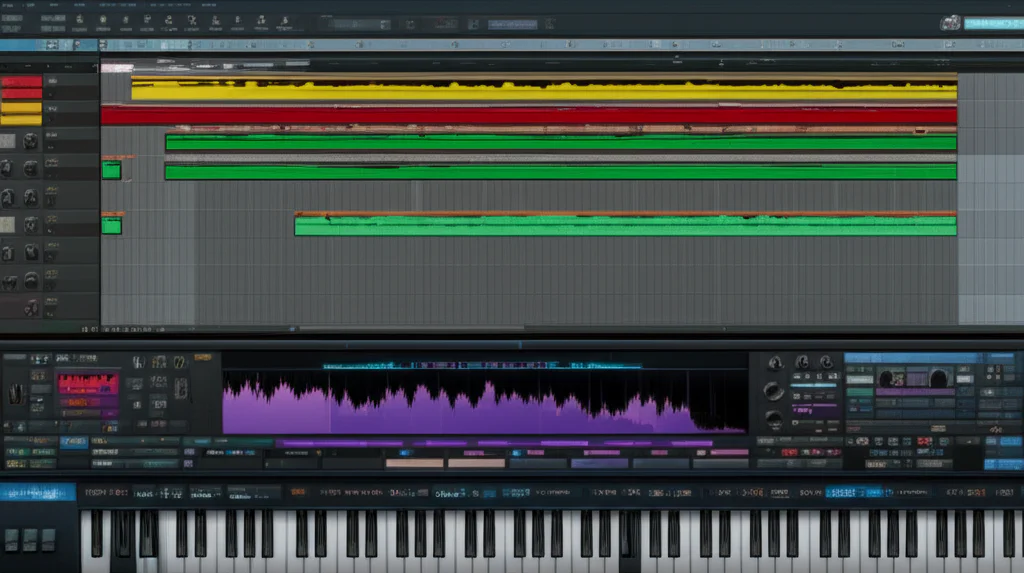

Ever wondered how a simple MIDI note transforms into a lush piano chord or a soaring synth lead inside your DAW? Virtual instruments are the unsung heroes behind nearly every modern music production, yet their inner workings remain a mystery to many. Whether you’re a bedroom producer or a seasoned audio engineer, understanding how these digital marvels operate can unlock new creative doors and turbocharge your workflow.
In this deep dive, we’ll unravel the magic behind virtual instruments—from the tech that powers them (sampling, synthesis, MIDI) to how your DAW acts as the conductor of this digital orchestra. Plus, we’ll share pro tips on playing, programming, mixing, and even troubleshooting these plugins. Curious about which plugins top our list or how AI is shaping the future of virtual instruments? Stick around — the best is yet to come!
Key Takeaways
- Virtual instruments convert MIDI data into sound using sampling or synthesis inside your DAW.
- DAWs serve as the central hub for recording, arranging, and mixing virtual instruments alongside audio.
- Latency and CPU load are common challenges but manageable with proper settings and hardware.
- Top plugins like Native Instruments Kontakt and Xfer Serum offer unmatched realism and sound design flexibility.
- Integrating MIDI controllers enhances expressiveness and control over virtual instruments.
- AI and machine learning are emerging trends, promising smarter, more intuitive virtual instruments.
Ready to elevate your productions? Dive into our expert insights and start mastering virtual instruments today!
Table of Contents
- ⚡️ Quick Tips and Facts About Virtual Instruments in DAWs
- 🎹 The Evolution of Virtual Instruments: From MIDI to Modern DAWs
- 🎛️ What Exactly Is a Digital Audio Workstation (DAW)?
- 🔍 How Do Digital Audio Workstations Actually Work?
- 🎼 The 3 Core Functions of a DAW: Recording, Editing & Mixing
- 🎹 Virtual Instruments 101: What They Are and How They Work Inside Your DAW
- 🛠️ The Tech Behind Virtual Instruments: Sampling, Synthesis & MIDI
- 🎧 How to Play and Program Virtual Instruments Like a Pro
- 🎚️ Adding Audio Effects to Virtual Instruments: Tips and Tricks
- 🎛️ Mixing Virtual Instruments: Balancing, EQ, and Spatial Effects
- 🎵 Top 7 Virtual Instrument Plugins Every Producer Should Know
- 💡 Choosing the Best DAW for Virtual Instruments: Beginner to Pro
- 🔧 Troubleshooting Common Issues with Virtual Instruments in DAWs
- 🎙️ Integrating Hardware Synths and Controllers with Virtual Instruments
- 🚀 Future Trends: AI and Machine Learning in Virtual Instruments
- 📝 Conclusion: Mastering Virtual Instruments in Your DAW Workflow
- 🔗 Recommended Links for Deepening Your Virtual Instrument Knowledge
- ❓ Frequently Asked Questions About Virtual Instruments in DAWs
- 📚 Reference Links and Resources
⚡️ Quick Tips and Facts About Virtual Instruments in DAWs
Before we dive into the digital deep end, let’s get our feet wet with some fast facts. Understanding how a virtual instrument works is the first step toward mastering modern music production techniques.
| Feature | Fact |
|---|---|
| What they are | Software emulations of real instruments or entirely new digital sound generators. |
| The “Language” | They speak MIDI (Musical Instrument Digital Interface), not audio. |
| Format Wars | Common formats include VST (Windows/Mac), AU (Apple), and AAX (Pro Tools). |
| Latency | The “lag” between hitting a key and hearing sound; controlled by buffer size. |
| CPU Load | Some instruments (like heavy samplers) require more RAM, while synths eat CPU. |
- ✅ Pro Tip: Always keep your sample libraries on an external SSD to prevent your DAW from choking during a session.
- ❌ Common Myth: Virtual instruments sound “fake.” Modern libraries like Native Instruments Kontakt are so realistic they are used in blockbuster film scores.
🎹 The Evolution of Virtual Instruments: From MIDI to Modern DAWs
We weren’t always blessed with the ability to summon a 100-piece orchestra from a MacBook. In the “old days” (the 80s and early 90s), if you wanted a new sound, you bought a heavy piece of hardware. The revolution began when Steinberg introduced Virtual Studio Technology (VST) in 1996.
This was a game-changer. Suddenly, the “brain” of the studio moved from the rack to the screen. We transitioned from tangled MIDI cables and noisy tape loops to clean, digital precision. As noted in our featured video, DAWs convert analog sound waves into digital data, but virtual instruments take it a step further by generating that data from scratch inside the box.
🎛️ What Exactly Is a Digital Audio Workstation (DAW)?
Think of a DAW as the central nervous system of your studio. It is the software environment where you record, edit, and mix your masterpieces. Whether you are using Ableton Live for its clip-based workflow or Avid Pro Tools for its industry-standard recording capabilities, the DAW provides the “canvas” for your virtual instruments.
We often get asked: “Is a DAW just a fancy tape recorder?” Not even close! It’s a sequencer, a mixer, a synthesizer, and a mastering suite all rolled into one. If you’re curious about how hardware fits into this, check out our guide on hardware vs software.
🔍 How Do Digital Audio Workstations Actually Work?
At its core, a DAW is a high-speed calculator. When you play a note on your Akai Professional MPK Mini, it sends a MIDI message (a series of 1s and 0s) to the DAW. The DAW then tells the virtual instrument: “Hey, play middle C at this volume for this long.”
The virtual instrument processes this and spits out digital audio, which your Audio Interface (like the Focusrite Scarlett 2i2) converts back into analog sound waves for your speakers. It’s a beautiful cycle of math and art!
🎼 The Holy Trinity: Recording, Editing & Mixing
According to SoundGym, a DAW serves three primary functions. We like to call them the “Holy Trinity” of production:
- Audio Recording & Arrangement: Capturing live signals (vocals, guitars) and arranging them on a timeline.
- Virtual Instruments & MIDI: Using software to create sounds that don’t exist in the physical room.
- Mixing & Mastering: Polishing those sounds with EQ, compression, and spatial effects to make them radio-ready.
🎹 Virtual Instruments 101: What They Are and How They Work Inside Your DAW
Virtual instruments (often called Soft Synths or Plugins) live inside your DAW as “inserts” on a MIDI track. They don’t contain “sound” in the way a WAV file does; they contain the instructions to build sound.
When you load a plugin like Xfer Records Serum, you are essentially opening a specialized computer program within your DAW. This is where the magic happens. But how does a computer know the difference between a gentle violin pluck and a heavy metal scream? The answer lies in the tech…
🛠️ The Tech Behind Virtual Instruments: Sampling, Synthesis & MIDI
There are two main ways virtual instruments create sound:
1. Sampling
This method uses thousands of tiny recordings of real instruments. When you press a key on a Spectrasonics Keyscape, you are actually triggering a high-quality recording of a real piano.
- Pros: Incredible realism.
- Cons: Huge file sizes and heavy RAM usage.
2. Synthesis
This generates sound from scratch using oscillators. Plugins like Arturia Pigments use mathematical algorithms to create waveforms (sine, square, saw) that are then shaped by filters and envelopes.
- Pros: Infinite sound design possibilities.
- Cons: Can sound “clinical” if not programmed correctly.
🎧 How to Play and Program Virtual Instruments Like a Pro
You don’t need to be Mozart to use virtual instruments, but you do need to understand the Piano Roll. This is the grid where you draw in MIDI notes.
- Velocity: How hard the note is “hit.” Higher velocity usually means a brighter, louder sound.
- Quantization: Snapping your notes to the grid so they are perfectly in time. (Careful! Too much quantization can kill the “human” feel).
- Automation: Moving knobs and faders automatically over time. This is the secret to professional-sounding performance techniques.
🎚️ Adding Audio Effects to Virtual Instruments: Tips and Tricks
A raw virtual instrument is like a naked actor—it needs “costumes” (effects) to really shine. We recommend a standard signal chain:
- EQ: Clean up muddy low-end.
- Compression: Level out the volume.
- Saturation: Add “analog” warmth using something like Soundtoys Decapitator.
- Reverb/Delay: Give the instrument a sense of space.
🎛️ Mixing Virtual Instruments: Balancing, EQ, and Spatial Effects
Mixing virtual instruments is different from mixing live audio. Because VIs are “perfect,” they can often sound too sterile. We often use subtractive EQ to carve out space for each instrument. If your synth is fighting your vocal, try a wide cut around 3kHz.
👉 CHECK PRICE on:
- FabFilter Pro-Q 3: Plugin Boutique | Sweetwater | FabFilter Official
🎵 Top 7 Virtual Instrument Plugins Every Producer Should Know
We’ve tested hundreds of plugins at Uniphonic™. Here are our top picks based on design, sound quality, and “vibe.”
| Plugin Name | Type | Uniphonic™ Rating | Best For |
|---|---|---|---|
| Serum | Wavetable Synth | 9.5/10 | Modern EDM & Sound Design |
| Kontakt 7 | Sampler | 9.8/10 | Orchestral & Realistic Libraries |
| Omnisphere 2 | Power Synth | 9.7/10 | Cinematic Textures |
| Phase Plant | Modular Synth | 9.2/10 | Complex Sound Design |
| Diva | Analog Emulation | 9.4/10 | Vintage Synth Sounds |
| Spitfire BBC SO | Orchestra | 9.6/10 | Film Scoring |
| Addictive Drums 2 | Drum Sampler | 9.0/10 | Realistic Acoustic Drums |
For more detailed reviews, check out our plugin recommendations.
💡 Choosing the Best DAW for Virtual Instruments: Beginner to Pro
Not all DAWs are created equal when it comes to handling virtual instruments. Some are MIDI powerhouses, while others excel at audio.
| DAW | Best For | Learning Curve |
|---|---|---|
| Ableton Live | Electronic Music / Live | Moderate |
| Logic Pro | All-rounder (Mac only) | Easy |
| FL Studio | Beatmaking / Hip-Hop | Easy |
| Cubase | Scoring / MIDI Editing | Steep |
| Reason | Sound Design / Rack Lovers | Moderate |
If you love the look of hardware racks, you’ll definitely want to explore our Reason sounds section.
👉 Shop DAWs on:
- Ableton Live: Amazon | Sweetwater
- FL Studio: Amazon | Guitar Center
🔧 Troubleshooting Common Issues with Virtual Instruments in DAWs
“Why is there a delay when I press a key?” This is the dreaded Latency.
- The Fix: Lower your Buffer Size in your DAW settings (e.g., 128 or 256 samples).
- CPU Spikes: If your computer is clicking and popping, your virtual instrument might be too demanding. Try “freezing” the track to turn it into a temporary audio file.
🎙️ Integrating Hardware Synths and Controllers with Virtual Instruments
While we love software, nothing beats the feel of real keys. Using a MIDI controller like the Novation Launchkey allows you to play your virtual instruments with physical expression. You can even map the knobs on your controller to the filters in your software for a “best of both worlds” experience.
🚀 Future Trends: AI and Machine Learning in Virtual Instruments
The future is getting weird (in a good way). We are seeing the rise of AI-powered instruments like Orb Producer that can suggest melodies and chords based on your style. While some fear the “robot takeover,” we see it as just another tool in the producer’s belt. Imagine a virtual instrument that learns your playing style and adapts its tone to match your emotions. It’s not sci-fi; it’s coming!
Conclusion: Mastering Virtual Instruments in Your DAW Workflow
Wow, what a journey! From the humble beginnings of MIDI to today’s sprawling digital soundscapes, virtual instruments have revolutionized how we create music. They’re no longer just “software imitations” — they’re powerful, expressive tools that can rival (and sometimes surpass) their hardware counterparts.
What have we learned? Virtual instruments work by translating MIDI data into sound through sampling or synthesis. Your DAW is the command center, orchestrating everything from note input to final mixdown. Whether you’re layering lush orchestral strings with Native Instruments Kontakt or designing futuristic synth patches in Xfer Serum, the possibilities are vast and exciting.
Positives:
- Incredible versatility and sound variety.
- Cost-effective compared to hardware.
- Seamless integration with MIDI controllers.
- Constant innovation, including AI-assisted tools.
Negatives:
- Can be CPU and RAM intensive.
- Sometimes require steep learning curves.
- Latency issues if not properly configured.
Our team at Uniphonic™ confidently recommends starting with a solid DAW like Ableton Live or Logic Pro paired with a versatile plugin like Serum or Kontakt. Experiment, tweak, and most importantly, have fun! Remember, the “perfect” sound is often just a few creative clicks away.
Still wondering how to get that pro touch on your virtual instruments? Check out our Music Production Techniques for deep dives and tutorials.
Recommended Links for Deepening Your Virtual Instrument Knowledge
👉 Shop Virtual Instruments & DAWs:
- Xfer Records Serum: Amazon | Plugin Boutique | Xfer Official Website
- Native Instruments Kontakt 7: Amazon | Native Instruments Official
- Ableton Live: Amazon | Sweetwater | Ableton Official
- Logic Pro: Apple Official
- FabFilter Pro-Q 3: Plugin Boutique | Sweetwater | FabFilter Official
Books on Music Production & Sound Design:
- The Mixing Engineer’s Handbook by Bobby Owsinski: Amazon
- Sound Design: The Expressive Power of Music, Voice and Sound Effects in Cinema by David Sonnenschein: Amazon
- Music Theory for Computer Musicians by Michael Hewitt: Amazon
Frequently Asked Questions About Virtual Instruments in DAWs
How can sound design be improved using virtual instruments in a DAW?
Virtual instruments provide a playground for sound design by combining synthesis, sampling, and effects within a flexible environment. You can manipulate oscillators, envelopes, filters, and modulation sources to craft unique timbres. Automation and layering allow dynamic, evolving sounds. Using DAW features like MIDI control and automation lanes enhances expressiveness. For example, modulating a filter cutoff with an LFO in Serum can create pulsating textures impossible on acoustic instruments.
How do sample libraries enhance virtual instrument sounds?
Sample libraries provide high-fidelity recordings of real instruments, capturing nuances like velocity layers, articulations, and room ambience. This realism allows virtual instruments like Kontakt to produce lifelike performances. The quality and size of the sample library directly affect authenticity. Libraries such as Spitfire Audio’s BBC Symphony Orchestra are industry standards for cinematic scoring due to their detail and depth.
What role do plugins play in virtual instrument functionality?
Plugins are the software modules that generate or process sound within a DAW. Virtual instruments themselves are plugins, but they often rely on additional effect plugins (EQ, reverb, compression) to shape their tone. Plugins can also extend functionality, such as adding arpeggiators, step sequencers, or granular synthesis engines. The plugin format (VST, AU, AAX) determines compatibility with your DAW.
How do MIDI controllers interact with virtual instruments in DAWs?
MIDI controllers send performance data (note on/off, velocity, modulation) to virtual instruments, which interpret these signals to produce sound. Controllers can be keyboards, drum pads, or control surfaces with knobs and faders. Mapping controller parameters to plugin controls allows tactile, expressive playing and real-time sound manipulation, bridging the gap between human feel and digital precision.
What are the main types of virtual instruments used in music production?
- Sample-based instruments: Use recorded audio samples (e.g., Kontakt, Addictive Drums).
- Synthesizers: Generate sound via synthesis methods like subtractive, FM, wavetable (e.g., Serum, Massive).
- Hybrid instruments: Combine sampling and synthesis (e.g., Omnisphere).
- Drum machines and grooveboxes: Focused on percussion and rhythm (e.g., Battery, Geist).
What are the benefits of using virtual instruments in music production?
- Cost efficiency: No need for expensive hardware or physical space.
- Flexibility: Instantly switch sounds, tweak parameters, and layer instruments.
- Portability: Entire studio fits on a laptop.
- Creative freedom: Access to sounds impossible to produce acoustically.
Can virtual instruments replicate the sound of real instruments accurately?
Yes, especially with high-quality sample libraries and advanced scripting. While some purists argue that subtle human imperfections are missing, many professionals use virtual instruments exclusively for scoring, pop, and electronic music. The gap continues to close with innovations in sampling technology and expressive MIDI controllers.
What are the most popular virtual instrument plugins for sound design?
- Xfer Serum: Wavetable synthesis with an intuitive interface.
- Spectrasonics Omnisphere: Vast hybrid synthesis and sample library.
- Arturia Pigments: Modular synthesis with colorful modulation.
- Native Instruments Massive: Classic bass and lead synth.
How do you layer virtual instruments to create complex sounds?
Layering involves stacking multiple virtual instruments or patches playing the same or complementary parts. This can enrich timbre, add depth, or create new textures. For example, layering a sampled piano with a soft pad synth can produce a lush, cinematic sound. Use EQ and panning to carve space for each layer and avoid muddiness.
What is the difference between sample-based and synthesis-based virtual instruments?
- Sample-based: Playback of recorded sounds, offering realism but limited by the sample content.
- Synthesis-based: Generate sounds algorithmically, offering infinite sound design but sometimes less realism.
How do virtual instruments affect CPU performance in a digital audio workstation?
Virtual instruments, especially sample-heavy libraries or complex synths, can be CPU and RAM intensive. Large sample libraries require fast disk streaming and ample RAM, while synths with multiple oscillators and effects tax the CPU. Managing buffer size, freezing tracks, and using efficient plugins help maintain smooth performance.
Reference Links and Resources
- Steinberg’s official tutorial on DAWs: https://www.steinberg.net/tutorials/what-is-a-daw/
- SoundGym’s detailed blog on DAWs and virtual instruments: https://www.soundgym.co/blog/item?id=what-is-a-daw
- Native Instruments Kontakt 7: https://www.native-instruments.com/en/products/komplete/samplers/kontakt-7/
- Xfer Records Serum: https://xferrecords.com/products/serum
- Orb Producer AI: https://www.orb-composer.com/
- Facebook Synthesizer Zone discussion on DAWless vs DAW production: https://www.facebook.com/groups/synthesizerzone/posts/3114693591996760/
- Uniphonic™ internal categories: