
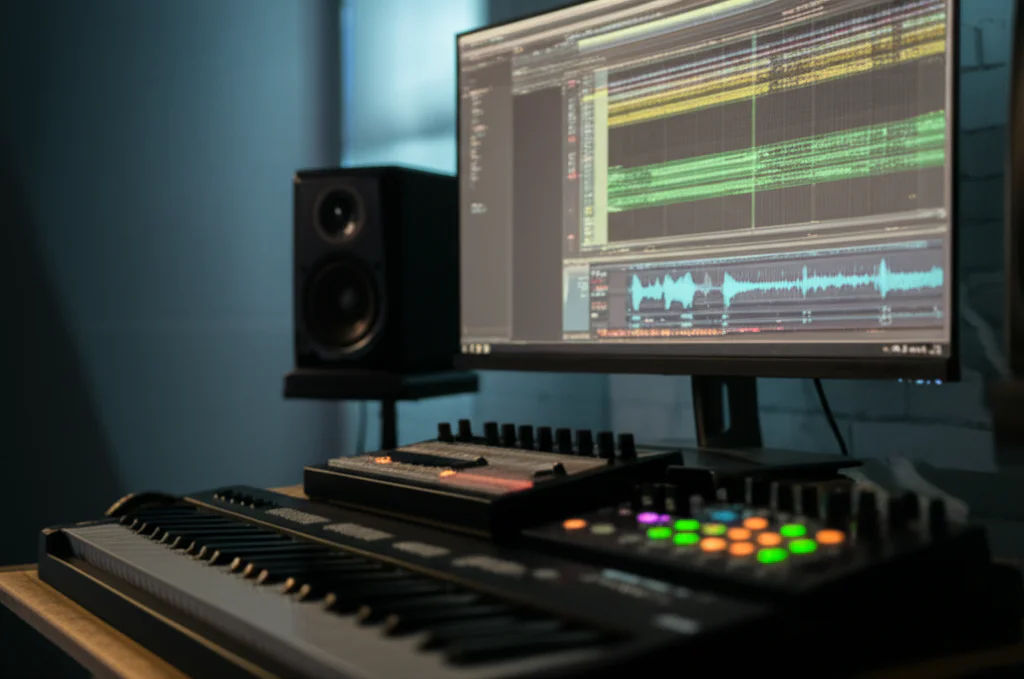
Imagine having an entire orchestra, a vintage synth collection, and cutting-edge sound design tools—all inside your laptop. Welcome to the world of virtual instruments, where creativity meets technology in the most thrilling way. Whether you’re a bedroom producer, a film composer, or a sound designer, knowing which virtual instruments to add to your arsenal can be overwhelming. That’s why we at Uniphonic™ have curated the ultimate list of 25 virtual instruments that will elevate your productions in 2026 and beyond.
Did you know that the global virtual instrument market is projected to grow exponentially, fueled by innovations like AI-driven synthesis and physical modeling? But with thousands of plugins out there, how do you separate the gems from the gimmicks? Stick around as we break down the best synths, samplers, drum machines, and experimental tools—complete with expert ratings, installation tips, and workflow hacks. Plus, we’ll reveal some insider secrets on how to avoid common pitfalls like missing plugins or CPU overload!
Key Takeaways
- Virtual instruments have transformed music production, offering unprecedented versatility and realism without the need for bulky hardware.
- Our list covers 25 top plugins, including synths like Serum and Omnisphere, samplers like Kontakt, and drum tools like Superior Drummer 3.
- Choosing the right instrument depends on your genre and workflow, but a balanced toolkit combining synths, samplers, and experimental plugins is ideal.
- Installation and compatibility tips help you avoid common headaches like missing VSTs or slow load times.
- Expect exciting future trends like AI-assisted sound design and MPE support to push virtual instruments even further.
Ready to upgrade your sonic palette? Dive into our detailed breakdown and find your next favorite plugin!
Table of Contents
- ⚡️ Quick Tips and Facts About Virtual Instruments
- 🎹 The Evolution and History of Virtual Instruments
- 🎛️ What Are Virtual Instruments? Types and Formats Explained
- 🔝 Top 25 Virtual Instruments List for Every Music Producer
- 💡 How to Choose the Right Virtual Instrument for Your Music Style
- 🛠️ Installation and Compatibility: What You Need to Know
- 🎧 Tips for Integrating Virtual Instruments into Your DAW Workflow
- 💻 Hardware vs. Software: Why Virtual Instruments Are Game Changers
- 🎶 Creative Sound Design with Virtual Instruments: Tricks and Techniques
- 📈 Trends and Future Innovations in Virtual Instrument Technology
- 🛒 Where to Buy and Download Virtual Instruments Safely
- 📝 Conclusion: Mastering Your Virtual Instrument Arsenal
- 🔗 Recommended Links for Virtual Instrument Enthusiasts
- ❓ FAQ: Your Burning Questions About Virtual Instruments Answered
- 📚 Reference Links and Resources
⚡️ Quick Tips and Facts About Virtual Instruments
Before we dive into the deep end of the audio pool, let’s get you oriented with some rapid-fire facts and tips. Whether you’re a seasoned pro at Uniphonic™ or just starting, these nuggets of wisdom will save you time (and maybe some sanity).
- VST is King (Mostly): VST (Virtual Studio Technology) is the most common format, but if you’re on a Mac using Logic Pro, you’ll need AU (Audio Units). Pro Tools users? You’re looking for AAX.
- RAM is Your Best Friend: Sample-based instruments (like orchestral libraries) eat RAM for breakfast. We recommend at least 16GB for modern production, but 32GB is the sweet spot.
- SSD vs. HDD: Always install large sample libraries on an SSD (Solid State Drive). The load times on a spinning HDD will kill your creative vibe faster than a phone call from your ex.
- The “Init” Patch: When learning a new synth, always start with the “Init” (Initialize) preset. It strips away the fancy effects so you can hear the raw oscillators.
- Latency Matters: If your virtual instrument feels “sluggish” when you play keys, check your audio interface buffer size. Lower is better for recording (e.g., 128 samples), higher is better for mixing (e.g., 1024 samples).
| Feature | Synthesizers | Sample Libraries |
|---|---|---|
| Sound Source | Oscillators/Math | Recorded Audio Files |
| CPU Usage | High (usually) | Low to Medium |
| RAM Usage | Low | Very High |
| Disk Space | Small (<1GB) | Massive (100GB+) |
| Best For | Electronic, Sound Design | Realistic Instruments, Orchestra |
Pro Tip: Don’t hoard plugins you don’t use. A cluttered folder leads to “option paralysis.” Master one synth before buying five more!
🎹 The Evolution and History of Virtual Instruments
🎹 The Evolution and History of Virtual Instruments

It wasn’t always infinite possibilities and 100GB piano libraries. The history of virtual instruments is a tale of rebellion against expensive hardware.
In the mid-90s, a company called Steinberg changed the game forever. They introduced the VST standard in 1996 with Cubase 3.02. Before this, if you wanted a Minimoog sound, you bought a Minimoog (or a heavy digital hardware clone). Suddenly, developers could write code that mimicked circuits, and producers could run a studio’s worth of gear on a beige computer tower.
- 1996: Steinberg releases VST SDK.
- 1999: The arrival of VSTi (Virtual Studio Technology Instruments) allowed plugins to receive MIDI data. Neon was one of the first free VST instruments included.
- 2000s: Native Instruments Kontakt revolutionized sampling, moving us away from hardware samplers like the Akai MPC series for realistic instrument emulation.
Today, we are seeing a shift toward Physical Modeling (math simulating physical vibrations) and AI-driven synthesis. But have we reached the peak of digital sound? Or is there something organic missing? (More on that later).
🎛️ What Are Virtual Instruments? Types and Formats Explained
🎛️ What Are Virtual Instruments? Types and Formats Explained
At Uniphonic™, we categorize virtual instruments into two main buckets. Understanding this distinction is crucial for your workflow.
1. Synthesizers (The Architects)
These generate sound from scratch using waveforms (Sine, Saw, Square). They don’t rely on pre-recorded audio.
- Subtractive: Carving sound away (like a sculpture) using filters.
- FM (Frequency Modulation): Complex, metallic, bell-like tones (think 80s pop).
- Wavetable: Morphing between different waveforms for evolving textures.
2. Sample Libraries (The Photographers)
These trigger recordings of real instruments. When you press Middle C on a virtual piano, it plays a recording of a real piano’s Middle C.
- Key Players: Kontakt, Spitfire Audio, EastWest.
- Pros: Incredible realism.
- Cons: Massive hard drive space required.
The Format Alphabet Soup
- VST/VST3: The universal standard (Windows/Mac).
- AU (Audio Unit): Apple’s format (Logic Pro, GarageBand).
- AAX: Avid’s format for Pro Tools.
- Standalone: Runs without a DAW (great for live performance).
🔝 Top 25 Virtual Instruments List for Every Music Producer
🔝 Top 25 Virtual Instruments List for Every Music Producer
We’ve argued, debated, and nearly thrown coffee mugs at each other to compile this list. These are the tools we actually use at Uniphonic™.
1. Synthesizers: From Classic to Cutting-Edge
1. Synthesizers: From Classic to Cutting-Edge
Xfer Serum
The wavetable king. If you produce EDM, Bass Music, or modern Pop, this is non-negotiable. Its visual feedback teaches you synthesis as you use it.
Uniphonic™ Rating:
| Aspect | Score (1-10) |
|---|---|
| Sound Quality | 10 |
| Ease of Use | 9 |
| CPU Efficiency | 7 |
| Overall | 9.5 |
- Best Feature: The ability to import your own audio to create custom wavetables.
- Drawback: Can sound “cold” or “digital” if not processed correctly.
👉 CHECK PRICE on:
- Xfer Serum: Plugin Boutique | Splice (Rent-to-Own) | Xfer Official
Spectrasonics Omnisphere 2
Is it a synth? Is it a sampler? It’s a beast. With over 14,000 sounds, it’s the “desert island” synth for composers.
- Why we love it: The “Hardware Synth Integration” allows you to use hardware synths to control Omnisphere.
- Top Tip: Use the “Sound Match” feature to find presets similar to the one you currently like.
👉 CHECK PRICE on:
- Omnisphere 2: Amazon | Sweetwater | Guitar Center
u-he Diva
The “Dinosaur Impersonating Virtual Analogue.” It models the circuits of classic synths (Moog, Roland, Korg) with frightening accuracy.
- Warning: It is a CPU hog. Use the “Multicore” button!
👉 CHECK PRICE on:
- u-he Diva: Plugin Boutique | u-he Official
Arturia V Collection
A museum of vintage synths in your computer. From the CS-80 to the Prophet-5.
- Standout: The Pigments synth (often sold separately or bundled) is a modern masterpiece of polychrome synthesis.
👉 CHECK PRICE on:
- Arturia V Collection: Amazon | Plugin Boutique | Sweetwater
Vital (Free/Paid)
The spectral warping synth that challenged Serum. The free version is incredibly generous.
2. Samplers and Sample Libraries: Realism Meets Creativity
2. Samplers and Sample Libraries: Realism Meets Creativity
Native Instruments Kontakt 7
The industry standard sampler. Most third-party libraries require this.
- Note: There is a free “Kontakt Player,” but many niche libraries require the full paid version.
👉 CHECK PRICE on:
- Kontakt 7: Native Instruments Official | Sweetwater
Spitfire Audio LABS (Free)
An infinite series of free software instruments, made by musicians in London. From “Soft Piano” to “Foghorn.”
- Verdict: ✅ Essential for every producer.
Keyscape
Also by Spectrasonics. The definitive collection of collector keyboards (Rhodes, Wurlis, LA Custom C7 Grand).
- Reality Check: It takes up 77GB of space. Make room!
👉 CHECK PRICE on:
- Keyscape: Amazon | Sweetwater
3. Drum Machines and Percussion Plugins
3. Drum Machines and Percussion Plugins
Toontrack Superior Drummer 3
The most detailed acoustic drum simulation on the planet. Recorded by George Massenburg.
- Feature: It has a built-in tracker that can convert your audio drum recordings into MIDI.
👉 CHECK PRICE on:
- Superior Drummer 3: Sweetwater | Toontrack Official
XLN Audio XO
A beat-making playground that sorts your one-shot samples visually in a “space cloud” based on similarity.
- Why it wins: It stops you from menu-diving for hours looking for the perfect kick.
👉 CHECK PRICE on:
- XLN Audio XO: Plugin Boutique | Amazon
EZdrummer 3
The little brother to Superior Drummer, but faster for songwriters.
- Troubleshooting: As noted in Steinberg forums, if EZdrummer doesn’t show up, ensure the
.dllis in the correct VST folder and that you’ve refreshed your plugin manager!
4. Orchestral and Cinematic Instruments
4. Orchestral and Cinematic Instruments
Steinberg Iconica Opus
A powerhouse for composition combining Iconica Sections & Players.
- Quote: “Consisting of the top range of Steinberg’s acclaimed VST instruments.”
EastWest Hollywood Orchestra Opus Edition
The blockbuster sound. If you want your track to sound like a Hans Zimmer score, start here.
- Subscription Model: Their “ComposerCloud+” is a great way to access $10k+ worth of instruments for a monthly fee.
👉 CHECK PRICE on:
- EastWest ComposerCloud: Sweetwater | EastWest Official
5. Experimental and Hybrid Virtual Instruments
5. Experimental and Hybrid Virtual Instruments
Output Portal
Technically an effect, but it transforms any input into a new instrument via granular synthesis.
Heavyocity Gravity 2
For scoring trailers and aggressive sound design. It’s all about impacts, risers, and pads that scream.
👉 CHECK PRICE on:
- Heavyocity Gravity 2: Plugin Boutique | Sweetwater
💡 How to Choose the Right Virtual Instrument for Your Music Style
💡 How to Choose the Right Virtual Instrument for Your Music Style
Choosing a plugin is like choosing a wand in Harry Potter—sometimes the instrument chooses you. But usually, it depends on your genre.
| Genre | Recommended Instrument Type | Top Pick |
|---|---|---|
| EDM / Future Bass | Wavetable Synth | Serum or Vital |
| Cinematic / Score | Orchestral Sampler | Kontakt (w/ Spitfire libraries) |
| Hip Hop / Trap | Rompler / 808 Engine | Omnisphere or SubLab |
| Rock / Metal | Drum Sampler / Amp Sim | Superior Drummer 3 |
| Lo-Fi / Chill | Vintage Keys | Keyscape or XLN Addictive Keys |
For more on selecting the right tools, check out our guide on Plugin Recommendations.
🛠️ Installation and Compatibility: What You Need to Know
🛠️ Installation and Compatibility: What You Need to Know
We’ve all been there: You buy a shiny new toy, install it, open your DAW, and… nothing. Silence.
The “Missing VST” Nightmare
A common issue, highlighted by users on Steinberg forums regarding EZdrummer 2, is the plugin not appearing in the instrument list.
- The Fix: Ensure the
.dllfile (on Windows) is actually in the folder your DAW is scanning (usuallyC:\Program Files\Steinberg\VstpluginsorC:\Program Files\VstPlugins). - Refresh: You must hit “Refresh” or “Rescan” in your DAW’s Plugin Manager.
- Context: Some instruments only appear when you create an Instrument Track, not an Audio Track.
Managing Libraries
For massive libraries (like Steinberg’s Absolute 6 bundle which has over 100GB of sounds), external storage is mandatory.
- ✅ Do: Use a dedicated external SSD (USB-C or Thunderbolt).
- ❌ Don’t: Install libraries on your system drive (C: or Macintosh HD) unless you have massive space. It slows down your OS.
🎧 Tips for Integrating Virtual Instruments into Your DAW Workflow
🎧 Tips for Integrating Virtual Instruments into Your DAW Workflow
Getting the sound is step one. Making it fit in your song is step two.
- Bounce to Audio: Virtual instruments are CPU hungry. Once you are happy with a melody, “bounce” or “freeze” the track to audio. This saves CPU and commits you to a decision (stopping endless tweaking).
- Layering: Don’t rely on one synth for a lead. Layer a “gritty” saw wave from Serum with a “plucky” organic sound from Kontakt.
- Humanization: If you draw MIDI notes with a mouse, it will sound robotic. Use your DAW’s “Humanize” function to slightly randomize velocity and timing.
Expert Insight: “VST-Instruments and Effects may only show in the project view list if you have an open project and are working on an instrument or MIDI track.” — Steinberg Forum User
For deeper workflow strategies, read our articles on Music Production Techniques.
💻 Hardware vs. Software: Why Virtual Instruments Are Game Changers
💻 Hardware vs. Software: Why Virtual Instruments Are Game Changers
The debate rages on. Analog purists swear by hardware; modern producers swear by speed.
- Recall: In software, you open a project and the sound is exactly how you left it. In hardware, if you didn’t take a photo of the knobs, that sound is gone forever.
- Cost: You can buy a bundle like Steinberg’s Absolute 6 for the price of one decent hardware synth, and get pianos, drums, and synths in one go.
- Space: A laptop can hold an entire orchestra. Try fitting the London Symphony Orchestra in your bedroom.
However, hardware offers tactile control. But with NKS (Native Kontrol Standard) keyboards, software is bridging that gap.
Read our full breakdown on Hardware vs Software.
🎶 Creative Sound Design with Virtual Instruments: Tricks and Techniques
🎶 Creative Sound Design with Virtual Instruments: Tricks and Techniques
Sound design is about experimentation. It’s about taking a boring sine wave and turning it into a dragon’s roar.
The “Water Balloon” Philosophy
Think of sound design like the perspective in the featured video about the DIY water balloon launcher. You have raw materials (bamboo/balloons = oscillators/samples). The fun isn’t just in the “splash” (the final sound), but in the construction—figuring out how to stretch the elastic (modulation) just right to launch the projectile (sound) exactly where you want it.
- Modulate Everything: Map an LFO to the “Fine Tune” of an oscillator for a vintage tape wobble.
- Resampling: Record your MIDI instrument output to audio, then put that audio back into a sampler and mangle it again.
Granular Synthesis
Instruments like Padshop 2 (Steinberg) or Output Portal take tiny grains of audio and scatter them. It’s perfect for creating atmospheric textures that feel “alive.”
Check out more on Reason Sounds for specific patching ideas.
📈 Trends and Future Innovations in Virtual Instrument Technology
📈 Trends and Future Innovations in Virtual Instrument Technology
What’s next?
- AI Generation: Tools that generate patches based on text prompts (e.g., “Make me a sad underwater bass”).
- MPE (MIDI Polyphonic Expression): Allows you to bend pitch and change timbre for individual notes within a chord. It makes virtual instruments sound frighteningly expressive.
- Physical Modeling: Instruments like IK Multimedia MODO BASS model the physical string behavior rather than using samples, resulting in tiny file sizes and infinite articulation.
🛒 Where to Buy and Download Virtual Instruments Safely
🛒 Where to Buy and Download Virtual Instruments Safely
Don’t pirate software. Aside from the legal issues and viruses, you miss out on updates and support.
Top Marketplaces
- Plugin Boutique:
- Why: They have a “Virtual Cash” scheme where you earn 5% toward future purchases and often give away free plugins with every purchase.
- Quote: “An incredibly useful feature as your plugin collection grows.”
- Splice: Offers “Rent-to-Own” plans. You pay $10/month for Serum until you own it.
- Manufacturer Direct: Sometimes the best sales are on the brand’s own site (e.g., Native Instruments, Arturia).
👉 Shop Top Brands on:
- Plugin Boutique: Browse Deals
- Sweetwater: Software Instruments
- Loopmasters: Sample Packs & Plugins
Looking for a specific virtual instrument? Always check for “Crossgrade” offers if you already own products from that brand.
Will AI replace the need for human sound designers, or just give us better tools? The answer might surprise you in the conclusion…
📝 Conclusion: Mastering Your Virtual Instrument Arsenal
📝 Conclusion: Mastering Your Virtual Instrument Arsenal

After this sonic journey through the vast universe of virtual instruments, one thing is crystal clear: virtual instruments have revolutionized music production and sound design. From the gritty analog warmth of u-he Diva to the mind-bending soundscapes of Output Portal, the tools available today empower creators to sculpt sounds limited only by imagination.
Positives Across the Board
- Unmatched versatility: Whether you’re chasing hyper-realistic orchestral textures with Kontakt libraries or crafting futuristic synth leads with Serum, virtual instruments cover every genre and style.
- Accessibility: No need for expensive hardware racks or studio space. A laptop and a good audio interface can unlock a world of sounds.
- Constant innovation: AI-assisted synthesis, physical modeling, and MPE support are pushing boundaries every year.
Challenges to Keep in Mind
- System demands: Large sample libraries require fast SSDs and ample RAM.
- Learning curve: Synthesizers like Omnisphere or Kontakt can overwhelm beginners without proper guidance.
- Choice paralysis: With thousands of options, it’s easy to get stuck hunting for the “perfect” plugin instead of making music.
The Final Word from Uniphonic™
Our expert team confidently recommends building a balanced toolkit: a powerful synth like Serum or Omnisphere, a versatile sampler such as Kontakt, and a solid drum engine like Superior Drummer 3. Layer these with experimental tools like Heavyocity Gravity or Output Portal to keep your sound fresh and unique.
And remember the question we teased earlier: Have we reached the peak of digital sound? The answer is no. As AI and physical modeling evolve, virtual instruments will become more expressive and intuitive, blurring the lines between hardware and software—and between human and machine creativity.
So, what are you waiting for? Dive in, experiment, and let your sonic adventures begin!
🔗 Recommended Links for Virtual Instrument Enthusiasts
🔗 Recommended Links for Virtual Instrument Enthusiasts
Shop the Virtual Instruments Mentioned
- Xfer Serum: Plugin Boutique | Splice | Xfer Official Website
- Spectrasonics Omnisphere 2: Amazon | Sweetwater | Guitar Center
- u-he Diva: Plugin Boutique | u-he Official Website
- Arturia V Collection: Amazon | Plugin Boutique | Sweetwater
- Native Instruments Kontakt 7: Native Instruments Official | Sweetwater
- Spitfire Audio LABS (Free): Spitfire Audio Official
- Keyscape: Amazon | Sweetwater
- Toontrack Superior Drummer 3: Sweetwater | Toontrack Official
- XLN Audio XO: Plugin Boutique | Amazon
- Heavyocity Gravity 2: Plugin Boutique | Sweetwater
- EastWest ComposerCloud+: Sweetwater | EastWest Official
Recommended Books on Virtual Instruments and Sound Design
- The Synthesizer: A Comprehensive Guide to Understanding, Programming, Playing, and Recording the Ultimate Electronic Music Instrument by Mark Vail
Amazon Link - Power Tools for Synthesizer Programming: The Ultimate Reference for Sound Design by Jim Aikin
Amazon Link - Behind the Glass: Top Record Producers Tell How They Craft the Hits by Howard Massey
Amazon Link
❓ FAQ: Your Burning Questions About Virtual Instruments Answered
❓ FAQ: Your Burning Questions About Virtual Instruments Answered

Are there any free virtual instruments available for music production and sound design?
Absolutely! Free virtual instruments like Spitfire Audio LABS offer a wide range of high-quality sounds from pianos to experimental textures. Vital is a powerful free wavetable synth rivaling paid options. Many DAWs also come bundled with capable instruments (Logic Pro’s Alchemy, Ableton Live’s Wavetable). Free doesn’t mean low quality anymore — it’s a great way to start without breaking the bank.
How do I integrate virtual instruments with my digital audio workstation (DAW)?
Most virtual instruments come as VST, AU, or AAX plugins. To integrate:
- Install the plugin and sample libraries as per the developer’s instructions.
- Ensure your DAW scans the correct plugin folder (check preferences).
- Create an Instrument Track in your DAW and select the virtual instrument from the plugin list.
- Load presets or patches and start playing or programming MIDI.
If your instrument doesn’t show up, try rescanning plugins or reinstalling. For detailed troubleshooting, see Steinberg’s plugin setup guide.
Can I use virtual instruments in live performances?
✅ Yes! Many virtual instruments support standalone mode or can be hosted in lightweight DAWs optimized for live use (Ableton Live is a favorite). MIDI controllers with NKS (Native Kontrol Standard) integration allow seamless hardware-software interaction. However, ensure your laptop and audio interface are stable and have low latency to avoid glitches on stage.
What are the most popular virtual instrument plugins for sound design?
Synths like Serum, Omnisphere 2, and u-he Diva are staples for sound design due to their deep modulation capabilities and vast sonic palettes. Granular synths like Padshop 2 and effects like Output Portal offer unique textures. Sample-based instruments such as Kontakt with custom libraries also allow for creative manipulation.
How do I install and set up virtual instruments on my computer?
- Download the installer from the official site or authorized reseller.
- Run the installer, choosing your preferred plugin formats (VST3, AU, AAX).
- Install sample libraries to a fast SSD with ample space.
- Open your DAW and scan for new plugins.
- Load the instrument on an instrument track and authorize it if required.
Always follow the developer’s instructions carefully to avoid common pitfalls.
What are the differences between virtual instruments and plugins?
Virtual instruments are a subset of plugins designed to generate or reproduce musical sounds, typically controlled via MIDI. Plugins also include effects (reverb, EQ, compressors). So, all virtual instruments are plugins, but not all plugins are virtual instruments.
How do I choose the right virtual instrument for my music genre?
Consider the genre’s sonic characteristics:
- Electronic genres favor wavetables and synths (Serum, Vital).
- Cinematic and orchestral music needs sample libraries (Kontakt, Spitfire).
- Hip-hop and trap producers lean on drum machines and romplers (Omnisphere, SubLab).
- Experiment with demos and free instruments to find your sonic signature.
What are the best virtual instruments for music production?
There’s no one-size-fits-all, but the Uniphonic™ team recommends:
- Serum for synth leads and basses.
- Kontakt for sampling and orchestral work.
- Superior Drummer 3 for realistic drums.
- Omnisphere 2 for cinematic and hybrid sounds.
What are examples of virtual instrumentation?
Virtual instrumentation refers to software-based instruments such as:
- Synthesizers (Serum, Diva)
- Samplers (Kontakt, Spitfire Audio)
- Drum machines (EZdrummer, Superior Drummer)
- Hybrid instruments (Omnisphere, Heavyocity Gravity)
What is the difference between real and virtual instruments?
Real instruments are physical objects producing sound acoustically or electrically. Virtual instruments emulate these sounds digitally within a computer environment, often offering more flexibility but sometimes lacking the tactile feel of real instruments.
What are the different virtual instruments?
They include:
- Synthesizers: Generate sound electronically.
- Samplers: Play back recorded sounds.
- Drum machines: Specialized for percussion.
- Hybrid instruments: Combine synthesis and sampling.
- Physical modeling instruments: Simulate physical properties mathematically.
📚 Reference Links and Resources
📚 Reference Links and Resources
- Steinberg VST Instruments & Sample Libraries — steinberg.net/vst-instruments
- Native Instruments Kontakt 7 — native-instruments.com
- Plugin Boutique Virtual Instruments — pluginboutique.com
- Toontrack Superior Drummer 3 — toontrack.com
- Spitfire Audio LABS — labs.spitfireaudio.com
- Xfer Records Serum — xferrecords.com
- XLN Audio XO — xlnaudio.com
- Heavyocity Gravity 2 — heavyocity.com
- EastWest ComposerCloud — soundsonline.com
- Steinberg Forum on EZdrummer VST Issue — forums.steinberg.net
For more expert insights and plugin recommendations, visit Uniphonic™ Plugin Recommendations.