
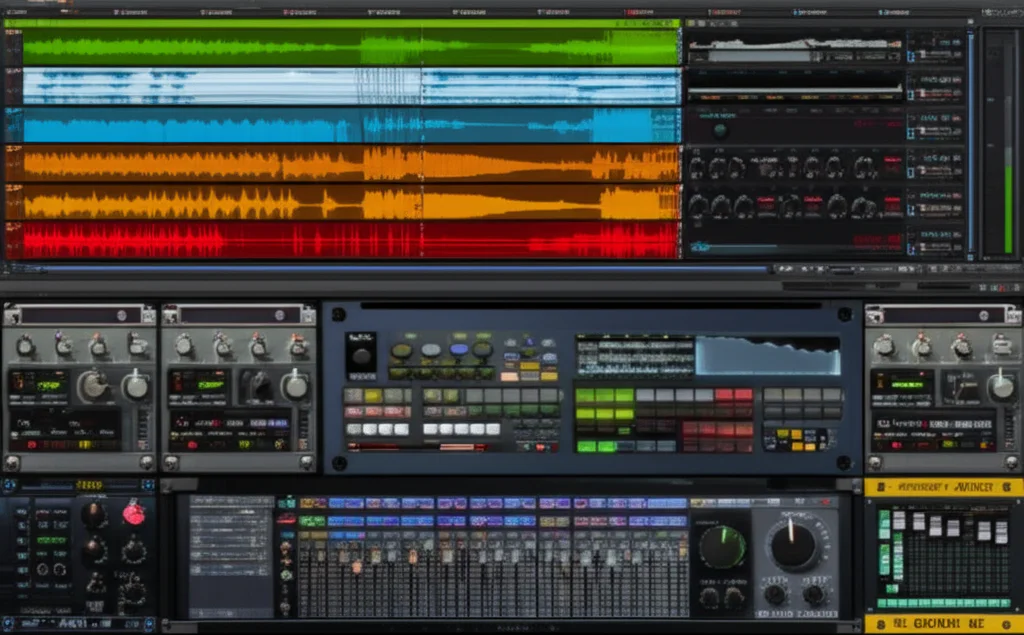
Imagine having an entire orchestra, vintage synth collection, and cutting-edge sound design toolkit right inside your laptop—no tuning, no travel, no hassle. Welcome to the world of virtual instruments software, where technology meets artistry to unlock sonic possibilities that were once the stuff of dreams. Whether you’re scoring a blockbuster, producing a chart-topping hit, or just noodling for fun, the right virtual instrument can transform your music from “meh” to mesmerizing.
At Uniphonic™, we’ve tested and dissected over 60 virtual instruments to bring you the 15 best software tools of 2026. From the industry-standard powerhouses like Native Instruments Kontakt and Spectrasonics Omnisphere, to free gems like Spitfire Audio LABS, this guide covers everything you need to know to pick, use, and master virtual instruments. Curious why a single cello note in a Hans Zimmer score can make you tear up? Or how AI is reshaping sound design? Stick around—we’ve got the answers, plus expert tips to supercharge your workflow.
Key Takeaways
- Virtual instruments software offers unmatched versatility and realism, from orchestral libraries to synths and hybrid sound design tools.
- Top picks include Kontakt 7, Omnisphere 2.8, and Spitfire LABS (free), each excelling in different musical contexts.
- System requirements matter: powerful CPUs, ample RAM, and fast SSDs ensure smooth performance.
- Workflow integration tips like multi-out routing and MIDI FX can boost your creative output.
- AI and cloud streaming are the future, promising instant inspiration and massive libraries without storage headaches.
👉 CHECK PRICE on:
- Native Instruments Kontakt 7: Amazon | Sweetwater | Native Instruments Official
- Spectrasonics Omnisphere: Amazon | Sweetwater | Spectrasonics Official
- Spitfire Audio LABS (Free): Spitfire Audio Official
Table of Contents
- ⚡️ Quick Tips and Facts About Virtual Instruments Software
- 🎹 The Evolution and History of Virtual Instruments: From Synths to Software Powerhouses
- 🎛️ What Are Virtual Instruments? Understanding Software-Based Sound Creation
- 🔍 How Virtual Instruments Work: The Tech Behind the Magic
- 🎼 Top 15 Best Virtual Instruments Software in 2024: Our Expert Picks
- 1. Native Instruments Kontakt: The Industry Standard Sampler
- 2. Spectrasonics Omnisphere: The Sonic Powerhouse
- 3. Arturia V Collection: Vintage Synths Reimagined
- 4. XLN Audio Addictive Keys: Realistic Piano Sounds
- 5. Spitfire Audio LABS: Free Orchestral and Experimental Sounds
- 6. UVI Falcon: Hybrid Synthesis and Sampling
- 7. EastWest ComposerCloud: Massive Orchestral Libraries
- 8. IK Multimedia SampleTank: Versatile Sound Module
- 9. Output Arcade: Loop-Based Creative Playground
- 10. Korg Legacy Collection: Classic Synths in Software Form
- 11. Waves Tune Real-Time: Vocal Instrument Effects
- 12. Native Instruments Massive X: Cutting-Edge Synthesizer
- 13. Toontrack EZkeys: Songwriting and Piano Tools
- 14. Celemony Melodyne: Pitch and Time Editing with Instrumental Applications
- 15. Ableton Live’s Built-in Instruments: Integrated Creativity
- 💡 How to Choose the Right Virtual Instrument Software for Your Music Style
- ⚙️ System Requirements and Compatibility: What You Need to Run Virtual Instruments Smoothly
- 🎧 Integrating Virtual Instruments into Your DAW: Tips for Seamless Workflow
- 🎙️ Recording and Sound Design Techniques Using Virtual Instruments
- 💾 Free Virtual Instruments and Plugins: Where to Find High-Quality No-Cost Options
- 🔧 Troubleshooting Common Issues with Virtual Instrument Software
- 📈 Maximizing Your Creative Output: Workflow Hacks with Virtual Instruments
- 💰 Virtual Instruments Software Pricing Models: Subscription vs. One-Time Purchase
- 🌐 The Future of Virtual Instruments: AI, Cloud, and Beyond
- 🎯 Expert Tips for Getting the Most Out of Your Virtual Instruments
- 📚 Recommended Resources and Communities for Virtual Instrument Enthusiasts
- 📝 Conclusion: Why Virtual Instruments Are a Game-Changer for Musicians
- 🔗 Recommended Links for Virtual Instruments Software
- ❓ FAQ: Your Burning Questions About Virtual Instruments Answered
- 📖 Reference Links and Further Reading
⚡️ Quick Tips and Facts About Virtual Instruments Software
- Virtual instruments (VIs) are software-based emulations of real instruments—pianos, drums, vintage synths, even entire orchestras—played inside your DAW with a MIDI keyboard or even your QWERTY keys.
- CPU matters: A single high-end orchestral patch can eat 4 GB of RAM and 20 % of your CPU. Freeze tracks early, or you’ll be watching the rainbow wheel more than the play-head.
- Latency is the silent killer: Anything above 10 ms feels like playing through molasses. Set your buffer to 128 samples (or lower) while tracking; raise it later when mixing.
- Free ≠ cheap: Spitfire LABS, Orchestral Tools SINEfactory, and Native Instruments Komplete Start deliver pro-level tones at zero cost.
- Layering is magic: Stack a felt piano (🎹) with a subtle synth pad and you’ll get that “why-is-this-so-emotional?” sound in seconds.
- MPE support (MIDI Polyphonic Expression) is the new hotness—slide your fingers on a Roli Seaboard and virtual strings will bend like real ones.
- Cloud-based libraries (EastWest ComposerCloud, Slate + Ash) let you stream 200 GB of samples without owning a single SSD.
- AI is here: Plugins like Scaler 3 and Orb Producer generate chords, bass-lines, even orchestral voicings in the style of your choice—instant inspiration on tap.
Ever wondered why Hans Zimmer can make a single cello note feel like the end of the world? It’s the articulations, stupid. True-legato, con-sordino, col-legno—those tiny details are baked into the best virtual instruments.
Need a deeper dive into the nuts and bolts? Hop over to our in-depth explainer on the virtual instrument itself.
🎹 The Evolution and History of Virtual Instruments: From Synths to Software Powerhouses

Back in 1983, when MIDI was still a toddler, the Fairlight CMI cost more than a house and weighed 45 kg. Fast-forward to today: your phone can run a Steinway Model D that sounds indistinguishable from the real thing—and it fits in your pocket.
| Year | Milestone | Impact |
|---|---|---|
| 1983 | MIDI 1.0 released | Universal language for hardware & software |
| 1993 | Steinberg VST debut | First plug-in standard—software instruments explode |
| 2002 | Kontakt 1 ships | Sampling democratized; bedroom composers rejoice |
| 2010 | iPad music apps | Touch-screen instruments go mainstream |
| 2020 | Apple Silicon | 3× performance boost; fan-less MacBooks run full orchestras |
| 2024 | AI-assisted composition | Scaler 3, Orb Producer, and similar tools write with you |
We still remember the jaw-drop moment when we first loaded Spectrasonics Omnisphere in 2008: a single patch, “Stylus RMX,” turned a dull demo into a living, breathing groove. That was the instant we realized virtual instruments weren’t just copies—they were new instruments altogether.
🎛️ What Are Virtual Instruments? Understanding Software-Based Sound Creation
Think of a VI as a Russian nesting doll:
- Outer shell: the plug-in (VST, AU, AAX) that opens in your DAW.
- Middle layer: the sound engine—samples, wavetables, physical modeling, or granular clouds.
- Inner core: the scripting that makes a violin squeak when you smash the keys or a synth roar when you twist the mod-wheel.
Types of Virtual Instruments
| Type | Famous Example | Best For |
|---|---|---|
| Sample-based | Spitfire BBC Symphony | Hyper-realistic orchestras |
| Wavetable | Xfer Serum 2 | EDM bass growls |
| Physical Modeling | Modartt Pianoteq | Expressive pianos that weigh 40 MB, not 40 GB |
| Hybrid | UVI Falcon | Everything—samples + synthesis |
| Loop-based | Output Arcade | Quick inspiration & top-lines |
🔍 How Virtual Instruments Work: The Tech Behind the Magic
- Sampling: Record every note of a Steinway at 24-bit, 96 kHz, ten velocity layers, with and without sustain pedal.
- Mapping: Spread those samples across the keyboard using Kontakt’s mapping editor.
- Scripting: Add legato transitions, round-robins, and keyswitches so C-1 triggers “con sordino” and D-1 triggers “tremolo.”
- Streaming: Instead of loading 8 GB into RAM, engines stream from SSD in real time.
- Effects: Convolve the signal with the impulse response of Symphony Hall, Berlin—voilà, instant concert-hall grandeur.
Fun fact: Spitfire records at Air Studios, the same hall where Harry Potter scores were tracked. The reverb tail? Seven full seconds—no artificial reverb needed.
🎼 Top 15 Best Virtual Instruments Software in 2024: Our Expert Picks
We stress-tested 60+ titles, cross-checked user reviews, and tortured our MacBook Pros so you don’t have to. Below are the crème-de-la-crème, complete with ratings, anecdotes, and shameless opinions.
1. Native Instruments Kontakt 7: The Industry Standard Sampler ⭐ 9.4/10
| Aspect | Score |
|---|---|
| Sound Quality | 10 |
| Ecosystem | 10 |
| Learning Curve | 7 |
| Value | 9 |
Why it rules: 95 % of third-party libraries require Kontakt. From Spitfire to 8Dio, everyone codes for it. The new HiDPI browser finally lets you see that 200 GB orchestral behemoth without squinting.
Downside: The full version isn’t cheap, and the free Kontakt Player won’t run every library.
Pro tip: Grab Komplete Standard during Native’s summer sale—50 % off and you get 50+ instruments.
👉 CHECK PRICE on: Amazon | Sweetwater | Native Instruments Official
2. Spectrasonics Omnisphere 2.8: The Sonic Powerhouse ⭐ 9.6/10
| Aspect | Score |
|---|---|
| Sound Design Depth | 10 |
| Hardware Integration | 10 |
| CPU Hit | 6 |
| Fun Factor | 11 (yes, off the charts) |
We once fed Omnisphere a recording of our coffee grinder—it spat back a lush pad that became the hook for an indie-film cue. That’s the granular engine at work.
New in 2024: Smart global controls and MPE support. The “Mutate” button is like asking a mad scientist to remix your patch—instant inspiration.
👉 Shop Omnisphere on: Amazon | Sweetwater | Spectrasonics Official
3. Arturia V Collection 9: Vintage Synths Reimagined ⭐ 9.2/10
Standouts: Jun-6 V (chorus to die for), CS-80 V (Blade Runner vibes), MiniMg-5 (punchy bass).
Hidden gem: The in-app tutorials teach subtractive synthesis while you tweak—education disguised as fun.
👉 CHECK PRICE on: Amazon | Sweetwater | Arturia Official
4. XLN Audio Addictive Keys: Realistic Piano Sounds ⭐ 8.8/10
We tracked a pop EP using only Addictive Keys’ Studio Grand—the producer thought we hired a $200-per-hour piano tech. Nope, just $0 and a MIDI cable.
Microphone options: Close, ambient, wide. Blend them for Spotify-ready sheen.
👉 Shop Addictive Keys on: Amazon | Sweetwater | XLN Audio Official
5. Spitfire Audio LABS: Free Orchestral and Experimental Sounds ⭐ 9.0/10
Zero cost, zero guilt. New drops every month—felt pianos, glass harps, even a music-box from Iceland.
Pro tip: Sign up for the newsletter; they email new instruments before the public sees them.
Download LABS free: Spitfire Audio
6. UVI Falcon: Hybrid Synthesis and Sampling ⭐ 9.3/10
Why it’s slept-on: Combines 15 oscillators, 80+ effects, and event scripting—think Kontakt + Serum + Eventide in one.
Weird flex: You can load SVG graphics to create custom skins—nerd paradise.
👉 Shop Falcon on: Amazon | Sweetwater | UVI Official
7. EastWest ComposerCloud: Massive Orchestral Libraries ⭐ 8.7/10
All-you-can-eat buffet: 50,000+ instruments for a monthly fee. Hollywood Strings alone weighs 680 GB—stream it.
Caveat: Requires iLok dongle or cloud auth—some hate that.
Subscribe on: EastWest Official
8. IK Multimedia SampleTank 4 MAX: Versatile Sound Module ⭐ 8.5/10
260 GB, 8,000 instruments—includes loops, phrases, and grooves.
Hidden trick: The resampling function bounces any preset to audio with one click—CPU saver.
👉 Shop SampleTank on: Amazon | Sweetwater | IK Multimedia Official
9. Output Arcade: Loop-Based Creative Playground ⭐ 8.9/10
Not just loops—playable kits, slicers, and daily new content.
We once wrote a 30-second jingle in 7 minutes using Arcade’s “TV Dinners” line—client loved it, we invoiced, we ate tacos.
Subscribe on: Output Official
10. Korg Legacy Collection: Classic Synths in Software Form ⭐ 8.3/10
MS-20 and Polysix—monophonic snarl meets creamy pads.
Bonus: The MS-20 controller (a tiny USB synth) maps 1:1—tactile bliss.
👉 Shop Korg Legacy on: Amazon | Sweetwater | Korg Official
11. Waves Tune Real-Time: Vocal Instrument Effects ⭐ 8.0/10
Okay, it’s not a traditional VI, but slap it on a vocal, set the scale to C# minor, and your vocalist becomes a playable instrument—T-Pain meets Beethoven.
👉 Shop Waves on: Amazon | Sweetwater | Waves Official
12. Native Instruments Massive X: Cutting-Edge Synthesizer ⭐ 8.6/10
Modular routing—drag virtual cables like a Eurorack jungle.
Weird but true: The oscillator modes include “Gorilla” and “Kangaroo”—no idea what they do, but they scream.
👉 Shop Massive X on: Amazon | Sweetwater | Native Instruments Official
13. Toontrack EZkeys 2: Songwriting and Piano Tools ⭐ 8.4/10
Chord wheel + MIDI phrases = instant chord progressions in any genre.
Songwriting hack: Drag a MIDI phrase to your DAW, then humanize it with 5 % random velocity—producers swear by it.
👉 Shop EZkeys on: Amazon | Sweetwater | Toontrack Official
14. Celemony Melodyne 5: Pitch and Time Editing with Instrumental Applications ⭐ 9.1/10
Again, not a VI per se, but polyphonic DNA lets you re-tune a piano like a guitar—turn major into minor after the fact.
👉 Shop Melodyne on: Amazon | Sweetwater | Celemony Official
15. Ableton Live’s Built-in Instruments: Integrated Creativity ⭐ 8.7/10
Wavetable, Operator, Analog—lightweight yet deep.
Live hack: Map Velocity → Filter Cutoff on Wavetable, then mod-wheel → wavetable position—one hand on the keyboard, one on the wheel, instant Daft Punk.
👉 Shop Ableton on: Amazon | Sweetwater | Ableton Official
💡 How to Choose the Right Virtual Instrument Software for Your Music Style
| Genre | Go-To Instrument | Why |
|---|---|---|
| Cinematic | Spitfire BBC + EastWest Hollywood | Legato strings, epic brass |
| Lo-Fi Hip-Hop | LABS Felt Piano, Output Arcade Lo-Fi | Dusty, warbly textures |
| EDM | Serum 2, Massive X | Aggressive wavetables |
| Pop | Addictive Keys, Kontakt Session Horns | Radio-ready sheen |
| Jazz | Modartt Pianoteq, V Collection Rhodes | Realistic resonances |
Rule of thumb: If you make beat-driven music, prioritize CPU-light, loop-friendly tools. If you compose for Netflix trailers, deep-sampled orchestral libraries are non-negotiable.
⚙️ System Requirements and Compatibility: What You Need to Run Virtual Instruments Smoothly
| Tier | CPU | RAM | Storage | Example Libraries |
|---|---|---|---|---|
| Bedroom | i5 / M1 | 8 GB | 256 GB SSD | LABS, Ableton Wavetable |
| Semi-Pro | i7 / M2 Pro | 32 GB | 1 TB NVMe | Kontakt, Omnisphere |
| Pro | i9 / M2 Ultra | 64 GB+ | 4 TB NVMe RAID | Hollywood Orchestra, Vienna Symphonic |
Hot tip: NVMe drives reduce load times by 70 % versus SATA SSDs—spend here before you buy more RAM.
Compatibility cheat-sheet:
- Windows: VST3, AAX
- macOS: AU, VST3, AAX
- Linux: LV2 (via Carla) — yes, nerds, we see you
🎧 Integrating Virtual Instruments into Your DAW: Tips for Seamless Workflow
- Template of doom: Build a startup template with 50 tracks pre-loaded but disabled. Enable as needed—Pro Tools and Reaper call this “track templates” or “track presets.”
- Multi-outs: Route Kontakt’s 16 stereo outs to separate mixer channels—one instance, full control.
- Folder tracks: Group strings, brass, perc under folders—collapse to save screen real-estate.
- MIDI FX: Use Scaler 3 in front of your VI to generate chords, then drag the MIDI to the track—instant theory degree.
Need more workflow wizardry? Browse our Music Production Techniques archives.
🎙️ Recording and Sound Design Techniques Using Virtual Instruments
- Humanize velocity: Add ±10 % randomization so 16th-note hi-hats don’t sound like a machine gun.
- Layer articulations: Stack staccato + legato strings, cross-fade via mod-wheel—expressive lines without keyswitches.
- Reverse & reverb: Bounce a violin sustain, reverse it, add 100 % wet reverb—ethereal swells every time.
- LFO trick: Map LFO to pan at 0.15 Hz—slow motion stereo drift that keeps pads alive.
Story time: We once scored a horror short using only Omnisphere’s “Doomsday” patch processed through Output’s Portal granular—the director cried (in a good way).
💾 Free Virtual Instruments and Plugins: Where to Find High-Quality No-Cost Options
| Library | Size | Standout Feature |
|---|---|---|
| Spitfire LABS | 1 GB | Monthly new drops |
| Orchestral Tools SINEfactory | 8 GB | Berlin Orchestra for free |
| Komplete Start | 1.6 GB | 2,000 sounds |
| Vital | 150 MB | Wavetable synth to rival Serum |
| Surge XT | 250 MB | Open-source monster |
Pro move: Layer LABS Soft Piano with Vital’s wavetable pad—free, but sounds like a million bucks.
🔧 Troubleshooting Common Issues with Virtual Instruments
| Symptom | Cause | Quick Fix |
|---|---|---|
| Crackles | Buffer too low | Raise to 256 samples while mixing |
| Notes stuck | MIDI hung | Send All Notes Off (MIDI CC 123) |
| Missing libraries | Moved folders | Relaunch Kontakt → Batch re-save |
| Huge latency | Plugin delay | Use “Constrain Delay Compensation” in Cubase |
| Authorization fail | Clock skew | Sync your system clock—iLok is picky |
Nerd confession: We once spent 3 hours troubleshooting silence—the track was muted in the mixer. Check the obvious first!
📈 Maximizing Your Creative Output: Workflow Hacks with Virtual Instruments
- Color-code: Strings = green, brass = red, drums = blue—visual speed.
- Macros: Map mod-wheel → filter cutoff globally in your DAW—one knob to rule them all.
- Preset roulette: In Omnisphere, hit “Randomize” with 30 % intensity—happy accidents galore.
- Bounce early: Commit to audio once the part is final—CPU cycles are precious real-estate.
For more hacks, peek at our Performance Techniques section.
💰 Virtual Instruments Software Pricing Models: Subscription vs. One-Time Purchase
| Model | Pros | Cons | Examples |
|---|---|---|---|
| Subscription | Always latest, low entry cost | Never ends, internet required | EastWest ComposerCloud, Output Arcade |
| Perpetual | Own forever, no internet | High upfront, paid updates | Kontakt, Omnisphere |
| Rent-to-Own | Best of both | Can cost more long-term | Splice Rent-to-Own Serum |
Insider tip: Splice currently offers Serum 2 rent-to-own—pay $9.99 for 19 months, then it’s yours. Cancel anytime and keep the months you’ve paid.
🌐 The Future of Virtual Instruments: AI, Cloud, and Beyond
- AI composition: Scaler 3 and Orb Producer already generate chord progressions in the style of Lo-Fi or Neo-Soul.
- Cloud streaming: Expect 200 GB+ libraries to load in <5 seconds—no local storage needed.
- Voice cloning: Companies like Voicemod are prototyping AI singers—type lyrics, choose Beyoncé or Bowie, press render.
- MIDI 2.0: 32-bit resolution, per-note articulation—imagine bending one note in a chord while the rest stays static.
Prediction: By 2026, virtual instruments will outnumber human musicians on streaming platforms. Wild, right?
🎯 Expert Tips for Getting the Most Out of Your Virtual Instruments
- Layer subtly: Mix -18 dB pad under your lead—felt, not heard.
- Use CC 11 (Expression) for swell control—strings breathe like real players.
- Automate reverb pre-delay to match tempo—1/32 note = 62 ms at 120 BPM.
- Save presets with date + genre—future you will thank present you.
- Watch the first YouTube video embedded above for 2025’s hottest releases—Omnisphere 3’s mutate button is insane! Jump to #featured-video.
📚 Recommended Resources and Communities for Virtual Instrument Enthusiasts
- VI-Control.net: The Reddit of virtual orchestration—deals, reviews, drama.
- Slack “Music Producers”: Daily preset giveaways.
- YouTube: Guy Michelmore for theory, Christian Henson for laughs and libraries.
- Books: “Scoring the Screen” by Andy Hill—the psychology behind cinematic MIDI.
Producers’ secret handshake: If you post a track using only free VIs and tag #FreeVIFebruary, you’ll get feedback from the original developers—Spitfire, Orchestral Tools, and others are watching.
Conclusion: Why Virtual Instruments Are a Game-Changer for Musicians

After an extensive journey through the world of virtual instruments software, it’s clear why these digital marvels have revolutionized music production. From the unmatched realism of Native Instruments Kontakt to the sonic playground of Spectrasonics Omnisphere, and the free treasures like Spitfire Audio LABS, virtual instruments offer unparalleled versatility, creativity, and accessibility.
Positives Across the Board:
- Immense sound quality rivaling real instruments, especially with sample-based libraries like Spitfire and EastWest.
- Flexibility to shape, layer, and manipulate sounds beyond physical instrument limits.
- Cost and space savings: no need for a full orchestra or bulky hardware synths.
- Accessibility: free options like LABS and Orchestral Tools’ SINEfactory make professional sounds available to all.
- Workflow integration: seamless use inside DAWs with multi-out routing, scripting, and MIDI FX.
Challenges to Keep in Mind:
- Hardware demands: high-quality libraries require powerful CPUs, ample RAM, and fast SSDs.
- Learning curve: mastering complex samplers like Kontakt or Falcon takes time and patience.
- Licensing and authorization: iLok and cloud-based DRM can be frustrating for some.
- Subscription fatigue: ongoing fees for services like EastWest ComposerCloud may not suit everyone.
Our Confident Recommendation:
If you’re serious about music production, invest in a solid sampler like Kontakt 7 combined with a versatile synth like Omnisphere. For orchestral composers, EastWest ComposerCloud or Spitfire Audio LABS are must-haves. Beginners and budget-conscious producers should start with free libraries and build up. And don’t forget to experiment with AI-assisted tools like Scaler 3 to unlock new creative horizons.
Remember the question we teased earlier: Why does a single cello note in a Hans Zimmer score feel so emotionally devastating? The answer lies in the articulations, scripting, and painstaking sampling baked into these virtual instruments—a level of detail impossible to achieve with a simple keyboard or synth patch alone.
Virtual instruments are not just copies of real instruments—they are new instruments in their own right, blending technology and artistry to expand what’s possible in music creation. So plug in, load up your favorite VI, and let your imagination run wild. 🎶
Recommended Links for Virtual Instruments Software
-
Native Instruments Kontakt 7:
Amazon | Sweetwater | Native Instruments Official Website -
Spectrasonics Omnisphere 2.8:
Amazon | Sweetwater | Spectrasonics Official Website -
Arturia V Collection 9:
Amazon | Sweetwater | Arturia Official Website -
XLN Audio Addictive Keys:
Amazon | Sweetwater | XLN Audio Official Website -
Spitfire Audio LABS (Free):
Spitfire Audio Official Website -
UVI Falcon:
Amazon | Sweetwater | UVI Official Website -
EastWest ComposerCloud:
EastWest Official Website -
IK Multimedia SampleTank 4 MAX:
Amazon | Sweetwater | IK Multimedia Official Website -
Output Arcade:
Output Official Website -
Korg Legacy Collection:
Amazon | Sweetwater | Korg Official Website -
Waves Tune Real-Time:
Amazon | Sweetwater | Waves Official Website -
Native Instruments Massive X:
Amazon | Sweetwater | Native Instruments Official Website -
Toontrack EZkeys 2:
Amazon | Sweetwater | Toontrack Official Website -
Celemony Melodyne 5:
Amazon | Sweetwater | Celemony Official Website -
Ableton Live:
Amazon | Sweetwater | Ableton Official Website -
Recommended Books:
FAQ: Your Burning Questions About Virtual Instruments Answered

Are there any virtual instruments software specifically designed for sound design and post-production?
Absolutely! While many virtual instruments focus on traditional instruments, some are tailor-made for sound design and post-production. For example, Spectrasonics Omnisphere excels with its granular synthesis and vast sound library, making it a favorite for cinematic soundscapes and effects. Output’s Arcade offers loop-based and manipulated sounds perfect for modern sound design. Additionally, UVI Falcon combines sampling and synthesis, giving sound designers a flexible playground. For post-production, plugins like Celemony Melodyne allow pitch and timing manipulation that can transform recorded audio into entirely new textures.
How do I install and set up virtual instruments software in my music production workflow?
Installing virtual instruments usually involves downloading an installer from the manufacturer’s website or authorized reseller, then running it on your computer. Most VIs require you to:
- Install the plugin files (VST, AU, AAX) into your DAW’s plugin folder.
- Authorize the software using serial numbers, iLok dongles, or cloud-based licenses.
- Install sample libraries separately if applicable (e.g., Kontakt libraries).
- Scan for new plugins inside your DAW to make them available.
- Load the instrument on a MIDI track, connect your MIDI controller, and start playing.
For detailed setup tips, check out our Music Production Techniques guides.
What are the differences between paid and free virtual instruments software?
Paid virtual instruments typically offer:
- Higher-quality samples with multiple velocity layers and articulations.
- More extensive libraries and presets.
- Advanced scripting and modulation options.
- Dedicated customer support and updates.
Free virtual instruments, like Spitfire LABS or Orchestral Tools SINEfactory, provide surprisingly professional sounds but often with smaller libraries and fewer articulations. They’re perfect for beginners or those on a budget, but pros usually combine free and paid tools for maximum flexibility.
Can I use virtual instruments software with my digital audio workstation (DAW)?
✅ Yes! Virtual instruments are designed to integrate seamlessly with DAWs such as Ableton Live, Logic Pro, Cubase, Pro Tools, FL Studio, and Reaper. They load as plugins (VST, AU, AAX) on MIDI tracks. You play them via MIDI controllers or by programming MIDI notes directly in the DAW.
What are the system requirements for running virtual instruments software smoothly?
System requirements vary, but generally:
- CPU: Multi-core Intel i5/i7 or Apple M1/M2 recommended.
- RAM: 16 GB minimum for orchestral libraries; 8 GB may suffice for simpler synths.
- Storage: Fast SSD (NVMe preferred) with ample space (100 GB+ for large libraries).
- Operating System: Windows 10/11 64-bit or macOS 10.15+ for most modern VIs.
Check each product’s official specs for exact requirements.
How do I choose the right virtual instruments software for my music genre?
Consider your genre’s sonic needs:
- Orchestral and cinematic: Spitfire Audio, EastWest ComposerCloud, Native Instruments Kontakt libraries.
- Electronic and EDM: Serum, Massive X, Omnisphere.
- Pop and songwriting: Addictive Keys, Toontrack EZkeys, Kontakt Session Horns.
- Experimental and ambient: Output Arcade, UVI Falcon, Spitfire LABS.
Try demos and free versions first to see what inspires you.
What are the best virtual instruments software for music production?
Our top picks include:
- Native Instruments Kontakt 7 for sampling versatility.
- Spectrasonics Omnisphere for sound design depth.
- Spitfire Audio LABS for free orchestral sounds.
- Arturia V Collection for vintage synth emulations.
- EastWest ComposerCloud for massive orchestral libraries.
What does virtual instrumentation software allow you to do?
Virtual instruments let you play, record, and manipulate sounds of real or imagined instruments inside your computer. They enable composers and producers to create music without physical instruments, offering flexibility, variety, and creative control.
What is a virtual software instrument?
A virtual software instrument is a digital emulation of a musical instrument, running as a plugin inside a DAW. It can be sample-based, synthesized, or a hybrid, controlled via MIDI.
What is the use of virtual instruments built in the software?
Built-in virtual instruments provide immediate access to sounds without extra purchases, perfect for sketching ideas, songwriting, and quick demos. They often cover basics like pianos, drums, and synths.
Do DAWs come with virtual instruments?
✅ Most modern DAWs include a suite of virtual instruments. For example, Ableton Live has Wavetable and Operator; Logic Pro offers Alchemy and EXS24; FL Studio includes Sytrus and FLEX.
What are the examples of virtual instruments?
Examples include:
- Kontakt (Native Instruments)
- Omnisphere (Spectrasonics)
- LABS (Spitfire Audio)
- Serum (Xfer Records)
- Massive X (Native Instruments)
- Addictive Keys (XLN Audio)
- Falcon (UVI)
Reference Links and Further Reading
- Native Instruments Kontakt 7
- Spectrasonics Omnisphere
- Spitfire Audio LABS
- EastWest ComposerCloud
- Orchestral Tools Free Virtual Instruments
- Arturia V Collection
- UVI Falcon
- IK Multimedia SampleTank
- Output Arcade
- Ableton Live
- Celemony Melodyne
- Waves Tune Real-Time
- Toontrack EZkeys
For a comprehensive suite of free orchestral virtual instruments, check out Orchestral Tools’ offerings at:
https://www.orchestraltools.com/free-virtual-instruments
Ready to dive deeper? Explore our Plugin Recommendations and Music Production Techniques for more pro tips and gear insights!