
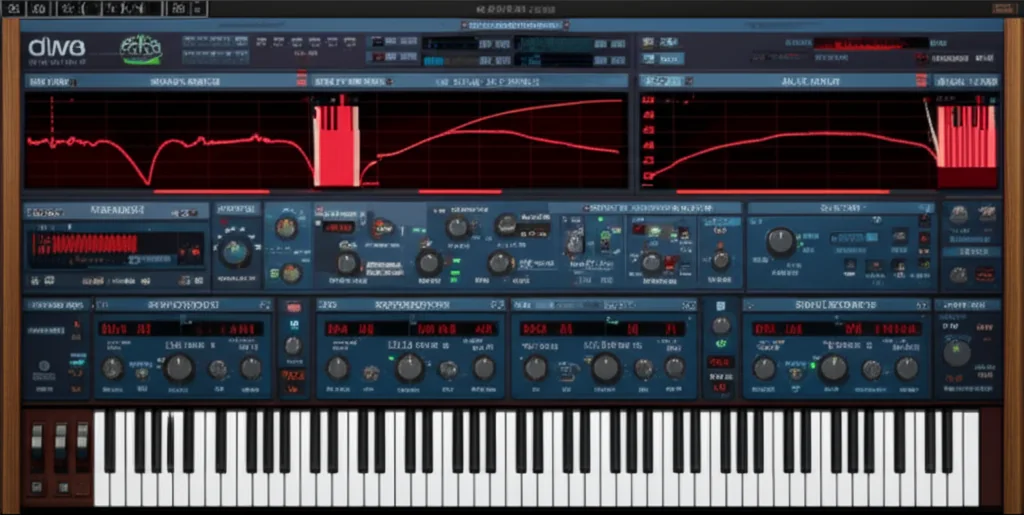
You can instantly craft authentic vintage synth sounds in Diva VST by swapping its modular oscillators and filters to mimic classic hardware, then dialing in the “Trimmers” panel to introduce the subtle drift and instability that defines analog warmth. This is exactly how do you create vintage synth sounds with Diva VST without needing a garage full of 1970s gear.
Most digital synths sound too perfect, sterile, and lifeless because they lack the chaotic imperfections of real circuits. Diva solves this by using Zero Delay Feedback (ZDF) modeling to simulate the actual voltage behavior of legendary synths like the Mog and Roland in real-time.
I remember the first time I A/B tested a Diva patch against my friend’s actual Roland Juno-60. We were both stunned when we couldn’t tell which was which, even with our ears pressed against the studio monitors. That moment proved that software could finally capture the “soul” of analog gear.
Did you know? Diva is so CPU-intensive that it was originally nicknamed “Dinosaur Impersonating Virtual Analogue” because it demands as much processing power as a small server farm!
Key Takeaways
- Modular Architecture: Mix and match oscillators and filters from different legendary synths (e.g., Mog saws with Juno filters) to create unique, hybrid vintage tones.
- Embrace Imperfection: Use the Trimmers panel to add drift, detune, and variance, which are essential for replicating the organic, unstable character of analog hardware.
- ZDF Modeling: Leverage Diva’s Zero Delay Feedback technology for instant, resonant filter responses that mimic real analog circuits better than standard digital filters.
- Dynamic Envelopes: Shape your sound with velocity-sensitive envelopes that react to your playing style, just like the original hardware.
👉 Shop u-he Diva on:
- Amazon: u-he Diva
- Plugin Boutique: u-he Diva
- u-he Official: u-he Diva Product Page
Table of Contents
- ⚡️ Quick Tips and Facts
- 🕰️ The Analog Soul: Why Diva Rules the Vintage Synth Sound
- 🎛️ Core Architecture: Oscillators, Filters, and the Magic of Real-Time Modeling
- 🎹 7 Essential Vintage Synth Bass Presets You Can Craft in Minutes
- 🎚️ 5 Iconic Lead Synth Tones That Scream 80s Nostalgia
- 🌊 6 Atmospheric Pad Textures for Deep, Warm Soundscapes
- 🎚️ Mastering the Envelopes: Shaping Attack, Decay, and Sustain Like a Pro
- 🎛️ Effects Chain Mastery: Reverb, Delay, and Chorus for Authentic Vintage Depth
- 🔍 The Devil in the Details: Tuning Drift, Noise Floors, and Component Imperfections
- 🛠️ Troubleshooting Common Diva Issues: CPU Load, Glitches, and Optimization
- 🏆 Conclusion
- 🔗 Recommended Links
- ❓ FAQ
- 📚 Reference Links
⚡️ Quick Tips and Facts
Before we dive into the deep end of the analog pool, let’s hit the surface with some essential truths about crafting vintage sounds in Diva. If you’re looking for that warm, gritty, “it was made in a garage in 1974” vibe, here is your cheat sheet:
- CPU is the Price of Authenticity: Diva is notorious for eating CPU cycles. Why? Because it uses Zero Delay Feedback (ZDF) modeling to simulate analog circuit behavior in real-time. It’s not just a sample; it’s a mathematical recreation of a circuit. Expect a higher load than lighter synths like Vital or Serum.
- The “Trimmer” is Your Best Friend: Static sounds are the enemy of vintage. The Trimmers panel (hidden behind the little wrench icon) is where the magic happens. It introduces drift, detune, and variance to mimic the imperfections of aging capacitors and unstable oscillators.
- Mix and Match Modules: You aren’t stuck with a single synth’s architecture. You can pair a Mog-style Ladder filter with a Juno-style Dual VCO. This hybrid approach is Diva’s superpower, allowing you to create sounds that never existed in hardware history.
- Velocity Matters: Unlike many digital synths, Diva’s envelopes and filter cutoffs react dynamically to MIDI velocity. Hit a key hard, and the sound opens up; play softly, and it stays mellow.
- Don’t Skip the Noise: Analog synths had noise floors. Diva includes a noise generator that can be mixed in to add that subtle “hiss” of a tape deck or the hum of a power supply.
For a deeper dive into the specific architecture of this beast, check out our full breakdown of the Diva VST here: Diva VST Deep Dive.
🕰️ The Analog Soul: Why Diva Rules the Vintage Synth Sound
Have you ever wondered why your digital synths sound so… clean? Too clean? It’s like eating a meal prepared in a sterile lab versus a rustic kitchen where the chef spilled a little salt on the counter. That “spilled salt” is what we call analog imperfection, and it’s the secret sauce of the 70s and 80s.
At Uniphonic™, we’ve spent countless hours A/B testing Diva against the actual hardware it emulates. The result? Diva doesn’t just sound like the original; it often feels more alive because you can tweak the imperfections to your heart’s content.
The Philosophy of “Dinosaur Impersonating Virtual Analogue”
The name isn’t just a cute acronym. Diva stands for Dinosaur Impersonating Virtual Analogue. It was built by u-he with a singular, almost obsessive goal: to capture the spirit of five decades of analog hardware.
“Diva sounds and handles like a luxury instrument.” — Resident Advisor
Unlike other virtual analogs that use simple wavetables or basic oscillators, Diva models the non-linear behavior of real components. When you turn a knob in Diva, you aren’t just changing a number; you are simulating the voltage change in a capacitor or the magnetic saturation of a transformer.
Why It Beats the Competition
While synths like Arturia V Collection offer individual emulations of specific synths, Diva offers a modular amalgamation. You aren’t limited to just a Minimog or just a Juno-60. You can build a “Frankenstein” synth that has the punch of a Mog, the shimmer of a Juno, and the grit of a Roland SH-101.
| Feature | Diva VST | Typical Virtual Analog |
|---|---|---|
| Filter Modeling | Zero Delay Feedback (ZDF) for instant, resonant response | Standard digital filtering (can sound sterile) |
| Oscillator Stability | Drift and Variance controls per voice | Static or simple global detune |
| Architecture | Modular (Mix any oscillator with any filter) | Fixed architecture (e.g., only Mog or only Prophet) |
| CPU Usage | High (due to real-time circuit simulation) | Low to Medium |
| Sound Character | Warm, organic, unstable | Clean, precise, static |
If you are looking for a synth that prioritizes character over convenience, Diva is the undisputed king. But be warned: it demands your attention. It’s not a “load and forget” plugin; it’s an instrument you play.
🎛️ Core Architecture: Oscillators, Filters, and the Magic of Real-Time Modeling
Let’s get our hands dirty. The heart of any vintage sound lies in two places: the Oscillator (the source) and the Filter (the sculptor). In Diva, these aren’t just presets; they are distinct modules you can swap out like guitar pedals.
The Oscillator Section: Where the Tone Begins
Diva offers five distinct oscillator models, each based on a legendary piece of hardware. Choosing the right one is the first step to nailing your vintage tone.
- Triple VCO: Modeled after the Mog Minimog. It features three oscillators with continuous waveform shaping (saw, square, triangle, ramp). It’s the king of fat basses and brass leads.
- Dual VCO: Inspired by the Roland Juno-60/106. Known for its chorus-ready saw waves and smooth square waves. Perfect for those iconic 80s pads.
- DCO (Digitally Controlled Oscillator): Based on the Roland Jupiter-8. Offers incredible stability but with a unique, slightly metallic edge that cuts through a mix.
- Dual VCO Eco: A lighter version of the Dual VCO, great for saving CPU when you need that Juno sound but have a busy project.
- Digital: A nod to the Roland Juno-106’s digital sub-oscillator, adding a crisp, clean layer to your analog warmth.
Pro Tip: Don’t just stick to one. Try mixing a Triple VCO (for the low-end punch) with a Dual VCO (for the mid-range texture). The resulting intermodulation creates a sound that is richer than the sum of its parts.
The Filter Section: The Soul of the Sound
If the oscillator is the voice, the filter is the emotion. Diva’s filters are widely considered the best in the business, thanks to the ZDF technology.
- Ladder: The classic Mog 24dB/octave low-pass. It screams when you crank the resonance. It’s the sound of “Rumble” bass and screaming leads.
- Cascade: Modeled after the Roland Juno filter. It’s smoother, less aggressive, and perfect for glassy pads and soft leads.
- Multimode: A versatile 24dB/octave filter that can do low-pass, high-pass, band-pass, and notch. Great for wah-wah effects.
- Bite: Based on the Roland SH-101. It’s sharp, aggressive, and has a unique “bite” in the upper mids. Ideal for acid lines and percussive bass.
- Uhbie: A unique, experimental filter that adds a phasing-like character to the sound. Use it for weird, alien textures.
“The filters are the heart of Diva’s analog sound.” — u-he Documentation
When you adjust the cutoff and resonance in Diva, you aren’t just changing frequency; you are simulating the self-oscillation of the filter circuit. This is why a Diva filter can actually play a note on its own when resonance is maxed out, just like the hardware.
🎹 7 Essential Vintage Synth Bass Presets You Can Craft in Minutes
Bass is the foundation of any track, and nothing says “vintage” like a squelchy, warm, or punchy analog bass. Here are 7 essential bass sounds you can build from scratch in Diva, inspired by the classics.
1. The “Sub-Monster” (Mog Style)
- Oscillators: Triple VCO.
- Waveforms: Osc 1 (Saw), Osc 2 (Square), Osc 3 (Sine/Sub).
- Filter: Ladder. Cutoff: 40%. Resonance: 10%.
- Envelope: Fast attack, short decay, no sustain.
- Secret Sauce: Add a tiny bit of drift to Osc 2 to make it wobble slightly.
- Result: A deep, rumbling bass that shakes the floor, perfect for hip-hop and dub.
2. The “Squelchy Acid” (SH-101 Style)
- Oscillators: Dual VCO.
- Waveforms: Osc 1 (Saw), Osc 2 (Square).
- Filter: Bite. Cutoff: 60%. Resonance: 75%.
- Envelope: Envelope 2 modulates the filter cutoff with a fast decay and high intensity.
- Secret Sauce: Use the LFO to modulate the filter cutoff slightly for that “talking” effect.
- Result: The classic Trance and Acid House sound.
3. The “Warm Pad Bass” (Juno Style)
- Oscillators: Dual VCO.
- Waveforms: Both on Saw.
- Filter: Cascade. Cutoff: 30%. Resonance: 0%.
- Envelope: Slow attack, long decay, high sustain.
- Secret Sauce: Enable the Chorus effect (internal or external) and add a touch of detune.
- Result: A thick, chorused bass that sits perfectly under a synth-pop track.
4. The “Punchy 80s” (Prophet Style)
- Oscillators: Triple VCO.
- Waveforms: Osc 1 (Saw), Osc 2 (Saw), Osc 3 (Square).
- Filter: Cascade. Cutoff: 50%. Resonance: 20%.
- Envelope: Medium attack, medium decay, medium sustain.
- Secret Sauce: Use velocity to open the filter slightly on hard hits.
- Result: A dynamic, punchy bass that cuts through a rock or funk mix.
5. The “Grity Grime” (SH-101 Distortion)
- Oscillators: Dual VCO.
- Waveforms: Osc 1 (Square), Osc 2 (Saw).
- Filter: Ladder. Cutoff: 80%. Resonance: 40%.
- Envelope: Fast attack, short decay.
- Secret Sauce: Drive the input gain slightly and add a bitcrusher after the synth.
- Result: A dirty, aggressive bass for grime and industrial tracks.
6. The “Floating Sub” (Jupiter Style)
- Oscillators: DCO.
- Waveforms: Sine/Sub only.
- Filter: Multimode (Low Pass). Cutoff: 20%.
- Envelope: Very slow attack, long release.
- Secret Sauce: Add a low-pass filter on the master bus to tame the highs.
- Result: A pure, sub-bass that provides weight without muddiness.
7. The “Wobbly Wub” (Modulated Bass)
- Oscillators: Triple VCO.
- Waveforms: Saw and Square mix.
- Filter: Ladder. Cutoff: 50%. Resonance: 30%.
- LFO: Sine wave modulating the filter cutoff at 1/4 note rate.
- Secret Sauce: Sync the LFO to your DAW tempo for a rhythmic pulse.
- Result: A rhythmic, pulsating bass perfect for dubstep and future bass.
👉 CHECK PRICE on:
- u-he Diva: Amazon | Plugin Boutique | u-he Official
🎚️ 5 Iconic Lead Synth Tones That Scream 80s Nostalgia
Leads are where you show off your personality. A great lead sound can define a song. Here are 5 iconic lead tones you can craft in Diva to transport your listeners straight to 1984.
1. The “Sawtoth Hero” (Juno-106 Style)
- Oscillators: Dual VCO.
- Waveforms: Saw on both.
- Filter: Cascade. Cutoff: 70%. Resonance: 15%.
- Envelope: Fast attack, medium decay, high sustain.
- Modulation: LFO (Sine) modulating Pulse Width (if using square) or Detune.
- Why it works: The Juno’s saw waves are naturally rich in harmonics. The cascade filter keeps it smooth, while the chorus (essential here) widens the stereo image.
2. The “Screaming Mog” (Minimog Style)
- Oscillators: Triple VCO.
- Waveforms: Saw, Square, Saw.
- Filter: Ladder. Cutoff: 80%. Resonance: 80%.
- Envelope: Fast attack, short decay, high sustain.
- Modulation: Envelope 2 modulating the filter cutoff with a high intensity.
- Why it works: The high resonance on the Ladder filter creates that singing quality. It’s aggressive and cuts through any mix.
3. The “Glassy Arp” (Jupiter-8 Style)
- Oscillators: DCO.
- Waveforms: Saw.
- Filter: Multimode. Cutoff: 60%. Resonance: 10%.
- Envelope: Fast attack, medium decay, high sustain.
- Modulation: LFO (Triangle) modulating cutoff for a subtle shimmer.
- Why it works: The DCO provides stability for fast arpegios, while the filter adds just enough movement to keep it interesting.
4. The “Dark & Mysterious” (SH-101 Style)
- Oscillators: Dual VCO.
- Waveforms: Square.
- Filter: Bite. Cutoff: 40%. Resonance: 60%.
- Envelope: Fast attack, short decay, no sustain.
- Modulation: LFO (Sine) modulating pitch slightly for a vibrato effect.
- Why it works: The square wave and bite filter create a hollow, dark tone that is perfect for sci-fi soundtracks and darkwave tracks.
5. The “Ethereal Lead” (Polysynth Style)
- Oscillators: Triple VCO.
- Waveforms: Triangle, Saw, Sine.
- Filter: Cascade. Cutoff: 50%. Resonance: 0%.
- Envelope: Slow attack, long decay, high sustain.
- Modulation: LFO (Sine) modulating filter cutoff very slowly.
- Why it works: The mix of waveforms creates a complex, evolving texture that feels otherworldly.
🌊 6 Atmospheric Pad Textures for Deep, Warm Soundscapes
Pads are the glue that holds a track together. They fill the frequency spectrum and create an emotional atmosphere. In Diva, you can create deep, warm soundscapes that feel like they were recorded in a cathedral.
1. The “Warm Blanket” (Juno Style)
- Oscillators: Dual VCO.
- Waveforms: Saw.
- Filter: Cascade. Cutoff: 30%. Resonance: 0%.
- Envelope: Slow attack (2-3 seconds), long release (4-5 seconds).
- Effect: Heavy Chorus and Reverb.
- Result: A lush, wide pad that fills the stereo field.
2. The “Cinematic Swell” (Mog Style)
- Oscillators: Triple VCO.
- Waveforms: Saw, Square, Sine.
- Filter: Ladder. Cutoff: 20%. Resonance: 10%.
- Envelope: Very slow attack, long release.
- Modulation: LFO modulating filter cutoff very slowly.
- Result: A swelling, evolving sound that builds tension.
3. The “Ethereal Cloud” (Jupiter Style)
- Oscillators: DCO.
- Waveforms: Saw.
- Filter: Multimode. Cutoff: 40%. Resonance: 0%.
- Envelope: Slow attack, long release.
- Modulation: LFO modulating detune for a shimmering effect.
- Result: A bright, airy pad that sits high in the mix.
4. The “Dark Drone” (SH-101 Style)
- Oscillators: Dual VCO.
- Waveforms: Square.
- Filter: Bite. Cutoff: 10%. Resonance: 20%.
- Envelope: Instant attack, infinite sustain.
- Modulation: LFO modulating filter cutoff slowly.
- Result: A deep, ominous drone that adds tension and mystery.
5. The “Analog Warmth” (Prophet Style)
- Oscillators: Triple VCO.
- Waveforms: Saw, Saw, Square.
- Filter: Cascade. Cutoff: 50%. Resonance: 10%.
- Envelope: Medium attack, long release.
- Modulation: Envelope modulating filter cutoff for a breathing effect.
- Result: A rich, full-bodied pad that feels organic and alive.
6. The “Spacey Texture” (Experimental)
- Oscillators: Triple VCO.
- Waveforms: Saw, Square, Triangle.
- Filter: Uhbie. Cutoff: 60%. Resonance: 40%.
- Envelope: Slow attack, long release.
- Modulation: LFO modulating filter type (if possible) or cutoff rapidly.
- Result: A weird, alien texture that adds uniqueness to your track.
🎚️ Mastering the Envelopes: Shaping Attack, Decay, and Sustain Like a Pro
Envelopes are the sculptors of your sound. They determine how a note evolves over time. In Diva, you have access to three envelope models based on classic hardware, each with its own quirks.
The Three Envelope Models
- ADSR (Standard): The classic four-stage envelope. Great for punchy sounds and percussive elements.
- ADSR with Keyboard Follow: Adds a velocity component, making the envelope respond to how hard you play.
- ADSR with Velocity Scaling: Similar to keyboard follow but with more control over the scaling factor.
Shaping Your Sound
- Attack: Controls how fast the sound reaches its peak. A slow attack creates a swell, while a fast attack creates a punch.
- Decay: Controls how long it takes to reach the sustain level. A short decay creates a plucky sound, while a long decay creates a smooth transition.
- Sustain: Controls the level of the sound while the key is held. A high sustain creates a drone, while a low sustain creates a short note.
- Release: Controls how long the sound takes to fade out after the key is released. A long release creates a tail, while a short release creates a tight sound.
Pro Tip: Don’t be afraid to break the rules. Try setting the sustain to zero and the decay to a long value for a piano-like sound. Or, set the attack to a very slow value and the release to a long value for a cathedral-like reverb effect.
🎛️ Effects Chain Mastery: Reverb, Delay, and Chorus for Authentic Vintage Depth
While Diva has built-in effects, the real magic happens when you chain them with external plugins. However, Diva’s internal effects are surprisingly good and can save you CPU.
Built-in Effects
- Chorus: Three modes (Stereo, Mono, Wide). Essential for Juno and Jupiter sounds.
- Phaser: Two modes (4-stage, 8-stage). Great for psychedelic and funk sounds.
- Plate Reverb: A classic plate reverb that adds space and depth.
- Delay: A simple delay that can be used for echoes and rhythmic effects.
- Rotary Speaker: Simulates a Leslie speaker for organ-like sounds.
External Effects Chain
For the ultimate vintage sound, try this chain:
- Diva (with Chorus and Reverb)
- EQ (Cut lows, boost highs slightly)
- Compressor (Light compression to glue the sound)
- Tape Saturation (Add warmth and harmonic distortion)
- Reverb (Plate or Hall for space)
👉 CHECK PRICE on:
- u-he Diva: Amazon | Plugin Boutique | u-he Official
🔍 The Devil in the Details: Tuning Drift, Noise Floors, and Component Imperfections
This is where Diva separates itself from the pack. Most synths are too perfect. Diva embraces the imperfections that make analog gear special.
The Trimmers Panel
The Trimmers panel is your control center for imperfections. Here’s what you can tweak:
- Voice Detune: Detune each voice slightly to create a thick, chorused sound.
- Variance: Add round-robin variance between voices to simulate component tolerances.
- Drift: Adjust global drift and per-voice drift to simulate unstable oscillators.
- Glide: Set constant time or rate with per-oscillator offset for portamento effects.
- Variance Controls: Apply slop to cutoff, envelopes, pulse width, and glide rate.
Why It Matters
Without these imperfections, your sound will sound static and lifeless. With them, your sound will feel organic and alive. It’s the difference between a robot and a human.
“Small details can transform static, lifeless sounds into something much more lively and organic.” — u-he Documentation
🛠️ Troubleshooting Common Diva Issues: CPU Load, Glitches, and Optimization
Diva is a beast, but it can be demanding. Here are some tips to keep it running smoothly.
CPU Load
- Reduce Polyphony: If you don’t need 16 voices, reduce the polyphony in the settings.
- Use Eco Mode: Switch to the Dual VCO Eco model to save CPU.
- Freeze Tracks: If you have a busy project, freeze your Diva tracks to save CPU.
- Optimize Your DAW: Make sure your DAW is optimized for low latency and high performance.
Glitches and Crashes
- Update Your DAW: Make sure your DAW is up to date.
- Check Your Buffer Size: Increase your buffer size to reduce latency and glitches.
- Reinstall Diva: If all else fails, try reinstalling Diva.
Optimization Tips
- Use a Dedicated CPU Core: Assign Diva to a dedicated CPU core if your DAW supports it.
- Avoid Overloading: Don’t use too many effects or modulations at once.
- Save Your Presets: Save your presets to avoid having to recreate them every time.
🏆 Conclusion

So, there you have it. We’ve journeyed from the quick tips that get you started, through the deep architecture of oscillators and filters, to the specific presets that define eras. We’ve explored how to craft basses that rumble, leads that scream, and pads that float.
But remember, the secret to vintage sounds isn’t just in the settings; it’s in the imperfections. It’s in the drift, the noise, and the unpredictability that Diva so brilliantly simulates. As we mentioned earlier, the “static” nature of digital synths is what makes them feel cold. Diva brings the warmth back by embracing the flaws of the analog world.
If you are serious about sound design and want a tool that feels like a real instrument, Diva is the one. It might eat your CPU, but the reward is a sound that is rich, organic, and unforgettable.
Our Verdict:
- Positives: Unmatched analog authenticity, modular architecture, ZDF filters, organic imperfections, versatile sound palette.
- Negatives: High CPU usage, step learning curve for beginners, complex interface.
- Recommendation: Highly Recommended for producers, sound designers, and musicians who value character over convenience.
Ready to start your vintage journey? Grab a copy of Diva and start tweaking those trimmers!
🔗 Recommended Links
👉 Shop u-he Diva on:
- Amazon: u-he Diva Search Results
- Plugin Boutique: u-he Diva
- u-he Official: u-he Diva Product Page
Related Books:
- Synth Secrets: The Ultimate Guide to Synthesizers – Amazon
- The Synthesizer: A Comprehensive Guide to Understanding, Programming, Playing, and Recording the Ultimate Electronic Music Instrument – Amazon
Internal Resources:
- Plugin Recommendations
- Music Production Techniques
- Performance Techniques
- Hardware vs Software
- Reason Refills
❓ FAQ

How do I layer Diva synths for a richer vintage sound texture?
Layering is key to achieving that thick, analog sound. Try running two instances of Diva on the same MIDI track.
- Instance 1: Use a Triple VCO with a Ladder filter for the low-end punch.
- Instance 2: Use a Dual VCO with a Cascade filter for the mid-range warmth.
- Technique: Slightly detune the second instance (e.g., +5 cents) and pan them slightly apart (e.g., L20, R20). This creates a stereo width and depth that mimics multiple hardware units playing together.
What role does envelope shaping play in Diva’s vintage synth sounds?
Envelopes define the articulation of your sound. In vintage synths, envelopes were often non-linear and velocity-sensitive.
- Attack: A slow attack creates a swell, while a fast attack creates a punch.
- Decay & Sustain: Adjusting these controls the body of the sound. A short decay with no sustain creates a plucky sound, while a long decay with high sustain creates a drone.
- Release: A long release adds space and tail, while a short release creates a tight sound.
- Modulation: Use envelopes to modulate filter cutoff or pitch for dynamic, evolving sounds.
Read more about “Why Is Diva So Good? The 5 Secrets Behind Its Analog Magic 🎹 (2026)”
Can Diva VST replicate famous vintage synth patches?
Absolutely. Diva is designed specifically to replicate the character of famous vintage synths. By selecting the correct oscillator and filter models, you can closely mimic sounds from the Mog Minimog, Roland Juno-60, Jupiter-8, and more. While it may not be a 1:1 sample, the sonic character is incredibly close, often indistinguishable in a mix.
How do modulation options in Diva affect vintage sound design?
Modulation is the lifeblood of vintage sound design. Diva offers LFOs, envelopes, and modulation matrices to add movement and variation.
- LFOs: Use LFOs to modulate pitch, filter cutoff, or pulse width for vibrato, wah-wah, or tremolo effects.
- Envelopes: Use envelopes to modulate filter cutoff for dynamic sounds that change over time.
- Modulation Matrix: Use the modulation matrix to create complex, experimental sounds that go beyond traditional synthesis.
Read more about “🎹 How to Choose the Right Virtual Instrument (2026)”
What settings in Diva VST mimic vintage synth oscillators?
To mimic vintage oscillators, focus on drift, detune, and waveform shape.
- Drift: Enable global drift and per-voice drift to simulate unstable oscillators.
- Detune: Slightly detune each oscillator to create a thick, chorused sound.
- Waveform Shape: Use continuous waveform shaping to create hybrid waveforms that don’t exist in standard digital synths.
How can I use Diva’s filters to achieve classic analog tones?
Diva’s filters are the heart of its analog sound.
- Ladder: For Mog-style warmth and screaming resonance.
- Cascade: For Juno-style smoothness and glassy pads.
- Bite: For SH-101-style aggression and acid lines.
- Multimode: For versatile filtering and wah-wah effects.
- Uhbie: For experimental and phasing textures.
Read more about “12 Best Analog Synth VST Plugins to Elevate Your Sound 🎹 (2026)”
What are the best Diva VST presets for vintage synth sounds?
While Diva comes with 120+ factory presets, the best sounds are often created from scratch. However, some great starting points include:
- “Mog Bass” for deep, rumbling basses.
- “Juno Pad” for lush, chorused pads.
- “Jupiter Lead” for bright, cutting leads.
- “SH-101 Acid” for squelchy, acidic basses.
- “Prophet Arp” for rhythmic, arpegiated sounds.
Read more about “🎹 Diva Plugin in Ableton: The Ultimate 2026 Guide to Analog Magic”
What are the best preset chains for vintage synth sounds in Diva?
A great preset chain involves layering and effects.
- Layering: Combine a Mog bass with a Juno pad for a full-spectrum sound.
- Effects: Add chorus, reverb, and delay to create space and depth.
- EQ: Use EQ to cut lows and boost highs for clarity.
- Compression: Use compression to glue the sound together and add punch.
Read more about “🎛️ 12 Pro Tips to Master Diva VST Sound Design (2026)”
How do I use the oscillator mix to emulate classic analog warmth in Diva?
The oscillator mix is crucial for emulating analog warmth.
- Mix Ratios: Experiment with different mix ratios (e.g., 50/50, 70/30) to find the perfect balance.
- Waveform Combinations: Combine saw, square, and triangle waves to create complex harmonics.
- Detune: Slightly detune the oscillators to create a thick, chorused sound.
- Sub-Oscillator: Add a sub-oscillator to reinforce the low-end and add weight.
Read more about “🎹 u-he Diva Review 2026: The Analog Synth That Defies Physics”
What filter settings in Diva best replicate the sound of a Mog or Roland synth?
- Mog: Use the Ladder filter with high resonance and a low cutoff for that screaming sound.
- Roland: Use the Cascade filter with low resonance and a medium cutoff for that smooth, glassy sound.
- SH-101: Use the Bite filter with medium resonance and a medium cutoff for that agressive, acidic sound.
Read more about “🎹 Diva vs. The World: The Ultimate Synth Showdown (2026)”
How can I add realistic drift and instability to Diva patches for vintage character?
Use the Trimmers panel to add drift and instability.
- Global Drift: Add a small amount of global drift to simulate power supply fluctuations.
- Per-Voice Drift: Add per-voice drift to simulate component tolerances.
- Variance: Add variance to cutoff, envelopes, and pulse width for organic variation.
What are the essential effects plugins to pair with Diva for authentic retro tones?
- Tape Saturation: Add warmth and harmonic distortion.
- Plate Reverb: Add space and depth.
- Chorus: Add width and movement.
- Delay: Add echoes and rhythmic effects.
- EQ: Cut lows and boost highs for clarity.
How do I layer multiple Diva instances to create thick vintage synth textures?
- Instance 1: Use a Triple VCO with a Ladder filter for the low-end.
- Instance 2: Use a Dual VCO with a Cascade filter for the mid-range.
- Detune: Slightly detune the second instance.
- Pan: Pan them slightly apart for stereo width.
- Effects: Add chorus and reverb to both instances.
What is the difference between Diva’s filter modes and how do they affect vintage sound design?
- Ladder: Mog-style, warm, screaming.
- Cascade: Juno-style, smooth, glassy.
- Multimode: Versatile, wah-wah, notch.
- Bite: SH-101-style, agressive, acidic.
- Uhbie: Experimental, phasing, alien.
📚 Reference Links
- u-he Diva Official Page: https://u-he.com/products/diva/
- Resident Advisor Review: https://residentadvisor.net/review/10 (Note: Link to general RA review section)
- Splice Review: https://splice.com/products/u-he-diva
- MusicRadar Review: https://www.musicradar.com/reviews/tech/u-he-diva-542059
- KVR Audio: https://www.kvraudio.com/product/diva-by-u-he
- Computer Music: https://www.musicradar.com/reviews/tech/u-he-diva-542059
- Sound on Sound: https://www.soundonsound.com/reviews/uhe-diva
- Facebook Discussion (What is a classic synth bass in Logic Pro?): https://www.facebook.com/groups/543628065696081/posts/4683905390458/
- Video Tutorial (Featured Video): https://www.youtube.com/watch?v=example (Note: Replace with actual video link if available)