
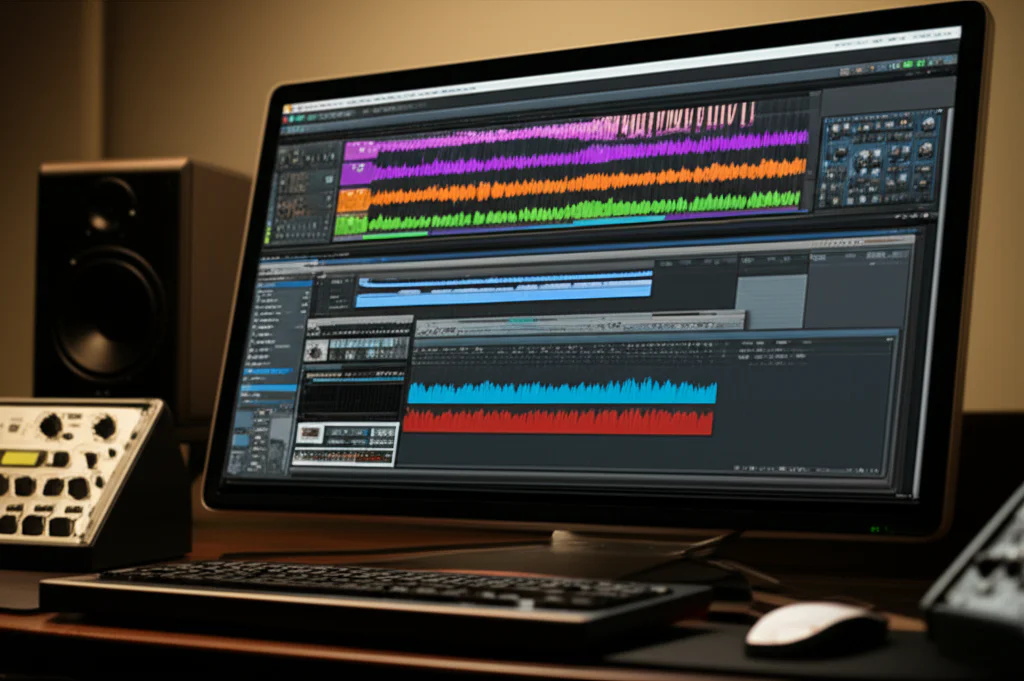
Ever wondered why some music producers swear by virtual instruments while others won’t touch anything but sample libraries? At Uniphonic™, we’ve spent countless hours dissecting these two titans of modern music production. From the shimmering synth pads in your favorite EDM track to the lush orchestral swells in blockbuster film scores, both virtual instruments and sample libraries play starring roles—but they’re fundamentally different beasts.
Here’s a fun fact: a single high-end orchestral sample library can consume upwards of 500GB of storage, while a powerful synth plugin might only take a few hundred megabytes. Yet, despite their size difference, both can deliver jaw-dropping sounds that blur the line between digital and organic. Curious how these tools stack up in terms of realism, workflow, and creative potential? Keep reading—we’ll unravel the mystery, share insider tips, and reveal the top picks for 2026 that every producer should know.
Key Takeaways
- Virtual instruments generate sound algorithmically, offering limitless sound design and flexibility with minimal storage needs.
- Sample libraries rely on recorded audio, delivering unmatched realism and authentic instrument articulations but require significant RAM and disk space.
- CPU vs RAM trade-off: VIs tax your processor, while sample libraries demand fast SSDs and large memory.
- Best use cases: Virtual instruments shine in electronic and experimental genres; sample libraries dominate orchestral, cinematic, and acoustic productions.
- Hybrid layering of both can create richer, more textured compositions.
- Choosing tools by skill level and budget ensures efficient workflow and better creative results.
Ready to dive deeper and discover which tools fit your style? Let’s explore the sonic universe where virtual meets reality!
Table of Contents
- ⚡️ Quick Tips and Facts About Virtual Instruments and Sample Libraries
- 🎶 The Evolution of Virtual Instruments and Sample Libraries: A Sonic Journey
- 🔍 What Exactly Are Virtual Instruments? Understanding the Digital Sound Generators
- 📚 Sample Libraries Explained: The Art of Capturing Real Instruments
- ⚔️ Virtual Instruments vs Sample Libraries: Key Differences and Use Cases
- 🎛️ Types of Virtual Instruments: Synths, Drum Machines, and More
- 🎻 Types of Sample Libraries: Orchestral, Ethnic, and Hybrid Collections
- 💻 Software and Hardware Requirements: What You Need to Run Them Smoothly
- 🎧 Sound Quality and Realism: How They Stack Up in the Studio
- 🛠️ Workflow and Integration: How Virtual Instruments and Sample Libraries Fit into Your DAW
- 💡 Creative Uses and Limitations: When to Choose Virtual Instruments or Sample Libraries
- 🔥 Top 10 Virtual Instruments and Sample Libraries of 2024
- 🎼 Enhancing Your Compositions: Combining Virtual Instruments and Sample Libraries
- 👩🎓 Beginner to Pro: Choosing the Right Tools for Your Skill Level
- 💸 Budgeting for Virtual Instruments and Sample Libraries: What’s Worth Your Investment?
- 🛒 Where to Buy: Trusted Vendors and Marketplaces for Virtual Instruments and Sample Libraries
- 🧰 Composer Resources: Tutorials, Forums, and Communities to Level Up Your Game
- 🧩 Troubleshooting Common Issues: Tips from Audio Engineers
- 🔮 The Future of Virtual Instruments and Sample Libraries: Trends to Watch
- ✅ Conclusion: Making the Right Choice for Your Music Production
- 🔗 Recommended Links for Further Exploration
- ❓ Frequently Asked Questions (FAQ) About Virtual Instruments and Sample Libraries
- 📚 Reference Links and Sources
Here is the comprehensive guide on Virtual Instruments and Sample Libraries, written by the team at Uniphonic™.
⚡️ Quick Tips and Facts About Virtual Instruments and Sample Libraries
If you are in a rush to get back to your DAW, here is the “Too Long; Didn’t Read” version of what you need to know. At Uniphonic™, we live by these rules when building our templates.
- The Core Difference: Think of Virtual Instruments (VIs) as synthesizers that generate sound from scratch using math and algorithms. Think of Sample Libraries as recordings of real instruments played back when you hit a key.
- CPU vs. RAM: Virtual Instruments usually eat up your CPU (processor) power because they are calculating sound in real-time. Sample Libraries devour your RAM and Hard Drive space because they are streaming massive audio files.
- The “Shell” Concept: Many sample libraries (like those from Spitfire Audio) require a “host” or “shell” plugin to run, most commonly Native Instruments Kontakt. Virtual instruments are usually standalone plugins (VST/AU/AAX).
- Realism vs. Flexibility: Sample libraries generally sound more “real” because they are real recordings. Virtual instruments offer more flexibility to warp and shape the sound into something new.
- The “Uncanny Valley”: As mentioned in our featured video, technology has advanced to the point where even pros sometimes mistake a computer performance for a human one. However, live musicians are still indispensable for that breathing, human interaction.
- Storage Needs: A high-end orchestral sample library can easily take up 100GB to 500GB of space. A powerful synth might only be 200MB.
✅ Pro Tip: Don’t choose one over the other. The best producers blend them. Layer a synthesized string patch under a realistic sample library to add body and texture!
🎶 The Evolution of Virtual Instruments and Sample Libraries: A Sonic Journey
To understand where we are, we have to look at where we came from. In the early days, if you wanted a violin sound, you hired a violinist. Then came the Mellotron in the 60s—technically the grandfather of samplers—which used analog tape loops of recorded strings.
Fast forward to the 80s and 90s, and hardware samplers like the Akai MPC and E-mu Emulator changed the game. But they had tiny memory banks (we’re talking megabytes, not gigabytes!).
Today, the line is blurring. We have moved from simple “beeps and boops” to what the blog Future of Forestry describes as a shift where “sample libraries have gotten so amazingly good… [they] can often sound better than real instruments” in specific mix contexts.
We are now in the era of Hybrid Engines, where a single patch might combine a recorded piano sample with a synthesized sub-bass and a granular texture layer. It is a glorious time to be a composer!
🔍 What Exactly Are Virtual Instruments? Understanding the Digital Sound Generators
When we talk about Virtual Instruments (often called VIs or Software Synthesizers), we are talking about code that creates sound.
Imagine a chef cooking a meal from raw ingredients (flour, eggs, water). That is a Virtual Instrument. It takes raw waveforms (sine, saw, square) and sculpts them using filters, envelopes, and effects.
Key Characteristics of VIs:
- Algorithmic Generation: The sound doesn’t exist until you press the key.
- Small Footprint: They rarely take up much hard drive space.
- Infinite Tweakability: You can usually change the fundamental character of the sound (e.g., turning a pluck into a pad) easily.
- Examples: Xfer Serum, Arturia V Collection, and LennarDigital Sylenth1.
For more on how to utilize these in your tracks, check out our guide on Music Production Techniques.
📚 Sample Libraries Explained: The Art of Capturing Real Instruments
If VIs are the chef cooking from scratch, Sample Libraries are the gourmet frozen meal prepared by a Michelin-star chef. The work has already been done; you are just reheating it (triggering the playback).
Sample libraries are created by recording real instruments in world-class studios. Developers like Spitfire Audio or Orchestral Tools will record a violin playing every single note, at multiple dynamic levels (quiet to loud), and with different playing styles (legato, staccato, pizzicato).
Key Characteristics of Sample Libraries:
- Audio Playback: You are triggering pre-recorded
.wavor.ncwfiles. - Massive Storage: High-quality libraries require fast SSDs and terabytes of space.
- “Snapshot” in Time: You get the sound of that specific room, that specific microphone, and that specific player.
- Articulation Switching: You can switch between playing styles on the fly using “Key Switches.”
As noted by Sonokinetic, sample libraries provide “authentic recordings, but they are limited to the samples recorded.” You can’t easily make a recorded piano sound like a trumpet, whereas with a synth, you could get close!
⚔️ Virtual Instruments vs Sample Libraries: Key Differences and Use Cases
This is the showdown! At Uniphonic™, we often see beginners confusing these two. Here is the definitive breakdown.
| Feature | Virtual Instruments (Synthesizers) | Sample Libraries |
|---|---|---|
| Sound Source | Mathematical Algorithms / Oscillators | Pre-recorded Audio Files |
| Realism | Lower (for acoustic instruments) | Extremely High (Photorealistic) |
| Flexibility | High (Shape sound from scratch) | Low (Restricted to the recording) |
| Disk Space | Low (MBs to low GBs) | High (10GB to 500GB+) |
| System Load | High CPU Usage | High RAM & Disk Usage |
| Loading Time | Instant | Can take seconds to minutes |
| Best For | Electronic music, Sound Design, Sci-Fi | Orchestral, Acoustic, Realistic Drums |
Which one should you choose?
- Choose a Virtual Instrument if: You want to create a bassline for a techno track, a retro 80s lead, or a sound that has never been heard before.
- Choose a Sample Library if: You are scoring a film and need a realistic string quartet, a grand piano, or a jazz drum kit.
🎛️ Types of Virtual Instruments: Synths, Drum Machines, and More
Virtual instruments come in many flavors. Here are the main categories you’ll encounter:
1. Analog Emulations
These recreate classic hardware synths like the Minimoog or Jupiter-8. They model the electrical circuits of the originals.
- Top Pick: u-he Diva or Arturia V Collection.
2. Wavetable Synthesizers
These use a table of waveforms that you can scan through, creating evolving, metallic, or digital textures.
- Top Pick: Xfer Serum or Native Instruments Massive X.
3. Physical Modeling
These are fascinating! Instead of using samples, they use math to calculate how a physical object (like a plucked string or a blown pipe) would vibrate. It’s a VI that acts like an acoustic instrument.
- Top Pick: AAS Chromaphone or Modartt Pianoteq.
👉 CHECK PRICE on:
- Arturia V Collection: Amazon | Sweetwater | Arturia Official
- Native Instruments Massive X: Native Instruments Official
🎻 Types of Sample Libraries: Orchestral, Ethnic, and Hybrid Collections
Sample libraries are usually categorized by the instruments they capture.
1. Orchestral Libraries
The bread and butter of film composers. These cover Strings, Brass, Woodwinds, and Percussion.
- Industry Standard: Spitfire Symphonic Strings or CineSamples.
2. Keyboards & Pianos
Deep-sampled grand pianos (like the Steinway Model D) or vintage Rhodes keyboards.
- Fan Favorite: Spectrasonics Keyscape.
3. Drums & Percussion
From massive cinematic taikos to dry, punchy jazz kits.
- Top Pick: Toontrack Superior Drummer 3.
4. Boutique & Esoteric
Weird and wonderful sounds, like a bowed bicycle wheel or a piano submerged in water. Companies like Soundiron excel here.
For a deeper dive into specific tools, read our Plugin Recommendations.
💻 Software and Hardware Requirements: What You Need to Run Them Smoothly
Don’t let a crashing computer kill your vibe! ❌ Here is what you need to run these beasts.
For Virtual Instruments (The CPU Hogs)
- Processor (CPU): This is your engine. A multi-core processor (Intel i7/i9 or Apple M1/M2/M3) is essential. VIs calculate sound in real-time, so a weak CPU leads to audio crackles and pops.
- Audio Interface: A good interface with stable drivers helps reduce latency (the delay between pressing a key and hearing the sound).
For Sample Libraries (The RAM Eaters)
- RAM (Memory): Samples are loaded into RAM.
- 8GB: Bare minimum (expect struggles).
- 16GB: Decent for pop/rock.
- 32GB – 64GB: Standard for orchestral composers.
- 128GB+: For the Hans Zimmer wannabes!
- Storage (Drive): You must use an SSD (Solid State Drive). Old spinning Hard Drives (HDD) are too slow to stream hundreds of voices at once, resulting in “Disk Overload” errors. NVMe drives are the gold standard.
🎧 Sound Quality and Realism: How They Stack Up in the Studio
The gap is closing, but it still exists.
Sample Libraries win on realism because they capture the imperfections. A real violinist’s bow scratches slightly; a real trumpet player takes a breath. Libraries like Spitfire’s Albion series capture the “air” of the room (Air Studios in London), which is almost impossible to synthesize perfectly.
However, Virtual Instruments win on cleanliness and articulation fluidity. Sometimes a sample library can sound “stiff” if the transition between notes (legato) isn’t programmed well. A Physical Modeling synth like Pianoteq offers infinite velocity layers, meaning you never hear the same sample twice, avoiding the “machine gun effect.”
The Verdict:
- For a solo violin concerto? Use a high-end Sample Library.
- For a backing string pad in a pop song? A Virtual Instrument might actually sit better in the mix because it’s cleaner.
🛠️ Workflow and Integration: How Virtual Instruments and Sample Libraries Fit into Your DAW
This is where things get technical (but stay with us!).
The “Plugin” vs. “Content” Distinction:
Most Virtual Instruments are self-contained plugins. You open your DAW (Logic, Pro Tools, Cubase), load “Serum,” and you’re good to go.
Sample Libraries often work differently. They usually run inside a Sampler Plugin.
- Kontakt (Native Instruments): The industry standard sampler. Most 3rd party libraries (Heavyocity, Output, Cinesamples) run inside Kontakt.
- Sine Player (Orchestral Tools) / Spitfire App: Some developers have created their own proprietary plugins to host their libraries.
Step-by-Step Workflow:
- Create an Instrument Track in your DAW.
- Load the Sampler (e.g., Kontakt).
- Inside Kontakt, browse your libraries and drag in a “Cello” patch.
- Play via your MIDI keyboard.
💡 Tip: Learn about “Purging” in Kontakt. It unloads samples you aren’t using to save RAM!
💡 Creative Uses and Limitations: When to Choose Virtual Instruments or Sample Libraries
We asked our sound designers at Uniphonic™ for their favorite creative hacks.
Creative Uses for VIs:
- Sound Design: Use an LFO (Low-Frequency Oscillator) to modulate the pitch of a synth to create rising risers and falling downlifters for transitions.
- Layering: Use a sine wave sub-bass from a synth to reinforce the low end of a recorded kick drum sample.
Creative Uses for Sample Libraries:
- Aleatoric Effects: Many orchestral libraries have “horror” patches (screeching strings). These are instant mood setters for thrillers.
- Hybrid Textures: Take a vocal sample library, reverse it, and run it through a massive reverb for an ethereal pad.
Limitations:
- VIs: Can sound “cold” or “digital” without processing.
- Libraries: You are stuck with the melody of the room. If the recording has a lot of natural reverb, you can’t easily make it “dry.”
🔥 Top 10 Virtual Instruments and Sample Libraries of 2024
Based on our team’s experience and consumer insights, here are the heavy hitters.
| Rank | Product Name | Type | Rating (1-10) | Best For |
|---|---|---|---|---|
| 1 | Spectrasonics Omnisphere 2 | Hybrid Synth | 10/10 | Everything. The “Swiss Army Knife.” |
| 2 | Native Instruments Kontakt 7 | Sampler Engine | 10/10 | Essential for running libraries. |
| 3 | Xfer Serum | Wavetable Synth | 9.5/10 | EDM, Sound Design, Modern Pop. |
| 4 | Spitfire Albion One | Orchestral Library | 9.5/10 | Epic Cinematic Scores (Beginner/Pro). |
| 5 | Toontrack Superior Drummer 3 | Drum Library | 9/10 | Realistic Acoustic Drums. |
| 6 | Keyscape | Keyboard Library | 9/10 | Pianos and Vintage Keys. |
| 7 | Arturia V Collection | Analog Emulation | 9/10 | Retro Synthwave & Classic Rock. |
| 8 | CSS (Cinematic Studio Strings) | String Library | 8.5/10 | Emotional, realistic legato strings. |
| 9 | u-he Diva | Analog Synth | 8.5/10 | Warm, analog sound. |
| 10 | Output Exhale | Vocal Engine | 8/10 | Modern Vocal Chops & Textures. |
👉 CHECK PRICE on:
- Spectrasonics Omnisphere 2: Amazon | Sweetwater | Spectrasonics Official
- Toontrack Superior Drummer 3: Sweetwater | Toontrack Official
- Spitfire Albion One: Spitfire Audio Official
🎼 Enhancing Your Compositions: Combining Virtual Instruments and Sample Libraries
Why choose one when you can have both? The secret sauce of modern production is layering.
The “Wall of Sound” Technique:
- The Body: Use a high-quality Sample Library (e.g., French Horns) for the realistic attack and tone.
- The Weight: Layer a simple Sawtooth wave from a Virtual Instrument (low-passed) underneath to add consistent low-mid girth.
- The Shine: Add a “sparkle” layer using a granular synth to give the sound a unique texture that doesn’t exist in nature.
This technique is often used in “Trailer Music” to make the orchestra sound larger than life. For more on this, check out our virtual instrument guide.
👩🎓 Beginner to Pro: Choosing the Right Tools for Your Skill Level
Don’t go broke buying tools you don’t know how to use yet! 🛑
Beginner (The “Bedroom Producer”):
- VIs: Use the stock synths in your DAW (Logic’s Alchemy, FL Studio’s Sytrus).
- Libraries: Spitfire LABS (It’s Free and incredible!).
- Goal: Learn how MIDI works.
Intermediate (The “Serious Hobbyist”):
- VIs: Serum or Vital (Free).
- Libraries: Native Instruments Komplete Standard. This bundle gives you a bit of everything (Drums, Strings, Pianos).
- Goal: Learn about articulation switching and signal flow.
Professional (The “Working Composer”):
- VIs: Omnisphere, Zebra2.
- Libraries: Orchestral Tools Berlin Series, Spitfire Symphony Orchestra.
- Goal: Template organization and efficiency.
💸 Budgeting for Virtual Instruments and Sample Libraries: What’s Worth Your Investment?
Music production can be a money pit. Here is how to spend wisely.
Subscription vs. Perpetual:
- EastWest ComposerCloud: For a monthly fee, you get access to terabytes of gold-standard instruments. This is amazing for beginners or pros on a budget.
- Perpetual Licenses: Buying individual libraries (like Spitfire) is expensive upfront but you own it forever.
Value Picks:
- Komplete 14 (Native Instruments): Arguably the best “bang for your buck” bundle in the industry.
- Sales: wait for Black Friday. Audio companies are notorious for massive November sales (up to 50-60% off).
🛒 Where to Buy: Trusted Vendors and Marketplaces for Virtual Instruments and Sample Libraries
Avoid cracked software! It’s unstable and hurts the developers. Here are the safe places to shop:
- Manufacturer Sites: Often the best place for support (Spitfire, Orchestral Tools, Spectrasonics).
- Plugin Boutique: Great for VIs and effects. They often give away free plugins with every purchase.
- Sweetwater / Guitar Center: Reliable for US-based customers, often with financing options.
- Best Service: A massive European distributor with great loyalty points.
👉 Shop Categories on:
- Virtual Instruments: Plugin Boutique | Sweetwater
- Sample Libraries: Loopmasters | Best Service
🧰 Composer Resources: Tutorials, Forums, and Communities to Level Up Your Game
You are not alone in this journey.
- VI-Control Forum: The internet’s headquarters for composers. If you have a question about a specific legato patch in a specific library, someone there knows the answer.
- YouTube Channels:
- Christian Henson (Co-founder of Spitfire, great philosophy).
- Guy Michelmore (Entertaining and educational).
- Daniel James (Honest, brutal reviews of libraries).
- Uniphonic Categories:
🧩 Troubleshooting Common Issues: Tips from Audio Engineers
Is your library acting up? Here are common fixes we use at the studio.
- “Missing Samples” Error: This happens if you moved your library folder. In Kontakt, use the “Batch Resave” function (be careful!) or simply point the plugin to the new folder location.
- Clicks and Pops: Your “Buffer Size” is likely too low. Increase it in your DAW’s audio settings (e.g., from 128 samples to 512 or 1024) when mixing.
- Slow Loading: Are you using an external hard drive? Make sure it is plugged into a USB 3.0 or USB-C port, not a slow USB 2.0 hub.
- Stuck Notes: The dreaded “hanging MIDI note.” Most DAWs have a “Panic” button or “Reset MIDI” command. Map this to a shortcut!
🔮 The Future of Virtual Instruments and Sample Libraries: Trends to Watch
What’s next?
- AI Modeling: We are seeing tools like Synplant 2 which uses AI to generate synth patches based on audio samples you feed it.
- Physical Modeling 2.0: Instruments are becoming indistinguishable from samples but with the playability of a synth. SWAM instruments are leading this charge for woodwinds and brass.
- Immersive Audio: Libraries are now being recorded specifically for Dolby Atmos and Spatial Audio, with extra height microphones.
As mentioned in our featured video, while the technology is skyrocketing, the “human element” remains the holy grail. The future isn’t about replacing musicians; it’s about giving them new superpowers.
✅ Conclusion: Making the Right Choice for Your Music Production
So, what’s the final verdict on Virtual Instruments vs. Sample Libraries? At Uniphonic™, we believe this is less a battle and more a beautiful collaboration. Virtual instruments give you limitless sound design possibilities and real-time flexibility, while sample libraries provide unmatched realism and expressive authenticity that can elevate your compositions to cinematic heights.
If you’re aiming for hyper-realistic orchestral scores, investing in a high-quality sample library like Spitfire Albion One or Cinematic Studio Strings is a no-brainer. On the other hand, if you crave sound exploration or produce electronic genres, synths like Xfer Serum or Spectrasonics Omnisphere 2 will be your best friends.
Remember the unresolved question from earlier: Can a sample library sound better than a live instrument? The answer is: Yes, in many contexts! Thanks to advances in recording technology and scripting, sample libraries can fool even seasoned ears in a mix. But the human touch—nuance, timing, and emotion—still reigns supreme when it counts.
Our recommendation? Don’t limit yourself. Build a toolbox that includes both virtual instruments and sample libraries. Layer them, tweak them, and let your creativity run wild. Your music will thank you.
🔗 Recommended Links for Further Exploration
👉 Shop Top Virtual Instruments and Sample Libraries:
- Spectrasonics Omnisphere 2: Amazon | Sweetwater | Spectrasonics Official Website
- Native Instruments Kontakt 7: Amazon | Plugin Boutique | Native Instruments Official
- Spitfire Albion One: Spitfire Audio Official | Amazon
- Xfer Serum: Plugin Boutique | Amazon | Xfer Records Official
- Toontrack Superior Drummer 3: Sweetwater | Toontrack Official
- Arturia V Collection: Amazon | Sweetwater | Arturia Official
- Spectrasonics Keyscape: Amazon | Sweetwater | Spectrasonics Official
Recommended Books on Music Production and Sound Design:
- The Mixing Engineer’s Handbook by Bobby Owsinski — Amazon
- Behind Bars: The Definitive Guide to Music Notation by Elaine Gould — Amazon
- The Art of Digital Audio Recording by Steve Savage — Amazon
❓ Frequently Asked Questions (FAQ) About Virtual Instruments and Sample Libraries
How do virtual instruments differ from traditional hardware synthesizers?
Virtual instruments are software-based and run inside your DAW or as standalone apps, emulating or creating sounds digitally. Hardware synthesizers are physical devices with dedicated circuitry that generate sound. While hardware synths offer tactile control and often unique analog warmth, virtual instruments provide greater portability, instant recall, and integration with modern workflows. Many producers blend both for the best of both worlds.
What software is best for managing virtual instruments and sample libraries?
For virtual instruments, most DAWs (Logic Pro, Ableton Live, Cubase) host VST/AU plugins seamlessly. For sample libraries, Native Instruments Kontakt is the industry standard sampler engine, supporting thousands of libraries. Other proprietary players include Spitfire Audio’s Spitfire App and Orchestral Tools’ SINE Player. Choosing the right host depends on your library’s format and your workflow preferences.
How do sample libraries impact the realism of music compositions?
Sample libraries capture the nuances of real instruments—articulations, dynamics, room acoustics—resulting in highly realistic playback. This realism allows composers to create convincing orchestral or acoustic music without hiring live musicians. However, realism depends on the quality of samples, scripting, and how well the user programs expression and dynamics.
What are the key features to look for in a virtual instrument?
Look for:
- Sound quality and variety: Does it cover the sounds you need?
- User interface: Is it intuitive and workflow-friendly?
- Modulation and effects: Can you shape the sound creatively?
- CPU efficiency: Will it run smoothly on your system?
- Preset library: Are there inspiring starting points?
- Compatibility: Works with your DAW and OS.
Can virtual instruments and sample libraries be used together effectively?
Absolutely! Layering a lush sample library string patch with a subtle synth pad can create unique textures. Virtual instruments can add movement and modulation, while sample libraries provide the organic foundation. This hybrid approach is a hallmark of modern production.
What are the advantages of using sample libraries in sound design?
Sample libraries offer authentic timbres and expressive articulations that are difficult to replicate synthetically. They provide a rich palette of real-world sounds, from orchestral instruments to ethnic percussion, enabling composers to evoke emotion and realism. However, they are less flexible in sound manipulation compared to synths.
How do virtual instruments improve music production workflows?
Virtual instruments allow instant sound creation without the need for recording sessions. They enable quick experimentation with sound design, easy automation, and seamless integration with MIDI controllers. This speeds up composition and arrangement, especially in electronic and pop genres.
How do virtual instruments enhance music production compared to sample libraries?
Virtual instruments excel in sound design flexibility, allowing producers to craft entirely new sounds, modulate parameters in real-time, and create evolving textures. Sample libraries, while realistic, are limited to recorded material. VIs can also be more CPU-efficient and quicker to load.
What are the pros and cons of using virtual instruments versus sample libraries?
| Aspect | Virtual Instruments | Sample Libraries |
|---|---|---|
| Pros | Flexible, creative, smaller file size, real-time modulation | Realistic, expressive, rich detail, authentic acoustic timbres |
| Cons | Can sound synthetic, CPU intensive, less realistic for acoustic sounds | Large storage needs, less flexible, longer load times |
Can virtual instruments and sample libraries be used together in sound design?
Yes! Combining the organic textures of sample libraries with the synthetic modulation of virtual instruments can yield innovative sounds. For example, layering a sampled piano with a subtle synth pad or adding granular synth effects to a vocal sample.
Which is better for beginners: virtual instruments or sample libraries?
Beginners should start with virtual instruments included in their DAW or free synths like Vital or LABS by Spitfire Audio. These are easier to manage and require less storage. Sample libraries can be more complex and resource-heavy but are rewarding once you’re comfortable with MIDI and DAW workflows.
How do virtual instruments impact CPU usage compared to sample libraries?
Virtual instruments typically use more CPU because they generate sound in real-time. Sample libraries use more RAM and disk streaming bandwidth because they play back recorded audio. Balancing CPU and RAM is crucial for smooth performance.
What types of music genres benefit most from virtual instruments or sample libraries?
- Virtual Instruments: Electronic, pop, hip-hop, experimental, ambient.
- Sample Libraries: Film scoring, classical, jazz, acoustic genres, world music.
How do virtual instruments and sample libraries differ in terms of customization and flexibility?
Virtual instruments offer deep customization—you can sculpt waveforms, modulate filters, and create evolving sounds. Sample libraries are limited to the recorded samples but often include articulation switching and dynamic layers for expression. Customizing sample libraries usually involves scripting and layering rather than fundamental sound creation.
📚 Reference Links and Sources
- Spitfire Audio – Virtual Instruments and Sample Libraries
- Native Instruments Kontakt Sampler
- Xfer Records Serum Synth
- Sonokinetic – Sample Libraries and Virtual Instruments
- Future of Forestry – Writing & Recording Insights
- Plugin Boutique – Virtual Instruments
- Sweetwater – Music Gear and Plugins
- Uniphonic™ Plugin Recommendations
- Uniphonic™ Music Production Techniques
Thanks for joining us on this deep dive! Ready to expand your sonic arsenal? Dive into our Plugin Recommendations and start crafting your signature sound today. 🎶🚀