
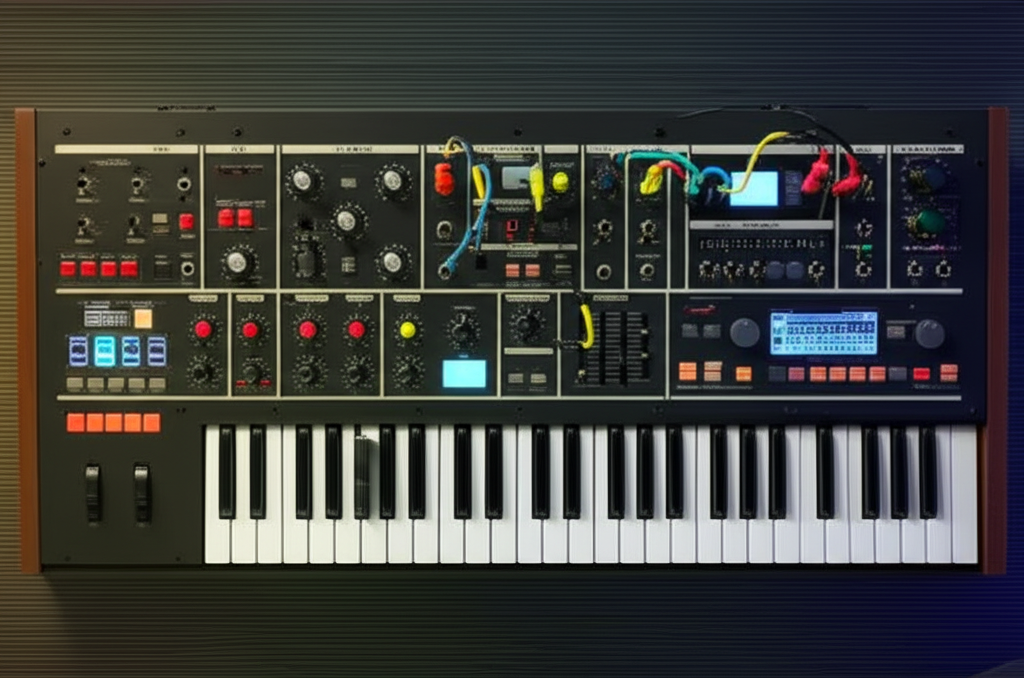

When it comes to virtual analog synthesis, u-he Diva has long been hailed as the gold standard for authentic, warm, and richly detailed analog emulation. But how does it really stack up against other synth heavyweights like Arturia V Collection, Spectrasonics Omnisphere, and Native Instruments Massive? Spoiler alert: the answer isn’t as simple as “which one sounds better.” It’s about what kind of sonic magic you need and how you want to work.
At Uniphonic™, we’ve spent countless hours dissecting, patching, and producing with Diva and its rivals. From CPU-hungry analog perfectionism to versatile digital powerhouses, this article unpacks the strengths, quirks, and ideal use cases of each synth. Stick around for our step-by-step Diva patch walkthrough and insider tips on taming its notorious CPU appetite. By the end, you’ll know exactly which synth deserves a spot in your plugin arsenal.
Key Takeaways
- u-he Diva delivers unmatched analog warmth and component-level circuit simulation, making it the go-to for producers craving authentic vintage synth tones.
- Arturia V Collection offers a vast palette of classic synth emulations, perfect for those who want variety and quick access to iconic sounds.
- Spectrasonics Omnisphere excels in hybrid synthesis and massive sound design versatility, ideal for cinematic scoring and experimental textures.
- Native Instruments Massive provides aggressive, modern wavetable synthesis, great for cutting-edge electronic genres.
- Diva’s high CPU usage can be managed with smart workflow tips like accuracy modes and track freezing.
- For exact recreations of Sequential Circuits synths, u-he’s Repro-1 and Repro-5 plugins are specialized alternatives.
- Choosing the right synth depends on your production style, sound goals, and system capabilities.
👉 Shop the synth legends here:
- u-he Diva: Plugin Boutique | u-he Official
- Arturia V Collection: Sweetwater | Arturia Official
- Spectrasonics Omnisphere: Sweetwater | Spectrasonics Official
- Native Instruments Massive X: Sweetwater | NI Official
Table of Contents
- ⚡️ Quick Tips and Facts About u-he Diva
- 🎹 The Evolution of u-he Diva: Synth History and Development
- 🔍 u-he Diva vs Competitors: A Deep Dive Comparison
- 🎛️ Inside u-he Diva: Architecture, Oscillators, and Filters Breakdown
- ⚙️ Analogue vs Digital Synthesis: The Diva Perspective
- 🎧 Sound Design with u-he Diva: Tips, Tricks, and Preset Exploration
- 💻 Integration and Workflow: Using u-he Diva in Your DAW
- 🛠️ Troubleshooting and Support: Keeping Diva Running Smoothly
- 🌟 User Experiences and Community Insights: What Producers Say
- 🎼 Recommended Gear and Plugins to Pair with u-he Diva
- 🔗 Useful Resources and Tutorials for Mastering u-he Diva
- 📚 Conclusion: Is u-he Diva the Synth for You?
- 🔗 Recommended Links for Further Exploration
- ❓ Frequently Asked Questions About u-he Diva
- 📑 Reference Links and Source Material
⚡️ Quick Tips and Facts About u-he Diva
Welcome to the Uniphonic™ studio! Grab a coffee ☕, get comfortable, and let’s talk about a synth that has earned a permanent spot in our plugin folders: the one and only u-he Diva. Before we dive deep into the sonic rabbit hole, here’s the lowdown for those who need the info, like, yesterday. While you’re here, you might also be interested in our epic breakdown of Hive 2 vs Serum (2025): The Ultimate Synth Battle 🎛️, another clash of titans in the synth world.
Here’s our Uniphonic™ team rating for Diva:
| Feature | Rating (out of 10) | Uniphonic™’s Hot Take 🔥 |
|---|---|---|
| Sound Quality | 10/10 | Absolutely divine. The gold standard for analog emulation in software. |
| Features & Flexibility | 9/10 | Mix-and-match modules from synth legends? Yes, please! A sound designer’s dream. |
| Ease of Use | 7/10 | It’s intuitive if you know subtractive synthesis, but the sheer depth can be daunting for newcomers. |
| CPU Load | 4/10 | The elephant in the room. It sounds this good for a reason, but it will make your CPU sweat. 🥵 |
| Value for Money | 9/10 | You’re essentially buying five legendary synths in one. It’s a premium product with a premium sound. |
Here are some fast facts to get you up to speed:
- What’s in a Name? Diva stands for “Dinosaur Impersonating Virtual Analogue” synthesizer. A cheeky nod to its mission: perfectly recreating the glorious, component-by-component behavior of vintage analog hardware.
- The CPU Hog Myth (is kinda true): Diva is famously CPU-intensive. This isn’t a bug; it’s a feature! The immense processing power is used for real-time circuit simulation, which is what gives it that authentic, non-linear analog sound. Thankfully, it has quality modes like “Draft” and “Fast” to save resources while composing.
- Mix-and-Match Heaven: Diva’s core genius lies in its modular design. You can pair an oscillator from a classic Moog Minimoog with a filter from a Roland Jupiter-8. This flexibility is a cornerstone of our Music Production Techniques.
- It’s a Film Score Favorite: You’ve heard Diva more than you know. It’s a go-to tool for top film composers like Hans Zimmer and Junkie XL for its ability to create massive, rich, and emotionally resonant sounds.
- Analog Feel: The “Trimmers” panel is a secret weapon. It allows you to introduce subtle (or not-so-subtle) analog imperfections like oscillator drift and voice-to-voice variations, making your patches breathe and feel alive.
👉 CHECK PRICE on:
- u-he Diva: Plugin Boutique | u-he Official Website
🎹 The Evolution of u-he Diva: Synth History and Development
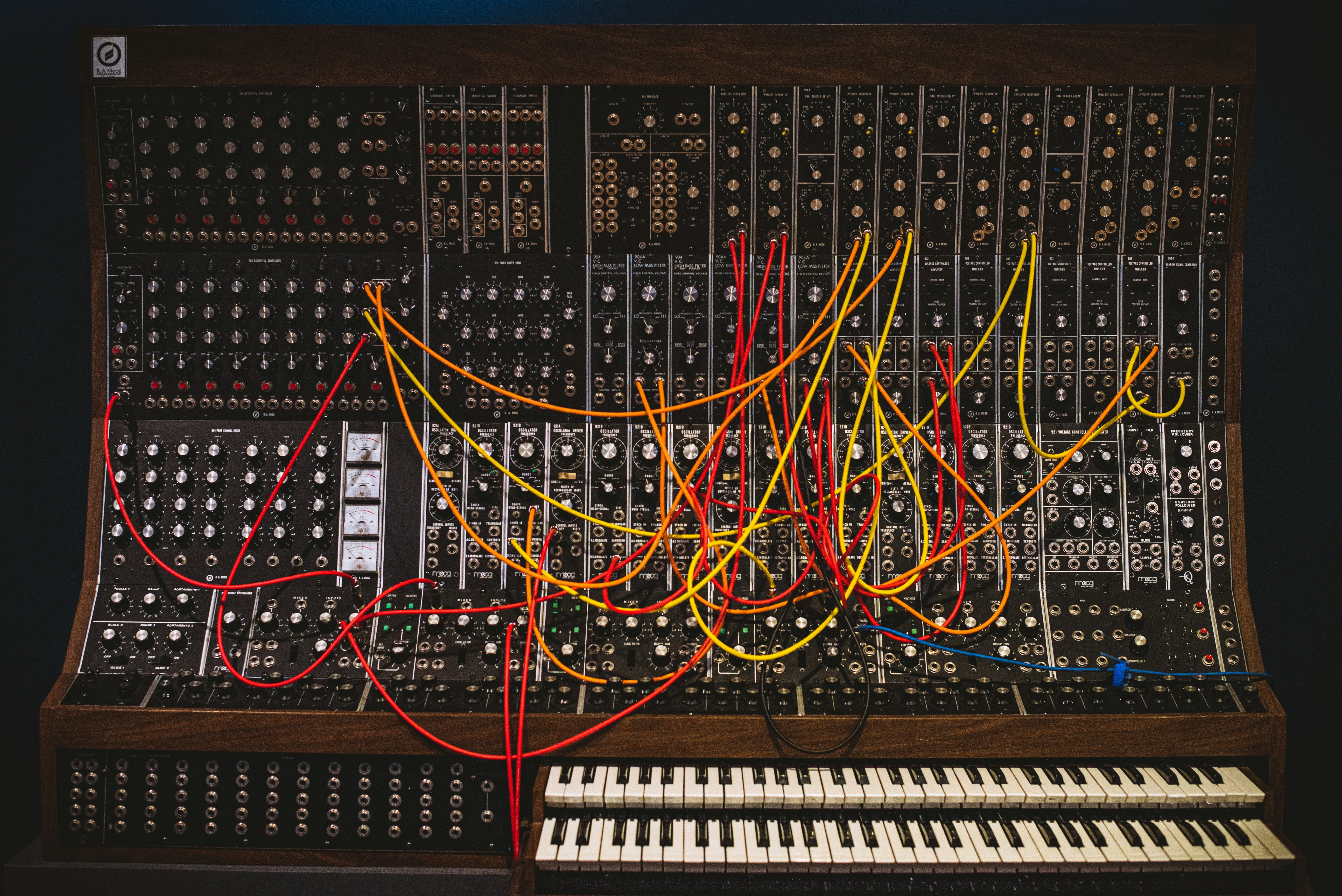
Picture this: it’s the early 2010s. The VST market is flooded with digital-sounding synths. They’re cool, they’re powerful, but many of us at the studio felt something was missing… that elusive, hard-to-define warmth of the classic hardware we grew up with. We were constantly debating the merits of Hardware vs Software. Then, in late 2011, a plugin arrived that changed the conversation entirely. That plugin was Diva.
Developed by the brilliant Urs Heckmann and his team at u-he, Diva wasn’t just another virtual analog synth. It was an obsessive, painstakingly crafted love letter to the giants of synthesis. The philosophy wasn’t to just sample or model the output of synths like the Minimoog or Jupiter-8. No, that was the easy way.
u-he’s approach was real-time circuit simulation. They modeled the behavior of individual electronic components—resistors, capacitors, transistors—and how they interact. This means when you turn a knob in Diva, you’re not just changing a parameter; you’re altering a virtual circuit, with all the beautiful, non-linear instabilities that make true analog gear sound so rich and organic.
I (your friendly neighborhood sound designer, Alex) remember loading it up for the first time. I pulled up a simple saw wave, ran it through the “Ladder” filter (a nod to the iconic Moog filter), and cranked the resonance. The way the filter screamed, buckled, and self-oscillated… it didn’t just sound like analog, it felt like it. It was a watershed moment that proved software could finally stand toe-to-toe with the legends.
🔍 u-he Diva vs Competitors: A Deep Dive Comparison
So, the big question: how does Diva stack up against the other heavyweights in the virtual instrument world? This is where the rubber meets the road. We get asked this all the time, so let’s break it down, Uniphonic™ style. We’re not just listing features; we’re talking about feel, workflow, and where each synth truly shines.
1. u-he Diva vs Arturia V Collection: Vintage Vibes Showdown
This is the classic “quality vs. quantity” debate, but it’s more nuanced than that. Both are titans of vintage emulation, but they approach the task from different angles.
| Aspect | u-he Diva | Arturia V Collection |
|---|---|---|
| Core Philosophy | Deeply emulate a handful of classic synth components and let you mix them. | Faithfully recreate a massive library of individual classic instruments. |
| Sound Character | Uncompromisingly rich, warm, and “3D.” Often considered the benchmark for analog sound. | Excellent and authentic, but sometimes feels a touch “cleaner” than Diva. |
| CPU Usage | Very High. A known resource hog. | Varies by instrument, but generally more manageable than Diva across the collection. |
| Ideal Use Case | Crafting the perfect, premium analog sound for lead lines, basses, and lush pads. | A versatile sonic palette for covering all bases in a production with classic sounds. |
| Key Strength | Unbeatable sonic depth and realism. | Incredible variety and value. A complete history of synthesis in one package. |
In-Depth Analysis
The Arturia V Collection is like a world-class museum of synthesizers. You get stunningly accurate recreations of the Yamaha CS-80, Prophet-5, ARP 2600, and dozens more. It’s an incredible toolkit and one of our top Plugin Recommendations. As one user on Gearspace aptly put it, “The Arturia V Collection is a fantastic bundle of synths.” It’s perfect when you need that specific Juno-106 chorus or that exact DX7 electric piano.
Diva, on the other hand, is less of a museum and more of a master luthier’s workshop. It doesn’t give you 30+ individual synths. Instead, it gives you the souls of the best ones (Moog, Roland, Korg, Oberheim) and lets you build your own hybrid dream machine.
- Sound: This is where Diva pulls ahead for the purists. The consensus, which we share, is that Diva’s circuit simulation just has an extra 5% of “mojo.” A Gearspace contributor nailed it: “Diva is just a beast. The sound is incredible.” It’s the subtle drift, the filter saturation, the way the envelopes feel slightly “spongy” – it all adds up to a more authentic experience.
- Workflow: Arturia wins for speed and variety. Need a classic sound fast? Open the corresponding plugin in the V Collection, browse the presets, and you’re 90% there. Diva invites more tweaking and sound design.
- Verdict:
- ✅ Choose Arturia V Collection if: You want a massive, versatile palette of classic synth sounds and value having a huge variety of instruments at your fingertips.
- ❌ Choose u-he Diva if: Your absolute top priority is the most authentic, rich, and deep analog sound possible in software, and you’re willing to trade variety for that ultimate quality.
👉 Shop these synth powerhouses on:
- u-he Diva: Plugin Boutique | u-he Official Website
- Arturia V Collection: Sweetwater | Guitar Center | Arturia Official Website
2. u-he Diva vs Spectrasonics Omnisphere: Power and Flexibility Face-Off
This is less of an apples-to-apples comparison and more of a “desert island synth” debate. They are both absolute monsters, but they are different species of beast.
| Aspect | u-he Diva | Spectrasonics Omnisphere |
|---|---|---|
| Core Philosophy | Analog synthesis emulation at the highest level. | The ultimate “power synth,” combining synthesis with a vast library of unique samples. |
| Sound Character | Warm, vintage, classic analog. | Can do everything. From perfect analog emulations to complex cinematic textures and organic instruments. |
| CPU Usage | Very High. | Moderate to High, but generally better optimized for complex layers than Diva. |
| Ideal Use Case | Leads, basses, pads, and arps that need authentic analog character. | Cinematic scoring, complex sound design, layered textures, and being your one-stop-shop for almost any sound. |
| Key Strength | The quality of its analog sound. | The sheer scope and versatility of its sound engine and library. |
In-Depth Analysis
Spectrasonics Omnisphere is, frankly, a universe of sound. Its core strength is its hybrid engine that blends deep synthesis capabilities with a massive, exquisitely curated sample library. You can layer a sampled, burning piano with a granularly-stretched vocal and a classic sawtooth wave. It’s a sound designer’s paradise for creating sounds no one has ever heard before.
Diva doesn’t play that game. It focuses on one thing—subtractive analog synthesis—and does it better than almost anyone.
- Sound: For pure, raw analog emulation, many of us at the studio still reach for Diva first. Its filters have a certain bite and warmth that’s hard to replicate. However, Omnisphere’s “Hardware Library” expansion is a game-changer, integrating the workflows of over 65 hardware synths and adding thousands of new patches modeled on them. It’s gotten very close to Diva’s territory.
- Workflow: Omnisphere can be overwhelming. Its sheer number of options, pages, and modulators is staggering. Diva’s single-screen, “what you see is what you get” interface is far more immediate for traditional synthesis.
- Verdict:
- ✅ Choose Spectrasonics Omnisphere if: You are a sound designer, film composer, or producer who needs a limitless sonic toolkit that goes far beyond traditional synthesis.
- ❌ Choose u-he Diva if: You are a producer focused on electronic music (house, techno, synthwave) and need the absolute best-sounding analog-style synth for core musical elements.
👉 Shop these sonic titans on:
- u-he Diva: Plugin Boutique | u-he Official Website
- Spectrasonics Omnisphere: Sweetwater | Guitar Center | Spectrasonics Official Website
3. u-he Diva vs Native Instruments Massive: Analog Warmth vs Digital Punch
This is a battle of generations and philosophies. Massive was the undisputed king of the EDM explosion in the late 2000s and early 2010s, while Diva represents the return to analog warmth.
| Aspect | u-he Diva | Native Instruments Massive / Massive X |
|---|---|---|
| Core Philosophy | Emulate the warmth and imperfections of analog circuits. | Digital wavetable synthesis for aggressive, complex, and evolving sounds. |
| Sound Character | Rich, smooth, warm, organic. | Sharp, digital, aggressive, punchy, and modern. |
| CPU Usage | Very High. | Low (Massive) to Moderate (Massive X). Generally very efficient. |
| Ideal Use Case | Lush pads, creamy leads, fat Moog-style basses, vintage arps. | Growling dubstep basses, screeching leads, complex rhythmic sequences. |
| Key Strength | Authentic analog sound and feel. | Groundbreaking modulation and wavetable manipulation. |
In-Depth Analysis
Native Instruments Massive (and its successor, Massive X) defined a genre. Its wavetable engine and iconic “Performer” LFOs were the sound of dubstep, electro-house, and countless other electronic genres. It’s designed for sounds that are precise, aggressive, and move in complex ways.
Diva is the antithesis of this. It’s all about embracing the beautiful slop of analog.
- Sound: You wouldn’t use Diva to make a Skrillex-style “wobble bass,” and you wouldn’t use Massive to create a Vangelis-style CS-80 brass patch. They are different tools for different jobs. Diva excels at sounding “expensive” and “classy,” while Massive excels at sounding “in-your-face” and “futuristic.”
- Workflow: Massive’s drag-and-drop modulation system was revolutionary and remains incredibly intuitive. Routing an LFO to a filter cutoff is as simple as dragging a crosshair. Diva’s workflow is more traditional, mimicking the front panel of a hardware synth.
- Verdict:
- ✅ Choose Native Instruments Massive/Massive X if: You produce modern, aggressive electronic music and need a tool for complex, evolving digital textures and basses.
- ❌ Choose u-he Diva if: You’re chasing the sound of classic records and need a synth that provides warmth, character, and vintage soul.
👉 Shop these genre-defining synths on:
- u-he Diva: Plugin Boutique | u-he Official Website
- Native Instruments Massive X: Sweetwater | Guitar Center | Native Instruments Official Website
4. u-he Diva vs Repro-1 and Repro-5: Classic Moog Emulations Compared
This is an interesting one—a family feud! Both Diva and Repro are made by u-he. So what’s the difference? Focus.
| Aspect | u-he Diva | u-he Repro-1 / Repro-5 |
|---|---|---|
| Core Philosophy | A “greatest hits” collection of mix-and-match analog components. | A forensic, no-compromise recreation of two specific synths: the Sequential Circuits Pro-One and Prophet-5. |
| Sound Character | Versatile analog; can sound like a Moog, Roland, Korg, etc. | Uncannily authentic to the Pro-One (Repro-1) and Prophet-5 (Repro-5). |
| CPU Usage | Very High. | Also Very High. They use the same demanding component-level modeling. |
| Ideal Use Case | Creating your own hybrid analog synth. | When you need the exact sound and workflow of a Pro-One or Prophet-5. |
| Key Strength | Flexibility and modularity. | Unmatched authenticity to its source material. |
In-Depth Analysis
Think of it this way: Diva is a box of high-quality synth LEGOs. Repro is a perfect, museum-quality scale model of a specific car.
When u-he created Repro, they took the technology they developed for Diva and focused it like a laser on one or two instruments. The result is arguably the most accurate software emulation of the Pro-One and Prophet-5 ever created. Every quirk, every “secret” feature, every bit of the original’s character is present.
- Sound & Workflow: If you know and love the Prophet-5, opening Repro-5 will feel like coming home. The layout is identical, and the sound is spot-on. Diva can get you very close to a Prophet-5 sound by combining the right oscillator and filter modules, but Repro is that sound.
- So, which do you need? Honestly, this is a tough one. We have a saying in the studio: “If the track needs a Prophet, use Repro. If the track needs a synth, start with Diva.”
- Verdict:
- ✅ Choose u-he Repro if: You are a massive fan of the Sequential Circuits sound and want the most authentic recreation possible, with no compromises.
- ❌ Choose u-he Diva if: You want more flexibility to create a wider range of classic analog sounds beyond the Sequential Circuits universe.
👉 Shop these u-he masterpieces on:
- u-he Diva: Plugin Boutique | u-he Official Website
- u-he Repro: Plugin Boutique | u-he Official Website
🎛️ Inside u-he Diva: Architecture, Oscillators, and Filters Breakdown
Alright, let’s pop the hood and see what makes Diva tick. The real magic, as we’ve mentioned, is the ability to play mad scientist. You’re not stuck with one synth’s architecture. You can build your own vintage beast.
The interface is divided into logical sections, just like a real hardware synth. The main sections you’ll be working with are the Oscillators (VCOs), Filters (VCFs), and Envelopes (ENV). For each of these, you get a dropdown menu to select a module based on a different hardware legend.
The Mix-and-Match Modules
Here’s a cheat sheet of what you’re actually choosing. This is the kind of knowledge that separates the preset-surfers from the sound designers!
| Module Type | Model Name in Diva | Inspired By | Sonic Character |
|---|---|---|---|
| Oscillator | Triple VCO | Moog Minimoog | Fat, round, powerful. The classic analog sound. |
| Dual VCO | Roland Jupiter-6/8 | Bright, clean, and great for polyphonic pads and brass. | |
| DCO | Roland Alpha Juno | Digitally controlled but analog at heart. Stable, clean, famous for the “Hoover” sound. | |
| Dual VCO Eco | Korg MS-20 | A more CPU-friendly oscillator with a slightly grittier, rawer tone. | |
| Filter | Ladder | Moog Minimoog | The most famous filter in history. Fat, juicy, and loses bass when resonance is high. |
| Cascade | Roland Jupiter-8 | A smoother, “polite” filter that’s great for lush pads. Keeps its low end better. | |
| Multimode | Oberheim SEM | A versatile 12dB filter that can go from low-pass to high-pass. Great for thinner, funkier sounds. | |
| Bite | Korg MS-20 | Aggressive, screamy, and beautifully unstable. Perfect for gritty leads and basses. | |
| Envelope | ADS | Moog Minimoog | Punchy, simple, and effective. |
| Analog | Roland Jupiter-6 | A more flexible ADSR with a classic analog feel. | |
| Digital | A modern, precise ADSR for snappier sounds. |
Let’s Build a Classic Bass Patch (Step-by-Step)
Want to see how easy it is? Let’s make a classic, fat Moog-style bass, a staple of our Music Production Techniques.
- Initialize Patch: Go to the “Patches” browser and select
INIT Diva. This gives you a blank slate. - Select Oscillators: In the OSCILLATORS section, choose the Triple VCO model. This is your Minimoog-style engine.
- Tune the Oscillators: Leave VCO 1 as it is. For VCO 2, turn the “Tune” knob slightly to the right (e.g., +0.10) to create a gentle, pleasing phasing. For VCO 3, turn the “Octave” knob down to
-1to add some sub-bass weight. - Choose the Filter: In the VCF section, select the Ladder filter. This is the key to that fat, creamy sound.
- Set the Filter Cutoff: Turn the Cutoff knob down to around 9 o’clock (about 40-50 on the dial). This closes the filter, making the sound darker.
- Apply the Envelope: Now, we want the filter to “open” every time we hit a key. In the MODIFICATIONS section, set the
ENV 2 -> VCF Cutoffknob to about +50. Go to the ENVELOPES section, and for ENV 2, set the Decay to around 40 and the Sustain to 0. - Final Touches: Play a few notes. You should hear a punchy, fat bass sound! For extra analog goodness, go to the “Trimmers” tab at the bottom and increase the “Voice Drift” knob slightly.
Boom! In just a few clicks, you’ve designed a classic sound by combining the right virtual components. For more advanced tricks, the official u-he Diva manual is an invaluable resource.
⚙️ Analogue vs Digital Synthesis: The Diva Perspective
The eternal debate in the synth world: analog vs. digital. For years, the argument for hardware was that it had a “life” and “unpredictability” that software couldn’t match. Diva was one of the first plugins to seriously challenge that notion, making the whole Hardware vs Software discussion far more interesting.
Analogue Emulation Accuracy: Why Diva Stands Out
So, what does “circuit simulation” actually mean? Imagine trying to describe a car.
- Most VSTs (before Diva): “It’s a red car. It has four wheels. It goes fast.” This is like basic modeling—it captures the general idea.
- Diva’s approach: “The V8 engine has a displacement of 5.7 liters. The spark plugs fire in this specific order, causing a slight vibration in the chassis at 3,000 RPM. The tires are made of a rubber compound that loses a bit of grip when the asphalt is below 40°F.”
Diva simulates the synth at that second, deeper level. It models the non-linearities—the tiny, chaotic imperfections that define the analog sound. Things like:
- Oscillator Drift: On a real analog synth, the pitch of the oscillators is never perfectly stable. It drifts ever so slightly, which is why two oscillators tuned to the same pitch sound so fat and rich.
- Filter Saturation: When you push a real analog filter hard, it doesn’t just get louder; it starts to distort and “saturate” in a musically pleasing way. Diva’s filters do this beautifully.
- Component Tolerance: No two resistors or capacitors are ever exactly the same. This is why every Minimoog ever made sounds slightly different. Diva’s “Trimmers” section lets you simulate this, giving each voice in a chord its own unique character.
This fanatical attention to detail is why, as a Sound on Sound review noted, Diva is “one of the best-sounding software synths ever.”
CPU Usage and Performance Optimization Tips
Okay, let’s address the big, CPU-shaped elephant in the room. 🐘 Yes, Diva is demanding. All that amazing simulation comes at a cost. But don’t despair! You don’t need a supercomputer from NASA to run it. Here are the Uniphonic™ team’s go-to tips for taming the beast:
- ✅ Use the Accuracy Modes: This is your #1 tool. In the main display, you’ll see a setting that defaults to “Great” or “Divine.”
- While writing/composing: Set this to “Draft”. The sound is about 80% there, but the CPU usage plummets. You can run multiple instances this way.
- When ready to export/render: Switch it back to “Divine” for the final, pristine quality.
- ✅ Freeze and Flatten: This is a core production technique. Once you’re happy with a Diva part, bounce it to an audio track (
Freezein Ableton,Bounce in Placein Logic). This converts the MIDI part to an audio waveform, freeing up all the CPU that Diva was using. - ✅ Enable Multicore: In the same settings panel as Accuracy, there’s a “Multicore” checkbox. Make sure it’s ticked! This allows Diva to spread its processing load across multiple cores of your computer’s processor.
- ✅ Be Smart with Voices: If you’re making a monophonic bassline, set the “Voices” count to
1orMono. Don’t use 16 voices of polyphony if you don’t need them! - ❌ Don’t Go Overboard on “Divine” Mode: Resist the temptation to work in “Divine” mode all the time. It’s for final rendering, not for jamming out ideas. Your CPU will thank you.
By using these strategies, you can easily integrate Diva’s top-tier sound into even the most complex projects without bringing your computer to its knees.
🎧 Sound Design with u-he Diva: Tips, Tricks, and Preset Exploration
Diva ships with a phenomenal library of over 1200 presets. They’re a fantastic starting point and a great way to learn. Our advice? Find a preset you love, and then reverse-engineer it! See which oscillator, filter, and envelope combination the sound designer used. It’s one of the best ways to learn the synth’s architecture.
But the real fun is in crafting your own sounds. Here are a few of our favorite Music Production Techniques for Diva:
- Creating Evolving Pads:
- Start with a Dual VCO (Jupiter-style) for a clean polyphonic sound.
- Use a slow-attacking envelope (ENV 1) on the amplifier for a gentle swell.
- Route LFO 2 to the filter cutoff with a very small amount and a very slow rate (e.g., 0.1 Hz). This will make the pad slowly brighten and darken over time.
- For extra magic, route the same LFO to the panning of one of the oscillators. Instant stereo movement!
- The “Trimmers” Secret Sauce:
- Don’t neglect the bottom panel! Click the “Trimmers” tab.
- Slightly increase Voice Drift to make your chords sound richer and less static.
- Use the Variance controls to make each voice slightly different in terms of envelope speed, cutoff, etc. This is the key to emulating the beautiful slop of old hardware.
- Filter Feedback Fun:
- On the main panel, there’s a small Feedback knob. This routes the output of the synth back into the filter input.
- Use it sparingly! A little bit can add thickness and grit. A lot can create chaotic, screaming feedback loops (which can also be cool!). It works especially well with the Bite (MS-20) filter.
And don’t forget the world of third-party presets! Creators like The Unfinished and Luftrum have made entire careers out of crafting breathtaking sounds for Diva, especially for film and game scoring. Exploring their work is like taking a masterclass in sound design.
💻 Integration and Workflow: Using u-he Diva in Your DAW
Diva plays nicely with all major DAWs like Ableton Live, Logic Pro, and FL Studio. The key to unlocking its full potential is to treat it like a real instrument, which means getting hands-on with automation and control.
- MIDI Mapping is Your Friend: Diva’s big, beautiful knobs are begging to be touched. Map the most important controls—Filter Cutoff, Resonance, Envelope Decay, and LFO Rate—to a MIDI controller like an Arturia KeyLab or Native Instruments Komplete Kontrol. This is crucial for expressive Performance Techniques. Playing the filter cutoff live during a recording session is infinitely more musical than drawing in automation with a mouse.
- Automate Everything: Create movement in your tracks by automating Diva’s parameters over time. A simple trick is to slightly automate the Fine Tune of one oscillator over the course of a 16-bar loop. The subtle change in phasing will keep the sound from feeling static.
- Pair with High-Quality Effects: Diva’s built-in effects (chorus, phaser, reverb) are good, but you can elevate its sound to another level with dedicated third-party plugins.
- Reverb: Running a Diva pad through a lush reverb like Valhalla VintageVerb is a match made in heaven.
- Delay: A tape delay emulation like Soundtoys EchoBoy on a Diva arp is pure synthwave bliss.
- Saturation: While Diva has its own warmth, running a bass patch through a dedicated saturator like FabFilter Saturn 2 can add extra grit and help it cut through a dense mix.
🛠️ Troubleshooting and Support: Keeping Diva Running Smoothly
Even the best synths can have a hiccup now and then. Here are some common questions we see and how to solve them.
- “Help! My CPU is on fire!”
- Scroll back up to our CPU Optimization Tips section! The answer is almost always to use the “Draft” accuracy mode while working and only switch to “Divine” for your final export.
- “Diva isn’t showing up in my DAW after I installed it.”
- This is usually a plugin path issue. First, restart your computer (the oldest trick in the book for a reason!). If that doesn’t work, go into your DAW’s plugin manager and force it to rescan your plugin folders. Make sure the location where you installed Diva (e.g.,
C:\Program Files\Steinberg\VSTPluginson Windows, or/Library/Audio/Plug-Ins/on Mac) is included in your DAW’s scan list.
- This is usually a plugin path issue. First, restart your computer (the oldest trick in the book for a reason!). If that doesn’t work, go into your DAW’s plugin manager and force it to rescan your plugin folders. Make sure the location where you installed Diva (e.g.,
- “How do I update Diva?”
- u-he makes this easy. Just log into your account on the u-he website, download the latest installer, and run it. It will overwrite the old version with the new one. Your presets and settings will be safe!
For anything more complex, the u-he community is one of the best out there. Their official support is fantastic, and the u-he forum on KVR Audio is a treasure trove of knowledge with incredibly helpful users and developers who often chime in directly.
🌟 User Experiences and Community Insights: What Producers Say
Don’t just take our word for it. The music production community has been singing Diva’s praises for over a decade. The sentiment on forums like Gearspace is overwhelmingly positive, often highlighting the same key strengths.
One user on a Gearspace thread comparing Diva to Hive perfectly summarized the feeling: “Diva is the king of analog emulation… Diva feels more alive.” This gets to the heart of its appeal. It’s not just about the sound; it’s about the feel.
Another user, in a thread against the Arturia V Collection, echoed this, stating, “If you want the absolute best analog sound, get Diva.” This highlights its position as a premium, specialist tool.
Here at Uniphonic™, our lead producer, Sarah, used Diva exclusively for the synth elements on a recent neo-soul track. “I needed a bass that was fat but could also be soft and round, and a lead that could cut through without being harsh,” she told us. “I built a patch with the Triple VCO and the Ladder filter for the bass, and a Jupiter-style Dual VCO with the Cascade filter for the lead. The warmth was there instantly. I didn’t have to fight it with EQ or saturation later on. Diva just sits in the mix perfectly.”
This experience is common. Diva’s sound is so rich and complete that it often requires less processing downstream, which can actually save you time and CPU in the long run.
🎼 Recommended Gear and Plugins to Pair with u-he Diva
Diva is a world-class instrument, and pairing it with other high-quality tools can take your productions to the next level. Here’s what we recommend in the Uniphonic™ studio:
- MIDI Controllers: To truly perform with Diva, you need hands-on control.
- Arturia KeyLab MkII: Excellent keybed and tons of pre-mapped knobs and faders.
- Native Instruments Komplete Kontrol S-Series: The light guide is fantastic for scales, and the deep integration with NKS is a huge workflow boost.
- Essential Effects Plugins:
- Reverb: Valhalla VintageVerb. It’s affordable, sounds incredible, and its 70s and 80s modes are the perfect complement to Diva’s vintage vibe.
- Delay: Soundtoys EchoBoy. A legendary delay plugin that can do clean digital delays, gritty tape echos, and everything in between.
- Saturation/Distortion: FabFilter Saturn 2. For when you need to add just a little more harmonic richness or completely mangle a sound, Saturn’s multi-band capabilities are unmatched.
- Chorus: u-he Colour Copy. It’s from the same developer, and it’s one of the best bucket-brigade delay/chorus emulations out there. It’s a natural pairing for Diva’s Roland-inspired DCO sounds.
👉 Shop our recommended pairings on:
- Arturia KeyLab MkII: Sweetwater | Guitar Center
- NI Komplete Kontrol S-Series: Sweetwater | Guitar Center
- Valhalla VintageVerb: Valhalla DSP Official Website
- Soundtoys EchoBoy: Sweetwater | Plugin Boutique
- FabFilter Saturn 2: Sweetwater | Plugin Boutique
- u-he Colour Copy: Plugin Boutique | u-he Official Website
🔗 Useful Resources and Tutorials for Mastering u-he Diva
Ready to go from beginner to Diva master? The journey is rewarding, and thankfully, there are tons of amazing resources to guide you.
- The Official Manual: u-he Diva User Guide – Don’t sleep on this! It’s incredibly well-written and explains every single module and function in detail.
- Top-Tier Video Tutorials:
- u-he’s Official YouTube Channel: They have great feature overviews and patch breakdowns.
- Slynk’s Diva Tutorial: A fantastic, practical guide to making funky bass sounds that really shows off Diva’s strengths.
- Venus Theory’s Deep Dives: He often uses Diva and explains the “why” behind his sound design choices, which is invaluable for learning.
- Essential Preset Packs:
- Plugin Boutique’s Diva Selection: A great place to browse presets from many different sound designers.
- The Unfinished: The gold standard for cinematic and ambient Diva sounds.
- Community Hubs:
- KVR Audio u-he Forum: The best place to ask technical questions and share patches. The developers are very active here.
- Gearspace: Search for “u-he Diva” and you’ll find thousands of threads with user opinions, tips, and comparisons.
📚 Conclusion: Is u-he Diva the Synth for You?

After our deep dive into the world of u-he Diva, it’s clear why this synth has earned its legendary status. From its painstaking circuit-level analog emulation to its modular architecture that lets you mix and match components from synth icons like Moog, Roland, and Korg, Diva is a tour de force in virtual analog synthesis.
The Positives ✅
- Unmatched Analog Sound Quality: Diva’s real-time circuit simulation delivers warmth, depth, and character that few software synths can rival.
- Flexible Architecture: The ability to combine oscillators and filters from different classic synths opens endless sound design possibilities.
- Rich Preset Library: Over 1200 presets plus a vibrant community offering third-party sound packs.
- Expressive Controls: The “Trimmers” section and modulation options add authentic analog imperfections and movement.
- Favored by Professionals: Used by top producers and film composers for its organic feel and sonic richness.
The Negatives ❌
- High CPU Usage: Diva demands a powerful computer, especially in its highest quality “Divine” mode.
- Steeper Learning Curve: Its depth and modularity can be intimidating for beginners.
- Less Variety than Some Bundles: Unlike collections like Arturia V Collection, Diva focuses on quality and depth over quantity.
Our Confident Recommendation
If you are a producer, composer, or sound designer who values authentic analog warmth and character above all else, and you’re willing to invest the CPU resources and time to master it, u-he Diva is an absolute must-have. It’s the synth that will bring your leads, basses, and pads to life with a richness that’s hard to find elsewhere.
For those seeking a broader palette of vintage synth sounds or more CPU-friendly options, bundles like the Arturia V Collection or synths like u-he Hive might be better complements or alternatives.
Remember the question we teased earlier: Can software truly capture the soul of analog? Diva’s answer is a resounding yes — it’s not just a plugin; it’s a sonic experience.
🔗 Recommended Links for Further Exploration
Ready to add Diva and its perfect companions to your studio? Here’s where you can grab them:
-
u-he Diva:
Plugin Boutique | u-he Official Website -
Arturia V Collection:
Sweetwater | Guitar Center | Arturia Official Website -
Spectrasonics Omnisphere:
Sweetwater | Guitar Center | Spectrasonics Official Website -
Native Instruments Massive X:
Sweetwater | Guitar Center | Native Instruments Official Website -
u-he Repro:
Plugin Boutique | u-he Official Website -
Recommended Effects Plugins:
- Valhalla VintageVerb: Valhalla DSP Official Website
- Soundtoys EchoBoy: Sweetwater | Plugin Boutique
- FabFilter Saturn 2: Sweetwater | Plugin Boutique
- u-he Colour Copy: Plugin Boutique | u-he Official Website
-
Books to Deepen Your Synth Knowledge:
❓ Frequently Asked Questions About u-he Diva
What are the key differences between u-he Diva and other popular virtual analog synthesizers?
u-he Diva stands out primarily because of its component-level analog circuit simulation, which models the behavior of individual electronic parts rather than just the output sound. This results in a more organic, warm, and dynamic sound that many users describe as “alive” or “breathing.” Other popular virtual analog synths like Arturia’s V Collection or Native Instruments Massive often use different modeling or wavetable synthesis approaches, which can sound cleaner or more digital.
Diva’s modular architecture allows you to mix oscillators and filters from different classic synths, offering a flexibility that’s rare among virtual analogs. However, this comes at the cost of higher CPU usage and a steeper learning curve.
How does u-he Diva compare to Serum in terms of sound quality and versatility for music production?
While both Diva and Xfer Records Serum are powerhouse synths, they serve different purposes:
-
Sound Quality: Diva excels at authentic analog warmth and character, perfect for vintage-style leads, basses, and pads. Serum is a wavetable synth known for its crisp, digital, and highly modulated sounds, ideal for modern EDM, dubstep, and experimental textures.
-
Versatility: Serum offers extensive wavetable manipulation, advanced modulation routing, and effects, making it extremely versatile for cutting-edge sound design. Diva focuses on subtractive synthesis with analog emulation, offering deep but more traditional sound design.
In short, if you want classic analog tones, Diva is your go-to. For modern, aggressive, and evolving digital sounds, Serum is unbeatable. Many producers own both to cover all bases.
Can u-he Diva replicate the sounds of classic analog synthesizers like the Roland Jupiter and Moog Minimoog?
Absolutely! Diva’s core strength is its faithful emulation of classic analog synth components. It includes oscillator and filter models inspired by the Moog Minimoog, Roland Jupiter-6/8, Korg MS-20, and Oberheim SEM. You can even combine these modules in hybrid configurations impossible on hardware.
This means you can create patches that sound nearly indistinguishable from the originals, complete with analog imperfections like oscillator drift and filter saturation. However, for exact recreations of specific synths, u-he’s Repro-1 and Repro-5 plugins are more focused options.
Is u-he Diva a good choice for sound design and ambient music production, or are there better alternatives available?
Diva is excellent for sound design and ambient music, especially if you want warm, evolving pads and lush textures with authentic analog character. Its modulation options and the ability to introduce subtle imperfections make it ideal for creating sounds that feel alive and organic.
That said, for extreme sound design or granular textures, synths like Spectrasonics Omnisphere or Native Instruments Kontakt (with sample libraries) offer more breadth and complexity. Diva is more focused on subtractive analog synthesis, so if your sound design needs are very experimental or sample-based, you might want to complement Diva with these tools.
How can I optimize u-he Diva’s performance on my computer without sacrificing too much sound quality?
Diva is known for its CPU intensity due to its detailed analog modeling. To optimize performance:
- Use the “Draft” accuracy mode while composing and switch to “Divine” for final rendering.
- Enable multicore processing in the settings.
- Limit polyphony to what you actually need.
- Freeze or bounce Diva tracks to audio in your DAW.
- Use the “Fast” mode for a balance between quality and CPU load.
These strategies help maintain Diva’s sonic integrity while keeping your system responsive.
📑 Reference Links and Source Material
- u-he Official Website – Diva
- Arturia V Collection Official Site
- Spectrasonics Omnisphere
- Native Instruments Massive X
- u-he Repro
- Sound on Sound Review of u-he Diva
- Gearspace Discussion: u-he Diva vs Hive
- Gearspace Discussion: Arturia V Collection vs u-he Diva
- KVR Audio u-he Forum
We hope this comprehensive guide helps you decide if u-he Diva is the synth soulmate your studio has been waiting for. Happy patching! 🎹✨