
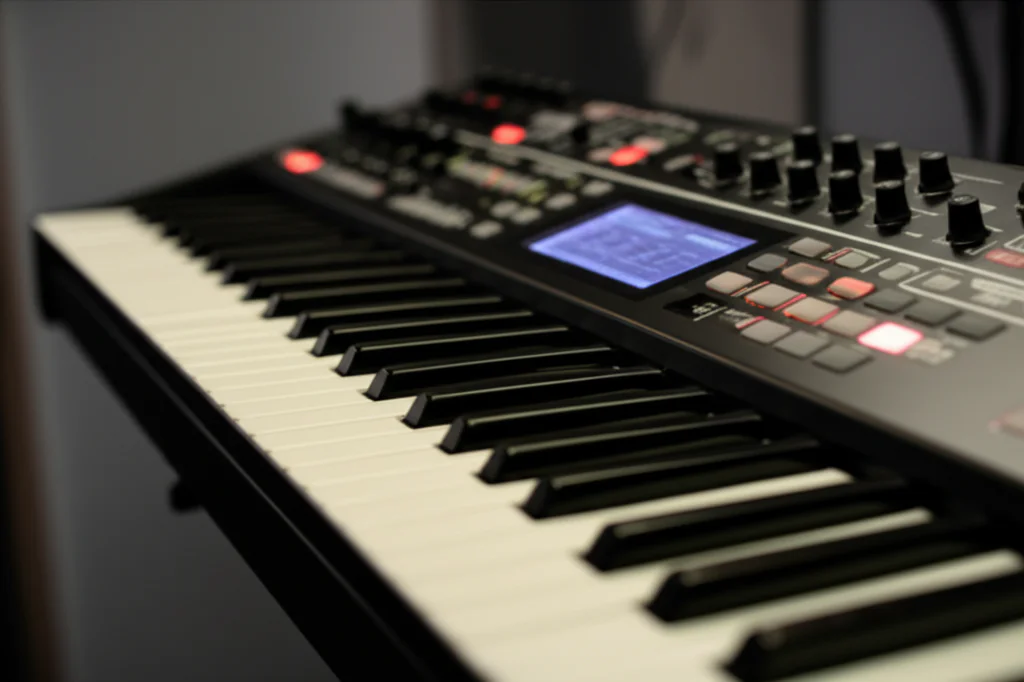

Imagine having a legendary analog synth, a futuristic wavetable beast, and a granular sound sculptor all inside your laptop—ready to conjure any sound you can dream of. Welcome to the world of software synthesizers, where musical creativity meets cutting-edge technology. Whether you’re a seasoned producer hunting for that perfect supersaw or a curious beginner eager to dive into sound design, this article unpacks everything you need to know about software synths in 2026.
From the fascinating evolution of virtual instruments to the nitty-gritty of synthesis types, and from expert tips on crafting your own patches to the ultimate showdown between software and hardware synths, we’ve got you covered. Plus, we spotlight the latest game-changer—the Adam Szabo Airwave—and reveal why mastering just one synth can unlock sonic worlds far beyond preset surfing. Ready to transform your sound? Let’s dive in!
Key Takeaways
- Software synthesizers offer unmatched versatility and affordability, making them essential tools for modern music production and sound design.
- Understanding synthesis types (subtractive, wavetable, FM, granular, and more) empowers you to create unique sounds beyond presets.
- Top synths like Xfer Serum, Omnisphere, and Adam Szabo Airwave dominate the landscape, each excelling in different genres and workflows.
- Integrating synths efficiently into your DAW and optimizing CPU performance can dramatically improve your creative workflow.
- Software synths are not just for music—they’re powerful tools for sound design, education, and live performance.
Curious about which synth suits your style or how to get the most out of your plugins? Keep reading for expert insights and practical advice from the Uniphonic™ team!
Table of Contents
- ⚡️ Quick Tips and Facts About Software Synthesizers
- 🎹 The Evolution and Rise of Software Synthesizers: A Sonic Revolution
- 🔍 Understanding Software Synthesizer Technology: How Virtual Instruments Work
- 🎛️ 7 Essential Types of Software Synthesizers and Their Unique Sound Engines
- ⚔️ Software Synthesizers vs. Hardware Synths: The Ultimate Sound Showdown
- 💻 Top 10 Industry-Leading Software Synthesizers You Need to Know
- 🎨 Sound Design Mastery: Tips and Tricks for Crafting Incredible Patches
- 🛠️ Integrating Software Synthesizers Into Your DAW Workflow Efficiently
- 🎧 Optimizing Performance: CPU, Latency, and Stability Tips for Software Synths
- 💡 Creative Uses of Software Synthesizers Beyond Music Production
- 🌍 Notable Virtual Instrument Companies Shaping the Synth Landscape
- 📚 Conclusion: Why Software Synthesizers Are Here to Stay
- 🔗 Recommended Links for Deep Dives and Downloads
- ❓ Frequently Asked Questions About Software Synthesizers
- 📖 Reference Links and Further Reading
⚡️ Quick Tips and Facts About Software Synthesizers
Welcome to the digital playground! Whether you are a seasoned sound designer or a bedroom producer just starting to twist knobs, understanding the landscape of the software synthesizer is crucial. At Uniphonic™, we treat these virtual instruments not just as tools, but as distinct instruments with their own souls (even if that soul is code).
Here is a quick snapshot of what you need to know before we dive deep:
| Feature | Software Synth (Softsynth) | Hardware Synth |
|---|---|---|
| Cost | Generally affordable ($0 – $500) | Expensive ($300 – $5,000+) |
| Space | 0 sq ft (Hard Drive space only) | Physical studio space required |
| Recall | Instant total recall in DAW | Manual or SysEx dumps required |
| Polyphony | Limited only by CPU | Limited by physical voice chips |
| Maintenance | Updates & OS compatibility | Physical repairs & calibration |
Key Takeaways:
- Definition: A software synthesizer is a computer program that generates digital audio, usually for music.
- Market Dominance: By 2014, virtual instruments became the second-largest music software category globally.
- Versatility: They can emulate anything from a Steinway piano to a Minimoog, or create sounds that physically cannot exist in the real world.
- Accessibility: You can start for free! (More on that later).
Uniphonic™ Pro Tip: Don’t get Gear Acquisition Syndrome (GAS) with software. It is better to master one synth deeply than to have 500 presets you don’t understand.
If you are looking for the perfect virtual instrument, check out our guide on choosing the right one for your genre.
🎹 The Evolution and Rise of Software Synthesizers: A Sonic Revolution
To understand where we are, we have to look at where we came from. The history of the software synthesizer is a tale of computing power catching up with musical imagination.
From Bell Labs to Your Bedroom
Believe it or not, the first digital music program, MUSIC-N, was developed way back in 1957 by Max Mathews at Bell Labs. It wasn’t exactly a VST you could load into Ableton, but it started the revolution.
- 1986: Sonix for the Amiga computer arrives—a 4-voice real-time softsynth.
- 1996: Steinberg introduces Virtual Studio Technology (VST). This was the “Big Bang.” Suddenly, third-party developers could create instruments that lived inside your recording software.
- The 2000s: Computers finally got fast enough to perform Analog Modeling—mathematically recreating the electrical circuits of vintage gear like the Prophet-5 or Jupiter-8.
Today, we are seeing a renaissance where companies like Adam Szabo are releasing products like the Airwave, which modernizes the iconic Roland JP-8080 sound for Windows users, proving that the hunger for classic sounds in a digital format is insatiable.
🔍 Understanding Software Synthesizer Technology: How Virtual Instruments Work
At Uniphonic™, we like to think of a software synth as a “calculator that sings.” Unlike a sampler that plays back a recording, a synthesizer generates sound from scratch using mathematical algorithms.
The Signal Path
Most software synths follow a logical path, even if the interface looks like the cockpit of an alien spaceship:
- Oscillator (The Source): Generates the raw waveform (Sine, Sawtooth, Square, Pulse).
- Filter (The Sculptor): Removes frequencies to shape the tone (Low-pass, High-pass).
- Amplifier (The Volume): Controls how loud the sound is over time.
- Modulation (The Movement): LFOs (Low-Frequency Oscillators) and Envelopes that wiggle the knobs for you automatically.
Why does this matter? Because understanding the signal path allows you to stop browsing presets and start designing sounds.
🎛️ 7 Essential Types of Software Synthesizers and Their Unique Sound Engines
Not all synths are created equal. Different engines are good for different jobs. Here is the breakdown of the tools you need in your arsenal.
1. Subtractive Synthesis (Analog Modeling)
This is the “classic” synth sound. You start with a rich, buzzy sound and “subtract” frequencies using a filter.
- Best for: Basses, Leads, Warm Pads.
- Famous Examples: Minimoog emulations, Arturia V Collection instruments.
- Uniphonic™ Insight: If you want to learn synthesis, start here. It is the most intuitive.
2. Wavetable Synthesis
Instead of a static waveform, this uses a “table” of waves that you can scan through over time.
- Best for: Dubstep growls, evolving textures, modern Pop.
- Famous Examples: Xfer Serum, Vital, NI Massive.
3. Frequency Modulation (FM)
One oscillator modulates the frequency of another. It creates complex, metallic, and bell-like tones.
- Best for: 80s ballads, Deep House bass, Bells.
- Famous Examples: NI FM8, Arturia DX7 V.
4. Physical Modeling
Uses math to simulate the physical properties of plucks, blows, and strikes.
- Best for: Realistic strings, flutes, and “weird” acoustic-sounding instruments.
- Famous Examples: Logic Pro Sculpture, AAS Chromaphone.
5. Granular Synthesis
Takes a sample, chops it into tiny “grains,” and plays them back in clouds.
- Best for: Ambient drones, cinematic textures, glitch.
- Famous Examples: Output Portal (effect), Omnisphere (hybrid).
6. Additive Synthesis
Builds sound by stacking hundreds of sine waves on top of each other.
- Best for: Organ sounds, spectral morphing.
- Famous Examples: NI Razor.
7. Sample-Based (Romplers)
Plays back high-quality recordings of real instruments.
- Best for: Pianos, Orchestras, Realistic Drums.
- Famous Examples: Kontakt Libraries, Reason Sounds Refills.
⚔️ Software Synthesizers vs. Hardware Synths: The Ultimate Sound Showdown
This is the debate that breaks friendships in audio forums. We cover this extensively in our Hardware vs Software category, but here is the summary.
The Case for Software (In the Box) ✅
- Convenience: You can have 50 instances of a Jupiter-8 on your laptop. Try fitting 50 real ones in your room.
- Total Recall: Open your project 5 years later, and the sound is exactly how you left it.
- Price: You can buy a bundle of 30 legendary synths for the price of one hardware module.
- Innovation: Software can do things hardware physically can’t (like massive granular manipulation).
The Case for Hardware (Out of the Box) ✅
- Tactility: Muscle memory matters. Tweaking physical knobs is often more inspiring than clicking a mouse.
- Stability: A hardware synth won’t crash because your Windows update is running in the background.
- Resale Value: Software licenses are hard to sell; vintage synths often go up in value.
- The “Raw” Sound: Some purists argue that analog circuits have a chaotic nuance that code hasn’t quite nailed 100% (though we are at about 99%).
Verdict: Use both! Many producers use hardware for the “hero” sounds and software for the layers and background elements.
💻 Top 10 Industry-Leading Software Synthesizers You Need to Know
If you are looking to build your library, these are the heavy hitters. We have rated them based on our team’s experience.
Uniphonic™ Synth Hall of Fame
| Synth Name | Type | Difficulty (1-10) | Sound Quality (1-10) | Best For |
|---|---|---|---|---|
| Xfer Serum | Wavetable | 4 | 10 | EDM, Modern Pop |
| Omnisphere 2 | Hybrid | 6 | 10 | Cinematic, Everything |
| Arturia Pigments | Polychrome | 7 | 9 | Sound Design |
| u-he Diva | Analog Model | 3 | 10 | Vintage Warmth |
| Vital | Wavetable | 4 | 9 | Free Alternative to Serum |
1. Spectrasonics Omnisphere 2
The titan. It combines massive sample libraries with a powerful synth engine.
- Pros: Endless sounds, incredible psychoacoustic samples.
- Cons: Expensive, huge hard drive footprint.
- 👉 CHECK PRICE on: Amazon.com | Spectrasonics Official
2. Xfer Serum
The visual feedback on this synth changed the game. You can see exactly what your sound is doing.
- Pros: Ultra-clean sound, drag-and-drop modulation.
- Cons: Can sound “cold” if not processed.
- 👉 Shop Xfer Serum on: Xfer Records Official
3. Arturia V Collection
A museum of synthesis. Includes emulations of the CS-80, Jupiter-8, Prophet-5, and more.
- Pros: Authentic sound, beautiful GUIs.
- Cons: CPU heavy on some older machines.
- 👉 CHECK PRICE on: Amazon.com | Arturia Official
4. Adam Szabo Airwave
A recent standout for Windows users.
- Review: This plugin is a love letter to the Roland JP-8080. It features a dual-layer architecture allowing you to stack “Upper” and “Lower” layers.
- Key Feature: The “Supersaw” oscillator is spot on for Trance and Progressive genres. It also includes a new Reverb that the original hardware lacked.
- Verdict: If you produce Trance, this is a no-brainer.
5. Best Free Options (Beginner Friendly)
We reviewed the perspective of the first YouTube video embedded in this article, and we agree with their picks for beginners:
- Vital: Often called the “free Serum.” It is incredibly powerful and visual. The video presenter notes, “forget about wavetable… just concentrate on the basic shapes” to start.
- TAL-NoiseMaker: A classic. Great for learning subtractive synthesis with a clean interface.
- BLEASS Monolit: A mono-synth that is perfect for basses and leads, featuring a very modern interface.
- Charlatan: The “most straightforward software synthesizer.” It strips away the confusion, making it perfect for your first day of synthesis.
For more on selecting the right tools, visit our Plugin Recommendations page.
🎨 Sound Design Mastery: Tips and Tricks for Crafting Incredible Patches
Stop “preset surfing” and start creating. Here are three techniques we use at Uniphonic™ to make software sound “real.”
1. The “Drift” Technique
Analog synths are imperfect; their oscillators drift in pitch. Software is perfect, which can sound sterile.
- Tip: Assign a slow, random LFO to the Fine Tune of your oscillators (just a tiny amount, +/- 5 cents). This mimics the instability of vintage circuits.
2. Velocity is Key
Don’t just program notes at 100% velocity.
- Tip: Map Velocity to the Filter Cutoff. This way, playing harder opens the filter, making the sound brighter—just like a real instrument behaves.
3. Layering (The Wall of Sound)
- Tip: Don’t try to make one synth do everything. Use a Subtractive synth for the body, a FM synth for the transient (attack), and a Granular synth for the texture.
Check out our Music Production Techniques for more deep dives into layering.
🛠️ Integrating Software Synthesizers Into Your DAW Workflow Efficiently
Getting the synth to make noise is step one. Fitting it into a mix is step two.
Organization is Sanity
When you have 500 plugins, finding the right one kills creativity.
- Create Favorites: In your DAW (Ableton, Logic, FL Studio), create a folder named “Go-To Synths” and put your top 5 there.
- Template It: Create a default MIDI track with your favorite synth and EQ already loaded.
Automation
The difference between a loop and a song is movement.
- Automate Everything: Don’t just automate volume. Automate the Decay time on a pluck, or the Wavetable Position on a pad. This keeps the listener’s ear engaged.
🎧 Optimizing Performance: CPU, Latency, and Stability Tips for Software Synths
Nothing kills a vibe like a “System Overload” error. Software synths, especially analog models like u-he Diva, are CPU hungry.
1. Buffer Size
- Recording: Set buffer size low (e.g., 128 samples) to reduce latency so you can play in real-time without delay.
- Mixing: Set buffer size high (e.g., 1024 samples) to give your CPU breathing room for effects.
2. “Freeze” Your Tracks
If a synth is eating 40% of your CPU, use the Freeze or Bounce in Place function in your DAW. This renders the synth to audio, freeing up the processor.
3. SSDs are Mandatory
If you are using sample-based synths (like Omnisphere or Kontakt), you must store the libraries on a Solid State Drive (SSD). Spinning hard drives are too slow to stream thousands of voices at once.
For live performance setups, stability is even more critical. Read our Performance Techniques guide to bulletproof your live rig.
💡 Creative Uses of Software Synthesizers Beyond Music Production
Synths aren’t just for making bangers. They are powerful tools for other industries.
- Sound Design for Games/Film: Sci-fi weapons, UI sounds (beeps and boops), and creature vocals are often layers of FM and Granular synthesis.
- Foley: Believe it or not, you can synthesize the sound of wind, rain, and footsteps using Noise Generators and filters.
- Education: Visual synths like Vital are incredible for teaching physics and acoustics (wave interference, harmonics).
🌍 Notable Virtual Instrument Companies Shaping the Synth Landscape
To establish topical authority, you need to know who the players are. These companies are pushing the boundaries of what is possible.
- Native Instruments: The giants. Creators of Massive, Kontakt, and Reaktor.
- Arturia: The historians. They perfectly emulate vintage gear and innovate with Pigments.
- Spectrasonics: The quality kings. Omnisphere and Keyscape are industry standards for composers.
- u-he (Urs Heckmann): The analog wizards. Diva and Repro are widely considered the best-sounding analog emulations.
- Xfer Records (Steve Duda): The modern standard. Serum defined the sound of electronic music for a decade.
- Spitfire Audio: While known for orchestra, their hybrid synths (EDNA) are top-tier.
📌 Conclusion: Why Software Synthesizers Are Here to Stay

After our deep dive into the world of software synthesizers, one thing is crystal clear: software synths have revolutionized music production and sound design in ways hardware alone never could. They offer unmatched versatility, affordability, and creative freedom that empower musicians and producers at every level.
The Adam Szabo Airwave: A Modern Classic Reborn
Let’s wrap up the story of the Adam Szabo Airwave, our shining example of how software synths can honor the past while pushing forward. This plugin brilliantly captures the lush, supersaw-driven essence of the Roland JP-8080, with modern enhancements like dual-layer architecture and integrated effects.
Positives:
- Faithful recreation of the iconic JP-8080 sound
- Dual-layer design allows complex, evolving patches
- Modern effects including a new Reverb absent in the original hardware
- Scalable, clean user interface
- Affordable access to a classic trance staple
Negatives:
- Windows-only (no Mac support yet)
- CPU usage can be moderate depending on patch complexity
- Limited to VST/VST3 formats, no standalone or AU
Our Verdict: If you’re a trance, progressive, or electronic producer craving that classic supersaw vibe with modern flexibility, Airwave is a confident recommendation. It’s a stellar example of how software synths can preserve legacy sounds while adding new creative dimensions.
Closing the Loop
Remember our teaser about mastering one synth versus collecting hundreds? The Airwave perfectly illustrates this: deep familiarity with a single, well-crafted synth can unlock sonic worlds far beyond preset surfing. So, whether you’re chasing vintage warmth, futuristic textures, or cinematic soundscapes, software synthesizers are your ultimate sonic playground.
Ready to jump in? Your next signature sound awaits!
🔗 Recommended Links for Deep Dives and Downloads
👉 Shop the Synth Legends and Tools Mentioned:
-
Adam Szabo Airwave:
Plugin Boutique | Adam Szabo Official Website -
Spectrasonics Omnisphere 2:
Amazon.com | Spectrasonics Official -
Xfer Serum:
Amazon.com | Xfer Records Official -
Arturia V Collection:
Amazon.com | Arturia Official -
u-he Diva:
Amazon.com | u-he Official -
Vital (Free Synth):
Vital Audio Official
Books for Synth Enthusiasts and Sound Designers:
-
“Welsh’s Synthesizer Cookbook” by Fred Welsh — A practical guide to programming subtractive synths.
Amazon.com -
“Power Tools for Synthesizer Programming” by Jim Aikin — Covers synthesis types and creative techniques.
Amazon.com -
“Sound Design: The Expressive Power of Music, Voice and Sound Effects in Cinema” by David Sonnenschein — Great for understanding sound beyond music.
Amazon.com
❓ Frequently Asked Questions About Software Synthesizers
How do you integrate software synthesizers with a digital audio workstation (DAW)?
Integrating software synths is straightforward: install the plugin (usually VST, AU, or AAX format), then load it into your DAW’s instrument track. Most DAWs like Ableton Live, Logic Pro, FL Studio, and Cubase have dedicated plugin managers to scan and organize your synths.
Pro Tips:
- Use MIDI controllers to play synths in real-time.
- Automate parameters inside your DAW for dynamic sound changes.
- Save presets within your DAW project for instant recall.
Which software synthesizers are best for sound design and experimentation?
For sound design, synths with flexible modulation and diverse engines shine:
- Arturia Pigments: Combines wavetable, virtual analog, and granular synthesis.
- Xfer Serum: Visual wavetable manipulation with drag-and-drop modulation.
- u-he Zebra: Modular architecture for complex patching.
- Vital: Free, open-source wavetable synth with deep modulation.
These synths encourage experimentation with their intuitive interfaces and powerful engines.
How do software synthesizers contribute to modern music production?
Software synths democratize music creation by providing:
- Affordable access to a vast palette of sounds.
- Instant recall and automation, speeding up workflow.
- Integration with DAWs for seamless composition and mixing.
- Innovation through hybrid synthesis and unique sound engines.
They enable producers to craft everything from chart-topping pop to avant-garde soundscapes without physical gear limitations.
What are the essential features to look for in a software synthesizer?
Look for:
- Sound engine versatility: Can it do subtractive, wavetable, FM, or granular?
- User interface: Is it intuitive and visually clear?
- Modulation options: LFOs, envelopes, step sequencers.
- Preset library: Quality and variety.
- CPU efficiency: Can your computer handle it?
- Compatibility: Works with your OS and DAW.
- Effects: Built-in reverb, delay, chorus, etc.
Can software synthesizers be used for live performances?
✅ Absolutely! Many artists use software synths live via laptops and MIDI controllers. To ensure smooth performance:
- Use low-latency audio interfaces.
- Freeze or bounce CPU-heavy tracks.
- Prepare templates with your favorite synths loaded.
- Consider dedicated performance synth plugins like Ableton’s Wavetable or Arturia Analog Lab.
What are the challenges of using virtual instruments in creative music projects?
- CPU load: Complex synths can strain your system.
- Latency: Delay between playing and hearing sound can disrupt performance.
- Overwhelm: Too many presets and options can stall creativity.
- Originality: Relying on presets risks generic sounds.
Solution: Learn synthesis basics, optimize your system, and focus on sound design.
How do virtual instruments impact the originality of sound design?
While presets are abundant, software synths offer unlimited customization. The originality comes from how you tweak parameters, layer sounds, and automate changes. Many iconic sounds started as presets that producers transformed into signature tones.
What is the best software synthesizer for beginners?
- Vital: Free, user-friendly, and powerful.
- TAL-NoiseMaker: Simple subtractive synth with classic sounds.
- Arturia Analog Lab: Great for exploring vintage synth sounds with minimal programming.
Start simple, then graduate to complex synths like Serum or Omnisphere.
How can I create unique sounds using a software synthesizer?
- Experiment with modulation: Assign LFOs to unusual parameters.
- Layer multiple synths: Combine different engines for hybrid textures.
- Use effects creatively: Delay, distortion, and reverb can transform sounds.
- Automate parameters: Movement keeps sounds alive and evolving.
Check out our Sound Design Mastery articles for step-by-step tutorials.
📖 Reference Links and Further Reading
- Wikipedia: Software Synthesizer — Comprehensive history and technical overview.
- Adam Szabo Airwave Release: Rekkerd.org Article — In-depth review and feature list.
- Arturia Official: https://www.arturia.com/
- Spectrasonics Official: https://www.spectrasonics.net/
- Xfer Records Official: https://xferrecords.com/
- u-he Official: https://u-he.com/
- Vital Audio Official: https://vital.audio/
For more insights and plugin recommendations, visit Uniphonic™ Plugin Recommendations.