
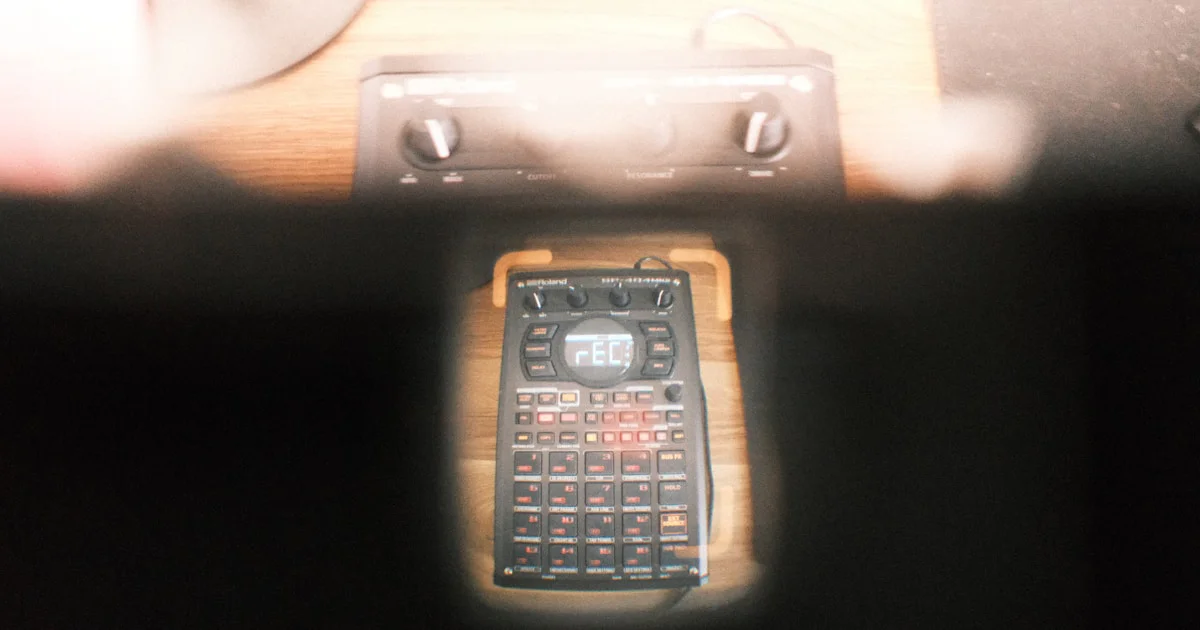

Sampling instruments have revolutionized music production, transforming snippets of sound into entire sonic landscapes. From the gritty 12-bit crunch of vintage hardware to the limitless possibilities of modern software samplers, these tools are the Swiss Army knives of producers and sound designers alike. But what makes a sampler truly great? How do you choose the right one for your style? And what hidden techniques can unlock your creative potential?
Stick around—we’ll reveal the top sampling instruments you need to know in 2026, share insider tips from Uniphonic™’s team of musicians and engineers, and even dive into the future of AI-driven sampling. Did you know that some of the most iconic tracks in music history were built on samples that were chopped, flipped, and transformed beyond recognition? Sampling isn’t just copying; it’s sonic alchemy.
Ready to elevate your production game? Let’s get sampling!
Key Takeaways
- Sampling instruments range from tactile hardware like the Akai MPC One+ to powerful software samplers like Native Instruments Kontakt 7.
- Choosing the right sampler depends on your workflow, whether you prefer hands-on beatmaking, sound design, or live performance.
- Creative sampling techniques such as chopping, layering, and resampling can transform ordinary sounds into extraordinary textures.
- Legal clearance is essential—don’t risk your tracks by using uncleared samples.
- Future trends include AI-generated samples and cloud-based collaboration, promising exciting new frontiers for producers.
Dive deeper into our expert reviews and tips to master the art of sampling instruments and make your next track a masterpiece!
Table of Contents
- ⚡️ Quick Tips and Facts About Sampling Instruments
- 🎶 The Evolution of Sampling Instruments: From Tape Loops to Digital Wizards
- 🎛️ What Are Sampling Instruments? Understanding the Basics and Types
- 🎚️ 1. Top 10 Sampling Instruments and Samplers for Music Production
- 🎧 2. Hardware vs Software Samplers: Pros, Cons, and When to Use Each
- 🎹 3. How to Choose the Right Sampling Instrument for Your Style and Workflow
- 🔍 4. Sampling Techniques and Tips: Unlocking Creative Potential
- 🛠️ 5. Essential Accessories and Add-Ons for Sampling Instruments
- 💾 6. Best Sample Libraries and Packs to Supercharge Your Sampling
- 🎵 7. Famous Tracks Made with Sampling Instruments: Inspiration and Case Studies
- 🔧 8. Maintenance and Troubleshooting Tips for Sampling Instruments
- 💡 9. Future Trends in Sampling Instruments: AI, Machine Learning, and Beyond
- 🎤 Sampling Instruments in Live Performance: Setup and Best Practices
- 🎚️ Sampling Instruments and Copyright: What You Need to Know
- 📚 Recommended Reading and Resources for Sampling Enthusiasts
- 🔗 Useful Links to Sampling Instruments, Software, and Tutorials
- 📝 Conclusion: Mastering the Art of Sampling Instruments
- 🔗 Recommended Links
- 📑 Reference Links
⚡️ Quick Tips and Facts About Sampling Instruments
Welcome to the world of sonic manipulation! Whether you are a seasoned producer or just starting to explore the vast universe of a virtual instrument, understanding sampling is key to modern music production. At Uniphonic™, we believe sampling is the bridge between the past and the future of sound.
Here is the “Too Long; Didn’t Read” version to get you started:
- Definition: A sampling instrument (or sampler) is a device or software that records, stores, and plays back audio samples. These can be anything from a drum hit to a snippet of a jazz record.
- Hardware vs. Software: Hardware (like the Akai MPC) offers tactile control and “grit,” while software (like Native Instruments Kontakt) offers virtually unlimited storage and editing precision.
- The “Golden Era”: The 12-bit crunch of the E-mu SP-1200 defined the sound of 90s Hip Hop.
- Legal Check: ⚠️ Always clear your samples if you are using copyrighted material! “Fair use” is a slippery slope in the music industry.
- Sample Rate Matters: Standard CD quality is 44.1kHz/16-bit, but many modern samplers support up to 96kHz for pristine audio manipulation.
- Key Insight: Sampling isn’t just copying; it’s re-contextualizing. As the saying goes, “Good artists borrow, great artists steal (and flip it).”
Quick Stats Table:
| Feature | Vintage Hardware (e.g., MPC60) | Modern Hardware (e.g., MPC X) | Software Sampler (e.g., Kontakt) |
|---|---|---|---|
| Sampling Time | Seconds (13.1s max!) | Hours (SSD storage) | Limited only by RAM/Disk |
| Fidelity | 12-bit / 40kHz (Gritty) | 24-bit / 96kHz (Clean) | Up to 32-bit float |
| Workflow | Tactile, Ear-focused | Hybrid (Touchscreen + Pads) | Visual, Mouse-focused |
| Portability | ❌ Heavy / Bulky | ✅ Portable options available | ✅ Laptop required |
🎶 The Evolution of Sampling Instruments: From Tape Loops to Digital Wizards
To understand where we are going, we have to look at where we’ve been. The history of sampling is a wild ride of innovation, accidental discoveries, and very expensive machinery.
The Analog Age: Musique Concrète and The Mellotron
Long before digital code, the French pioneers of Musique Concrète in the 1940s were cutting and splicing physical magnetic tape to create new sounds. It was tedious, sticky work. Then came the Mellotron in the 60s—arguably the first “sampler.” It used a bank of magnetic tapes, one for each key. When you pressed a key, it pulled a tape head across a strip of tape recording a violin or flute.
- Fun Fact: The Beatles’ “Strawberry Fields Forever” features the iconic Mellotron flute sound.
The Digital Revolution: Fairlight and the MPC
In the late 70s, the Fairlight CMI arrived. It was the first digital sampler, costing as much as a house (around $25,000 – $100,000 depending on the config). It allowed artists like Kate Bush and Peter Gabriel to record sounds and play them back chromatically.
Then, the game changed forever with the Akai MPC60 and the E-mu SP-1200. These machines brought sampling to the masses (well, the slightly wealthier masses). They introduced the concept of “groove” and “swing,” becoming the heartbeat of Hip Hop and House music.
The Modern Era: Infinite Possibilities
Today, we live in a golden age. You can have a sampler on your phone that is more powerful than a room full of 1980s gear. But has the infinite choice paralyzed our creativity? (We’ll get to that later).
🎛️ What Are Sampling Instruments? Understanding the Basics and Types
When you type “sampling instruments” into a search engine, you might get a confusing mix of results. Let’s clear the air immediately.
Resolving the Conflict: Music vs. Science
If you look at scientific literature, such as the data from YSI (Xylem) or the National Institutes of Health (PMC), a “sampling instrument” is a tool used to collect data or physical matter for analysis.
- Scientific Context: According to YSI’s product overview, instruments like the ProDSS are used for water quality testing, measuring pH and turbidity. Similarly, a PMC article on research methods defines sampling instruments as surveys, questionnaires, or biophysiological measures used to ensure “data reliability and validity.”
- Musical Context: For us at Uniphonic™, a sampling instrument is a device that captures audio “data” (sound waves) to be manipulated artistically.
Why does this matter? Believe it or not, the principles are similar!
- Garbage In, Garbage Out: Just as a scientist needs a clean water sample to get accurate data, a producer needs a clean audio recording (high signal-to-noise ratio) to create a great instrument.
- Resolution: Scientists care about measurement precision; musicians care about bit depth and sample rate.
- Representation: A researcher wants a sample that represents the population; a sound designer wants a sample that captures the essence of the instrument (e.g., the attack of a piano key).
Types of Musical Sampling Instruments
- One-Shot Samplers: Designed to play single hits (drums, FX). Think drum machines.
- Chromatic Samplers: Take a single sound and pitch it across the keyboard so you can play melodies.
- Slicing Samplers: Automatically chop a loop (like a drum break) into individual hits.
- Granular Samplers: Break audio into tiny “grains” to create cloud-like textures.
🎚️ 1. Top 10 Sampling Instruments and Samplers for Music Production
We’ve tested them all. Here is the Uniphonic™ definitive list of the best tools to chop, screw, and loop your way to glory.
Uniphonic™ Expert Ratings
| Rank | Product | Type | Workflow Rating (1-10) | Creative Potential (1-10) | Best For |
|---|---|---|---|---|---|
| 1 | Akai Professional MPC One+ | Standalone Hardware | 9.5 | 9.0 | The complete studio in a box. |
| 2 | Native Instruments Maschine+ | Standalone/Hybrid | 9.0 | 9.0 | Beatmakers who love NI sounds. |
| 3 | Elektron Octatrack MKII | Hardware Performance | 6.0 (Steep curve!) | 10.0 | Live performance mangling. |
| 4 | Roland SP-404MKII | Portable Hardware | 8.5 | 8.0 | Lo-fi beats and FX performance. |
| 5 | Ableton Push 3 | Standalone/Controller | 9.5 | 9.5 | Ableton Live users. |
| 6 | Teenage Engineering OP-1 Field | Portable Synth/Sampler | 8.0 | 9.0 | Traveling sound designers. |
| 7 | 1010music Blackbox | Compact Hardware | 8.5 | 8.0 | Minimalist setups. |
| 8 | Native Instruments Kontakt 7 | Software | 7.0 | 10.0 | Deep orchestral/cinematic sampling. |
| 9 | Serato Sample | Software Plugin | 10.0 | 7.5 | Fast, intuitive chopping. |
| 10 | Korg Volca Sample 2 | Budget Hardware | 7.5 | 6.0 | Beginners on a budget. |
Detailed Analysis
1. Akai Professional MPC One+
The King of the hill. The Akai Professional MPC One+ brings the legendary MPC workflow into the modern era without needing a computer.
- Pros: ✅ Classic 16-pad layout, massive touchscreen, CV/Gate for modular gear.
- Cons: ❌ Can feel a bit like a computer in a box.
- Our Take: If you want to produce full tracks without looking at email notifications, this is it.
2. Roland SP-404MKII
The cult classic returns. The Roland SP-404MKII is the holy grail for Lo-Fi hip hop.
- Pros: ✅ Battery powered, legendary effects (Vinyl Sim, DJFX Looper), fast boot time.
- Cons: ❌ Sequencer is quirky compared to an MPC.
- Our Take: It’s an instrument you play, not just program. The effects are part of the sound design process.
3. Native Instruments Kontakt 7
The industry standard for software sampling.
- Pros: ✅ Access to thousands of third-party libraries, incredibly deep scripting.
- Cons: ❌ The interface is aging; building your own instruments is complex.
- Our Take: Essential for film composers and anyone needing realistic acoustic emulations.
(For more on software choices, check out our guide on Hardware vs Software)
🎧 2. Hardware vs Software Samplers: Pros, Cons, and When to Use Each
The age-old debate! Do you want to click a mouse or smash a pad?
Hardware Samplers (The “Real” Feel)
- Pros:
- Muscle Memory: You learn the machine, not the software update.
- Sound: Many older units have unique converters that color the sound (warmth, grit).
- Stability: Less likely to crash mid-set than a laptop.
- Cons:
- Cost: Generally more expensive.
- Editing: Chopping samples on a small screen can be tedious.
Software Samplers (The Digital Powerhouses)
- Pros:
- Storage: Terabytes of samples at your fingertips.
- Visual Feedback: See the waveform clearly; precise editing is a breeze.
- Integration: Seamlessly fits into your DAW (Digital Audio Workstation).
- Cons:
- Option Paralysis: Too many choices can kill the vibe.
- Latency: Dependent on your computer’s audio buffer settings.
Verdict: We recommend a hybrid approach. Use software for detailed editing and library management, and hardware for performance and “sketching” ideas.
🎹 3. How to Choose the Right Sampling Instrument for Your Style and Workflow
Not all samplers are created equal, and neither are musicians. Here is how to pick your weapon based on your persona.
The “Boom Bap” Purist
You love J Dilla, Pete Rock, and dusty vinyl.
- Recommendation: Akai MPC or Roland SP-404MKII. You need pads that feel good and a workflow that encourages swinging rhythms.
The Sound Designer / Experimentalist
You want to mangle audio until it’s unrecognizable.
- Recommendation: Elektron Octatrack or 1010music Blackbox. These machines excel at real-time time-stretching and granular synthesis.
The Film Composer
You need realistic orchestras and massive libraries.
- Recommendation: NI Kontakt or UVI Falcon. You need the scripting power and RAM handling of a computer.
- Tip: Check our Plugin Recommendations for specific libraries.
The Live Performer
You need reliability and improvisation tools.
- Recommendation: Ableton Push 3 or Elektron Digitakt. These allow for seamless transitions and improvisation without stopping the music.
🔍 4. Sampling Techniques and Tips: Unlocking Creative Potential
Sampling is an art form. It’s not just about pressing record; it’s about finding the “ghost” in the machine.
1. The Art of “Chopping”
Don’t just loop a 4-bar measure. Slice it up! Take the snare from the end of the bar and put it at the start. Reverse the hi-hats. Create a new melody from the horn stabs.
2. Layering for Texture
A single violin sample might sound thin. But what if you layer it?
- Featured Video Insight: As demonstrated in the first YouTube video embedded in this article, you can create incredible textures by sampling a simple instrument like a violin. The creator shows how to layer multiple instances—some plucked, some bowed—inside a DAW like Bitwig. By embracing imperfections and using tools like Baby Audio’s “Crystalline,” you can transform a raw recording into a lush, cinematic soundscape. The key takeaway? Experimentation beats perfection.
3. Resampling (The “Inception” Method)
Apply effects to your sample (distortion, reverb), then sample that sound again. Now you have a new waveform with the effects baked in, which you can chop and manipulate further. This is how the gritty basslines of Drum & Bass are often made.
4. Time-Stretching vs. Pitch-Shifting
- Old School: Pitching a sample down made it longer (and darker).
- New School: Algorithms allow you to change pitch without changing speed, or vice versa.
- Pro Tip: Sometimes the “bad” artifacts of old-school stretching sound better musically!
(Learn more in our Music Production Techniques section).
🛠️ 5. Essential Accessories and Add-Ons for Sampling Instruments
You bought the sampler, but you aren’t done yet. Here is the survival kit.
- Field Recorders: You can’t sample the world without a mic. The Zoom H5 4-Track Portable Recorder is an industry favorite for capturing ambient sounds, trains, and nature.
- Turntables: For the vinyl purists. The Audio-Technica AT-LP120XUSB allows you to rip vinyl directly to USB or your computer.
- High-Quality Cables: Don’t ruin a great sample with a buzzing cable. Invest in Mogami or Hosa Pro cables.
- Decksavers: Protect your investment from dust and spills.
- Storage: Fast SSD drives are mandatory for modern sample libraries.
💾 6. Best Sample Libraries and Packs to Supercharge Your Sampling
Sometimes you don’t have time to go field recording. That’s where libraries come in.
- Splice Sounds: The Netflix of samples. Millions of one-shots and loops available for a monthly fee.
- Loopmasters: The veterans of the game. High-quality, genre-specific packs.
- Spitfire Audio: The kings of orchestral sampling. Their “LABS” series is free and incredible.
- Uniphonic™ Favorites: We often discuss specific packs in our Reason Sounds category.
Warning: ⚠️ Don’t become a “preset zombie.” Use these packs as a starting point, then mangle them until they are yours.
🎵 7. Famous Tracks Made with Sampling Instruments: Inspiration and Case Studies
Need proof that sampling is powerful?
- Daft Punk – “One More Time”: Heavily sampled Eddie Johns’ “More Spell on You.” They didn’t just loop it; they chopped it into micro-segments to create a new melody.
- The Prodigy – “Smack My Bitch Up”: A masterclass in sampling. Liam Howlett sampled everything from Kool & the Gang to Rage Against the Machine, blending them so seamlessly it sounds like a single band.
- Kanye West – “Stronger”: Sampled Daft Punk (who sampled Eddie Johns). It’s samples all the way down!
- Burial – “Archangel”: Used SoundForge to pitch-shift vocal samples to create an androgynous, haunting lead melody that defined the Dubstep/Garage genre.
🔧 8. Maintenance and Troubleshooting Tips for Sampling Instruments
Keep your gear running like a well-oiled machine.
- Cleaning Pads: Finger oils destroy sensitivity over time. Use a microfiber cloth and a tiny bit of isopropyl alcohol (check your manual first!).
- Data Management:
- Backup: If it doesn’t exist in three places, it doesn’t exist.
- File Naming:
Kick_Final_Final_v3.wavis a bad habit. Use descriptive names:Kick_808_Distorted_KeyC.wav.
- CPU Overload: If your software sampler is stuttering, try increasing the “Buffer Size” in your audio settings. You’ll get more latency, but smoother playback.
💡 9. Future Trends in Sampling Instruments: AI, Machine Learning, and Beyond
The robots are here, and they have rhythm.
- Stem Separation: Tools like Serato Sample and iZotope RX can now un-bake a cake. You can feed them a mixed song, and they will separate the vocals, drums, bass, and instruments. This is a game-changer for sampling!
- AI Generation: Text-to-Audio is emerging. Imagine typing “A sad trumpet in a cathedral” and getting a unique sample generated instantly.
- Cloud Collaboration: Samplers that sync to the cloud instantly, allowing you to start a beat on the subway and finish it in the studio without transferring files.
🎤 Sampling Instruments in Live Performance: Setup and Best Practices
Taking your samples to the stage? Here is how to avoid the dreaded silence.
- Redundancy: Always have a backup. If your laptop dies, do you have a phone with a backing track ready to go?
- Load Times: Ensure your samples are loaded into RAM before the song starts. Nobody wants to wait 30 seconds for a piano patch to load.
- Sync: If playing with a drummer, give them a click track. If they drift, your loops will sound like shoes in a dryer.
- Performance Techniques: Don’t just hit play. Use filters, beat repeats, and FX to make the samples feel “live.”
(Dive deeper into stage prep in our Performance Techniques section).
🎚️ Sampling Instruments and Copyright: What You Need to Know
We are musicians, not lawyers, but here is the reality check.
- The Myth: “You can use 5 seconds for free.” ❌ False. Even a split second of a copyrighted recording requires clearance.
- Clearance: This involves getting permission from the Master Rights holder (the label) and the Publishing Rights holder (the songwriter). It can be expensive.
- Royalty-Free: Sites like Splice offer samples that are pre-cleared. You can use them in your hits without owing a cent (usually).
- Interpolation: Instead of sampling the record, re-play the melody yourself. You still need publishing clearance, but you bypass the record label master rights.
📚 Recommended Reading and Resources for Sampling Enthusiasts
- “Making Music: 74 Creative Strategies for Electronic Music Producers” by Dennis DeSantis.
- “The MPC Bible” – The definitive guide for Akai users.
- WhoSampled.com: The ultimate database to see who sampled who. It’s a rabbit hole you will never escape.
🔗 Useful Links to Sampling Instruments, Software, and Tutorials
- Akai Professional Official Site
- Native Instruments Kontakt
- Ableton Live & Push
- Elektron Music Machines
Conclusion: Mastering Sampling Instruments — Your Sonic Swiss Army Knife 🎶🔧

Sampling instruments have come a long way—from the analog tape loops of musique concrète pioneers to the digital powerhouses in your laptop or studio rack today. Whether you’re wielding the tactile Akai MPC One+ or sculpting sounds inside Native Instruments Kontakt, sampling remains one of the most versatile and creative tools in modern music production.
Wrapping Up the Positives and Negatives
Akai MPC One+
✅ Legendary workflow with tactile pads and deep sequencing
✅ Standalone operation frees you from the computer
❌ Can feel complex for beginners; a learning curve exists
Roland SP-404MKII
✅ Portable, battery-powered, with iconic effects perfect for lo-fi and hip hop
✅ Intuitive for live performance
❌ Sequencer limitations compared to MPCs
Native Instruments Kontakt 7
✅ Massive library support and scripting power for detailed instruments
✅ Industry standard for orchestral and cinematic sampling
❌ Interface can be daunting; requires a powerful computer
Final Thoughts
Sampling is not just about copying sounds; it’s about transforming and re-contextualizing audio to create something uniquely yours. Remember our earlier tease about infinite choice paralyzing creativity? The secret is to limit your palette and experiment deeply within it. Use hardware for hands-on inspiration and software for detailed editing and layering.
And don’t forget the legal side—always clear your samples or use royalty-free packs to avoid headaches down the road.
At Uniphonic™, we encourage you to explore, experiment, and push the boundaries of what sampling instruments can do. Your next masterpiece might just be a few chops away!
Recommended Links 🛒
Sampling Instruments & Hardware:
- Akai Professional MPC One+ on Amazon
- Roland SP-404MKII on Amazon
- Native Instruments Kontakt 7 Official Site
- Zoom H5 Portable Recorder on Amazon
- Audio-Technica AT-LP120XUSB Turntable on Amazon
Books & Learning Resources:
- Making Music: 74 Creative Strategies for Electronic Music Producers by Dennis DeSantis
- The MPC Bible: The Definitive Guide to Akai MPCs
- WhoSampled Website — Explore the lineage of samples in popular music
FAQ: Sampling Instruments Demystified 🎤

What are the best sampling instruments for music production?
The “best” depends on your workflow and style. For hands-on beatmaking, the Akai MPC One+ is a top choice with its classic pads and standalone operation. If portability and live effects are your thing, the Roland SP-404MKII shines. For deep orchestral or cinematic sampling, Native Instruments Kontakt 7 is the industry standard. Hybrid setups combining hardware and software often yield the most creative freedom.
How do sampling instruments work in sound design?
Sampling instruments capture audio snippets (samples) which can then be played back, pitched, looped, sliced, and processed. Sound designers use techniques like granular synthesis (breaking sounds into tiny grains), resampling (applying effects and re-sampling), and layering multiple samples to create rich textures. The sampler acts as a sonic playground where recorded sound becomes raw material for new creations.
Can sampling instruments be used in live performances?
Absolutely! Hardware samplers like the Roland SP-404MKII and Elektron Octatrack are designed for live manipulation, allowing performers to trigger samples, apply effects, and improvise on the fly. Software samplers can also be integrated into live setups via controllers like the Ableton Push 3. Key tips include preloading samples, syncing with click tracks, and having backup systems to avoid technical issues.
What software is recommended for using sampling instruments?
Native Instruments Kontakt 7 is a powerhouse for detailed sampling and instrument creation. For quick chopping and beatmaking, plugins like Serato Sample offer intuitive workflows. DAWs like Ableton Live integrate samplers natively (e.g., Simpler, Sampler devices) and provide extensive editing and sequencing capabilities. Check out our Plugin Recommendations for curated software picks.
How do you create custom sounds with sampling instruments?
Start by recording or sourcing raw audio—this could be anything from a piano note to field recordings. Import the sample into your sampler, then:
- Edit: Trim start/end points, normalize volume, remove noise.
- Map: Assign samples across the keyboard or pads.
- Process: Apply filters, envelopes, LFOs, and effects.
- Layer: Combine multiple samples for complex textures.
- Resample: Apply effects and re-record the processed sound for further manipulation.
Experimentation is key—don’t be afraid to break the rules!
What is the difference between a sampler and a synthesizer?
A sampler plays back recorded audio samples, allowing you to manipulate real-world sounds. A synthesizer generates sound electronically from oscillators and filters without needing pre-recorded audio. Many modern instruments blur the lines, offering hybrid sampling and synthesis capabilities.
Which sampling instruments are popular in electronic music production?
The Akai MPC series remains a staple for Hip Hop and electronic producers. The Roland SP-404 is beloved in Lo-Fi and experimental scenes. Software samplers like Kontakt and plugins like Serato Sample dominate studio workflows. Emerging tools like Ableton Live’s Simpler and Sampler devices are also widely used for their seamless DAW integration.
Reference Links 🔗
- YSI ProDSS Multiparameter Water Quality Sampling Instruments — Industry-leading environmental sampling hardware by Xylem
- PMC Article on Data Measurement, Instruments, and Sampling — Comprehensive overview of sampling instruments in research
- Akai Professional Official Website
- Native Instruments Official Website
- Roland Corporation Official Website
- Zoom Corporation Official Website
- Audio-Technica Official Website
- WhoSampled.com — Explore sample usage in popular music
At Uniphonic™, we hope this guide has turned your curiosity into confidence. Now, go forth and sample like a sonic wizard! 🎛️✨