
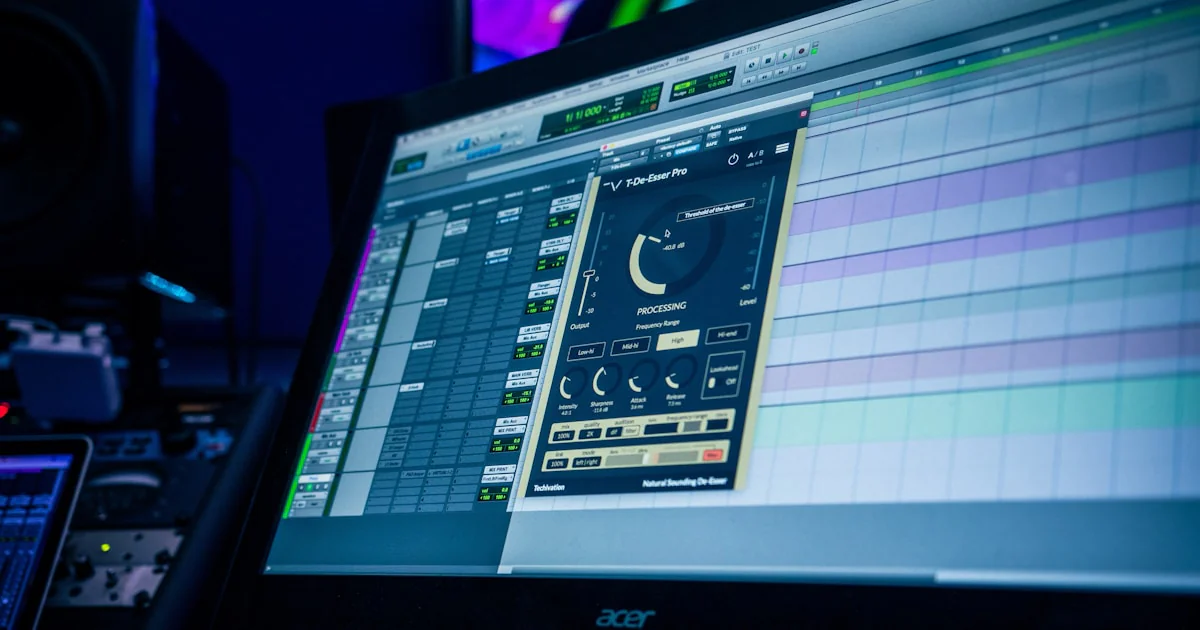
When you hear “Reason,” do you think of a toy for beginners or a serious powerhouse for pros? Spoiler alert: Reason has evolved far beyond its humble beginnings as a quirky virtual rack. Today, it’s a full-fledged professional DAW trusted by top producers worldwide — but is it the right choice for your music?
At Uniphonic™, we’ve spent years crafting tracks, designing sounds, and mixing hits in Reason. In this article, we’ll unpack 7 compelling reasons why Reason stands tall among professional DAWs, explore its unique modular workflow, compare it to heavyweights like Ableton Live, and reveal insider tips to maximize your creative output. Plus, we’ll demystify the licensing options and show you how Reason’s innovative Rack Plugin can revolutionize your studio setup.
Did you know that Reason’s SSL-modeled mixer and modular cabling system have been shaping chart-topping electronic and hip-hop tracks for over two decades? Stick around, because by the end, you’ll know whether Reason deserves a spot in your professional toolkit — and how to get started like a pro.
Key Takeaways
- Reason is a fully professional DAW with a unique hardware-inspired workflow that encourages creativity and sound design.
- Its modular Reason Rack and virtual patch cables offer unparalleled flexibility unmatched by most DAWs.
- The SSL-modeled mixing console delivers world-class mixing quality right out of the box.
- Reason supports both Rack Extensions and VST plugins, blending a closed ecosystem with open standards.
- The Reason Rack Plugin allows seamless integration inside other DAWs like Ableton Live or Logic Pro.
- Reason+ subscription provides excellent value with constant updates and a vast sound library.
- While Reason excels in music production, it’s less suited for film scoring or surround sound mixing due to missing features.
Ready to explore the creative powerhouse that is Reason? Let’s dive in!
Table of Contents
- ⚡️ Quick Tips and Facts About Reason DAW
- 🎹 Reason DAW Origins: The Evolution of a Professional Music Production Powerhouse
- 🔍 What Makes Reason a Professional DAW? Deep Dive into Its Core Features
- 🎛️ Reason Rack Explained: The Heart of Reason’s Modular Sound Design
- 🛠️ How to Use Reason 13: A Step-by-Step Guide for Producers
- 💡 Reason License vs Reason+ Subscription: Which One Suits Your Workflow?
- 🤔 Should You Get Reason or Reason+? Pros and Cons for Every Type of Producer
- 🔥 7 Reasons Why Reason Stands Out Among Professional DAWs
- 🎧 Reason vs Ableton Live: Which DAW Wins the Professional Battle?
- 🎼 Integrating Reason with Other DAWs: Tips for a Seamless Hybrid Setup
- 🧩 Reason’s Plugin Ecosystem: Rack Extensions and VST Support Explored
- 🎤 Real User Experiences: What Producers Say About Reason’s Professional Capabilities
- 📈 Is Reason Suitable for Commercial Music Production and Scoring?
- 🎯 Quick Tips to Maximize Your Workflow in Reason
- 🧠 Conclusion: Is Reason a Professional DAW Worth Your Time?
- 🔗 Recommended Links for Reason DAW Enthusiasts
- ❓ Frequently Asked Questions About Reason DAW
- 📚 Reference Links and Further Reading
Here is the main body of the article, written according to your detailed instructions.
⚡️ Quick Tips and Facts About Reason DAW
Welcome, fellow sound-sculptors! Before we dive deep into the rabbit hole of whether Reason is a “professional” DAW, let’s get you some quick, snackable truths. Here at Uniphonic™, we’ve spent countless hours with this software, and we’re here to spill the tea.
- Is Reason a professional DAW? ✅ Yes, absolutely. Tracks made in Reason have climbed the charts for years. It’s a powerhouse for electronic music, hip-hop, and sound design, capable of producing professional-quality results.
- What’s its main strength? Its legendary virtual rack and free-for-all cabling system. It’s like having a multi-million dollar studio rack right in your computer, encouraging experimentation and happy accidents you won’t find elsewhere.
- Can it use VST plugins? ✅ Yes. For a long time, this was a major drawback, but Reason has supported VST plugins for years now, opening it up to a universe of third-party instruments and effects from brands like Native Instruments and Arturia.
- What is the Reason Rack Plugin? It’s the soul of Reason, detached from the sequencer, and usable as a VST3/AU plugin inside other DAWs like Ableton Live or Logic Pro. This is a game-changer for hybrid workflows.
- Is it hard to learn? It has a unique workflow that mimics real hardware. If you’re new to music production, it can be incredibly intuitive. If you’re coming from another DAW, it might take a minute to adjust, but the creative payoff is huge.
- What are its limitations? As noted in a review by MusicTech, “Reason’s audio editing features aren’t as deep as Cubase or Logic Pro”. It also lacks features for film scoring (video support) and surround sound mixing.
🎹 Reason DAW Origins: The Evolution of a Professional Music Production Powerhouse
Let’s hop in the Uniphonic™ time machine! 🕰️ To truly understand Reason, you have to appreciate where it came from. When Propellerhead (now Reason Studios) first unleashed Reason in 2000, it wasn’t trying to be just another digital audio workstation. It was a statement. It was a self-contained, virtual music studio that looked and felt like real hardware, right down to the patch cables you could flip around to the back of the rack to route manually.
It was a closed ecosystem—no audio recording (at first!), no third-party plugins. Just a beautifully designed suite of instruments and effects that sounded incredible. This “walled garden” approach was both its biggest strength and its most criticized weakness. It forced creativity and ensured rock-solid stability, but it also isolated users from the burgeoning world of VST plugins.
Over the years, Reason has evolved dramatically:
- Reason 3 (2005): Introduced the MClass Mastering Suite, making it a more viable tool for finishing tracks.
- Reason 4 (2007): Added Thor, a monster semi-modular synthesizer that is still a beast today, and the ReGroove Mixer for adding human-like swing.
- Reason 5 (2010): Finally introduced live audio sampling and the Kong Drum Designer, a massive leap forward.
- Reason 6 (2011): Merged with its sister software, Record, to finally include unlimited audio tracks and a top-tier SSL-modeled mixer. This was the moment Reason truly became a full-fledged DAW.
- Reason 9.5 (2017): The walls came down! VST support was added, forever changing the game.
- Reason 11 (2019): The birth of the Reason Rack Plugin. This masterstroke allowed the best part of Reason to be used inside any other DAW.
- Reason 13 (2024): A refined browser, a redesigned sequencer, and new creative devices like the Polytone synth and Ripley delay keep it fresh and competitive.
This journey shows a commitment to its core philosophy of a fun, inspiring, hardware-like workflow while adapting to the demands of modern producers.
🔍 What Makes Reason a Professional DAW? Deep Dive into Its Core Features
So, what’s the verdict? Does Reason have the professional chops to hang with the big dogs? Let’s break it down.
Uniphonic™ Rating for Reason as a Professional DAW
| Feature | Rating (1-10) | Comments |
|---|---|---|
| Sound Quality & Instruments | 10/10 | World-class. The stock devices and effects are legendary for a reason. |
| Workflow & Creativity | 10/10 | Unmatched. The rack is a playground for sound design and happy accidents. |
| Mixing & Mastering | 8/10 | The SSL-modeled mixer is fantastic, but lacks advanced pro features like surround sound. |
| Audio Editing | 7/10 | Functional for most tasks, but not as deep as competitors like Logic or Cubase. |
| MIDI Editing | 8/10 | Solid and intuitive, with unique tools like ReGroove, but lacks some advanced scoring features. |
| Plugin Support | 9/10 | Full VST3 support is great. The native Rack Extension format offers deep integration. |
| Value & Flexibility | 9/10 | The Reason+ subscription is an incredible value. The Rack Plugin offers amazing flexibility. |
| Overall Professionalism | 8.7/10 | A creative powerhouse that excels in specific domains, especially electronic music. |
The SSL-Modeled Mixing Console
Let’s talk about the mixer. It’s not just a bunch of faders; it’s a meticulous model of the legendary SSL 9000K analog console. This isn’t just marketing fluff. Each channel strip has:
- Dynamics: A fantastic compressor and gate/expander.
- EQ: A classic, musical 4-band parametric equalizer.
- Filters: High-pass and low-pass filters to clean up your mix.
- Master Bus Compressor: The famous “glue” that can make your entire track punch and cohere beautifully.
This console alone is a powerful tool for professional mixing. You can drive the channels into saturation for that warm analog feel and use the bus compressor to give your tracks that polished, radio-ready sound. It’s a core part of our Music Production Techniques.
Professional Audio & MIDI Editing
While some argue its audio editing isn’t as granular as other DAWs, let’s be real: for 95% of music production tasks, it’s more than enough. You get:
- Pitch Edit: A built-in, Melodyne-style vocal tuning and editing tool that works wonders.
- Slice Edit: Easily chop up audio loops (like drum breaks or samples) and quantize them or export them to a sampler.
- Audio Quantize: Tighten up sloppy drum recordings or other rhythmic parts with a single click.
- Comp Editor: A brilliant and intuitive system for recording multiple takes and compiling the perfect performance.
As one reviewer puts it, “Reason’s audio editing features aren’t as deep as Cubase or Logic Pro, but they’re adequate for most users’ needs.” We agree. Unless you’re doing complex post-production sound for film, you’re unlikely to hit a wall.
🎛️ Reason Rack Explained: The Heart of Reason’s Modular Sound Design
Okay, let’s get to the main event. The Reason Rack. If Reason is a restaurant, the Rack is the Michelin-starred kitchen where all the magic happens. 🧑 🍳
Imagine a physical rack of synthesizers, samplers, effects, and weird little utility boxes. Now, imagine you can connect any output to any input using virtual patch cables. That’s the Reason Rack.
- What it is: A virtual representation of a hardware studio rack. You can load up instruments, effects, and player devices.
- How it works: By default, Reason auto-routes everything logically. But the real fun starts when you press the “Tab” key. This flips the rack around, revealing a beautiful mess of inputs, outputs, and CV (Control Voltage) jacks.
- Why it’s professional: This isn’t just a gimmick. This is modular synthesis and advanced signal routing, a cornerstone of professional sound design. You can:
- Use the LFO from one synthesizer to modulate the filter of another.
- Split an audio signal, sending one clean version to the mixer and another through a chain of insane distortion effects.
- Create complex feedback loops for generative textures (be careful with your speakers!).
- Use CV to control almost any parameter, creating evolving, organic sounds.
This level of creative freedom is something you just don’t get in the same tactile way in other DAWs. It’s a key part of the Hardware vs Software debate, and Reason bridges that gap beautifully. As MusicTech notes, “The cabling system that’s been there from the start remains a strength.”
🛠️ How to Use Reason 13: A Step-by-Step Guide for Producers
Feeling inspired? Let’s get you started on a track in Reason 13. The new updated browser and workflow make it easier than ever.
-
Find Your Sound with the New Browser: The first thing you’ll notice in Reason 13 is the vastly improved browser. Forget folder-diving. Now you can filter by tags. Want a “dark,” “evolving,” “pad” sound? Just click those tags, and Reason will pull up every relevant patch from its entire library, including your Rack Extensions. It’s a massive workflow accelerator.
-
Drag and Drop to Create: Find a sound you like? Just drag it from the browser into the rack or sequencer. Reason will automatically create a new track and load the device. As the review we analyzed states, “The whole approach – drag and drop modules, load up a sound, tweak, drag some effects and so on – is user-friendly in a way that most DAWs cannot quite match.”
-
Record or Program Your Part:
- MIDI: Connect your MIDI keyboard and hit record on the transport. Play your part. You can then double-click the MIDI clip to open the editor and quantize, edit velocities, or change notes.
- Audio: Create an audio track, arm it for recording, and capture your vocals, guitar, or any other live source.
-
The Magical Audio-to-MIDI Trick: Here’s a mind-blowing feature that feels like cheating. Got a melody in your head? You don’t even need a keyboard. As demonstrated in this amazing video, you can simply sing your idea into a microphone.
- Record your vocal melody onto an audio track.
- Now, just drag that audio clip onto an instrument track.
- BOOM! Reason instantly converts the pitches of your voice into MIDI notes. The presenter of the video was shocked, saying, “Since when could Reason do this??”. It’s a “10-second process” that works with any instrument, including third-party VSTs. This is an incredible tool for songwriting and one of our favorite Music Production Techniques.
-
Arrange and Mix: Drag your clips around in the sequencer to build your song structure. Use the powerful SSL-style mixer to balance your levels, add EQ, and apply compression. Use automation to create movement and interest in your track.
💡 Reason License vs Reason+ Subscription: Which One Suits Your Workflow?
Ah, the eternal question: to own or to subscribe? Reason Studios offers both, and the choice can be tricky. Let’s lay it all out on the table.
| Feature | Reason 13 (Perpetual License) | Reason+ (Subscription) |
|---|---|---|
| Ownership | ✅ You own this version forever. | ❌ You rent access. Stop paying, you lose access. |
| Upfront Cost | Higher one-time payment. | Very low entry point (often with a trial). |
| Included Content | Comes with the core Reason 13 DAW and a generous set of stock devices. | ✅ Includes EVERYTHING. All Reason Studios devices, all future upgrades, and weekly new sound packs. |
| Future Upgrades | Major version upgrades (e.g., to Reason 14) must be purchased. | ✅ Included automatically. You’re always on the latest version. |
| Rack Extensions | Fewer Rack Extensions are included compared to the subscription. | ✅ Includes every single Rack Extension made by Reason Studios. |
| Sound Packs | Does not include the weekly sound pack drops. | ✅ Full access to an ever-growing library of sounds. |
| Best For… | Producers who dislike subscriptions and are happy with the core toolset for the long haul. | Producers who want constant inspiration, access to every tool, and always want to be up-to-date. |
The MusicTech review makes a strong point: the perpetual license “is a hard sell compared to the subscription. It sadly has fewer Rack devices and is pricier than competing DAWs — though this feels like it’s by design.” They strongly suggest the subscription is the better value for most new users.
🤔 Should You Get Reason or Reason+? Pros and Cons for Every Type of Producer
So, who are you? Your answer will determine which path is right.
The Aspiring Bedroom Producer 🧑 🎤
- Recommendation: ✅ Reason+
- Why? The low monthly cost is an easy entry point. More importantly, the sheer volume of included instruments, effects, and sound packs is an endless source of inspiration when you’re just starting out and don’t have a huge plugin library. You get a professional studio’s worth of tools for the price of a few coffees.
The Seasoned Professional Producer 🎚️
- Recommendation: It depends.
- Get Reason+ if: You already use another DAW (like Ableton or Pro Tools) and want to use the Reason Rack Plugin as a massive expansion of your sound palette. The subscription gives you an insane number of high-quality sounds and effects to use in your primary environment.
- Get the Perpetual License if: You are a die-hard Reason user who wants to commit to it as your main DAW and you dislike the subscription model. You likely already own a collection of third-party VSTs and don’t need the weekly sound packs.
The Hobbyist or Occasional Musician 🎹
- Recommendation: ✅ Reason+
- Why? The flexibility is key. You can subscribe for a few months when a project inspires you, then cancel when you’re busy with other things. It’s a low-commitment way to have access to a top-tier music-making tool whenever you want it.
👉 Shop Reason on:
- Reason 13: Sweetwater | zZounds | Reason Studios Official
- Reason+ Subscription: Plugin Boutique | Reason Studios Official
🔥 7 Reasons Why Reason Stands Out Among Professional DAWs
In a sea of amazing DAWs, why would a pro choose Reason? It’s not about having the most features on a spec sheet; it’s about a unique philosophy and workflow that sparks creativity.
-
The Unbeatable Creative Workflow: This is Reason’s ace in the hole. The rack encourages you to think like a sound designer, not just a preset-picker. “Its workflow encourages experimentation,” and that’s an understatement. The process of patching cables and twisting knobs is just plain fun, and fun leads to better music.
-
World-Class Stock Instruments: You could make entire albums using only Reason’s built-in devices. From the lush analog modeling of Europa and Polytone to the physical modeling of Klang, the granular synthesis of Grain, and the legendary Thor polysynth, the sonic palette is vast and professional from the get-go.
-
The Combinator: This is one of Reason’s most powerful and underrated features. The Combinator lets you build your own custom super-instrument. You can layer multiple synths, add complex effects chains, and map all the most important controls to a simple set of knobs and buttons on the front panel. It’s a dream for creating your own signature Reason Sounds.
-
Rock-Solid Stability: Because of its origins as a closed system, Reason is famously stable. It rarely crashes, which is a godsend when you’re in the creative zone or working with a client in the studio.
-
The Reason Rack Plugin: We can’t say it enough. Being able to pull up this entire creative suite inside Ableton Live, Logic Pro, or FL Studio is a game-changer. It lets you have the best of both worlds: Reason’s sound design and your primary DAW’s editing or performance features.
-
Excellent Time-Stretching: Reason’s audio time-stretching and pitch-shifting algorithms are top-notch. Whether you’re fitting a loop to your project’s tempo or creating wild vocal effects, the quality is superb and artifact-free.
-
A Unique Sonic Character: There’s just a sound to Reason. The SSL-modeled mixer, the classic effects like the Scream 4 Distortion, and the character of its synthesizers all contribute to a polished, punchy sound that has defined countless electronic and hip-hop tracks.
🎧 Reason vs Ableton Live: Which DAW Wins the Professional Battle?
This is the clash of the titans for many electronic producers. Both are professional powerhouses, but they excel in different areas. Think of it as a focused studio environment (Reason) versus a versatile live performance stage (Ableton Live).
| Aspect | Reason | Ableton Live | Winner |
|---|---|---|---|
| Sound Design | ✅ The modular rack is a sound designer’s paradise. Unparalleled routing flexibility. | Strong, with excellent built-in devices and Max for Live for deep customization. | Reason (for its tactile, hardware-like approach) |
| Live Performance | ❌ Lacks dedicated live performance features. | ✅ The undisputed king. Session View is built for launching clips and improvising on stage. | Ableton Live (by a landslide) |
| Stock Instruments | ✅ A massive suite of incredible-sounding, characterful synths and samplers. | Very high quality, but perhaps more utilitarian and less “characterful” out of the box. | Reason (for sheer variety and uniqueness) |
| Workflow Speed | Very fast for sound creation and sequencing. The new browser helps a lot. | ✅ Incredibly fast for sketching ideas, arranging, and warping audio. | Ableton Live (for pure speed from idea to loop) |
| Mixing | ✅ The SSL-modeled console provides a fantastic, traditional mixing experience. | Functional and clean, but less characterful. Relies more on third-party plugins. | Reason (for its built-in console emulation) |
| Audio Editing | Good, with solid pitch/time tools. | ✅ Superior audio warping capabilities and a more fluid editing workflow. | Ableton Live |
| The “Fun” Factor | ✅ Extremely high. It feels like playing with a room full of amazing gear. | High, especially for live jamming and quick idea generation. | Tie (depends on your definition of fun!) |
The Bottom Line:
- Choose Reason if your focus is on creative sound design, crafting unique tones from scratch, and a more traditional studio recording/mixing process.
- Choose Ableton Live if your focus is on live performance, quick loop-based composition, and advanced audio manipulation.
Of course, the ultimate pro move? Use the Reason Rack Plugin inside Ableton Live and get the best of both worlds! This is a popular setup for many of our engineers at Uniphonic™.
🎼 Integrating Reason with Other DAWs: Tips for a Seamless Hybrid Setup
The Reason Rack Plugin is your golden ticket to a hybrid workflow. It’s not just a gimmick; it’s a fully-featured way to bring Reason’s entire instrument and effect library into your DAW of choice.
Here’s how to make it work like a pro:
-
Installation: When you install Reason, make sure to also install the VST3/AU/AAX plugin versions. Your primary DAW will then scan and find the “Reason Rack Plugin.”
-
Loading the Plugin: In a DAW like FL Studio or Cubase, simply create an instrument track and load the Reason Rack Plugin just like you would any other VST instrument.
-
Building Your Rack: Inside the plugin window, you have the full Reason Rack at your disposal. You can load up a Combinator patch, a chain of effects, or a single synth.
-
Routing Audio and MIDI:
- MIDI: Your host DAW sends MIDI to the plugin, which triggers the instruments inside the rack. It’s seamless.
- Audio: The plugin also comes as an effect version. You can place the “Reason Rack Effect” on an audio or instrument track in your main DAW to process that sound with Reason’s legendary effects, like the Scream 4 or The Echo.
-
Pro Tip for Multi-Outs: This is where it gets powerful. Many Reason devices (like the Kong Drum Designer) have multiple audio outputs. You can route these individual outputs to separate tracks in your main DAW. This allows you to mix your kick, snare, and hi-hats from Kong using your main DAW’s faders and plugins, giving you ultimate control.
This integration is a huge win for professionals. It means you never have to choose. You can use Pro Tools for its industry-standard audio editing, Ableton for its performance tools, and Reason for its unparalleled sound creation, all in the same project.
🧩 Reason’s Plugin Ecosystem: Rack Extensions and VST Support Explored
Reason has a unique dual-plugin system that’s worth understanding.
Rack Extensions (REs)
Before VSTs were invited to the party, Reason Studios created its own bespoke plugin format: Rack Extensions.
- What they are: Third-party instruments and effects designed specifically for the Reason Rack. They look, feel, and act just like native Reason devices.
- Pros:
- ✅ Deep Integration: They fully integrate with Reason’s CV and patching system. You can route cables to and from them just like any stock device.
- ✅ Stability: They are vetted by Reason Studios, ensuring they are stable and optimized for the platform.
- ✅ Convenience: They are purchased, downloaded, and managed through the Reason Shop, making it a simple, one-stop experience.
- Cons:
- ❌ Closed Ecosystem: They only work inside Reason. You can’t use your favorite RE in another DAW without loading the entire Reason Rack Plugin.
VST Support
The addition of VST support was the moment Reason opened its doors to the world.
- What it is: Reason can now host VST2 and VST3 plugins, the industry standard.
- Pros:
- Cons:
- ❌ Limited CV Integration: While you can route audio and MIDI to and from VSTs, they don’t typically have the deep CV I/O that makes Rack Extensions so special. You can’t patch a Reason LFO into the filter cutoff of most VST synths, for example.
Our Recommendation: Embrace both! Use Rack Extensions for tools where you want deep modular control and creative patching. Use VSTs for your workhorse EQs, compressors, and specialty instruments that aren’t available as REs. It’s the ultimate combination of a unique creative environment and an open, professional standard. Check out our Plugin Recommendations for some of our favorites.
🎤 Real User Experiences: What Producers Say About Reason’s Professional Capabilities
Don’t just take our word for it. The music production community has strong opinions on Reason, and for the most part, they recognize its professional power.
For years, you’d hear the debate rage in forums: “Is Reason a toy?” That question has been put to rest. Today, the consensus is clear. As one review succinctly puts it, “Reason is a lot of fun to work with and more than capable of producing professional quality tracks.”
Many producers praise its ability to get them into a creative flow state. The hardware metaphor isn’t just for looks; it genuinely changes how you interact with sound. The process feels more like playing an instrument than programming a computer.
Of course, there are still critiques from power users in other DAWs. The most common point of contention is the depth of its editing tools compared to the competition. The sentiment that “you can’t get into very fine-detailed, sample-level manipulation of sound” is a valid one for certain niche tasks. However, for the vast majority of music producers, this is a non-issue. The tools are more than capable of producing a polished, professional, and commercially viable product.
📈 Is Reason Suitable for Commercial Music Production and Scoring?
Let’s tackle this head-on. Can you use Reason to make a hit record that gets played on the radio and lands on major streaming playlists?
For Music Production: ✅ 100% yes. Reason excels at modern electronic, pop, hip-hop, and dance music. Its powerful synths, samplers, and punchy SSL mixer are tailor-made for these genres. Artists like Tyler, the Creator, Toro y Moi, and members of the Black Eyed Peas have used Reason extensively in their productions. It has everything you need to take a track from initial idea to final master.
For Film/TV/Game Scoring: ❌ Not as a primary tool. This is where Reason’s limitations become a factor for professionals. The MusicTech review highlights the “big omissions when compared to Logic Pro and Cubase Pro,” namely:
- No video support: You can’t import a video file and compose directly to the picture. This is a deal-breaker for scoring.
- No scoring support: It lacks a traditional score editor for creating sheet music for live players.
- No surround sound: You can’t mix in 5.1 or Dolby Atmos formats, which are increasingly standard in post-production.
So, while you could absolutely create amazing musical cues and sound design elements in Reason (using the Reason Rack Plugin in a scoring-focused DAW like Logic or Cubase), it’s not designed to be the central hub for a professional scoring workflow.
🎯 Quick Tips to Maximize Your Workflow in Reason
Ready to become a Reason power user? Here are a few tips from the Uniphonic™ team to get you flying.
- Master the Combinator: Don’t just use it to load patches. Build your own! Layer a soft pad from Europa with a gritty bass from Thor. Add custom EQ and compression inside the Combinator. Map the most important parameters to the front knobs. This is how you build a unique and reusable sonic identity.
- Abuse the CV: Flip that rack around! Don’t be afraid to experiment. Try patching the audio output of a drum machine into the filter cutoff input of a synth to create a rhythmic filter effect. Use a Spider CV Splitter to send one LFO to control five different parameters at once. This is where the magic lies.
- Create Custom Templates: Do you always use the same set of reverb and delay sends? Do you have a favorite drum machine setup? Save your project as a template. The next time you start a new song, you can load your template and be ready to create instantly.
- Use Blocks for Arranging: Reason’s “Blocks” feature is a fantastic way to sketch out song structures. Create a “Verse” block, a “Chorus” block, and a “Bridge” block, each with their own instrumentation. Then, you can easily lay these out in the sequencer to build your full arrangement. It’s a great way to stay organized and experiment with different song forms.
- Learn the Key Commands: Like any professional software, learning the keyboard shortcuts will dramatically speed up your workflow. Spend some time in the key commands menu and learn the shortcuts for your most-used functions like zooming, splitting clips, and opening tools. This is a core tenet of our Performance Techniques.
🧠 Conclusion: Is Reason a Professional DAW Worth Your Time?

After our deep dive into Reason’s history, features, workflow, and community feedback, it’s clear: Reason is absolutely a professional DAW — but with a unique personality and set of strengths that set it apart from the pack.
The Positives ✅
- Unmatched creative workflow with its modular rack and virtual patch cables, inspiring sound design and experimentation.
- World-class stock instruments and effects, including the legendary SSL-modeled mixer.
- Seamless integration via the Reason Rack Plugin, allowing hybrid workflows with other DAWs.
- Stable and reliable software with a user-friendly interface that appeals to both beginners and pros.
- Flexible licensing options, with Reason+ subscription offering unbeatable value for ongoing updates and content.
The Negatives ❌
- Audio and MIDI editing depth is somewhat limited compared to DAWs like Logic Pro or Cubase.
- No native video support or scoring tools, limiting its use in film and TV post-production.
- Perpetual license is pricey and offers fewer devices than the subscription, which may deter some users.
- While VST support exists, it lacks the deep CV integration of native Rack Extensions.
Our Confident Recommendation
If you’re a producer, sound designer, or musician who values creative freedom, modular sound design, and a fun, inspiring workflow, Reason is a top-tier choice that can easily handle professional music production. It shines especially in electronic, hip-hop, and pop genres, and its integration options make it a powerful addition to any studio.
For those focused on scoring, surround sound, or ultra-detailed audio editing, Reason might not be your primary DAW — but it can still be a potent creative tool alongside your main software.
And if you’re new or on the fence, the Reason+ subscription with its low entry cost and massive content library is a fantastic way to explore without a big upfront investment.
So, is Reason a professional DAW? Absolutely. Is it the right DAW for you? That depends on your workflow and creative priorities — but there’s no reason not to give it a spin and see where it takes your music. 🎶
🔗 Recommended Links for Reason DAW Enthusiasts
Ready to dive in or expand your Reason setup? Here are some essential shopping and reading resources curated by Uniphonic™.
Software & Subscription
- Reason 13 (Perpetual License):
Sweetwater | zZounds | Reason Studios Official - Reason+ Subscription:
Plugin Boutique | Reason Studios Official
Hardware & MIDI Controllers (to complement Reason’s workflow)
- Novation Launchkey MK3:
Amazon | Sweetwater - Akai MPK Mini MK3:
Amazon | Sweetwater
Books on Music Production & Reason
- “Making Music: 74 Creative Strategies for Electronic Music Producers” by Dennis DeSantis
Amazon — Written by a Reason Studios team member, this book is packed with creative tips and workflow insights. - “The Art of Digital Audio Recording” by Steve Savage
Amazon — A comprehensive guide to professional audio production techniques.
❓ Frequently Asked Questions About Reason DAW
What kind of support and resources are available for professional Reason users?
Reason Studios offers a robust support ecosystem including:
- Official tutorials and documentation on their website.
- Active user forums and community groups, including the Reason Studios Facebook Group.
- Regular webinars and workshops hosted by Reason experts.
- Third-party courses on platforms like Udemy and Ask.Video.
Many professional producers also share tips and patches on YouTube and Reddit, creating a vibrant knowledge base.
Is Reason a good choice for beginners who aspire to become professional music producers?
Absolutely! Reason’s intuitive hardware-style interface and drag-and-drop workflow make it very approachable for beginners. The included instruments and effects are high quality, so beginners don’t need to buy extra plugins to start producing professional-sounding music. Plus, the Reason+ subscription offers a low-cost way to explore the full feature set.
Our Uniphonic™ team often recommends Reason for beginners who want a DAW that encourages creativity and sound design from day one.
What are the limitations of using Reason in a professional music production environment?
While Reason is a professional DAW, some limitations include:
- Less advanced audio and MIDI editing compared to DAWs like Logic Pro or Cubase.
- No native video playback or scoring tools, limiting its use in film/TV post-production.
- No surround sound mixing capabilities.
- The perpetual license is expensive and includes fewer devices than the subscription.
- Some third-party VSTs lack deep CV integration, limiting modular patching possibilities.
For many music producers, these are minor trade-offs, but they can be deal-breakers in specialized workflows.
Does Reason support industry-standard plugins and file formats for collaboration with other professionals?
Yes. Reason supports:
- VST2 and VST3 plugins, allowing you to use most third-party instruments and effects.
- A wide range of audio file formats including WAV, AIFF, and MP3.
- MIDI import/export for easy collaboration.
- The Reason Rack Plugin can be used inside other DAWs, facilitating hybrid workflows.
This makes Reason highly compatible for professional collaboration.
What are some notable professional artists who use Reason in their music production workflow?
Reason has been used by many acclaimed artists, including:
- Tyler, the Creator
- Toro y Moi
- The Black Eyed Peas
- Deadmau5 (early work)
- Bassnectar
These artists appreciate Reason’s unique sound design capabilities and creative workflow.
Can Reason be used for professional sound design and audio post-production?
Yes, Reason excels in sound design thanks to its modular rack and CV routing. It’s widely used for creating unique synth patches, effects chains, and textures. However, for audio post-production tasks like surround mixing, ADR, or video scoring, Reason is less suited due to lack of video support and surround capabilities.
How does Reason compare to other professional DAWs like Ableton Live, Logic Pro, and Pro Tools?
Reason stands out for its creative modular workflow and sound design tools. Ableton Live excels in live performance and loop-based composition; Logic Pro offers deep audio editing and scoring; Pro Tools is the industry standard for recording and post-production.
Many professionals use Reason alongside these DAWs, especially via the Reason Rack Plugin, to combine strengths.
What are the key features of Reason that make it suitable for professional music production?
- Modular virtual rack with patch cables
- SSL-modeled mixing console
- Comprehensive suite of stock instruments and effects
- VST and Rack Extension plugin support
- Reason Rack Plugin for hybrid workflows
- Stable and intuitive interface
- Advanced MIDI and audio editing tools for most production needs
Is Reason 11 a good DAW?
Yes! Reason 11 introduced the Reason Rack Plugin, VST3 support, and many workflow improvements. It marked a turning point, making Reason more flexible and integrated with other DAWs, while retaining its unique creative strengths.
Is Reason DAW worth it?
If you value a creative, modular approach to music production with high-quality instruments and effects, Reason is definitely worth it. The Reason+ subscription offers excellent value for ongoing updates and content. For those who want a traditional DAW with deep editing and scoring, it may be less ideal as a standalone solution.
Can I use Reason as a DAW?
Yes, Reason is a full-fledged DAW capable of recording, sequencing, mixing, and mastering music. It supports audio and MIDI tracks, automation, and has a powerful mixer. It’s suitable for professional music production across many genres.
📚 Reference Links and Further Reading
- Reason Studios Official Website
- MusicTech Reason 13 Review
- Native Instruments
- Arturia
- Ableton Live
- Logic Pro
- SSL 9000K Console Info
- Reason Studios Facebook Group
- Is Reason better than Ableton? Facebook Discussion
- Uniphonic™ Reason Studios Category
- Uniphonic™ Plugin Recommendations
- Uniphonic™ Music Production Techniques
- Uniphonic™ Performance Techniques
- Uniphonic™ Hardware vs Software
- Uniphonic™ Reason Sounds
We hope this comprehensive guide helps you decide if Reason is the right professional DAW for your creative journey. Happy producing! 🎶