
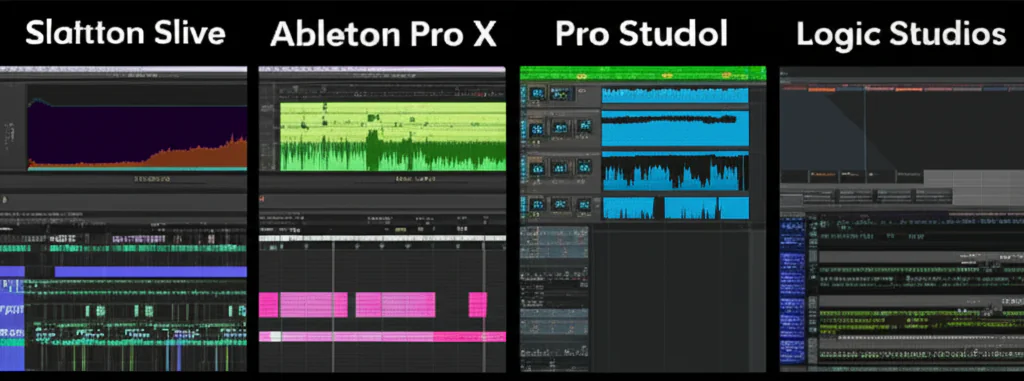
When it comes to choosing a digital audio workstation (DAW), the options can feel overwhelming. From Ableton Live’s live-performance prowess to Logic Pro’s all-in-one powerhouse, every DAW has its own vibe and strengths. But where does Reason Studios fit into this crowded landscape? Is its iconic rack-based workflow just a nostalgic nod to hardware, or does it offer something truly unique for modern music creators?
At Uniphonic™, we’ve spent countless hours patching cables, tweaking synths, and mixing tracks inside Reason’s virtual rack—and we’ve compared it side-by-side with the biggest DAWs on the market. Spoiler alert: Reason isn’t just another DAW; it’s a creative playground that can inspire sound design like no other. But it’s not perfect for every workflow. Curious how it stacks up against Ableton Live, FL Studio, Logic Pro, and more? Stick around—we’ll unpack the pros, cons, and insider tips to help you decide if Reason should be your next studio companion.
Key Takeaways
- Reason Studios shines with its unique rack-based interface and modular workflow, making it a sound designer’s dream.
- Its stock instruments and effects are world-class, offering professional sounds without extra plugins.
- Reason’s integration of VST plugins and CV modulation sets it apart from other DAWs.
- While excellent for electronic music and creative production, Reason’s audio recording and editing tools are less advanced than some competitors.
- The Reason Rack Plugin allows you to use Reason’s instruments inside other DAWs, blending workflows seamlessly.
- Choosing the right DAW depends on your personal workflow, music style, and creative goals—there’s no one-size-fits-all winner.
Ready to explore Reason Studios or compare it with other top DAWs?
- 👉 Shop Reason Studios: Sweetwater | Amazon | Reason Studios Official
- Explore Ableton Live: Sweetwater | Ableton Official
- Discover FL Studio: Amazon | Image-Line Official
Table of Contents
- ⚡️ Quick Tips and Facts About Reason Studios and DAWs
- 🎹 The Evolution of Reason Studios: A Deep Dive into Its Digital Audio Workstation Legacy
- 🎛️ The 12 Best Digital Audio Workstations in 2025: Where Does Reason Fit?
- 🔌 Best Hardware and Plugin Integrations: How Reason Studios Stacks Up Against Competitors
- 🎚️ Reason Studios’ Unique Rack-Based Workflow vs. Traditional DAW Interfaces
- 🎶 Sampling and Sound Design in Reason: A Beginner’s Guide to Creative Music Production
- 🛠️ How to Choose the Perfect DAW for Your Music Style and Workflow
- 🤝 There’s No Bad DAW: Why Your Choice Should Be About Fit, Not Fame
- 📅 Timing Your Music Release: Best Practices for Releasing Tracks Made in Reason
- 🎤 Independent Artists and Reason Studios: Empowering Indie Music Production in 2025
- 🔍 Comparing Reason Studios to Ableton Live, FL Studio, Logic Pro, and More: Pros and Cons
- 💡 Tips and Tricks to Maximize Your Workflow in Reason Studios
- 📚 Recommended Resources and Tutorials for Mastering Reason Studios
- 📝 Conclusion: Is Reason Studios the Right DAW for You?
- 🔗 Recommended Links for Further Exploration
- ❓ Frequently Asked Questions About Reason Studios and DAWs
- 📑 Reference Links and Credible Sources
Here is the main body of the article, written according to your specifications.
⚡️ Quick Tips and Facts About Reason Studios and DAWs
Welcome to the Uniphonic™ studio! Before we plug in and get loud, let’s lay down some quick tracks—bite-sized facts and tips to get you in the groove. Think of this as the sound check before the main show.
- Reason’s Dual Identity: Did you know Reason Studios isn’t just a standalone Digital Audio Workstation (DAW)? It’s also available as the Reason Rack Plugin, which lets you use all of its famous instruments and effects inside another DAW like Ableton Live or Logic Pro. It’s like having your cake and eating it too! 🎂
- The Analog Obsession: Reason’s entire interface is a skeuomorphic masterpiece, designed to look and feel like a real-world hardware rack. You can even flip the rack around (F6 key, you’re welcome) to patch virtual cables, just like in an old-school studio. This unique design is a major talking point and, as one reviewer notes, it “forces you to think about signal flow.”
- Not Just for Electronic Music: While Reason earned its stripes in electronic genres—and as we’ll see in our featured video, it’s a beast for generative techno—its powerful mixing console and stock instruments make it a formidable tool for everything from hip-hop to indie rock and film scoring.
- Free Updates for Life? Not Quite: While DAWs like FL Studio are famous for their lifetime free updates, Reason Studios operates on a more traditional paid upgrade model. However, they also offer a subscription service, Reason+, which provides access to the latest version and all sound packs.
- The “Best” DAW Myth: Here’s a secret from inside the industry: there is no single “best” DAW. 🤫 The truth is, the best one is the one that gets out of your way and lets you create. As one expert puts it, “the goal in choosing a DAW is finding one that you feel comfortable with and trust.”
- CPU Efficiency: Historically, Reason was known for being incredibly light on computer resources. While its modern instruments are more complex, it remains a very stable and efficient platform, especially when compared to some VST-heavy sessions in other DAWs.
🎹 The Evolution of Reason Studios: A Deep Dive into Its Digital Audio Workstation Legacy
Every piece of gear has a story, and Reason’s is a real page-turner. Back in the day (we’re talking the year 2000), a Swedish company called Propellerhead Software unleashed Reason upon an unsuspecting world. It wasn’t a DAW in the way we think of them now. It was a self-contained, closed-box creative suite—a glorious virtual studio filled with synthesizers, drum machines, and effects that you could patch together in a virtual rack.
From a Closed Box to an Open Playground
For years, the biggest critique of Reason was its “walled garden” approach. You couldn’t use third-party VST plugins, and audio recording was notoriously limited. To get around this, producers used a clever little protocol called ReWire to sync Reason with another DAW, like Pro Tools or Logic. This allowed them to use Reason’s fantastic instruments while handling audio recording and mixing in a more traditional environment.
But then, everything changed.
Propellerhead rebranded as Reason Studios and made two game-changing moves:
- They added VST support: Suddenly, the garden walls came tumbling down! You could now bring all your favorite plugins from developers like Universal Audio and Native Instruments directly into the Reason rack.
- They launched the Reason Rack Plugin: This was the masterstroke. They decoupled their famous rack from the DAW, allowing it to run inside any major host. This transformed Reason from a competitor into a collaborator, a powerful addition to any producer’s toolkit. Check out our Plugin Recommendations for more on how this works.
This evolution from a quirky, self-contained system to a flexible, open platform is key to understanding where Reason stands today. It’s a testament to listening to your users and adapting to a changing industry.
🎛️ The 12 Best Digital Audio Workstations in 2025: Where Does Reason Fit?
The DAW market is more crowded than a festival main stage, and every platform is vying for the headline spot. While lists often feature the usual suspects, we’re expanding the lineup to give you the full picture. So, where does Reason sit among the giants?
Uniphonic™ Rating for Reason Studios 12
| Feature | Rating (1-10) |
|---|---|
| Workflow & Interface | 9/10 |
| Stock Instruments | 10/10 |
| Stock Effects | 9/10 |
| Recording & Editing | 7/10 |
| Value for Money | 8/10 |
| Inspiration Factor | 10/10 |
The 2025 DAW Power Rankings
Here’s our take on the top 12 DAWs on the market right now, and a quick thought on how Reason compares.
- Ableton Live: The king of live performance and electronic music. Its Session View is legendary for sparking ideas. Reason’s Rack offers a different, more modular kind of creative spark.
- Logic Pro: The all-around champion for macOS users, offering incredible value and a massive sound library. Reason’s workflow is more “out there” compared to Logic’s traditional studio feel.
- FL Studio: A titan in the beat-making and hip-hop world, known for its lightning-fast piano roll and pattern-based workflow.
- Reason Studios: Our focus today! It’s the sound designer’s dream and a creativity machine, thanks to its unique rack and routing. It excels at making you feel like you’re playing an instrument.
- Pro Tools: The undisputed industry standard for professional recording and mixing studios. While Reason has improved its audio editing, Pro Tools is still the master in that domain.
- Cubase: A powerhouse for MIDI composition and film scoring, offering deep editing features that are hard to beat.
- Bitwig Studio: The modular marvel. Bitwig’s “The Grid” environment is a sound designer’s paradise, rivaling Reason’s own creative routing capabilities.
- PreSonus Studio One: Known for its slick, user-friendly workflow and tight integration with PreSonus hardware.
- REAPER: The ultimate customizable and budget-friendly DAW. It’s a blank canvas that you can tailor to your exact needs.
- GarageBand: The free and surprisingly capable entry point for Apple users. It’s the perfect stepping stone to its big brother, Logic Pro.
- Cakewalk by BandLab: A once-premium Windows DAW that is now completely free. It’s a feature-packed option for PC users on a budget.
- LUNA by Universal Audio: A newer entrant that offers deep integration with Apollo interfaces and a focus on analog recording workflows.
Reason’s unique position is its blend of a fun, inspiring interface with incredibly deep sound design potential. It might not be the #1 choice for tracking a full band, but for creating unique sounds from scratch, it’s in a league of its own.
🔌 Best Hardware and Plugin Integrations: How Reason Studios Stacks Up Against Competitors
A DAW is only as good as the gear it plays with. Let’s break down how Reason handles the two most important connections: hardware and software plugins.
Hardware Integration: Control at Your Fingertips
When it comes to hardware, some DAWs are built from the ground up to work with specific controllers.
- ✅ Ableton Live has the Push controller, a near-perfect hardware extension of the software.
- ✅ PreSonus Studio One offers deep integration with its own line of mixers and interfaces, creating a seamless ecosystem.
- ✅ Reason Studios has its own secret weapon: Nektar MIDI controllers. Keyboards like the Nektar Panorama series are designed with deep Reason integration, giving you hands-on control over the mixer, instruments, and transport without ever touching the mouse.
While any MIDI controller will work with Reason, the Nektar integration feels almost like a native hardware experience. However, for sheer breadth of custom mapping and control, Ableton’s Push still holds a slight edge. For more on this, check out our Hardware vs Software category.
Plugin Integration: The VST Revolution
This used to be Reason’s Achilles’ heel, but no more! Since adding VST support, Reason has become a fantastic host for all your favorite plugins.
- How it works: You can drag a VST instrument or effect directly into the rack. Reason automatically creates a “rack device” for it, complete with audio and CV (Control Voltage) inputs and outputs on the back.
- The CV Advantage: This is where Reason blows other DAWs out of the water. You can use Reason’s powerful internal modulators—like LFOs, envelopes, and sequencers from devices like the Pulsar Dual LFO—to control parameters on your VST plugins! Imagine modulating the filter cutoff on Arturia’s Pigments with a complex, evolving CV signal from Reason. It opens up a universe of sound design possibilities that are difficult, if not impossible, to achieve in other DAWs.
The Verdict? While DAWs like Logic Pro and Cubase have had VST support for decades, Reason’s implementation is uniquely creative. It doesn’t just host plugins; it integrates them into its modular ecosystem.
🎚️ Reason Studios’ Unique Rack-Based Workflow vs. Traditional DAW Interfaces
This is it. The main event. The feature that makes producers either fall madly in love with Reason or run for the hills: the rack.
Most DAWs (Ableton Live, Logic Pro, Pro Tools) operate on a similar principle: you have tracks in a linear arrangement view, and each track has a channel strip in a mixer view with insert slots for plugins. It’s a digital version of a traditional recording console. It’s logical, efficient, and familiar.
Reason throws that convention out the window.
Welcome to the Machine
In Reason, every instrument, effect, and utility is a virtual device in a rack. When you create a new instrument, a device appears in the rack. Want to add reverb? You don’t just select it from a dropdown menu; you literally create a reverb unit and it appears below your instrument.
But here’s the magic: you can flip the rack around.
On the back of each device are inputs, outputs, and CV connections. Reason automatically routes the audio for you, but you are free to unplug those virtual cables and patch things however you want.
As one reviewer aptly puts it, “The rackmount-inspired workflow allows for complex routing scenarios and therefore wild sound combinations. Because of this, users can create textures that they might have never otherwise stumbled upon in other more typically- designed DAWs.”
What Can You Do With This?
- Create parallel processing chains: Split the signal from a synthesizer, send one clean signal to the mixer, and another through a wild chain of distortion and phaser effects.
- Build complex modulations: Use an LFO from one device to control the panning of another. Use a sequencer to trigger filter sweeps on a drum machine.
- Design your own instruments: The Combinator device is a game-changer. It lets you build a custom instrument by combining multiple devices inside a single “combo” patch. You can design your own front panel with custom knobs and buttons that control multiple parameters at once. Explore some of our custom Reason Sounds to see what’s possible.
This workflow isn’t for everyone. Some find it clunky for straightforward tasks. As one perspective notes, “I am still not comfortable using it for recording and editing.” But for those who love to experiment and build sounds from the ground up, the rack is less of an interface and more of an instrument in itself.
🎶 Sampling and Sound Design in Reason: A Beginner’s Guide to Creative Music Production
If the rack is Reason’s heart, its instruments and samplers are its soul. This is where the platform truly shines, offering a suite of creative tools that can go toe-to-toe with any competitor.
Reason’s Sampling Arsenal
Reason provides a fantastic set of tools for working with samples, catering to different workflows.
| Sampler | Best For | Key Features |
|---|---|---|
| Mimic Creative Sampler | Quick, fun, and modern sample chopping. | Automatic transient detection, pitch/formant shifting, multiple playback modes (like a mini-Serato Sample). |
| NN-XT Advanced Sampler | Building deep, multi-layered, realistic instruments. | Multiple sample layers, key/velocity zones, extensive modulation matrix. |
| Dr. Octo Rex Loop Player | Slicing and re-arranging REX loops. | Plays pre-sliced REX files, allowing you to change tempo and re-sequence loops on the fly. |
These tools make sampling an integral part of the Music Production Techniques we teach at Uniphonic™. Whether you’re chopping a breakbeat in Mimic or building a complex orchestral patch in the NN-XT, Reason has you covered.
A Playground for Sound Designers
Beyond sampling, Reason is a sound designer’s paradise. Its suite of synthesizers is legendary:
- Europa: A powerful, modern wavetable synth with incredible sonic flexibility.
- Thor: A semi-modular polysynth that is a true workhorse for all kinds of sounds.
- Grain: A granular synthesizer that can turn any sample into a beautiful, evolving texture.
But the real power comes from combining these with Reason’s workflow. Remember that YouTube video we mentioned? The creator demonstrates how to take a simple two-note bassline and, by adding “player devices” like Note Echo, transform it into a complex, generative musical idea. This is the core philosophy of Reason: letting the tools inspire you. You can “let the tools like sequencers generate musical ideas for you,” which is a powerful way to break out of a creative rut.
🛠️ How to Choose the Perfect DAW for Your Music Style and Workflow
Feeling overwhelmed by the options? Don’t worry, we’ve all been there. Choosing a DAW is a big commitment, but it doesn’t have to be a painful one. Here’s the Uniphonic™ guide to finding your perfect match.
1. Define Your Primary Goal
What kind of music do you make? What’s your main activity?
- Electronic Music/Beat Making: You’ll want a DAW with strong MIDI sequencing, great stock synths, and a fast workflow.
- Top Contenders: Ableton Live, FL Studio, Reason Studios, Bitwig Studio.
- Recording Bands/Singer-Songwriters: You need excellent audio recording and editing features, comping, and solid mixing tools.
- Top Contenders: Pro Tools, Logic Pro, Cubase, PreSonus Studio One.
- Film Scoring/Composition: Look for strong video implementation, advanced MIDI editing, and notation features.
- Top Contenders: Cubase, Logic Pro, Digital Performer.
2. Consider Your Operating System
This can be a quick deal-breaker.
- macOS Only: Logic Pro, GarageBand.
- Windows Only: Cakewalk by BandLab.
- Cross-Platform (Windows & macOS): Reason Studios, Ableton Live, FL Studio, Pro Tools, Cubase, Bitwig, REAPER, Studio One.
3. The Ultimate Test: Download the Demos!
Reading reviews and watching videos is great, but you’ll never know for sure until you get your hands dirty. Every major DAW offers a free trial.
Our Pro Tip: Don’t just noodle around. Give yourself a specific project. Try to recreate one of your old songs or produce a simple track from start to finish. This will quickly reveal the DAW’s strengths and weaknesses for your specific workflow. As one article wisely states, “Ultimately, one DAW’s workflow may work better for you than another’s.”
👉 Shop DAWs on:
- Ableton Live: Sweetwater | Guitar Center | Ableton Official
- FL Studio: Amazon | Sweetwater | Image-Line Official
- Reason Studios: Sweetwater | Reason Studios Official
🤝 There’s No Bad DAW: Why Your Choice Should Be About Fit, Not Fame
We see it all the time in forums and on social media: endless debates about which DAW is “better.” But here’s the truth from a team that has used them all: there are no bad DAWs anymore.
The technology has matured to a point where any major DAW is capable of producing a professional, chart-topping hit. The differences are no longer about quality, but about workflow and philosophy.
Think of it like choosing a guitar. Is a Fender Stratocaster “better” than a Gibson Les Paul? Of course not. They just feel different, sound different, and inspire you to play different things. A Strat might lead you to play funky chords, while a Les Paul might make you want to play a heavy rock riff.
DAWs are the same.
- Ableton Live’s Session View might inspire you to create loops and arrange them on the fly, making it perfect for spontaneous creation and Performance Techniques.
- Logic Pro’s vast library of realistic instruments and loops might inspire you to compose a lush orchestral piece.
- Reason’s rack might inspire you to start patching cables and create a sound that no one has ever heard before.
The key is to ignore the hype and find the instrument that “feels like home.” The one that makes you excited to create music. If a DAW’s workflow clicks with your brain, you’ll be more productive, more creative, and ultimately, a happier musician. So stop worrying about what the pros are using and start exploring what works for you.
📅 Timing Your Music Release: Best Practices for Releasing Tracks Made in Reason
You’ve spent weeks in the Reason rack, crafting the perfect track. The mix is tight, the master is loud, and you’re ready to share it with the world. But hold on! When you release your music is almost as important as the music itself.
Here are some Uniphonic™ tips for picking the perfect release day.
The Friday Standard
For decades, the global standard for music releases has been Friday. Why?
- Charting: Most major charts (like Billboard) track sales and streams from Friday to Thursday. Releasing on a Friday gives you a full seven days to rack up numbers for the first week’s chart.
- Playlist Placement: Major streaming playlists on platforms like Spotify and Apple Music are updated on Fridays. Dropping your song on Friday gives you the best chance of landing on “New Music Friday” and other popular discovery playlists.
- Weekend Buzz: Fans have more time to listen to new music over the weekend, helping to build initial momentum.
Should You Ever Break the Friday Rule?
While Friday is the standard, it’s also the most crowded day. You’re competing with major label artists for attention. Here are a few reasons to consider a different day:
- ❌ Avoid Mondays: People are generally busy and stressed at the start of the week. It’s a tough day to capture their attention.
- ✅ Consider Tuesdays or Wednesdays: This can be a sweet spot. You avoid the Friday rush but still have time to build buzz before the weekend. This is a great strategy for premieres on music blogs or YouTube channels.
- ✅ Think Thematically: Is your track a chilled-out Sunday morning vibe? Maybe release it on a Sunday! A high-energy track for the gym? A Monday morning release could work if you frame it as “motivation for the week.”
The bottom line: For most independent artists aiming for playlist placement and chart impact, Friday is still the best bet. But don’t be afraid to experiment with a mid-week release to stand out from the crowd.
🎤 Independent Artists and Reason Studios: Empowering Indie Music Production in 2025
The rise of the independent artist has been one of the biggest stories in music over the last decade. And tools like Reason are a huge part of that story. For an indie artist, a DAW isn’t just a piece of software; it’s your studio, your band, and your engineer, all rolled into one.
Why Reason Resonates with Indies
So, what makes Reason such a great choice for the independent musician working out of a bedroom studio?
- The All-in-One Box: Reason comes packed with a phenomenal collection of stock instruments, effects, and utilities. From pristine pianos and orchestral sounds to gritty drum machines and futuristic synths, you have everything you need to produce a full track right out of the box. This saves a ton of money on third-party plugins.
- Inspiration on Tap: For a solo artist, creative blocks are a constant battle. Reason’s workflow is designed to break you out of those ruts. Devices like the Player MIDI Effects (Scales & Chords, Dual Arpeggio, Note Echo) can turn a simple idea into a complex musical phrase, helping you generate ideas when you’re feeling stuck.
- Professional Sound, Indie Budget: The built-in SSL-modeled mixer console is no joke. It provides world-class compression, EQ, and saturation on every channel, allowing you to achieve a professional, “big studio” sound without needing expensive third-party mixing plugins.
- A Gentle Learning Curve: While the rack can look intimidating, the core workflow of making music in Reason is actually very intuitive. Its “colorful look and wide variety of excellent stock sounds” can make the process feel more like playing than working, which is a huge plus for creativity.
For independent artists, the goal is to get professional results quickly and affordably, without sacrificing creativity. Reason strikes a fantastic balance between these needs, making it a powerful ally for anyone trying to make their musical dreams a reality on their own terms.
🔍 Comparing Reason Studios to Ableton Live, FL Studio, Logic Pro, and More: Pros and Cons
Alright, let’s put the gloves on and get into the head-to-head matchups. How does Reason really stack up against the other heavyweights? We’ve broken it down by the most common comparisons we hear in the studio.
Reason Studios vs. Ableton Live
This is the battle of creative workflows. Both are beloved by electronic producers, but they approach music-making from different angles.
| Feature | Reason Studios | Ableton Live | Winner |
|---|---|---|---|
| Creative Workflow | Modular rack, virtual cabling, sound design focus. | Session View for non-linear looping and improvisation. | Tie (Depends on your style) |
| Live Performance | ❌ Not its primary focus. | ✅ The undisputed champion for live performance. | Ableton Live |
| Stock Instruments | ✅ Legendary suite of synths and samplers. | ✅ Excellent, especially with the Suite edition’s additions like Meld and Granulator III. | Reason Studios (by a hair) |
| Audio Editing | Serviceable, but can be clunky. | Flexible warping and audio manipulation tools. | Ableton Live |
The Takeaway: Choose Ableton Live for live performance and a fast, loop-based workflow. Choose Reason if you are a sound designer at heart and love the idea of building complex sounds from scratch in a virtual rack.
Reason Studios vs. FL Studio
The clash of the pattern-based powerhouses. Both are incredibly popular in hip-hop and electronic music.
| Feature | Reason Studios | FL Studio | Winner |
|---|---|---|---|
| Sequencing | Traditional linear sequencer and pattern-based Redrum. | ✅ World-class Piano Roll and step sequencer. | FL Studio |
| Mixing | ✅ Excellent SSL-modeled console. | Flexible but more traditional mixer. | Reason Studios |
| Included Content | High-quality, curated instruments and effects. | ✅ Massive collection of plugins and lifetime free updates. | FL Studio (for sheer quantity) |
| User Interface | Skeuomorphic rack design. | Vector-based, highly customizable interface. | Tie (Purely subjective) |
The Takeaway: Choose FL Studio for the fastest beat-making workflow on the market and an unbeatable value proposition. Choose Reason for a more tactile mixing experience and unique sound design capabilities.
Reason Studios vs. Logic Pro
The all-rounder vs. the specialist. Logic is a do-everything DAW for Mac users, while Reason hones in on creative production.
| Feature | Reason Studios | Logic Pro | Winner |
|---|---|---|---|
| Value | Good value, especially with Reason+. | ✅ Incredible value for a one-time purchase. | Logic Pro |
| Audio Recording/Editing | Basic to intermediate. | ✅ Professional-grade tools like Flex Pitch/Time and comping. | Logic Pro |
| Sound Design | ✅ Unparalleled routing and modulation via the rack. | Excellent stock plugins, but a more traditional workflow. | Reason Studios |
| Platform | Windows & macOS. | ❌ macOS only. | Reason Studios |
The Takeaway: For Mac users who need a single DAW to handle everything from songwriting and recording to mixing and mastering, Logic Pro is an obvious choice. Choose Reason (or the Reason Rack Plugin inside Logic) when you want to inject a dose of creative chaos and unparalleled sound design into your productions.
💡 Tips and Tricks to Maximize Your Workflow in Reason Studios
So, you’ve taken the plunge into the sea of red knobs and virtual cables. Welcome! As seasoned Reason veterans, we’ve picked up a few tricks over the years. Here are some of our favorites to get you working like a pro.
1. Master the Combinator
The Combinator is arguably the most powerful device in Reason. Don’t just use it to layer sounds.
- Build Your Dream Synth: Combine a synth, multiple effects, and several LFOs inside one Combinator. Then, use the Programmer to assign the most important parameters (like filter cutoff, reverb amount, and LFO speed) to the front panel knobs. Save it, and you’ve got your own custom instrument!
- Create “Macro” Controls: Want to turn up the distortion while simultaneously turning down the filter cutoff with one knob? The Combinator lets you do that. Map one knob to control multiple parameters, even in opposite directions.
2. Abuse the CV Connections
Remember, almost everything on the back of the rack can be controlled with CV.
- Modulate Your Effects: Don’t just automate your reverb sends. Use an LFO from the Pulsar device to slowly modulate the decay time of your reverb for an evolving, breathing texture.
- Sidechain with CV: Instead of using a compressor for sidechaining, try this: route the CV output from a drum machine’s kick drum channel to the level input of a synth’s amplifier. You’ll get a super-tight, sample-accurate ducking effect.
3. Use the Player MIDI Effects
These little boxes are creative dynamite.
- Instant Inspiration: Drop the Scales & Chords player before an instrument. Now, any single note you play will trigger a full, perfectly in-key chord. It’s a fantastic tool for non-keyboard players or for coming up with new harmonic ideas.
- Complex Rhythms: Chain multiple Dual Arpeggio players together, each with a different rate and pattern. You can generate incredibly complex, polyrhythmic melodies from a single held note.
4. Customize Your Default Template
Tired of setting up your favorite reverb and delay sends every time you start a new project? Don’t!
- Create a new project and set it up exactly how you like it: create your send effects, load your favorite drum machine, and organize the mixer.
- Go to
File > Save as Default Song. Now, every new project you create will start from this perfect template, saving you tons of time.
By embracing these power-user features, you’ll transform Reason from a simple DAW into a personalized music creation environment tailored to your unique workflow.
📚 Recommended Resources and Tutorials for Mastering Reason Studios
Ready to go deeper down the rabbit hole? The Reason community is vibrant and full of amazing creators sharing their knowledge. Here are some of the resources we at Uniphonic™ recommend to all aspiring Reason masters.
Official and Community Hubs
- Reason Studios Official Website: The first stop for product information, updates, and the official shop. They also have a great blog with artist interviews and tutorials.
- The ReasonTalk Forum: A fantastic, long-running community forum. If you have a question, chances are it’s been answered here. The users are friendly and incredibly knowledgeable.
- The Reason Studios YouTube Channel: The official source for tutorials, new feature demonstrations, and live streams.
Top YouTube Creators for Reason Tutorials
- Reasonistas: An excellent channel with deep dives into specific devices, sound design techniques, and full track breakdowns.
- Stefan Guy: Offers a great mix of tutorials for beginners and advanced users, often focusing on specific genres like techno and house.
- Ryan Harlin (from Reason Studios): While he works for the company, his personal streams and older videos are a goldmine of creative tips and tricks.
Sound Packs and Refills
One of Reason’s oldest traditions is the “Refill”—a pack of sounds, patches, and samples.
- Reason+ Sound Packs: If you subscribe to Reason+, you get access to a constantly growing library of professionally designed sound packs every week.
- The Uniphonic™ Reason Sounds Store: We couldn’t resist! We offer our own custom-designed patches and Combinators, crafted by our team of professional sound designers to give you release-ready sounds right out of the box.
Learning a new DAW is a marathon, not a sprint. Take your time, explore these resources, and most importantly, have fun making music
📝 Conclusion: Is Reason Studios the Right DAW for You?

After our deep dive into Reason Studios and its place in the vast universe of digital audio workstations, what’s the final verdict? At Uniphonic™, we’ve seen firsthand how Reason’s unique rack-based workflow, powerful sound design tools, and inspiring instruments can transform music production from a chore into a playground.
The Positives ✅
- Innovative Rack Interface: The virtual rack and cable-patching system encourage creative exploration and complex routing that other DAWs simply don’t offer.
- Outstanding Stock Instruments and Effects: Europa, Thor, Grain, and the SSL-modeled mixer deliver professional-grade sounds and mixing right out of the box.
- Flexible Plugin Integration: VST support combined with Reason’s CV modulation system opens up new frontiers for sound design.
- Cross-Platform Availability: Works on both Windows and macOS, unlike some competitors.
- Reason Rack Plugin: Use Reason’s instruments and effects inside other DAWs, blending the best of both worlds.
- Strong Support for Independent Artists: Reason’s all-in-one environment and inspiring workflow make it a fantastic choice for bedroom producers and indie musicians.
The Negatives ❌
- Audio Recording and Editing: While improved, Reason’s recording and editing capabilities are not as advanced or intuitive as Pro Tools or Logic Pro.
- Learning Curve: The rack interface can be intimidating for newcomers, especially those used to traditional DAW layouts.
- Less Optimized for Live Performance: Unlike Ableton Live, Reason is not designed primarily for live sets or DJing.
- Paid Upgrade Model: Unlike FL Studio’s lifetime free updates, Reason requires paid upgrades or a subscription to Reason+ for continuous access to the latest features.
Final Recommendation
If you’re a producer who thrives on sound design, modular experimentation, and a tactile, hands-on approach to music creation, Reason Studios is a powerhouse that will reward your curiosity and creativity. It’s especially well-suited for electronic music producers, sound designers, and indie artists looking for a versatile, inspiring DAW.
However, if your workflow centers around extensive audio recording, editing, or live performance, you might want to pair Reason with another DAW or consider alternatives like Logic Pro or Ableton Live.
Remember that Reason’s Reason Rack Plugin lets you integrate its unique strengths into your existing setup, so you don’t have to choose one or the other.
So, are you ready to plug in and patch your way to sonic bliss? The rack awaits! 🎛️
🔗 Recommended Links for Further Exploration
Shop DAWs and Controllers
- Reason Studios:
Sweetwater | Amazon | Reason Studios Official - Ableton Live:
Sweetwater | Guitar Center | Ableton Official - FL Studio:
Amazon | Sweetwater | Image-Line Official - Nektar Panorama MIDI Controllers:
Amazon | Sweetwater | Nektar Official
Recommended Books on Music Production and DAWs
- “The Music Producer’s Handbook” by Bobby Owsinski:
Amazon - “Mixing Secrets for the Small Studio” by Mike Senior:
Amazon - “The Art of Digital Audio Recording” by Steve Savage:
Amazon
❓ Frequently Asked Questions About Reason Studios and DAWs
What are the unique features of Reason Studios compared to other DAWs?
Reason Studios stands out with its rack-based interface that mimics a physical hardware rack, allowing users to patch virtual cables and create complex signal routings visually. This modular approach encourages experimentation and sound design that is difficult to replicate in traditional DAWs. Additionally, Reason’s SSL-modeled mixer and comprehensive suite of stock instruments like Europa and Thor provide professional-quality sounds out of the box. The Reason Rack Plugin also allows users to integrate Reason’s instruments and effects into other DAWs, bridging workflows.
How does Reason Studios’ workflow benefit music producers and sound designers?
Reason’s workflow is designed to foster creativity by making the signal flow explicit and manipulable. Producers can visually patch audio and CV cables, creating intricate modulations and parallel processing chains. This hands-on approach helps sound designers craft unique textures and evolving sounds. The Combinator device lets users build custom instruments and macros, streamlining complex setups into playable units. This workflow transforms music production into a playful, exploratory process rather than a linear, menu-driven task.
Is Reason Studios better for electronic music production than Ableton Live or FL Studio?
It depends on your creative priorities. Reason excels in sound design and modular synthesis, making it ideal for producers who want to build unique sounds from scratch. Ableton Live shines in live performance and loop-based production, with its Session View and hardware integration. FL Studio offers a fast, pattern-based workflow favored by beatmakers and hip-hop producers. If you enjoy patching cables and deep modulation, Reason is a fantastic choice. If you prioritize live improvisation or rapid beat creation, Ableton or FL Studio might suit you better.
How does the sound quality of Reason Studios plugins compare to other DAW plugins?
Reason’s stock plugins are widely regarded as high-quality and musically pleasing. The SSL-modeled mixer imparts a warm, analog-style character, while synths like Europa and Thor offer rich, versatile tones. While some third-party plugins may offer more specialized or cutting-edge sounds, Reason’s built-in instruments and effects are more than capable of producing professional results. The ability to modulate VST plugins via CV further enhances the sonic possibilities.
What are the advantages of using Reason Studios for sound design?
Reason’s modular rack system allows for unprecedented flexibility in routing and modulation. Users can patch LFOs, envelopes, sequencers, and audio signals in creative ways, enabling complex, evolving sounds. The Combinator lets you combine multiple devices into a single instrument with custom controls, perfect for building signature sounds. The integration of CV with VST plugins means you can modulate third-party synths in ways not possible in other DAWs. This makes Reason a playground for innovative sound design.
How beginner-friendly is Reason Studios compared to other digital audio workstations?
Reason has a steeper learning curve than some DAWs like GarageBand or Studio One due to its unique rack interface and modular routing. However, its colorful, tactile design can make learning feel more like playing an instrument than navigating menus. The included Player MIDI effects help beginners create harmonically correct music easily. With patience and good tutorials (see our recommended resources), newcomers can quickly become comfortable and inspired.
Can Reason Studios integrate with other DAWs for a hybrid music production setup?
Absolutely! Reason’s Reason Rack Plugin is designed specifically for this purpose. You can load Reason’s instruments and effects inside DAWs like Ableton Live, Logic Pro, or Pro Tools. This lets you combine Reason’s creative sound design tools with the recording, editing, or live performance strengths of other platforms. Additionally, Reason supports ReWire (legacy) and standard MIDI/audio routing, making it flexible for hybrid workflows.
Additional Questions
How does Reason Studios handle audio recording and editing compared to other DAWs?
Reason supports multi-track audio recording and offers basic editing tools like comping, fades, and time stretching. However, it lacks some of the advanced editing features found in Pro Tools or Logic Pro, such as detailed spectral editing or advanced pitch correction. For producers focused heavily on recording live instruments or vocals, pairing Reason with another DAW for editing might be beneficial.
What is the Reason+ subscription, and is it worth it?
Reason+ is a subscription service that provides access to the latest Reason software version, all sound packs, and updates as long as you maintain the subscription. For producers who want to stay current without paying for full upgrades, or who want access to a growing library of sounds, Reason+ offers excellent value. However, if you prefer a one-time purchase, Reason’s perpetual license is still available.
📑 Reference Links and Credible Sources
- Reason Studios Official Website
- Ableton Live Official
- FL Studio Official
- Logic Pro Official
- Pro Tools Official
- PreSonus Studio One Official
- MusicRadar: Best DAWs 2025 – Top choice digital audio workstations
- The Pro Audio Files: DAW Guide
- LANDR Blog: Best DAWs
These sources provide comprehensive insights into DAW comparisons, workflows, and industry trends, helping you make an informed decision.
Thank you for joining us on this sonic journey through Reason Studios and the world of digital audio workstations. Now, go forth and make some magic! 🎶