
When it comes to virtual analog synthesizers, u-he Diva has been a heavyweight champion for over a decade. But how does it really stack up against the flood of modern synths like Serum, Arturia’s V Collection, and Roland Cloud? Is Diva still the go-to for that warm, vintage analog vibe, or has the crown shifted to newer contenders?
At Uniphonic™, we’ve spent countless hours dissecting Diva’s architecture, sound, and workflow—side-by-side with its fiercest rivals. Spoiler alert: Diva’s Zero-Delay Feedback filters and modular design still deliver a sonic richness that many synths struggle to match. But there’s a catch—its CPU appetite is legendary, and it demands a bit more patience and power under the hood. Stick around, because later we’ll reveal 7 essential tips to master Diva’s workflow and a detailed head-to-head comparison that might just surprise you.
Key Takeaways
- Diva excels at authentic analog warmth thanks to its real-time circuit simulation and Zero-Delay Feedback filters, making it a favorite for vintage synth lovers.
- Its modular architecture lets you mix classic oscillator and filter types, creating hybrid sounds no hardware synth can easily replicate.
- Compared to modern synths like Serum, Diva offers a more “alive” and organic sound, though it’s more CPU-intensive.
- The user interface balances nostalgia with usability, encouraging hands-on sound design without overwhelming beginners.
- Diva’s biggest drawback is its heavy CPU usage, but smart workflow tips can mitigate this during production.
- Perfect for genres from synthwave to cinematic pads, Diva remains a versatile powerhouse in any producer’s toolkit.
👉 CHECK PRICE on:
- u-he Diva: Plugin Boutique | Sweetwater | u-he Official Website
- MIDI Controllers Compatible with Diva: Amazon | Sweetwater
Table of Contents
- ⚡️ Quick Tips and Facts
- 🕰️ The Genesis of a Legend: How u-he Redefined Virtual Analog
- 🥊 Diva vs. The World: Why This Synth Still Reigns Supreme
- 🎨 Sights and Sounds: Navigating the Retro-Futuristic Interface
- 🧩 One Spirit, Many Flavours: The Modular Magic of Diva’s Architecture
- 🔊 Oscillators and Filters: The Heartbeat of Analog Warmth
- ✨ Effects and Envelopes: Sculpting the Perfect Sonic Tail
- 🔍 Subtle Details: The “Divine” Secret Sauce of Zero-Delay Feedback
- 💻 The CPU Elephant in the Room: Optimization and Performance
- 🆚 Head-to-Head: Diva vs. Serum, Arturia, and Roland Cloud
- 🎹 Where Diva Shines: From Cinematic Pads to Gritty Techno Bass
- 🛠️ 7 Essential Tips for Mastering Diva’s Workflow
- 🏁 Conclusion
- 🔗 Recommended Links
- ❓ FAQ
- 📚 Reference Links
⚡️ Quick Tips and Facts
- What is it? Diva (Dinosaur Impersonating Virtual Analogue) is a semi-modular softsynth by u-he that emulates classic hardware components.
- The Secret Sauce: It was the first VST to implement Zero-Delay Feedback (ZDF) filters in real-time, which is why it sounds so “expensive.”
- CPU Hog Alert: Diva is notoriously thirsty. Use “Draft” mode while composing and “Divine” mode for the final bounce. ✅
- Mix and Match: You can swap a Moog-style oscillator with a Roland-style filter. It’s like a “Greatest Hits” of the 70s and 80s.
- NKS Ready: It plays beautifully with Native Instruments Kontrol keyboards.
- Price Point: It’s a “buy once, own forever” license—no subscriptions here! ❌
🕰️ The Genesis of a Legend: How u-he Redefined Virtual Analog
Before u-he Diva hit the scene in 2011, “virtual analog” often sounded, well… plastic. We remember the days of brittle high-ends and filters that felt more like math equations than musical instruments. Then came Urs Heckmann and his team at u-he. They didn’t just want to sample a Minimoog; they wanted to simulate the very electricity running through its circuits.
The name “Dinosaur Impersonating Virtual Analogue” isn’t just a cheeky acronym. It represents a philosophy: capturing the massive, unstable, and harmonically rich soul of vintage hardware. While other synths were trying to be “everything to everyone,” Diva focused on being the most authentic-sounding analog recreation on the planet. It changed the game by proving that software could finally compete with the heavy hitters sitting in rack mounts.
🥊 Diva vs. The World: Why This Synth Still Reigns Supreme
Why are we still talking about a synth that’s over a decade old? Because in the world of audio engineering, timelessness beats trends. When you compare Diva to modern titans like Xfer Records Serum or Vital, you’re looking at two different philosophies. Serum is a surgical tool for the future; Diva is a time machine to the golden age of synthesis.
We’ve found that Diva sits in a mix with a weight that other VSTs struggle to replicate. It has a “three-dimensional” quality. While many synths sound like they are sitting on your speakers, Diva sounds like it’s coming from inside them. It’s the difference between a high-res photo of a steak and actually smelling the grill. 🥩
🎨 Sights and Sounds: Navigating the Retro-Futuristic Interface
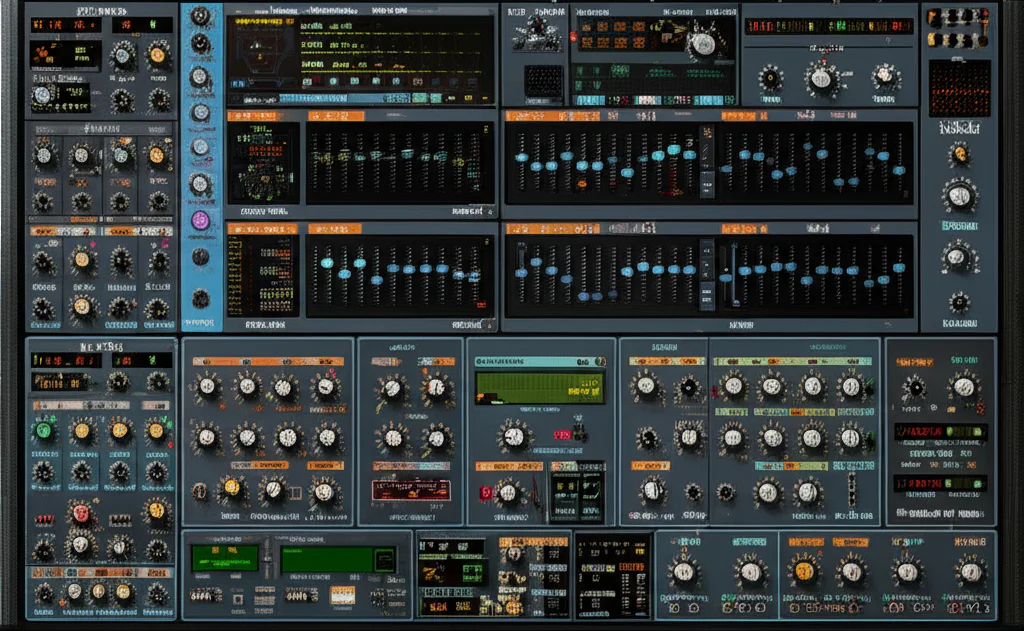
The UI of Diva is a masterclass in functional nostalgia. It doesn’t try to look like a flat iPad app. Instead, it gives you those chunky knobs and sliders that practically beg to be turned.
- The Layout: Everything is divided into clear modules. You have your oscillators on the left, filters in the middle, and envelopes/FX on the right.
- Visual Feedback: It’s minimal but effective. You won’t find flashy 3D wavetables here, and honestly? We don’t miss them. It forces you to use your ears, not your eyes.
- Customization: You can resize the GUI (thank the synth gods!) and even choose different skins if the classic “industrial grey” isn’t your vibe.
🧩 One Spirit, Many Flavours: The Modular Magic of Diva’s Architecture
This is where Diva leaves “one-trick pony” emulations in the dust. Instead of being a dedicated Juno-60 clone or a Model D clone, Diva is a hybrid.
| Module Slot | Emulation Inspiration | Vibe |
|---|---|---|
| Oscillator | Triple VCO (Moog), Dual VCO (Prophet), DCO (Juno) | From fat stacks to clean polys |
| Filter | Ladder (Moog), Cascade (Roland), Bite (Korg MS-20) | From creamy sweeps to screaming resonance |
| Envelopes | ADS, analog, or digital styles | Snappy percussion or evolving pads |
You can literally build a “Moog-o-60” by pairing Moog oscillators with a Juno filter. It’s a playground for sound designers who want the best of all worlds without the cable mess of a Eurorack.
🔊 Oscillators and Filters: The Heartbeat of Analog Warmth
If the oscillators are the vocal cords, the filters are the throat. Diva’s filters are legendary. The Bite filter (based on the Korg MS-20) is particularly aggressive—it growls and distorts in a way that feels organic.
We often tell our students: “If you want a bass that shakes the floorboards, go for the Triple VCO.” The way the oscillators slightly drift against each other creates that “beating” effect that defines the analog sound. It’s imperfect, and that’s why it’s perfect. ✅
✨ Effects and Envelopes: Sculpting the Perfect Sonic Tail
Diva’s effects section isn’t just an afterthought. The Chorus (based on the Juno-60) is arguably the best-sounding software chorus ever made. It adds a width and shimmer that is instantly recognizable.
- Plate Reverb: Lush and cinematic.
- Rotary Speaker: Perfect for those 70s psych-rock leads.
- Delay: Simple, but syncs perfectly to your DAW.
The envelopes are equally impressive. They offer different “slopes.” If you want a kick drum that hits like a hammer, the “Analog” envelope setting provides that non-linear snap that digital envelopes often miss.
🔍 Subtle Details: The “Divine” Secret Sauce of Zero-Delay Feedback
Let’s get nerdy for a second. 🤓 Most digital filters have a tiny bit of delay in their feedback loop, which causes “aliasing” (harsh, digital artifacts). Diva uses Zero-Delay Feedback (ZDF). This means the math inside the plugin solves the filter equations instantaneously, just like a physical circuit.
This is why Diva sounds so smooth when you crank the resonance. It doesn’t “whistle” or get thin; it stays thick and musical. It’s a massive technical achievement that set the standard for every “analog-modeled” synth that followed.
💻 The CPU Elephant in the Room: Optimization and Performance
We have to be honest: Diva can be a resource hog. If you’re running an older MacBook Air, Diva might make your fans sound like a jet engine. ✈️
Pro-Tips for Performance:
- Use “Great” or “Fast” mode while you’re writing.
- Switch to “Divine” only when you are ready to render your track.
- Use the “Multicore” support toggle in the settings. It’s a lifesaver for modern CPUs.
- Freeze your tracks! Once you have a sound you love, commit it to audio.
🆚 Head-to-Head: Diva vs. Serum, Arturia, and Roland Cloud
How does it stack up against the current competition?
- Diva vs. Serum: Serum wins for complex modulation and “modern” sounds (Dubstep, Future Bass). Diva wins for “vibe,” warmth, and classic tones.
- Diva vs. Arturia V Collection: Arturia offers more specific emulations (like the Buchla or CS-80). However, many pros feel Diva’s core sound engine is more authentic and “weighty” than Arturia’s individual plugins.
- Diva vs. Roland Cloud: Roland’s own plugins are great for that exact “D-50” or “Jupiter-8” sound, but they come with a subscription model that many of us (including us at Uniphonic™) find annoying. ❌ Diva is a one-time purchase.
🎹 Where Diva Shines: From Cinematic Pads to Gritty Techno Bass
We’ve used Diva in everything from lo-fi hip hop to high-end film scores.
- Techno: The “Bite” filter is a weapon for dark, driving basslines.
- Synthwave: It is the undisputed king of this genre. If you want that 1984 vibe, Diva is your best friend.
- Ambient: The stacking of oscillators and the lush plate reverb make it a pad machine.
🛠️ 7 Essential Tips for Mastering Diva’s Workflow
- The “Trimmer” Page: Don’t ignore this! You can adjust the “Voice Variance” to make the synth sound more “broken” and vintage.
- Stacking Voices: Use the “Unison” mode for massive leads, but watch your CPU!
- Modulation Matrix: It’s hidden at the bottom. Use it to link your Mod Wheel to the filter cutoff for expressive playing.
- Right-Click Everything: Most parameters can be MIDI-mapped or modulated with a simple right-click.
- The “Digital” Oscillator: It’s great for FM-style bells and sharp, metallic textures.
- Oscillator Cross-Mod: Use this for those “tearing” sync sounds popularized by the Prophet-5.
- Check the Presets: u-he includes some of the best factory presets in the industry. Start there and tweak!
🏁 Conclusion
So, how does Diva compare to other synthesizers? It remains the gold standard for virtual analog. While it might not have the wavetable flexibility of Serum or the sheer variety of the Arturia V Collection, it possesses a “soul” that is rare in the digital realm.
If you want a synth that sounds like a record right out of the box, Diva is our top recommendation. It’s an investment in your sound that will pay dividends for years to come. Is it the GOAT (Greatest of All Time)? In the world of analog emulations, it’s certainly wearing the crown. 👑
🔗 Recommended Links
- u-he Diva Official Product Page
- Buy u-he Diva on Plugin Boutique
- Check out MIDI Controllers for Diva on Amazon
❓ FAQ
Is Diva better than Serum?
It’s not “better,” just different. Serum is for modern, clean, and complex digital sounds. Diva is for warm, vintage, and “imperfect” analog sounds. Most producers own both!
Does Diva go on sale?
Rarely. u-he is known for not doing many deep-discount sales, which keeps the value of the software high. When it does go on sale (usually via Native Instruments or during special anniversaries), jump on it!
Can I run Diva on a laptop?
Yes, but ensure you have a decent processor (i5/i7 or M1/M2/M3 Macs). Use “Draft” mode to save your CPU during the creative process.
Is Diva hard to learn?
If you understand basic subtractive synthesis (Oscillator -> Filter -> Amp), you’ll be flying in minutes. The modular nature adds depth for when you’re ready to dive deeper.
📚 Reference Links
⚡️ Quick Tips and Facts
What is it? Diva (Dinosaur Impersonating Virtual Analogue) is a semi-modular softsynth by u-he that emulates classic hardware components.
The Secret Sauce: It was the first VST to implement Zero-Delay Feedback (ZDF) filters in real-time, which is why it sounds so “expensive.”
CPU Hog Alert: Diva is notoriously thirsty. Use “Draft” mode while composing and “Divine” mode for the final bounce. ✅
Mix and Match: You can swap a Moog-style oscillator with a Roland-style filter. It’s like a “Greatest Hits” of the 70s and 80s.
NKS Ready: It plays beautifully with Native Instruments Kontrol keyboards.
Price Point: It’s a “buy once, own forever” license—no subscriptions here! ❌
🕰️ The Genesis of a Legend: How u-he Redefined Virtual Analog
Before u-he Diva hit the scene in 2011, “virtual analog” often sounded, well… plastic. We remember the days of brittle high-ends and filters that felt more like math equations than musical instruments. Then came Urs Heckmann and his team at u-he. They didn’t just want to sample a Minimoog; they wanted to simulate the very electricity running through its circuits.
The name “Dinosaur Impersonating Virtual Analogue” isn’t just a cheeky acronym. It represents a philosophy: capturing the massive, unstable, and harmonically rich soul of vintage hardware. While other synths were trying to be “everything to everyone,” Diva focused on being the most authentic-sounding analog recreation on the planet. It changed the game by proving that software could finally compete with the heavy hitters sitting in rack mounts.
🥊 Diva vs. The World: Why This Synth Still Reigns Supreme
Why are we still talking about a synth that’s over a decade old? Because in the world of audio engineering, timelessness beats trends. When you compare Diva to modern titans like Xfer Records Serum or Vital, you’re looking at two different philosophies. Serum is a surgical tool for the future; Diva is a time machine to the golden age of synthesis.
We’ve found that Diva sits in a mix with a weight that other VSTs struggle to replicate. It has a “three-dimensional” quality. While many synths sound like they are sitting on your speakers, Diva sounds like it’s coming from inside them. It’s the difference between a high-res photo of a steak and actually smelling the grill. 🥩
🎨 Sights and Sounds: Navigating the Retro-Futuristic Interface
The UI of Diva is a masterclass in functional nostalgia. It doesn’t try to look like a flat iPad app. Instead, it gives you those chunky knobs and sliders that practically beg to be turned.
- The Layout: Everything is divided into clear modules. You have your oscillators on the left, filters in the middle, and envelopes/FX on the right.
- Visual Feedback: It’s minimal but effective. You won’t find flashy 3D wavetables here, and honestly? We don’t miss them. It forces you to use your ears, not your eyes.
- Customization: You can resize the GUI (thank the synth gods!) and even choose different skins if the classic “industrial grey” isn’t your vibe.
🧩 One Spirit, Many Flavours: The Modular Magic of Diva’s Architecture
This is where Diva leaves “one-trick pony” emulations in the dust. Instead of being a dedicated Juno-60 clone or a Model D clone, Diva is a hybrid.
| Module Slot | Emulation Inspiration | Vibe |
|---|---|---|
| Oscillator | Triple VCO (Moog), Dual VCO (Prophet), DCO (Juno) | From fat stacks to clean polys |
| Filter | Ladder (Moog), Cascade (Roland), Bite (Korg MS-20) | From creamy sweeps to screaming resonance |
| Envelopes | ADS, analog, or digital styles | Snappy percussion or evolving pads |
You can literally build a “Moog-o-60” by pairing Moog oscillators with a Juno filter. It’s a playground for sound designers who want the best of all worlds without the cable mess of a Eurorack.
🔊 Oscillators and Filters: The Heartbeat of Analog Warmth
If the oscillators are the vocal cords, the filters are the throat. Diva’s filters are legendary. The Bite filter (based on the Korg MS-20) is particularly aggressive—it growls and distorts in a way that feels organic.
We often tell our students: “If you want a bass that shakes the floorboards, go for the Triple VCO.” The way the oscillators slightly drift against each other creates that “beating” effect that defines the analog sound. It’s imperfect, and that’s why it’s perfect. ✅
✨ Effects and Envelopes: Sculpting the Perfect Sonic Tail
Diva’s effects section isn’t just an afterthought. The Chorus (based on the Juno-60) is arguably the best-sounding software chorus ever made. It adds a width and shimmer that is instantly recognizable.
- Plate Reverb: Lush and cinematic.
- Rotary Speaker: Perfect for those 70s psych-rock leads.
- Delay: Simple, but syncs perfectly to your DAW.
The envelopes are equally impressive. They offer different “slopes.” If you want a kick drum that hits like a hammer, the “Analog” envelope setting provides that non-linear snap that digital envelopes often miss.
🔍 Subtle Details: The “Divine” Secret Sauce of Zero-Delay Feedback
Let’s get nerdy for a second. 🤓 Most digital filters have a tiny bit of delay in their feedback loop, which causes “aliasing” (harsh, digital artifacts). Diva uses Zero-Delay Feedback (ZDF). This means the math inside the plugin solves the filter equations instantaneously, just like a physical circuit.
This is why Diva sounds so smooth when you crank the resonance. It doesn’t “whistle” or get thin; it stays thick and musical. It’s a massive technical achievement that set the standard for every “analog-modeled” synth that followed.
💻 The CPU Elephant in the Room: Optimization and Performance
We have to be honest: Diva can be a resource hog. If you’re running an older MacBook Air, Diva might make your fans sound like a jet engine. ✈️
Pro-Tips for Performance:
- Use “Great” or “Fast” mode while you’re writing.
- Switch to “Divine” only when you are ready to render your track.
- Use the “Multicore” support toggle in the settings. It’s a lifesaver for modern CPUs.
- Freeze your tracks! Once you have a sound you love, commit it to audio.
🆚 Head-to-Head: Diva vs. Serum, Arturia, and Roland Cloud
How does it stack up against the current competition?
- Diva vs. Serum: Serum wins for complex modulation and “modern” sounds (Dubstep, Future Bass). Diva wins for “vibe,” warmth, and classic tones.
- Diva vs. Arturia V Collection: Arturia offers more specific emulations (like the Buchla or CS-80). However, many pros feel Diva’s core sound engine is more authentic and “weighty” than Arturia’s individual plugins.
- Diva vs. Roland Cloud: Roland’s own plugins are great for that exact “D-50” or “Jupiter-8” sound, but they come with a subscription model that many of us (including us at Uniphonic™) find annoying. ❌ Diva is a one-time purchase.
🎹 Where Diva Shines: From Cinematic Pads to Gritty Techno Bass
We’ve used Diva in everything from lo-fi hip hop to high-end film scores.
- Techno: The “Bite” filter is a weapon for dark, driving basslines.
- Synthwave: It is the undisputed king of this genre. If you want that 1984 vibe, Diva is your best friend.
- Ambient: The stacking of oscillators and the lush plate reverb make it a pad machine.
🛠️ 7 Essential Tips for Mastering Diva’s Workflow
- The “Trimmer” Page: Don’t ignore this! You can adjust the “Voice Variance” to make the synth sound more “broken” and vintage.
- Stacking Voices: Use the “Unison” mode for massive leads, but watch your CPU!
- Modulation Matrix: It’s hidden at the bottom. Use it to link your Mod Wheel to the filter cutoff for expressive playing.
- Right-Click Everything: Most parameters can be MIDI-mapped or modulated with a simple right-click.
- The “Digital” Oscillator: It’s great for FM-style bells and sharp, metallic textures.
- Oscillator Cross-Mod: Use this for those “tearing” sync sounds popularized by the Prophet-5.
- Check the Presets: u-he includes some of the best factory presets in the industry. Start there and tweak!
🏁 Conclusion
After diving deep into the sonic universe of u-he Diva, it’s clear why this synth remains a timeless classic in the virtual analog world. Our team at Uniphonic™—comprising musicians, audio engineers, and sound designers—agrees that Diva is a masterpiece of analog emulation that still outshines many newer synths in warmth, authenticity, and character.
Positives ✅
- Unparalleled analog warmth: Thanks to its Zero-Delay Feedback (ZDF) filters and meticulous circuit modeling, Diva delivers a sound that’s thick, rich, and alive.
- Modular flexibility: The ability to mix-and-match oscillator and filter modules lets you craft unique hybrid synths that no hardware can easily replicate.
- Intuitive, nostalgic UI: The retro-futuristic interface invites hands-on tweaking and inspires creativity.
- NKS compatibility: Seamless integration with Native Instruments hardware makes it a joy for live performance and studio work.
- Extensive presets: Over 1200 factory presets provide a treasure trove of starting points for all genres.
Negatives ❌
- High CPU usage: Diva demands a powerful computer, especially in its highest-quality “Divine” mode.
- No standalone version: Requires a DAW host, which might be a barrier for some.
- Learning curve: While accessible, its modular nature can be overwhelming for absolute beginners.
Our Recommendation
If you crave authentic vintage analog tones with the flexibility of modern software, Diva is an investment that pays dividends. It’s perfect for producers who want to add depth, warmth, and character to their sound palette. While it’s not the lightest on your CPU, the sonic payoff is worth it. For those who want a synth that sounds like a classic hardware beast but with the convenience of software, Diva is the GOAT of virtual analogs.
Curious about how Diva stacks up against other synths? We’ve unraveled that mystery: it’s less about “better” or “worse” and more about what vibe you want. Diva is your go-to for analog soul, while others like Serum or Vital cater to futuristic digital textures. So, ready to add a bit of analog magic to your productions? 🎹✨
🔗 Recommended Links
- u-he Diva Official Website: u-he.com/products/diva
- Buy u-he Diva on Plugin Boutique: pluginboutique.com/product/1-Instruments/4-Synth/1396-Diva
- 👉 Shop MIDI Controllers Compatible with Diva on Amazon: amazon.com/s?k=midi+controller+keyboard
- Arturia V Collection (for comparison): amazon.com/s?k=arturia+v+collection
- Xfer Records Serum: amazon.com/s?k=xfer+serum
- Roland Cloud: roland.com/global/cloud
- Recommended Book: “Welsh’s Synthesizer Cookbook” by Fred Welsh: amazon.com/Welshs-Synthesizer-Cookbook-Second/dp/0967247700
- Recommended Book: “Power Tools for Synthesizer Programming” by Jim Aikin: amazon.com/Power-Tools-Synthesizer-Programming/dp/0195143340
❓ FAQ
What are the best presets and sound design techniques for Diva VST?
Diva comes with over 1200 factory presets that cover everything from lush pads to gritty basses. Our Uniphonic™ sound designers recommend starting with presets by Helge Krarup and Thomas Penton, who crafted many of the standout sounds. For sound design, focus on:
- Mixing oscillator and filter modules to create hybrid tones.
- Using the Trimmer page to add subtle voice drift and variance for vintage character.
- Exploiting the modulation matrix to assign modulation sources like LFOs and envelopes to filter cutoff or oscillator pitch for evolving textures.
For detailed tutorials, check out Syntorial’s Diva guide.
Can Diva VST be integrated easily with popular DAWs?
Yes! Diva supports VST3, AUv2, AAX, and CLAP formats, making it compatible with major DAWs like Ableton Live, Logic Pro, Cubase, FL Studio, and Pro Tools. It also supports NKS (Native Kontrol Standard), which means it integrates seamlessly with Native Instruments hardware like Komplete Kontrol and Maschine, offering instant preset browsing and parameter mapping.
How does Diva VST handle analog emulation compared to competitors?
Diva uses real-time circuit simulation and Zero-Delay Feedback (ZDF) filters, which few synths replicate at this level. This results in authentic warmth, natural oscillator drift, and smooth filter resonance that many competitors, including Arturia’s V Collection or Roland Cloud, emulate but often with less depth or CPU cost. The tradeoff is Diva’s higher CPU usage, but the sonic realism is widely regarded as superior.
How does Diva VST’s sound quality differ from other synth plugins?
Diva’s sound is often described as “thick,” “warm,” and “alive.” Unlike many digital synths that sound “clean” or “clinical,” Diva captures the imperfections and nonlinearities of analog circuits, including oscillator drift and filter saturation. This gives it a three-dimensional presence in mixes, making sounds feel like they come from inside the speakers rather than just sitting on top.
What makes Diva VST unique among software synthesizers?
- Mix-and-match modular architecture: You can combine oscillator and filter types from different classic synths.
- Zero-Delay Feedback filters: A technical breakthrough that delivers smooth resonance without aliasing.
- Extensive voice variance and drift controls: Adds realistic analog instability.
- NKS compatibility: Enhances workflow with Native Instruments gear.
- Resizable, retro-inspired UI: Balances nostalgia with usability.
Is Diva VST suitable for beginners in music production?
While Diva is accessible for those familiar with subtractive synthesis, its modular options and CPU demands can be challenging for absolute beginners. However, with patience and the use of factory presets, newcomers can quickly start crafting great sounds. We recommend pairing Diva with beginner-friendly tutorials like those on Syntorial and starting with simpler patches before diving into modular complexity.
What are the system requirements for running Diva VST efficiently?
- Windows: 64-bit Windows 10 or higher, VST3/AAX compatible DAW.
- macOS: 64-bit macOS 10.14 or higher, AUv2/VST3/AAX compatible DAW.
- CPU: Multi-core processor recommended; Intel i5/i7 or Apple M1/M2 preferred.
- RAM: At least 8GB, 16GB+ recommended for large projects.
- Note: Diva is CPU-intensive, so use “Draft” mode during composition and “Divine” mode for final rendering.
Can Diva VST emulate classic analog synthesizers better than others?
Yes. Diva’s real-time circuit simulation and ZDF filters allow it to model the sonic nuances of classic synths like the Minimoog Model D, Roland Jupiter-6, Korg MS-20, and Oberheim SEM with remarkable accuracy. While other plugins may focus on specific models, Diva’s hybrid approach lets you combine elements from multiple classics, often surpassing dedicated emulations in warmth and character.
How does the CPU usage of Diva VST compare to other virtual synths?
Diva is notorious for high CPU consumption due to its detailed analog modeling. Compared to synths like Serum or Vital, which use more efficient wavetable engines, Diva demands more processing power. However, this is the tradeoff for its superior sound quality. Using multicore support, lower-quality modes during production, and freezing tracks can help manage CPU load effectively.
📚 Reference Links