
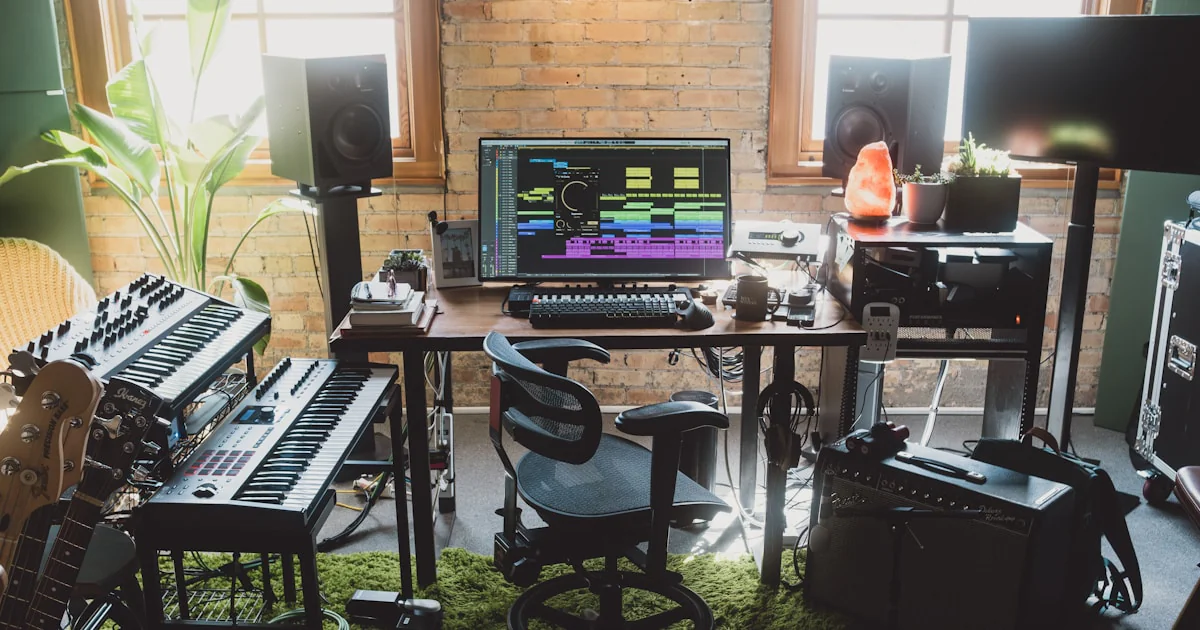

VST plugins enhance music production workflows by putting instruments, effects, automation, and complete signal chains inside your DAW, making creative decisions faster, more flexible, and easier to recall. They do not automatically make a mix better, but they can remove technical friction so you spend more time writing and less time hunting for cables, patch sheets, or that one compressor setting you liked three months ago.
So, how do VST plugins enhance music production workflows? They let you generate sounds, shape recordings, automate movement, save reusable templates, collaborate remotely, and revise decisions without permanently changing the original audio. A single laptop can host a synthesizer, drum sampler, vocal chain, guitar rig, reverb, mastering meter, and experimental sound-design lab.
We’ve watched this play out in real sessions. One of our producers once turned a rough four-bar synth loop into a full transition by resampling it, filtering the audio, reversing a fragment, and feeding it through a delay. The original idea took minutes to create; the confidence to commit came from knowing the plugin chain could be recalled instantly.
The catch? More plugins do not equal better music. A small collection of dependable tools, organized presets, sensible CPU management, and good listening habits will usually outperform a digital mountain of unused downloads. 🎚️
Key Takeaways
- VST instruments generate sound through synthesizers, samplers, drum machines, pianos, orchestral libraries, and experimental instruments.
- VST effects shape sound with EQ, compression, reverb, delay, saturation, distortion, modulation, stereo imaging, and mastering processors.
- Automation makes plugins musical, allowing filters, delays, reverbs, dynamics, and synth parameters to respond to the arrangement.
- Presets and templates save time by making recording, sound design, mixing, and mastering setups instantly recallable.
- Non-destructive editing encourages experimentation because you can compare processing choices without damaging the original recording.
- VST3 improves modern DAW integration, although it does not automatically sound better than VST2 or other plugin formats.
- CPU and compatibility planning matter. Freeze tracks, render complex instruments, check operating-system support, and keep reliable project backups.
- Stock DAW plugins are often enough. Choose third-party tools for distinctive sound, faster workflow, better visualization, or specialized control.
- A focused plugin collection beats plugin hoarding. Start with one strong synth, sampler, EQ, compressor, reverb, delay, saturation tool, and meter.
- The best plugin is the one that helps you finish the musical decision, not the one with the most knobs.
Table of Contents
- ⚡️ Quick Tips and Facts About VST Plugins
- 🎛️ What Are VST Plugins and How Do They Work?
- VST, VST2, VST3, and VSTi Explained
- How Plugins Communicate With a Digital Audio Workstation
- VST Plugins vs. Hardware Studio Gear
- 🎚️ The Evolution of Virtual Studio Technology in Music Production
- From Software Synthesizers to Modern Plugin Ecosystems
- Why VST3 Became the Industry Standard
- 🚀 How VST Plugins Enhance Music Production Workflows
- Faster Sound Design and Creative Experimentation
- Flexible Recording, Editing, and Arrangement
- Professional Mixing and Mastering in the Box
- Workflow Automation With Presets, Templates, and MIDI
- Better Collaboration, Portability, and Recall
- 🎹 15 Essential Types of VST Plugins for Producers
- 1. Software Synthesizers and VST Instruments
- 2. Samplers and Sample-Based Instruments
- 3. Drum Machines and Groovebox Plugins
- 4. Equalizers and Dynamic EQ
- 5. Compressors and Multiband Compressors
- 6. Reverb Plugins and Convolution Reverb
- 7. Delay, Echo, and Modulation Effects
- 8. Saturation, Distortion, and Tape Emulation
- 9. Chorus, Flanger, Phaser, and Other Modulation Effects
- 10. Pitch Correction and Vocal Processing Plugins
- 11. Noise Reduction and Audio Restoration Tools
- 12. Stereo Imaging and Spatial Audio Plugins
- 13. Limiting, Clipping, and Mastering Plugins
- 14. Metering, Spectrum Analysis, and Loudness Tools
- 15. MIDI Effects, Arpeggiators, and Sequencers
- 🔍 VST Plugin Categories by Production Task
- Beatmaking and Music Composition
- Vocal Recording and Vocal Mixing
- Electronic Music Sound Design
- Film Scoring, Game Audio, and Media Production
- Live Performance and Real-Time Processing
- 🧩 VST Plugins in Popular DAWs
- Ableton Live
- FL Studio
- Logic Pro and Audio Units Compatibility
- Cubase and Nuendo
- Pro Tools and AX Alternatives
- Studio One, REAPER, Bitwig Studio, and Reason
- ⚙️ Building an Efficient VST Plugin Workflow
- Choosing a Reliable Plugin Folder Structure
- Organizing Presets, Samples, and Project Files
- Using Track Templates, Effect Chains, and Bus Processing
- Saving CPU With Freeze, Bounce, and Render-in-Place
- Managing Latency, Buffer Size, and Plugin Delay Compensation
- 💻 System Requirements and Plugin Compatibility
- Windows, macOS, and Operating System Support
- Apple Silicon, Intel Processors, and Universal Plugins
- 64-Bit Hosts, Bridging, and Legacy Plugin Support
- Audio Formats: VST3, AU, AX, CLAP, and Standalone Apps
- 💡 Free vs. Paid VST Plugins: What Actually Matters?
- Best Free Plugin Features to Look For
- When Premium Plugins Are Worth It
- Subscription Models, Bundles, and Upgrade Policies
- 🏆 Recommended VST Plugin Brands and Tools
- Synthesizers From Arturia, Xfer Records, u-he, and Native Instruments
- Mixing Plugins From FabFilter, Slate Digital, Waves, and Softube
- Analog Modeling From Universal Audio, Plugin Alliance, and Brainworx
- Creative Effects From Soundtoys, Valhalla DSP, Eventide, and iZotope
- Orchestral and Cinematic Instruments From Spitfire Audio and EastWest
- 🎼 Using VST Plugins for Different Genres
- Pop and R&B Production
- Hip-Hop and Trap Production
- Rock, Metal, and Live Band Mixing
- Electronic, House, and Techno Production
- Ambient, Cinematic, and Experimental Music
- 🧠 Creative Strategies for Getting More From VST Plugins
- Sound Design With Layering and Resampling
- Parallel Processing and Send Effects
- Sidechain Compression and Dynamic Ducking
- Automation for Movement and Expression
- Using Reference Tracks and Gain Staging
- ✅ Benefits of VST Plugins for Music Producers
- ❌ Limitations and Common VST Plugin Problems
- CPU Overload, Crashes, and Audio Dropouts
- Plugin Scanning and Installation Errors
- Authorization, Licensing, and DRM Issues
- Compatibility Problems After DAW or OS Updates
- Plugin Hoarding and Decision Fatigue
- 🛠️ VST Plugin Troubleshooting Guide
- How to Rescan Missing Plugins
- How to Fix Plugin Crashes and Instability
- How to Reduce Latency and CPU Usage
- How to Recover Projects With Missing Plugins
- How to Back Up Plugin Installers and Licenses
- 🔐 VST Plugin Security, Privacy, and Long-Term Maintenance
- Safe Plugin Downloads and Developer Verification
- Keeping Plugins Updated Without Breaking Projects
- Archiving Sessions for Future Compatibility
- 📚 Learning VST Plugins Without Losing Your Musical Focus
- Understanding Signal Flow and Audio Fundamentals
- Developing Preset Design and Critical Listening Skills
- Building a Small, Purposeful Plugin Collection
- 🌐 The Future of VST Plugins and Music Production Technology
- AI-Assisted Mixing and Generative Music Tools
- Immersive Audio, Dolby Atmos, and Spatial Production
- CLAP, Cloud Workflows, and Cross-Platform Collaboration
- 🎯 How to Choose the Right VST Plugins for Your Workflow
- Questions to Ask Before Installing a Plugin
- A Practical Plugin Evaluation Checklist
- A Balanced Starter Collection for New Producers
- Conclusion
- 🔗 Recommended Links
- ❓ FAQ
- Do VST plugins improve sound quality automatically?
- What is the difference between VST and VST3 plugins?
- Can VST plugins work in every DAW?
- Are free VST plugins safe and useful?
- How many VST plugins does a producer really need?
- Why do VST plugins use so much CPU?
- Should I buy plugins or use stock DAW effects?
- How do I install and organize VST plugins?
- 📖 Reference Links
Quick Tips and Facts About VST Plugins
If you’ve ever wondered “How do VST plugins enhance music production workflows?”, the short answer is: they put more instruments, effects, control, and repeatability inside your DAW. Our VST production guide explores the larger ecosystem, but here’s the practical version first.
- VST instruments generate sound: synthesizers, samplers, drum machines, pianos, orchestral libraries, and experimental instruments.
- VST effects process sound: EQ, compression, reverb, delay, saturation, distortion, modulation, stereo imaging, and mastering tools.
- VST MIDI plugins transform musical information before it reaches an instrument. They can generate chords, arpeggios, scales, rhythms, and variations.
- Presets and saved chains reduce repetitive setup work. Open a template, and your vocal bus or synth rack is ready before the coffee cools. ☕
- Automation makes plugins dynamic. A filter can open into a chorus, a delay can appear only at the end of a phrase, and reverb can widen a transition without washing out the entire mix.
- Stock DAW plugins remain capable. Third-party tools are valuable when they provide a faster workflow, distinctive sound, better visualization, or a specialized function.
- More plugins do not automatically mean better music. A focused collection usually beats a digital cupboard full of unopened downloads.
- CPU use depends on the plugin and settings. Oversampling, convolution reverb, detailed instruments, linear-phase processing, and look-ahead functions can be demanding.
- Compatibility matters. Check the plugin format, operating-system support, processor architecture, DAW compatibility, authorization method, and update policy before installing.
- The best workflow is task-first: identify the musical problem, choose the simplest tool that solves it, then bypass the plugin to confirm it is genuinely helping.
A quick workflow test
Ask three questions whenever you load a VST:
- What problem am I solving?
- Can I hear a meaningful improvement with level-matched bypassing?
- Will this plugin make the next decision faster, clearer, or more creative?
If the answer to all three is “yes,” keep it. If not, the plugin may be wearing a tiny lab coat while doing absolutely nothing.
What Are VST Plugins and How Do They Work?
A VST plugin is software that runs inside a host application, usually a digital audio workstation such as Ableton Live, Cubase, FL Studio, REAPER, Studio One, or Bitwig Studio.
Steinberg introduced Virtual Studio Technology as a way to bring studio-style instruments and processors into software. The official Steinberg VST developer resources document the format and development ecosystem.
In plain English:
- The DAW is the studio building.
- The plugin is a specialist room inside it.
- The audio engine carries signals through the building.
- Your automation, MIDI, and presets tell each room what to do and when.
This architecture is why a single laptop can host a synthesizer, guitar amplifier, orchestral ensemble, mastering chain, and an absurdly specific “haunted VHS machine” effect without requiring a truck full of hardware.
VST, VST2, VST3, and VSTi Explained
| Format or term | What it means | Typical use | Practical consideration |
|---|---|---|---|
| VST | General name for Steinberg’s plugin technology | Instruments and effects | Often used conversationaly for the whole category |
| VST2 | Earlier VST specification | Legacy instruments and effects | Many current hosts have reduced or removed support |
| VST3 | Modern Steinberg plugin format | Current instruments and effects | Supports features such as dynamic I/O and more efficient processing behavior |
| VSTi | “VST instrument” | Synths, samplers, pianos, drums | Usually receives MIDI and outputs audio |
| AU | Apple Audio Units format | macOS DAWs, especially Logic Pro | Not the same format as VST |
| AX | Avid’s plugin format | Pro Tools | Requires AX-compatible plugins |
| CLAP | Newer open plugin format | Emerging cross-platform workflows | Support varies by DAW and developer |
The VST3 specification gives developers detailed technical information. For producers, the main takeaway is simpler: install the format your DAW supports best, and prefer VST3 for modern Windows and cross-DAW workflows unless a specific host recommends otherwise.
VST instruments versus VST effects
A VST instrument generally receives MIDI, generates audio, or both:
A VST effect receives audio and changes it:
Some plugins blur the categories. A granular instrument may sample incoming audio, while a MIDI effect may never produce sound itself. Think of them as different kinds of musical translators.
How Plugins Communicate With a Digital Audio Workstation
When you insert a plugin, the DAW provides several services:
- Audio input and output
- The DAW sends audio into an effect.
- The plugin processes it.
- The result returns to the track, bus, or master output.
- MIDI communication
- MIDI notes, velocity, pitch bend, modulation, and sustain information can control instruments.
- MIDI effects can alter that information before it reaches the instrument.
- Parameter control
- Knobs, sliders, switches, and macros become automatable.
- A filter cutoff can move with the arrangement.
- A compressor threshold can react to a chorus.
- Timing and synchronization
- Delay, LFO, arpeggiator, and sequencer timings can follow the DAW’s tempo.
- This turns a static effect into a rhythmic production tool.
- Preset and project recall
- The DAW stores plugin states inside the project.
- Open the session next month and, ideally, the virtual console remembers the entire argument.
- Latency compensation
- Some plugins need extra processing time.
- The DAW can delay other tracks to preserve alignment, provided the plugin reports its latency correctly.
Ableton explains related routing, device, and latency behavior in its Live manual, while Avid documents plugin integration in the Pro Tools reference library.
VST Plugins vs. Hardware Studio Gear
Software and hardware are not enemies. They are different tools with different tradeoffs.
| Factor | VST plugins | Hardware processors and instruments |
|---|---|---|
| Recall | Instant project recall | Manual settings or MIDI recall |
| Editing | Deep automation and undo | Often hands-on and immediate |
| Physical interaction | Mouse, controller, or touchscreen | Dedicated knobs, keys, and faders |
| Portability | Projects can travel with a computer | Requires physical transportation |
| Signal path | Usually internal and repeatable | Can add converters, cables, and analog behavior |
| Maintenance | Updates, licenses, compatibility | Repairs, calibration, physical wear |
| Creative feel | Flexible and highly repeatable | Tactile, immediate, sometimes unpredictable |
| CPU demand | Can be significant | Usually external to the computer |
| Sound character | Depends on modeling and algorithms | Depends on circuitry, transformers, tubes, and design |
The strongest studios often combine both. The creator perspective in the featured video is refreshingly practical: use analog hardware when it inspires you, but keep a reliable group of high-quality plugins for speed and consistency. The recommended examples include Scorch by MyBestFriendJacob, Frank Dukes’ Prince, and Spitfire Audio LABS.
That hybrid approach matters because workflow friction can kill a musical idea faster than imperfect tone. A hardware synth may invite performance; a plugin may make recall painless. We use both depending on whether the session needs hands-on exploration or surgical repeatability.
The Evolution of Virtual Studio Technology in Music Production
From Software Synthesizers to Modern Plugin Ecosystems
Early computer music systems were often expensive, specialized, and difficult to integrate. VST technology helped move instruments and processors into a common DAW environment, making software-based production more modular.
Today’s plugin ecosystem includes:
- Physical-modeling instruments
- Analog-modeled compressors and equalizers
- Convolution reverbs
- Spectral repair tools
- AI-assisted mixing systems
- Modular synthesizers
- Orchestral sample libraries
- MIDI generators
- Immersive-audio processors
- Live-performance devices
- Visual analyzers and loudness meters
The result is more than a pile of effects. It is a production platform where sound generation, composition, editing, mixing, and mastering can happen in the same project.
For example, a producer can:
- Generate a chord pattern with a MIDI tool.
- Feed it into a synthesizer.
- Resample the synth into audio.
- Slice it into a sampler.
- Add saturation and compression.
- Automate a filter and reverb send.
- Print the result for a live set.
That chain might have required several hardware units, a patch bay, tape, and a notebook in another era. Now it may live in one Ableton Live rack.
Why VST3 Became the Industry Standard
VST3 offers several workflow-oriented improvements compared with older plugin formats, including:
- More flexible audio-input and output configurations
- Improved parameter handling
- Support for event and note-expression data
- Better behavior for some inactive or silent processing states
- More modern integration with current DAWs
The Steinberg VST3 documentation is the best source for technical details, while your DAW’s documentation explains the practical implementation.
However, “VST3” does not automatically mean “better sound.” A VST3 compressor and VST2 compressor from the same developer may sound identical. The gain is generally integration, compatibility, and workflow behavior, not a magical extra tablespoon of bass.
How VST Plugins Enhance Music Production Workflows
VST plugins improve production in five connected ways:
- They reduce setup time.
- They expand sonic options.
- They make decisions repeatable.
- They allow detailed control and automation.
- They make experimentation safer through presets, undo, and recall.
The important distinction is this: plugins enhance the workflow first, and the sound second. A beautiful processor that slows every session may be less useful than a modest tool that helps you finish music.
Faster Sound Design and Creative Experimentation
A virtual instrument lets you audition a new sound without stopping the arrangement to rewire hardware. You can swap a wavetable synth for a sampled piano, automate the transformation, and compare versions without committing destructive edits.
Our sound-design team commonly uses this sequence:
- Start with a simple source.
- Load a focused instrument or effect.
- Change one major variable.
- Resample the result.
- Process the printed audio differently.
- Compare the original and transformed versions.
This keeps experimentation musical. Instead of scrolling through 400 presets, you create a small decision tree.
Example: designing a moving synth texture
- Load Arturia Pigments, Serum, or Vital.
- Choose a basic saw or wavetable.
- Set a slow LFO to control filter cutoff.
- Add subtle saturation.
- Send the sound to a tempo-synced delay.
- Automate feedback only at phrase endings.
- Resample a four-bar section.
- Reverse or time-stretch the audio.
- Place the texture behind the main hook.
The trick is not the plugin count. It is the order of decisions. One expressive modulation can do more than five decorative processors.
Flexible Recording, Editing, and Arrangement
VST plugins support non-destructive production. You can record a clean vocal, guitar, or synthesizer performance, then audition processing without permanently changing the source.
Useful workflows include:
- Monitoring vocals through a low-latency compressor and reverb
- Testing guitar amplifier simulations before committing to a tone
- Correcting vocal pitch with Celemony Melodyne or Antares Auto-Tune
- Removing noise with iZotope RX
- Creating multiple arrangement versions from the same audio
- Printing effect-heavy transitions while keeping dry backups
A producer can create an “idea” track, a “clean” track, and a “committed” track. That gives you freedom without turning every decision into permanent surgery.
Monitoring versus printing
These are different jobs:
- Monitoring processing helps performers hear an inspiring sound.
- Printing processing commits a deliberate creative choice.
- Mix processing balances the final recorded material.
For vocals, we often monitor with a controlled chain but keep a dry recording. A singer who hears a little compression and reverb may perform more confidently, yet the mix engineer still has room to shape the final vocal.
Professional Mixing and Mastering in the Box
Modern plugin workflows allow precise control over:
- Frequency balance
- Dynamics
- Stereo width
- Harmonic density
- Transient shape
- Depth and ambience
- Loudness and peak management
A useful mix-bus chain might include:
- Corrective EQ
- Gentle bus compression
- Harmonic enhancement
- Tonal or dynamic EQ
- Stereo management
- Limiting and metering
That is a possible route, not a sacred recipe. Many excellent mixes use fewer stages.
AIR Stereophonic Bundle as a workflow example
The AIR Music Technology Stereophonic Bundle demonstrates a deliberately streamlined stereo workflow:
- Stereophonic EQP provides broad tonal shaping, Mid/Side processing, tube warmth, and stereo control.
- Stereophonic Enhancer focuses on width, depth, low-end weight, cohesion, high-frequency air, and polish.
- AIR recommends shaping the tonal foundation with EQP before using Enhancer for spatial refinement.
AIR describes the goal as improving “clarity, depth, width, warmth, and impact without adding unnecessary complexity.” That wording captures a valuable production principle: a plugin earns its place when it turns a complicated task into a repeatable one.
The bundle supports VST, VST3, AU, AX-compatible hosts, standalone operation, and compatible MPC systems. AIR’s published system information lists Windows 10/11 and recent macOS versions, with MPC software version 3.9.1 or later required for full MPC standalone support. Check the official product page before installation because operating-system support changes.
👉 CHECK PRICE on:
- AIR Stereophonic Bundle: AIR Music Technology Official Website | Plugin Boutique Search
Stereo width needs a reality check
A wider mix can sound exciting in headphones but collapse in mono or weaken the center. We recommend:
- Increase width gradually.
- Monitor the low end in mono.
- Check the correlation meter.
- Compare at matched loudness.
- Bypass the processor during quieter listening.
- Test on headphones, nearfields, earbuds, and a small speaker.
The Audio Engineering Society and ITU-R recommendations provide broader technical context for measurement and monitoring. No width knob can rescue a weak arrangement, but the right spatial processor can clarify the relationship between center and sides.
Workflow Automation With Presets, Templates, and MIDI
Automation converts plugins from static processors into arrangement-aware tools.
You can automate:
- Filter cutoff
- Reverb send
- Delay feedback
- Distortion amount
- Compressor threshold
- Synth wavetable position
- Stereo width
- Pitch effects
- Mute and bypass states
- Macro controls across several plugins
The Ableton-focused VinceXMectric YouTube channel emphasizes this broader approach: plugins become more powerful when combined with racks, MIDI effects, automation, and performance controls rather than treated as isolated inserts.
A repeatable automation workflow
- Identify the arrangement moment that needs movement.
- Choose one parameter that expresses the change.
- Automate a broad gesture first.
- Refine only the most musical points.
- Compare the automated version with a static version.
- Remove automation that does not improve attention or emotion.
Too much automation is like seasoning with a leaf blower. The listener should feel movement, not see every knob waving from the back row.
Better Collaboration, Portability, and Recall
VST plugins make it easier to:
- Send project files between studios
- Reopen old arrangements
- Save custom effect chains
- Build reusable templates
- Compare mix revisions
- Maintain consistent vocal or drum processing
- Collaborate remotely
But portability is not automatic. The recipient also needs:
- The same plugin format
- The same plugin version, ideally
- Access to required sample libraries
- Valid licenses
- Matching project assets
- Compatible operating-system support
For reliable collaboration, include:
- A consolidated audio folder.
- A plugin list.
- A versioned project file.
- Printed stems.
- A reference mix.
- Notes describing intentional processing.
- Dry backups for important recordings.
The REAPER user guide and Ableton Live manual both explain project management and rendering concepts in detail.
15 Essential Types of VST Plugins for Producers
1. Software Synthesizers and VST Instruments
Software synthesizers create sound using oscillators, filters, envelopes, modulation, samples, or physical models.
Popular examples include:
- Xfer Records Serum
- Arturia Pigments
- u-he Diva
- Native Instruments Massive X
- Vital
- Spectrasonics Omnisphere
Best for:
- Basses
- Leads
- Pads
- Plucks
- Textures
- Evolving atmospheres
- Experimental sound design
Benefits:
- Instant preset recall
- Deep modulation
- MIDI performance control
- Layering and resampling
- Automation-friendly sound transformation
Drawbacks:
- Preset browsing can replace actual composing
- Advanced synthesis may consume CPU
- Large interfaces can interrupt musical focus
Our rule: spend less time searching for the “perfect” preset and more time making one imperfect preset respond musically to the track.
2. Samplers and Sample-Based Instruments
Samplers turn recordings into playable instruments. They can host one-shots, multisamples, loops, field recordings, and orchestral articulations.
Examples include:
Workflow advantage: sampling lets you transform a finished sound into raw material. A guitar chord can become a pad; a vocal breath can become a hi-hat; a room recording can become a rhythmic impulse.
3. Drum Machines and Groovebox Plugins
Drum plugins combine sequencers, samples, synthesis, effects, and pattern management.
Examples:
- XLN Audio Addictive Drums 2
- Native Instruments Battery 4
- Arturia Spark or drum software products
- Sonic Academy ANA 2
- iZotope Beat Machine
Use them for:
- Pattern creation
- Layered drum kits
- Groove extraction
- Velocity shaping
- Humanized timing
- Parallel drum processing
A convincing groove usually comes from relationships between hits, not from a plugin’s marketing adjective. Velocity, timing, decay, and silence still run the show.
4. Equalizers and Dynamic EQ
Equalizers adjust frequency balance. Dynamic EQ adds level-dependent behavior, allowing a frequency band to change only when a problem appears.
Examples:
- FabFilter Pro-Q 4
- iZotope Neutron
- TDR Nova
- Sonnox Oxford EQ
- AIR Stereophonic EQP
Common uses:
- Removing resonances
- Creating space between kick and bass
- Controlling harsh vocals
- Shaping a drum bus
- Managing low-mid buildup
- Balancing Mid and Side information
Expert tip: cut less than you think, then listen in context. Solo mode is useful for finding a problem, but the full mix decides whether the problem matters.
5. Compressors and Multiband Compressors
Compression controls dynamic range by reducing level above a threshold. It can stabilize a performance, shape transients, add punch, or create density.
Examples:
- FabFilter Pro-C 2
- Universal Audio Teletronix LA-2A Collection
- Waves SSL G-Master Buss Compressor
- Softube Tube-Tech CL 1B
- DMG Audio TrackComp
Use compression for:
- Vocal consistency
- Bass control
- Drum punch
- Bus cohesion
- Parallel processing
- Creative pumping
Drawback: compression can remove energy when used as a reflex. If the track gets smaller, duller, or less expressive, the compressor may be solving the wrong problem.
6. Reverb Plugins and Convolution Reverb
Reverb creates the impression of space. Algorithmic reverbs model spaces mathematically; convolution reverbs use impulse responses captured from real spaces or hardware.
Examples:
- Valhalla VintageVerb
- FabFilter Pro-R 2
- Seventh Heaven
- LiquidSonics Seventh Heaven
- Audio Ease Altiverb
Workflow tips:
- Use sends for shared spaces.
- Filter low end from reverb returns.
- Pre-delay vocals so consonants remain clear.
- Automate reverb at phrase endings.
- Compare short ambience against long tails.
- Check mono compatibility and transient definition.
Reverb is not merely “more space.” It is a depth cue, an arrangement tool, and sometimes a dramatic character actor.
7. Delay, Echo, and Modulation Effects
Delay repeats sound. Echo plugins may emulate tape, analog circuits, or digital timing.
Examples:
Use delay to:
- Fill gaps in a vocal
- Create rhythmic repeats
- Widen a synth
- Build transitions
- Replace dense reverb
- Create call-and-response effects
A delay often preserves clarity better than a large reverb because it creates distinct repeats rather than a continuous cloud.
8. Saturation, Distortion, and Tape Emulation
Saturation adds harmonics and can change perceived density, warmth, edge, or loudness. Distortion generally pushes the effect further, but the boundary depends on the circuit model and settings.
Examples:
Use saturation for:
- Bringing bass forward
- Softening sterile transients
- Adding vocal presence
- Thickening drums
- Making synths feel less static
- Creating intentional destruction
The best saturation is often noticed when removed, not when announced with a siren.
9. Chorus, Flanger, Phaser, and Other Modulation Effects
Modulation effects alter delay time, phase, pitch, or amplitude over time.
Examples:
- Soundtoys MicroShift
- Eventide TriceraChorus
- Arturia Chorus DIMENSION-D
- Soundtoys PhaseMistress
- Valhalla Space Modulator
They are useful for:
- Width
- Movement
- Vintage coloration
- Stereo contrast
- Dreamlike vocals
- Animated pads and guitars
Use modulation selectively on low frequencies. Excessive movement below the bass region can make the mix feel seasick.
10. Pitch Correction and Vocal Processing Plugins
Pitch tools range from transparent correction to deliberately audible effects.
Examples:
A practical vocal chain might involve:
- Editing breaths and noise.
- Correcting obvious timing issues.
- Applying transparent pitch correction if needed.
- Controlling dynamics.
- Shaping tone.
- Adding saturation or harmonic presence.
- Creating ambience with sends.
- Automating delay and reverb for emphasis.
Pitch correction is not a substitute for emotional delivery. It is a tool for preserving, refining, or intentionally transforming a performance.
11. Noise Reduction and Audio Restoration Tools
Restoration plugins can remove or reduce:
- Hum
- Hiss
- Clicks
- Clipped peaks
- Wind noise
- Background voices
- Room rumble
- Handling noise
iZotope RX is widely used for audio repair, while Acon Digital Restoration Suite offers focused restoration tools.
Best practice: repair conservatively. Over-processing can create watery artifacts or remove the natural texture that makes a recording believable.
12. Stereo Imaging and Spatial Audio Plugins
Stereo tools manage the relationship between left, right, center, and side information.
Examples:
- NUGEN Audio Stereoizer
- Brainworx bx_control V3
- iZotope Ozone Imager
- AIR Stereophonic Enhancer
- Sound Radix Pi
Use stereo processing to:
- Keep kick and bass centered
- Open supporting textures
- Improve separation
- Create contrast between sections
- Prepare a mix for immersive formats
Never widen automatically. Ask whether the mix needs more separation, less low-mid congestion, or simply a quieter competing element.
13. Limiting, Clipping, and Mastering Plugins
Limiters reduce peaks and can increase perceived loudness. Clippers shave transients before limiting, sometimes preserving more apparent punch.
Examples:
A mastering chain should not be judged by loudness alone. Check:
- Transient clarity
- Vocal intelligibility
- Bass stability
- Distortion
- Stereo image
- Loudness consistency
- Translation across playback systems
The EBU R 128 loudness recommendation and ITU-R BS.1770 provide respected technical references for loudness measurement.
14. Metering, Spectrum Analysis, and Loudness Tools
Meters provide evidence when your ears are tired.
Useful tools include:
- Youlean Loudness Meter
- iZotope Insight 2
- NUGEN Audio MasterCheck Pro
- Voxengo SPAN
- Blue Cat’s FreqAnalyst
Use meters to check:
- Peak and true-peak levels
- Integrated loudness
- Short-term loudness
- Frequency balance
- Stereo correlation
- Dynamic range
Meters should support listening, not replace it. A spectrum analyzer can tell you that a 3 kHz peak exists; it cannot tell you whether the singer sounds passionately present or like a kettle with a deadline.
15. MIDI Effects, Arpeggiators, and Sequencers
MIDI plugins manipulate notes rather than recorded audio.
They can:
- Generate arpeggios
- Transform chords
- Quantize or humanize timing
- Restrict notes to a scale
- Randomize velocity
- Create rhythmic patterns
- Trigger multiple instruments
- Build evolving sequences
Ableton’s Max for Live platform is especially flexible because users can build or install custom instruments, effects, MIDI tools, sequencers, and performance devices.
The VinceXMectric channel highlights this idea through devices such as M2TM “Chords,” which turns typed chord choices into visible MIDI information in Ableton Live. That kind of tool does not replace musicianship; it reduces the distance between an idea and a playable sketch.
VST Plugin Categories by Production Task
Beatmaking and Music Composition
A productive beatmaking setup usually needs:
- A drum instrument
- One flexible synthesizer
- A sampler
- EQ
- Compression
- Saturation
- Reverb
- Delay
- A MIDI utility or arpeggiator
The workflow should move quickly from rhythm to arrangement. Use templates with pre-routed drum buses, a music bus, a sample track, and a reference channel.
For practical production methods, see Uniphonic’s Music Production Techniques.
Vocal Recording and Vocal Mixing
A vocal workflow benefits from:
- Low-latency monitoring
- Pitch correction when appropriate
- Gentle compression
- De-essing
- Subtractive EQ
- Saturation
- Short ambience
- Tempo-synced delay
- Automation
A common mistake is stacking every vocal plugin before listening to the raw take. We first identify whether the vocal needs editing, arrangement support, tonal shaping, or simply a better performance.
Electronic Music Sound Design
Electronic producers often rely on:
- Wavetable or subtractive synthesis
- Modular effects
- Granular processors
- Step sequencers
- LFO tools
- Distortion
- Resampling
- Sidechain compression
- Automation
The strongest workflow is iterative:
- Build a patch.
- Record modulation.
- Resample.
- Cut the most expressive moments.
- Reprocess selectively.
- Arrange around the result.
That process creates movement that is difficult to achieve by leaving a preset untouched for four minutes.
Film Scoring, Game Audio, and Media Production
Media composers prioritize:
- Articulation control
- Template stability
- Low-latency orchestral playback
- Expression mapping
- Cue versioning
- Synchronization
- Spatial placement
- Efficient sample streaming
Libraries such as Spitfire Audio, EastWest Hollywood Orchestra, and Orchestral Tools can provide detailed articulations, but large templates require careful RAM and disk planning.
Live Performance and Real-Time Processing
VST plugins can power:
- Live looping
- Vocal effects
- Guitar rigs
- Drum processing
- Soft synths
- MIDI controllers
- Generative sequences
- Real-time visuals and routing
For live use, stability outranks novelty. Test the entire set at performance length, including controller reconnects, audio-interface behavior, CPU peaks, and emergency bypass options.
Our Performance Techniques category covers related approaches for making studio tools behave on stage.
VST Plugins in Popular DAWs
Ableton Live
Ableton Live is particularly effective for plugin workflows involving:
- Session View experimentation
- Instrument and effect racks
- Macro controls
- Clip automation
- Live performance
- Max for Live devices
- Resampling
- Flexible routing
The Ableton Live manual explains plugin scanning, racks, routing, latency, and device behavior.
Best practice: map several plugin parameters to a small number of macros. A single “movement” macro might control filter cutoff, reverb send, delay feedback, and distortion amount together.
FL Studio
FL Studio is popular for pattern-based composition, beatmaking, piano-roll editing, and fast plugin experimentation. Image-Line provides detailed plugin and installation documentation.
Useful FL Studio plugin workflows include:
- Channel Rack sequencing
- Piano Roll articulation
- Mixer insert chains
- Automation clips
- Patcher routing
- Plugin presets and state files
Logic Pro and Audio Units Compatibility
Logic Pro primarily uses Audio Units, commonly abbreviated AU, rather than VST. Apple’s Logic Pro User Guide explains plugin management and compatibility.
If you move between Logic and another DAW:
- Confirm that the developer supplies both AU and VST3 formats.
- Do not assume a VST-only plugin will appear in Logic.
- Save audio stems when sharing sessions.
- Check whether presets transfer between formats.
- Verify Apple Silicon support.
Cubase and Nuendo
Cubase and Nuendo have deep VST integration because Steinberg created the format. They support sophisticated routing, expression control, automation, and instrument-track workflows.
Steinberg’s Cubase help center is the authoritative reference for plugin management, routing, and project behavior.
Pro Tools and AX Alternatives
Pro Tools uses AX plugins. A developer may offer VST3, AU, and AX versions, but these are separate builds and may have different authorization requirements.
A producer moving into Pro Tools should verify:
- AX availability
- Apple Silicon support
- HDX or native compatibility where relevant
- Plugin version requirements
- Session exchange options
The Avid compatibility pages are useful for checking current requirements.
Studio One, REAPER, Bitwig Studio, and Reason
| DAW | Strengths for VST workflows |
|---|---|
| Studio One | Drag-and-drop arrangement, integrated mastering, plugin chains |
| REAPER | Flexible routing, customization, low overhead, scripting |
| Bitwig Studio | Modulation, clip-based ideas, hybrid sound design |
| Reason | Rack-style routing, instruments, effects, and Reason Refills |
| Cakewalk by BandLab | Traditional recording and mixing workflow on Windows |
| Digital Performer | Film scoring, MIDI, and professional sequencing |
There is no universal winner. The best DAW is the one that lets you move from idea to finished arrangement with the fewest unnecessary interruptions.
Building an Efficient VST Plugin Workflow
Choosing a Reliable Plugin Folder Structure
A clean folder structure prevents plugin archaeology later.
Windows
Common locations include:
C:\Program Files\Common Files\VST3- A dedicated VST2 folder such as
C:\Program Files\VSTPlugins
macOS
Common locations include:
/Library/Audio/Plug-Ins/VST3/Library/Audio/Plug-Ins/Componentsfor AU/Library/Audio/Plug-Ins/VSTfor VST2
Do not move plugin files casually after installation. Some installers place support files, libraries, licenses, and presets elsewhere.
Recommended approach
- Use the manufacturer’s default VST3 location.
- Keep one clearly named legacy VST2 folder if needed.
- Store sample libraries on a clearly labeled drive.
- Keep installers and license information backed up.
- Avoid duplicate plugin formats unless your DAW workflow requires them.
Organizing Presets, Samples, and Project Files
Create a structure such as:
ProjectsProject AudioProject ExportsPlugin PresetsSample LibrariesImpulse ResponsesInstallersLicenses and ReceiptsTemplatesArchived Sessions
Name files with:
- Artist or project
- Song title
- Version number
- Date
- Mix state
Example: Artist_Song_v07_VocalEdit_2026-10-04.
Boring names are excellent at 2:00 a.m.
Using Track Templates, Effect Chains, and Bus Processing
A template should remove repetitive setup, not force every song into the same shape.
Useful templates include:
- Vocal recording
- Drum production
- Electronic arrangement
- Podcast or dialogue editing
- Mix preparation
- Mastering reference
A template might include:
- Color-coded tracks
- Named buses
- Sends for ambience
- Metering
- Reference-track routing
- Default gain staging
- Placeholder instruments
Keep heavy processors disabled until needed. A template with 30 active oversampling plugins is not a template; it is a small electrical fire.
Saving CPU With Freeze, Bounce, and Render-in-Place
When CPU use rises:
- Identify the heaviest tracks in the DAW meter.
- Disable oversampling while composing.
- Freeze instrument tracks.
- Bounce or render finished sound-design layers.
- Replace unnecessary linear-phase processors.
- Increase the audio buffer for mixing.
- Close unused plugin windows and sample instruments.
- Remove inactive tracks from live monitoring.
Freeze and render workflows are creative tools, not signs of defeat. Printing audio can help you edit the sound as material rather than endlessly reopening the synth.
Managing Latency, Buffer Size, and Plugin Delay Compensation
Use lower buffer sizes when recording or playing instruments live. Use higher buffer sizes when mixing large sessions.
| Task | Typical goal | Workflow choice |
|---|---|---|
| Live vocal monitoring | Low latency | Smaller buffer, lightweight chain |
| MIDI performance | Immediate response | Smaller buffer, avoid look-ahead |
| Editing | Stable playback | Medium buffer |
| Mixing | CPU efficiency | Larger buffer |
| Mastering | Maximum processing headroom | Larger buffer, offline rendering if available |
Avoid judging a plugin only during a high-latency mix session. A mastering limiter may be excellent but unsuitable for live input monitoring.
System Requirements and Plugin Compatibility
Windows, macOS, and Operating System Support
Before installing a plugin, confirm:
- Supported operating systems
- Minimum processor generation
- RAM requirements
- Disk space
- DAW versions
- Plugin formats
- Internet authorization requirements
- Sample-library storage needs
AIR’s Stereophonic Bundle page, for example, lists Windows 10/11 support, recent macOS versions, 4 GB minimum RAM with 8 GB recommended, and a dual-core 2.5 GHz CPU requirement. Always verify current information directly with the developer because support pages change.
Apple Silicon, Intel Processors, and Universal Plugins
Modern Macs may run Apple Silicon processors, while some older plugins were built only for Intel. Compatibility options include:
- Native Apple Silicon builds
- Universal binaries
- Running the DAW through Rosetta
- Updating the plugin
- Replacing abandoned software
Native support generally improves efficiency, but a stable Intel-mode workflow may still be useful for a legacy session. The Apple developer documentation provides technical context.
64-Bit Hosts, Bridging, and Legacy Plugin Support
Most modern DAWs are 64-bit. Old 32-bit plugins may require bridging tools, and results can be unstable.
Potential problems include:
- Crashes during scanning
- Incorrect GUI scaling
- Missing presets
- Automation failures
- Audio glitches
- Projects that open differently on another machine
If a legacy plugin is essential, print important tracks to audio and archive the original system environment.
Audio Formats: VST3, AU, AX, and CLAP
| Format | Main ecosystem | Common hosts |
|---|---|---|
| VST3 | Cross-platform | Cubase, Ableton Live, FL Studio, REAPER, Studio One, Bitwig |
| AU | Apple platforms | Logic Pro, GarageBand, some macOS DAWs |
| AX | Avid | Pro Tools |
| CLAP | Emerging cross-platform standard | Select modern DAWs |
| Standalone | Runs outside a DAW | Instruments, practice tools, live setups |
Use the format best supported by your DAW. Installing every available format can clutter scans and complicate troubleshooting.
Free vs. Paid VST Plugins: What Actually Matters?
Best Free Plugin Features to Look For
Free plugins can be excellent when they offer:
- Stable installation
- Clear documentation
- Useful presets
- Low CPU consumption
- Reliable automation
- Good visual feedback
- A developer with an update history
Notable free or free-tier examples include:
✅ Good free plugin: solves a clear problem and remains dependable.
❌ Bad free plugin: creates installation uncertainty, excessive CPU use, or project dependence on abandoned software.
When Premium Plugins Are Worth It
A paid plugin may justify its place when it provides:
- A distinctive sound
- Faster workflow
- Better preset management
- Reliable support
- High-quality oversampling
- Detailed metering
- Flexible routing
- Long-term compatibility
- A specialized function unavailable elsewhere
The question is not “Is this plugin expensive?” The useful question is “How often will this tool save time or improve a decision?”
Subscription Models, Bundles, and Upgrade Policies
Subscriptions can provide broad access but create project-dependency concerns. Bundles offer variety but may encourage installing tools you do not need.
Before committing, check:
- Offline authorization
- Whether old projects open after cancellation
- License transfer rules
- Number of activations
- Update costs
- Compatibility history
- Account-management requirements
A compact permanent collection may be more practical than a giant subscription if you frequently revisit older sessions.
Recommended VST Plugin Brands and Tools
Synthesizers From Arturia, Xfer Records, u-he, and Native Instruments
- Arturia Pigments offers flexible wavetable, virtual analog, granular, and sample-based synthesis.
- Xfer Serum is known for wavetable editing, modulation, and visual feedback.
- u-he Diva focuses on analog-inspired synthesis and expressive filters.
- Native Instruments Kontakt hosts a broad ecosystem of sampled instruments.
- Spitfire Audio LABS provides accessible expressive sampled instruments.
Mixing Plugins From FabFilter, Slate Digital, Waves, and Softube
- FabFilter is valued for clear interfaces, precise control, and visual workflows.
- Slate Digital offers modeled processors, instruments, and subscription options.
- Waves has a broad catalog spanning classic emulations and modern processors.
- Softube focuses on analog modeling, consoles, instruments, and creative effects.
Analog Modeling From Universal Audio, Plugin Alliance, and Brainworx
- Universal Audio offers detailed models of classic studio equipment and native or DSP-based workflows.
- Plugin Alliance includes tools from Brainworx and other developers.
- Brainworx is especially known for console, mastering, and Mid/Side-oriented processing.
Creative Effects From Soundtoys, Valhalla DSP, Eventide, and iZotope
- Soundtoys excels at character, delay, saturation, pitch, and modulation.
- Valhalla DSP is widely respected for reverb and delay design.
- Eventide brings decades of pitch, spatial, and modulation expertise into plugin form.
- iZotope combines intelligent assistance, restoration, mixing, mastering, and metering.
Orchestral and Cinematic Instruments From Spitfire Audio and EastWest
- Spitfire Audio offers orchestral, cinematic, contemporary, and experimental libraries.
- EastWest provides large instrument collections and Hollywood-oriented orchestral products.
- Orchestral Tools is known for detailed orchestral sampling and cinematic instruments.
👉 CHECK PRICE on:
- Arturia Pigments: Arturia Official Website | Plugin Boutique Search
- Xfer Serum: Xfer Records Official Website | Splice Search
- FabFilter Pro-Q: FabFilter Official Website | Plugin Boutique Search
- Soundtoys Decapitator: Soundtoys Official Website | Plugin Boutique Search
- Valhalla VintageVerb: Valhalla DSP Official Website | Plugin Boutique Search
- Spitfire Audio LABS: LABS Official Website
Using VST Plugins for Different Genres
Pop and R&B Production
Common priorities include:
- Vocal clarity
- Controlled low end
- Wide but stable synths
- Rhythmic delays
- Smooth saturation
- Layered harmonies
Use vocal effects as arrangement punctuation. A delay throw on the final word of a line may create more excitement than leaving a huge reverb active throughout the song.
Hip-Hop and Trap Production
Useful tools include:
- Character samplers
- Drum saturation
- Sub-bass control
- Pitch manipulation
- Transient shaping
- Half-time effects
- Chopped vocal processors
Preserve the pocket. A technically cleaner drum loop can feel worse if it removes the slight timing relationships that create groove.
Rock, Metal, and Live Band Mixing
VST workflows often include:
- Guitar amp simulation
- Drum replacement or reinforcement
- Parallel compression
- Bus saturation
- Vocal editing
- Feedback control
- Stereo management
Examples include Neural DSP, Line 6 Helix Native, and Bogren Digital.
Electronic, House, and Techno Production
Producers commonly use:
- Synthesizers
- Sidechain tools
- Filters
- Drum processors
- Rhythmic delays
- Modulation
- Saturation
- Spectral shaping
Automation is central. The arrangement often depends on a filter opening, a reverb tail expanding, or a texture disappearing at precisely the right moment.
Ambient, Cinematic, and Experimental Music
Try:
- Granular samplers
- Convolution reverb
- Tape emulation
- Spectral processors
- Field-recording tools
- Modular systems
- Long feedback delays
For unusual sounds, constraints help. Choose one source recording and give yourself ten minutes to create three textures. Limitation turns plugin browsing into composition.
Creative Strategies for Getting More From VST Plugins
Sound Design With Layering and Resampling
Layering works best when each sound has a role:
- One layer provides attack.
- One layer provides body.
- One layer provides air.
- One layer provides movement.
Then resample. A printed layer can be reversed, stretched, filtered, chopped, or re-pitched without preserving every original synth parameter.
Parallel Processing and Send Effects
Parallel processing blends dry and processed signals.
Useful applications:
- Aggressive drum compression under clean drums
- Distorted bass blended with a stable sub layer
- Bright vocal saturation under the main vocal
- Short room reverb under a dry snare
- Heavily filtered delay under a lead
The dry signal preserves clarity; the processed path supplies character.
Sidechain Compression and Dynamic Ducking
Sidechain processing allows one signal to control another.
Examples:
- Kick ducks bass.
- Vocal ducks a music bus.
- Dialogue ducks background music.
- Snare triggers a room effect.
- Lead synth ducks a competing pad.
Do not sidechain by habit. If EQ or arrangement solves the masking problem more naturally, use that instead.
Automation for Movement and Expression
Automation is where plugins become part of the arrangement.
Try automating:
- Filter cutoff into a chorus
- Delay feedback on phrase endings
- Reverb size during transitions
- Distortion on drum fills
- Stereo width on supporting layers
- Pitch effects on ad-libs
- Instrument articulation or expression
Save important automation moves as reusable templates, but do not copy them blindly. A song should not sound like it has the same weather forecast as the last one.
Using Reference Tracks and Gain Staging
A reference track helps compare:
- Tonal balance
- Vocal position
- Low-end energy
- Stereo width
- Loudness
- Arrangement density
Level-match the reference before judging tonal differences. Louder almost always feels “better” for a few seconds.
For gain staging:
- Leave headroom on individual tracks.
- Avoid clipping plugin inputs unless it is intentional.
- Watch modeled analog processors, which may respond strongly to input level.
- Keep bus levels consistent when comparing processors.
- Check the final output with a reliable meter.
Benefits of VST Plugins for Music Producers
✅ Speed: presets, templates, and recall shorten technical setup.
✅ Creative range: one computer can host instruments from vintage emulations to granular soundscapes.
✅ Non-destructive editing: experiment without damaging the original recording.
✅ Automation: make processing respond to musical structure.
✅ Portability: sessions can travel when dependencies are managed properly.
✅ Consistency: repeatable signal chains support branding and professional delivery.
✅ Accessibility: software can reduce the need for a large hardware collection.
✅ Precision: analyzers, dynamic tools, and detailed controls expose problems clearly.
✅ Collaboration: stems, presets, and project files can be exchanged efficiently.
✅ Performance options: plugins can support live looping, instruments, effects, and controller mapping.
The biggest benefit is not unlimited choice. It is the ability to move from musical intention to audible result with fewer interruptions.
Limitations and Common VST Plugin Problems
CPU Overload, Crashes, and Audio Dropouts
Heavy plugins may use substantial CPU because of:
- Oversampling
- Convolution
- Complex synthesis
- Large sample streaming
- Linear-phase filters
- Look-ahead processing
- Real-time spectral analysis
Fixes include:
- Freeze tracks
- Increase buffer size
- Disable oversampling during composition
- Render sound-design layers
- Use sends instead of multiple reverbs
- Remove inactive plugins
- Update the DAW and plugin
- Check for runaway feedback routing
Plugin Scanning and Installation Errors
If a plugin does not appear:
- Confirm the correct format was installed.
- Check the DAW’s plugin folder settings.
- Rescan plugins.
- Verify operating-system compatibility.
- Confirm the license manager is activated.
- Check whether the plugin is blocked or quarantined.
- Restart the DAW after installation.
- Contact the developer if the scan fails repeatedly.
Avoid downloading random cracked installers. Apart from legal and ethical concerns, modified audio software is a reliable way to invite malware into the room.
Authorization, Licensing, and DRM Issues
Licensing systems vary:
- Serial numbers
- Online activation
- iLok
- Native Access
- Waves Central
- Arturia Software Center
- Hardware dongles
- Account-based subscriptions
Keep records of:
- User accounts
- License IDs
- Activation limits
- Recovery codes
- Installer versions
- Support contacts
Compatibility Problems After DAW or OS Updates
Before a major update:
- Back up current projects.
- Export stems for important sessions.
- Check developer compatibility statements.
- Test the update on a secondary system if possible.
- Avoid updating during a deadline.
- Keep installers for working versions.
A stable old setup is often more useful than a shiny new update that turns your mix into a software detective novel.
Plugin Hoarding and Decision Fatigue
Plugin collecting can become a substitute for finishing music.
Warning signs:
- You browse presets longer than you write.
- You own several processors that perform the same job.
- You avoid printing audio because “the perfect plugin” may appear later.
- You cannot remember which EQ you prefer.
- You buy tools for hypothetical problems.
Create a “default eight”:
- One synth
- One sampler
- One EQ
- One compressor
- One reverb
- One delay
- One saturation tool
- One meter
Expand only when a real limitation appears.
VST Plugin Troubleshooting Guide
How to Rescan Missing Plugins
The exact menu differs by DAW, but the process is usually:
- Close the DAW.
- Confirm the plugin was installed in a supported folder.
- Reopen the DAW.
- Open plugin settings or preferences.
- Trigger a rescan.
- Use a deep or full rescan if available.
- Check the plugin category or manufacturer folder.
- Restart after scanning.
Do not install multiple duplicate formats while troubleshooting. Change one variable at a time.
How to Fix Plugin Crashes and Instability
Try this order:
- Open a blank project.
- Load the plugin by itself.
- Disable graphics acceleration if the developer recommends it.
- Update the plugin.
- Test an earlier version if the current one fails.
- Remove corrupted preferences or caches according to official instructions.
- Test a different buffer size.
- Contact the manufacturer with crash logs.
If a plugin crashes only in one project, the problem may be corrupted project data or an interaction with another processor.
How to Reduce Latency and CPU Usage
- Use a higher buffer while mixing.
- Disable look-ahead on tracking chains.
- Reduce oversampling.
- Freeze virtual instruments.
- Replace multiple reverbs with send effects.
- Print complex chains.
- Close unused sample instruments.
- Avoid unnecessary analyzer windows.
- Use native Apple Silicon builds where available.
- Monitor CPU per track rather than guessing.
How to Recover Projects With Missing Plugins
If the original plugin is unavailable:
- Open the project with missing plugins disabled.
- Identify the printed or exported audio.
- Search backups for installers and licenses.
- Replace the processor with a stock equivalent.
- Match gain and broad tonal behavior.
- Rebuild automation only where audible.
- Save a new version without overwriting the original.
- Export stems for future safety.
A replacement does not need to be mathematically identical. It needs to preserve the musical function.
How to Back Up Plugin Installers and Licenses
Store:
- Plugin installers
- License receipts
- Serial numbers
- Account email addresses
- Activation notes
- Preset folders
- Sample-library locations
- Project dependency lists
Use at least two backups, with one disconnected from the main computer. Cloud storage is useful, but it is not a complete archival strategy by itself.
VST Plugin Security, Privacy, and Long-Term Maintenance
Safe Plugin Downloads and Developer Verification
Download only from:
- The official developer
- A reputable distributor
- A verified marketplace
- A trusted DAW manufacturer
Check:
- HTTPS connection
- Developer spelling and domain
- Digital signatures where available
- Installer reputation
- Support documentation
- User reports from credible forums
Avoid suspicious “free” downloads that request unusual permissions or include unrelated installers.
Keeping Plugins Updated Without Breaking Projects
Use staged updates:
- Finish urgent projects first.
- Back up the system.
- Save current plugin installers.
- Read the developer’s release notes.
- Update one product at a time.
- Open test projects.
- Compare renders before and after.
- Keep the previous version if possible.
Archiving Sessions for Future Compatibility
For every completed song, archive:
- The original project
- Consolidated audio
- Instrument stems
- Vocal stems
- Effect stems when important
- MIDI files
- A stereo reference mix
- A no-master-bus version
- Plugin notes
- Tempo and sample-rate information
Rendering stems may feel excessive until a plugin disappears, a license expires, or a hard drive decides it has pursued another career.
Learning VST Plugins Without Losing Your Musical Focus
Understanding Signal Flow and Audio Fundamentals
Before collecting processors, learn:
- Gain staging
- Frequency ranges
- Dynamic range
- Phase and polarity
- Stereo versus Mid/Side
- Routing
- Automation
- Sampling rate
- Latency
- Headroom
The Audio Engineering Society and Sound On Sound provide strong educational resources, while manufacturer manuals often explain specific plugin behavior.
Developing Preset Design and Critical Listening Skills
When opening a preset, ask:
- What is the source?
- What is the effect changing?
- Which parameter creates the character?
- Does the sound work in the arrangement?
- Can I recreate the useful part with fewer controls?
Train your ears with short comparisons:
- Bypass the plugin.
- Match output level.
- Listen to the full arrangement.
- Listen quietly.
- Check on another playback system.
- Decide whether the change improves function or merely impresses in isolation.
Building a Small, Purposeful Plugin Collection
Build around jobs, not brands:
| Job | First useful tool |
|---|---|
| Compose bass and leads | Flexible synthesizer |
| Build drums | Drum sampler or groovebox |
| Shape tone | Parametric EQ |
| Control dynamics | Compressor |
| Create space | Reverb |
| Add repeats | Delay |
| Add character | Saturation |
| Check translation | Meter and analyzer |
Once those roles are covered, buy only when a specific need appears.
The Future of VST Plugins and Music Production Technology
AI-Assisted Mixing and Generative Music Tools
AI-assisted plugins can help with:
- Starting-point EQ
- Vocal leveling
- Noise reduction
- Mastering suggestions
- Chord generation
- Arrangement ideas
- Stem separation
They are most useful as assistants, not final authorities. A recommendation may be technically reasonable yet musically wrong for the arrangement.
Immersive Audio, Dolby Atmos, and Spatial Production
Spatial workflows introduce:
- Object-based placement
- Height channels
- Binaural monitoring
- Downmix considerations
- Loudness management
- Translation checks
Tools from Dolby, NUGEN Audio, and Sound Particles support aspects of immersive production.
The central principle remains familiar: spatial decisions should serve arrangement, clarity, and emotional focus.
CLAP, Cloud Workflows, and Cross-Platform Collaboration
The CLAP plugin format aims to provide modern extensibility and flexible parameter communication. Adoption varies, but the wider direction is clear:
- More expressive modulation
- Better cross-platform workflows
- Smarter collaboration
- Faster rendering
- Greater integration between plugins and DAWs
Cloud collaboration may simplify sharing, but it also increases the need for clear asset management and dependable versioning.
How to Choose the Right VST Plugins for Your Workflow
Questions to Ask Before Installing a Plugin
Ask:
- What exact problem does it solve?
- Do I already own a tool that does this?
- Does it run in my DAW and operating system?
- Is the authorization method acceptable?
- Is the CPU demand reasonable?
- Can I automate the important controls?
- Does it have useful presets or documentation?
- Will it help me finish music faster?
- Can I archive projects if the developer changes direction?
- Does it sound meaningfully different or simply look different?
A Practical Plugin Evaluation Checklist
Test every serious candidate with:
- A drum loop
- A bass line
- A vocal
- A full mix
- A quiet monitoring level
- A mono check
- A level-matched bypass
- Automation
- Preset recall
- CPU measurement
- Project reopen after restarting the DAW
Take notes after several sessions, not just during the first excited hour.
A Balanced Starter Collection for New Producers
A sensible starter system might include:
- One modern synthesizer
- One sampler
- One drum instrument
- One parametric EQ
- One versatile compressor
- One clean reverb
- One creative delay
- One saturation processor
- One loudness and spectrum meter
- Stock DAW tools for everything else
The Plugin Recommendations category at Uniphonic can help you compare specialized options without treating every new release like a musical emergency.
A real-world workflow decision
The first video’s producer perspective helps resolve the tension between analog preference and software convenience: use analog when the physical interaction inspires the performance, and use a dependable VST setup when recall, speed, or specialized sound design matters more.
That is why a personal “go-to” collection works so well. You are not choosing theoretically best plugin every morning. You are choosing tools you know deeply enough to make decisions quickly.
And that unfinished question from the beginning, “Do more plugins make better music?” The answer is now clear: no. Better workflows make better conditions for musical decisions. Plugins are powerful because they reduce friction, expand options, and let you repeat what works. The song still has to do the talking.