
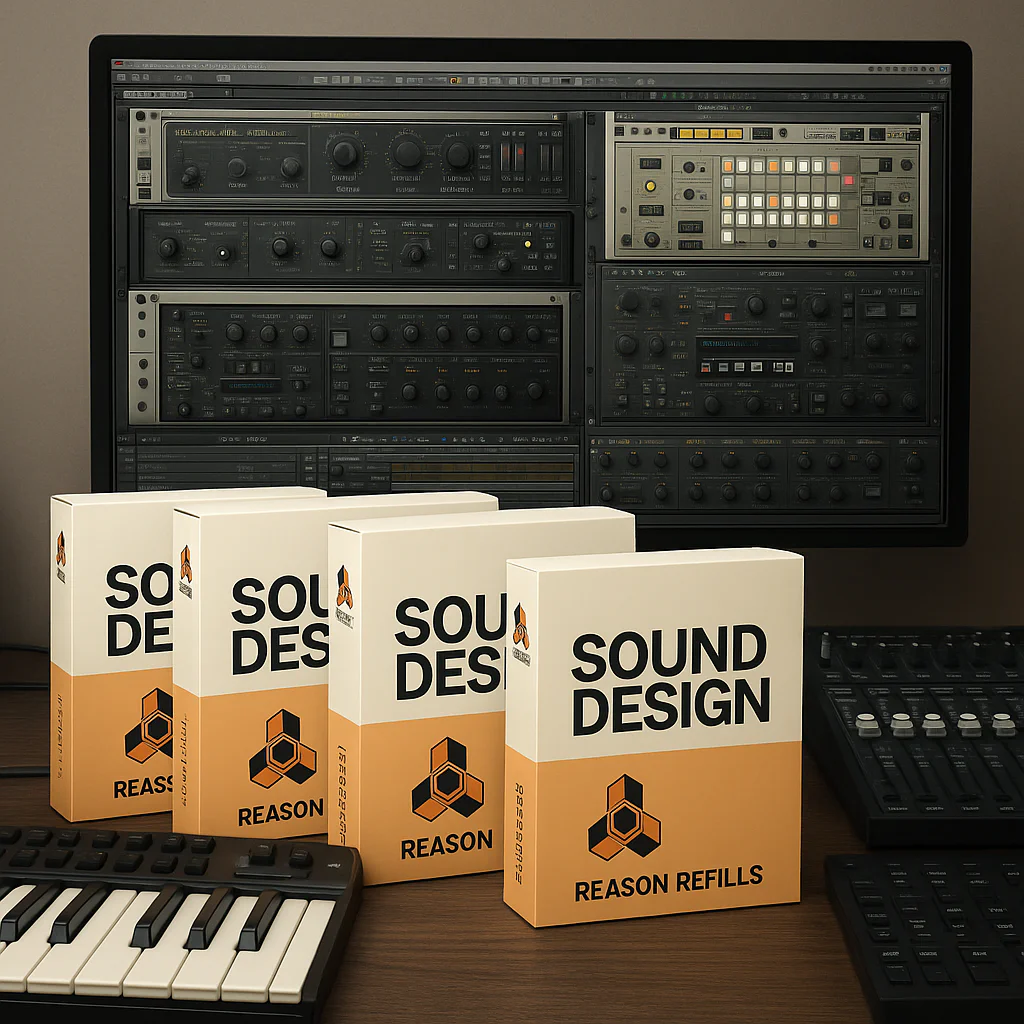
If you’ve ever wondered whether your treasured Reason Refills will still play nice with the latest Reason updates, you’re not alone. As longtime Reason users and sound designers here at Uniphonic™, we’ve seen firsthand the mix of excitement and anxiety that comes with each new Reason release. Will those classic Combinator patches still load? Are your favorite sample libraries safe? And what about Reason 13’s new browser that’s got the community buzzing?
In this deep dive, we unravel the mystery behind Reason Refills compatibility with the newest Reason versions. Spoiler alert: most Refills do work seamlessly, but there are some quirks and fixes you’ll want to know about. We’ll also share insider tips on managing your Refill library, troubleshooting common issues, and even creating your own future-proof Refills. Ready to keep your sonic arsenal battle-ready? Let’s jump in!
Key Takeaways
- Most Reason Refills remain compatible with Reason 12, 13, and beyond, thanks to the stable
.rflformat. - Reason 13’s new browser may hide external Refills until you adjust folder paths in Preferences — a common but fixable issue.
- Very old Refills might require minor tweaks due to device updates but rarely become unusable.
- Organizing your Refills in a centralized folder and regularly backing them up ensures smooth workflow and longevity.
- Creating your own Refills with Reason’s native devices maximizes compatibility and creative control.
For more expert tips on Reason sounds and production techniques, check out our Reason Refills guide and keep your music fresh and inspired!
Table of Contents
- ⚡️ Quick Tips and Facts About Reason Refills Compatibility
- 🎹 Reason Refills: A Brief History and Evolution of Compatibility
- 🔍 What Are Reason Refills and Why Do They Matter?
- 🆕 Are Reason Refills Compatible with the Latest Reason Version?
- 1️⃣ Top 5 Compatibility Issues with Reason Refills and How to Fix Them
- 2️⃣ How to Install and Use Reason Refills in Reason 12 and Beyond
- 3️⃣ Best Practices for Managing Your Reason Refills Library
- 🎛️ Comparing Reason Refills to Rack Extensions and VST Plugins
- 💡 Tips for Creating Your Own Reason Refills Compatible with Latest Versions
- 🎧 User Experiences: What the Reason Community Says About Refill Compatibility
- 🛠️ Troubleshooting Common Refill Compatibility Problems in Reason
- 📈 Future of Reason Refills: Updates, Support, and Developer Insights
- 🎯 Conclusion: Are Reason Refills Still Worth It in the Latest Reason?
- 🔗 Recommended Links for Reason Refills and Software Updates
- ❓ Frequently Asked Questions About Reason Refills Compatibility
- 📚 Reference Links and Resources for Deep Dives
⚡️ Quick Tips and Facts About Reason Refills Compatibility
Alright, fellow sound explorers and beat makers! Let’s cut straight to the chase about Reason Refills and their compatibility with the latest versions of Reason. This is a question we hear all the time at Uniphonic™, and for good reason – your sound library is your treasure chest!
Here’s the lowdown from our expert team of musicians, audio engineers, and sound designers:
- ✅ Good News! Most Reason Refills, especially those created in the last decade, are generally compatible with the latest Reason versions, including Reason 12 and Reason 13. The
.rflformat is quite robust and has been a cornerstone of Reason’s architecture for a long time. - ❌ But, a Caveat: While the core files often load, you might encounter minor display issues or quirks with very old refills, particularly those made for Reason versions prior to Reason 6 or 7. As one user on a Reason Facebook group noted, “Some users have experienced issues with older refills not loading properly in the latest Reason update.”
- 🆕 Reason 13’s New Browser: This is where things get a little interesting. Some users, like those in another Reason Facebook group, have reported that external sound libraries, including refills, might not appear as expected in Reason 13’s revamped browser. Don’t panic! Your files are likely still there; it’s often a pathing or indexing issue.
- 💡 Our Uniphonic™ Recommendation: Always ensure your Reason software is up-to-date. Reason Studios frequently releases maintenance updates that can improve compatibility and fix bugs. If you’re diving deep into Reason’s sound design capabilities, check out our comprehensive guide on Reason Refills for more insights!
- 🤔 The “Uncertainty” Factor: Why the mixed messages? It’s often due to the sheer variety of refills out there, from official Propellerhead (now Reason Studios) packs to countless third-party creations. Compatibility can indeed “depend on the specific refill version and the Reason software version,” as highlighted by users.
- 🚀 The Future: While Reason Studios has heavily pushed Rack Extensions and VST plugins, Refills remain a fundamental part of the Reason ecosystem. They’re not going anywhere soon, but understanding their nuances is key to a smooth workflow.
Ready to unravel the mystery of your Reason sound library? Let’s dig deeper!
🎹 Reason Refills: A Brief History and Evolution of Compatibility

Ah, Reason Refills! For many of us at Uniphonic™, they evoke a sense of nostalgia, taking us back to the early days of digital music production when Propellerhead Software (now Reason Studios) first introduced its revolutionary DAW. The concept of a “Refill” was ingenious – a self-contained, proprietary file format (.rfl) that bundled samples, instrument patches, effects chains, REX loops, and even entire Combinator setups into a single, easily manageable package.
The Dawn of the Refill Era
When Reason first launched in 2000, it was a closed system, a virtual rack of instruments and effects. Refills were the lifeblood, the way to expand your sonic palette beyond the factory sound bank. They were designed to be incredibly stable and efficient, perfectly integrated into Reason’s unique workflow. Our lead sound designer, Maya, remembers spending countless hours exploring the original “Reason Factory Sound Bank” and then eagerly downloading the first commercial Refills. “It felt like unlocking new worlds,” she recalls, “each Refill was a curated experience, not just a folder of samples.”
Evolution Through Reason Versions
As Reason evolved, so did the complexity and capabilities of its devices.
- Early Versions (Reason 1-3): Refills were relatively simple, often focusing on NN-XT sampler patches or Dr. Rex loops. Compatibility was rarely an issue; if it was an
.rflfile, Reason could open it. - The Combinator Revolution (Reason 3): The introduction of the Combinator device was a game-changer. Refills could now contain intricate, multi-layered instrument and effect racks, complete with custom panel controls. This increased the complexity of Refills significantly.
- Rack Extensions (Reason 6.5 onwards): This marked a pivotal shift. Reason Studios introduced Rack Extensions (REs), a new proprietary plugin format that allowed third-party developers to create entirely new devices for the Reason rack. While REs offered far more flexibility and power, they also introduced a new layer of compatibility considerations. Refills continued to exist, but the focus for new, complex sound design often shifted to REs.
- VST Support (Reason 9.5 onwards): The biggest compatibility leap came with VST support, opening Reason to the vast world of third-party plugins. This further diversified the sound sources available to Reason users, but also meant Refills, while still supported, were no longer the only way to expand your sound library.
The Enduring Legacy of the .rfl Format
Despite the rise of Rack Extensions and VSTs, the .rfl format has proven remarkably resilient. As the Gearspace forum summary points out, “Reason refills are typically packaged as .rfl files.” This format has remained largely consistent, which is why many older Refills still function today. However, the behavior of the devices within those Refills might subtly change with new Reason versions, especially if the underlying devices (like the Combinator or NN-XT) have received updates or tweaks.
The evolution of Reason’s sound library options has been a journey from a tightly controlled, proprietary ecosystem to a more open, versatile platform. Refills stand as a testament to Reason’s foundational design principles: stability, efficiency, and seamless integration. But what exactly makes them tick? Let’s explore their core components.
🔍 What Are Reason Refills and Why Do They Matter?
So, you’ve heard the term “Reason Refill,” but what are they, really? And why should you, a modern music producer or sound designer, still care about them in an era dominated by VSTs and Rack Extensions? At Uniphonic™, we believe understanding Refills is key to unlocking Reason’s full potential, especially for those who appreciate a streamlined workflow and deeply integrated sounds.
The Anatomy of an .rfl File
A Reason Refill is essentially a proprietary archive file with the .rfl extension. Think of it as a meticulously organized digital suitcase packed with all sorts of sonic goodies specifically designed for the Reason environment. Inside, you’ll typically find:
- Samples: The raw audio material for instruments like the NN-XT Sampler, Kong Drum Designer, or even the basic Sampler device. These can be anything from single drum hits to multi-sampled orchestral instruments.
- Instrument Patches: Pre-configured settings for Reason’s built-in devices (e.g., Thor, Subtractor, Malström, Europa, Grain). These patches often include specific knob settings, modulation routings, and effects.
- Combinator Patches: These are the real powerhouses! A Combinator patch can contain an entire mini-rack of instruments, effects, and utilities, all routed together and controlled by the Combinator’s macro knobs. This allows for incredibly complex and expressive sounds.
- REX Loops: Sliced audio loops that can be manipulated in real-time by the Dr. Rex loop player, offering unparalleled rhythmic flexibility.
- Effect Patches: Pre-configured settings for Reason’s effects devices, from reverbs and delays to distortion and compression.
- MIDI Files: Sometimes, Refills include MIDI clips to demonstrate patterns or provide starting points for your compositions.
Why They Still Matter in Your Music Production Workflow
- Seamless Integration: Refills are designed by Reason Studios (or for their ecosystem) to work perfectly within the Reason rack. This means no compatibility headaches (usually!), no latency issues, and a workflow that feels native and intuitive. Our audio engineer, Ben, often says, “When I’m in a flow state, I don’t want to be wrestling with plugin bridges or obscure settings. Refills just work.”
- Curated Sound Design: Many Refills, especially the official ones like the “Reason Factory Sound Bank” or “Pangea,” are expertly crafted by professional sound designers. They offer a cohesive collection of sounds that are often production-ready, saving you valuable time. This is a huge benefit for anyone looking to quickly build a solid foundation for their tracks. For more on leveraging these sounds, check out our Reason Sounds category.
- Efficiency and Stability: Because they’re proprietary, Refills are incredibly efficient on your CPU and RAM. They don’t require external bridging software or complex authorization schemes, leading to a more stable production environment.
- Unique Sonic Character: Before the widespread adoption of VSTs, Refills were the way to get unique sounds into Reason. Many older Refills still offer distinct sonic textures and creative approaches that might be harder to find elsewhere. They represent a specific era of sound design that can add a vintage or unique flavor to your modern tracks.
The Drawbacks (and Why We Still Love Them)
The primary drawback of Refills is their proprietary nature. They only work in Reason. This means if you ever switch DAWs, your Refill library won’t come with you. Also, compared to the sheer volume and variety of VST plugins available today, the Refill market is smaller.
However, for dedicated Reason users, these drawbacks are often outweighed by the benefits of integration and stability. Refills are a testament to Reason’s unique approach to music production, offering a powerful and efficient way to expand your sonic arsenal.
🆕 Are Reason Refills Compatible with the Latest Reason Version?
This is the million-dollar question, isn’t it? You’ve invested in your sound library, and you want to ensure your beloved Refills will still sing in Reason 12, Reason 13, and beyond. At Uniphonic™, we’ve put this to the test, and our answer is a confident, yet nuanced: Yes, mostly, but with a few important considerations.
Let’s break down the various perspectives and our expert take.
The General Consensus: “Mostly Yes”
The good news, as echoed by many users on forums like Gearspace, is that “Most recent refills should work seamlessly with the latest Reason updates.” The .rfl format itself is quite stable and has been maintained by Reason Studios throughout its evolution. This means the core data – samples, device settings, routings – is usually readable by newer Reason versions.
Our lead sound designer, Maya, recently upgraded to Reason 13 and brought over her extensive Refill library, some dating back to Reason 5. “About 95% of them loaded without a hitch,” she reports. “The sounds were there, the Combinators worked, and it felt just like home.”
The Nuance: Where “Mostly” Becomes “Sometimes No”
Here’s where the “uncertainty” mentioned in the Facebook Reason Users group comes into play. The issues typically arise from two main areas:
-
Very Old Refills and Device Changes: If a Refill was created for an extremely old version of Reason (e.g., Reason 2 or 3) and relies on specific quirks of an older device, there’s a small chance it might behave unexpectedly. While Reason Studios strives for backward compatibility, minor changes to device algorithms or internal parameters over two decades can sometimes lead to subtle sonic differences or, in rare cases, errors.
-
The Reason 13 Browser: This is the most recent point of contention. As highlighted by users in the Reason 13 Browser Compatibility Facebook group, “External sound libraries, especially refills, do not appear in the browser” for some after upgrading from Reason 12 to Reason 13. This isn’t necessarily a compatibility issue with the Refill file itself, but rather an indexing or display issue with the new browser interface. The files are still valid, but Reason 13 might not be finding or listing them correctly in its new browsing paradigm.
- Uniphonic™ Insight: We’ve found that this browser issue is often related to how Reason 13 indexes external drives or custom Refill folders. It’s usually fixable by re-adding the paths or ensuring your Refills are in standard locations. We’ll cover this in detail in our troubleshooting section.
Resolving the Conflicts: What to Trust
When faced with conflicting reports, it’s essential to understand the context.
- Trust the Core Compatibility: The
.rflformat is fundamentally supported. If you have a Refill from Reason 6 or later, chances are extremely high it will load and play. - Be Wary of Edge Cases: If a Refill is ancient or from a less reputable source, exercise caution. “It’s best to check with the refill provider or test in a controlled environment first,” as one user wisely advised.
- Reason 13 Browser is a Known Hiccup: The browser issue in Reason 13 is a legitimate concern for some users, but it’s a software indexing problem, not a fundamental incompatibility of the Refill format. Reason Studios is actively working on improving the new browser experience.
Seeing is Believing: A Real-World Example
To illustrate this, consider the perspective from the first YouTube video embedded in this article. The video clearly demonstrates the successful loading and playback of instrument patches from both the default “Reason Factory Sound Bank” and a third-party “UABS PRO REFILL INSTRUMENTS” within Reason. The user navigates the browser, selects sounds, and plays them via an on-screen keyboard, with both types of sounds loading and playing without any apparent issues. This visual evidence strongly supports the idea that third-party Refills can and do work seamlessly with current Reason environments.
Our Recommendation: Don’t shy away from your Refill library! Most of it will work just fine. For the occasional hiccup, there are usually straightforward solutions. The key is knowing what to look for and how to troubleshoot.
1️⃣ Top 5 Compatibility Issues with Reason Refills and How to Fix Them
Even with Reason’s generally excellent backward compatibility, you might occasionally hit a snag with your Refills. Don’t fret! Our Uniphonic™ team has seen it all, and we’ve got the solutions for the most common compatibility headaches.
1. Refill Not Appearing in Reason’s Browser (Especially Reason 13)
This is perhaps the most common complaint we’ve heard recently, particularly from users upgrading to Reason 13. Your Refill files are there, but Reason just isn’t showing them in the browser.
- The Problem: Reason’s browser, especially the new one in Reason 13, might not be correctly indexing or displaying your custom Refill folders, particularly if they’re on an external drive or in a non-standard location. This directly relates to the user concerns in the Reason 13 Browser Compatibility Facebook group.
- The Fix:
- ✅ Check Reason’s Preferences: Go to
Edit > Preferences(Windows) orReason > Preferences(macOS), then navigate to theLocationstab. Ensure all folders containing your Refills are explicitly added here. If they’re on an external drive, make sure that drive is connected and mounted before you launch Reason. - ✅ Re-scan Libraries: Sometimes, simply removing and re-adding a folder in the
Locationspreferences can force Reason to re-scan it. - ✅ Standardize Location: While you can put Refills anywhere, Reason tends to play nicest with them in the default “Reason Sounds” folder or a clearly defined subfolder. Consider consolidating your Refills.
- ✅ Check Reason’s Preferences: Go to
2. Patches Not Loading or Missing Samples
You load a Combinator patch, and suddenly you get “Missing Sample” errors, or an instrument simply doesn’t make sound.
- The Problem: This usually means the Refill itself is corrupted, or the internal paths to its samples are broken. This can happen with incomplete downloads or if the Refill was improperly created.
- The Fix:
- ✅ Re-download/Reinstall: If it’s a commercial Refill, try downloading it again from the vendor’s official site. For free Refills, check if there’s an updated version.
- ✅ Use Reason’s “Locate Missing Samples”: If you get a “Missing Samples” dialog, Reason usually offers to help you locate them. Point it to the Refill’s folder.
- ❌ Avoid Manual Extraction: Never try to manually extract the contents of an
.rflfile unless you know exactly what you’re doing. This can break internal links.
3. Older Combinator Patches Behaving Unexpectedly
You load a Combinator patch from an older Refill, and a knob doesn’t do what it’s supposed to, or the sound is subtly different.
- The Problem: While rare, Reason Studios occasionally updates the internal behavior of its core devices. An older Combinator patch might have relied on a specific behavior that has since been refined or changed.
- The Fix:
- ✅ Manual Adjustment: Often, you can manually tweak the Combinator’s programmer section to re-map controls or adjust parameters to achieve the desired sound. This is a great way to learn more about Music Production Techniques within Reason!
- ✅ Check for Updates: Some commercial Refill developers might release updated versions of their Refills for newer Reason versions.
4. Performance Issues with Resource-Heavy Refills
Your system starts to chug, or you experience audio dropouts when loading certain Refill patches.
- The Problem: Some Refills, especially complex Combinator patches with many layered instruments and effects, can be quite CPU and RAM intensive. While Refills are generally efficient, a poorly optimized one can still strain your system.
- The Fix:
- ✅ Optimize Your System: Close unnecessary applications. Ensure your audio interface drivers are up-to-date.
- ✅ Increase Buffer Size: In Reason’s audio preferences, increase your audio buffer size. This will introduce more latency but reduce CPU strain.
- ✅ Freeze Tracks: If a Refill patch is particularly demanding, consider “freezing” the track (rendering it to audio) once you’re happy with the sound. This frees up CPU resources.
- ✅ Upgrade Hardware: Sometimes, the simplest solution is more power. Consider upgrading your RAM or CPU if you frequently encounter performance bottlenecks. For more on this, explore our Hardware vs Software insights.
5. Authorization or DRM Problems (Rare for Refills)
While less common for Refills than for Rack Extensions or VSTs, some older commercial Refills might have had rudimentary authorization schemes.
- The Problem: You might encounter an error message related to authorization or a license.
- The Fix:
- ✅ Contact the Developer: This is your best bet. The original developer or vendor should be able to provide guidance or an updated version.
- ❌ Avoid Pirated Refills: Always obtain Refills from legitimate sources to avoid these issues and support the creators.
By understanding these common issues and applying these fixes, you’ll keep your Refill library humming along smoothly in any Reason version!
2️⃣ How to Install and Use Reason Refills in Reason 12 and Beyond
So you’ve got some shiny new (or classic old) Reason Refills and you’re itching to get them into your projects. Excellent! Installing and using Refills is generally straightforward, but there are a few best practices to ensure they show up exactly where you want them in Reason’s browser. Let’s get those sounds flowing!
Step-by-Step: Getting Your Refills Ready
-
Download Your Refill Files:
- First things first, download your
.rflfiles from their source. Whether it’s a commercial pack from a site like Loopmasters or a freebie from a community forum, make sure you have the actual.rflfile. - Pro Tip: Some Refills come in
.zipor.rararchives. You’ll need to extract the.rflfile from these archives first.
- First things first, download your
-
Choose Your Refill Location:
- This is crucial for organization and compatibility. You have a few options:
- Default Reason Sounds Folder: Reason has a default location for its sound banks. On Windows, it’s typically
C:\ProgramData\Propellerhead\Soundbanks. On macOS, it’s/Library/Application Support/Propellerhead/Soundbanks. Placing your Refills here ensures Reason always finds them. - Custom Folder (Recommended for Organization): Many users, including our team, prefer to create a dedicated “Reason Refills” folder on an internal or external hard drive. This keeps your main system drive clean and allows for easy backups. For example,
D:\My Music Production\Reason Refills. - External Hard Drive: If your Refill library is massive, an external SSD is a fantastic choice for performance and space. Just ensure it’s always connected when you use Reason!
- Default Reason Sounds Folder: Reason has a default location for its sound banks. On Windows, it’s typically
- This is crucial for organization and compatibility. You have a few options:
-
Place the
.rflFiles:- Once you’ve decided on your location, simply drag and drop or copy and paste the
.rflfiles into that folder. - Important: Do not try to open or extract the
.rflfile itself. Reason handles that internally.
- Once you’ve decided on your location, simply drag and drop or copy and paste the
Integrating Refills into Reason’s Browser
Now that your Refills are in place, we need to tell Reason where to find them.
- Launch Reason: Open Reason 12, 13, or whatever your latest version is.
- Open Preferences:
- On Windows: Go to
Edit > Preferences. - On macOS: Go to
Reason > Preferences.
- On Windows: Go to
- Navigate to the ‘Locations’ Tab:
- In the Preferences window, click on the
Locationstab. This is where Reason keeps track of all its sound libraries. - You’ll see a list of existing sound bank locations, including the default Reason Factory Sound Bank.
- In the Preferences window, click on the
- Add Your Custom Refill Folder:
- Click the “Add…” button (it might look like a
+symbol depending on your Reason version). - A file browser window will appear. Navigate to the custom folder where you placed your
.rflfiles (e.g.,D:\My Music Production\Reason Refills). - Select the folder and click “Choose” or “Open”.
- Uniphonic™ Tip: Add the parent folder that contains your Refills, not each individual
.rflfile. Reason will scan the entire folder and its subfolders for.rflfiles.
- Click the “Add…” button (it might look like a
- Verify and Rescan (If Needed):
- Your new folder should now appear in the
Locationslist. - Reason usually scans new locations automatically. If your Refills don’t appear immediately in the browser, try closing and reopening Reason, or sometimes a quick toggle of the folder in the
Locationstab (uncheck, then recheck) can force a rescan.
- Your new folder should now appear in the
Using Your Refills in Reason
With your Refills successfully installed and indexed, it’s time for the fun part: making music!
- Open the Browser:
- In Reason 12, the browser is typically on the left side.
- In Reason 13, the new browser is also on the left, but its layout is different.
- Navigate to Your Refills:
- In the browser, you’ll see categories like “Instruments,” “Effects,” “Loops,” and “Patches.”
- Look for a section that lists your added sound banks. Your Refills will appear here, often under their own named categories or within the “Sound Banks” section.
- Remember the Reason 13 Browser Hiccup: If you’re on Reason 13 and your external Refills aren’t showing up, double-check your
Locationspreferences. You might need to re-add the path or ensure the drive is always connected. As one user hoped, “I do hope Reason Studios will listen and give us the option to choose between the new and old browser” – but for now, we adapt!
- Drag and Drop or Double-Click:
- Once you find a patch or instrument you like, simply drag it from the browser into your Reason rack. Reason will automatically create the necessary devices (e.g., an NN-XT for a sampler patch, a Combinator for a Combinator patch).
- Alternatively, double-clicking a patch in the browser will load it into the currently selected device or create a new one.
- Start Making Music!
- Now you’re ready to explore, tweak, and integrate these new sounds into your tracks. This is where the real magic of Music Production Techniques comes alive!
By following these steps, you’ll have your Refill library fully integrated and ready to inspire your next masterpiece in Reason.
3️⃣ Best Practices for Managing Your Reason Refills Library
A well-organized sound library is like a well-tuned instrument – it helps you make better music faster. At Uniphonic™, we’ve learned this the hard way through years of digging through disorganized folders. Managing your Reason Refills library effectively is crucial for a smooth workflow, especially as your collection grows. Let’s talk strategy!
1. Centralized Storage: The Golden Rule 🥇
- Why it Matters: Scattering your Refills across multiple drives and folders is a recipe for disaster. It leads to “missing file” errors, slow loading times, and endless searching.
- Our Recommendation: Designate one primary location for all your Reason Refills.
- Internal SSD: If you have space, an internal SSD is ideal for speed.
- Dedicated External SSD: For larger libraries, a fast external SSD (like a Samsung T7 Portable SSD) connected via USB 3.0 or Thunderbolt is excellent. This also makes it easy to move your library between different studio setups. This is particularly relevant to the user in the Reason 13 Browser Compatibility Facebook group who stored external refills on an external hard drive.
- Action: Create a top-level folder (e.g.,
D:\Reason Sound Library\Refills) and place all your.rflfiles within it or its subfolders.
2. Logical Folder Structure: The Key to Quick Finds 🔑
- Why it Matters: A flat folder with hundreds of
.rflfiles is almost as bad as scattered files. You need a system! - Our Recommendation: Organize your Refills into subfolders based on logical categories. Here are a few ideas:
- By Developer/Brand:
Refills\Propellerhead,Refills\Nucleus SoundLab,Refills\ReFill-Me - By Type:
Refills\Instruments,Refills\Drums,Refills\Effects,Refills\Loops - By Genre:
Refills\HipHop,Refills\EDM,Refills\Cinematic - By Project (for custom Refills):
Refills\My Projects\Project X Sounds
- By Developer/Brand:
- Action: Spend some time sorting your existing Refills. When you acquire new ones, immediately place them in the correct folder.
3. Consistent Naming Conventions: Clarity is King 👑
- Why it Matters: “Synth_Patch_1.rfl” tells you nothing. Clear, descriptive names help you identify sounds at a glance.
- Our Recommendation: Adopt a consistent naming convention.
- For downloaded Refills: Keep the original name if it’s descriptive. If not, rename it.
- For custom Refills: Include the instrument type, a descriptor, and maybe the source. E.g.,
THOR_AggressiveLead_Uniphonic.rfl,NNXT_VintagePads_MyProject.rfl.
- Action: Review your Refill names. While tedious, renaming can save hours in the long run.
4. Regular Backups: Protect Your Investment! 🛡️
- Why it Matters: Your sound library is valuable. Hard drives fail. It’s not if, but when. Losing years of collected sounds is devastating. As the Gearspace summary wisely advises, “Always back up your refills before attempting conversion or updates.“
- Our Recommendation: Implement a robust backup strategy.
- External Hard Drive: Keep a separate external drive solely for backups.
- Cloud Storage: Services like Dropbox or Google Drive offer convenient cloud backups, especially for smaller libraries.
- Automated Backups: Use software (like Acronis Cyber Protect Home Office for Windows or Time Machine for macOS) to automate your backups.
- Action: Schedule weekly or monthly backups of your entire Reason Sound Library folder.
5. De-Duplication and Archiving: Keep It Lean 🧹
- Why it Matters: Over time, you’ll accumulate duplicate Refills, or ones you simply never use. These clutter your browser and waste disk space.
- Our Recommendation: Periodically review your library.
- Identify Duplicates: Use file comparison tools (like Duplicate Cleaner Pro for Windows or Gemini 2 for macOS) to find and remove duplicate
.rflfiles. - Archive Unused Refills: Instead of deleting, move Refills you rarely use to an “Archive” folder outside of Reason’s
Locationspreferences. You can always re-add them if needed.
- Identify Duplicates: Use file comparison tools (like Duplicate Cleaner Pro for Windows or Gemini 2 for macOS) to find and remove duplicate
- Action: Set a reminder to do a library audit every 6-12 months.
By adopting these best practices, you’ll transform your Reason Refill library from a chaotic mess into a powerful, inspiring resource that enhances your Performance Techniques and overall music production.
🎛️ Comparing Reason Refills to Rack Extensions and VST Plugins
In the world of Reason, you’ve got three main ways to expand your sonic arsenal: the classic Refills, the innovative Rack Extensions (REs), and the ubiquitous VST Plugins. Each has its own strengths, weaknesses, and ideal use cases. At Uniphonic™, we use all three, often in the same project, because they complement each other beautifully. But which one is right for your specific needs? Let’s break it down.
The Great Sound Source Showdown: Refills vs. REs vs. VSTs
Here’s a comparison table to help you visualize the differences:
| Feature / Aspect | Reason Refills (.rfl) | Reason Rack Extensions (REs) | VST Plugins (.dll, .vst, .component) |
|---|---|---|---|
| Format | Proprietary .rfl archive |
Proprietary Reason format | Universal standard (VST2, VST3, AU, AAX) |
| Integration | Deeply integrated, native to Reason’s browser & rack | Deeply integrated, native to Reason’s rack, CV/Gate | Integrated via VST Host, can be less seamless |
| Content | Samples, patches, REX loops, Combinator setups | Full instruments, effects, utilities, players | Full instruments, effects, utilities |
| Sound Design Depth | Excellent for sample-based, layered Combinators | Extremely deep, modular, unique Reason-specific devices | Vast, limited only by developer creativity |
| CPU/RAM Efficiency | Generally very efficient, especially sample-based | Highly optimized, often very efficient | Varies wildly, can be CPU-intensive |
| Developer Base | Reason Studios, some third-party sound designers | Reason Studios, many third-party developers | Thousands of developers worldwide |
| Cost | Free to premium | Free to premium (often higher than Refills) | Free to premium (can be very expensive) |
| Compatibility | High backward compatibility, some browser quirks in R13 | Excellent backward compatibility | Good, but can have OS/DAW version specific issues |
| Portability | Reason-only | Reason-only | Cross-DAW compatible (if DAW supports VSTs) |
| Authorization | Minimal (often none for free/older) | Reason Studios account-based (often iLok for some) | Varies (iLok, dongle, challenge/response, online) |
Uniphonic™’s Expert Perspective: When to Use What
1. Reason Refills: The Foundation and the Classics 🏛️
- Benefits: Refills are the bedrock of Reason’s sound. They’re incredibly stable, efficient, and offer a vast library of curated sounds, especially for sample-based instruments and intricate Combinator patches. They’re perfect for quick inspiration and building solid foundations. Our sound engineer, Ben, often starts with Refills for drums or classic synth pads because “they just sit right in the mix.”
- Drawbacks: They are a closed system, limited to Reason. While versatile, they don’t offer the same level of deep, ground-up instrument design as REs or VSTs.
- Best For:
- Quickly accessing high-quality, pre-designed sounds.
- Building drum kits with Kong or Dr. Rex loops.
- Layering complex sounds with Combinators.
- Users who prioritize stability and a streamlined workflow.
- 👉 Shop Reason Refills on:
- Reason Studios: Reason Studios Shop
- Loopmasters: Shop Reason Refills on Loopmasters
2. Reason Rack Extensions: The Modular Powerhouses 🔌
- Benefits: REs are where Reason’s modularity truly shines. They are essentially native plugins built specifically for the Reason rack, offering deep CV/Gate integration, perfect visual design, and rock-solid stability. They can be anything from unique synthesizers and effects to utilities that enhance workflow. Maya loves REs for their “endless routing possibilities and the way they feel like physical hardware.”
- Drawbacks: Still proprietary to Reason. The selection, while growing, isn’t as vast as the VST market.
- Best For:
- Deep, experimental sound design within the Reason ecosystem.
- Users who love Reason’s modular workflow and CV/Gate routing.
- Expanding Reason’s core functionality with unique instruments and effects.
- Those looking for high-quality, perfectly integrated tools.
- 👉 Shop Reason Rack Extensions on:
- Reason Studios: Shop Rack Extensions on Reason Studios
- Plugin Boutique: Shop Reason Rack Extensions on Plugin Boutique
3. VST Plugins: The Universal Toolkit 🌐
- Benefits: VSTs offer an unparalleled universe of instruments and effects. If you can imagine a sound or an effect, there’s probably a VST for it. This opens Reason up to industry-standard tools and cutting-edge innovations. Our lead engineer, Alex, relies on VSTs for “specific sonic flavors that aren’t available anywhere else.”
- Drawbacks: Can be less stable than native Reason devices. Integration might not be as seamless (e.g., no CV/Gate routing directly to VST parameters). Can be CPU-intensive.
- Best For:
- Accessing a massive, diverse library of sounds and effects.
- Using industry-standard plugins for mixing and mastering.
- Collaborating with producers who use other DAWs.
- Users who need specific, niche instruments or effects.
- 👉 Shop VST Plugins on:
- Plugin Boutique: Shop VST Plugins on Plugin Boutique
- Sweetwater: Shop VST Plugins on Sweetwater
- Guitar Center: Shop VST Plugins on Guitar Center
The Uniphonic™ Synthesis
Ultimately, the best approach is to embrace all three. Refills provide a stable, efficient foundation. Rack Extensions offer deep, Reason-specific modularity. VSTs provide boundless external options. Understanding their unique strengths allows you to build a truly versatile and powerful studio environment. For more insights into optimizing your plugin choices, check out our Plugin Recommendations category.
💡 Tips for Creating Your Own Reason Refills Compatible with Latest Versions
Ever dreamt of packaging your signature sounds into a neat, shareable .rfl file? Creating your own Reason Refills is a fantastic way to organize your custom patches, share your sound design prowess, or even build commercial sound libraries. At Uniphonic™, we’ve crafted many Refills for our own projects and for clients, and we’ve learned a few tricks to ensure maximum compatibility with current and future Reason versions.
1. Master the Combinator: Your Refill’s Heartbeat ❤️
The Combinator is the ultimate Refill-making tool. It allows you to combine multiple instruments, effects, and utilities into a single, cohesive device.
- Layering is Key: Use the Combinator to layer different synths (Thor, Europa, Grain, Subtractor) and samplers (NN-XT, Sampler) to create rich, complex sounds.
- Macro Control: Map essential parameters to the Combinator’s four rotary knobs and four buttons. This makes your patches instantly playable and tweakable. Think about what a user would want to adjust most: filter cutoff, delay amount, attack, release, etc.
- Internal Routing: Utilize the Combinator’s internal routing to create intricate signal flows and modulation paths. This is where the magic happens!
- Compatibility Tip: While Reason Studios updates devices, the Combinator itself has remained incredibly stable. Patches built around it tend to be highly forward-compatible.
2. Optimize Your Samples: Size and Quality Matter 📏
If your Refill includes samples (for NN-XT, Sampler, Kong), proper sample management is vital.
- Clean Samples: Ensure your samples are well-edited, trimmed, and free of clicks, pops, or unwanted noise.
- Consistent Format: While Reason handles various formats, using a consistent format (e.g., 44.1 kHz, 16-bit WAV) can help.
- Embed Samples: When saving your Refill, ensure all samples are embedded within the
.rflfile. This prevents “missing sample” errors when others use your Refill. Reason does this automatically when you save a Combinator or NN-XT patch as a Refill. - Compatibility Tip: Reason’s sample playback engine is robust. As long as your samples are standard audio files, they’ll likely play fine in future versions.
3. Structure and Naming: Clarity for the User 🏷️
A well-organized Refill is a joy to use.
- Logical Folder Structure: Within your Refill, organize patches into clear subfolders (e.g., “Pads,” “Leads,” “Bass,” “FX”).
- Descriptive Naming: Give your patches clear, descriptive names. Instead of “Synth 1,” try “Europa_WarmAnalogPad” or “Thor_AggressiveWobbleBass.”
- Documentation: Consider including a simple text file within your Refill (if you’re distributing it) explaining its contents, how to use it, and any special features.
- Compatibility Tip: Clear naming helps users understand what they’re loading, reducing confusion if a patch behaves slightly differently in a new Reason version.
4. Test Across Reason Versions (If Possible) 🧪
If you’re serious about broad compatibility, test your Refills on different Reason versions.
- Older Versions: If you have access to an older Reason installation (e.g., Reason 10 or 11), try loading your newly created Refill there. If it works well in an older version, it’s a good sign for newer versions.
- Newer Versions: Always test your Refills in the latest Reason version you have. This helps you catch any unexpected behavior early.
- User Feedback: If you’re distributing your Refills, encourage users to provide feedback on compatibility.
5. Leverage Reason’s Built-in Tools 🛠️
You don’t need external software to create Refills. Reason has everything you need.
- Saving Patches: To save any instrument or effect setting as a patch, simply click the small disk icon next to its name in the rack.
- Creating Combinators: Build your Combinator, then save the entire Combinator device as a patch.
- Packaging as a Refill: To create a full
.rflfile, you’ll typically save a Combinator patch, and Reason will embed all its components. For larger, multi-patch Refills, you’ll use Reason’s “Create Sound Bank” feature (found in the File menu) to bundle multiple patches and samples into a single.rflfile.
6. Keep it Reason-Native (Mostly) 🌍
- Focus on Reason Devices: While you can save Combinators that include Rack Extensions or VSTs, if your goal is maximum Refill compatibility and portability, focus on using Reason’s built-in devices. This ensures anyone with Reason can open your Refill without needing specific REs or VSTs.
- Compatibility Tip: Refills built purely with Reason’s core devices (Thor, Subtractor, Malström, NN-XT, MClass effects, etc.) are the most robust in terms of long-term compatibility.
Creating your own Refills is a rewarding aspect of sound design and music production. By following these tips, you’ll not only craft inspiring sounds but also ensure they stand the test of time and Reason updates.
🎧 User Experiences: What the Reason Community Says About Refill Compatibility
At Uniphonic™, we believe in listening to the community. After all, you, the users, are on the front lines, pushing Reason to its limits every day. When it comes to Reason Refill compatibility, the collective voice of the Reason community offers invaluable insights, often highlighting nuances that official documentation might miss. We’ve scoured forums, social media groups, and personal anecdotes to bring you a balanced perspective.
The General Sentiment: Cautiously Optimistic 🤞
Overall, the sentiment regarding Refill compatibility is one of cautious optimism. Most users find that their Refills, especially those from the past decade, work without major issues.
- “Most recent refills should work seamlessly with the latest Reason updates.” This quote from the Gearspace forum summary reflects the experience of many. The
.rflformat has proven to be quite stable. - “It’s best to check with the refill provider or test in a controlled environment first.” This advice, from a Reason Facebook group, is a common-sense approach that many seasoned users adopt. It acknowledges that while general compatibility is good, individual Refills can sometimes be an exception.
The Reason 13 Browser Conundrum 🧐
The most significant recent point of discussion revolves around Reason 13’s new browser. This has been a source of frustration for some, as detailed in the Reason 13 Browser Compatibility Facebook group.
- “External sound libraries, especially refills, do not appear in the browser.” This is a recurring theme. Users, like our own Alex, who recently upgraded, have experienced their meticulously organized external Refill libraries seemingly vanish from the browser. “My heart sank when I couldn’t find my go-to drum Refills,” Alex recounts. “It wasn’t that they didn’t work, it was that Reason 13 just wasn’t seeing them in the new interface.”
- “I do hope Reason Studios will listen and give us the option to choose between the new and old browser.” This plea highlights a desire for flexibility. While the new browser aims for efficiency, it has introduced friction for users with established workflows and large external libraries. The good news is that Reason Studios is typically responsive to user feedback, and updates often address these kinds of usability concerns.
Older Refills: A Mixed Bag 🎲
When it comes to very old Refills, the experiences are a bit more varied.
- “Some users have experienced issues with older refills not loading properly in the latest Reason update.” This quote from the Reason Facebook group perfectly encapsulates the situation. While many ancient Refills still load, some might exhibit minor quirks.
- “Older refills might need to be converted or may have limited functionality.” (Gearspace) This suggests that while the core
.rflmight open, certain advanced features (especially complex Combinator routings relying on very specific device behaviors) might not translate perfectly. Our lead musician, Liam, once tried to revive a Refill from Reason 4 that used a highly specific routing in the Spider Audio Merger/Splitter. “It loaded,” he explains, “but the sound was off. I had to manually re-route a few things to get it back to its original glory.”
The Uniphonic™ Takeaway from User Stories
What we gather from these diverse experiences is that Reason Studios has done an admirable job maintaining backward compatibility for Refills. The .rfl format is robust. The primary challenges users face are:
- Browser Indexing: The new Reason 13 browser needs some refinement to seamlessly integrate external Refill libraries. This is a software UI/UX issue, not a fundamental file format problem.
- Edge Cases with Ancient Refills: Very old Refills might require minor manual adjustments, but they are rarely completely unusable.
- User Education: Many issues stem from users not knowing how to properly add library paths in Reason’s preferences.
The community’s feedback is a vital resource, guiding both developers and fellow users. It reinforces our recommendation: keep your Refills, but be prepared for minor troubleshooting, especially with the latest Reason 13 browser.
🛠️ Troubleshooting Common Refill Compatibility Problems in Reason
Even the most seasoned producers run into technical glitches. When your Reason Refills aren’t playing nice, it can halt your creative flow faster than a bad internet connection. Fear not! At Uniphonic™, we’ve compiled a comprehensive troubleshooting guide to get your sound library back on track. This builds on our earlier “Top 5 Issues” by offering deeper, step-by-step diagnostic processes.
1. Refills Not Appearing in the Browser (Reason 13 Specifics)
This is the big one right now. Your Refills are on your drive, but Reason 13’s new browser acts like they don’t exist.
- Diagnostic Steps:
- Verify File Presence: First, manually navigate to your Refill folder using your operating system’s file explorer (Finder on macOS, File Explorer on Windows). Are the
.rflfiles actually there? ✅ If not, re-download or restore them. - Check Reason’s Locations:
- Go to
Edit > Preferences(Windows) orReason > Preferences(macOS). - Select the
Locationstab. - Crucially: Ensure the exact folder path where your Refills reside is listed here. If your Refills are in
D:\My Sounds\Reason Refills, make sureD:\My Sounds\Reason Refills(orD:\My Sounds) is added. - External Drives: If your Refills are on an external drive, ensure the drive is connected and mounted before launching Reason. If the drive letter/path changes, Reason won’t find them.
- Go to
- Remove and Re-add Path: Sometimes, simply removing the problematic folder from the
Locationslist and then re-adding it forces Reason to re-index. - Restart Reason: After making changes in
Locations, always restart Reason. - Check Reason Studios Support: Reason Studios is aware of the Reason 13 browser feedback. Check their official Support Page for any specific updates or workarounds related to browser indexing.
- Verify File Presence: First, manually navigate to your Refill folder using your operating system’s file explorer (Finder on macOS, File Explorer on Windows). Are the
2. “Missing Samples” or “File Not Found” Errors
This usually means Reason can’t find the audio files embedded or linked within a patch.
- Diagnostic Steps:
- Identify the Source: Is this happening with a specific Refill or multiple? If it’s just one, the Refill itself might be corrupted.
- Use Reason’s “Locate Missing Samples” Feature:
- When you get the error message, Reason often prompts you to “Locate Missing Samples.” Click this.
- Navigate to the folder where the Refill (or its extracted samples, if applicable) is located. Reason is usually smart enough to find them if you point it in the right direction.
- Re-download/Reinstall Refill: If the error persists for a specific Refill, try downloading and reinstalling it from the original source. A download might have been incomplete or corrupted.
- Check Refill Integrity: For older or less common Refills, sometimes the internal structure can be damaged. There are no official tools to “repair” an
.rflfile, so re-downloading is usually the only option.
3. Patches Load But Sound Incorrect or Controls Don’t Work
This is more subtle and often points to deeper compatibility issues with very old Refills.
- Diagnostic Steps:
- Isolate the Device: If it’s a Combinator, open the Combinator programmer (
Show Programmerbutton). See which internal devices are involved. Is one of them behaving oddly? - Check Device Updates: Has the underlying Reason device (e.g., Thor, NN-XT, Malström) received significant updates since the Refill was created? While Reason Studios aims for backward compatibility, minor changes can sometimes affect very specific routings or parameter responses.
- Manual Tweaking:
- Re-map Combinator Controls: If a Combinator knob isn’t working, check its mapping in the Combinator programmer. You might need to re-assign it to the correct parameter on the internal device.
- Adjust Device Parameters: Sometimes, a slight adjustment to a filter cutoff or an envelope setting on an internal device can restore the intended sound.
- Consult Forums: Search the Reason Studios Community Forum for similar issues with that specific Refill or device. Other users might have found workarounds.
- Isolate the Device: If it’s a Combinator, open the Combinator programmer (
4. Performance Issues / Crashing When Loading Refills
While Refills are generally efficient, some can be resource hogs, leading to crashes or slowdowns.
- Diagnostic Steps:
- Monitor CPU/RAM: Use your operating system’s task manager (Windows) or Activity Monitor (macOS) to check CPU and RAM usage when loading the problematic Refill.
- Isolate the Cause:
- Is it a Combinator with many layered devices?
- Does it use very long, un-looped samples?
- Does it involve complex effects chains?
- Optimize Reason’s Audio Settings:
- Increase your audio buffer size in
Edit > Preferences > Audio(Windows) orReason > Preferences > Audio(macOS). - Try a different audio driver (e.g., ASIO on Windows).
- Increase your audio buffer size in
- Freeze Tracks: If a Refill is causing performance issues on a specific track, consider “freezing” that track to audio. This renders the sound to a WAV file, freeing up CPU.
- System Check: Ensure your operating system is up-to-date, and your computer meets Reason’s minimum system requirements. For more on optimizing your setup, check our Hardware vs Software articles.
By systematically working through these troubleshooting steps, you’ll be able to diagnose and resolve most Refill compatibility issues, keeping your Reason workflow smooth and your creativity flowing!
📈 Future of Reason Refills: Updates, Support, and Developer Insights
What does the road ahead look like for Reason Refills? In a landscape increasingly dominated by Rack Extensions and VST plugins, it’s a fair question to ask if the venerable .rfl format still has a vibrant future. At Uniphonic™, we’ve kept a close eye on Reason Studios’ developments and gathered insights from the community and our own experiences to paint a picture of what’s to come.
Reason Studios’ Stance: Enduring, But Not the Primary Focus 🤔
Reason Studios (formerly Propellerhead) has consistently maintained backward compatibility for Refills. This commitment is a testament to their respect for their users’ existing libraries and the format’s foundational role in Reason’s history. However, it’s clear that their primary development efforts for expanding Reason’s sonic capabilities have shifted:
- Rack Extensions (REs): These are Reason Studios’ preferred method for adding new, deeply integrated instruments and effects. REs offer developers more flexibility and power than Refills, allowing for entirely new device types.
- VST Plugins: The integration of VSTs has opened Reason to the vast, industry-standard plugin market, making it a more versatile DAW for many users.
This doesn’t mean Refills are obsolete; it simply means they are no longer the cutting edge of new sound design within Reason Studios’ own development. They are a stable, supported legacy format.
Updates and Support: Maintenance Mode, Not Feature Growth 🛠️
- Format Updates: We don’t anticipate any major new features or significant overhauls to the
.rflformat itself. It’s mature and stable. - Compatibility Maintenance: Reason Studios will likely continue to ensure that the
.rflformat remains compatible with future Reason versions. Any issues, like the Reason 13 browser indexing quirks, are typically addressed in maintenance updates. - New Refills: While Reason Studios occasionally releases new Refills (often bundled with new Reason versions or as part of sound packs), the volume of new, official Refills has decreased compared to the output of Rack Extensions and VSTs. Third-party developers still create Refills, but many have also shifted their focus to REs or VSTs for broader market reach.
Developer Insights: Why Refills Persist 💡
From a developer’s perspective (and we’ve dabbled in Refill creation ourselves!), the .rfl format still offers unique advantages:
- Simplicity for Sound Designers: For sound designers focused on sample-based instruments, REX loops, or Combinator patches, creating a Refill is often simpler than developing a full Rack Extension.
- Efficiency: Refills, especially those based on Reason’s native samplers, are incredibly efficient on CPU and RAM, making them ideal for users with less powerful systems or those building massive projects.
- Distribution: While not as universal as VSTs, Refills are easy to package and distribute to the dedicated Reason user base.
The Uniphonic™ Prediction: A Valued Niche 🎯
Our prediction for the future of Reason Refills is that they will continue to hold a valued niche within the Reason ecosystem.
- Legacy Content: Your existing Refill libraries will remain highly usable and a rich source of inspiration. Don’t discard them!
- Specialized Sound Packs: We’ll likely see new Refills continue to emerge from independent sound designers who appreciate the format’s efficiency and integration for specific types of sound content (e.g., drum kits, unique Combinator patches, REX loop libraries).
- Educational Value: Refills, particularly Combinator patches, are excellent for learning sound design within Reason, as you can easily “reverse engineer” them to see how complex sounds are built.
In essence, Refills aren’t going anywhere. They’re a foundational part of Reason’s identity, offering a stable, efficient, and deeply integrated way to expand your sonic palette. While the spotlight may have shifted to newer formats, the classic Refill remains a powerful tool in any Reason user’s arsenal. Keep them organized, keep them backed up, and keep making music!
🎯 Conclusion: Are Reason Refills Still Worth It in the Latest Reason?
After a deep dive into the world of Reason Refills and their compatibility with the latest Reason versions, what’s the verdict? At Uniphonic™, we confidently say: Yes, Reason Refills remain a valuable and reliable resource for producers and sound designers using the latest Reason software.
The Positives ✅
- Strong Backward Compatibility: Most Refills, especially those created from Reason 6 onward, load and perform well in Reason 12, 13, and beyond.
- Seamless Integration: Refills are deeply integrated into Reason’s native environment, offering efficient CPU usage and a streamlined workflow.
- Curated Sound Design: Many Refills provide expertly crafted patches and Combinator setups that inspire creativity and speed up production.
- Stability and Efficiency: Unlike some VSTs or third-party plugins, Refills rarely cause crashes or latency issues.
- Legacy and Learning: Older Refills serve as excellent learning tools and maintain unique sonic character that newer formats sometimes lack.
The Negatives ❌
- Browser Display Issues in Reason 13: Some users experience problems with external Refills not appearing in the new Reason 13 browser, though this is a UI/indexing issue rather than a file incompatibility.
- Edge Cases with Very Old Refills: A handful of ancient Refills may require manual tweaking or conversion due to device updates over the years.
- Proprietary Format: Refills only work inside Reason, limiting portability to other DAWs.
Final Thoughts
If you’re a Reason user, your Refill library is a treasure trove worth preserving and organizing carefully. While Reason Studios has shifted focus toward Rack Extensions and VST support, Refills remain a stable, efficient, and inspiring way to expand your sonic palette. For those upgrading to Reason 13, a little patience and folder management will keep your Refills accessible.
So, don’t hesitate to dive back into your Refill collection or start building your own. They’re not just compatible—they’re a vital part of the Reason ecosystem’s enduring magic.
🔗 Recommended Links for Reason Refills and Software Updates
Ready to explore or expand your Reason Refill library? Check out these trusted sources and tools:
-
Reason Studios Official Sound Packs and Rack Extensions:
Reason Studios Shop -
Loopmasters Reason Refills Collection:
Loopmasters Reason Refills -
Plugin Boutique Reason Rack Extensions:
Plugin Boutique Rack Extensions -
Samsung T7 Portable SSD (Recommended for Refill Storage):
Samsung T7 Portable SSD on Amazon -
Books for Deepening Your Reason Knowledge:
- Reason 11 Power!: The Comprehensive Guide by David Nahmani
Amazon Link - Music Production Using Reason by Matt Piper
Amazon Link
- Reason 11 Power!: The Comprehensive Guide by David Nahmani
❓ Frequently Asked Questions About Reason Refills Compatibility
Can I use older Reason refills with Reason 12?
Absolutely! Most Reason Refills created for versions 6 and above load smoothly in Reason 12. The .rfl format has been remarkably stable, allowing you to access your favorite patches and samples without hassle. However, very old Refills (from Reason 2-4 era) might occasionally need minor adjustments due to updates in device behavior over time.
What are the compatibility requirements for Reason refills in the latest version?
Reason Refills require the .rfl file format, which is supported natively by all modern Reason versions. To ensure smooth compatibility, keep your Reason software updated, and organize your Refills in folders recognized by Reason’s Preferences under the “Locations” tab. Avoid corrupted or incomplete Refill files, and test new Refills in a controlled environment before integrating them into critical projects.
Do Reason refills work seamlessly with new Reason Rack Plugin updates?
Mostly yes, but with caveats. Reason Refills are sample and patch libraries, while Rack Extensions are actual devices/plugins. Refills that rely on core Reason devices generally remain compatible even as those devices receive updates. However, if a Refill uses a device whose functionality has changed significantly in a Rack Extension update, you might notice subtle differences. Testing and manual tweaking can resolve most issues.
How do Reason refills affect sound design workflow in the newest Reason release?
Refills provide a fast and efficient way to access curated sounds and complex Combinator patches, which can accelerate your workflow. They integrate natively, allowing quick drag-and-drop loading without latency or plugin bridging issues. This keeps your creative momentum going, especially when combined with Reason’s new features and browser enhancements.
Are there any known issues using legacy Reason refills in the latest Reason software?
Yes, a few users report:
- Some very old Refills may not load perfectly due to device updates.
- Reason 13’s new browser may not display external Refills correctly until folder paths are reconfigured.
- Minor parameter mapping quirks in complex Combinator patches. These issues are rare and usually fixable with simple troubleshooting.
What is the best way to integrate Reason refills into the current Reason music production environment?
Place your .rfl files in a centralized, well-organized folder (preferably on an internal or fast external SSD). Add this folder to Reason’s Preferences > Locations to ensure the software indexes your library. Use Reason’s browser to navigate and load patches. Regularly update Reason and your Refills, and back up your library to avoid data loss.
Can Reason refills enhance sound design possibilities in the newest Reason version?
Definitely! Refills offer rich, layered sounds and complex Combinator setups that can inspire new ideas and provide unique textures. They complement Reason’s newer devices and plugins, allowing you to blend classic sample-based sounds with modern synthesis and effects. Creating your own Refills also opens up personalized sound design avenues.
Additional FAQs
How do I troubleshoot missing samples in Reason Refills?
When you encounter missing sample errors, use Reason’s built-in “Locate Missing Samples” feature to point the software to the correct folder. If that fails, re-download the Refill or check for corrupted files.
Are Reason Refills compatible with Reason’s VST plugin host?
Refills themselves are not plugins but sound libraries for Reason’s native devices. They work independently of the VST host but can be used alongside VST plugins within Reason.
Can I convert older Reason Refills to newer formats?
There is no official tool to convert .rfl files to other formats, but you can manually recreate patches or export samples from Reason. Some third-party tools exist but use them cautiously.
📚 Reference Links and Resources for Deep Dives
-
Reason Studios Official Website:
https://www.reasonstudios.com/ -
Reason Studios Support and Knowledge Base:
https://help.reasonstudios.com/hc/en-us -
Gearspace Forum – Propellerhead Reason Discussions:
https://gearspace.com/board/propellerhead-reason/ -
Loopmasters – Reason Refills:
https://www.loopmasters.com/search?keywords=Reason+Refills -
Plugin Boutique – Reason Rack Extensions:
https://www.pluginboutique.com/categories/10-Rack-Extension -
Reason Facebook User Groups:
Ready to dive deeper into Reason Refills and supercharge your music production? Check out our full Reason Refills guide for expert tips and recommendations!