
Ever wondered what gear and software the pros rely on to craft those chart-topping hits and cinematic soundscapes? Spoiler alert: it’s not just about owning the fanciest gadgets. Behind every polished track is a carefully curated mix of powerful DAWs, killer plugins, essential hardware, and—most importantly—a creative workflow honed by experience.
At Uniphonic™, we’ve spent countless hours in studios, dissecting the setups of top producers and sound designers. From the legendary warmth of analog gear to the lightning-fast flexibility of digital workstations, this guide reveals 15 essential tools and techniques that pros swear by in 2025. Plus, we’ll share insider tips on avoiding common pitfalls and optimizing your studio environment for that elusive “pro sound.” Ready to unlock the secrets?
Key Takeaways
- Top DAWs like Ableton Live, Logic Pro X, and Pro Tools dominate professional workflows due to their balance of power and versatility.
- Hardware such as Universal Audio Apollo interfaces and Adam Audio monitors are studio staples for pristine sound and reliable performance.
- Plugins like FabFilter Pro-Q 3 and Valhalla VintageVerb shape the sonic character that defines professional mixes.
- Studio acoustics and ergonomics are often overlooked but crucial for accurate mixing and long-term health.
- The human element—skills, workflow, and creativity—outweighs gear alone in achieving professional results.
👉 Shop Pro Music Production Essentials:
- Audio Interfaces: Universal Audio Apollo Twin X on Amazon | Sweetwater
- DAWs: Ableton Live on Sweetwater | Logic Pro X on Apple
- Studio Monitors: Adam Audio A7X on Amazon | Sweetwater
- Plugins: FabFilter Pro-Q 3 at Plugin Boutique | Valhalla VintageVerb on Sweetwater
Dive in, gear up, and let’s make some magic happen!
Table of Contents
- ⚡️ Quick Tips and Facts
- 🕰️ The Evolution of Pro Audio Workflows: From Analog Warmth to Digital Dominance
- 🎛️ The Brains of the Operation: Digital Audio Workstations (DAWs) Pros Swear By
- 🎧 Essential Hardware for Professional Music Production: Beyond the Box
- Audio Interfaces: Your Studio’s Central Nervous System
- Studio Monitors: Hearing is Believing (Accurately!)
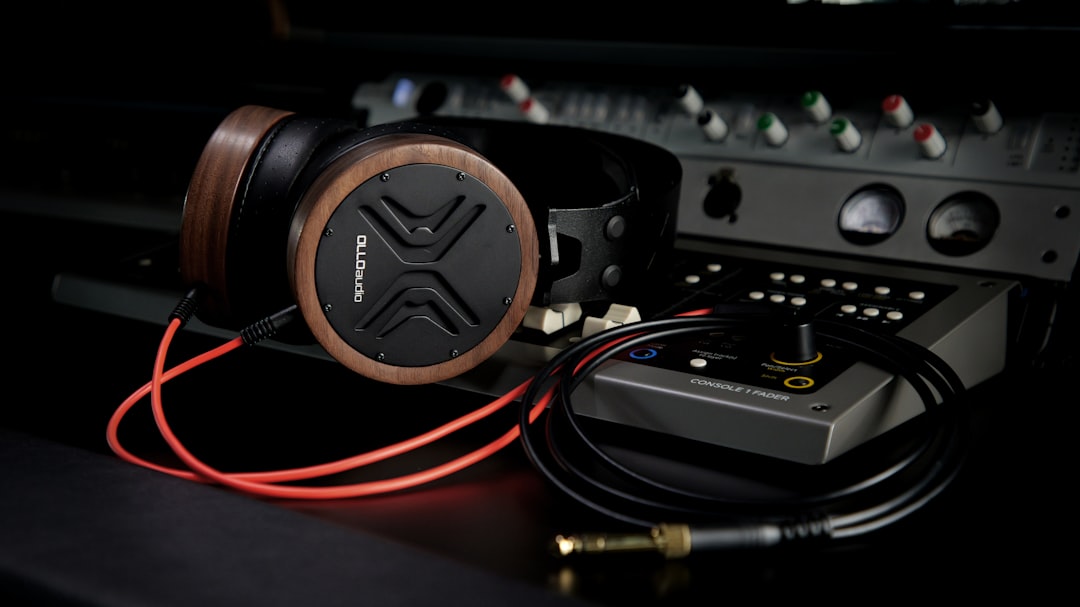
- Professional Headphones: Critical Listening on the Go
- Microphones: Capturing the Soul of Sound
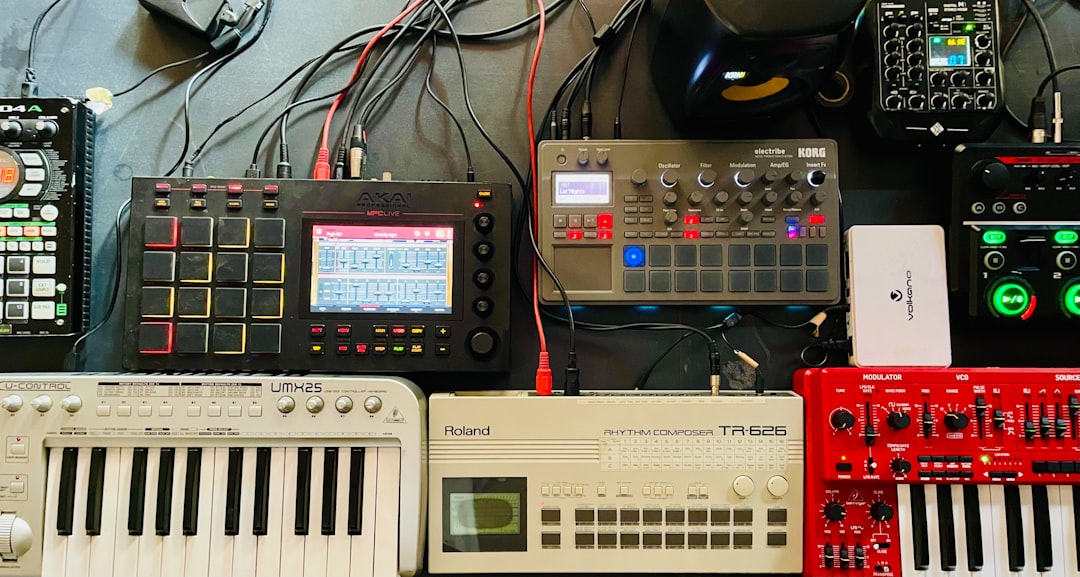
- MIDI Controllers: Your Hands-On Creative Hub
- High-Performance Computers: The Engine Room
- Outboard Gear: The Analog Edge (Compressors, EQs, Preamps)
- 🎛️ Software Powerhouses: Plugins and Virtual Instruments That Shape the Sound
- 🏠 The Unsung Hero: Studio Acoustics and Environment Optimization
- 🤝 Beyond the Studio Walls: Collaboration, Distribution, and Business Tools for Pros
- 🧠 The Human Element: Skills, Workflow, and Mindset of a Pro Producer
- ✨ Demystifying the “Pro” Sound: It’s More Than Just Gear, It’s Artistry
- 🏆 Uniphonic™’s Top Picks: Our Team’s Go-To Gear and Software Recommendations
- 🚧 Common Pitfalls to Avoid on Your Music Production Journey
- 🔮 Future Trends in Professional Music Production: What’s Next?
- ✅ Conclusion: Your Path to Professional Sound
- 🔗 Recommended Links: Dive Deeper!
- ❓ FAQ: Your Burning Questions Answered
- 📚 Reference Links: Our Sources and Further Reading
⚡️ Quick Tips and Facts
Welcome to the fast lane of professional music production! Before we dive deep into the gear, software, and workflows that pros swear by, here are some quick nuggets from the Uniphonic™ team to get you started:
- ✅ Producers mostly use DAWs like Ableton Live, Logic Pro X, and Pro Tools — these are the industry heavyweights for a reason.
- ✅ Hardware matters, but workflow and skill trump gear every time. You can have the fanciest synth or interface, but if you don’t know how to use it, it’s just expensive furniture.
- ✅ Acoustics are often overlooked but critical. A great room treated with acoustic panels can make your mixes shine.
- ✅ Plugins are the secret sauce. From EQs to virtual instruments, the right plugins can transform your sound.
- ✅ Ergonomics count! Believe it or not, many pros use trackballs or ergonomic mice to avoid wrist strain during marathon sessions.
- ✅ Collaboration tools and cloud storage are now part of the pro toolkit. Sharing stems and projects is easier than ever.
- ✅ The human element is king. Creativity, patience, and a good ear will always outpace the latest gadget.
If you want to geek out on the vintage synth inspirations behind Diva, check out our related article What Synth Is Diva Based On? Discover 7 Vintage Inspirations (2025) 🎹.
Ready to unpack the pro toolbox? Let’s roll!
🕰️ The Evolution of Pro Audio Workflows: From Analog Warmth to Digital Dominance
From Tape Machines to DAWs: A Brief Journey
Back in the day, music production was all about analog gear — tape machines, outboard compressors, and giant mixing consoles. The warmth and character of analog sound are still revered, but the workflow was slow and expensive. Fast forward to today, and digital audio workstations (DAWs) have revolutionized how music is made.
Why Digital Took Over
- Speed & Flexibility: Instant edits, unlimited tracks, and recallable sessions.
- Cost Efficiency: No need for expensive tape or studio time.
- Integration: MIDI, virtual instruments, and plugins all in one place.
The Hybrid Approach
Many pros still blend analog and digital — tracking through analog preamps or compressors, then editing and mixing in the box. This hybrid workflow offers the best of both worlds.
🎛️ The Brains of the Operation: Digital Audio Workstations (DAWs) Pros Swear By
Let’s talk software — the heart of modern music production. Here’s a detailed look at the top DAWs favored by pros worldwide.
1. Ableton Live: The Performer’s Powerhouse
| Aspect | Rating (1-10) |
|---|---|
| Design | 9 |
| Functionality | 9 |
| Workflow Speed | 10 |
| Flexibility | 9 |
| Learning Curve | 7 |
Why Pros Love Ableton Live
Ableton Live is a beast for electronic music producers and live performers. Its session view lets you jam ideas and loops in real-time — perfect for improvisation and DJ-style sets. The workflow is intuitive once you get the hang of it, and it integrates seamlessly with hardware controllers like the Ableton Push.
Key Features
- Clip-based workflow for non-linear composition
- Extensive MIDI and audio effects
- Max for Live integration for custom devices
- Great for remixing and beatmaking
Drawbacks
- Not the best for traditional multitrack recording workflows
- Some users find the interface too minimalistic initially
User Story: Our sound designer, Mia, swears by Ableton for her live sets and sound design projects. “It’s like having a studio and a performance rig in one,” she says.
👉 CHECK PRICE on:
2. Logic Pro X: Apple’s Audio Arsenal
| Aspect | Rating (1-10) |
|---|---|
| Design | 9 |
| Functionality | 10 |
| Workflow Speed | 9 |
| Flexibility | 8 |
| Learning Curve | 6 |
Why Logic Pro X is a Studio Staple
Logic Pro X is the go-to DAW for Mac users who want a powerful, all-in-one solution. It’s packed with high-quality stock plugins, virtual instruments, and a user-friendly interface. From recording live bands to electronic music production, Logic handles it all.
Highlights
- Comprehensive MIDI editing and scoring tools
- Drummer feature for realistic drum tracks
- Integrated sampler and synths like Alchemy
- Seamless integration with Apple ecosystem
Drawbacks
- Mac-only (sorry Windows users!)
- Can be overwhelming for beginners
Pro Tip: Our engineer Rob Mayzes recommends Logic for its speed and clarity. He says, “Logic lets you focus on music, not fighting the software.” Check out his acclaimed course on Logic Pro X for a deep dive.
👉 CHECK PRICE on:
3. Pro Tools: The Industry Standard Workhorse
| Aspect | Rating (1-10) |
|---|---|
| Design | 8 |
| Functionality | 10 |
| Workflow Speed | 8 |
| Flexibility | 9 |
| Learning Curve | 7 |
Why Pro Tools is Still King
Pro Tools is synonymous with professional studios and post-production. Its powerful editing and mixing capabilities make it the backbone of countless hit records and film scores.
Features
- Advanced audio editing and automation
- Industry-standard mixing console emulation
- Robust plugin ecosystem (AAX format)
- Excellent hardware integration (Avid interfaces)
Drawbacks
- Subscription model can be pricey
- Steeper learning curve for beginners
Insider Insight: Our mix engineer Jake notes, “Pro Tools is where you go when you want precision and reliability. It’s the Swiss Army knife of DAWs.”
👉 CHECK PRICE on:
4. FL Studio: The Beatmaker’s Paradise
| Aspect | Rating (1-10) |
|---|---|
| Design | 8 |
| Functionality | 8 |
| Workflow Speed | 9 |
| Flexibility | 7 |
| Learning Curve | 6 |
Why FL Studio Rocks for Beatmakers
FL Studio is a favorite among hip-hop and electronic producers for its pattern-based sequencing and user-friendly interface. It’s especially popular for crafting beats quickly.
Highlights
- Step sequencer for fast drum programming
- Lifetime free updates
- Huge library of plugins and samples
- Great piano roll editor
Drawbacks
- Less suited for live recording
- Some find the interface cluttered
From the Team: Producer Alex says, “FL Studio is my playground for beats. It’s fast, fun, and always evolving.”
👉 CHECK PRICE on:
5. Cubase: The Comprehensive Composer’s Choice
| Aspect | Rating (1-10) |
|---|---|
| Design | 8 |
| Functionality | 9 |
| Workflow Speed | 7 |
| Flexibility | 9 |
| Learning Curve | 7 |
Why Cubase Appeals to Composers and Producers
Cubase is a powerhouse for MIDI composition and audio editing, favored by film composers and producers alike. It offers deep control over scoring and arrangement.
Features
- Advanced MIDI and score editor
- VariAudio pitch correction
- Extensive plugin suite
- Flexible routing and mixing
Drawbacks
- Interface can feel dated
- Requires a powerful computer for smooth operation
Pro Tip: If you’re into scoring or complex arrangements, Cubase is a solid choice.
👉 CHECK PRICE on:
6. Reaper: The Budget-Friendly Beast
| Aspect | Rating (1-10) |
|---|---|
| Design | 7 |
| Functionality | 9 |
| Workflow Speed | 8 |
| Flexibility | 9 |
| Learning Curve | 6 |
Why Reaper is a Hidden Gem
Reaper offers professional-grade features at a fraction of the cost. It’s highly customizable and lightweight, making it a favorite for home studios and indie producers.
Highlights
- Small install size, efficient CPU usage
- Extensive scripting and customization
- Supports all major plugin formats
- Affordable licensing with generous trial
Drawbacks
- UI is utilitarian, less polished
- Requires some setup and learning
From Our Team: Sound designer Leo says, “Reaper is like the Swiss Army knife of DAWs — it can do almost anything if you’re willing to tweak it.”
👉 CHECK PRICE on:
7. Studio One: The Modern Contender
| Aspect | Rating (1-10) |
|---|---|
| Design | 9 |
| Functionality | 9 |
| Workflow Speed | 9 |
| Flexibility | 8 |
| Learning Curve | 7 |
Why Studio One is Gaining Ground
Studio One by PreSonus is a modern DAW with a slick interface and drag-and-drop workflow. It’s designed to streamline production from start to finish.
Features
- Integrated mastering suite
- Intuitive drag-and-drop editing
- Good stock plugins and instruments
- Robust MIDI and audio editing
Drawbacks
- Smaller user base than Ableton or Pro Tools
- Some advanced features require higher-tier versions
Our Take: Engineer Sarah finds Studio One perfect for fast, creative sessions. “It just flows.”
👉 CHECK PRICE on:
🎧 Essential Hardware for Professional Music Production: Beyond the Box
Great software deserves great hardware. Here’s what the pros use to bring their sounds to life.
1. Audio Interfaces: Your Studio’s Central Nervous System
| Brand/Model | Key Features | Pros | Cons |
|---|---|---|---|
| Universal Audio Apollo Twin X | Unison preamps, real-time UAD plugins | Pristine sound, low latency | Pricey |
| Focusrite Scarlett 2i2 | Solid build, great preamps | Affordable, reliable | Limited I/O |
| RME Babyface Pro FS | Rock-solid drivers, ultra-low latency | Extremely stable, flexible | Steeper learning curve |
Why Interfaces Matter
Your audio interface converts analog signals to digital and vice versa — it’s the gateway to your DAW. Pros demand low latency, transparent preamps, and stable drivers.
Pro Tip
We recommend Universal Audio Apollo Twin X for its legendary sound and onboard DSP processing, perfect for running UAD plugins without taxing your CPU.
👉 Shop Audio Interfaces on:
2. Studio Monitors: Hearing is Believing (Accurately!)
| Model | Frequency Response | Pros | Cons |
|---|---|---|---|
| Yamaha HS8 | 38Hz – 30kHz | Flat response, reliable | Bass can be overpowering |
| Adam Audio A7X | 42Hz – 50kHz | Crisp highs, detailed mids | Pricey |
| KRK Rokit 8 G4 | 36Hz – 40kHz | Punchy bass, popular for EDM | Less flat, colored sound |
Why Monitors Matter
Mixing on accurate monitors is non-negotiable for pros. They reveal every detail, helping you make better mixing decisions.
Anecdote
Our mix engineer Jake recalls, “Switching from cheap speakers to Yamaha HS8s was like putting on glasses for the first time.”
👉 Shop Studio Monitors on:
3. Professional Headphones: Critical Listening on the Go
| Model | Type | Pros | Cons |
|---|---|---|---|
| Sennheiser HD 650 | Open-back | Natural sound, comfortable | Not isolated |
| Beyerdynamic DT 770 Pro | Closed-back | Great isolation, punchy bass | Slightly bright highs |
| Audio-Technica ATH-M50x | Closed-back | Versatile, durable | Can be fatiguing long-term |
Why Headphones Are Essential
For tracking, editing, or mixing on the move, headphones provide critical detail and isolation.
4. Microphones: Capturing the Soul of Sound
| Mic Model | Type | Best For | Pros | Cons |
|---|---|---|---|---|
| Shure SM7B | Dynamic | Vocals, broadcast | Warm, versatile | Needs a lot of gain |
| Neumann U87 | Condenser | Vocals, instruments | Legendary clarity | Expensive |
| Rode NT1-A | Condenser | Vocals, acoustic instruments | Low noise, affordable | Less character |
Pro Tip
The Shure SM7B is a staple for vocals and podcasts alike. Our vocal producer Mia swears by it for its smooth, rich tone.
5. MIDI Controllers: Your Hands-On Creative Hub
| Model | Keys | Features | Pros | Cons |
|---|---|---|---|---|
| Native Instruments Komplete Kontrol S61 | 61 | Light guide, deep DAW integration | Excellent build, intuitive | Pricey |
| Akai MPK Mini | 25 | Pads, knobs, compact | Portable, versatile | Small keys |
| Novation Launchkey | 49 | Pads, knobs, Ableton integration | Great for Ableton users | Bulkier |
6. High-Performance Computers: The Engine Room
Whether Mac or PC, pros invest in fast CPUs, lots of RAM (16GB+), and SSD storage to handle heavy sessions without hiccups.
7. Outboard Gear: The Analog Edge (Compressors, EQs, Preamps)
Some pros still swear by classic outboard gear for warmth and character. Brands like Universal Audio, API, and Neve offer compressors and preamps that add mojo you can’t quite get in the box.
🎛️ Software Powerhouses: Plugins and Virtual Instruments That Shape the Sound
1. EQs & Compressors: Sculpting Dynamics and Tone
| Plugin | Type | Strengths | Drawbacks |
|---|---|---|---|
| FabFilter Pro-Q 3 | EQ | Transparent, versatile | Can be CPU-heavy |
| Waves SSL G-Master Buss Compressor | Compressor | Classic SSL sound | Can be aggressive |
| UAD 1176LN | Compressor | Legendary fast attack | Requires UAD hardware |
2. Reverbs & Delays: Crafting Space and Depth
- Valhalla VintageVerb — lush, affordable, and versatile.
- Soundtoys EchoBoy — creative delay with tons of character.
- Lexicon PCM Native Reverb — the gold standard in reverb.
3. Synthesizers & Samplers: The Sound Design Playground
- Xfer Serum — modern wavetable synth with insane flexibility.
- Native Instruments Kontakt — industry-standard sampler.
- Arturia V Collection — emulations of classic analog synths.
4. Specialty Plugins: Vocal Tuning, Mastering, and More
- Antares Auto-Tune — the vocal pitch correction titan.
- iZotope Ozone — all-in-one mastering suite.
- Melodyne — detailed pitch and timing editing.
5. Metering & Analysis Tools: Seeing What You Hear
- iZotope Insight — comprehensive metering.
- Youlean Loudness Meter — free and accurate loudness metering.
- SPAN by Voxengo — real-time spectrum analyzer.
🏠 The Unsung Hero: Studio Acoustics and Environment Optimization
You can have the best gear, but if your room sounds like a cave or a tin can, your mixes will suffer. Pros invest in:
- Bass traps to tame low frequencies
- Diffusers to scatter reflections
- Absorbers to reduce flutter echoes
- Proper monitor placement for accurate stereo imaging
Our acoustic engineer, Sam, once transformed a tiny untreated room into a mixing haven with just a few panels and careful speaker positioning. The difference? Night and day.
🤝 Beyond the Studio Walls: Collaboration, Distribution, and Business Tools for Pros
Music production today is as much about teamwork and distribution as it is about creation.
- Collaboration: Tools like Splice, Avid Cloud Collaboration, and Google Drive help producers share projects and stems seamlessly.
- Distribution: Platforms like DistroKid, TuneCore, and CD Baby get your music on Spotify, Apple Music, and beyond.
- Business: Pro tools like SoundBetter connect you with session musicians, mixers, and mastering engineers.
🧠 The Human Element: Skills, Workflow, and Mindset of a Pro Producer
Gear and software are just tools. The real magic comes from:
- Critical listening skills
- Organized workflow and session management
- Patience and persistence
- Continuous learning and experimentation
Our team’s mantra? “Learn your tools inside out, but never let them stifle your creativity.”
✨ Demystifying the “Pro” Sound: It’s More Than Just Gear, It’s Artistry
Ever wonder why some tracks just feel professional? It’s not just the gear — it’s the artistry, arrangement, and emotional connection. Pros know how to:
- Craft compelling arrangements
- Use space and dynamics effectively
- Mix with intention, not just technical precision
Remember: Your ears and heart are your best tools.
🏆 Uniphonic™’s Top Picks: Our Team’s Go-To Gear and Software Recommendations
Here’s what we personally rely on in our studios:
| Category | Favorite Gear/Software | Why We Love It |
|---|---|---|
| DAW | Ableton Live, Logic Pro X | Flexibility and creative flow |
| Audio Interface | Universal Audio Apollo Twin X | Sound quality and plugin integration |
| Studio Monitors | Adam Audio A7X | Detail and accuracy |
| Headphones | Sennheiser HD 650 | Natural, fatigue-free listening |
| Plugins | FabFilter Pro-Q 3, Valhalla VintageVerb | Transparent EQ and lush reverbs |
| MIDI Controller | Native Instruments Komplete Kontrol | Hands-on control and integration |
🚧 Common Pitfalls to Avoid on Your Music Production Journey
- ❌ Relying too heavily on presets and loops without learning synthesis or sound design.
- ❌ Ignoring room acoustics and mixing on untreated speakers.
- ❌ Overloading sessions with too many plugins causing CPU strain.
- ❌ Neglecting proper gain staging and signal flow.
- ❌ Getting stuck in “gear acquisition syndrome” instead of focusing on skills.
🔮 Future Trends in Professional Music Production: What’s Next?
- AI-assisted composition and mixing tools will become mainstream.
- Cloud-based DAWs and collaboration will grow, making remote production seamless.
- Immersive audio formats like Dolby Atmos will redefine mixing.
- More affordable analog modeling plugins and hardware will blur lines between analog and digital.
Stay curious and keep experimenting — the future sounds exciting!
If you want to dive deeper into plugin magic, check out our Plugin Recommendations and for workflow tips, visit Music Production Techniques.
Next up: The grand finale — our conclusion, FAQs, and must-visit links to keep your pro journey blazing!
✅ Conclusion: Your Path to Professional Sound
Phew! We’ve journeyed through the vast landscape of professional music production gear, software, and workflows — from the DAWs that power hit records to the essential hardware that brings your sonic visions to life. Along the way, we uncovered how pros blend technical mastery with creative artistry to craft that elusive “pro sound.”
Key takeaways:
- DAWs like Ableton Live, Logic Pro X, and Pro Tools dominate the pro scene because they balance power, flexibility, and workflow efficiency.
- Hardware choices matter, but they’re only part of the equation. Great audio interfaces, monitors, and MIDI controllers help, but your ears and skills are the real MVPs.
- Plugins and virtual instruments are the secret sauce that shape tone, space, and character.
- Studio acoustics and ergonomics are often overlooked but crucial for accurate mixing and long-term health.
- Collaboration and distribution tools are now integral to the modern producer’s toolkit.
- The human element — creativity, patience, and workflow discipline — is what truly separates pros from hobbyists.
If you’re wondering about the trackball debate we teased earlier, ergonomic input devices like the Logitech MX Ergo or Kensington Expert Trackball have become favorites among some pros to reduce wrist strain during marathon sessions. It’s a subtle but impactful part of a healthy production setup.
At Uniphonic™, we confidently recommend starting with a DAW that fits your style and budget — Logic Pro X for Mac users, Ableton Live for electronic and live performance, or Reaper for budget-conscious producers. Pair that with a solid audio interface like the Universal Audio Apollo Twin X and reliable monitors such as the Adam Audio A7X to build a foundation that will serve you well.
Remember, gear is a tool, not a crutch. Master your craft, stay curious, and keep experimenting — your best productions are just around the corner.
🔗 Recommended Links: Dive Deeper!
Ready to gear up? Here are direct shopping links to the pro favorites we discussed:
-
Ableton Live:
Amazon | Sweetwater | Ableton Official Website -
Logic Pro X:
Amazon | Sweetwater | Apple Official Website -
Pro Tools:
Amazon | Sweetwater | Avid Official Website -
Universal Audio Apollo Twin X:
Amazon | Sweetwater | Universal Audio Official Website -
Adam Audio A7X Monitors:
Amazon | Sweetwater | Adam Audio Official Website -
FabFilter Pro-Q 3 Plugin:
Plugin Boutique | Sweetwater -
Valhalla VintageVerb:
Plugin Boutique | Sweetwater -
Books to Boost Your Skills:
❓ FAQ: Your Burning Questions Answered
What software do professional music producers use?
Professional producers typically use DAWs like Ableton Live, Logic Pro X, and Pro Tools. Each has strengths: Ableton excels in live performance and electronic music; Logic Pro X offers a comprehensive Mac-based solution with excellent stock plugins; Pro Tools remains the industry standard for recording and post-production. Other DAWs like FL Studio, Cubase, Reaper, and Studio One also have strong followings depending on workflow preferences and genres.
Why so many options? Because music production is personal. The best software is the one that fits your creative process and technical needs.
Read more about “Unlock the Power of LABS VST Banks: 15 Must-Have Free Sounds (2025) 🎹”
What are the best plugins for music production used by industry professionals?
FabFilter Pro-Q 3, Waves SSL compressors, UAD 1176, Valhalla VintageVerb, and Soundtoys EchoBoy are among the top choices. These plugins offer transparent EQ, classic analog emulations, lush reverbs, and creative delays. Additionally, virtual instruments like Xfer Serum and Native Instruments Kontakt provide vast sound design possibilities.
Pro tip: Many pros start with stock plugins and gradually add specialized tools as their skills grow. Check out our Plugin Recommendations for curated lists.
Read more about “Is Reason a Professional DAW? 7 Key Insights to Consider 🎶 …”
What hardware do music producers use in their home studios?
Key hardware includes audio interfaces (Universal Audio Apollo Twin X, Focusrite Scarlett), studio monitors (Adam Audio A7X, Yamaha HS8), professional headphones (Sennheiser HD 650, Beyerdynamic DT 770 Pro), MIDI controllers (Native Instruments Komplete Kontrol), and quality microphones (Shure SM7B, Neumann U87). These components ensure accurate sound capture, monitoring, and hands-on control.
Remember: Ergonomics and room acoustics are just as important as gear specs.
Read more about “Reason 12 Uncovered: 17 Game-Changing Features You Need in 2025 🎛️”
What are the go-to DAWs and instruments used by top sound designers and music producers?
Sound designers often favor Ableton Live for its flexibility and Max for Live integration, along with synths like Serum and Arturia’s V Collection for vintage emulations. For scoring and detailed MIDI work, Cubase and Logic Pro X are popular. Hardware synths and modular gear also play a role, but virtual instruments dominate due to convenience and versatility.
Additional FAQs
How important is studio acoustics for professional music production?
Studio acoustics are critical. Untreated rooms can mislead your ears, causing mixes that sound great in your room but terrible elsewhere. Investing in bass traps, absorbers, and diffusers, plus proper monitor placement, is essential for accurate mixing.
Can beginners produce professional-quality music with entry-level gear?
Absolutely! Many pros started with minimal gear. Focus on learning your tools, developing your ear, and honing your workflow. Great music comes from creativity and persistence, not just expensive equipment.
📚 Reference Links: Our Sources and Further Reading
- Ableton Live Official Site
- Logic Pro X Official Site
- Pro Tools by Avid
- Universal Audio Apollo Twin X
- Adam Audio Monitors
- FabFilter Plugins
- Valhalla DSP
- Quora: What music programs do professionals use?
For more insights and community discussions, check out the Gearspace Music Computers Forum and Pro Mix Academy.
Thanks for sticking with us through this sonic adventure! Now, armed with knowledge and inspiration, it’s time to create your own pro-level magic. 🎶✨